HubSpot Document Signing: Send and Track Documents Without Leaving HubSpot
 Lakshmi Priya Soundar Rajan
TL;DR: The HubSpot eSignature integration from BoldSign lets you send, fill and track documents from a contact, company or deal record. Templates fill names, emails and deal details from HubSpot, and the record shows each document’s status. See the HubSpot eSignature integration page for the full feature list.
A sales rep closes a deal call and needs the contract signed today. Without an integration, they copy the client’s name, email and deal amount into a separate signing tool. Then they check that tool every few hours to see whether the client signed.
HubSpot document signing with BoldSign keeps that work in the deal record. This guide covers what the integration does, how to set it up and which plan you need.
What is the HubSpot eSignature integration?
The HubSpot eSignature integration connects BoldSign to your HubSpot customer relationship management (CRM) account. You send documents for signature from a HubSpot record, and the status comes back to that record.
Think of it as a mail slot in your office door. Contracts go out and come back through the same spot, so you never walk to another building to collect them.
Our app is also a HubSpot certified app, which means HubSpot’s developers have reviewed it.
What can you do with HubSpot document signing?
You can send, fill and track signature requests from the BoldSign app card on a contact, company or deal record. Each feature below works inside HubSpot.
Connect the two accounts in a few steps
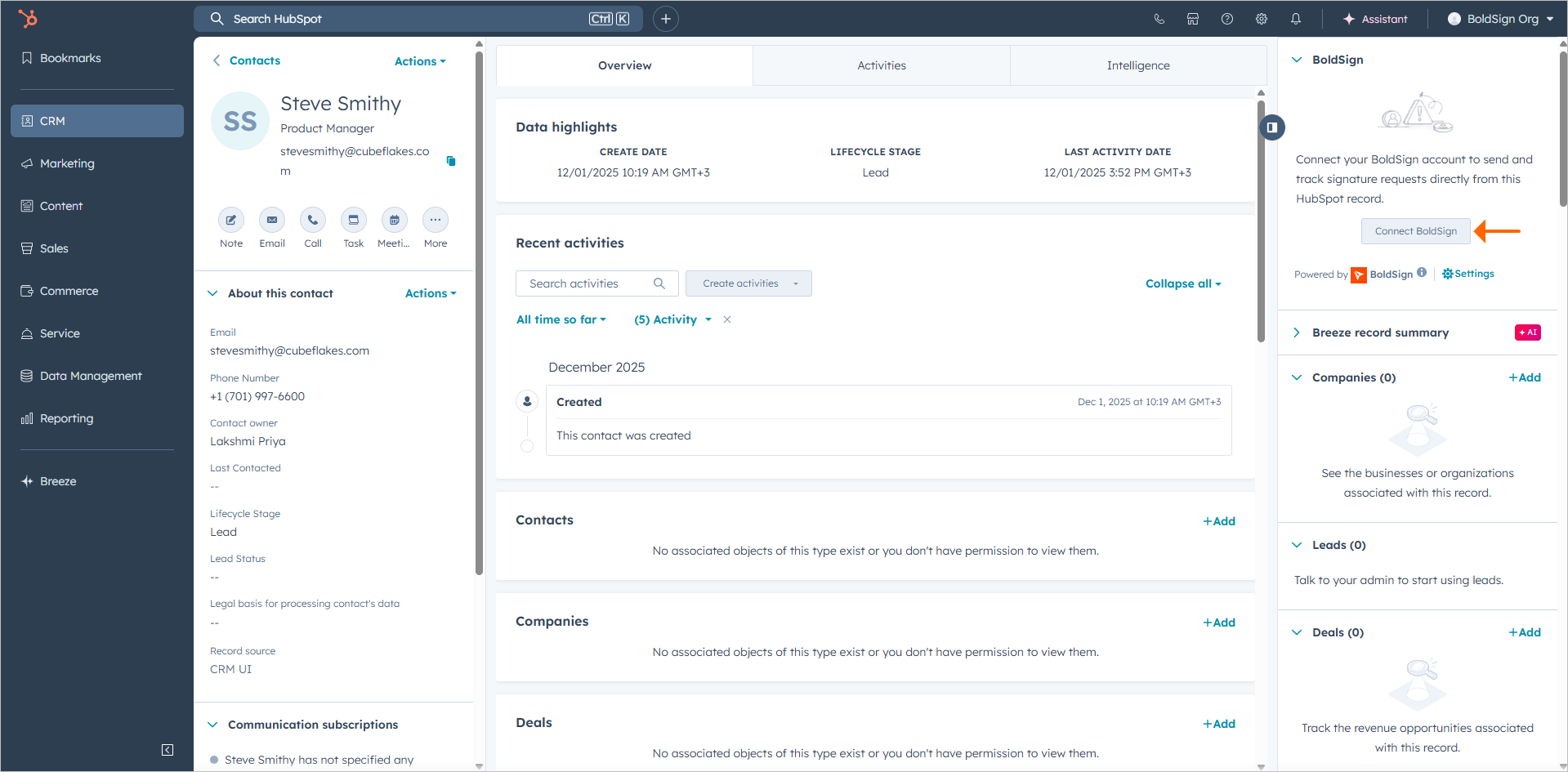
An admin connects HubSpot and BoldSign once, with no code. After that, each user links their own BoldSign account from the app card.
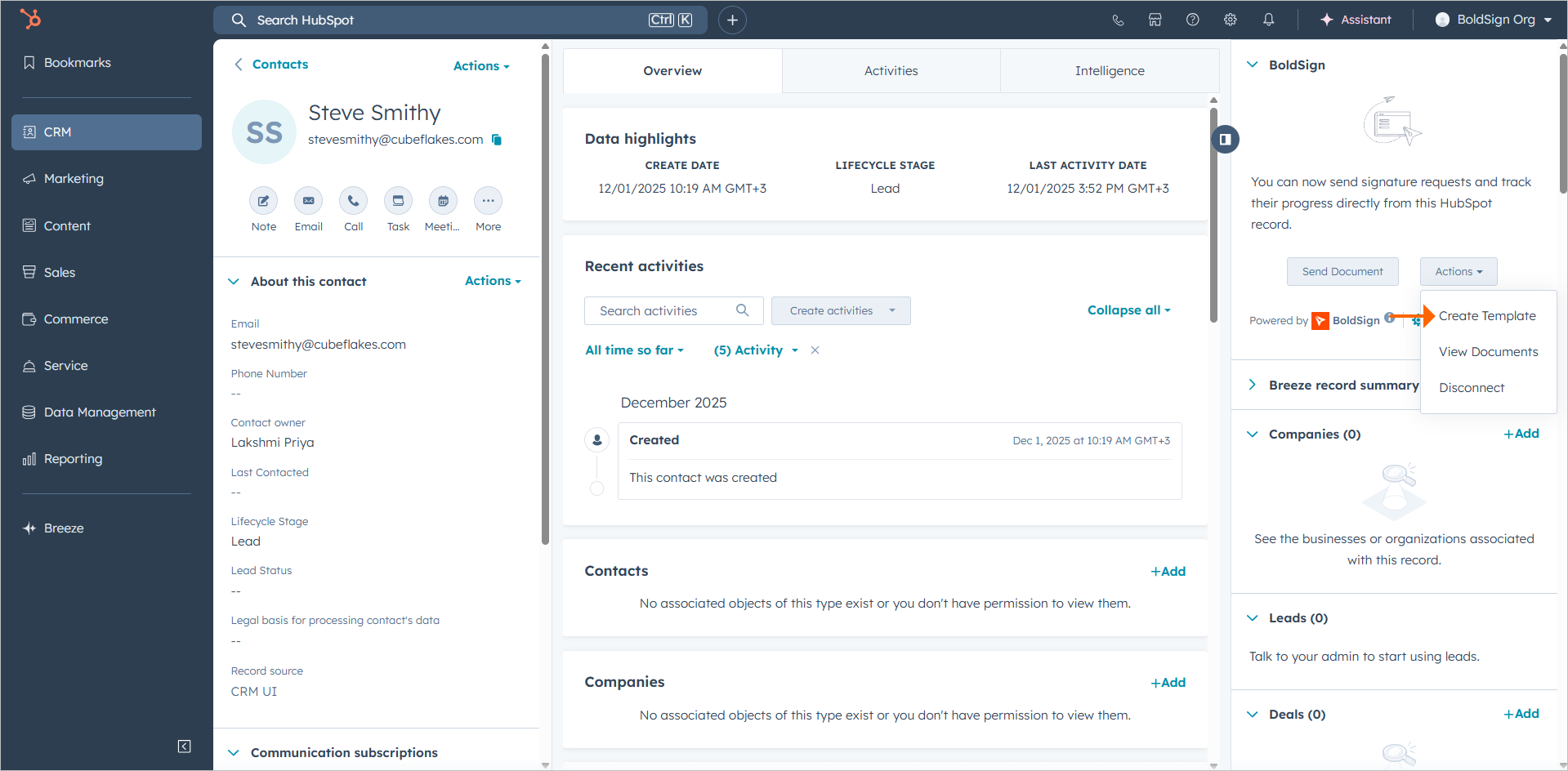
Build templates with mapped fields
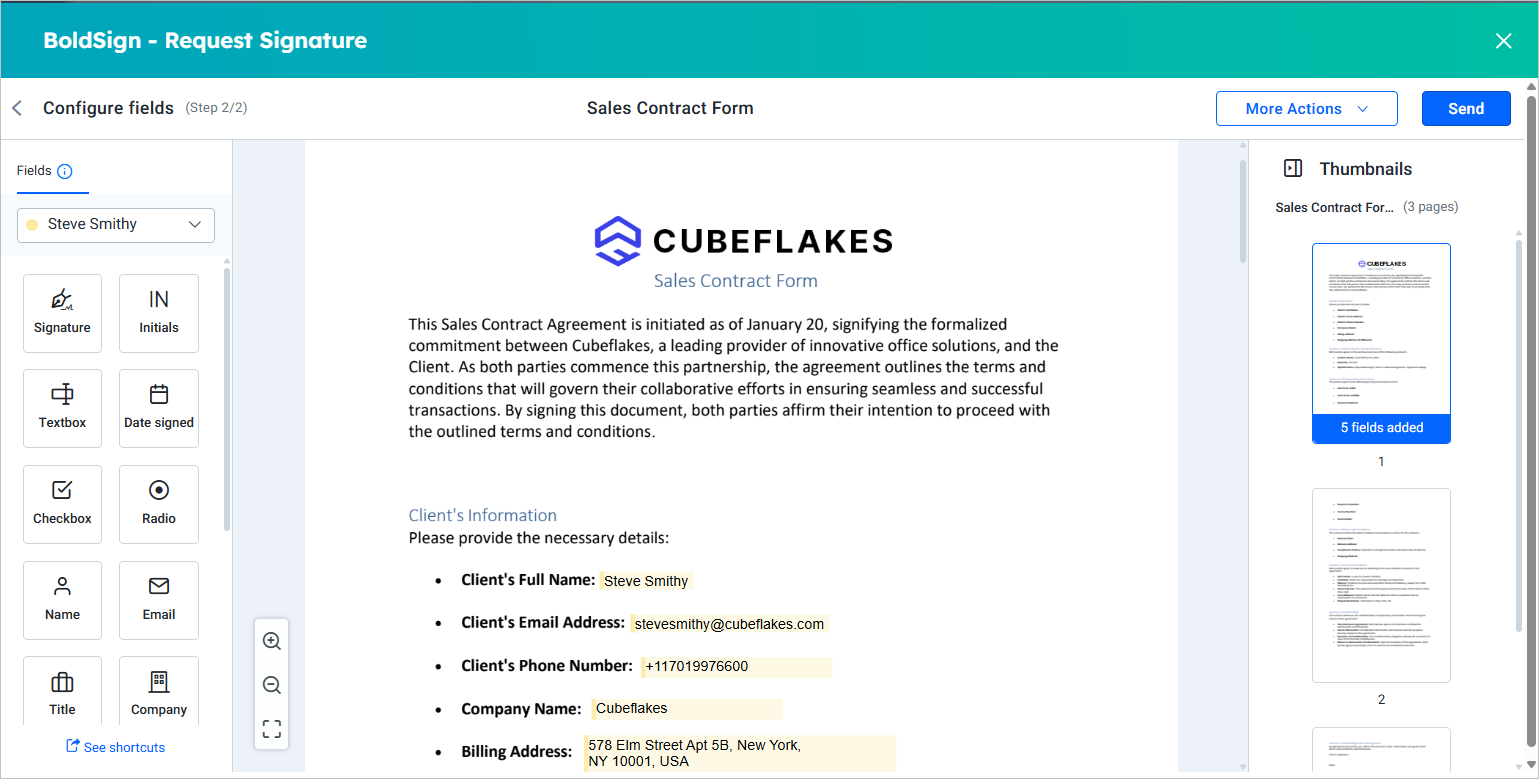
You build a template once and map its fields to HubSpot properties for each signer role. Your whole team can then reuse the same template.
Fill documents from HubSpot data
We fill the recipient’s name and email from the record. Other mapped fields, such as company name or deal amount, fill in as well, so nobody retypes them.
Send a one-time document
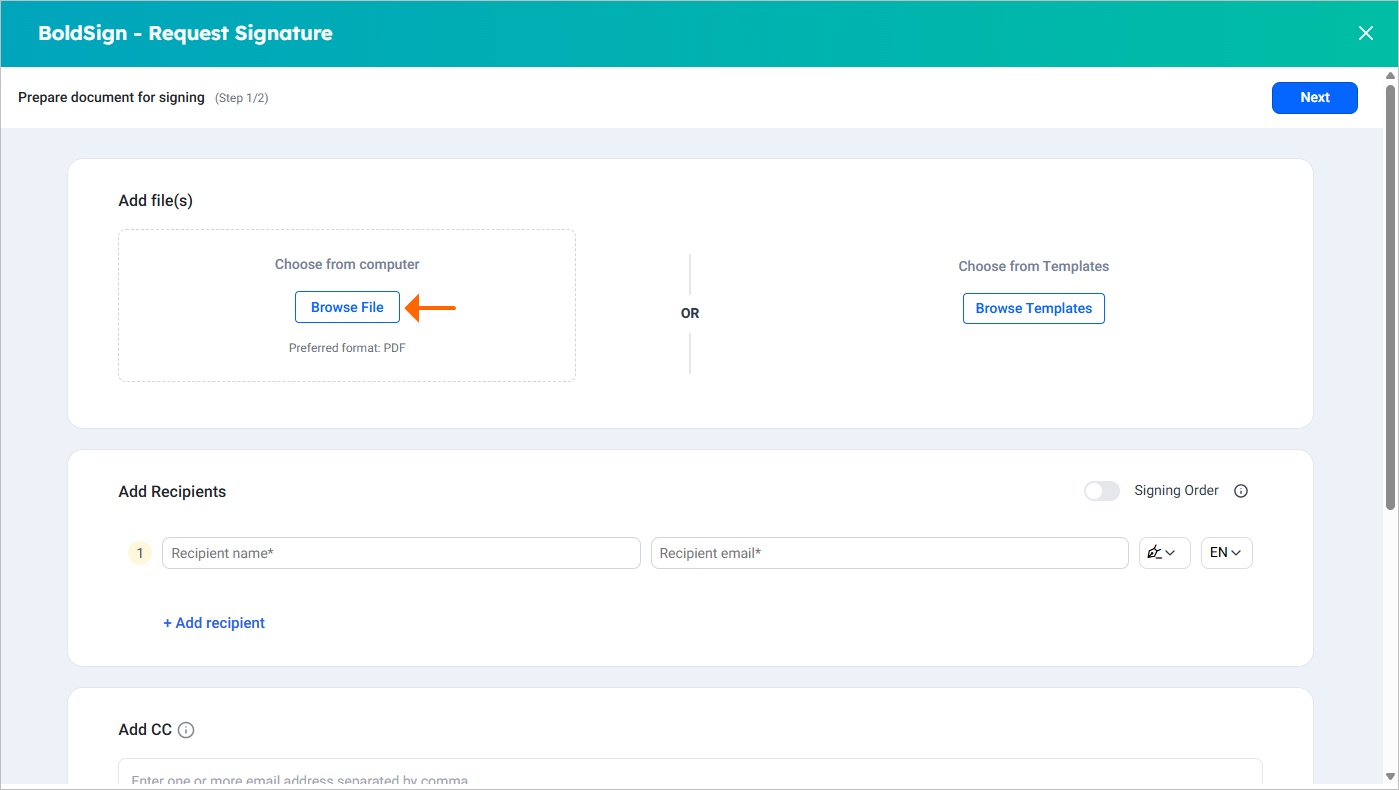
Upload a file from the record and send it without a template. This suits a one-off approval or agreement.
Track document status in the record
Select View Documents on the app card to see every request sent from that record. Each request shows a status such as Waiting for others, Completed or Revoked.
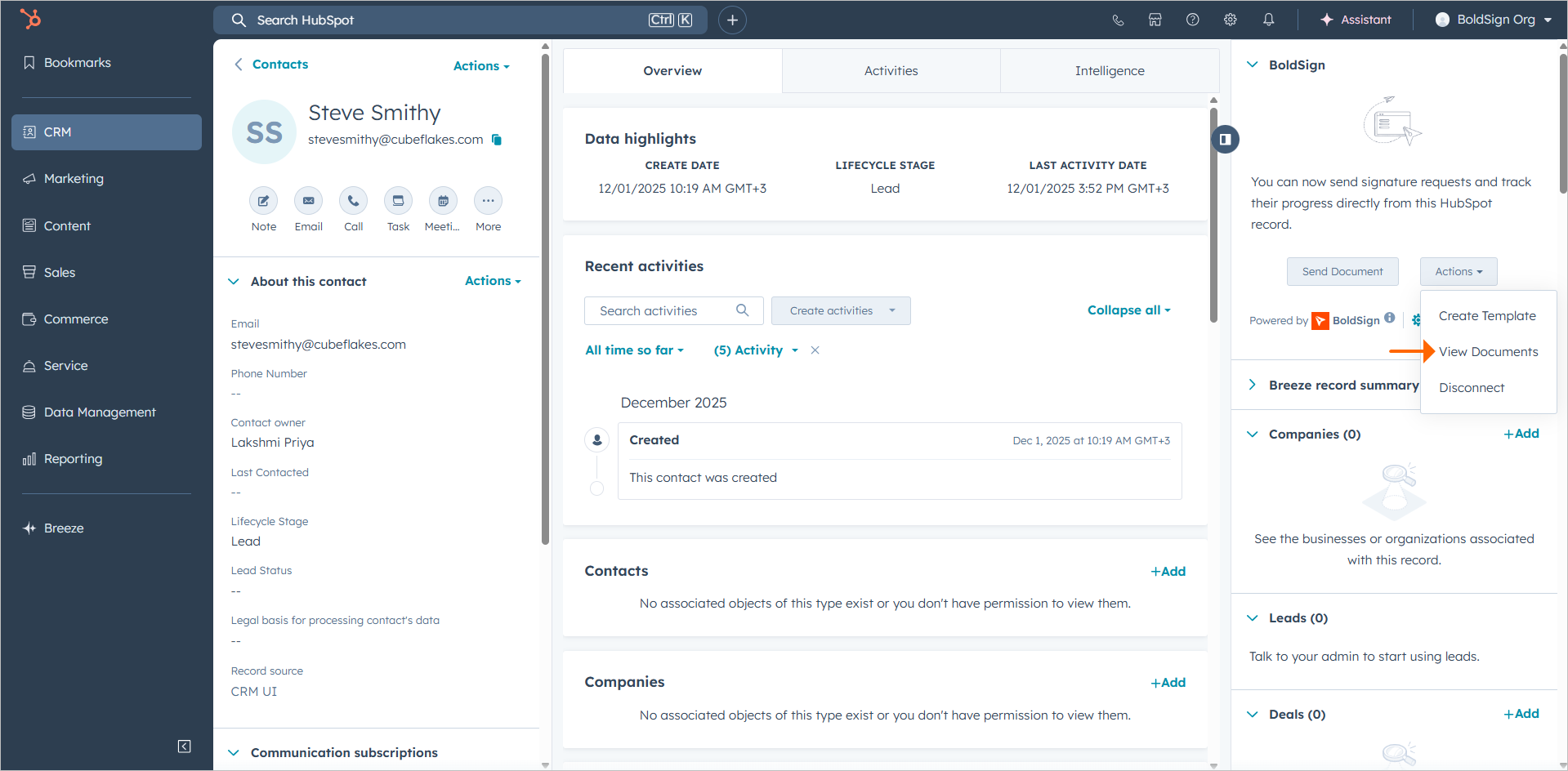
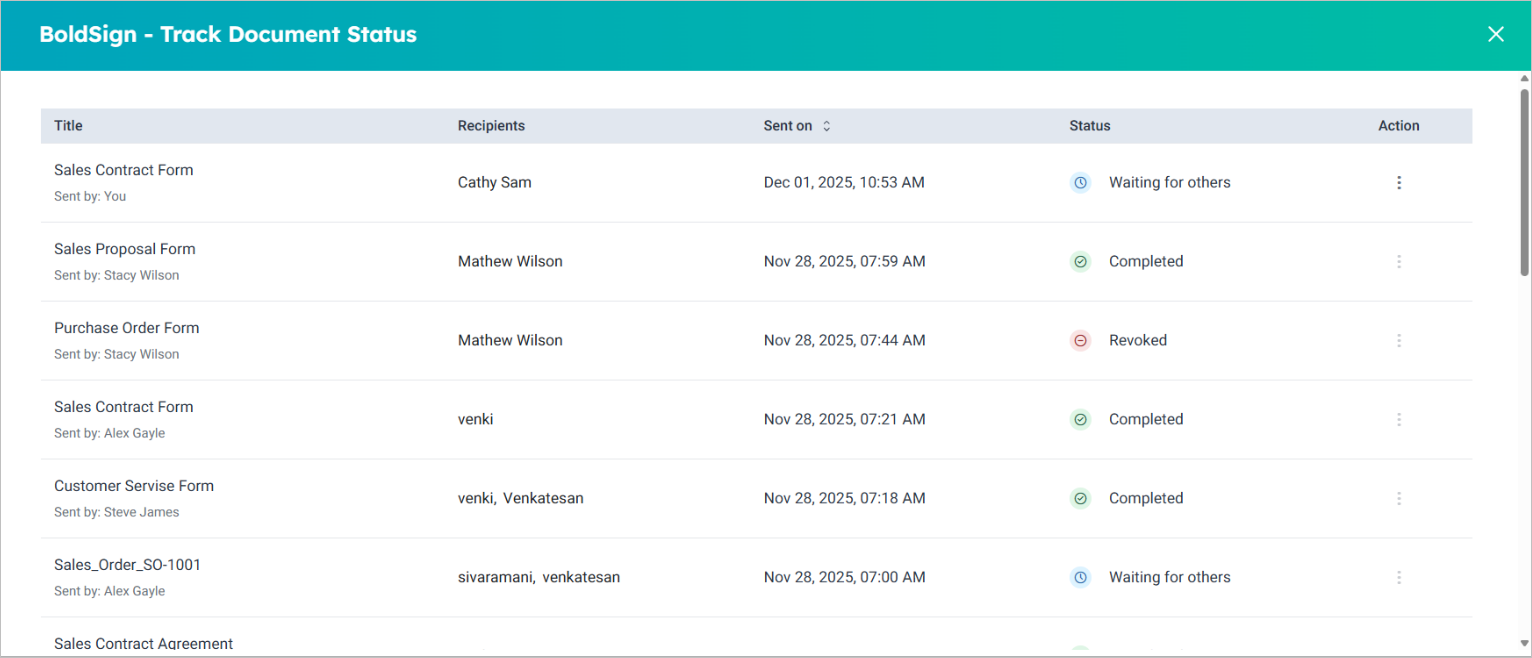
You can also send reminders or revoke a request from the record. A completed request opens its signed copy.
How do you connect BoldSign to HubSpot?
A HubSpot Super Admin connects the accounts from the BoldSign Integration settings. Use the same email address in both accounts.
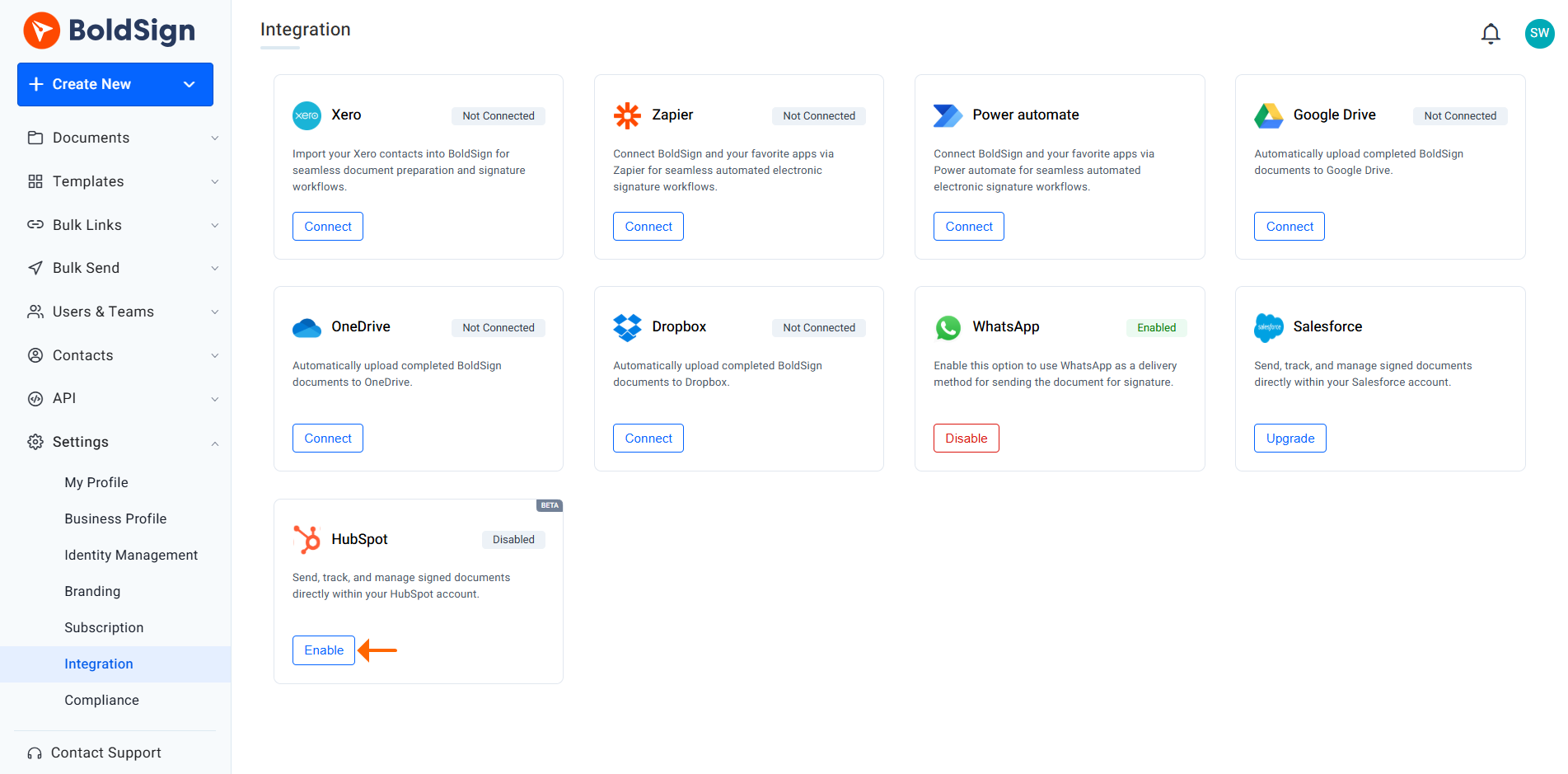
- From the BoldSign Dashboard, expand Settings and select Integration.
- On the HubSpot card, select Connect, then select Yes, Connect in the dialog.
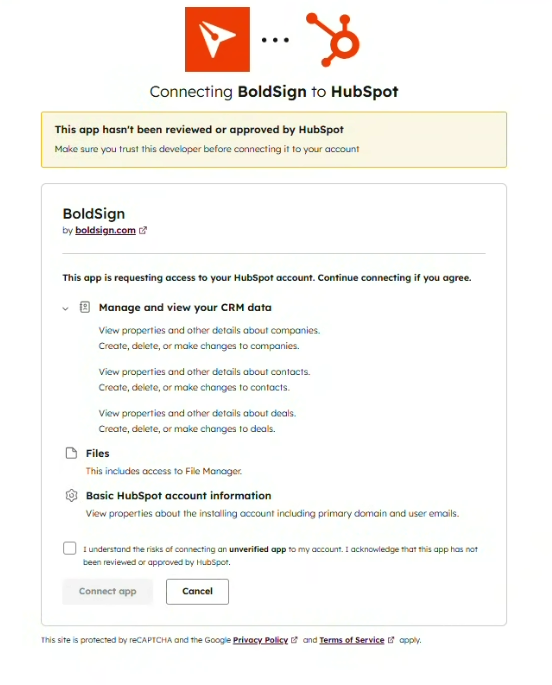
- In the new tab, sign in to HubSpot and choose the HubSpot account to connect.
- Review the permissions, check the acknowledgment box and select Connect app, then Allow.
- Refresh the BoldSign Integration page and check that the status shows Connected.
After you approve, HubSpot opens the BoldSign app card. Select Manage Location to show the card on Contacts, Deals and Companies. Our HubSpot admin guide shows each screen.
How do you sign documents in HubSpot with a template?
Open the record and start from the app card. HubSpot data fills the mapped fields for you.
- Open the contact, company or deal record you want to send from.
- On the BoldSign app card, select Send Document.
- Select Browse Templates, pick your template and select Use.
- Check the recipient for each role, add any CC (carbon copy) recipients, and select Next.
- Review the filled field data, then send the document.
Our help article on how to send signature requests from templates in HubSpot covers each option.
What should you watch out for?
Most setup problems come from accounts or permissions. Check these points before your team starts sending.
- Ask a HubSpot Super Admin to install the app.
- Use the same email address for BoldSign and HubSpot.
- Keep the integration connected, or statuses stop updating in HubSpot.
- Add fields yourself on one-time documents, since HubSpot data fills only mapped templates.
Which BoldSign plan includes HubSpot, and what does it cost?
The HubSpot integration comes with the BoldSign Business plan and Premium plan. There is no separate fee for the integration.
Billed yearly, the Business plan costs $15 per user a month. The Premium plan costs $99 a month for unlimited users. Prices are in USD.
Both plans start with a 30-day free trial. See every feature by plan on the BoldSign pricing page.
Ready to send your first contract from HubSpot?
Connect the two accounts, add the app card to your deal records and send a test document to yourself.
- Start a free trial and connect HubSpot today.
- Request a demo to see the integration with your own records.
- Read the BoldSign and HubSpot integration guide or contact our support team.
Frequently asked questions
How do I send a document for signature from HubSpot?
Open a contact, company or deal record and select Send Document on the BoldSign app card. Pick a template or upload a file, add the recipients and send.
Do my signers need a HubSpot or BoldSign account?
No. Signers open the document from the email we send them and sign in their browser. Only the people who send documents need accounts.
Which HubSpot records can I send documents from?
You can send from a contact, a company or a deal record. A HubSpot admin chooses where the BoldSign app card appears with Manage Location.
Does HubSpot data fill one-time documents too?
HubSpot data fills only templates with mapped fields. For a one-time document, you add the fields and enter the details yourself.
Who should install the BoldSign app in HubSpot?
A HubSpot Super Admin should install it. Use the same email address in BoldSign and HubSpot so the two accounts link correctly.
Are signatures sent from HubSpot legally binding?
Yes, when the signing meets the electronic signature rules for your country and document type. We record each step of the signing in an audit trail.
Does the HubSpot integration cost extra?
No. The HubSpot integration comes with the BoldSign Business and Premium plans at no separate fee. You can test it during a 30-day free trial.
What happens if I disconnect BoldSign from HubSpot?
We can no longer update document statuses in HubSpot. Keep the integration connected while documents are out for signature.

Lakshmi Priya Soundar Rajan
Lakshmi Priya Soundar Rajan is a Technical Writer at BoldSign. With expertise in simplifying complex concepts, she contributes to the comprehensive documentation and user-friendly content at BoldSign. Lakshmi’s commitment to quality ensures users have access to clear and helpful information. Connect with her on LinkedIn.
More posts by Lakshmi Priya Soundar Rajan