



eSignatures for Insurance
With BoldSign, your agency or claims team sends applications, renewals, and claim forms as a link that clients sign on any phone, with no account.
- Identity checks before signing
- Audit trail for every document
Trusted by 100,000+ organizations worldwide








Where insurance paperwork slows a policy down
-
Applications wait for a signature
A client who has to print, sign, and scan a form puts it off, and the policy waits.
See how phone signing solves it -
No proof of who signed
A scanned page shows little about who signed it, or when.
See how identity verification solves it -
Renewals arrive every month
Retyping the same renewal form for each policyholder invites typos.
See how bulk send solves it
How do insurance teams get documents signed electronically?
With BoldSign, you upload a form, mark where each person signs, and send a link.
- 01 / Add file(s)Step 1
- 02 / Add recipient(s)Step 2
- 03 / Place fields & sendStep 3
Can policyholders sign insurance forms on a phone?
Yes, with BoldSign your clients open the signing link in any phone browser and sign without an account or an app.
-
Requests by email, SMS, or WhatsApp
Send the link the way each client reads messages.
-
Attachments from the signer
Claimants add photos of the damage as they sign.
-
Automatic reminders
Reminders go to anyone who has not signed, on your schedule.
How do you send the same renewal form to many policyholders?
With BoldSign, you save the renewal form as a template once, then send it to a list of policyholders from a CSV file.
-
Save the renewal form
Upload your form and add a field for each detail that changes, such as the policy number.
-
Add your policyholders
Add one row per policyholder and a column per field. Upload, preview, and send.
-
Each gets their own form
Each policyholder receives a form with their own details, ready to sign.
How do you know the right person signed an insurance document?
With BoldSign, you choose how each signer proves who they are before the document opens.
-
Access code or email code
A code the signer enters first, for routine forms.
-
SMS code
A one-time code sent to the signer’s phone.
-
Knowledge-based authentication
Questions from public records that only the signer should know.
-
ID verification
A government ID checked against a live selfie, for claims and policy changes.
-
Audit trail for every document
Who opened, signed, and downloaded it, with the time and IP address.
How is policyholder data kept secure?
BoldSign encrypts every insurance document twice with AES-256. Its security controls are independently audited for SOC 2 Type 2.
IT and procurement teams can read the data processing agreement and the subprocessor list online, and request the SOC 2 Type 2 report. Single sign-on and user provisioning work with Microsoft Entra ID (See features by plan).
View security policyWhy choose BoldSign for your insurance team
BoldSign gives agencies and carriers one place for every signed policy document.
-
Custom branding
Your logo and colors on emails and signing pages.
-
Scalability
Unlimited envelopes per sender, and one renewal form for a whole list of policyholders.
-
Embedded signing
Developers place signing inside your client portal or claims app.
-
Multi-signer support
Every party signs one document, in order or at the same time.
-
Templates
Every agent sends the approved version of each form.
-
User-friendly interface
Agents drag fields onto a form, and signers follow guided steps.
Which insurance teams use BoldSign?
BoldSign is used by insurance agencies such as Dave Silver Insurance, a Medicare agency in Bradenton, Florida, and Champion Services, which sends customer contracts and keeps signed copies on file.
All customer stories
Dave Silver Insurance
Medicare health insurance
How Dave Silver Insurance Simplifies Medicare Insurance Form Signing
“It seemed to do what a lot of its competitors did at a fraction of the cost.”
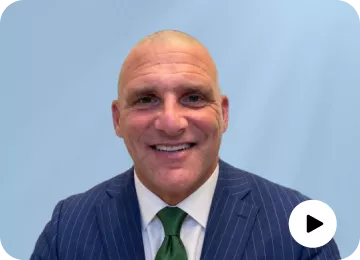 Dave Silver · Founder, Dave Silver Insurance
- Product used
- BoldSign
- Region
- United States


Limits and costs to know before you send insurance documents with BoldSign
BoldSign sends, tracks, and stores insurance documents for signature. It does not quote, rate, or issue policies, and it does not notarize. Prices are in USD.
- $15 Business plan, per user a month Billed yearly. SMS and WhatsApp delivery, bulk sending, SMS codes, KBA, and ID verification start here (pricing).
- $2 per ID verification attempt
- $1.50 per KBA attempt
- $0.25 per envelope sent in bulk On top of the plan price.
- $0.20 per SMS
- $0.10 per WhatsApp message Only when you deliver requests or codes by SMS or WhatsApp (rates).
Before your first insurance send
- Accounts created with a free email domain, such as Gmail, must be verified through BoldSign support before bulk sending is turned on.
- ID verification cannot read ID details written in Arabic, Chinese, Cyrillic, Greek, Hebrew, Japanese, Korean, Tamil, or Thai script.
- Embedded signing, and sending live documents through an AI agent, need the Enterprise API plan, from $30 a month.
Estimate your own eSignature cost
Work out what BoldSign would cost your team, or compare it with the tool you use today.
- Calculator
BoldSign pricing calculator
Set your number of senders, monthly envelopes, and add-ons to see your monthly or yearly cost.
Estimate your cost - Calculator
eSignature ROI calculator
Compare what your current eSignature tool costs with what BoldSign would cost.
Compare costs with your existing tools
Switching from another eSignature tool
Docusign templates import into BoldSign at no charge with BoldSign’s import tool, and BoldSign support helps teams make the switch.
- Guide
Import your Docusign templates
Step-by-step help for moving Docusign templates into BoldSign.
Read the import guide - Comparison
BoldSign compared with Docusign
Features and prices side by side, for teams moving from Docusign.
See the Docusign comparison - Comparison
BoldSign compared with Dropbox Sign
For teams moving from Dropbox Sign, formerly HelloSign.
See the Dropbox Sign comparison - Comparison
BoldSign compared with Adobe Acrobat Sign
For teams moving from Adobe Acrobat Sign.
See the Adobe comparison - Comparison
BoldSign compared with PandaDoc
For teams moving from PandaDoc.
See the PandaDoc comparison - Comparison
SignNow and other tools
Every eSignature tool BoldSign is compared with.
See all comparisons
Questions insurance teams ask about eSignatures
What is the best eSignature software for insurance companies?
BoldSign. Agencies, brokers, and carriers send applications, renewals, and claim forms from shared templates, and check who is signing.
Are eSignatures legally binding on insurance documents?
Yes. BoldSign complies with the ESIGN Act, UETA, and eIDAS, so its signatures are secure and legally binding.
Can claimants sign a claim form on their phone?
Yes. The claimant opens the link in any phone browser, signs, and can attach photos of the damage before finishing.
Do policyholders need a BoldSign account to sign?
No. BoldSign sends each signer a link, and they sign without an account, an app, or any payment.
Can several people sign the same policy document?
Yes. Add every signer, such as the applicant, a co-applicant, and the adjuster, and set the order they sign in. Each person signs only the fields assigned to them.
Can an insurance agency try BoldSign for free?
Yes. BoldSign offers a 30-day free trial with 50 eSignature documents, shared by the Growth and Business plans. Signups with a public email domain, such as Gmail, get a smaller allowance.
Last updated: October 16, 2026