Digitizing Medical Records: How Healthcare Teams Use HIPAA Compliant eSignatures
 Shanmuga Raj Subramani
TL;DR: Digitizing medical records means each consent, release and staff form is signed online and stored with a record of who signed it. A hospital or clinic needs a platform that signs a business associate agreement (BAA) under the Health Insurance Portability and Accountability Act (HIPAA). Our electronic signature for healthcare offers that BAA on yearly plans with HIPAA support.
A patient fills in an intake form on a clipboard. Someone scans it, someone else files the paper, and a week later nobody can find page two.
Signed forms are where paper records break down first. This guide shows which forms you can move online, what the law asks of them, and how to send them with us.
What does digitizing medical records mean for signatures?
Digitizing medical records means every form that needs a signature is sent, signed and stored as an electronic file. The signed copy carries its own record of who signed it and when.
Think of the sign-in sheet at a front desk. On paper it shows a name, but nothing about who wrote it. An electronic signature adds the time, the network address and every step the signer took.
Why does digitizing medical records matter?
Digital records reach the right person faster and get lost less often. The rules for protecting them are also clearer.
- Staff can find a signed form in seconds instead of searching files.
- Departments and specialists share the same current copy.
- Patients sign before a visit, so less time goes to paperwork at the desk.
- You print, post and store less paper.
The US Department of Health and Human Services (HHS) sets the safeguards for that data in the HIPAA Security Rule.
Which healthcare documents can you sign electronically?
Most forms that a patient, staff member or vendor signs can move online. Our electronic signature healthcare solutions page lists intake, consent and release forms as common starting points.
Patient documents
- Consent forms for treatment, procedures and care plans.
- Consent and authorization before a telehealth visit.
- Records requests, release forms and authorizations to share information.
- Insurance, claims and payment forms.
- Medication document signatures, such as prescription approvals and medication agreements.
Our guide on medical records requests shows how release forms move faster when patients sign online.
Staff and research documents
- Employment agreements, policies and onboarding packets.
- Physician credentialing documents, sent from one template to every location.
- Vendor and service agreements.
- Participant consent for clinical research, with a full audit record.
How does e-signature medical charting differ from signing patient forms?
Clinicians usually sign chart notes inside the electronic health record (EHR) system itself. An eSignature platform handles the forms that leave that system, for patients, staff and vendors to sign.
The two often meet. A signed consent or release form can go back into the patient’s chart as a PDF with its audit trail attached. With our API, your developers can send forms from your own systems and download the signed copies.
What should an esignature solution for hospital teams include?
A hospital needs more than a place to sign. The platform has to protect health data and fit how many departments work.
- A signed business associate agreement before any document holds protected health information (PHI).
- Encryption of documents at rest and in transit.
- An audit trail with names, times and network addresses for every action.
- Signer checks, such as an access code, an SMS code or an ID check.
- Teams, user roles and shared templates for each department or site.
Our guide to HIPAA compliant electronic signature software explains what a BAA covers and what a privacy officer will ask.
How do you send a medical form for signature with BoldSign?
Start by turning on HIPAA mode, then build each form once as a template. After that, each send takes a few clicks.
- Sign in as an Account Admin and open Settings, then Compliance.
- Review and accept the BAA on the HIPAA Compliance card.
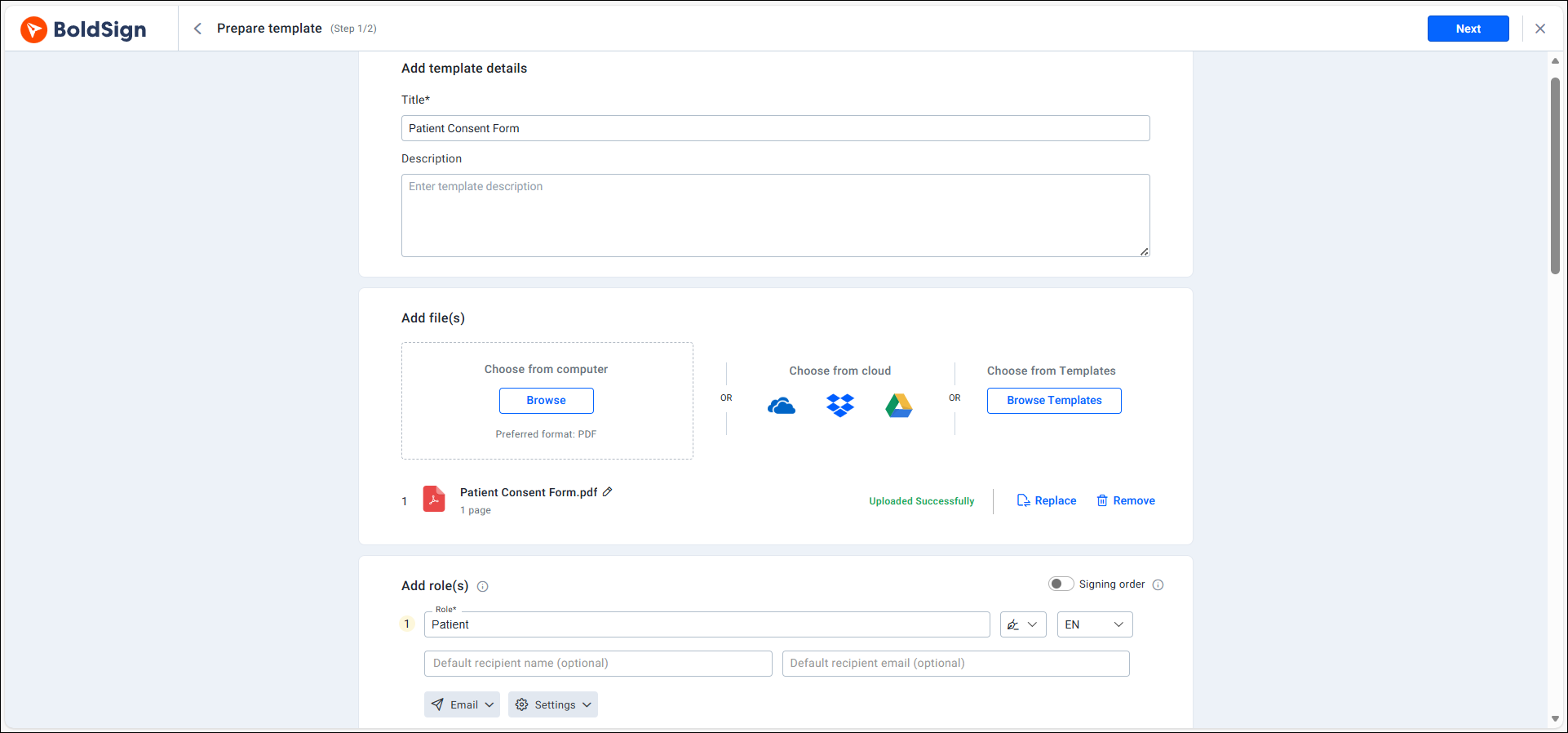
- Upload your consent or intake form and save it as a template.
- Add signature, date and text fields for each signer role.
- Send the form to the patient, who signs in the browser on a phone or computer.
Our help article on how to enable HIPAA compliance in BoldSign has the full steps.
Build forms once as templates
A reusable template keeps the same fields, roles and wording for every patient. Each department sends the approved version instead of an old copy.
How does BoldSign protect patient data?
We encrypt every document with the 256-bit Advanced Encryption Standard (AES), both at rest and in transit. The US National Institute of Standards and Technology (NIST) publishes AES in its block cipher techniques project.
What does the audit trail record?
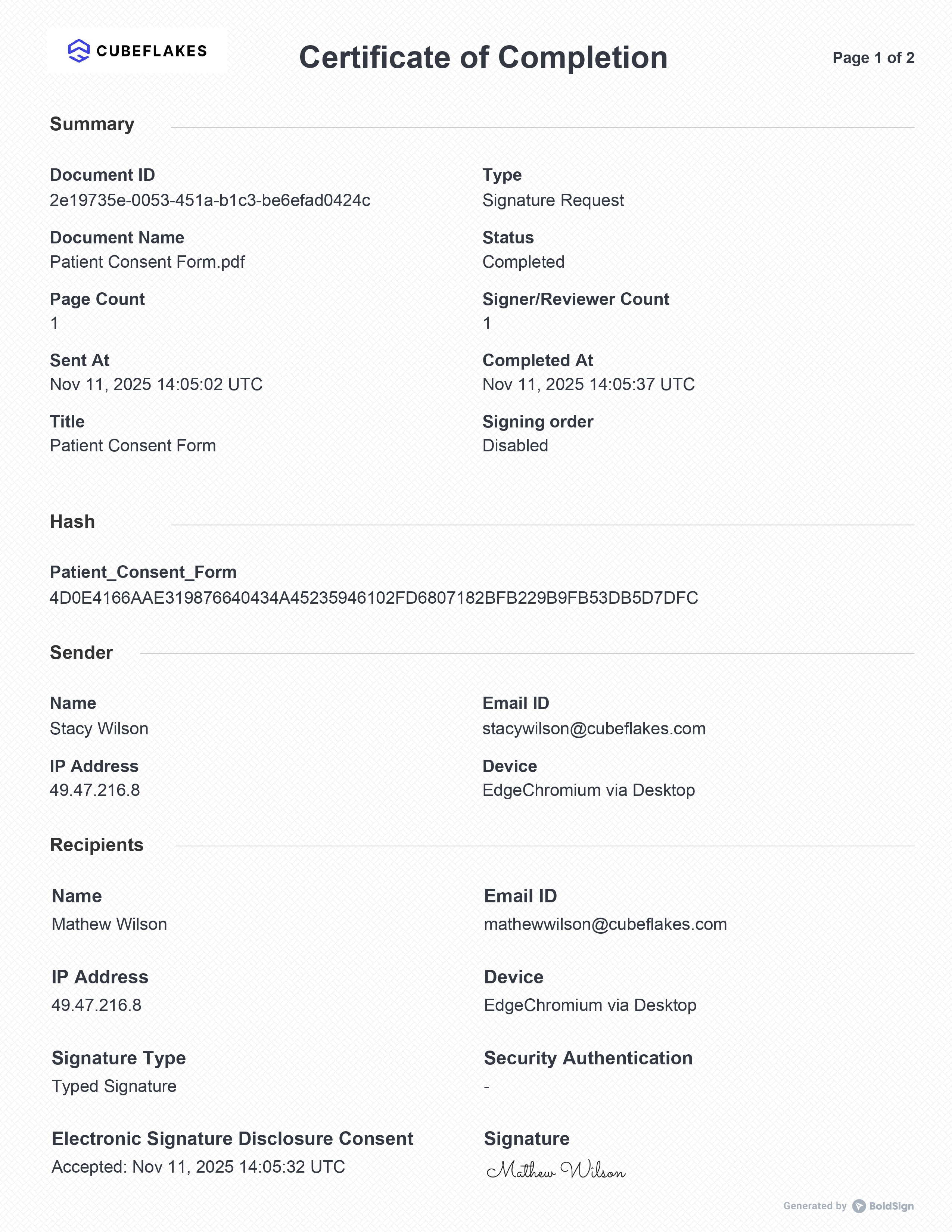
Each signed document comes with an audit trail. It lists the document ID, the sender, each signer, their internet protocol (IP) addresses and the time of each step.
Who can see each document?
Account roles in BoldSign limit access. Account Administrators track status without opening document contents, Team Administrators manage their team’s documents, and Members see their own. An admin can also allow sign-in only from approved IP address ranges.
What changes in HIPAA mode?
Once an Account Admin accepts the BAA, HIPAA mode applies to every user and stays on. We turn off copies to CC (carbon copy) recipients by default and send a secure link instead of a PDF attachment. Our HIPAA overview explains the safeguards.
Which laws and standards apply to electronic signatures in healthcare?
Some rules decide whether a signature is valid, and others decide how health data must be protected.
- HIPAA protects patient health information in the US.
- The Electronic Signatures in Global and National Commerce (ESIGN) Act gives US electronic signatures legal effect.
- The General Data Protection Regulation (GDPR) protects personal data in the EU.
- The EU regulation on electronic identification and trust services (eIDAS) sets the rules for eSignatures there.
For clinical research, the US Food and Drug Administration (FDA) sets rules in the Code of Federal Regulations (CFR) at 21 CFR Part 11. Section 11.1 of Part 11 sets out which records those rules cover. See electronic signature legality for other countries.
We hold a System and Organization Controls (SOC) 2 Type II report. Card payments follow the Payment Card Industry (PCI) Data Security Standard (DSS) through Stripe.
Which BoldSign plan do you need, and what does it cost?
HIPAA support comes with our yearly Business and Premium plans, as listed on the BoldSign pricing page. Prices are in USD and billed yearly.
The Business plan costs $15 per user a month. It includes unlimited templates, bulk send, SMS authentication, ID verification and teams. The Premium plan costs $99 a month for unlimited users.
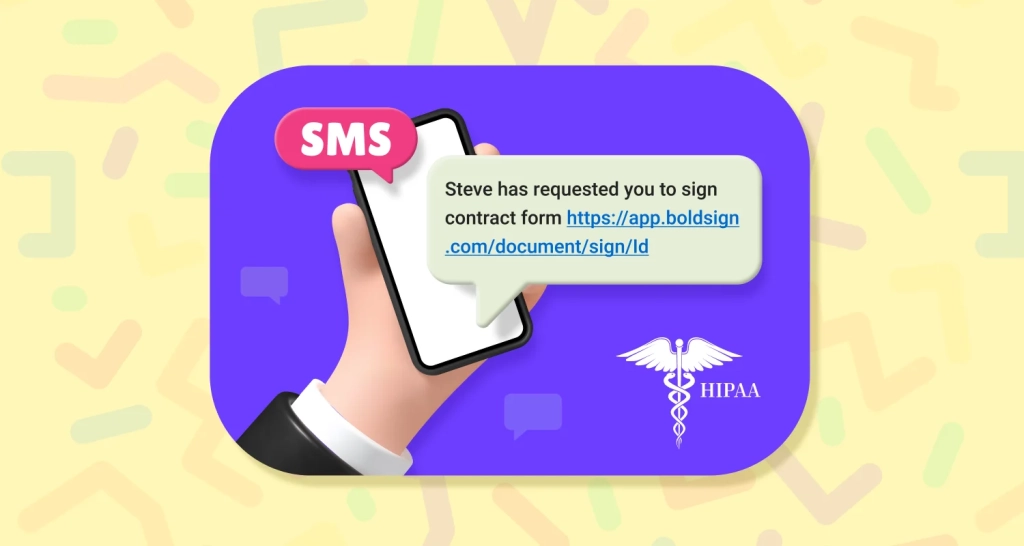
Both plans include SMS codes and sending signing links by SMS.
Monthly plans, trials and the free Essential plan do not include HIPAA support. Live use of our API to connect an EHR needs the Enterprise API plan, from $30 a month with 40 envelopes.
How do you start digitizing medical records with eSignatures?
Pick one form your team signs most often, such as intake or consent, and move it online first. Then choose your next step.
- Start a 30-day free trial and build your first form as a template.
- Book a demo to see HIPAA mode and templates with our team.
- Read about sending eSignature links by SMS in HIPAA mode for patients who sign on a phone.
Frequently asked questions
Which medical records retrieval vendors support e-signatures?
Many records retrieval vendors collect patient authorizations through an eSignature platform. Ask each vendor which platform it uses, and whether that platform signs a business associate agreement with them.
Which e-signature platforms suit healthcare networks collecting physician credentialing documents across multiple locations?
Look for a platform with shared templates, teams with their own admins and an audit trail on every document. We offer all three, so each site can send the same packet and keep its own records.
Are electronic signatures legally valid for medical records?
Yes, when the signer agrees to sign electronically and the signed record is kept. In the US, the federal ESIGN Act and state laws based on the Uniform Electronic Transactions Act cover this.
How does BoldSign protect patient data?
We encrypt documents with AES-256 at rest and in transit. Each document gets an audit trail with names, times and network addresses. Admins choose who can see which documents.
Can patients sign medical forms on a phone?
Yes. Patients open the signing link in the browser on a phone or a computer. Signers do not need an app or an account with us.
Can BoldSign connect to an electronic health record system?
Yes, through our API. Your developers can send forms from your own system and download the signed copies. Live API use needs its own paid plan.
Can I try BoldSign before I pay?
Yes. You can start a 30-day free trial and send real documents. HIPAA mode needs a yearly plan, so keep patient data out of trial documents.
What is the HIPAA Security Rule for electronic medical records?
The Health Insurance Portability and Accountability Act Security Rule sets US standards for protecting electronic health data. Covered entities and their business associates must apply its safeguards.

Shanmuga Raj Subramani
A Digital Marketing Executive at BoldSign, focused on creating engaging blogs, feature pages, and social media content. With a passion for simplicity, creativity, and digital trends, he ensures every piece reflects BoldSign’s mission to make eSignature solutions easy, accessible, and impactful for businesses worldwide. Connect with him on LinkedIn.
More posts by Shanmuga Raj Subramani