Why Medical Records Requests Get Delayed and How eSignatures Speed Them Up
 Yvone Atieno Odhiambo
TL;DR: Medical records requests stall when release forms come back incomplete, unsigned or lost. Reusable templates with required fields, automatic reminders and status tracking fix most of that. See how electronic signatures work for healthcare teams.
A patient asks for a copy of their chart. A lawyer sends a release form for an injury claim. A new clinic wants records before a first visit.
Each request needs a signed form before anything else can move.
When that form travels on paper, your staff spend their day chasing it. This guide covers why requests stall and what the Health Insurance Portability and Accountability Act (HIPAA) asks of the forms. Then it shows how to run the whole request online.
Why do medical records requests get delayed?
Most delays come from the form, not the records. A request cannot move until someone has a complete, signed form in hand.
- Patients leave out the recipient, the purpose or the date.
- Signatures are missing, so staff call or mail the form back.
- Handwriting is hard to read, so details get typed in twice.
- Paper forms get lost or sent to the wrong desk.
- Nobody can see who holds the request right now.
Each problem adds a few days. Together they make a simple request feel slow for the patient and for your team.
What does HIPAA say about records requests and release forms?
HIPAA sets two rules that shape these forms. One covers patients asking for their own records; the other covers releasing records to someone else.
Patient access requests
The rule in the Code of Federal Regulations (CFR) at 45 CFR 164.524 gives patients the right to see and copy their records. A covered entity may ask for requests in writing, as long as it tells patients so.
The provider must act within 30 days of getting the request. It may extend that once, by up to 30 more days, by telling the patient in writing why and when. Any fee for copies must be reasonable and based on cost.
Authorizations to release records
Releasing records to a third party, such as a lawyer or insurer, usually needs a signed authorization. The rule at 45 CFR 164.508 lists what the form must hold.
- A clear description of the information to release
- Who may release it, and who will receive it
- The purpose of the release, or “at the request of the individual”
- An expiration date or event
- The patient’s signature and the date
The same rule says an authorization filled out only in part is invalid. The provider must also give the patient a copy of the signed form.
What does a smooth records request process look like?
A good process moves each request through the same steps in the same order. Think of it like a relay race: each person knows when the baton reaches them.
- The patient or their representative fills in and signs the request form.
- Staff check the signer’s identity and that every field is complete.
- A reviewer approves the request and pulls the records.
- Staff prepare the records and send them through a secure channel.
- The signed form and its history go into the patient’s file.
The steps are simple. The trouble starts when each one lives on paper, in a different inbox or on a different desk.
Which medical records retrieval vendors support e-signatures?
Look for a vendor that signs a business associate agreement (BAA) and lets patients sign online. Then ask how it handles protected health information (PHI).
- Will it sign a BAA with you?
- Can patients sign from a link, with no account to create?
- Can you check a signer’s identity with a code or an ID?
- Does every form keep an audit trail of who signed and when?
- Can it send reminders and show the status of each request?
Our guide on how electronic signatures work in healthcare covers which other forms are worth moving online.
How do you handle medical records requests with BoldSign?
We built our app around the steps above. Each part below matches a point where requests tend to stall.
Templates for release and authorization forms
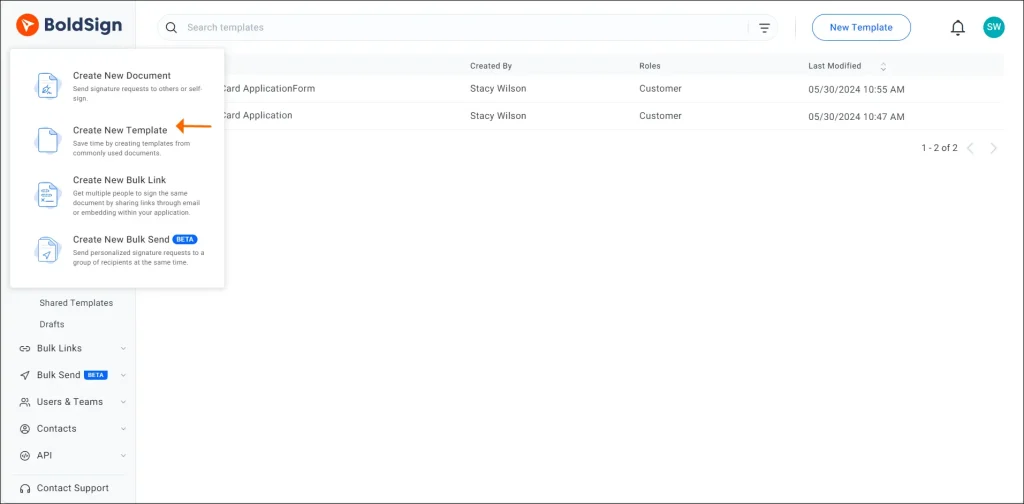
Build your release form once as a template, with required fields for each element the rule lists. Every patient then gets the same form and must fill in each required field to finish.
Automatic reminders
Turn on auto reminders when you send a form. You choose the days between reminders and send up to 5, so staff stop chasing signatures by phone.

Signer roles and signing order
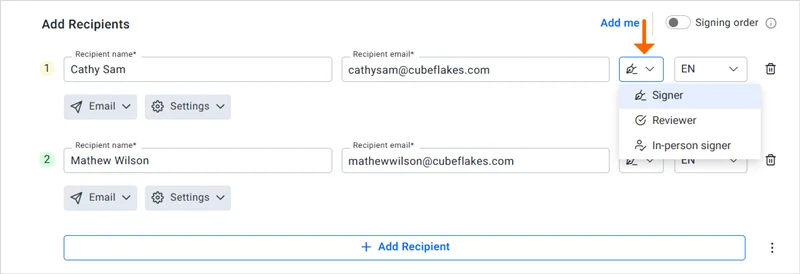
A request often passes from the patient to a reviewer and then an approver. With the signing order turned on, each person gets the form only after the one before them signs.
Request status tracking
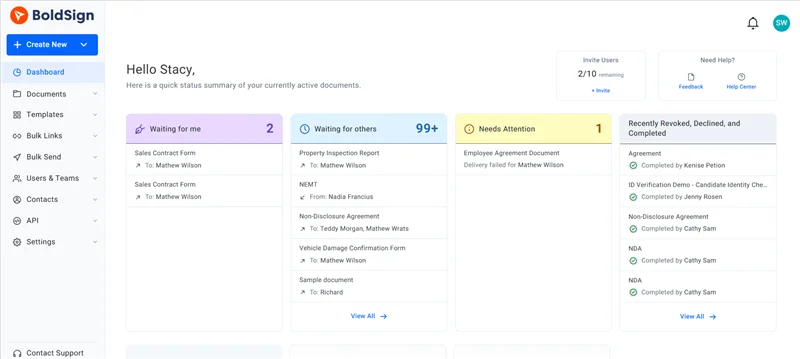
Each document shows its status, so you can see who still has to sign. Admins can check every team document on one page and send a reminder from there.
Audit trail
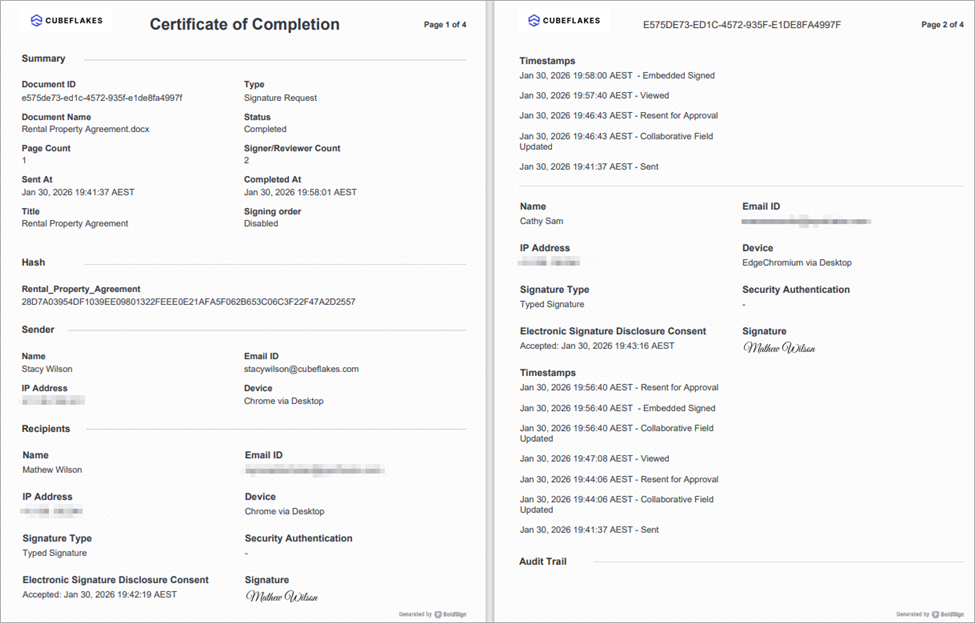
Every signed form comes with an audit trail. It lists each signer’s name, email, internet protocol (IP) address and device, plus the time of every action.
Signer checks with no account needed
Patients sign from the link in their email, with no BoldSign account needed. You can still ask them to enter a code sent by email or text message, or an access code you share.
For higher-risk releases, turn on ID verification. The signer uploads a photo ID and can be asked for a selfie check before they open the form.
HIPAA mode
On plans with HIPAA support, an Account Admin accepts our BAA under Settings, then Compliance. HIPAA mode then applies to every user, and it cannot be turned off later. The steps are in how to enable HIPAA compliance in BoldSign.
Your clinic’s name on every request
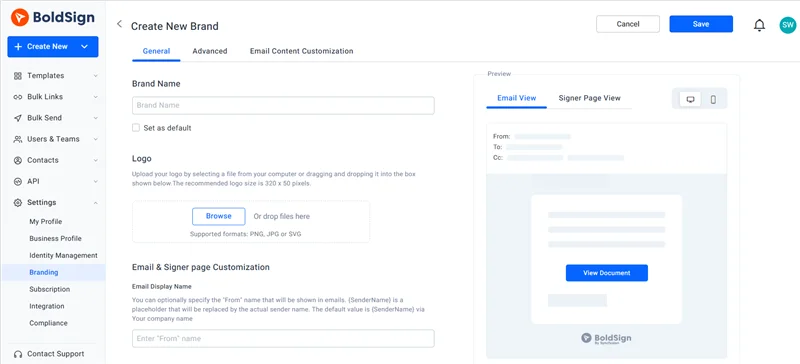
Add your logo, colors and sender name with custom branding. Patients see a request from a clinic they know, so they are more likely to open it.
What should you watch out for when you move requests online?
An eSignature speeds up the form, but your team still owns the review. Someone must still check that the right person signed and that the release fits the request.
- Keep patient details out of document titles and email messages.
- Match your form fields to the elements in 45 CFR 164.508.
- Send the patient a copy of the signed authorization.
- Check state rules, which can add their own requirements.
Our HIPAA overview explains the safeguards we provide, such as encryption at rest and in transit.
Which BoldSign plan do you need, and what does it cost?
HIPAA support, ID verification and text message codes come with our Business and Premium plans. The Business plan costs $15 per user a month, and the Premium plan costs $99 a month for unlimited users, both billed yearly in USD.
HIPAA support needs a yearly plan; trials and monthly plans do not include it. The Business plan also includes unlimited templates and brands. The free Essential plan includes 2 templates, and the Growth plan includes 10, at $5 per user a month.
How can you start speeding up medical records requests?
Pick the next step that fits your team.
- Start a 30-day free trial and build your release form as a template.
- Book a demo to see a records request workflow with our team.
- Read about digital patient intake, the step before most records requests.
Frequently asked questions
What causes delays in medical records requests?
Most delays start with a form that comes back half filled in or unsigned. Paper forms then get lost between desks, and nobody can see which step a request has reached.
How long does a provider have to answer a patient's records request?
Under HIPAA, a covered entity must act within 30 days of getting the request. It may extend that once by up to 30 more days if it tells the patient why in writing.
Can a medical records release form be signed electronically?
Yes, when the form holds every element the HIPAA authorization rule lists, including the patient's signature and the date. Your platform should also sign a business associate agreement (BAA) with you.
Does a medical records release form need every field filled in?
Yes. Under 45 CFR 164.508, an authorization filled out only in part is invalid. Required fields in your template stop patients from sending a form with gaps.
Can patients sign a release form without creating an account?
Yes. A patient opens the signing link in the email and signs there. Signers do not need a BoldSign account.
How do audit trails help with medical records requests?
An audit trail records each time someone opens or signs a form, with the time and IP address. Your privacy team can use it to answer questions about a release later.
Does BoldSign sign a BAA for healthcare teams?
Yes, on our yearly Business and Premium plans. An Account Admin accepts the BAA in Settings, under Compliance, and HIPAA mode then applies to the whole organization.
Can I check who still has to sign a records request form?
Yes. Each document shows its status, and admins can see every team document on one page. From there you can send a reminder or revoke the request.

Yvone Atieno Odhiambo
Yvone is a Technical Assistant at BoldSign who specializes in creating clear documentation and engaging videos. She combines her technical skills and creativity to deliver user-focused solutions. Connect with her on LinkedIn.
More posts by Yvone Atieno Odhiambo