How to Speed Up Insurance Policy Renewals with eSignatures
 Caroline Dolly
TL;DR: You speed up insurance policy renewals by sending the renewal as an eSignature request instead of a paper form. The policyholder signs from email, text or WhatsApp, reminders chase late signers, and you get an audit trail. Our insurance eSignature page shows how agencies use it.
Renewal season brings a stack of forms. Each policyholder has to read the new terms, sign and send the form back. A paper form can sit in a drawer for weeks while the renewal date gets closer.
An eSignature request moves that wait online. This guide walks through each step of sending a renewal in BoldSign, then covers security, the law and which plan you need.
What does an insurance policy renewal document include?
A renewal document sets out the updated terms, the new premium and the coverage for the next policy period. You prepare it in your usual system before you send anything for signature.
Think of it like renewing a gym membership. The gym tells you the new price and what you get, and you sign to agree. A policy renewal does the same job, with more detail on coverage.
How do you send an insurance renewal for eSignature?
You upload the renewal, add the policyholder, choose how to protect and deliver it, then send. The steps below follow the order of the screens in BoldSign.
Step 1: Upload the renewal document
Start a new signature request and add the renewal in the Add files section. You can upload it from your computer or cloud storage, or start from a saved template.
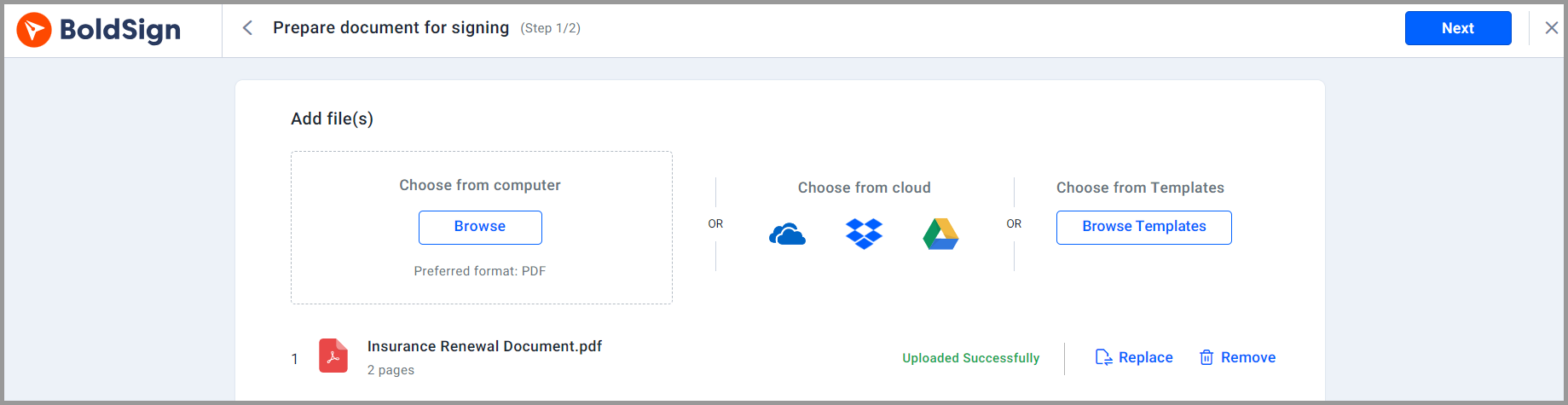
Our artificial intelligence (AI) field detection finds the fields in a PDF or Word file and places them for you. That saves you from dragging each field onto the page by hand.
Step 2: Add the policyholder
Enter the policyholder’s name and email address so the request reaches the right person. Add more recipients when a renewal needs a second signer, and set the signing order.
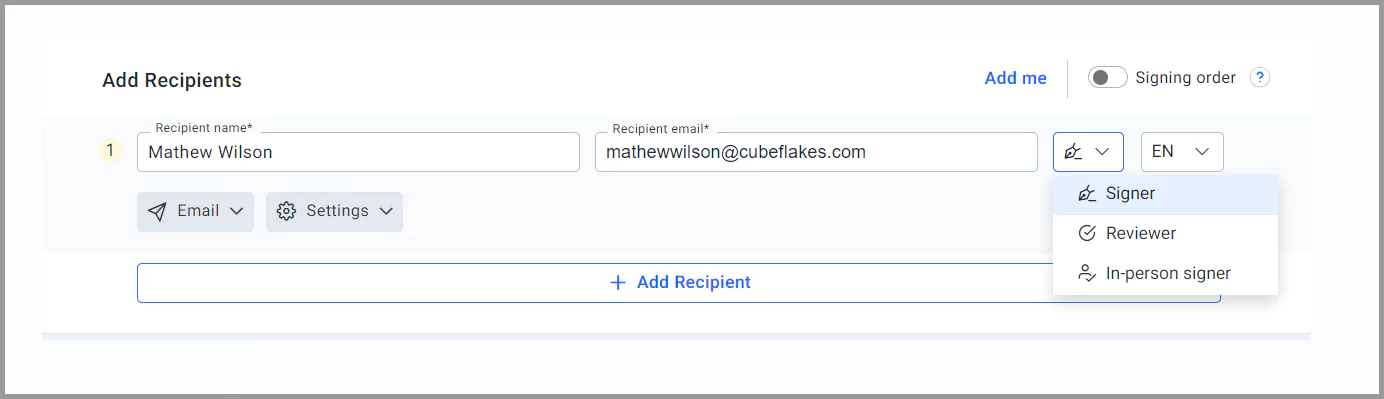
You can also pick the signer’s language. Signing pages and emails can show in English, French, German or Spanish.
Step 3: Choose how the signer proves who they are
Signer authentication stops someone else from opening the renewal. Pick one of these checks for each recipient:
- A one-time code sent to the signer’s email
- A one-time code sent to the signer’s phone by text message
- An access code that you share outside the signing email
- ID verification with a government ID and a selfie
- Knowledge-based authentication (KBA) questions built from public records, for signers in the US
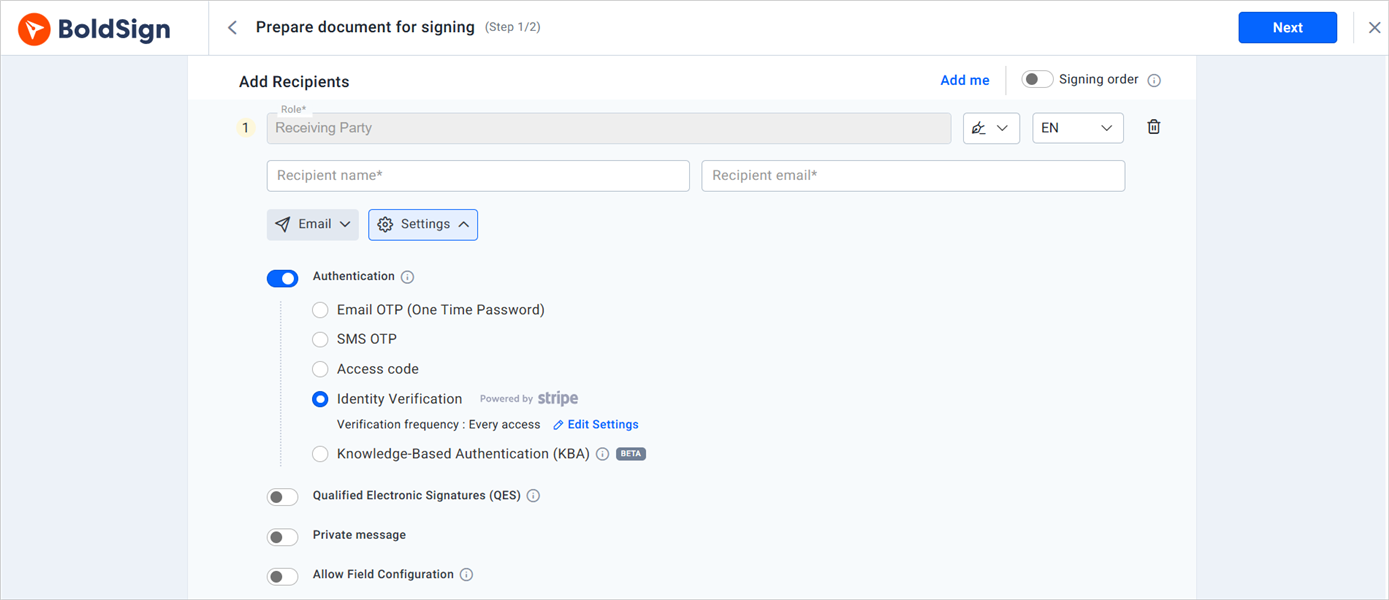
You can also add a private message for each recipient. Our page on signer authentication explains each option.
Step 4: Pick the delivery channel
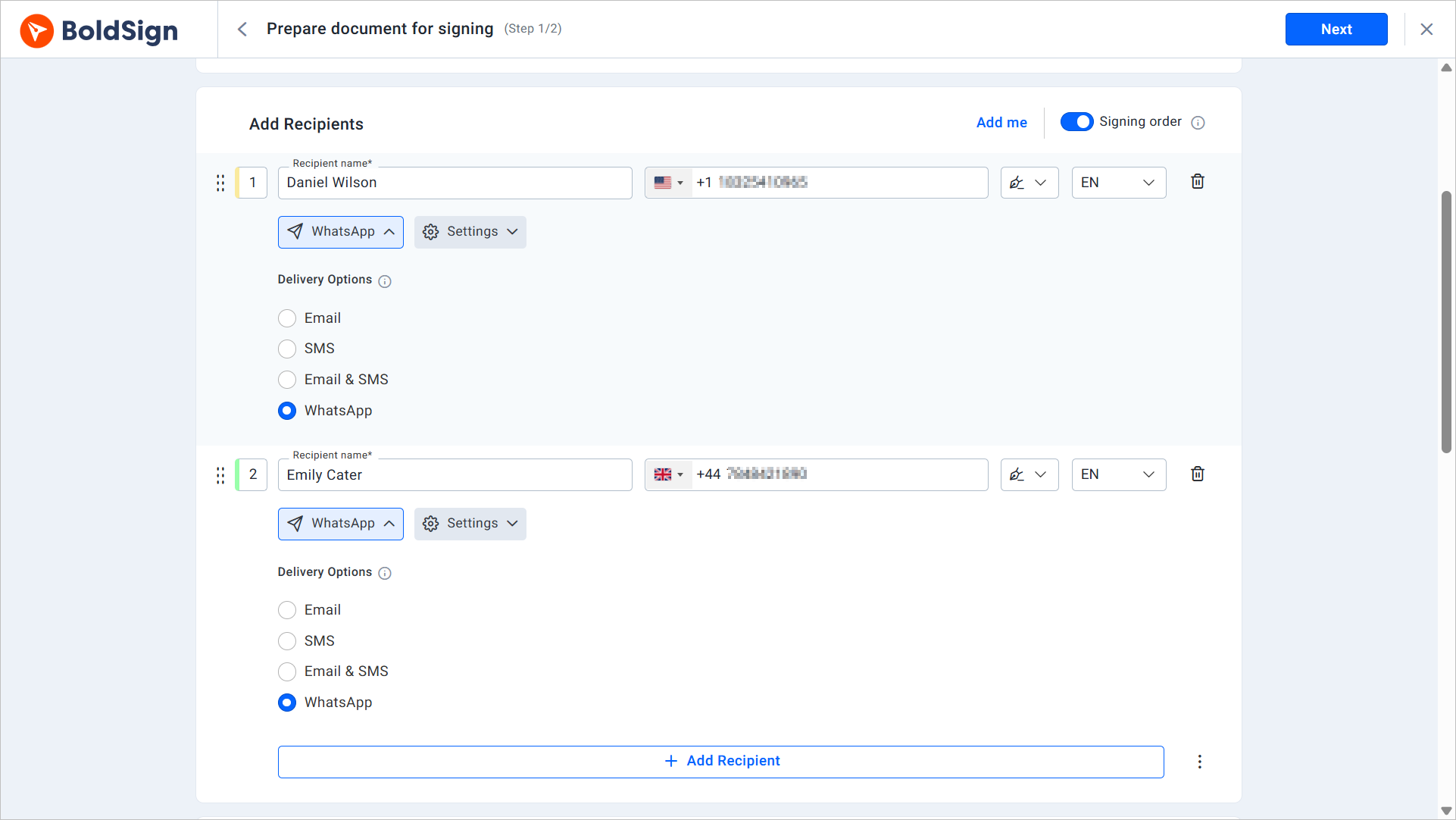
Send the renewal by email, SMS or WhatsApp. Policyholders then sign on the channel they already check.
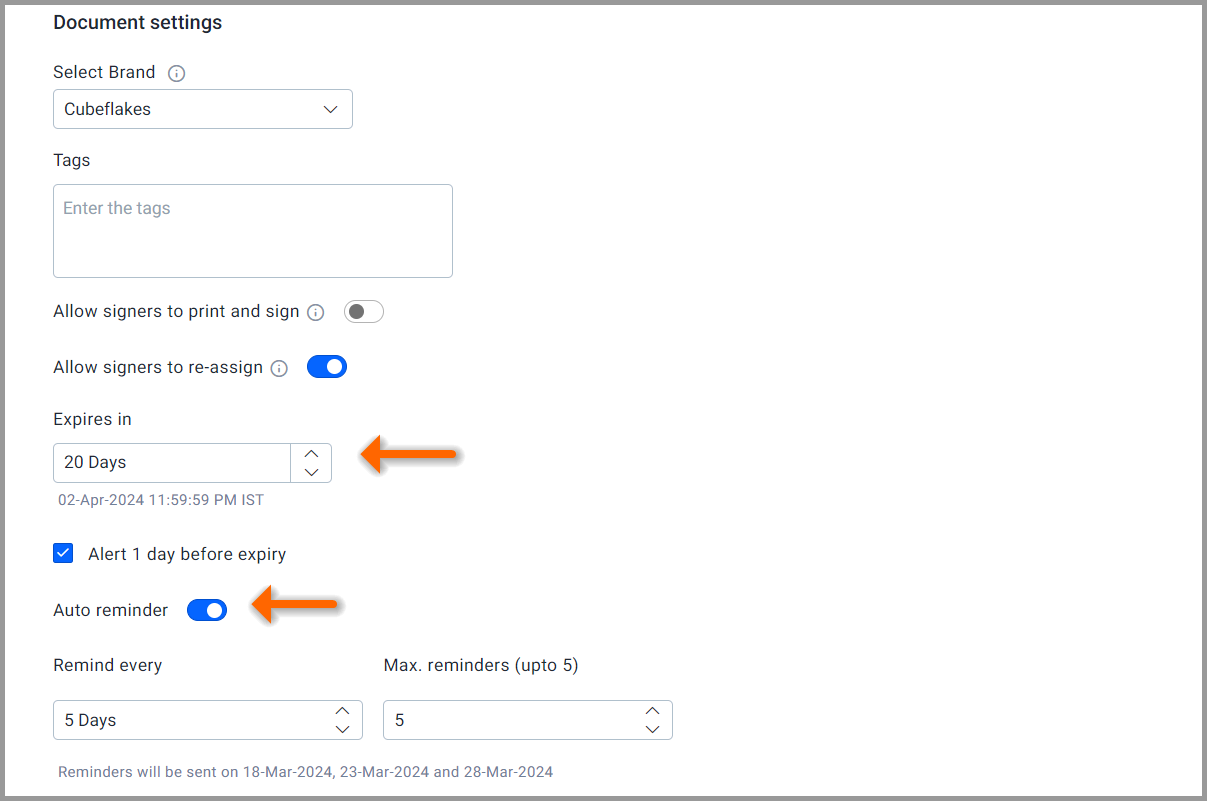
Step 5: Set an expiry date and reminders
Set the date when an unsigned request expires, so it lands before the renewal date. Then turn on automatic reminders so we nudge the policyholder on a schedule until they sign.
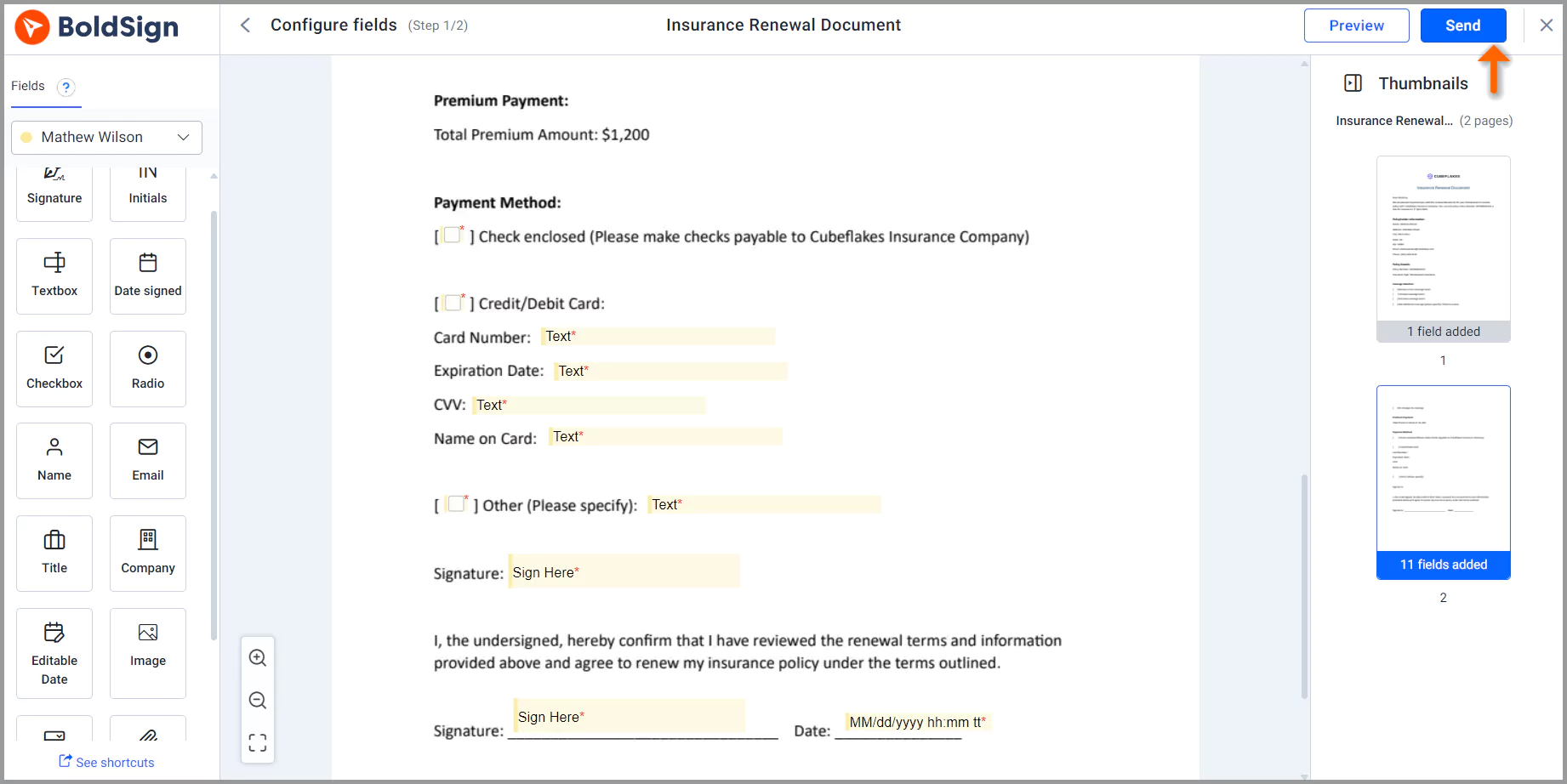
Step 6: Add form fields and send
Place the fields the policyholder must fill in, such as a signature, date and any updated details. Select Send when the document looks right.
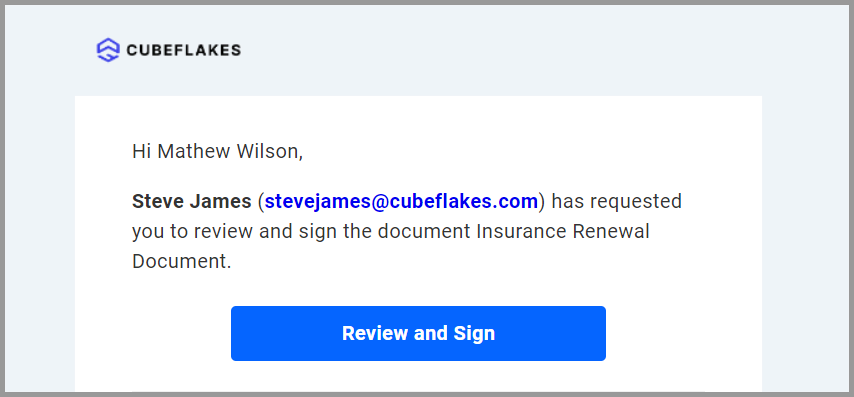
What does the policyholder see?
The policyholder gets an email with a link to review and sign the renewal. They fill in the fields, sign and finish in the browser, with no BoldSign account needed.
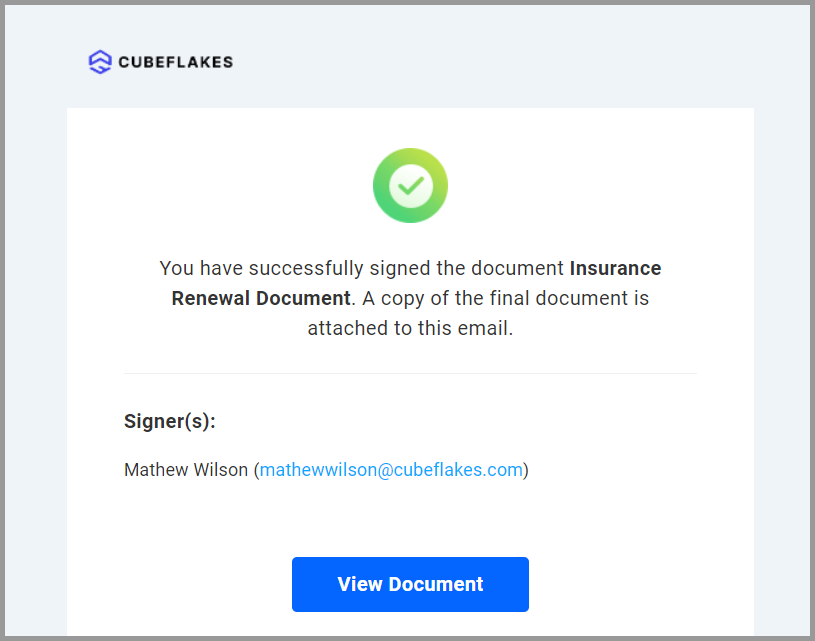
After the last signature, we email the completed document to you and the policyholder. You can also download it from your BoldSign account at any time.
How do you track renewals and keep records?
You see the status of every request in real time, from sent to viewed to signed. Each completed document also comes with an audit trail of who did what and when.
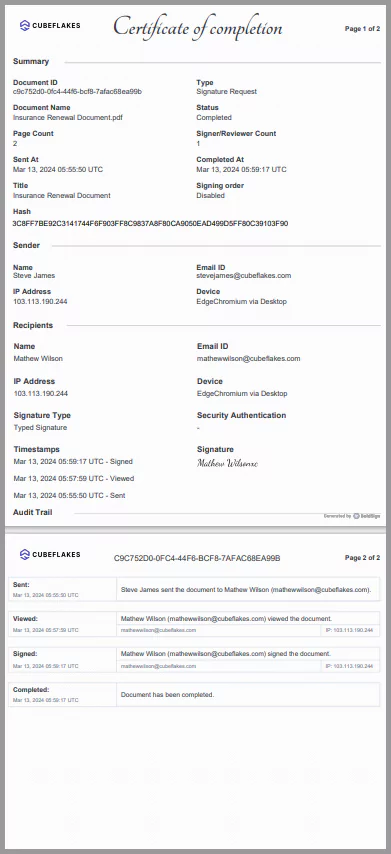
The audit trail lists the document ID, the signers and the timestamps. Keep it with the policy file in case a client or auditor asks later.
Can you send insurance renewals in bulk?
Yes. Bulk send takes one renewal template and a CSV file with one row per policyholder, and sends each person their own copy.
Save your standard renewal form as a template first. Our guide on how to save time with electronic signature templates shows how to set one up.
How secure are e-signed insurance renewals?
We store documents with Advanced Encryption Standard (AES) 256-bit encryption and protect data in transit between our app and the server. We also digitally sign each finished document and its audit trail, so any later change shows up.
We have passed a System and Organization Controls (SOC) 2 Type 2 audit and comply with the General Data Protection Regulation (GDPR). Our security page has the details.
Are e-signed insurance renewals legally binding?
Yes, when the signer agrees to sign electronically and you keep the signed record. The US Electronic Signatures in Global and National Commerce (ESIGN) Act says a signature may not lose legal effect only because it is electronic.
The same section states that these rules apply to the business of insurance. A consumer must first agree to electronic records when a law requires you to give them something in writing.
Watch out for one gap. The ESIGN Act exceptions leave out notices that cancel or end health insurance or life insurance benefits. Send those notices the way the law requires.
Which BoldSign plan do you need for policy renewals, and what does it cost?
The free Essential plan covers basic renewals with 25 envelopes a month, two templates and automatic reminders. The Growth plan costs $5 per user a month and raises that to 50 envelopes and 10 templates.
The Business plan costs $15 per user a month with unlimited envelopes and templates. It adds SMS and WhatsApp delivery, text message codes, ID verification, AI field detection and bulk send.
The Premium plan costs $99 a month for unlimited users and includes the same features. On the Business plan, KBA costs $1.50 per attempt, pass or fail. All prices are in USD and billed yearly, as listed on the BoldSign pricing page in November 2026.
Allstate insurance agents get 30% off BoldSign subscription plans. Fill out the form on that page and our team will turn on the offer.
How do you start sending renewals with BoldSign?
Try one real renewal first, with yourself as a second signer, to see each step from both sides.
- Start a 30-day free trial, no credit card needed.
- Book a demo to see renewals set up for your agency.
- Visit our support portal with any question about your setup.
Frequently asked questions
Can a policyholder renew an insurance policy with an electronic signature?
Yes, when the policyholder agrees to sign electronically and you keep the signed record. US federal law states that its eSignature rules apply to the business of insurance. Check any state or policy rules that cover your line of business.
Does the policyholder need a BoldSign account to sign a renewal?
No. The policyholder opens the request from the email or message we send and signs in the browser. They sign without creating an account.
Can I send a renewal by text message or WhatsApp?
Yes. Besides email, you can send a signature request by SMS or WhatsApp, so policyholders sign from their phone. Text and WhatsApp delivery come with the Business plan and up.
How do I stop renewals from sitting unsigned until the policy lapses?
Set an expiry date that falls before the renewal date, and turn on automatic reminders. We nudge the policyholder on your schedule until they sign or the request expires.
How can I confirm the right person signed the renewal?
Add signer authentication to the request. Options include a code sent by email or text, an access code you share separately, ID verification and knowledge-based questions.
Can I send renewal notices to many policyholders at once?
Yes. Bulk send takes one template and a CSV file with one row per policyholder. Each person gets their own copy, and you track every copy from one page.
What record do I keep after a renewal is signed?
Each completed document comes with an audit trail. It lists the document ID, the signers and the time of each step, which helps when a client or auditor asks.
Can I e-sign a notice that cancels a health or life insurance policy?
Send those the way your state law requires. The federal Electronic Signatures in Global and National Commerce (ESIGN) Act leaves out notices that cancel or end health or life insurance benefits.

Caroline Dolly
Caroline Dolly is a technical writer at BoldSign who simplifies complex concepts into clear, engaging content. She creates tutorials, help articles, and product documentation, ensuring information is accurate and accessible. Connect with her on LinkedIn.
More posts by Caroline Dolly