How to Sign a Word Document: Which Method Holds Up Later?
 Evans Omondi Otieno
TL;DR: You can sign a Word document with a picture of your signature, a Word signature line, or an eSignature service. A picture is quick but proves little. An eSignature service sends the file, tracks it and keeps an audit trail of who signed and when.
You have a contract open in Microsoft Word, and the client wants it back signed today. Printing, signing and scanning the page takes time you may not have.
This guide shows how to sign a Word document without a printer. You will also see how to eSign in Word document files that other people must sign, and which method leaves proof.
How do I sign a Word document?
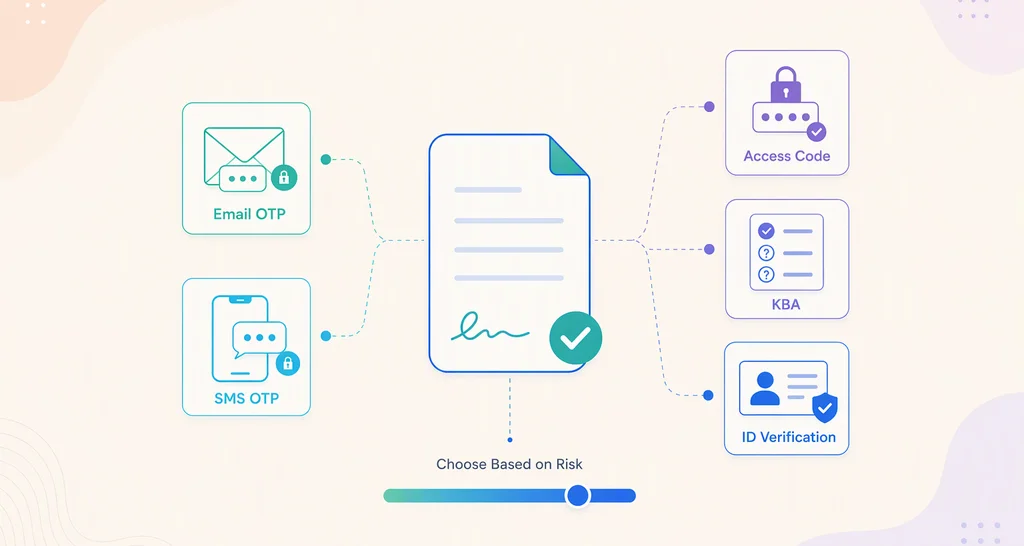
There are three ways: a signature image, a Word signature line, or an eSignature service. Each one leaves a different amount of proof behind.
Think of a birthday card. Anyone can write a name inside it, and nobody can tell later who held the pen. A signature image works like that card.
A Word signature line with a digital certificate works more like a sealed envelope. A digital certificate is an electronic ID card from a certificate authority. With a valid one, Word links the signer to the file and shows whether the file changed after signing.
An eSignature service works like a courier with a logbook. We send the file, record each step and give you an audit trail at the end.
How to insert eSign in Word with a signature image
Insert a picture of your handwritten signature where the signature belongs. You need no extra service, but the picture proves very little.
Here is how to eSign on Word document pages with a picture:
- Sign your name in dark ink on plain white paper.
- Scan or photograph the signature and save it as an image file.
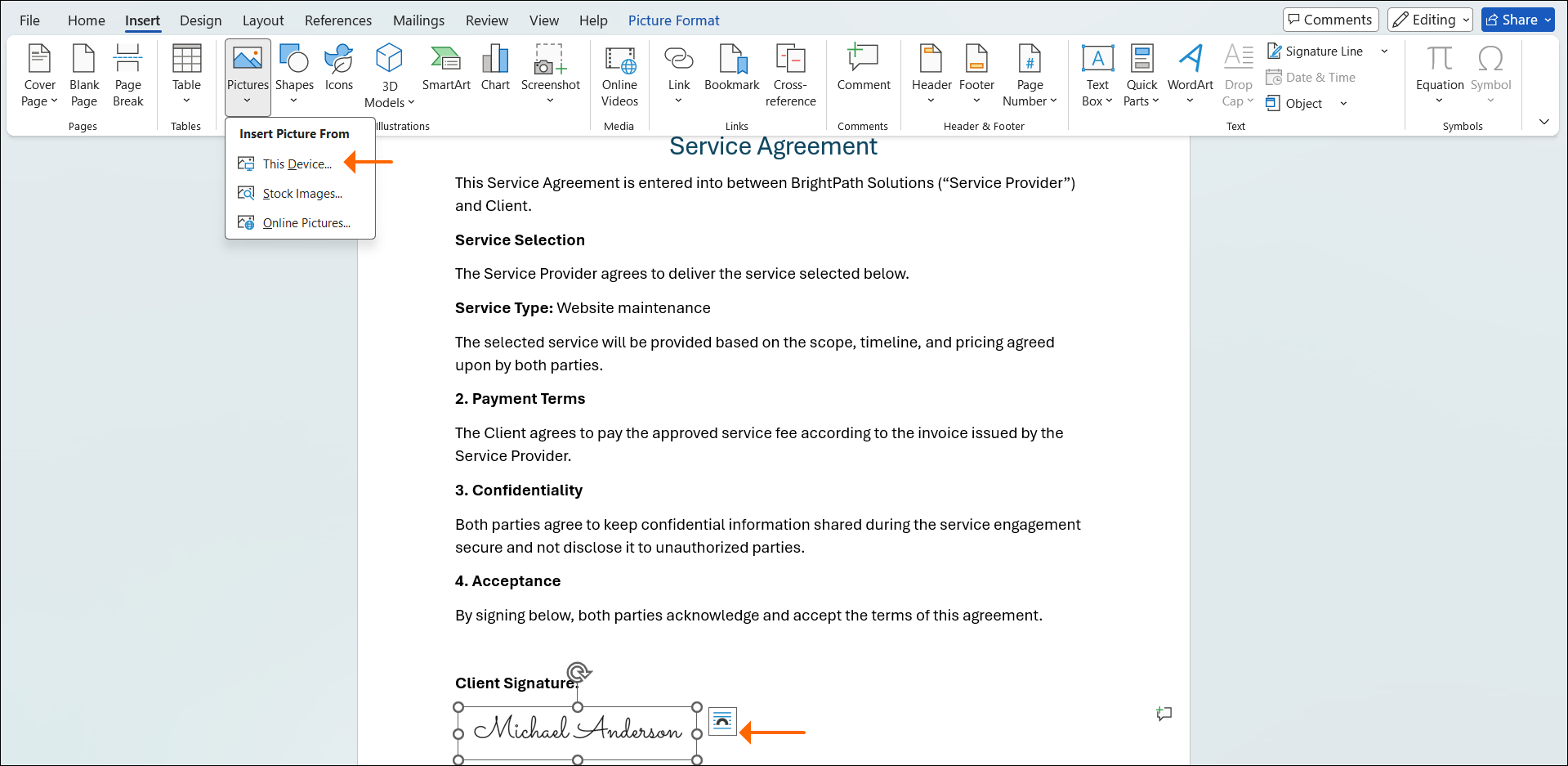
- Open the Word document and insert the image where the signature goes.
- Resize the image so it sits on the signature line.
What does a signature image leave out?
Anyone can copy the picture and reuse it on another file. The picture also leaves gaps in the record:
- No proof of who added it
- No time of signing
- No audit trail
- No sign that the text changed later
A signature image suits internal drafts and informal approvals, where the look of a signature is enough.
How do you sign a document in Word with a signature line?
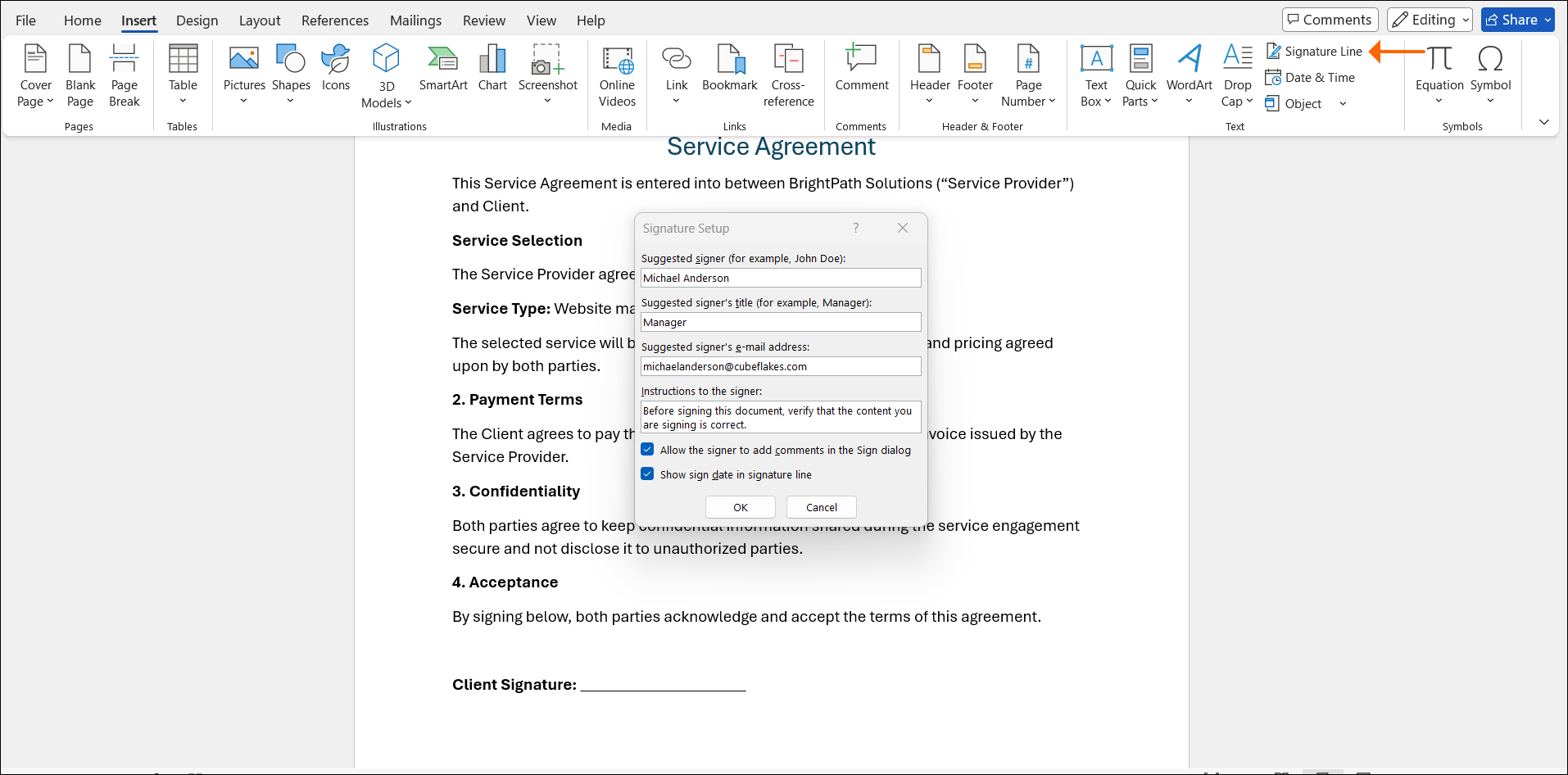
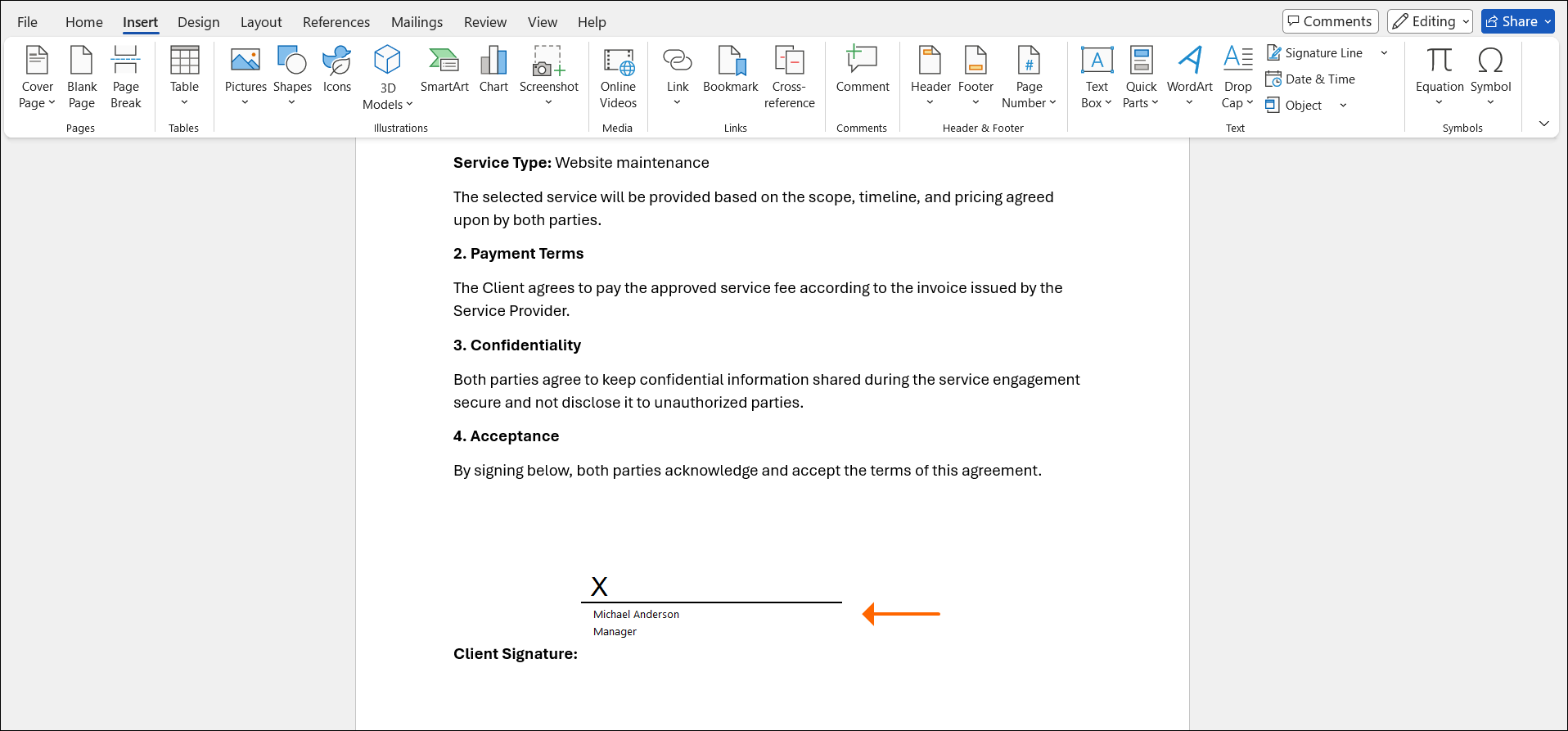
Microsoft Word has a signature line feature that marks a place to sign. Paired with a valid digital certificate, it also links the signer to the file.
Word’s signature line is the built-in answer to how to do eSign in Word. The line can show the signer’s name, title, email address and signing instructions.
With a valid digital certificate, Word can tie the certificate to the signer. Word can also show whether someone edited the original file after signing. Our guide to electronic and digital signatures explains how the two differ.
Where does a Word signature line fall short?
A signature line needs some setup on both sides. Watch for these limits:
- You need a valid digital certificate to sign with one.
- Recipients must be able to check and trust that certificate.
- Word keeps no record of who received or opened the file.
- Word shows no central view of who still needs to sign.
A Word signature line suits teams that already use digital certificates and keep the original Word file.
What’s a secure way to eSign Word docs?
Use a method that records the signer, the time and any later change. A signature line with a trusted certificate or an eSignature service does that, and a plain image does not.
Knowing how to make eSign in Word hold up later matters more than how the signature looks. Here is how the three Word signing methods compare:
| Feature | Signature image | Word signature line with certificate | eSignature service |
|---|---|---|---|
| Creates a visible signature | Yes | Yes | Yes |
| Checks who signed | No built-in check | Yes, with a trusted certificate | Depends on authentication settings |
| Records signing time | No | Yes | Yes |
| Shows later document changes | No | Yes | Yes |
| Provides an audit trail | No | No | Yes |
| Supports more than one signer | By hand | Yes | Yes |
| Tracks signing progress | No | No | Yes |
| Easy for outside signers | Yes, but not verifiable | May need certificate setup | Yes |
Note: A Word signature line checks the signer and shows changes only with a valid certificate that the recipient can verify.
What happens when a signed Word document becomes a PDF?
The visible signature usually stays, but the proof behind it may not. What carries over depends on how you signed.
A signature image looks the same in the PDF as it did in Word. Converting the file adds no timestamp, audit trail or check of who signed.
A certificate-based Word signature belongs to the original signed Word file. After you convert the file to PDF, the visible signature may remain, but the certificate does not carry over. Keep the original signed Word file in case someone needs to check the certificate later.
With an eSignature service, you get the finished document back with a record of the signing. Our audit trail lists the document ID, sender, signers, internet protocol (IP) addresses and timestamps.
How do you eSign a Word document with BoldSign?
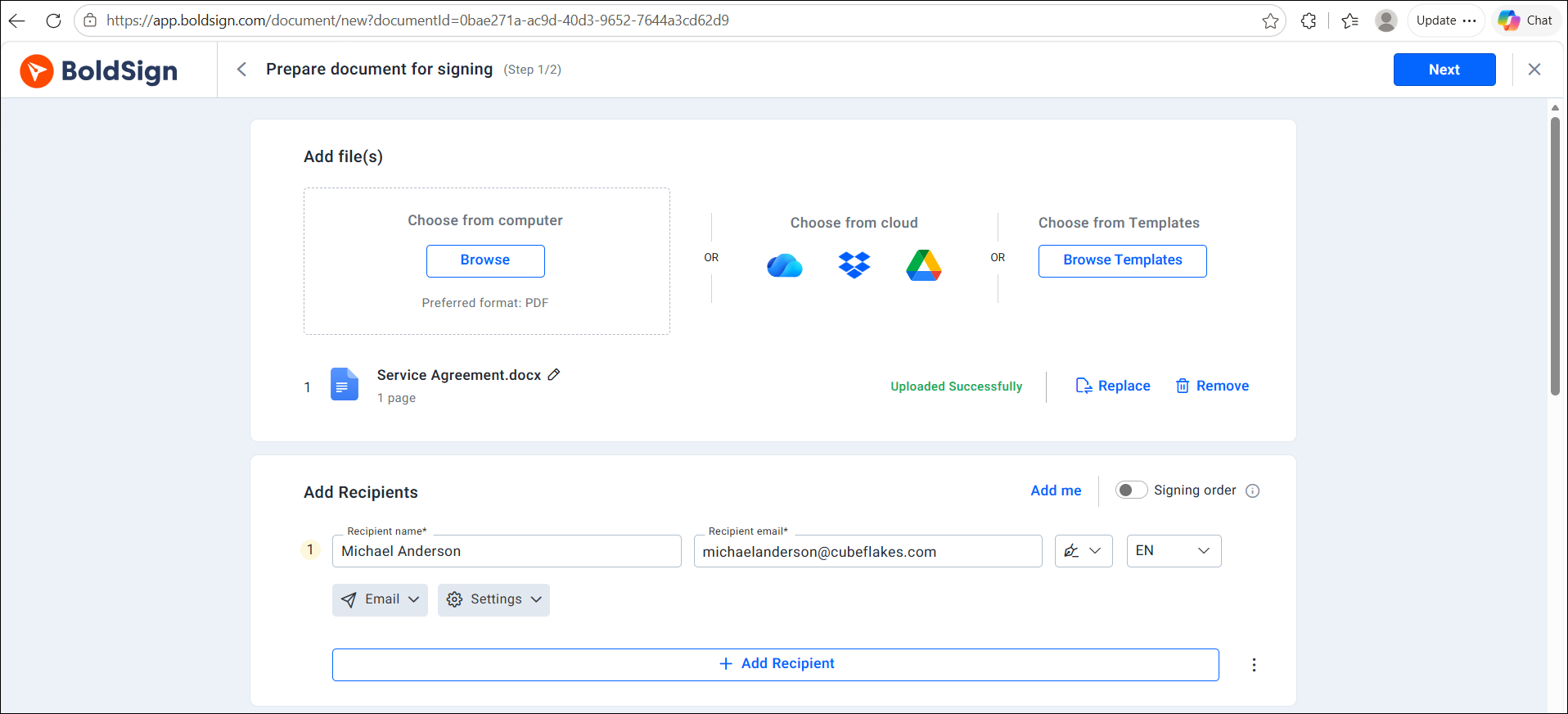
Upload the Word file to BoldSign, add your signers, place the fields and send. We accept Word files (.docx), though PDF is our preferred format.
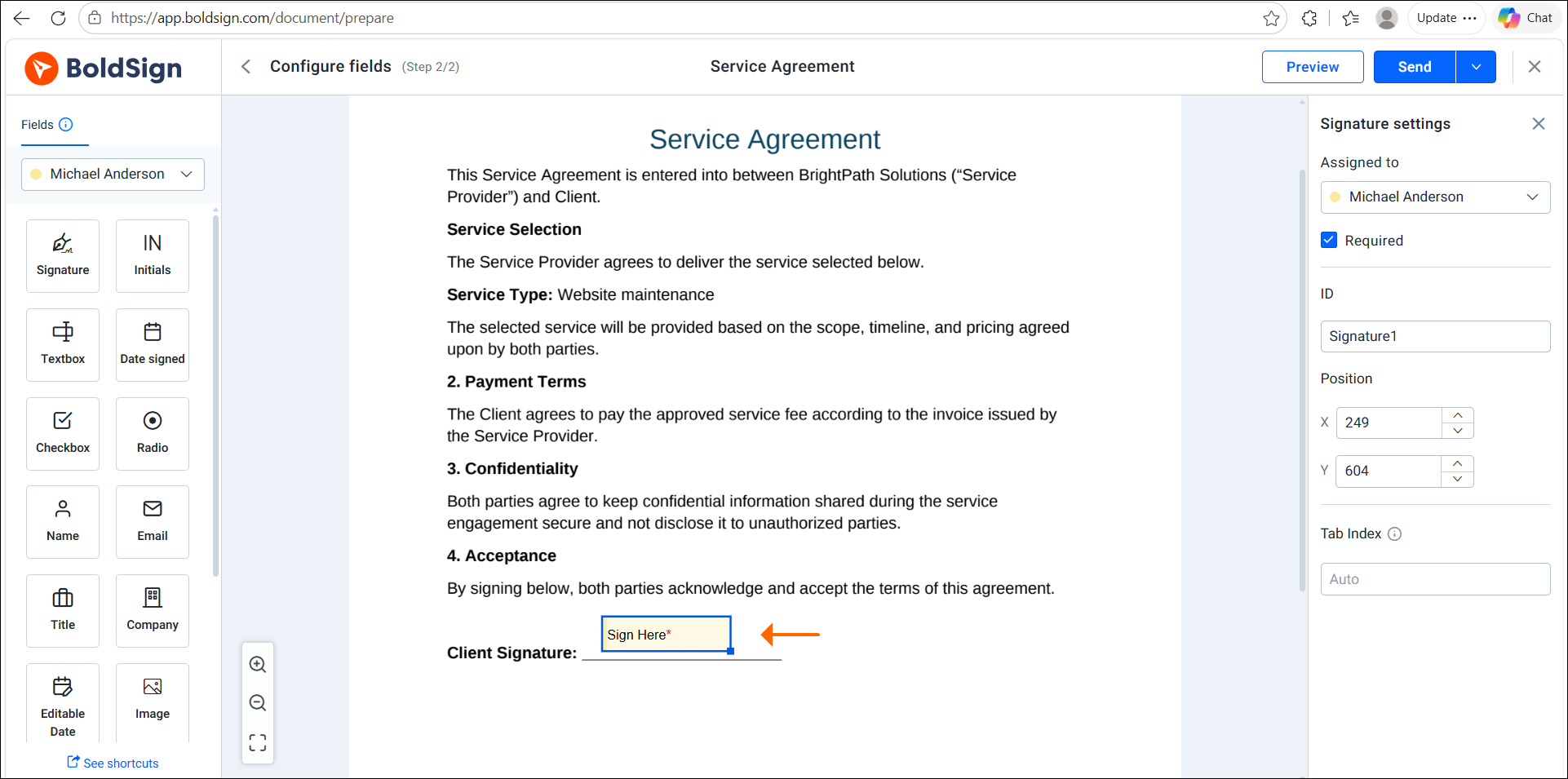
Here is how to eSign Word document files with BoldSign, based on our help article on how to send your first document:
- Select Create New, then Create New Document, and upload your Word file.
- Enter each signer’s name and email address, and choose the Signer role.
- Select Next, then drag signature fields and any other fields onto the page.
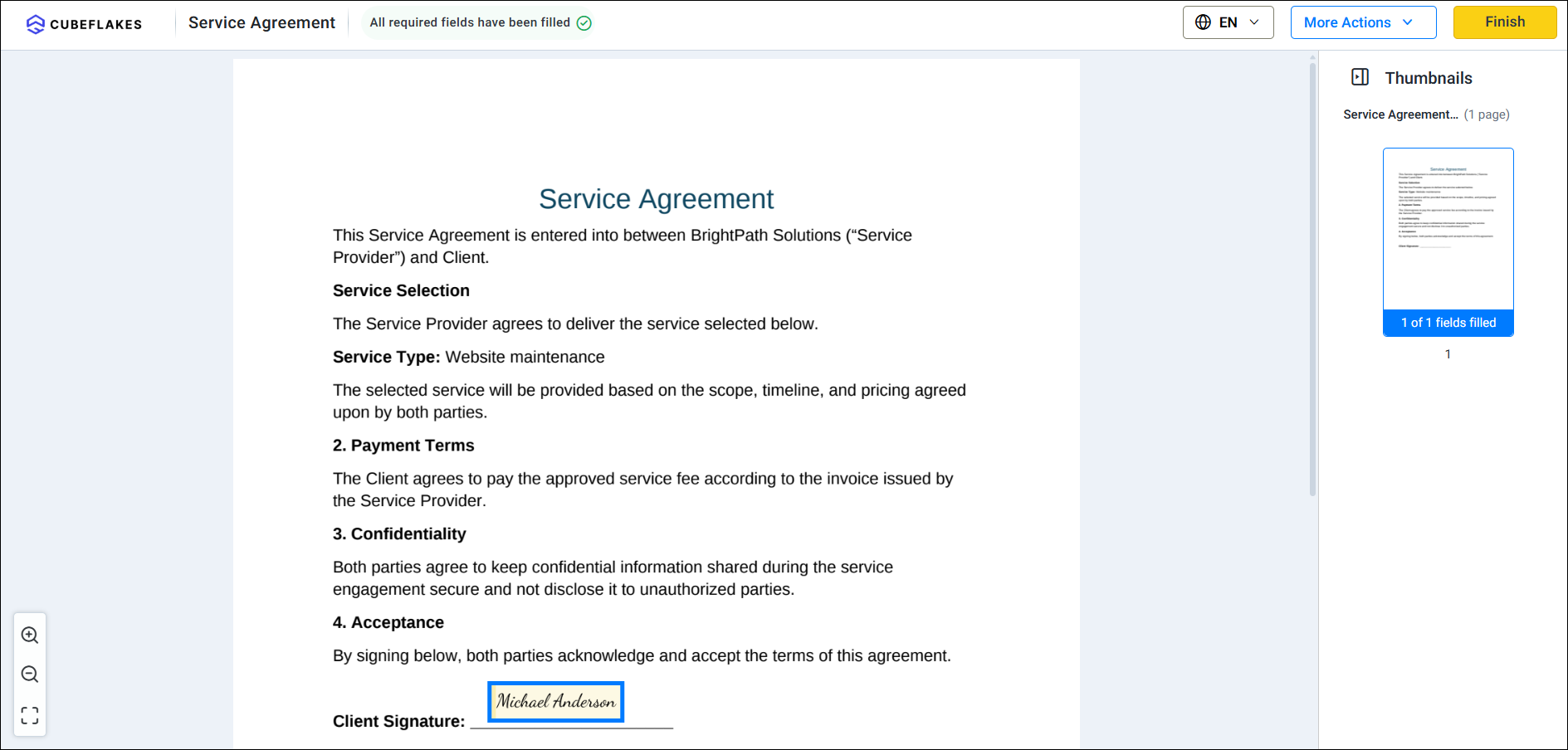
- Select Send. Each signer gets an email link and signs without a BoldSign account.
- When everyone has signed, open My Documents and choose Download audit trail.
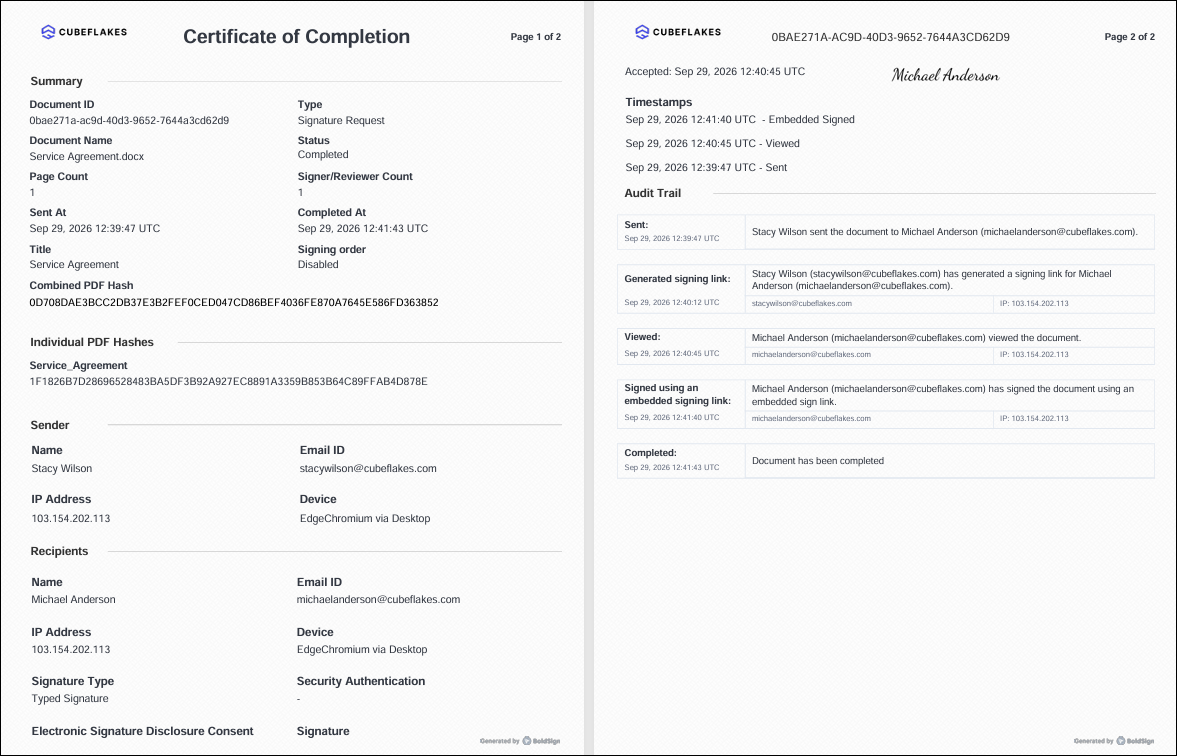
Our help article on the audit trail shows what each record holds.
When should you use an eSignature service instead of Word?
Use one when other people sign or when you need proof of the signing. Word’s own tools work for an occasional signature.
Learning how to eSign a Word document is the first step. The second is deciding how much tracking you need. An eSignature service helps when:
- More than one person signs, in a set order.
- Signers work outside your company.
- You chase people by email to get files back.
- You need to know who opened or signed a file.
- You need a record of who signed and when.
With images and signature lines, files usually travel as email attachments. You may not know whether anyone opened them. We send reminders, show each document’s status and keep the record in one place.
How much does it cost to eSign a Word document with BoldSign?
You can start for free. Our Essential plan costs nothing and includes 25 envelopes a month, with audit trails, reminders and email authentication.
Paid plans add more envelopes and features, as listed on the BoldSign pricing page in November 2026. The Growth plan costs $5 per user a month, and the Business plan costs $15 per user a month. The Premium plan costs $99 a month for unlimited users.
All prices are in USD and billed yearly. You can try the paid features with a 30-day free trial.
What should you do next with your Word document?
Pick the method that matches the proof you need. For contracts and outside signers, choose a method that records who signed and when.
- Start a 30-day free trial and send your first Word eSignature request.
- Book a demo to see how we handle your team’s signing process.
- Contact our support team with a question about signing a document.
Frequently asked questions
Can I eSign a Word document without printing it?
Yes. Insert a picture of your signature, add a Word signature line, or upload the file to an eSignature service and sign it online.
How can I eSign a Word document that someone else must sign?
Upload it to an eSignature service, add the signer's name and email address, and place a signature field. The signer gets an email link and signs in the browser.
Can you eSign a Word document on your phone?
Yes. With BoldSign, the signer opens the email link on a phone and signs on a page that fits the screen.
How can I sign a Word document for free?
A picture of your signature costs nothing to insert. Our free Essential plan also lets you send 25 envelopes a month, each with an audit trail.
Can I sign a document in Word without a digital certificate?
Yes. A signature image or a signature line shows a name on the page. Only a valid certificate lets Word confirm the signer and show later edits.
Can you eSign on Word without other software?
Yes, with a signature image or a Word signature line. Neither one tracks delivery or sends reminders, so use an eSignature service for that record.
How do I eSign a Word document that several people must sign?
Use an eSignature service that routes the file. In BoldSign, you add each signer and can set a signing order, so each person gets the link in turn.
Is an eSignature on a Word document legally binding?
Yes, when the signer means to sign and the record is kept. A signature cannot lose legal effect only because it is electronic, under the US Electronic Signatures in Global and National Commerce Act (ESIGN).

Evans Omondi Otieno
Evans Omondi Otieno is a customer support representative and writer at BoldSign, specializing in creating clear, insightful content to help users navigate eSignature solutions. As a blog author, Evans writes well-researched articles that simplify technical concepts, helping businesses and professionals understand how to use BoldSign effectively. With expertise in technical support and content creation, he ensures users have a seamless experience and gain valuable knowledge from his articles.
More posts by Evans Omondi Otieno