How to Use the BoldSign eSignature Free Trial Effectively
 Tom Victor Okinyi
TL;DR: Our eSignature free trial runs for 30 days, with no credit card required. You get core eSignature features and can send real documents for signature from the first day. Our eSignature features page lists what you can test.
You have a contract to send this week and no eSignature tool yet. Free trial document signing tells you the most when you use that real contract, not a sample file.
This guide covers what our trial includes and how to set it up. It also shows what to try first and what happens after 30 days.
What is an electronic signature free trial?
An electronic signature free trial is a set period when you use paid eSignature software at no cost. You send real documents, collect real signatures, then decide whether to pay.
A free trial works like a test drive at a car dealer. You drive your own route, so you learn how the car handles the roads you use every day.
You may also see it called a digital signature free trial or an e signature free trial. Our esignature free trial lasts 30 days, and you start it with no credit card. We bill you nothing when the 30 days end.
What does the BoldSign free trial include?
The trial includes core eSignature features for 30 days. Your document and user limits depend on the trial you pick and the email address you sign up with.
- Up to 50 eSignature documents on a trial of a paid plan.
- Up to 15 signers on each document.
- Room for your team, with 10 or more users on a paid-plan trial.
- Your own logo and colors through branding.
Your email domain matters too. A sign-up with a public email domain, such as Gmail, Hotmail, Outlook or Yahoo, gets limited trial access with 5 eSignature documents. Use your work email address to get the higher limits.
How do you create a free trial account?
Open our sign-up page and choose how to register. You can use a Google, Microsoft or Apple account, or an email address and password.
- Select the free trial button on the BoldSign home page.
- Choose Google, Microsoft, Apple or email as your sign-up method.
- With email, enter a valid address and create a password.
- Pick the plan you want to try.
- Open your dashboard and start sending.
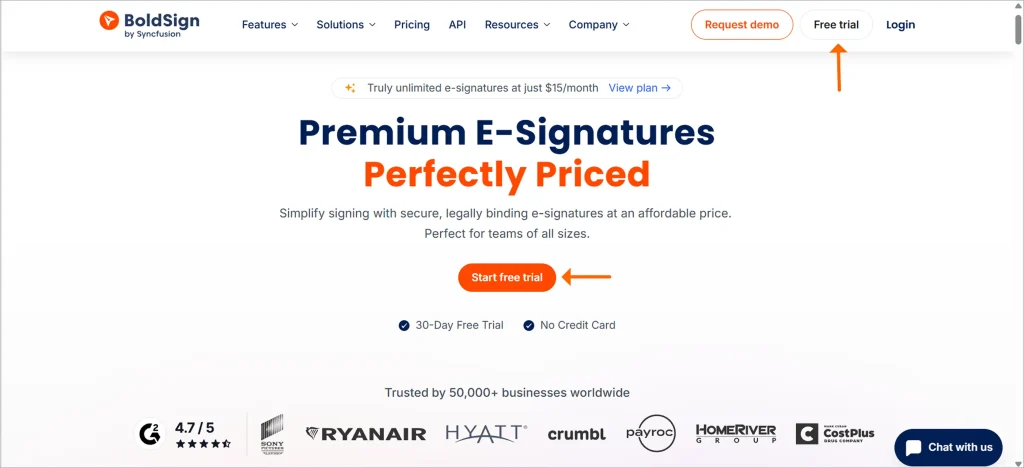
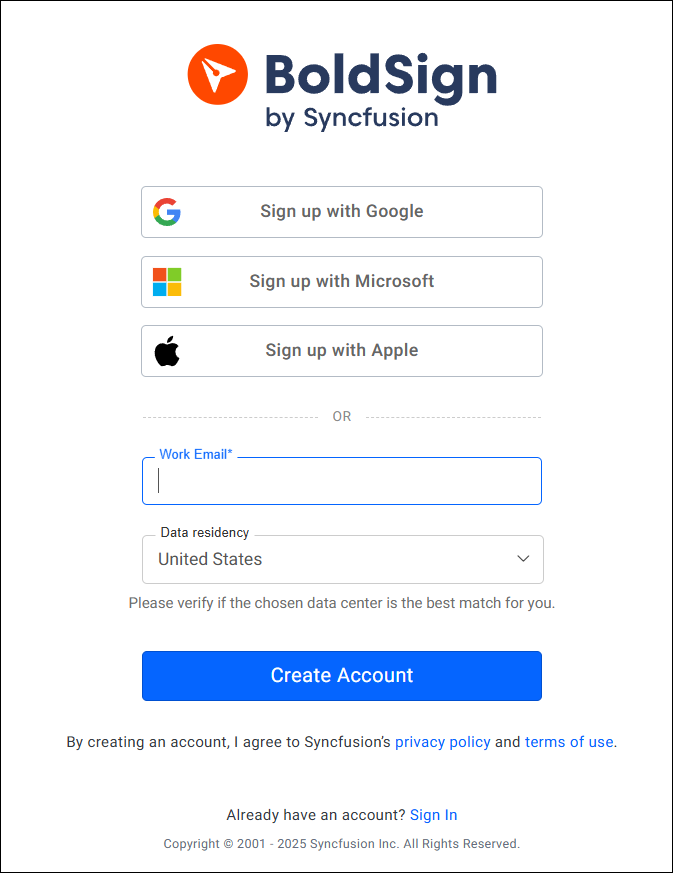
Before your trial sign-up, pick one real document you need signed soon. You will use it in the next step.
What should you try first in your trial?
Start with the document you need signed this week. A real document shows you more than a sample file does.
Explore the dashboard
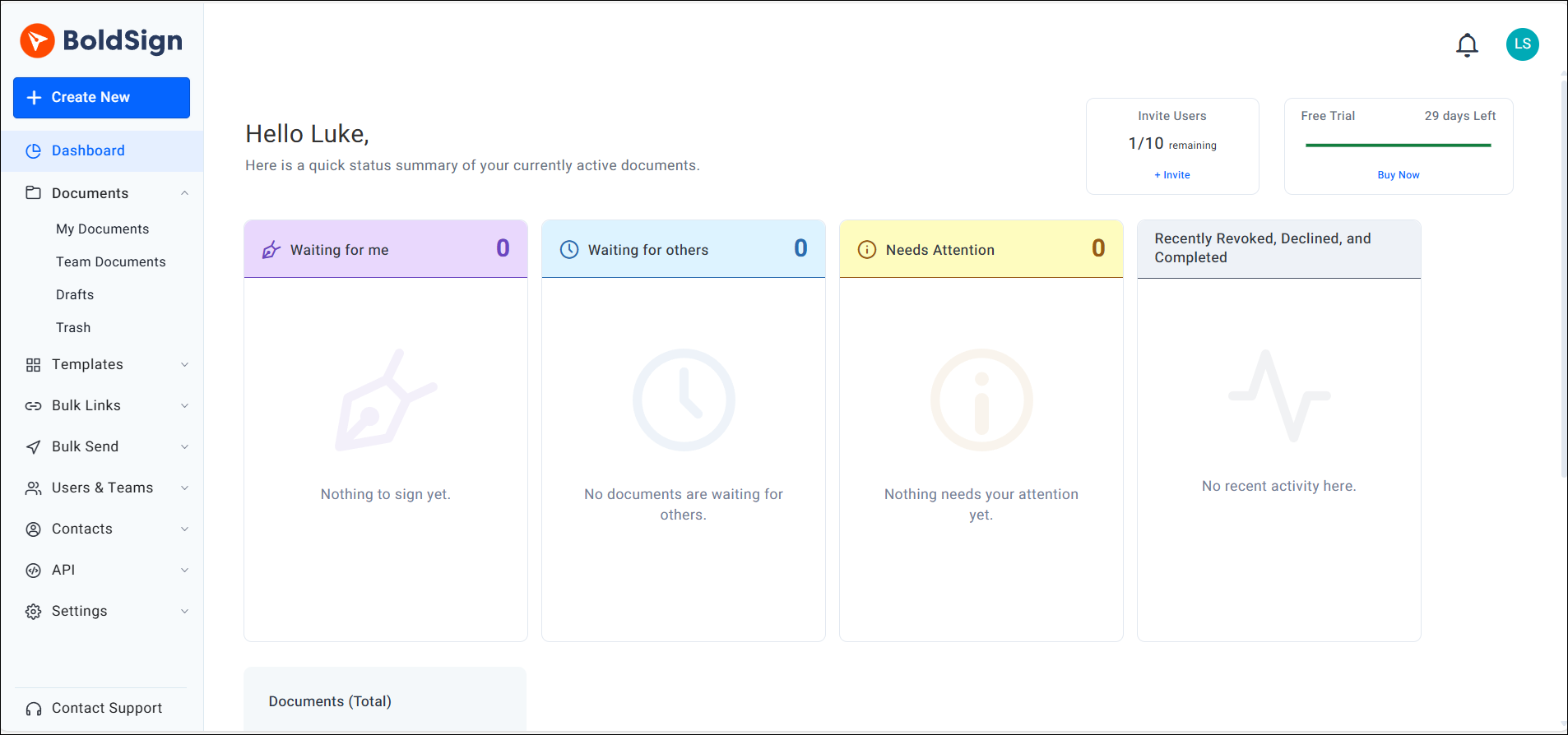
The dashboard opens after you sign in. From here you reach your documents, see who has signed and start new templates.
Send your first document for signature
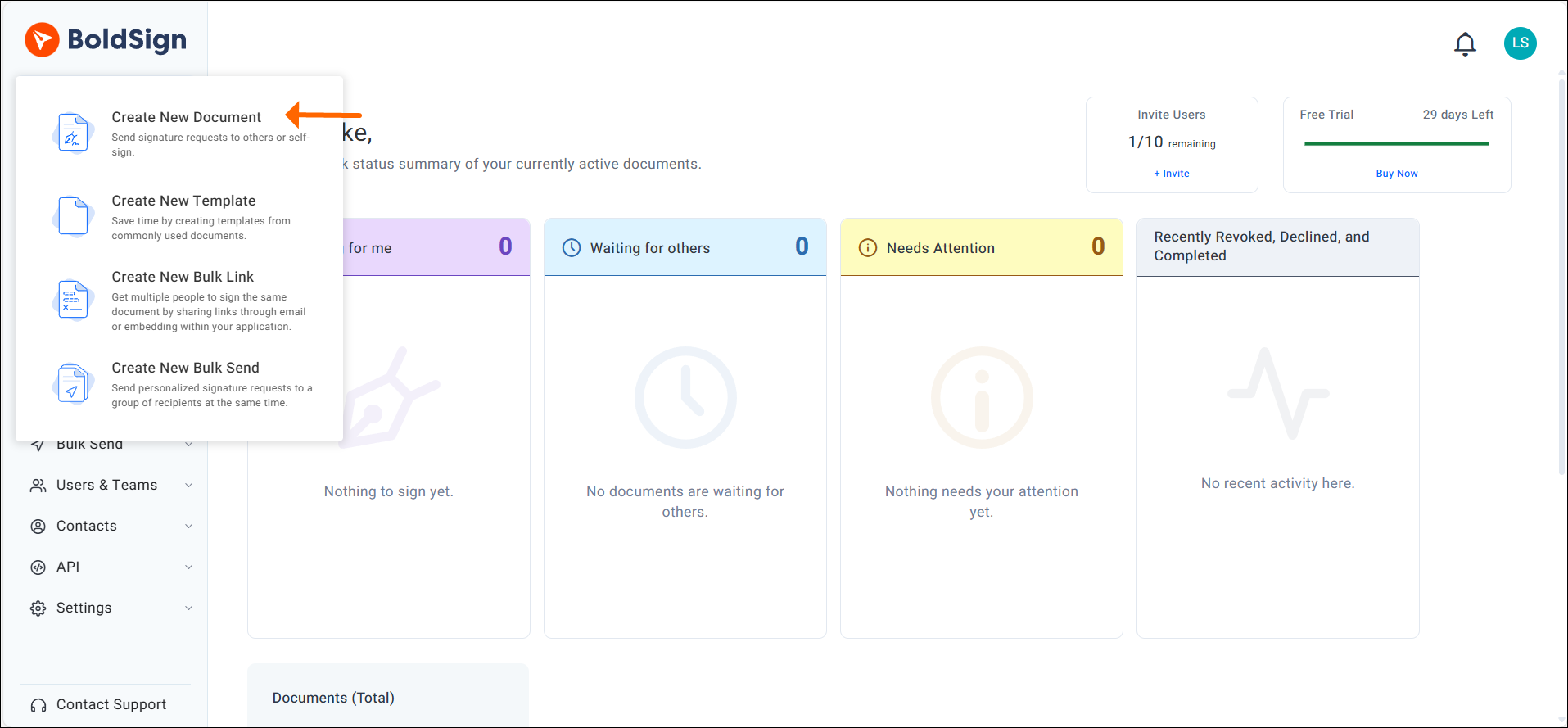
Sending takes four steps. Our help articles and video tutorials walk through each option.
- Upload an existing file, such as a PDF.
- Add each recipient’s name and email address.
- Place the signature fields where each person signs.
- Send the document and follow its status on the dashboard.
Create and use templates
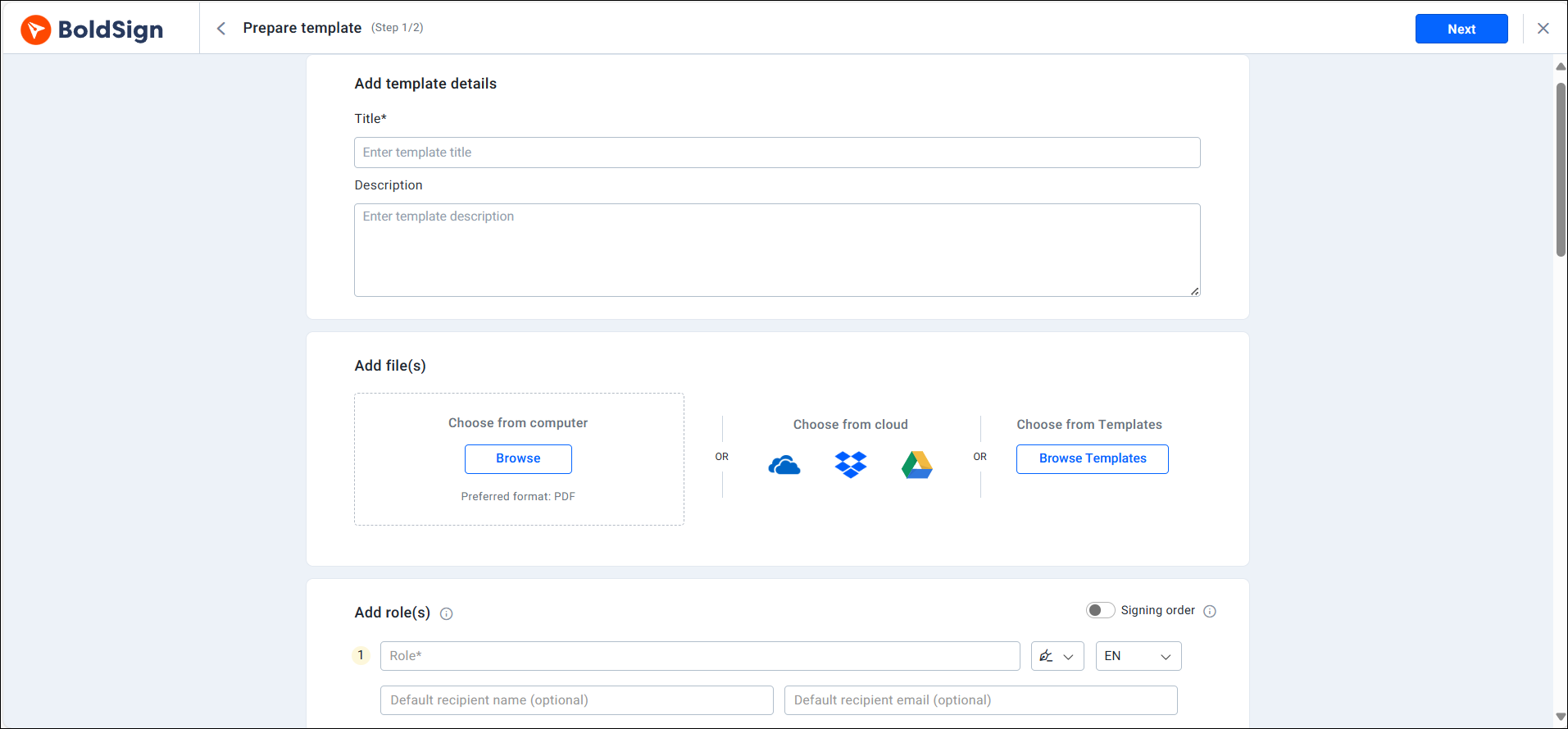
A template saves a document you send often, with its fields already placed. Each field belongs to a role, such as Client, instead of a named person.
You fill in the real people each time you send. Our guide on saving time with templates covers each step.
Explore the other features
Our eSignature features page lists everything else you can test. Pick the two or three that match how your team works.
How do you compare the top signature solutions that offer free trials on web platforms?
Run the same real document through each trial and note what happens. Many eSignature services offer a free trial, so a fair test matters more than a long list.
Any signature tool with a free trial, on the web or as an app, is worth checking on these points.
- How long it takes to send your first document.
- What your client sees: in both trials sign the document yourself.
- How many documents and users the trial allows.
- Whether the vendor publishes its price for after the trial.
Run the same document through each one when you compare the top signature apps that offer free trials. The results are then easy to set side by side.
Which e-signature providers offer free trials for business workflows?
We do, with a 30-day free esignature trial that includes up to 50 documents and room for your team. Test it on a workflow you run every week, such as a sales contract.
What are the top signature services available online that offer a free trial?
We can speak for our own service. Ours is a 30-day electronic signature software free trial, with real sending from the first day.
What else can you try besides a free trial?
A free plan or a guided demo also lets you test before you pay. We offer both, along with the trial.
You have two other ways to try us when a trial is not the right fit: a free plan or a demo.
Email signature software free trial options are a different product. They design the name block at the foot of your emails, and they do not collect signatures on documents.
How do you upgrade before or after the trial ends?
Upgrade from the Subscription page in your account. Your new plan starts as soon as your payment goes through.
- Open the Settings menu and select Subscription.
- Select Change plan, then Upgrade Plan for the plan you want.
- Enter your card details and billing address on the Payment Details page.
- Add user licenses in the Additional Licenses field when you need them.
- Check the Total due and select Buy now.
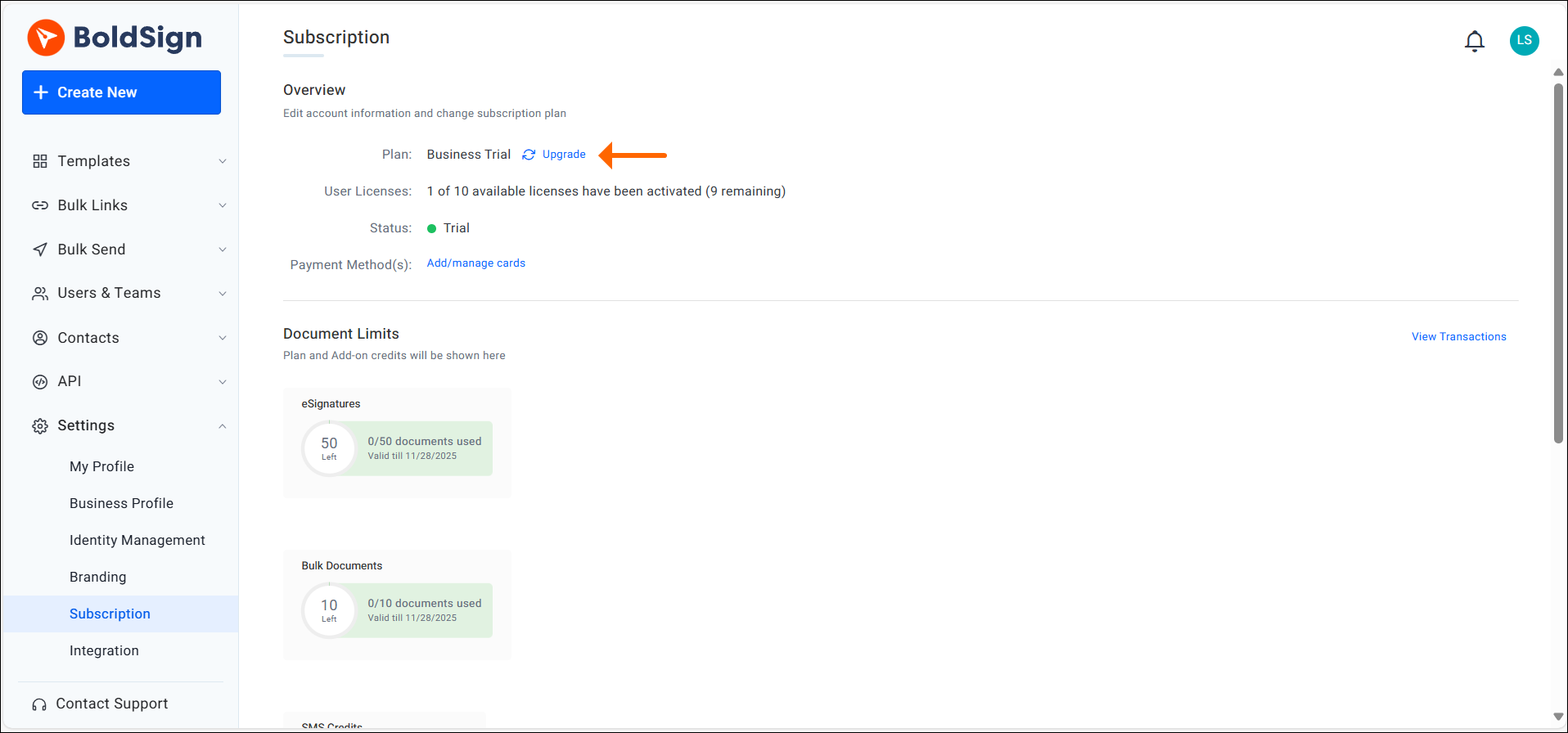
Our help article on changing your current plan covers monthly and yearly billing too.
What happens when the trial period is over?
When the 30 days end, you can no longer create new documents. We then schedule the account for deletion unless you upgrade.
Download your signed documents and their audit trails before day 30, so you keep a copy. Our free trial FAQs answer more questions about the trial.
Which plan should you choose after the trial, and what does it cost?
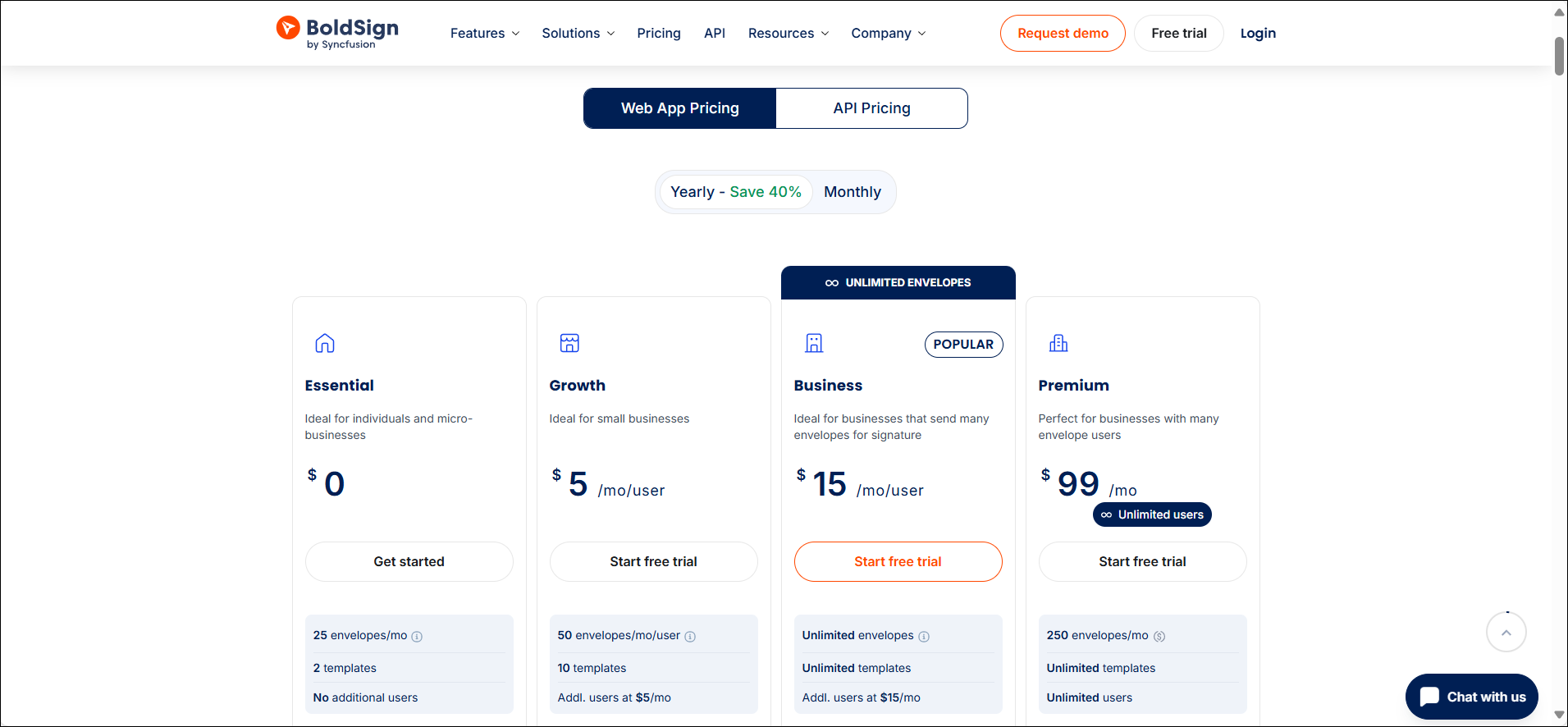
Choose a plan by how many documents and users you need. Prices are in USD and billed yearly, as listed on the BoldSign pricing page in November 2026.
Trials of the Growth and Business plans include 50 eSignature documents and 10 users. A Premium plan trial includes 50 documents and up to 100 users.
The Essential plan is free, with 25 envelopes a month and 2 templates for 1 user. The Growth plan costs $5 per user a month, with 50 envelopes a month and 10 templates.
The Business plan costs $15 per user a month, with unlimited envelopes and templates. It adds bulk send, SMS delivery, ID verification and unlimited brands. The Premium plan costs $99 a month for unlimited users, with 250 envelopes a month.
Ready to start your eSignature free trial?
Your first signed document is a few minutes away. Choose the next step that suits you.
- Start your 30-day free trial with the document you need signed this week.
- Book a demo to see BoldSign set up for your team’s documents.
- Contact our support team with any question during your trial.
Frequently asked questions
How long does the BoldSign free trial last?
The trial lasts 30 days from the day you sign up. You can upgrade at any point during those 30 days or after they end.
Do I need a credit card to start the free trial?
No, you start with an email address or a Google, Microsoft or Apple account. You add card details only when you upgrade to a paid plan.
How many documents can I send during the BoldSign trial?
A trial of a paid plan includes 50 eSignature documents. The Essential trial includes 25 with a work email address, or 5 with a public email domain such as Gmail.
What are the signature features and offerings available for free?
Our Essential plan is free, with 25 envelopes a month, 2 templates and 1 user. The 30-day free trial lets you test the paid features before you choose a plan.
What happens to my account when the trial ends?
You can no longer create new documents, and we schedule the account for deletion. Download your signed documents first, or upgrade to keep the account.
Can I upgrade before the trial ends?
Yes. Open Settings, select Subscription, then Change plan, and pick the plan you want. The new plan starts as soon as your payment goes through.
How many users can join a BoldSign trial account?
Trials of the Growth and Business plans allow 10 users, and a Premium plan trial allows up to 100. Your team can test the same account together.
Do you know of any e-signature services with a free trial or demo?
Yes. We offer a 30-day free trial with no credit card required, and you can book a demo with our team on our request a demo page.

Tom Victor Okinyi
Tom Victor Okinyi, a Technical Assistant at BoldSign, excels at creating user-friendly documentation. He has a strong commitment to quality, ensuring users have access to clear and informative resources that enhance their experience with BoldSign. Tom is skilled at simplifying complex concepts into comprehensive and easy-to-understand materials.
More posts by Tom Victor Okinyi