Secure Remote Onboarding: Verify Employee Identity Before Signing HR Forms
 Stephen Otieno Okoth
TL;DR: Identity verification for remote onboarding means checking a new hire’s photo ID and selfie before they can open any HR form. Put the check at the very start, so only the right person sees personal and payroll details. Our signer identity verification page shows how the check works.
Your new hire lives three states away and starts on Monday. You email the offer letter, the tax forms and the payroll details on Friday. You have never met this person face to face.
Right now, anyone who holds that email link can open those forms. This guide shows how HR onboarding verification works, when to run it, and how to set it up in BoldSign.
What is identity verification for remote onboarding?
Identity verification for remote onboarding is a check that confirms a new hire is who they say they are. The new hire passes it before they can view, fill in or sign any onboarding document.
Think of the front desk in an office building. The guard looks at your badge before you walk to the lift. Identity verification is that guard, placed in front of your onboarding packet.
In BoldSign, the new hire photographs a passport or driver’s license and takes a live selfie. We match the face and the name to the ID, and the documents stay locked until the match passes.
Why is remote employee onboarding harder to secure?
Remote onboarding removes the in-person moment when someone would glance at a new hire’s face and ID. Yet the packet still holds some of the most private details a person shares with an employer.
An onboarding packet often includes:
- Tax and payroll details
- Personal ID numbers and home address
- Employment agreements and nondisclosure agreements (NDAs)
- Benefits enrollment forms
Speed adds to the risk. HR teams under pressure can delay or skip checks, or apply them differently from hire to hire.
Why should you verify identity before the forms open?
Verify identity first, because a check that runs after the forms open comes too late. By then, the private details are already on someone’s screen.
A check at the start works like a locked door. Only a verified person moves forward, and everyone else stops at the gate.
Running the same check for every hire also gives you steady records. Your team can show the same step was followed across offices and roles.
What can go wrong without an identity check?
Skipping the check can cost far more than the few minutes it takes. Here is what HR teams risk:
- An impostor sees payroll, benefits or bank details.
- Uneven checks make your internal controls hard to show in an audit.
- A late discovery means restarting the packet and fixing records.
- Employees and partners lose trust after a breach they could have been spared.
Once someone opens the documents, you cannot take that exposure back.
Are there reliable identity checks for remote employee onboarding?
Yes. A photo ID check paired with a live selfie gives you a strong signal that the right person is signing.
Our check looks at a passport or driver’s license and compares it with a selfie taken on the spot. The identity verification overview says the check is powered by Stripe Identity and works on single documents and templates.
You can pair it with lighter checks for extra layers:
- An access code you share with the new hire separately
- A one-time code sent by email or text message
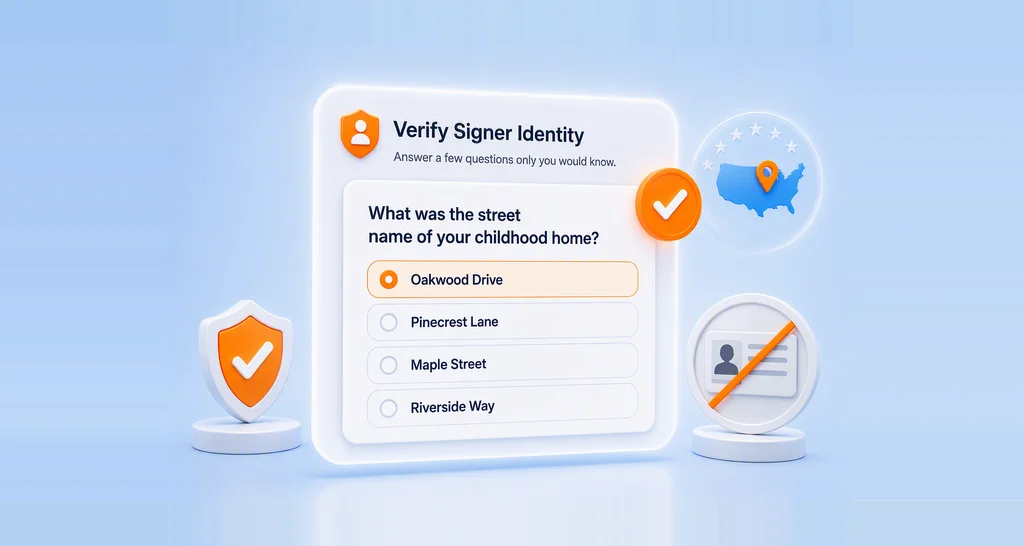
- Knowledge-based authentication (KBA), which asks questions drawn from public records, for US signers
How do you set up identity verification in BoldSign?
You turn on identity verification for each signer when you prepare the document. Our help article on how to send a document with identity verification shows these steps:
- Start a new document and upload your files under Add file(s).
- Add the new hire as a signer, with their name exactly as it appears on their ID.
- Click Settings, turn on Authentication and choose Identity Verification.
- Click Next, then add the signature and other fields.
- Click Send.
The new hire meets the check as soon as they open the link. After they pass, they can read and sign the packet.
What solutions work for distributed workforce verification?
Your HR department may need to verify employee identity for remote onboarding across many cities or countries. A check that runs in a browser suits that kind of team, because no one has to visit an office.
Signers in the US and other supported countries can verify with us. You can also limit which countries’ IDs you accept.
Larger teams often want the check to start from their own software. Our API lets you require signers to verify their identity before they reach a document. That way you can link the step to a human resources information system (HRIS) or an applicant tracking system (ATS).
What should you watch out for?
A few details decide whether the check goes smoothly for a new hire. Plan for them before you send.
- Enter the signer’s legal name, because we match it against the ID by default.
- Set how many tries each signer gets, from 1 to 10, with 3 as the default.
- Check scripts first, because we cannot read ID details in some scripts such as Arabic, Chinese and Japanese.
- Review failed uploads yourself, since you can approve or reject them by hand.
Passports and driver’s licenses work for everyone. National ID cards are open by invitation only.
Which documents need an identity check first?
Put the check in front of any packet with private or binding details. Common examples:
- Offer letters and employment agreements
- Nondisclosure agreements and policy sign-offs
- Tax, payroll and benefits forms
- Packets for hires in other countries
The rule stays the same for each one: verify first, then open the documents.
Which BoldSign plan includes identity verification, and what does it cost?
Identity verification is an add-on on the Business, Premium and Enterprise API plans. The pricing page lists it at $2 per verification in November 2026, and each retry counts as a new attempt.
The Business plan costs $15 per user a month and the Premium plan costs $99 a month for unlimited users, both billed yearly. Text message codes and KBA are add-ons on the same three plans, with text codes at $0.20 per SMS.
You need the Enterprise API plan, from $30 a month with 40 envelopes, to start the check from your own software. Prices are in USD, and the Essential and Growth plans do not include identity verification.
How do you start securing remote onboarding today?
Start with one test packet sent to yourself, so you see the check as a new hire will.
- Start a 30-day free trial and send a sample onboarding form.
- Request a demo to see identity verification set up for your hiring flow.
- Visit our support team with questions about your setup.
Frequently asked questions
What is remote onboarding?
Remote onboarding means setting up a new employee online instead of in person. HR sends the forms, the new hire signs them from home, and the team gives access to work systems.
Why does identity verification matter in remote onboarding?
Identity verification shows that the person opening your HR forms is the person you hired. Without it, anyone holding the email link could see personal and payroll details.
How do you verify employee identity during remote onboarding?
Ask the new hire to photograph a passport or driver's license and take a selfie before the forms open. The system compares the face and name with the ID, and you can add an access code as well.
When should you check a new hire's identity?
Check it before the new hire can open any onboarding form. A check that runs after the forms open comes too late, because the details are already visible.
Can employees sign HR forms remotely?
Yes, with an eSignature tool such as BoldSign. You send the onboarding documents online, and each verified employee reads and signs them from any device.
Which HR platforms support identity verification during onboarding?
Many eSignature and onboarding tools offer some form of ID check, so compare what each one verifies. We check a photo ID and a live selfie before your documents open, and our API can connect that step to your own HR system.
Which onboarding verification platform works well with HR and identity systems?
Look for a platform with an API, so your HR software can start the check on its own. Our API lets you require signers to verify their identity before they reach a document.
Is an onboarding form signed after identity verification legally binding?
Yes, when it meets the electronic signature rules for your country and document type. The ID check adds proof of who signed, but some forms may have their own rules, so check with your legal team.

Stephen Otieno Okoth
Stephen is a Technical Assistant at BoldSign who specializes in creating clear documentation and engaging videos. He combines his technical skills and creativity to deliver user-focused solutions. Connect with him on LinkedIn.
More posts by Stephen Otieno Okoth