eSignature for Insurance Authorizations and Billing: A Guide for Healthcare Teams
 Shanmuga Raj Subramani
TL;DR: An eSignature for insurance forms lets patients, doctors and insurers sign authorizations and billing papers online instead of on paper. You send the form, each person signs on their own device, and you track it to the end. See how electronic signatures work for insurance teams.
A patient needs a scan next week, but the prior authorization form is still on a fax machine. A billing form came back without a date, so the claim waits. Each missing signature can hold up care and payment for days.
This guide explains how an electronic signature for insurance paperwork works. It covers the forms it fits, the rules that apply, and how to send one with us.
What is an eSignature for insurance?
An eSignature for insurance is a signature on an authorization, claim or billing form made online. The signer types, draws or uploads a signature in a browser.
Think of passing a clipboard around a waiting room, except the clipboard travels by link. Each person gets it in turn, signs, and passes it on. You can see where the clipboard is at every moment.
Which insurance forms can you sign electronically?
You can sign most healthcare insurance forms online. The common ones fall into three groups.
- Before care: prior authorization requests and patient consent forms.
- During billing: assignment of benefits forms and payment agreements.
- After care: claim forms and appeal letters.
Your insurer or payer may have its own rules for some forms. Check them before you move a form online.
Why do paper authorizations and billing forms slow things down?
Paper forms wait in queues, get lost, and come back with blank fields. Each of those adds days before treatment or payment can go ahead.
Staff print a form, hand it to a patient, then scan it and send it on. A single missing initial sends the whole form back to the start. Patients wait for care, and the practice waits for payment.
How do eSignatures speed up insurance approvals?
Everyone signs from where they are, and you see each step as it happens. Forms also arrive complete, so fewer go back for fixes.
Signing from any device
A patient can sign a consent form at home, at the front desk, or on the BoldSign mobile app. Doctors and insurance staff sign the same way. Nobody needs to print, scan or fax.
Tracking every form in one place
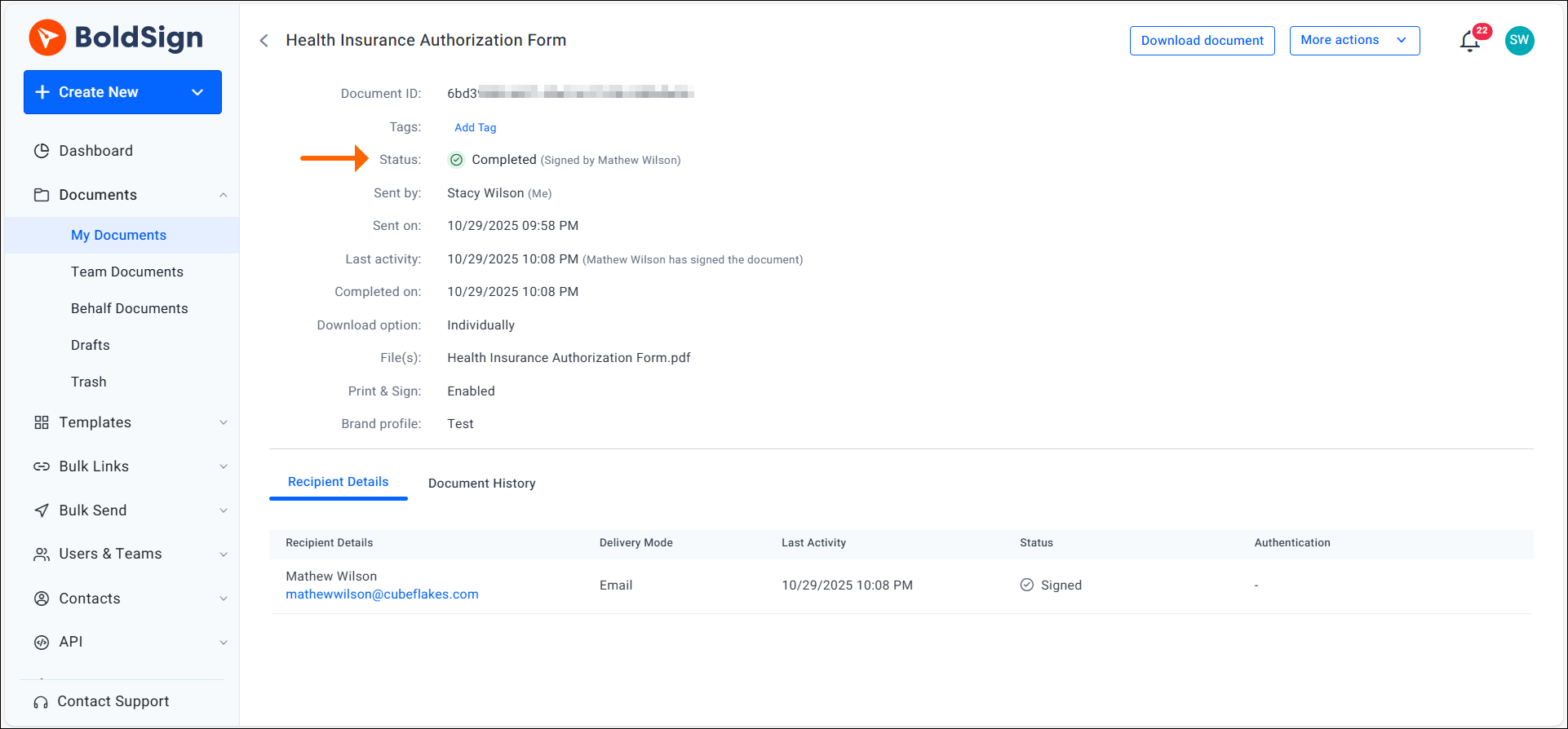
You can track each document’s status from your dashboard. The dashboard lists forms that are waiting and forms that are complete. It also names the signer who still needs to act.
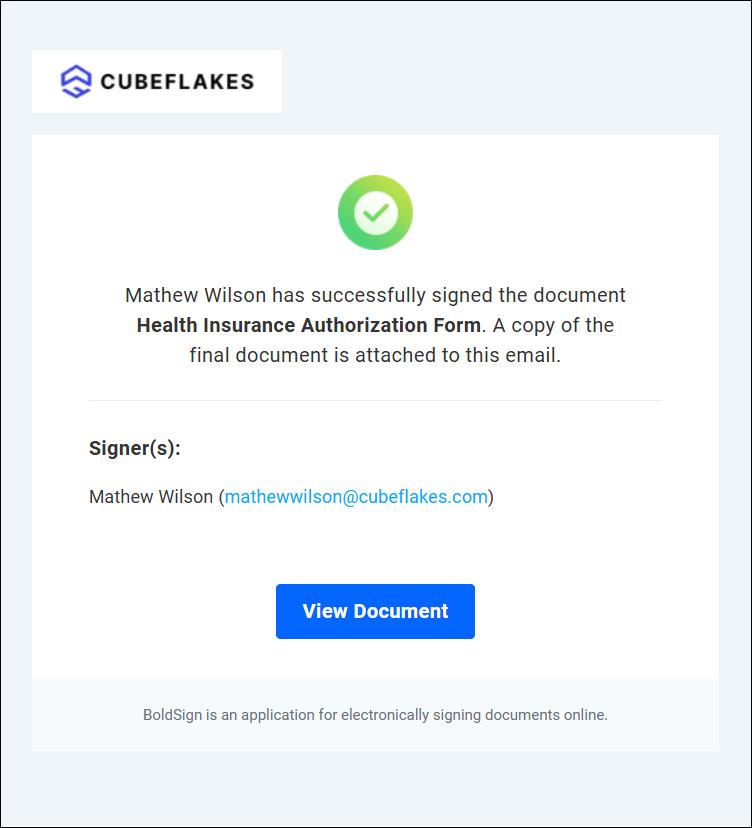
Reminders for late signers
We send automatic reminders until the signer finishes. Staff spend less time on follow-up calls.
How do you stop errors on insurance forms?
Mark the fields you need as required. The signer then cannot finish until they fill in each one.
Our help article on making a form field required shows where to set it. Use it for dates, policy numbers, initials and signatures. A complete form the first time means the claim moves on the first try.
Are electronic signatures legal for insurance and billing forms?
Yes, when the signer agrees to sign electronically and you keep the signed record. Laws in the US and the EU both give electronic signatures legal effect.
In the US, the Electronic Signatures in Global and National Commerce (ESIGN) Act, 15 U.S.C. 7001, covers this. The law says a signature or record cannot lose its legal effect just because it is electronic.
In the EU, Article 25 of the electronic identification, authentication and trust services (eIDAS) Regulation says the same. An electronic signature can serve as evidence in court, even when it is not a qualified signature.
Some forms and states add their own rules. Ask your legal team to confirm the forms you plan to move online.
How do eSignatures fit Health Insurance Portability and Accountability Act (HIPAA) rules?
Insurance forms often hold protected health information (PHI). HIPAA asks you to protect that data, and the platform you use plays a part.
Our HIPAA overview lists what a covered entity should check in an eSignature platform:
- The platform checks the signer’s identity before signing.
- Any change after signing shows up.
- Only approved people can open the data.
- An audit trail records who opened or changed a document.
What do we provide for HIPAA?
We act as a business associate under HIPAA. An independent third party audits our HIPAA safeguards, as our HIPAA overview explains. An Account Admin accepts our business associate agreement (BAA) in Settings, under Compliance.
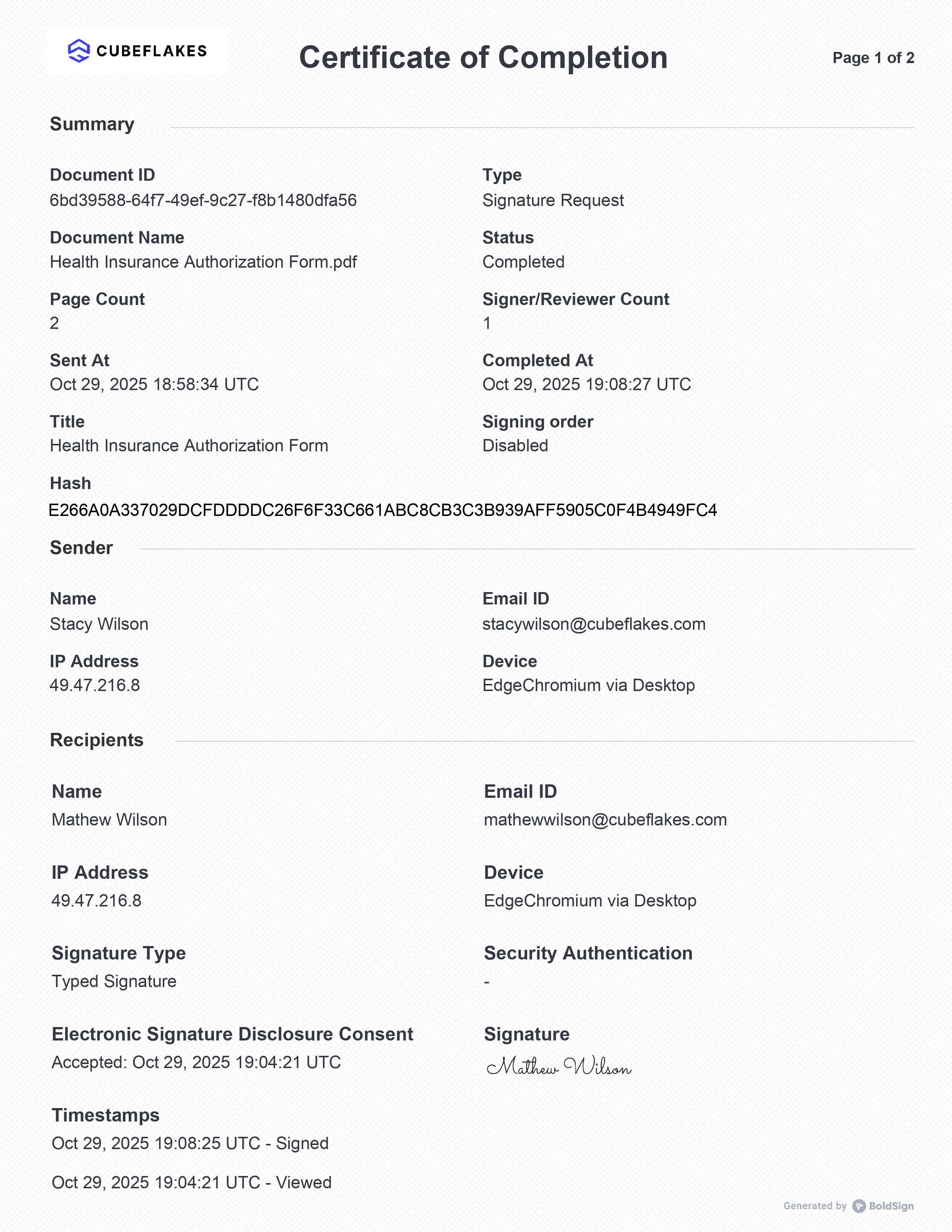
Each signed form comes with an audit trail. It records who acted, with their email and internet protocol (IP) address. It also shows the signer check used and the time of each action.
Our security policy covers how we protect stored data.
How do you confirm who signed?
You choose a check for each signer before you send. Options include an access code, a one-time code by email or text, and ID verification with a photo ID and a selfie.
How do you send an insurance form for signature with BoldSign?
You upload the form, add signers, place fields and send. The steps below take a few minutes for a new form.
- Upload your insurance or consent form to BoldSign.
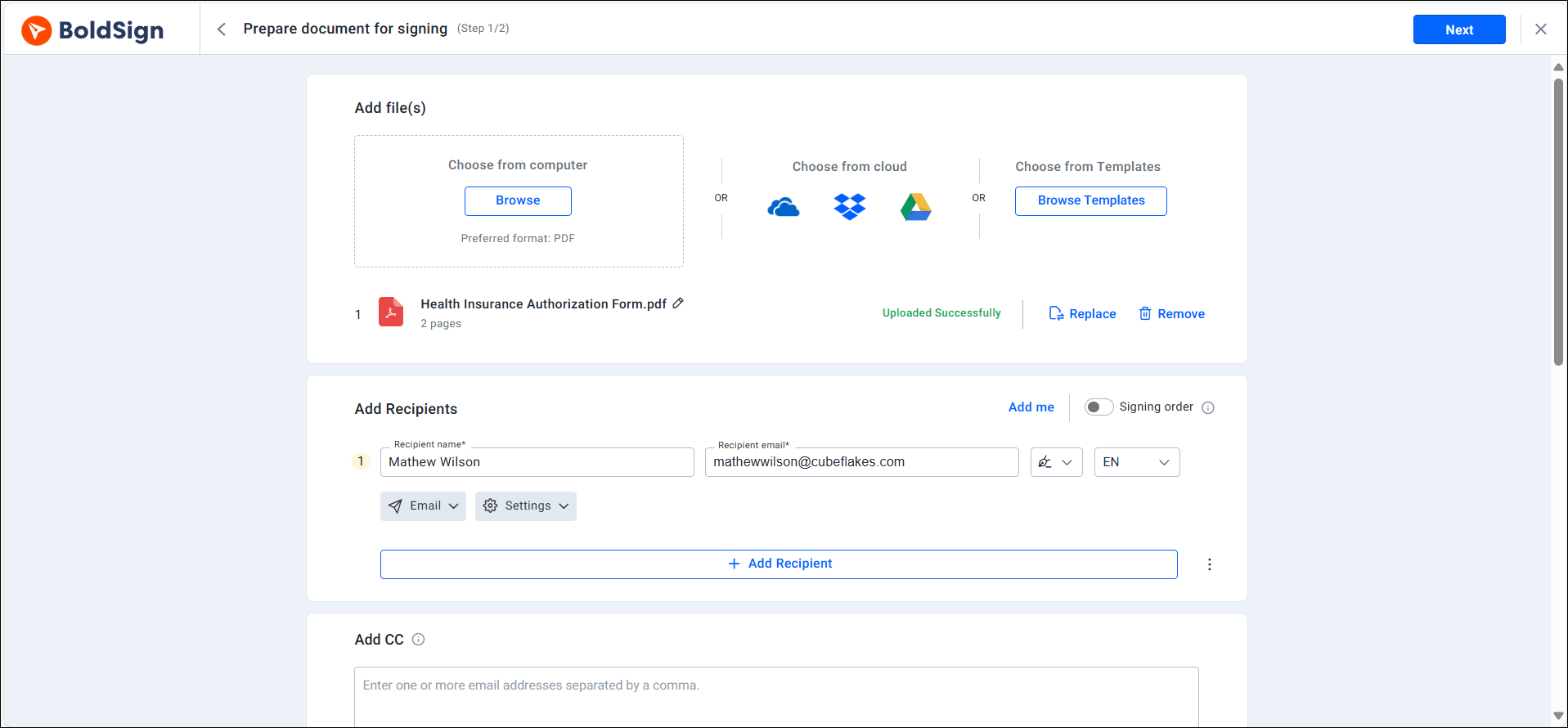
- Add each signer, such as the patient, doctor or insurer, with an email address or phone number.
- Place signature, date and text fields, and mark the ones you need as required.
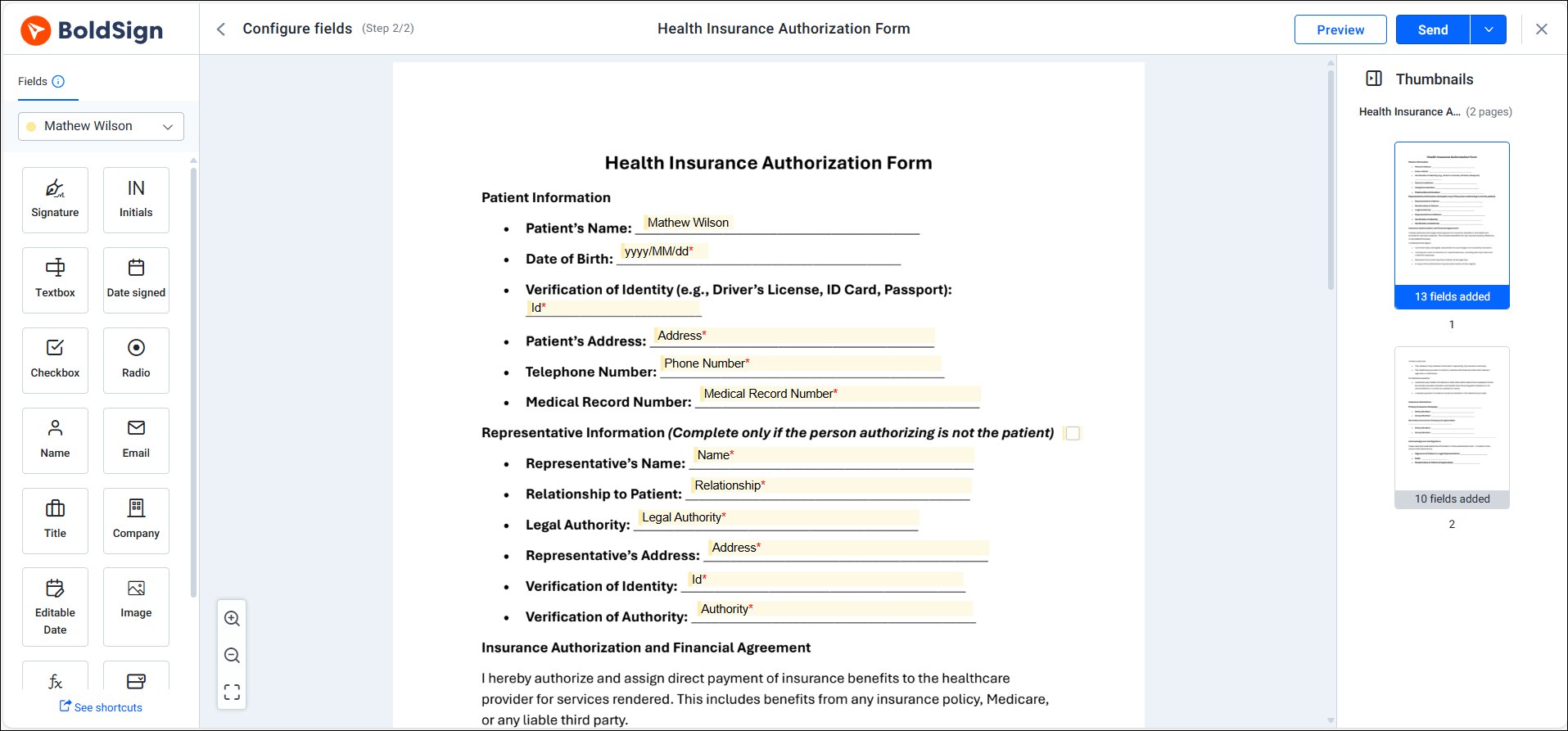
- Send the document for signing.
- Each signer opens the link, reviews the form and signs.
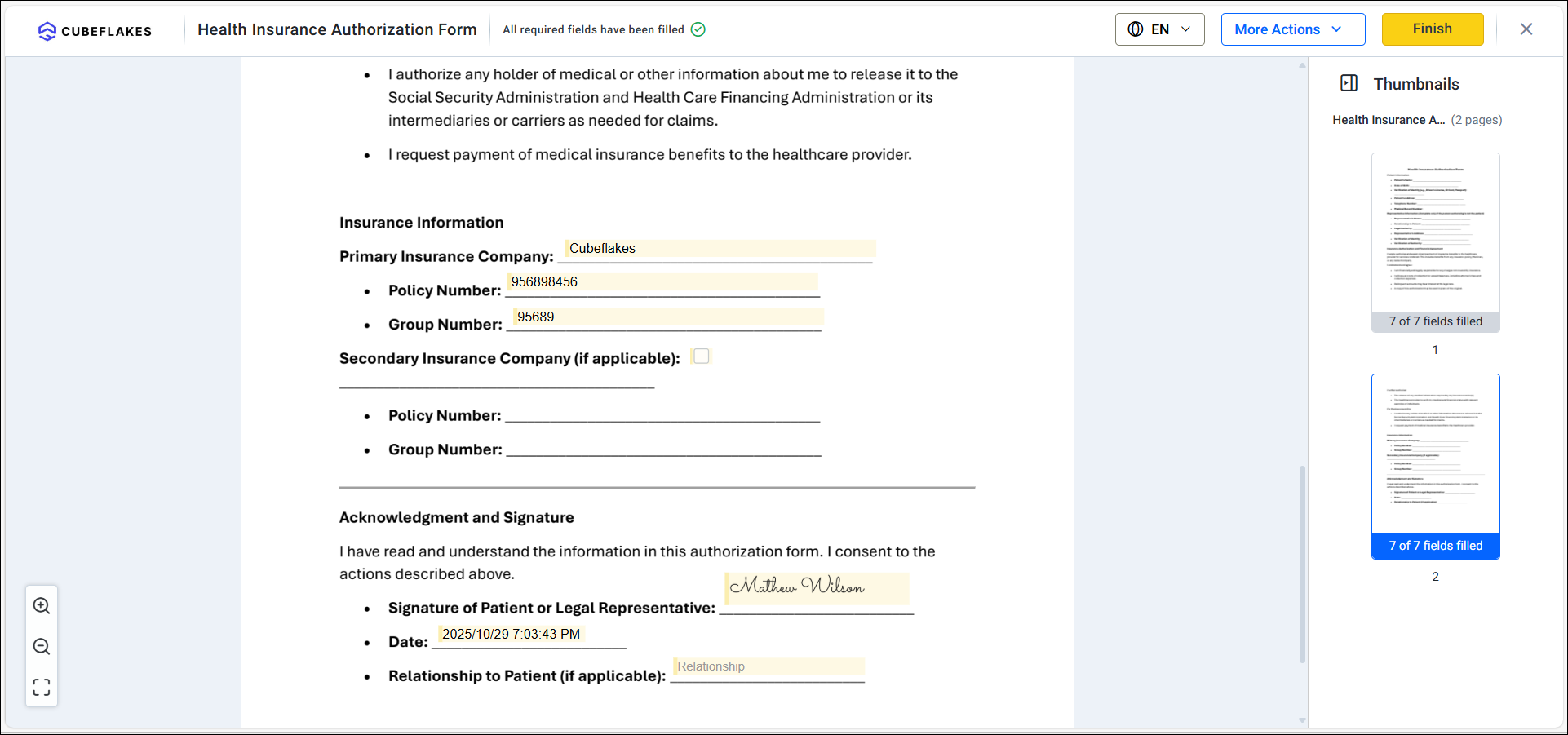
- We store the signed copy and update the status for everyone.
Save forms you send often as templates. Your next prior authorization then starts with the fields already in place.
Which BoldSign plan do you need, and what does it cost?
Our Business plan covers most insurance and healthcare teams. It costs $15 per user a month, billed yearly, and adds HIPAA support, ID verification and sending by text message.
Our Premium plan costs $99 a month for unlimited users, billed yearly, with the same features. The Essential plan is free with 2 templates, and the Growth plan costs $5 per user a month with 10 templates. Business and Premium include unlimited templates.
HIPAA support comes with yearly Business and Premium plans only. Prices are in USD, as listed on the BoldSign pricing page in November 2026.
How do you start using eSignatures for insurance forms?
Start with one form your team sends every day, such as a prior authorization request. Then pick a next step.
- Start a 30-day free trial and send your first form today.
- Book a demo to see a healthcare signing workflow with our team.
- Read about electronic signatures for healthcare, or ask us through our support portal.
Frequently asked questions
Can a patient sign an insurance authorization form online?
Yes. The patient opens the signing link in a browser on a phone, tablet or computer and signs there. They skip app installs and account sign-ups.
Are electronic signatures legal on insurance and billing forms?
Yes, when the signer agrees to sign electronically and you keep the signed record. In the US, the ESIGN Act protects a signature from losing legal effect only because it is electronic. Some forms have extra rules, so check with your legal team.
Is BoldSign HIPAA compliant for insurance paperwork?
Yes, when your organization has accepted our business associate agreement (BAA). HIPAA support comes with our yearly Business and Premium plans, and an Account Admin accepts the BAA in Settings, under Compliance.
How do we know the right person signed the form?
You choose a check for each signer before you send. Options include an access code, a one-time code by email or text, and an ID check with a selfie.
What happens if a patient forgets to sign?
We send reminders to the signer until they sign. You can set automatic reminders or send one by hand from the document's page.
Which insurance forms can healthcare teams send for eSignature?
Most forms that need a signature work. Common ones are prior authorization requests, assignment of benefits forms, consent forms and billing agreements.
Can we stop signers from leaving fields blank?
Yes. Mark a field as required, and the signer cannot finish until they fill it in. Missing dates and initials stop coming back to your desk.
Do insurance staff need training to use eSignatures?
Most staff learn it in one sitting. Senders upload a form, add signers and place fields, and signers only open a link and sign.

Shanmuga Raj Subramani
A Digital Marketing Executive at BoldSign, focused on creating engaging blogs, feature pages, and social media content. With a passion for simplicity, creativity, and digital trends, he ensures every piece reflects BoldSign’s mission to make eSignature solutions easy, accessible, and impactful for businesses worldwide. Connect with him on LinkedIn.
More posts by Shanmuga Raj Subramani