How to Simplify Financial Statement Signing with BoldSign
 Rowan Sam Kerongo Makori
TL;DR: You can send a finished financial statement as one PDF link. Each approver signs in turn, and you keep a full record of who signed and when. In BoldSign, you upload the file, add signers in order, choose a signer check and send. Our accounting firms page shows how firms use this for client sign-offs.
The quarter is closed and the statements are ready. Now the finance lead, the controller and an outside director all need to approve them. One of them travels, and another works from a different office.
Paper makes that week slow. Printed copies go out by courier, and someone has to keep asking who still has them. This guide shows how to prepare a report for signing and send it with us, step by step.
What does it mean to sign a financial statement?
Signing a financial statement shows that the people responsible have read it and approve it. Managers, owners, auditors and investors rely on that approval before they act on the numbers.
Think of the receipt you sign when a parcel arrives. Your name says you saw the goods and accept them. A signature on a balance sheet or an income statement works the same way for figures.
Who must sign depends on your firm and on who will read the statement. Your accountant or auditor can tell you which approvals each report needs.
How to make a financial report ready to sign
You build the report first and sign it last. Financial document generation happens in your accounting software, and we take over once the final PDF exists.
- Build the report in your financial statement program or spreadsheet.
- Check the figures and lock the final version.
- Export it as a PDF so the layout stays fixed.
- Add a sign-off page with a line for each approver.
- List who signs, in the order they should sign.
Keep one final file. Signers then approve exactly the version you checked.
Why move financial statement signing off paper?
Paper sign-off costs money and time. A financial statement printing company charges for bound copies, and then couriers carry them to each signer.
With electronic signing, you skip financial statement printing for sign-off. Each signer gets a link, signs on any device and passes the file to the next person. You can see who has signed at any moment, so nobody chases copies by phone.
How do you send a financial statement for signing in BoldSign?
You upload the PDF, add signers, pick how they receive it and place the fields. Our help article on how to send your first document covers every option.
Upload the statement and add signers
- Sign in to your BoldSign account, or start a 30-day free trial.
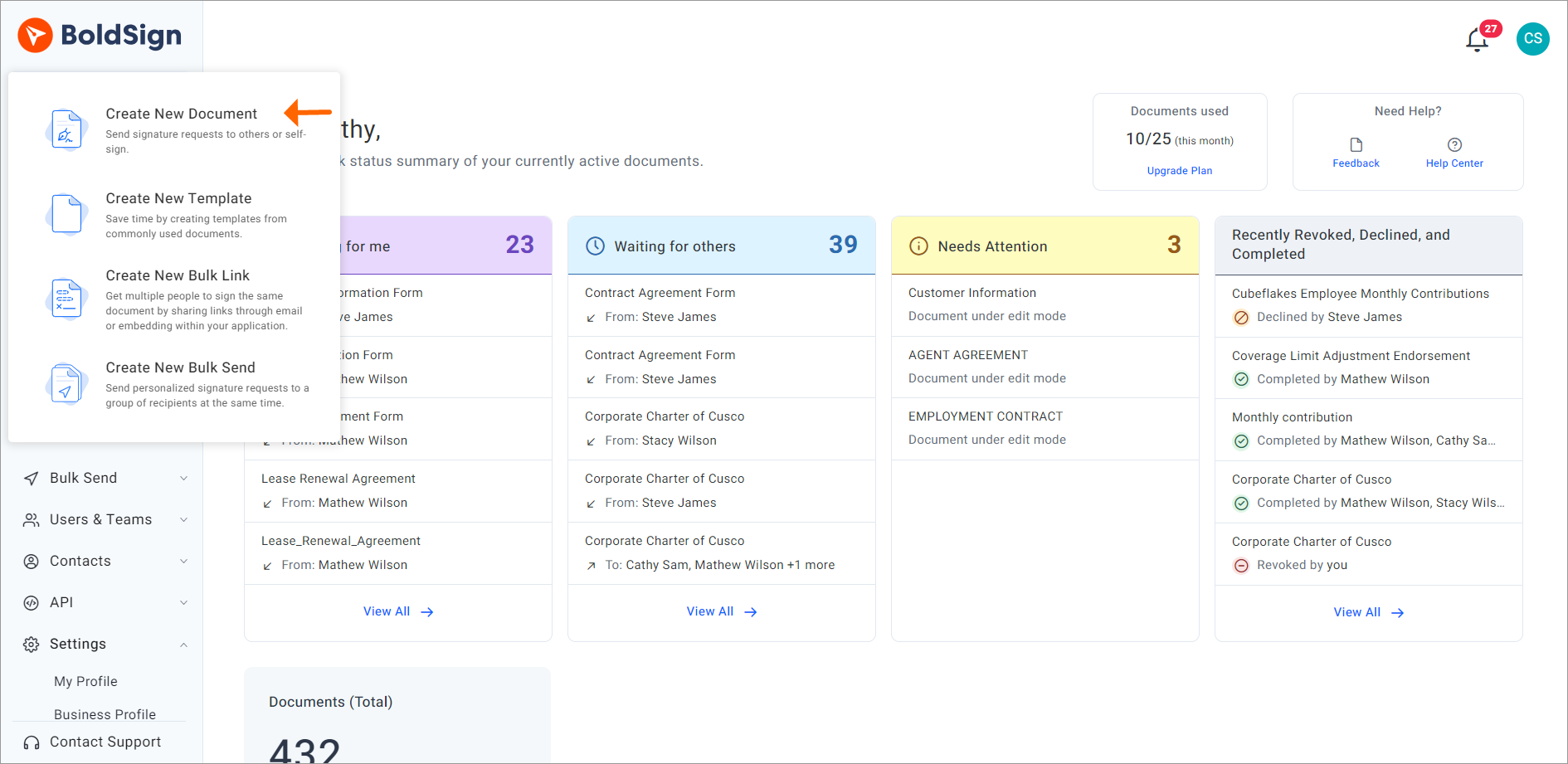
- Select Create New, then Create New Document.
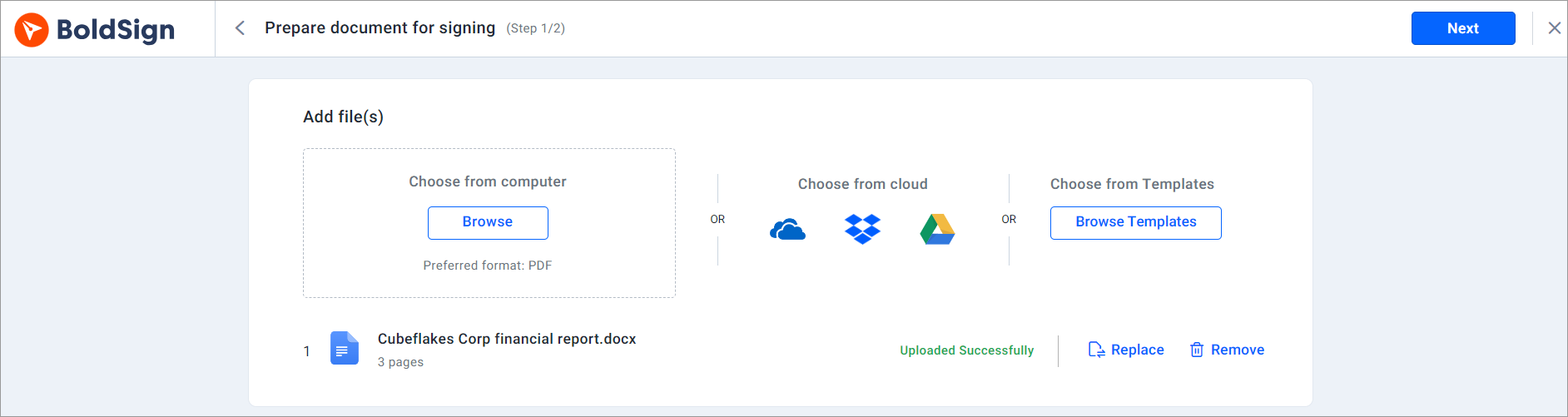
- Upload the statement from your computer or a cloud drive. We suggest PDF.
- Enter each signer’s name and email address.
- Turn on signing order so each person signs in turn.
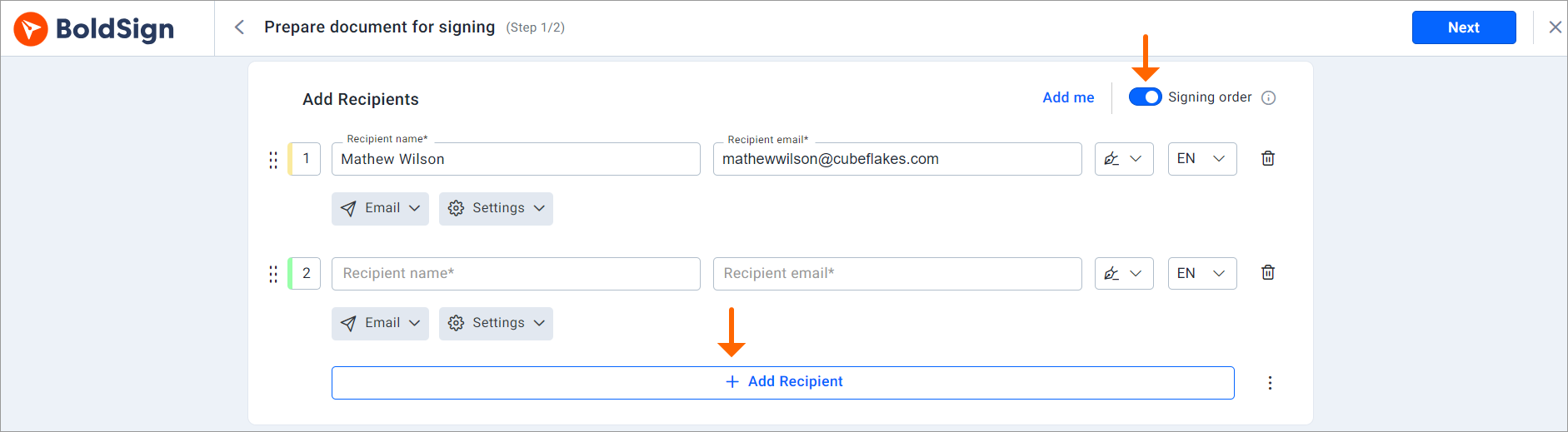
With signing order on, we send the request to the next signer as soon as the one before finishes.
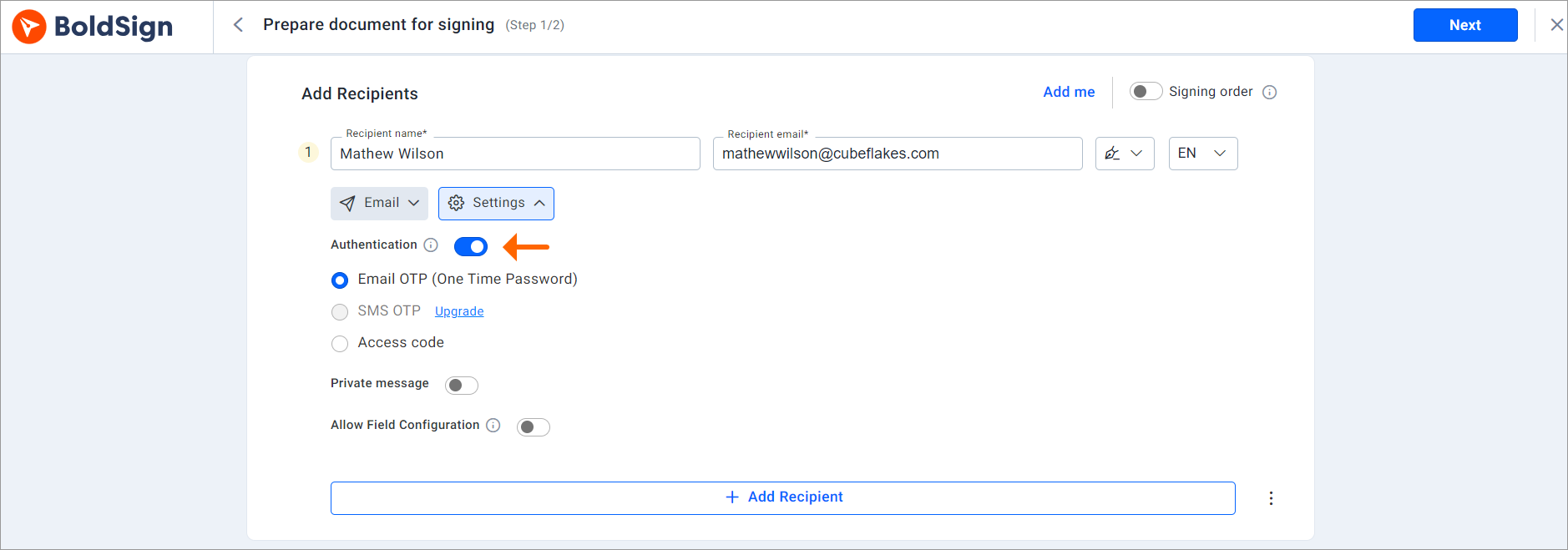
Choose delivery and signer checks
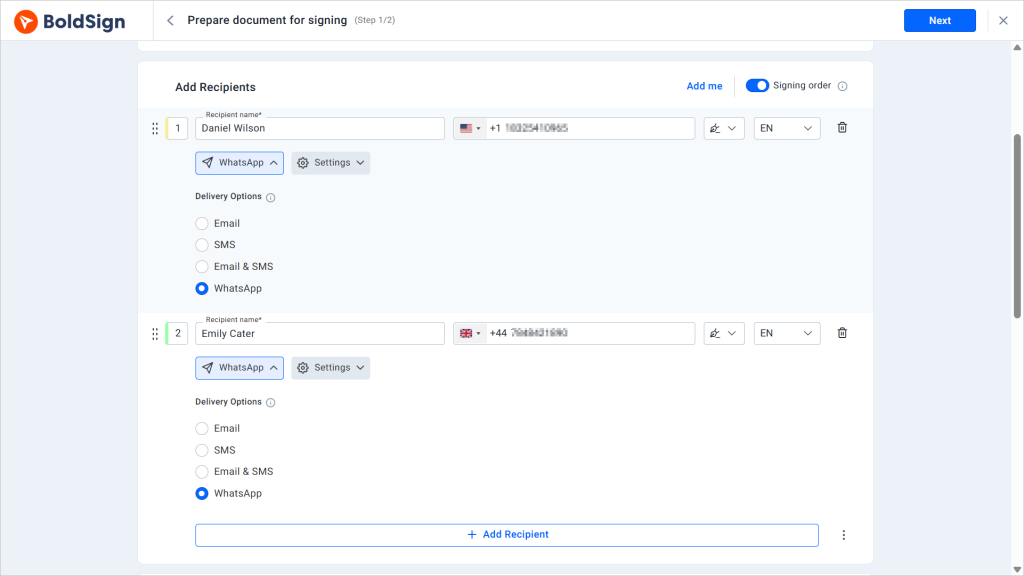
Pick how each signer gets the request: email, SMS, email and SMS together, or WhatsApp. You can set a different channel for each person.
Next, add a check so only the right person opens the statement. You can choose one of these:
- An email code or an access code that you share with the signer
- A code sent by text message
- Knowledge-based authentication (KBA), with questions only the signer should know
- Identity verification with a photo ID
Set reminders and place fields
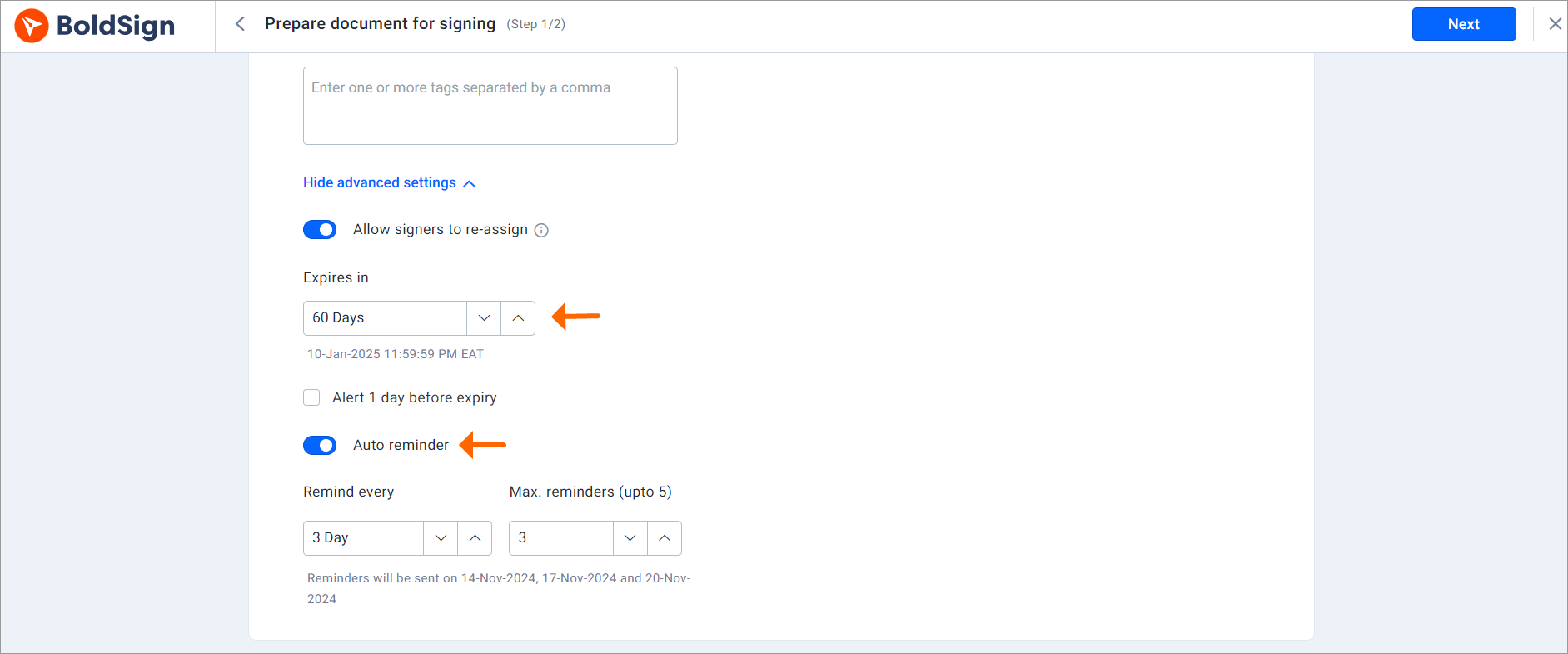
Open the document settings to set an expiry date and turn on automatic reminders. Reminders stop once the document is signed or expires.
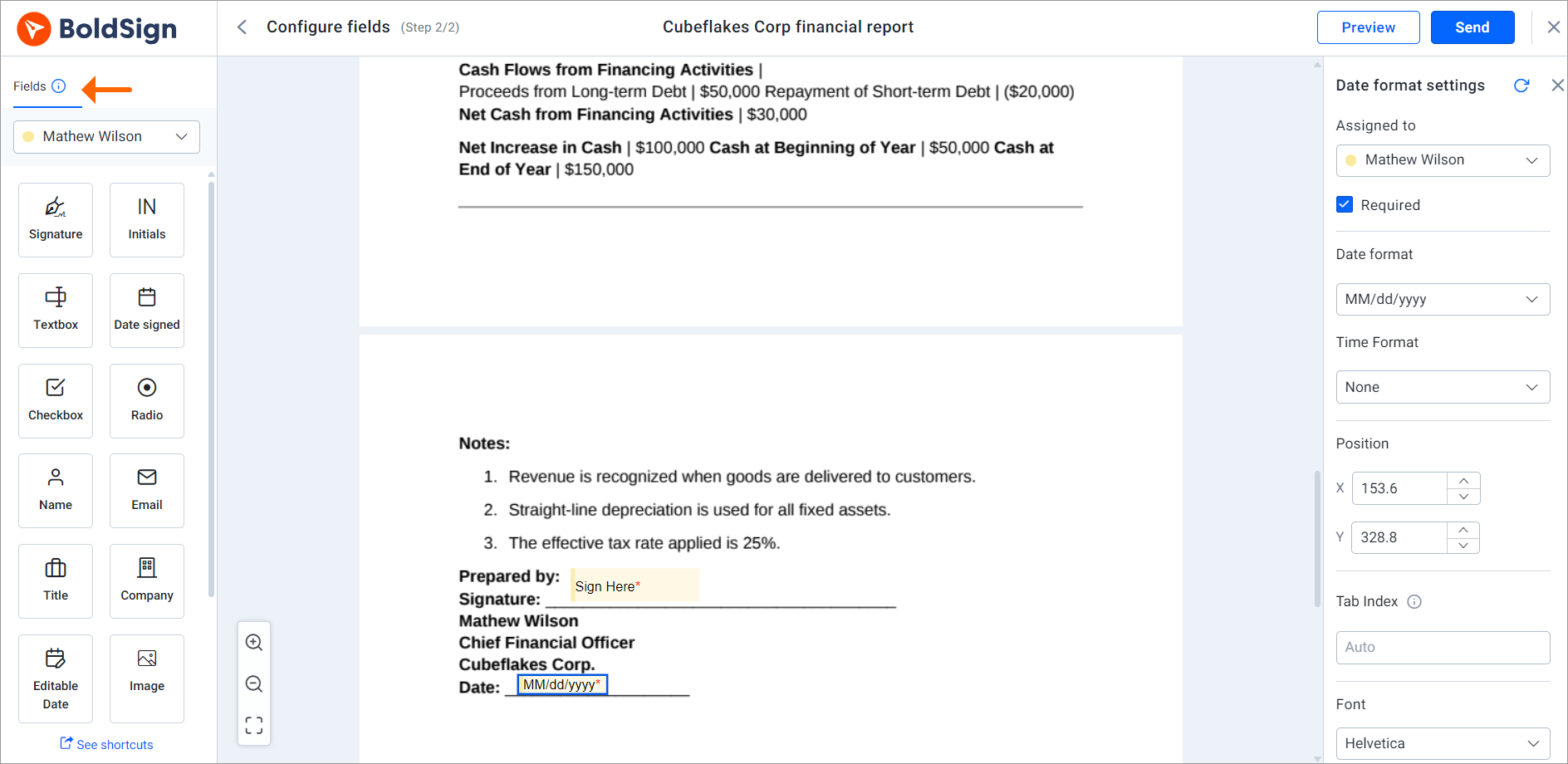
Select Next, then drag signature and date fields onto the sign-off page. Assign each field to a signer, then select Send.
How do signers sign a financial statement?
Signers sign in their browser without an account. Our help article on how to sign a document lists the same steps.
- Open the email and select Review and Sign.
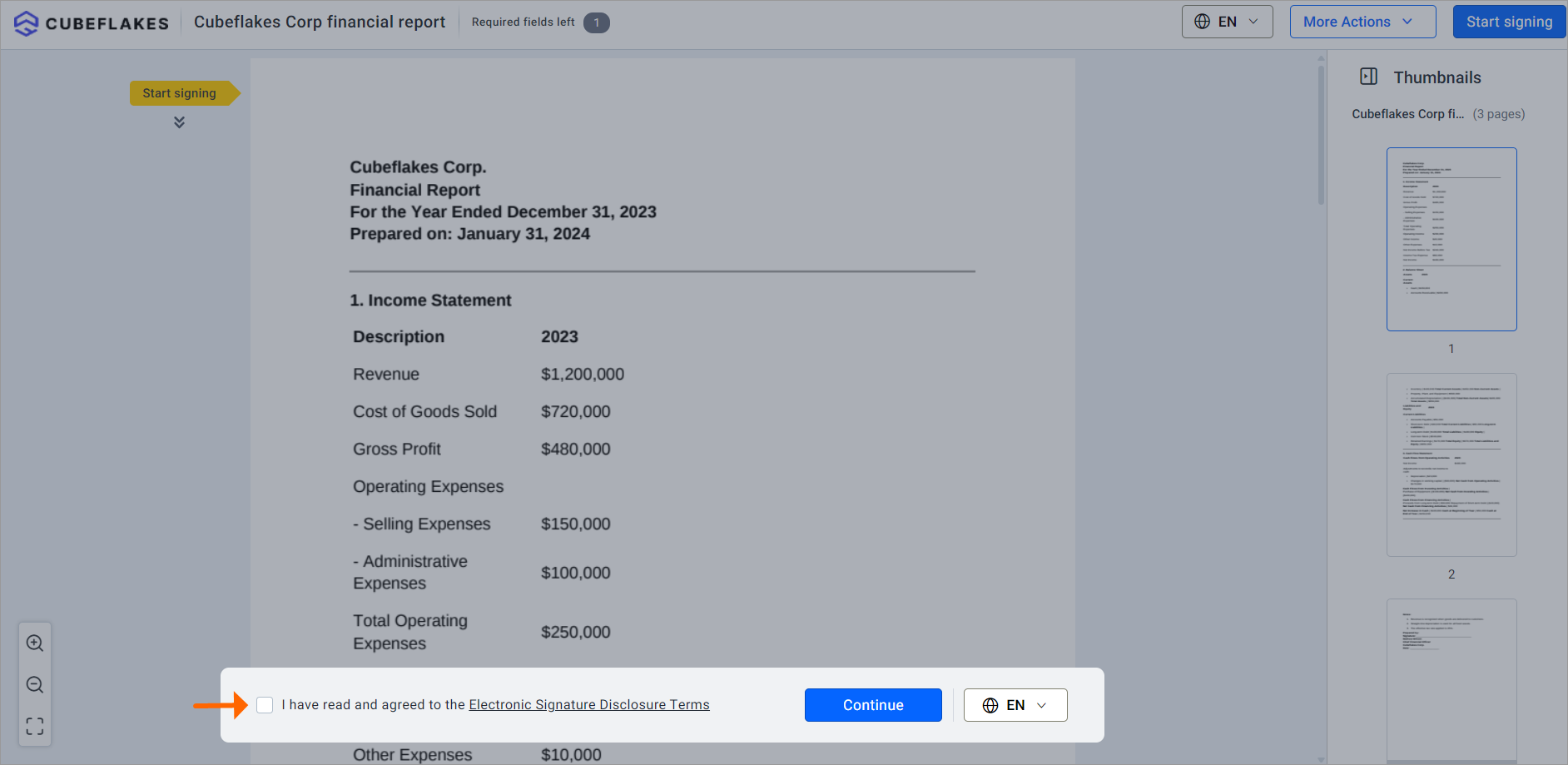
- Accept the terms, then select Continue.
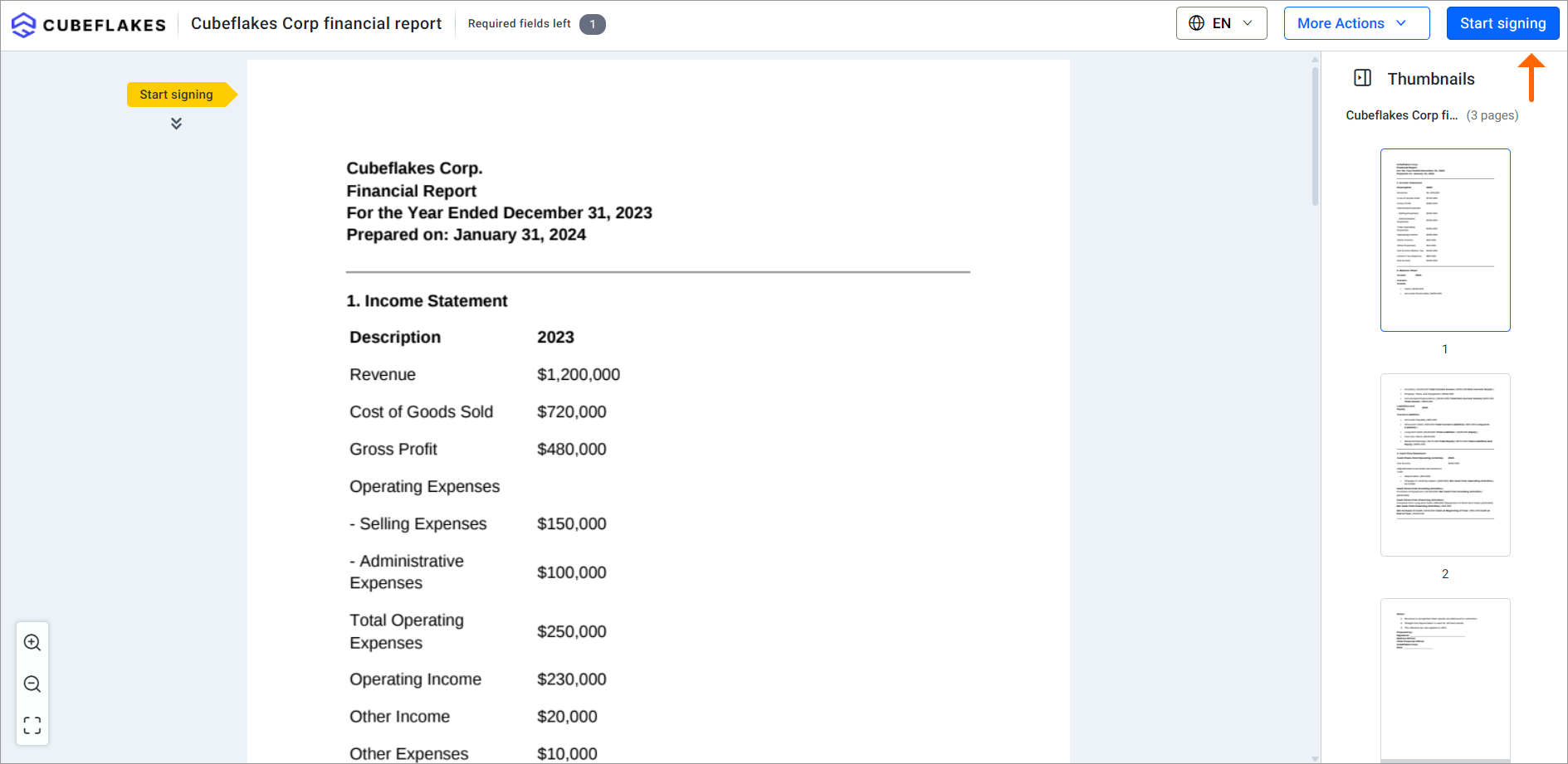
- Select Start signing at the top right.
- Type, draw or upload a signature, then select Accept & Use.
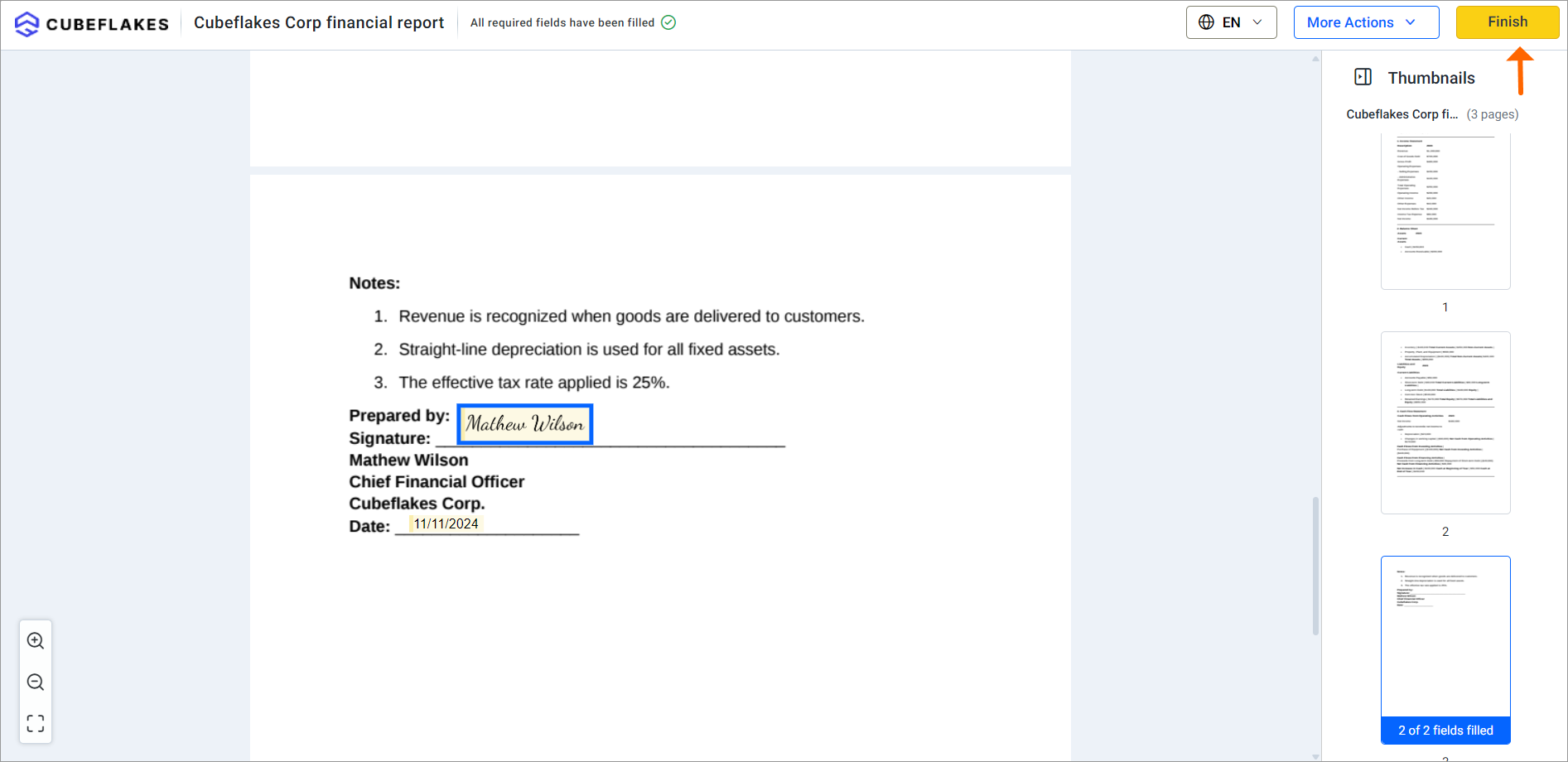
- Fill in the other fields and select Complete Signing.
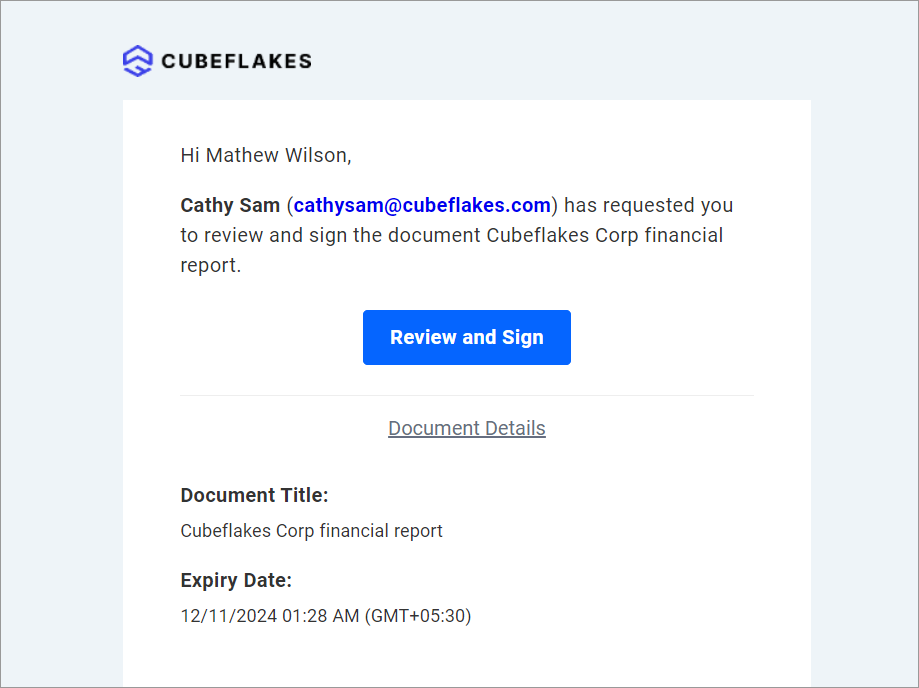
Everyone gets a copy of the final document by email once the last person signs.
Which BoldSign features help with recurring statements?
Monthly and quarterly reports follow the same pattern each time. A few features save you from setting them up again.
Templates for reports you send often
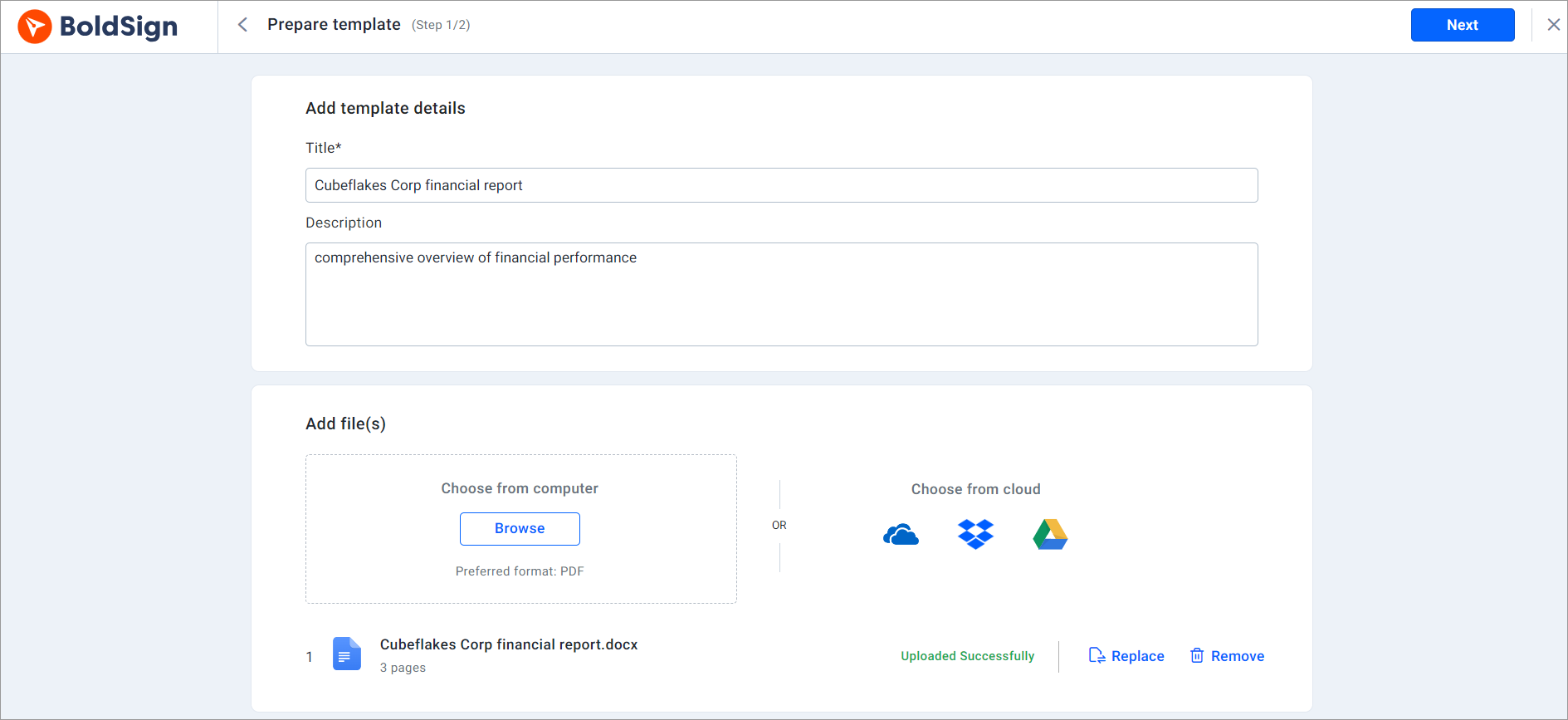
A template keeps the signer roles and fields in place. Each month, you add the new statement and the real names, then send.
Signing from a phone
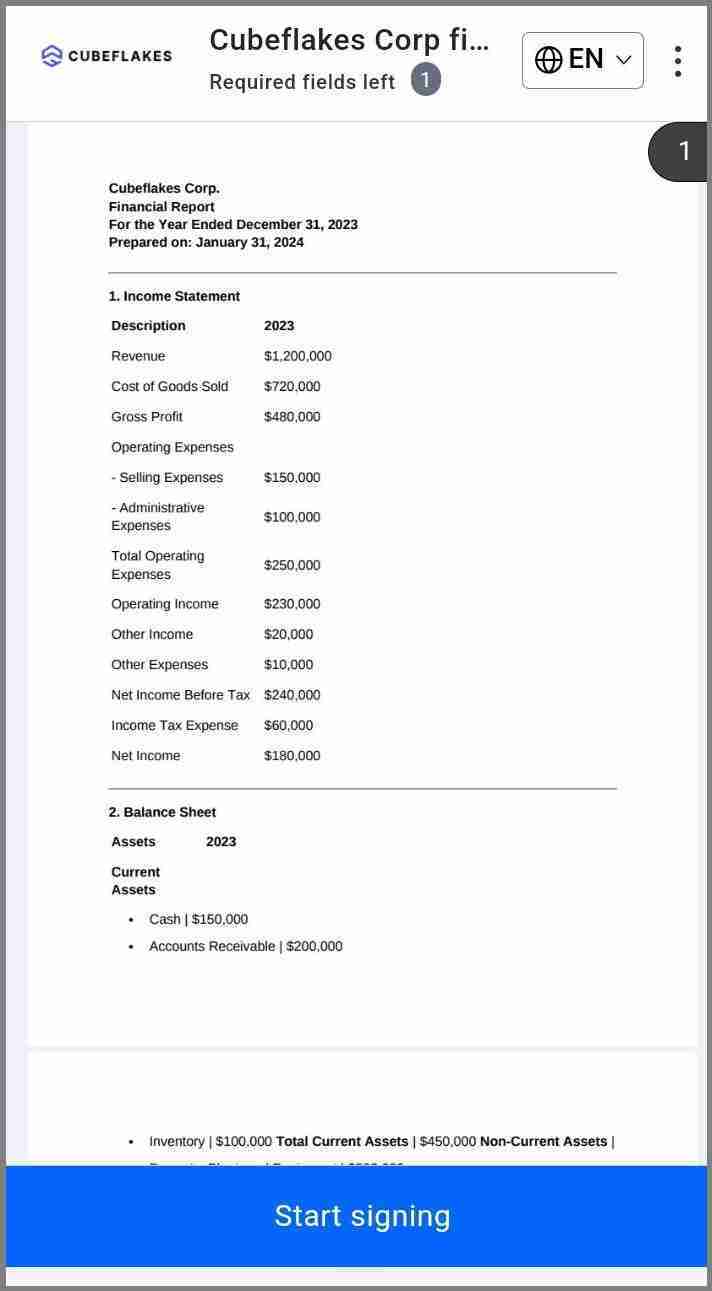
Signers can open and sign in any phone browser. Our mobile app also lets you send documents and track who has signed.
Your brand on every request
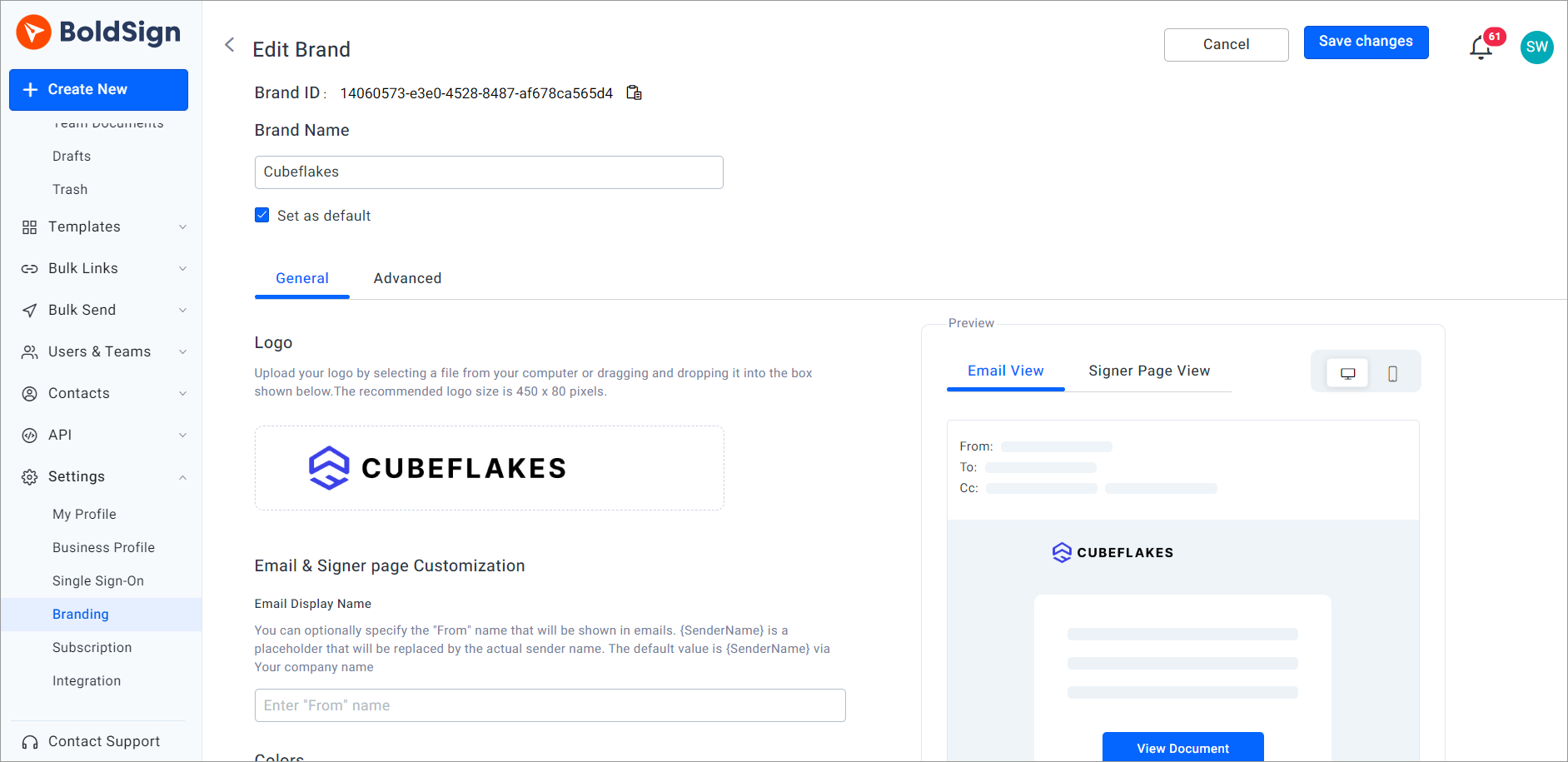
Add your logo, colors and sender name to the request emails and signing pages. Signers then see your firm’s name, not ours.
How to manage investor documents securely
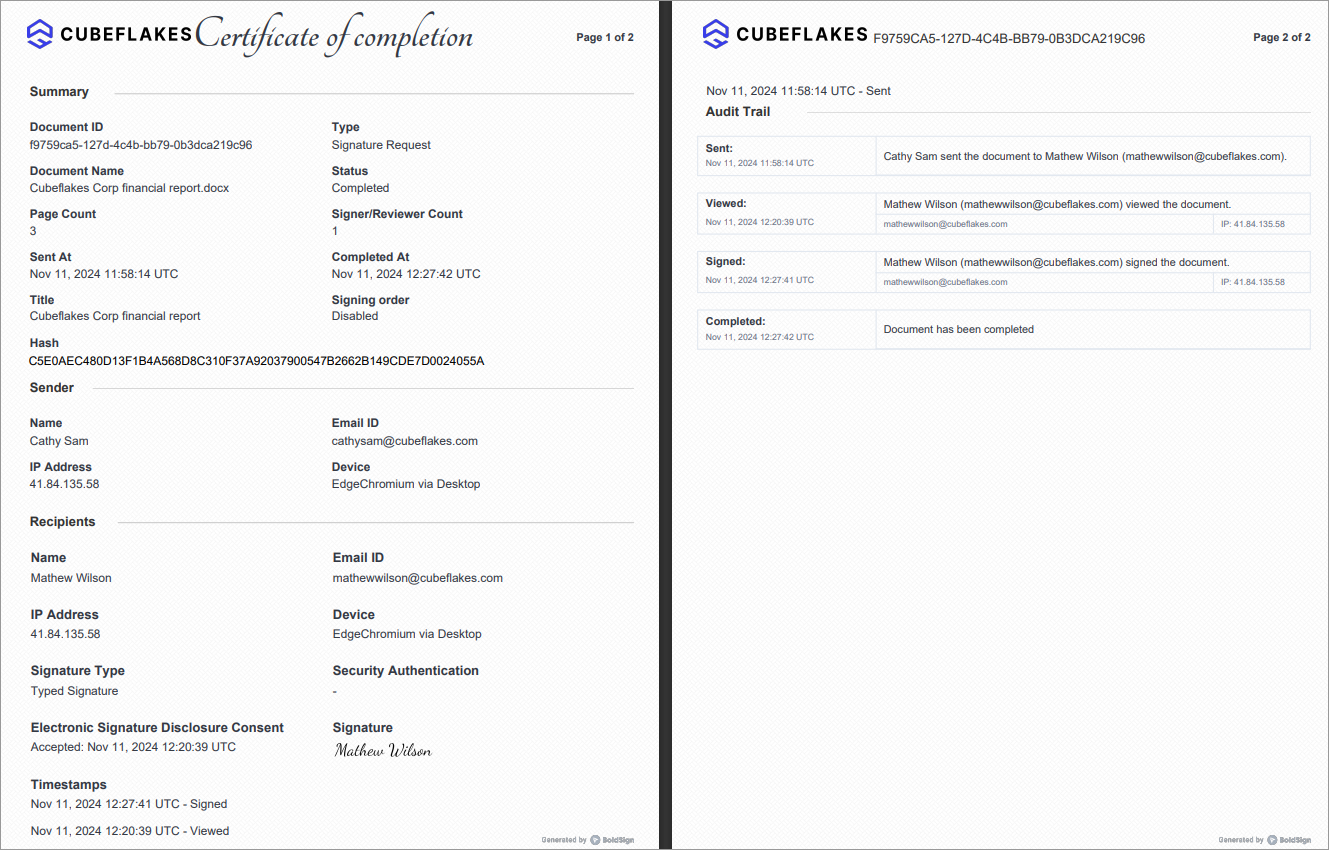
Limit who can open each file, and keep a record of every action on it. A signer check covers the first part, and the audit trail covers the second.
Each signed document records names, email addresses, internet protocol (IP) addresses and the time of every action. You can download the audit trail from the My Documents page once everyone signs.
We encrypt documents at rest and in transit. Our controls are audited for System and Organization Controls (SOC) 2 Type 2, as our security policy explains. Our legal center covers how we handle data under the General Data Protection Regulation (GDPR).
Which teams send financial statements for signature?
Accounting firms send client sign-offs and representation letters. Other teams use the same steps for their own reports.
Property firms send statements to owners and investors, as well as leases and offers. Our guide to esignature for real estate covers those deals. Our real estate esignature page shows the features agents use most.
Plants sign cost reports, supplier statements and quality checks. For electronic signature manufacturing use, the same send, check and sign steps apply.
Which BoldSign plan do you need, and what does it cost?
Plan facts here come from the BoldSign pricing page in November 2026. Prices are in USD and billed yearly.
The free Essential plan gives one user 25 envelopes a month, 2 templates and one brand. Email codes, access codes, reminders and the audit trail come with every plan. The Growth plan costs $5 per user a month and adds 50 envelopes, 10 templates and a second brand.
The Business plan costs $15 per user a month, with unlimited envelopes, templates and brands. It adds SMS and WhatsApp delivery, text message codes, KBA and ID verification. Each has a small charge: $0.20 per SMS, $0.10 per WhatsApp message, $1.50 per KBA attempt and $2 per ID check.
The Premium plan costs $99 a month for unlimited users and 250 envelopes. You can try BoldSign first with a 30-day free trial.
Where do you start with financial statement signing?
Pick the next step that fits your team.
- Start a 30-day free trial and send your next statement for signature.
- Book a demo to see a sign-off flow set up for your reports.
- Visit our support portal with a question about a document you already sent.
Frequently asked questions
Can I sign a financial statement electronically?
Yes, when your firm and the people who rely on the statement accept electronic signatures. We follow the US Electronic Signatures in Global and National Commerce (ESIGN) Act and the EU rules on electronic identification and trust services (eIDAS).
Do signers need a BoldSign account to sign?
No. Signers open the link in the email, accept the terms and sign in any browser, including a phone browser, without an app or an account.
How can I simplify my document signing process with an e-signature solution?
Upload the final PDF once, add each signer in order and turn on reminders. We send the request to the next person as soon as the one before signs.
Which solutions simplify document signing online for everyday use?
An eSignature tool that runs in a web browser covers most everyday needs. Our free Essential plan lets one user send 25 envelopes a month with templates, reminders and an audit trail.
How do I know who signed a financial statement and when?
Download the audit trail from the My Documents page once everyone signs. It shows each signer, their internet protocol (IP) address and the time of each action.
Can I stop the wrong person from opening a financial report?
Yes. Add an access code or an email code to each signer, and only the person with the code can open the document. ID verification adds a check of a photo ID.
Can I reuse the same layout for monthly statements?
Yes. Save the statement as a template with its signer roles and fields in place. Each month, add the new file and the real names, then send.
What happens if a signer never signs?
Automatic reminders go out until the document is signed or reaches its expiry date. You can also send a reminder by hand from the document page at any time.

Rowan Sam Kerongo Makori
Rowan contributes to the BoldSign blogs and helps the articles team. He is passionate about writing high-quality and informative content. His interests include reading books, writing, and exploring.
More posts by Rowan Sam Kerongo Makori