How to Collect Certification Signatures in Healthcare Training with BoldSign
 Evans Omondi Otieno
TL;DR: You can collect certification signatures for healthcare training online. Send the form from a template, check who signs, and keep each signed record with its audit trail. See how electronic signatures work for healthcare teams.
A hospital runs a cardiopulmonary resuscitation (CPR) class for 40 nurses. Each one signs a completion form, and the instructor signs too. Then someone files the paper, and a year later an auditor asks for one nurse’s copy.
Clinical training records, continuing education certificates and policy sign-offs pile up the same way. This guide shows what these signatures are, why the records matter, and how to collect them with us.
What are certification signatures in healthcare training?
A certification signature is a name signed on a training record. It shows that a person finished a course, passed a check or read a policy.
Think of the sign-in sheet at a first aid class. The sheet proves who came. A signed certificate goes one step further: it proves who finished, and who confirmed it.
Common examples include course completion certificates, skills checks, and forms where staff confirm they read a privacy policy.
Why do healthcare teams need signed training records?
The law asks many providers to train staff and prove it. A covered entity must train its workforce on its privacy policies under the Health Insurance Portability and Accountability Act (HIPAA).
The rule in the Code of Federal Regulations (CFR) at 45 CFR 164.530(b) says the covered entity must document that the training took place. New staff need training within a reasonable time after they join.
The same section, paragraph (j), says to keep that record in written or electronic form for six years. A signed training form is a simple way to meet that need.
What is validated clinical document management with electronic signatures?
Validated clinical document management with electronic signatures is a term from labs, drug makers and device makers. There, the Food and Drug Administration (FDA) sets rules in 21 CFR Part 11.
That part asks for the record system to be validated. It also asks that the people who use the system have the training to do so.
A signed record must show the signer’s printed name, the date and time, and what the signature means, under 21 CFR 11.50. Your quality team decides how to validate your whole system. Our audit trail and signer checks can form part of that work.
How do you collect certification signatures with BoldSign?
You build the form once, send it to each person, and track it until it is signed. The steps below follow the order you work in, and our eSignature features page lists each tool.
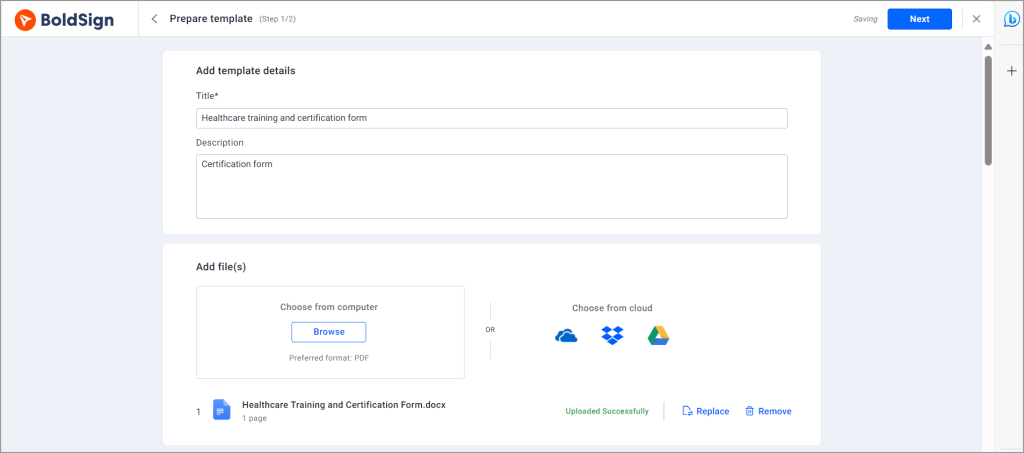
Build a template for each form
Training often uses the same form again and again. Save it as one of our eSignature templates, with the fields already in place.
Add every person who signs
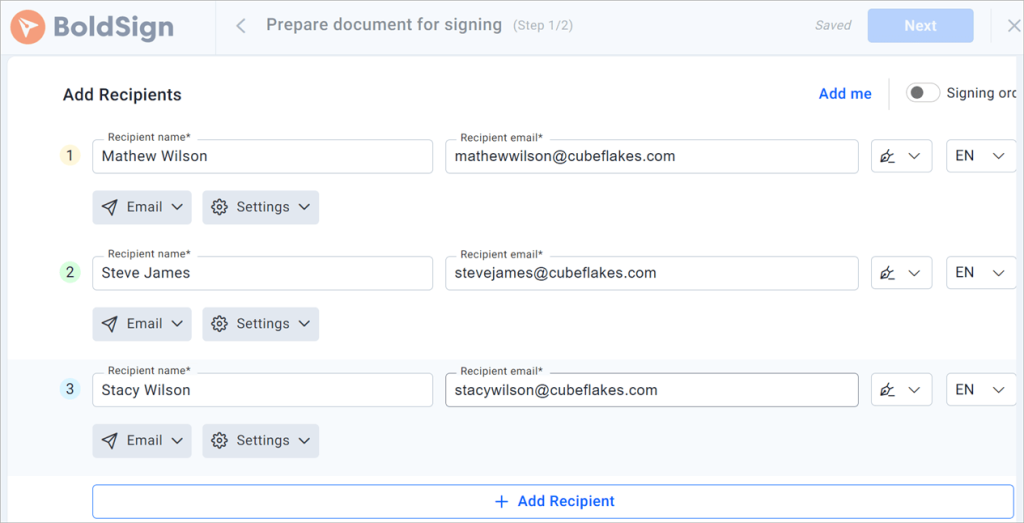
A certificate may need a trainee, an instructor and a manager. Add each person as a recipient, and set the order they sign in.
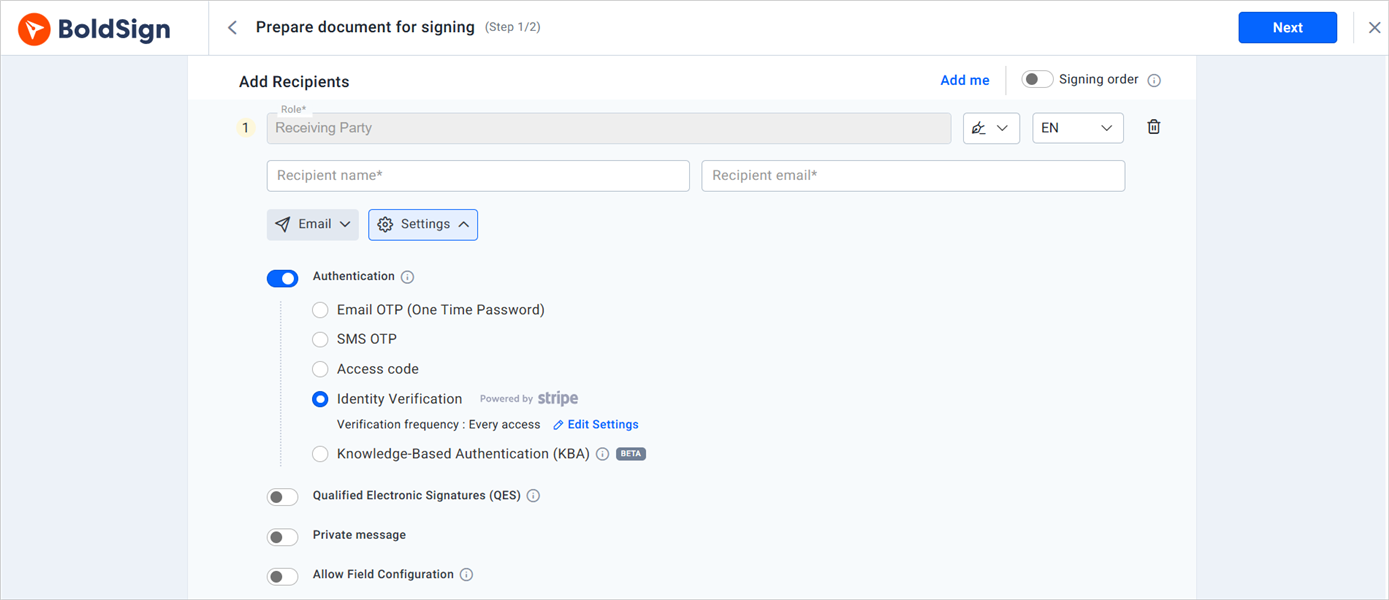
Choose how to check who signs
You can ask signers for a one-time password (OTP) sent by email or by text. An access code works too.
For more checks, use knowledge-based authentication (KBA) or ID verification with a photo ID. Our SMS authentication FAQ explains how text codes work.
Send the form by email, text or WhatsApp
Some staff read email less than they read their phone. You can send documents through SMS or request eSignatures via WhatsApp instead.
Signers open the link and sign in the browser on a phone or a computer. They do not need an account.
Set reminders and track progress
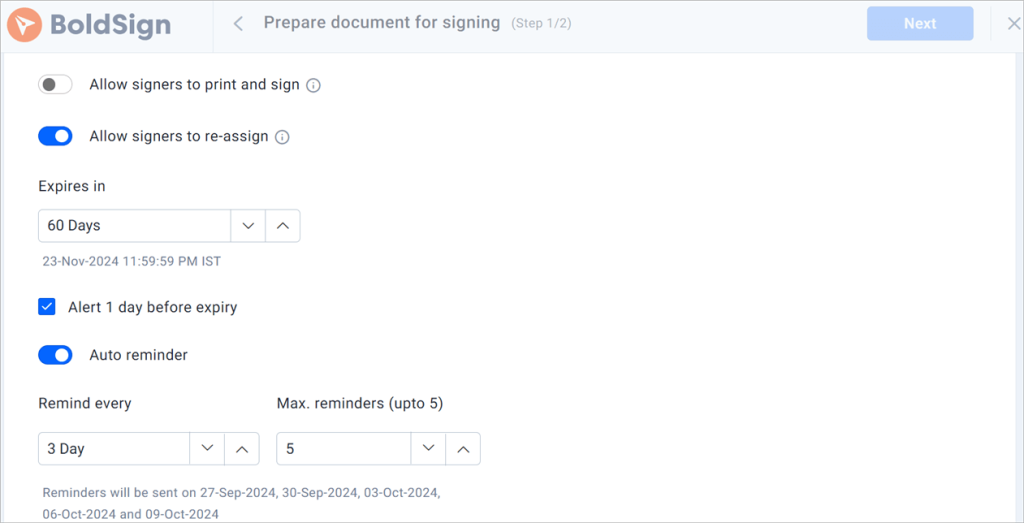
Turn on automatic reminders, and we nudge each signer on a schedule until they sign.
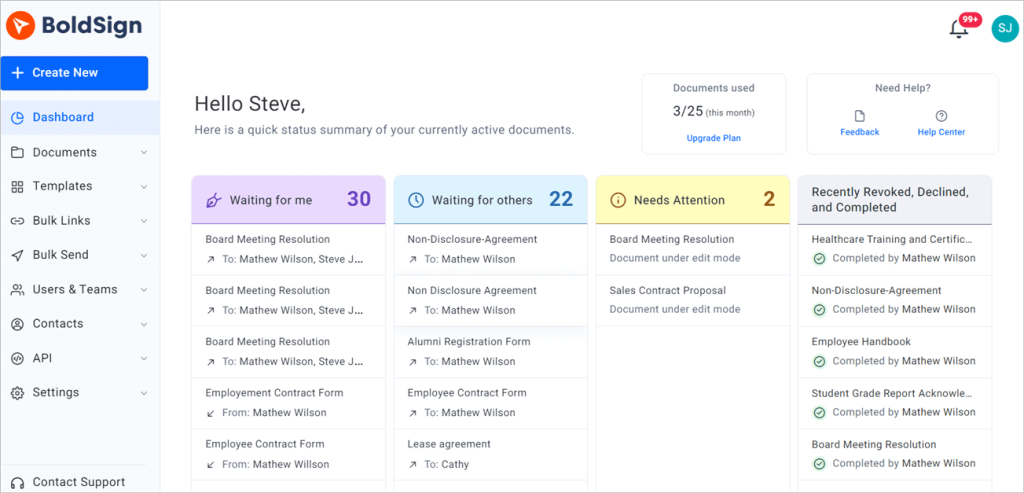
The dashboard shows which forms are signed and which still wait. You can find any signed record later in one place.
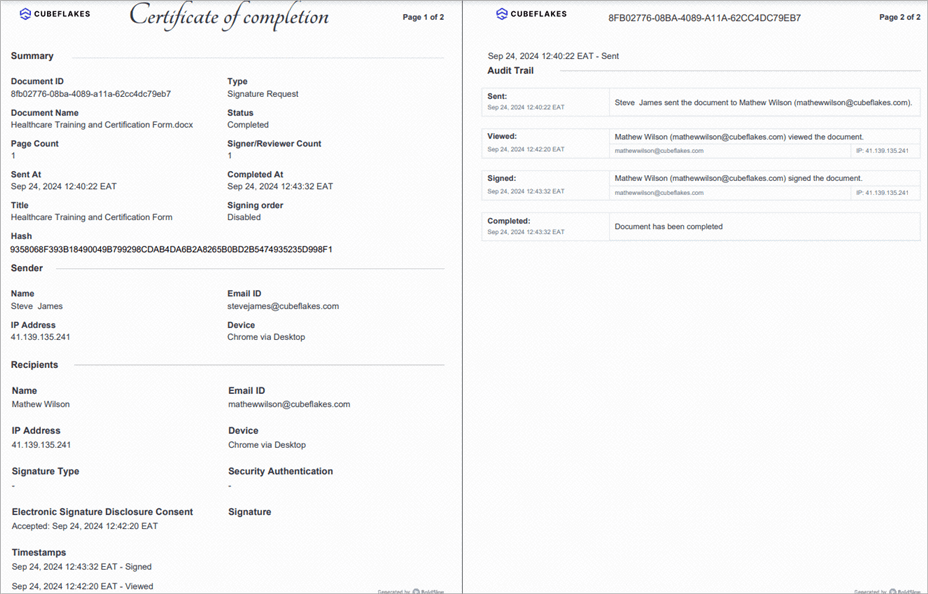
Each signed form comes with an audit trail. It records who viewed and signed the form, and when.
How does a trainee sign a certification form?
Signing takes a few clicks on any device. The trainee follows these steps.
- Open the link in the email or text message, then click Review and Sign.
- Read the disclosure terms, agree to sign electronically, and click Continue.
- Click Start Signing and fill each field. Then click Finish.
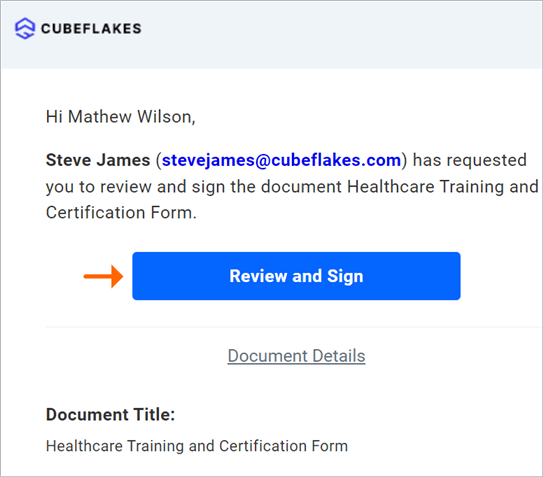
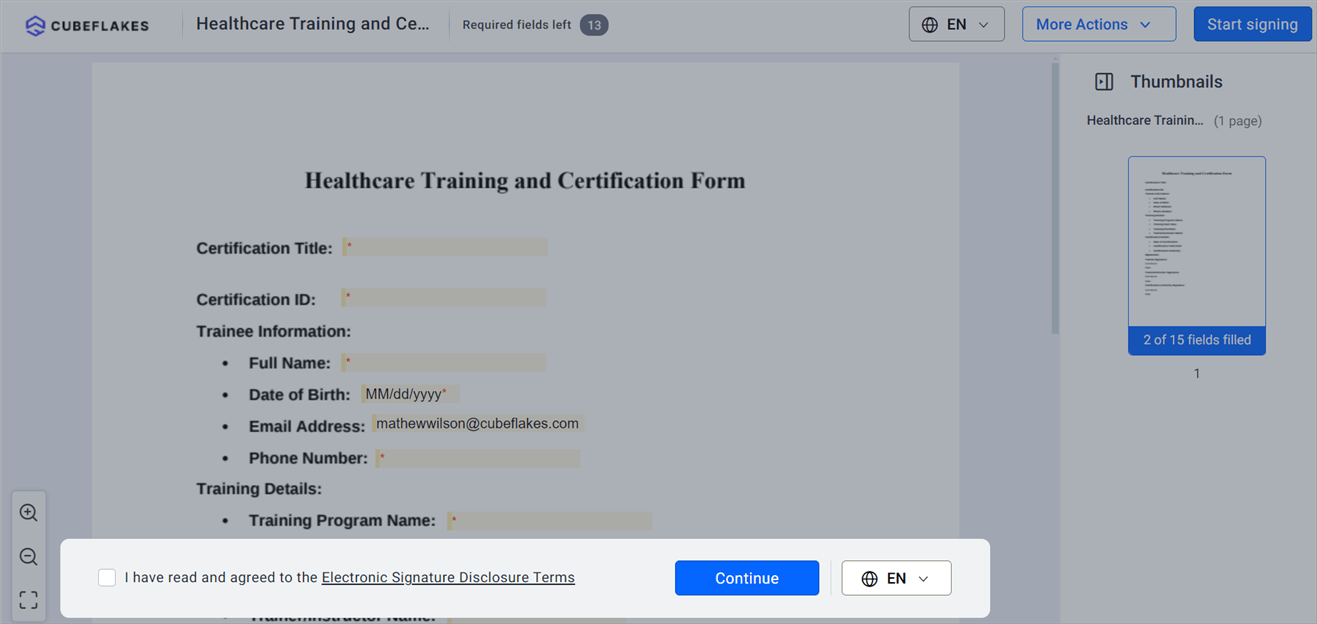
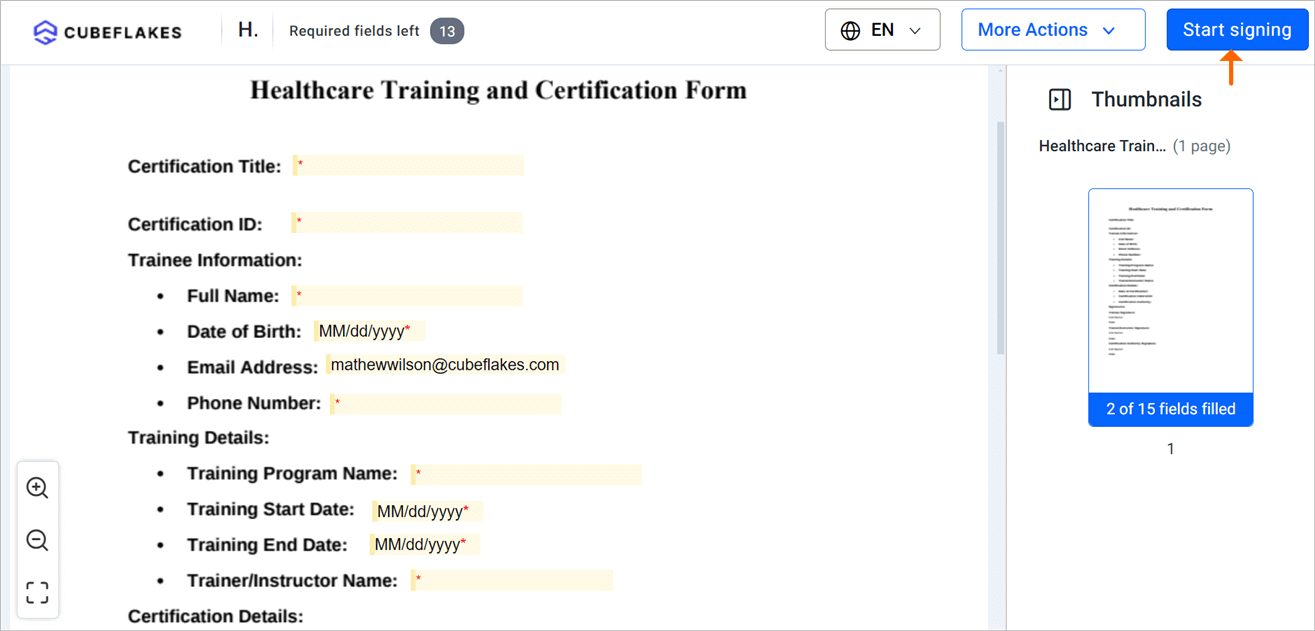
After the first field, a button takes the trainee to the next required field.
What should you watch out for with healthcare training records?
Training forms can hold health details, such as a vaccine record. Accept our business associate agreement (BAA) before any form holds protected health information (PHI).
Once you accept the BAA, HIPAA mode stays on for your whole organization. Our HIPAA onboarding and security guide lists what changes.
- WhatsApp delivery is off in HIPAA mode, so send by email or text.
- Keep health details out of document titles and messages.
- Signed copies go out as a secure link, not as a file attachment.
Staff in Europe may fall under other rules. Read our General Data Protection Regulation (GDPR) overview. Our page on electronic signatures under eIDAS covers the EU electronic identification, authentication and trust services (eIDAS) rules.
Our HIPAA overview explains how we protect US health data as a business associate.
Which BoldSign plan do you need, and what does it cost?
Most healthcare training teams need our Business plan, at $15 per user a month, billed yearly. Prices are in USD, as listed on the BoldSign pricing page.
The Business plan includes unlimited templates and envelopes. It also adds HIPAA support, text codes, delivery by text message or WhatsApp, and ID verification.
These signer checks and delivery options need the Business or Premium plan.
Our Premium plan costs $99 a month for unlimited users, billed yearly, with 250 envelopes a month and HIPAA support. The free Essential plan gives you 2 templates and 25 envelopes a month. The Growth plan, at $5 per user a month, gives you 10 templates.
How do you get started with healthcare training eSignatures?
Pick the step that fits where your team is today.
- Start a 30-day free trial and send your first training form.
- Book a demo to see the setup for a clinical training program.
- Ask a question on our support portal, or read how electronic signatures work in healthcare.
Frequently asked questions
Are electronic signatures valid on healthcare training certificates?
Yes, when the signer agrees to sign electronically and you keep the signed record. HIPAA asks you to keep training records in written or electronic form, so a signed electronic copy counts.
How long do you keep HIPAA training records?
Keep them for six years. The clock starts on the date the record was made or last in effect, whichever is later, under 45 CFR 164.530(j).
Do trainees need a BoldSign account to sign?
No. A trainee opens the link in the email or text message and signs in the browser, with no account to create.
Can an instructor and a trainee sign the same certificate?
Yes. You add each person as a recipient on one document and set the order they sign in. The certificate is done when the last person signs.
How do I know which staff still have to sign?
Open the dashboard, where each document shows its status. Signed and pending documents are listed apart, and automatic reminders go out until each person signs.
Is BoldSign HIPAA compliant for training records?
Yes, when your organization has accepted our business associate agreement (BAA). An Account Admin accepts it in Settings, under Compliance, on a yearly Business or Premium plan.
Does BoldSign meet FDA Part 11 for clinical records?
Your quality team decides that. The FDA rule asks you to validate the whole record system, so treat our audit trail and signer checks as one part of that work.
What does BoldSign cost for a healthcare training team?
Our Business plan costs $15 per user a month, billed yearly, and includes HIPAA support. Our free Essential plan lets you try two templates and 25 envelopes a month.

Evans Omondi Otieno
Evans Omondi Otieno is a customer support representative and writer at BoldSign, specializing in creating clear, insightful content to help users navigate eSignature solutions. As a blog author, Evans writes well-researched articles that simplify technical concepts, helping businesses and professionals understand how to use BoldSign effectively. With expertise in technical support and content creation, he ensures users have a seamless experience and gain valuable knowledge from his articles.
More posts by Evans Omondi Otieno