Integrate Electronic Signature Capabilities into Your SaaS Applications
 George Livingston
TL;DR: An eSignature API for SaaS lets your users send and sign documents inside your app, so they never export files to another tool. For a multitenant app, give each tenant its own brand, let tenants build templates, and send in each tenant’s name once they approve. Our eSignature API page shows what the API covers.
Your customers sign contracts, offer letters and order forms every week. Today they download each file, upload it to a separate signing tool and send it from there. That works for a few documents, and it gets slow as the volume grows.
This guide shows how to integrate electronic signatures into existing software solutions with our API. We use a recruitment app with many customers as the example. Many SaaS teams also sign their own deals this way, with electronic signature for SaaS companies.
What is a SaaS eSignature API?
A SaaS eSignature API is a set of web requests that adds document signing to your own product. Your app sends the request, and the signing service sends the emails, runs the signing page and stores the signed file.
Think of the card machine at a shop counter. The shop never builds its own card network. It plugs in a device, and the bank does the rest.
At its simplest, a PDF signature API takes a PDF, places signature fields and emails a signing link. An e-signature API for SaaS companies also has to serve many customers from one account. API-first e-signature platforms for SaaS products put every feature behind an endpoint, so you can build them into your own screens.
How can SaaS companies embed electronic signatures without building their own infrastructure?
They call a hosted signing service from their code and show its signing page inside their app. You skip building signature capture, audit trails and email delivery yourself.
Weigh embedding versus standalone signing portals by where your users already work. Standalone signing sends people to a separate site. Embedding signing in a business app keeps them on your screens from start to finish.
Embedding suits SaaS companies embedding signing in customer onboarding while keeping the experience simple. Our embedded signing link opens the signing page in an iframe, a popup window or a new tab. Our embedded signatures page shows how it looks.
Why is integration with electronic signatures harder for multitenant SaaS apps?
A multitenant app serves many customers, and each one wants to send documents under its own name. A plain signing setup sends everything under your company’s name instead.
Take a recruitment software company, Cubeflakes. Its customer Bytesplash is a recruitment agency. Bytesplash needs job seekers to sign contracts.
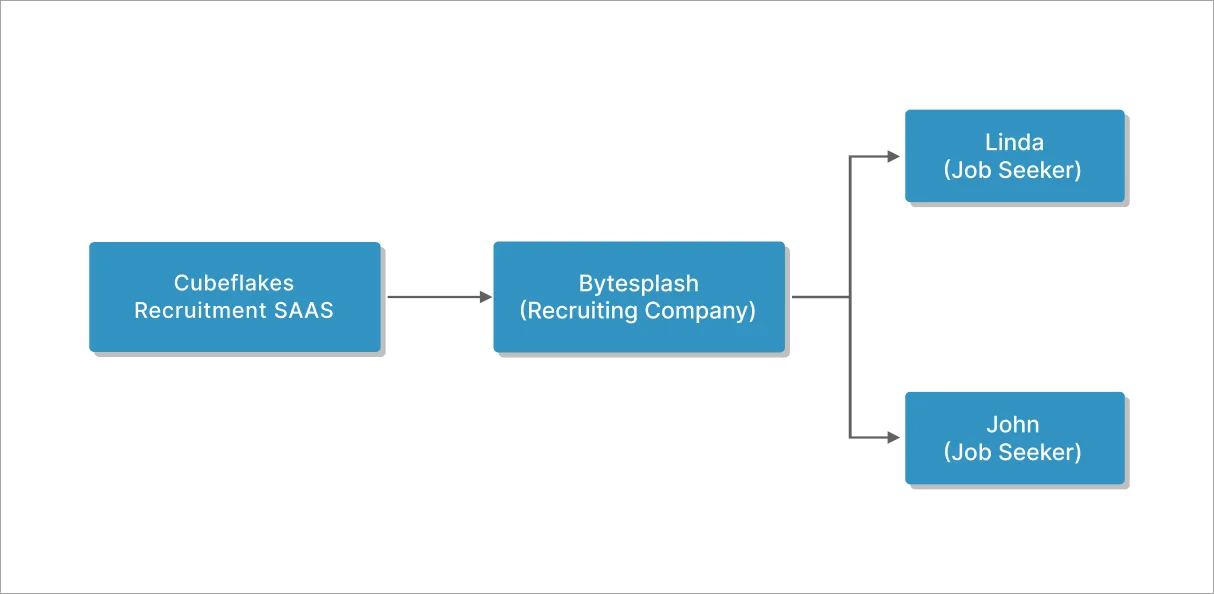
Bytesplash wants those contracts to come from Bytesplash, not Cubeflakes. Each tenant may need its own signing account when you cannot send in the tenant’s name. That brings three problems:
- Each tenant leaves your app to sign up somewhere else.
- You may pay for a separate seat for every tenant who sends.
- Signers see a sender name they do not recognize.
Our sender identities solve this. Your tenant approves from an email, and you then send in their name from your own account.
How can developers add electronic signature workflows to an existing app?
Set up four pieces for each tenant: a brand, templates, an approved sender identity and a send call. The steps below show how to integrate eSignatures into an app, using Bytesplash as the new tenant.
To follow along, you need a free API sandbox account, covered in the plan section below. Then copy your key from the API Key page in the web app.
Step 1: Create a brand for each tenant
A brand holds a tenant’s logo, colors and email display name. Cubeflakes creates one for Bytesplash with this request.
curl -X 'POST' \
  'https://api.boldsign.com/v1/brand/create' \
  -H 'X-API-KEY: {your API key}' \
  -F 'BrandName="Bytesplash"' \
  -F 'BrandLogo=@"/Users/Bytesplash.png"'
The response returns a brand ID to use when you send. There is no limit on how many brands you create, so each tenant can have its own.
Signers then see only the Bytesplash name and logo. They never see Cubeflakes, which helps them trust where the document came from.
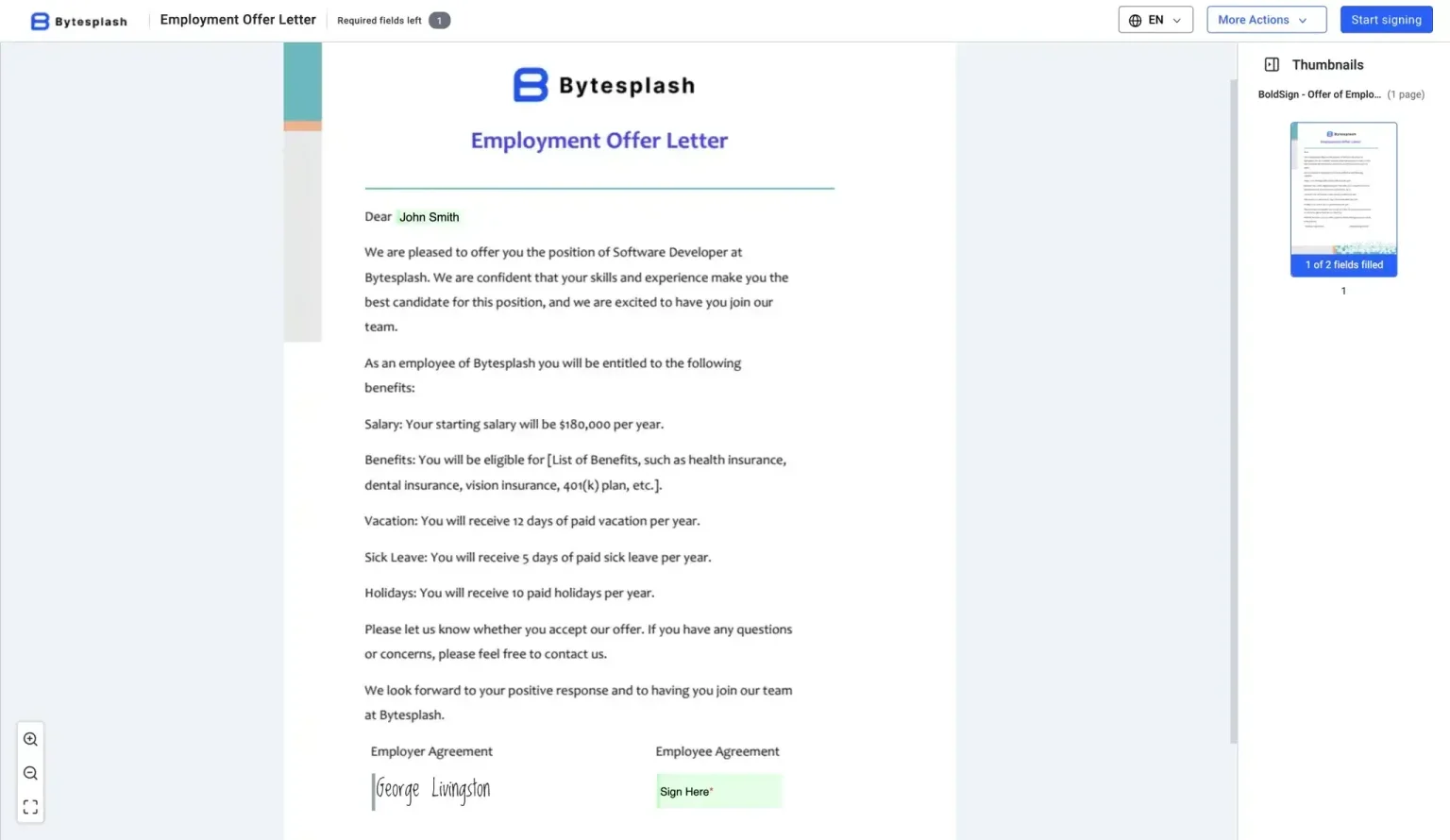
Step 2: Let tenants build reusable templates
A template is a document you set up once and send many times. Reusable SaaS order forms with online signatures are a good example.
Most teams sign SaaS documentation such as order forms, renewals and offer letters again and again. Each tenant needs its own templates, with its own text boxes, check boxes and signature fields.
This request returns a link to our template editor. Cubeflakes opens it inside its app, so Bytesplash users can build an offer letter there. Our guide to embedded template creation covers every option.
curl -X 'POST' \
  'https://api.boldsign.com/v1/template/createEmbeddedTemplateUrl' \
  -H 'X-API-KEY: {your API key}' \
  -F 'ShowToolbar="true"' \
  -F 'Title="Embedded Offer Letter"' \
  -F 'Roles[0][Name]="HR"' \
  -F 'Roles[0][Index]="1"' \
  -F 'Roles[0][SignerOrder]="1"' \
  -F 'Roles[1][Name]="Employee"' \
  -F 'Roles[1][Index]="2"' \
  -F 'DocumentInfo[0][Title]="Embedded Offer Letter"' \
  -F 'DocumentInfo[0][Language]="1"' \
  -F 'Files=@"/Users/Employment-Offer-Letter.pdf"'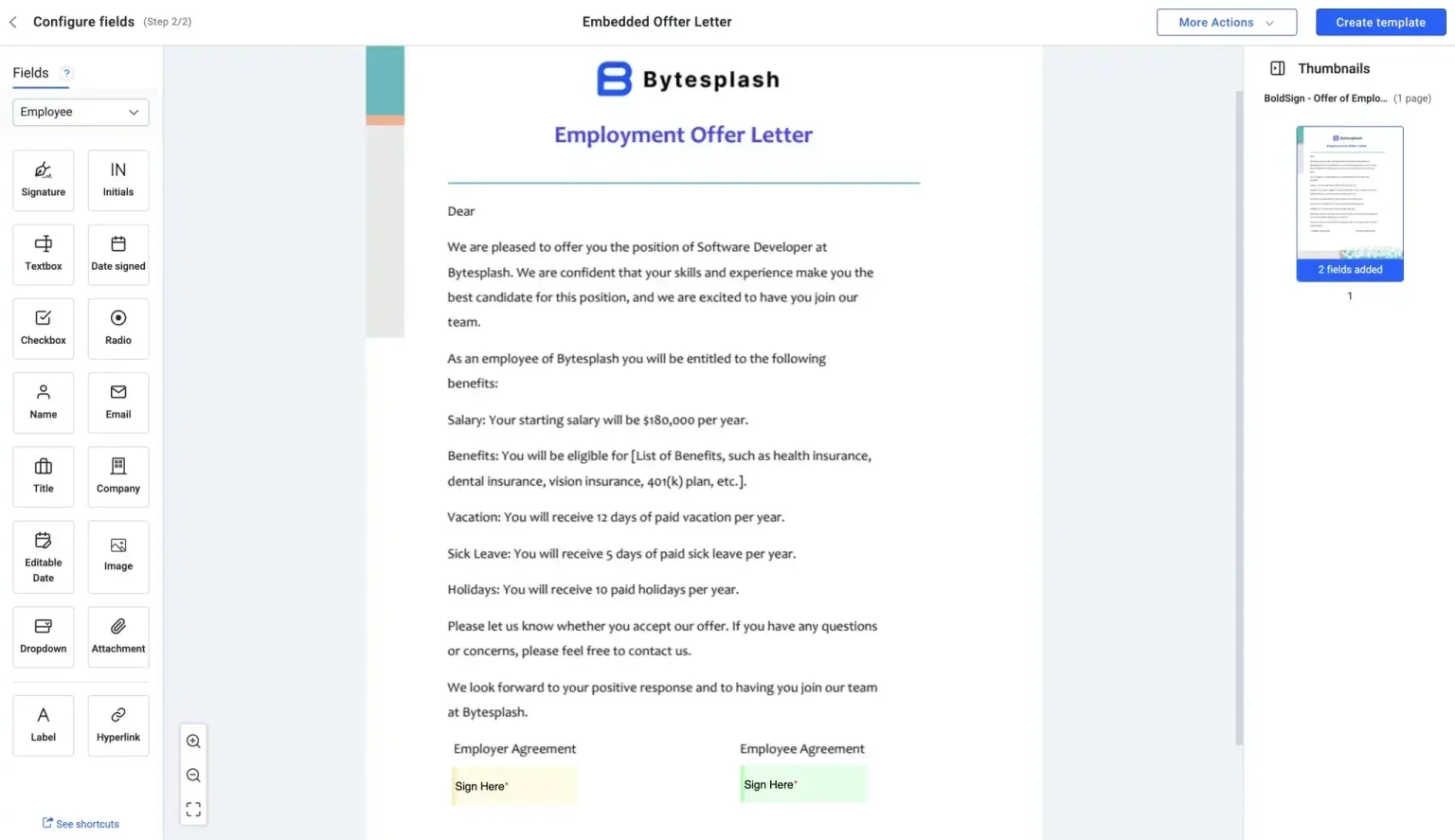
Step 3: Get the tenant’s approval to send in their name
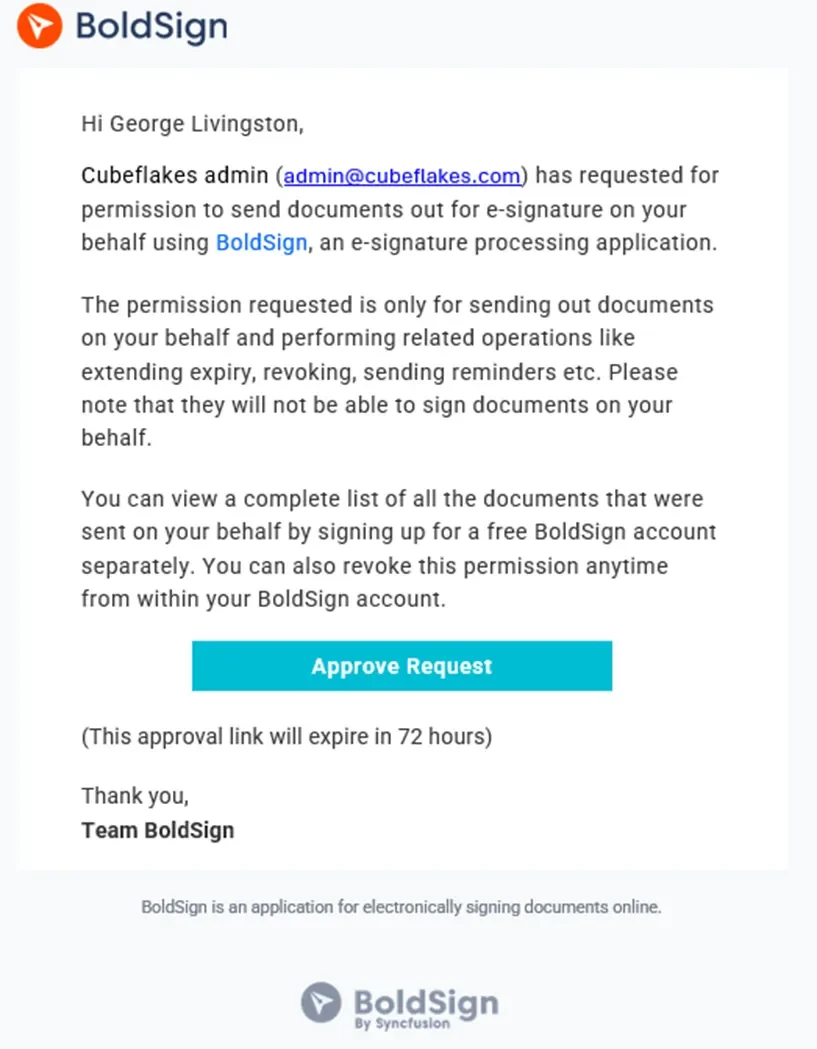
We send documents on a person’s behalf only after that person approves. Add the Bytesplash sender as a sender identity, and we email them an approval request.
curl -X 'POST' \
  'https://api.boldsign.com/v1/senderIdentities/create' \
  -H 'accept: */*' \
  -H 'X-API-KEY: Your API Key' \
  -H 'Content-Type: application/json;odata.metadata=minimal;odata.streaming=true' \
  -d '{
  "name": "George Livingston",
  "email": "georgelivingston@bytesplash.com"
}'
The Bytesplash user gets an email like this one.
A confirmation pop-up opens after they select the approve link in the email.
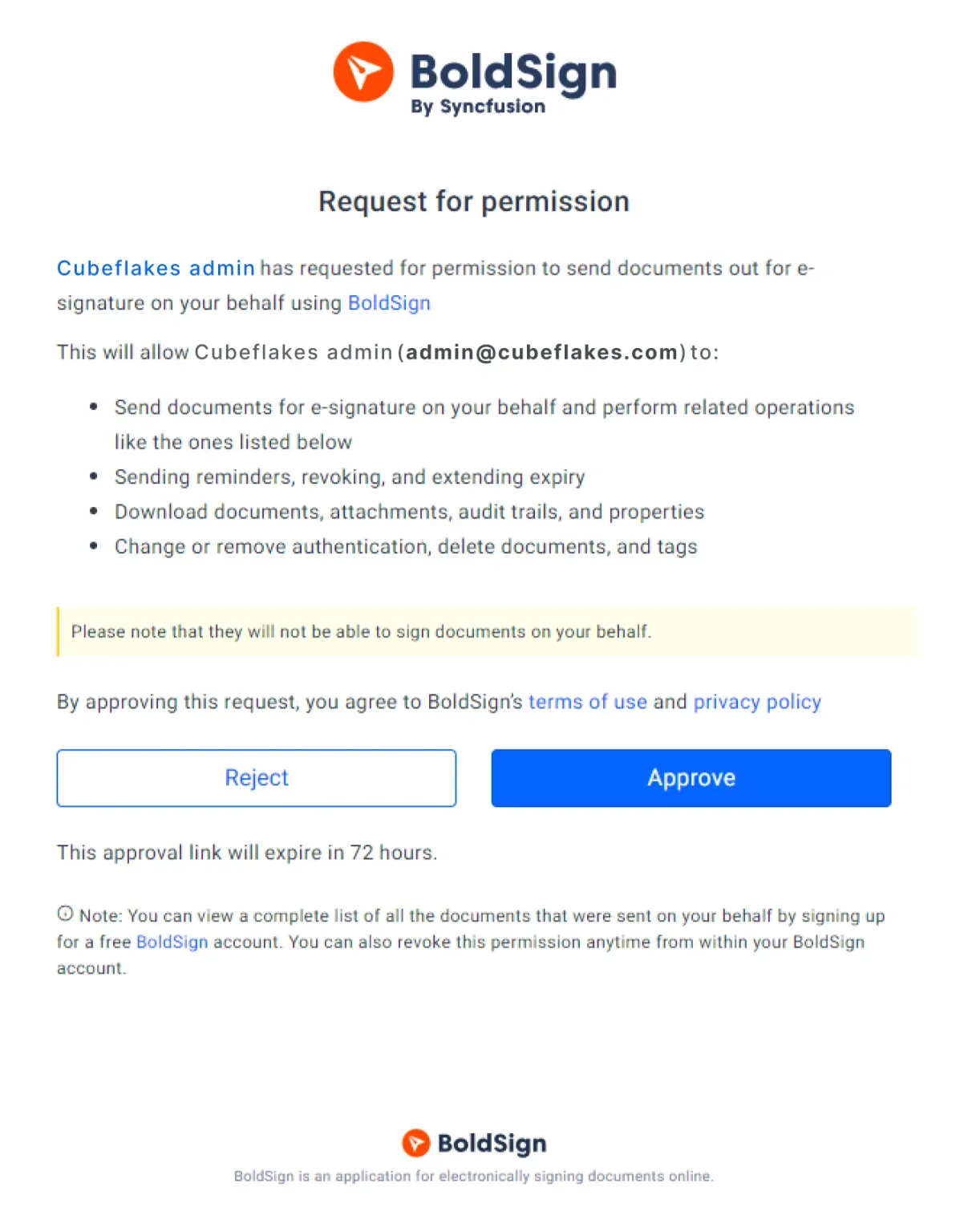
After the tenant approves, Cubeflakes can send documents on their behalf.
Step 4: Send the document on the tenant’s behalf
Cubeflakes now sends the document from the template, in the Bytesplash name. The request uses the brand ID, the template ID and the approved sender’s email in onBehalfOf.
curl -X 'POST' \
  'https://api.boldsign.com/v1/template/send?templateId=27d2e3ad-e93e-4033-8b78-559d8a019264' \
  -H 'accept: application/json' \
  -H 'X-API-KEY: Your API Key' \
  -H 'Content-Type: application/json;odata.metadata=minimal;odata.streaming=true' \
  -d '{
  "title": "Employment Offer Letter",
  "roles": [
    {
      "roleIndex": 1,
      "signerName": "George Livingston",
      "signerEmail": "georgelivingston@bytesplash.com"
    },
    {
      "roleIndex": 2,
      "signerName": "John Smith",
      "signerEmail": "johnsmith@boldsign.dev"
    }
  ],
  "brandId": "9b374346-8d95-48a7-a1fe-f7ba7522b0e8",
  "hideDocumentId": true,
  "onBehalfOf": "georgelivingston@bytesplash.com"
}'
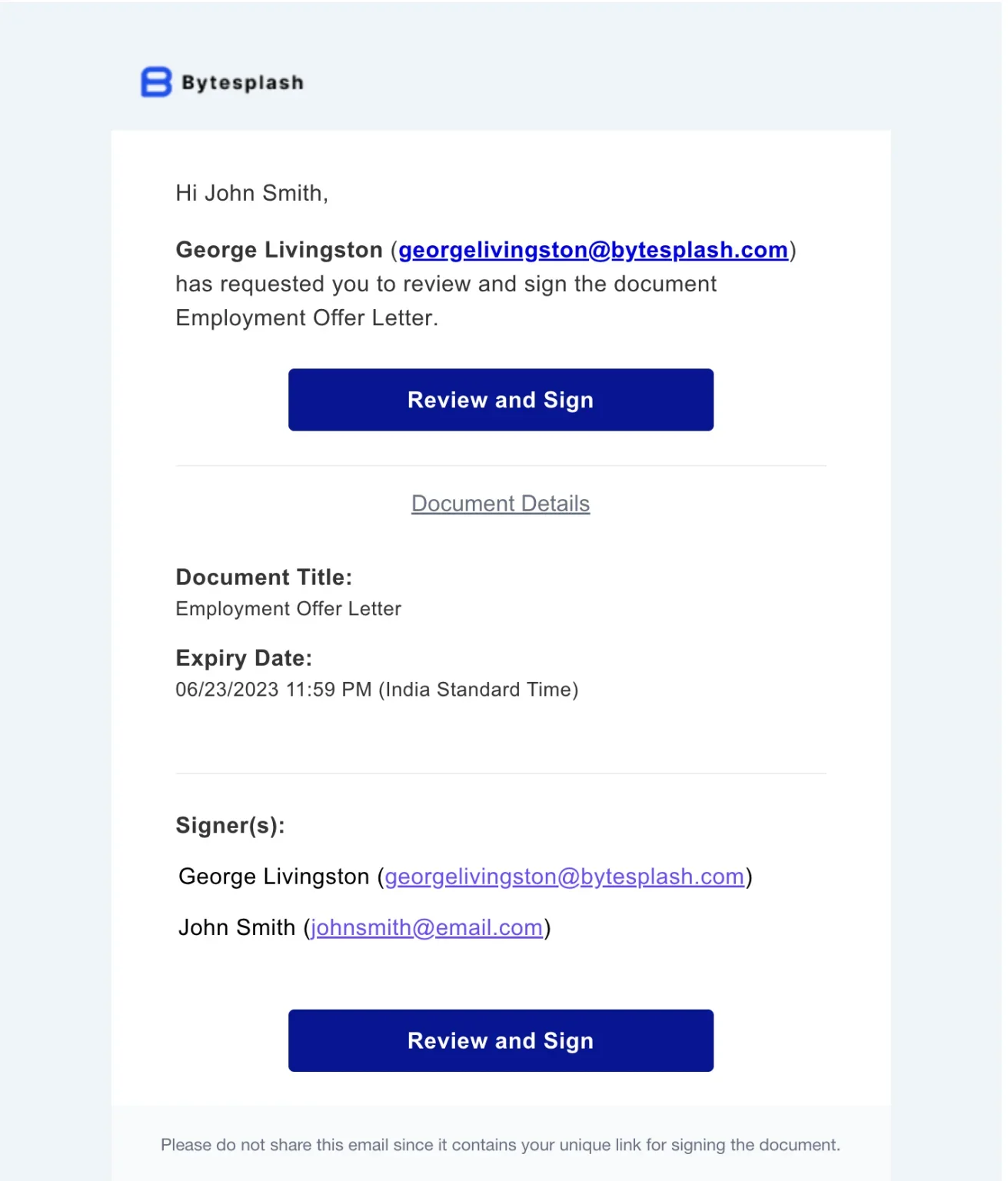
The job seeker gets an email asking them to sign. The Bytesplash name and logo show who sent it.
What else can the API do after the first signature?
The same API covers the rest of the document’s life. You can track status, get events and fetch the signed file.
- Show the signing page inside your app with an embedded signing link.
- Get webhooks, which notify your app in real time when a document or signer event happens.
- Download the signed document to store with the tenant’s records.
Our API documentation lists every endpoint. You can also try our live API demos and sample code in our GitHub repo.
Which BoldSign plan do you need for the API, and what does it cost?
Live calls to the BoldSign API need the Enterprise API plan: $30 a month with 40 envelopes, plus $0.75 for each extra one. Prices are in USD, as listed on the BoldSign pricing page in November 2026.
The Enterprise API plan includes embedded signing, webhooks, unlimited brands and unlimited sender identities. A free API sandbox account lets you build and test every step above before you go live.
Where do you go next with your eSignatures integration?
Start with one tenant in the sandbox, then add the rest once the flow works. Each step above maps to one API call.
- Create a free API sandbox account and send your first document on a tenant’s behalf.
- Request a demo to talk through your multitenant setup with our team.
- Contact our support team with a question about your integration.
Frequently asked questions
I'm building a SaaS product and need to embed e-signature functionality. What API solutions make it easy to add signing without building from scratch?
Look for a hosted eSignature API with embedded signing, templates and webhooks. You call it from your code, and we run the signing pages, emails and audit trail.
I need to integrate e-signatures into my SaaS platform. What are the top APIs that support document signing workflows?
Pick an API that covers the whole flow: create a document or template, send it, track its status and download the signed file. Our API has endpoints for each step.
How can I embed an e-signature in my app?
Send the document through the API, then request an embedded signing link for the signer. Open that link in an iframe, a popup window or a new tab inside your app.
What API solutions support scalable document signing in SaaS platforms?
Choose one that lets you serve many customers from one account. Our API gives each tenant its own brand and lets you send in each tenant's name after they approve.
How to add signature capability to my web application?
Get an API key, upload a PDF or pick a template, and call the send endpoint with each signer's name and email address. Signers then sign from an email link or inside your page.
Is there an e-signature API for my SaaS that handles many tenants?
Yes. With our API you create a brand for each tenant and add each tenant's sender as a sender identity. You then send documents in that tenant's name from your own account.
Are signatures collected through an eSignature API legally binding?
Yes, when they meet the same rules as any electronic signature: the signer agrees to sign electronically and the record is kept. In the US, the Electronic Signatures in Global and National Commerce (ESIGN) Act sets these rules. Check the rules for your document type and country.
Is SaaS digital signature software the same as SaaS electronic signature software?
Often, yes, in everyday use. Strictly, a digital signature is one kind of electronic signature that adds a certificate-based seal to the file.

George Livingston
George Livingston is the Head of Product at BoldSign, where he leads product strategy and manages the product roadmap. With over a decade of experience in the technology industry, George has a passion for developing productive software tools and exploring his love of photography. Connect with him on LinkedIn.
More posts by George Livingston