What Are the Common Challenges When Using Signature APIs in Software Development
 Ranjitha Vazhivittan
TL;DR: Most signature API problems show up after launch, under real traffic. They trace back to seven areas, from token expiry and PDF field placement to webhooks and rate limits. Each one has a known fix in your own code. Our eSignature API page shows what we handle for you.
Your integration passed every test in the sandbox. Then real customers arrive with their own PDFs, real signers and real volume, and requests start to fail.
The API call is rarely the cause. The workflow around it was built for a sandbox. This guide covers what breaks in each of the seven areas and what to change.
What is a signature API, and why does it fail after launch?
A signature API lets your software send documents for signature, track them and download the signed files through code. It fails after launch because a sandbox rarely copies real traffic.
Think of it like testing a new road with one car. Traffic jams, potholes and detours only appear once rush hour starts.
What are the most common signature API challenges?
Seven areas cause most problems after launch. This table sums up what breaks in each one and where help comes from.
| Challenge | What breaks | What helps |
|---|---|---|
| Authentication | Tokens expire mid-process or refresh calls race | One shared refresh step and the right auth type |
| PDF field placement | Fields shift between PDF generators | Text tags instead of fixed coordinates |
| Webhooks | Duplicate or late events change state twice | Signed payloads and idempotent handlers |
| Template edits | An edit drops roles or fields | Fetch, change and send the full structure |
| Delivery | Emails bounce with no visible error | The DeliveryFailed webhook event |
| Audit evidence | No proof of who signed, and when | An audit trail for each document |
| Rate limits | Retries cause 429 errors or duplicate sends | Backoff and webhooks instead of polling |
Why do API tokens expire or fail in production?
Tokens fail when an access token expires mid-process or two servers refresh it at once. A short sandbox test rarely runs long enough to see either.
Picture several server instances that find an expired token on the same request. Each one sends a refresh call. When the provider rotates refresh tokens, the second call can look like a replay.
How do we handle authentication?
Use an API key for backend jobs. Use OAuth 2.0 only when you act on behalf of a signed-in user.
Our OAuth 2.0 setup runs on OpenID Connect and supports the Authorization Code and Client Credentials flows. Refresh tokens last 30 days by default (absolute expiry). With sliding expiry, each new access token adds another 30 days.
Neither setting stops a refresh race across app instances. Build one shared refresh step in your own code. Our guide to OAuth 2.0 application integration walks through the flows.
Why do PDF fields land in the wrong place?
Fields usually land in the wrong place because of a unit or origin mix-up, not the API call. A field that fits a test file can sit sideways or overlap text in a customer’s document.
We measure field positions in pixels from the top-left corner of the page. The PDF format uses points and starts at the bottom-left, so convert values from PDF tools before you send them. Font swaps and rotated pages can also move a field.
Which placement method should you use?
Pick the method that matches how stable your document layout is.
- Fixed bounds take x, y, width and height in pixels for a set page number.
- Text tags sit in the document text, and we turn each one into a field where it renders.
- Form field detection converts existing fillable text box, checkbox, radio button and signature fields.
Text tags suit documents your own code builds, since the field follows the tag. Read our guide on why PDF field placement breaks for the conversion math.
How do you handle duplicate and out-of-order webhook events?
Treat every webhook delivery as one that can repeat or arrive late. Store the IDs of events you have handled and skip any you have seen.
A slow endpoint causes retries. A duplicate can update the same record twice, and a late event can make a completed document look unfinished.
How do we deliver webhooks?
We sign each webhook request with a hash-based message authentication code (HMAC) using Secure Hash Algorithm (SHA) 256 in the X-BoldSign-Signature header. Check it before you trust the payload.
Your endpoint has 10 seconds to reply with a 200 status code. Otherwise we retry up to six times with growing gaps. After the sixth retry, we watch the endpoint for 7 days and email you notices.
Because of these retries, one event can reach you more than once. Our webhook retries and idempotency guide shows how to process events by state.
What breaks when you edit a template through the API?
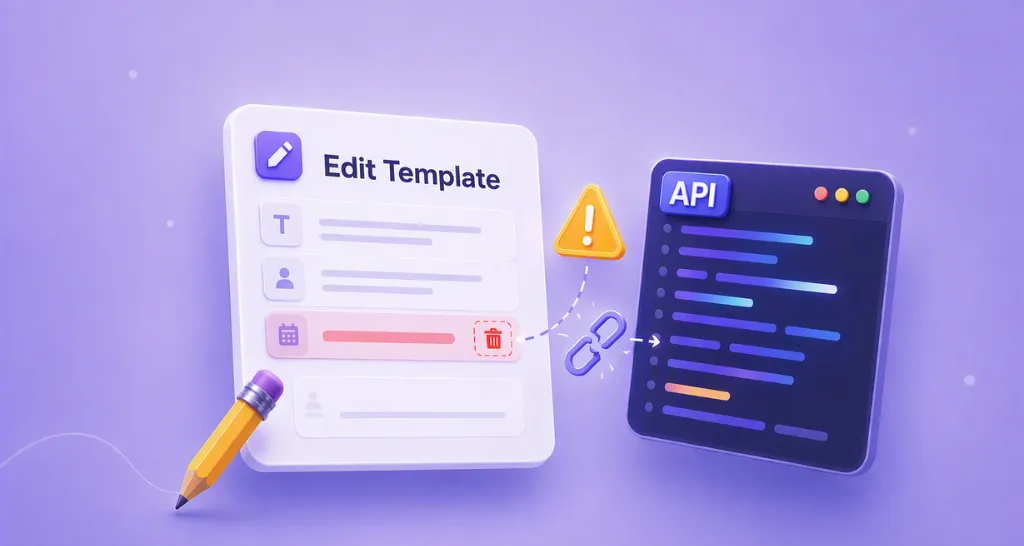
A template edit can drop roles or fields you never meant to touch. Top-level properties such as the title update on their own, but nested properties need the complete object.
Our Edit Template API docs say the API changes only the fields you send. For nested properties such as roles, you must send the whole object, so a role sent without its existing fields can lose them.
Follow a safe pattern for every edit:
- Fetch the template’s current properties.
- Change only what you need inside that structure.
- Send the full structure back.
Our guide on editing an eSignature API template covers roles and field IDs in more depth.
Why do signature requests fail to reach signers?
An unsigned request is often a delivery problem, not a slow signer. Emails bounce or land in spam after your API call has already succeeded.
A hard bounce is permanent, such as an invalid address. A soft bounce is temporary, such as a full inbox, and mail servers usually retry it before giving up.
How do email checks and text messages fail?
Sender Policy Framework (SPF) and DomainKeys Identified Mail (DKIM) prove a message came from an approved, unchanged source. Domain-based Message Authentication, Reporting and Conformance (DMARC) tells the receiving server what to do when those checks fail.
A bad record can send mail to spam or block it with no bounce. Carriers can also drop text messages from unregistered senders, with no notice to you.
How do we report a failed delivery?
We send a DeliveryFailed webhook event when an email to a recipient does not arrive. A separate SendFailed event means the request itself failed to send.
The event’s failedDeliveryMode field names the channel that failed. When you poll, the signer’s isDeliveryFailed flag shows the same thing.
We set up a custom sending domain through a support ticket and send you the DKIM and Return-Path records. Read our guide to catching a delivery failure in code.
How do you prove who signed, and when?
You prove it with an audit trail, a separate record of the signing process. A signed PDF alone shows the result, not how the signer got there.
In a dispute, that record lets you show each step in order. We create an audit trail for every document, so your main choice is how long you keep it.
What does our audit trail record?
- Document details: ID, title, status, signing order, page count and sent and completed times.
- People: names, email addresses, internet protocol (IP) addresses and devices.
- Activity: every view, signature, reassignment and completion, with timestamps.
A cryptographic hash and a tamper-evident seal show any change made after signing. You can download the audit trail once every signer has finished, on its own or with the signed PDF. See our eSignature audit trail page for more.
How do you stay under API rate limits?
Retry only failures that can pass on a second try, and use webhooks instead of polling. Most rate limit trouble comes from retry logic, not from the limit itself.
Common mistakes include retrying every error, retrying 4xx validation errors that will always fail, and letting a timeout send a second create call. That last one can send the same signature request twice.
What are our rate limits?
Our published rate limits allow up to 2,000 requests per hour in production and 50 per hour in the sandbox. Calls over the limit get a 429 status code.
The limit applies per account, for API keys and OAuth alike. A bulk job and a polling script that share one account count against the same quota. Response headers show how much of it you have left.
Read our guides on API rate limiting and API retry mechanisms for backoff patterns.
Which BoldSign plan do you need for API work?
Live API calls and webhooks need the Enterprise API plan, from $30 a month with 40 envelopes. Each extra envelope costs $0.75, as listed on the BoldSign pricing page in November 2026.
Prices are in USD. The free sandbox lets you test every challenge in this guide before you go live.
Where do you start with your own signature API integration?
Knowing which of the seven areas you face is most of the diagnosis. Pick the next step that fits you.
- Create a free API sandbox account and test these cases with your own documents.
- Compare direct API calls with a software development kit (SDK) before you write more code.
- Book a demo to walk through your integration plan with our team.
Frequently asked questions
What is an API signature in eSignature software?
In eSignature software, a signature API lets your app send documents, collect signatures and download signed files through code. The term can also mean signing an API request to prove where it came from, which webhooks use too.
Do these challenges affect every eSignature API, or only BoldSign?
They affect any eSignature API. Tokens, webhooks, templates and rate limits work the same way across providers. Providers differ in how much of the guard work they handle for you.
Which signature API problem should I fix first?
Start with rate limits and webhook handling. Both show up as soon as you send more than a few test documents. Template edits and audit trail storage usually matter later.
Do I need to solve all seven problems before going live?
You can fix them one at a time, but read about all seven before launch. Most stay hidden in a sandbox, so knowing the signs helps you spot one in production.
Why does my integration pass every sandbox test but fail in production?
A sandbox rarely copies real traffic. Long-lived tokens, customer PDFs, retried webhooks and carrier filters only show up under real use.
How many API requests can I make to BoldSign per hour?
We allow up to 2,000 requests per hour in production and 50 per hour in the sandbox. The limit applies per account, for API keys and OAuth alike.
Is an eSignature collected through an API legally binding?
Yes, when it meets the same rules as any electronic signature: the signer agrees to sign electronically and a record of the signing is kept. Check the rules for your document type and country.
Where can I find working code for these fixes?
Each section links to a guide with more detail, and several include code samples. Our developer documentation also has samples for every API endpoint.

Ranjitha Vazhivittan
Ranjitha is a skilled software developer with 3 years of experience at BoldSign. Alongside her technical expertise, she has a passion for writing and enjoys sharing thoughtful insights on technology and development. Beyond work, she stays curious by exploring emerging tools and trends, constantly seeking opportunities to learn and grow.
More posts by Ranjitha Vazhivittan