Board Signature Software: How to Get Board Documents Signed When Directors Work Remotely
 Evans Omondi Otieno
TL;DR: Board signature software lets directors review and sign resolutions, minutes and policies online, from any device. You upload the document, add each director as a signer and send it, and an audit trail records every signature. Our signer authentication page shows how to check who signs.
The board met last Thursday, and the resolution passed. Now the secretary needs five signatures from directors in three cities. Printing, posting and scanning can stretch that job across weeks.
Board governance signature software turns the job into one request. This guide covers what to look for, how to send board papers, and how directors sign.
What is board signature software?
Board signature software sends board documents to directors and collects their electronic signatures. Each director signs from a link, and the sender can see who is still to sign.
Think of a clipboard passed around the boardroom table. The software passes the same clipboard to every director, wherever they are, and notes when each one signs.
Typical board documents include:
- Board resolutions and written consents
- Signed meeting minutes
- Conflict of interest declarations
- Policy approvals and committee charters
How do corporate secretaries collect board signatures when directors work remotely?
The secretary uploads the document once and adds each director as a signer. Every director then gets an email with a link to sign.
Check your bylaws before signatures replace a meeting vote. Your bylaws and the law where your organization is formed decide which approvals can happen outside a meeting. Your legal counsel can confirm what applies to you.
How do you send a board document for signature in BoldSign?
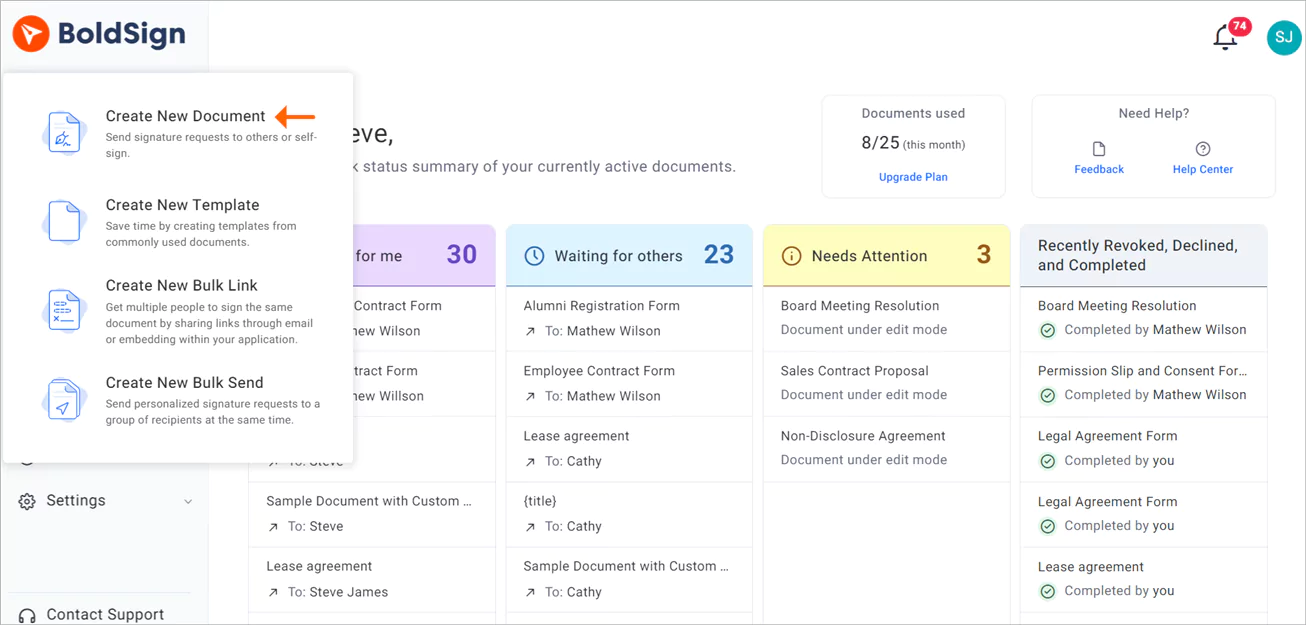
- Log in to BoldSign, or create a free account.
- Select Create New, then Create New Document.
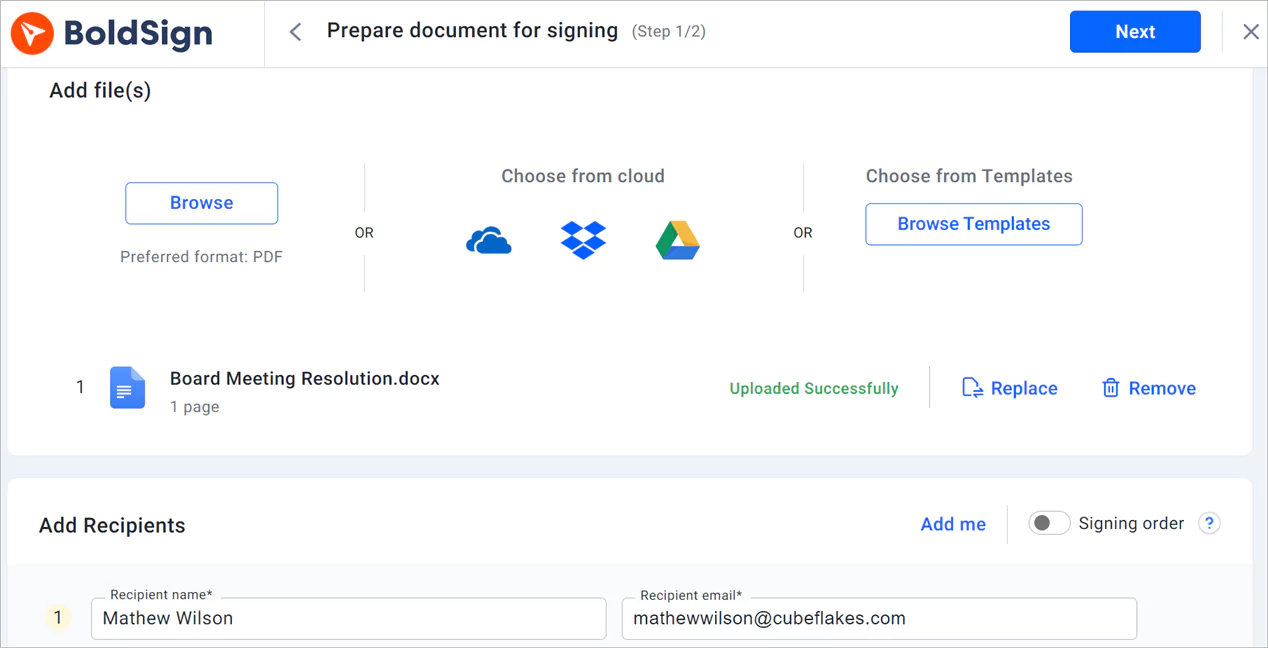
- Upload your files in the Add files section, then add each director as a recipient.
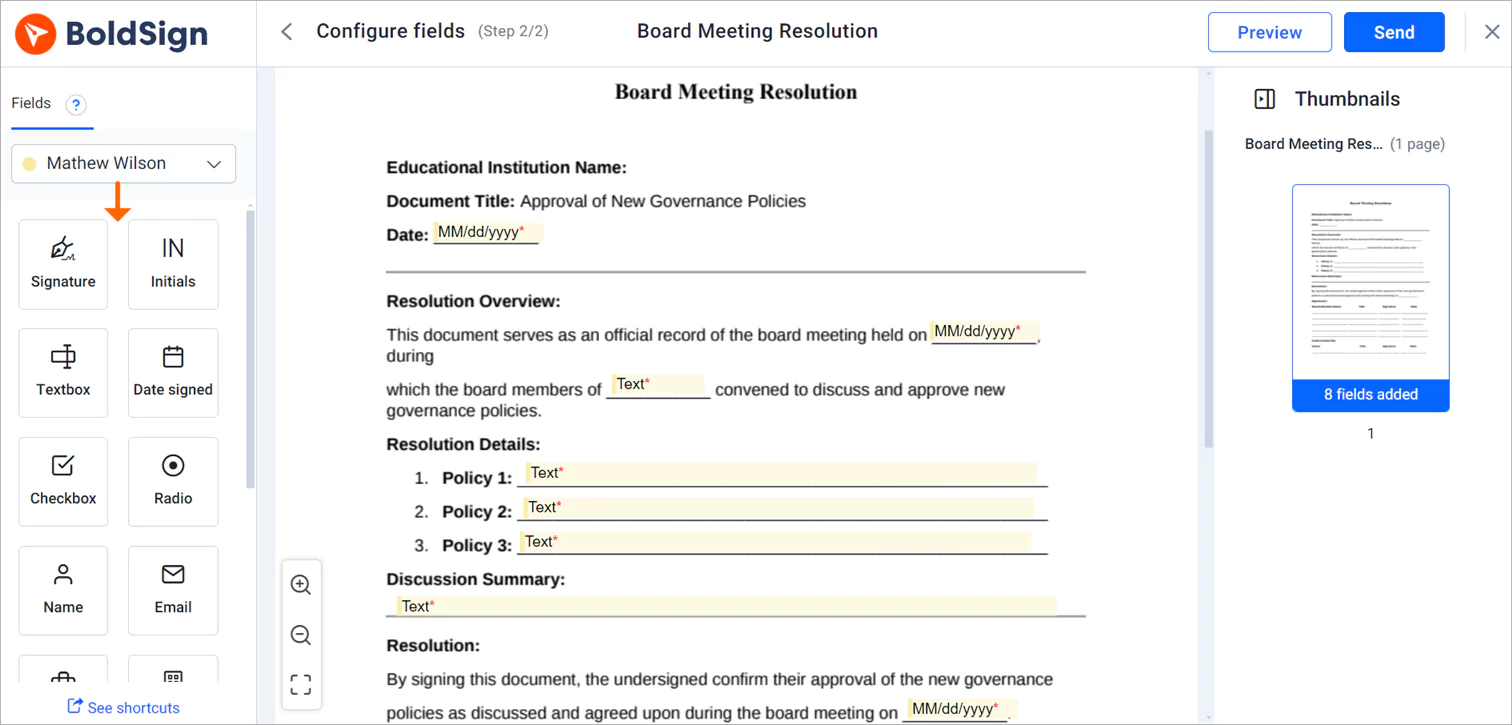
- Fill in the other details and select Next to open the Configure fields page.
- Drag signature and date fields onto the document, then select Send.
What should board governance signature software include?
Board papers carry decisions that people may question later. Look for software that checks identity, keeps a record, and makes signing easy for busy directors.
Signer identity checks
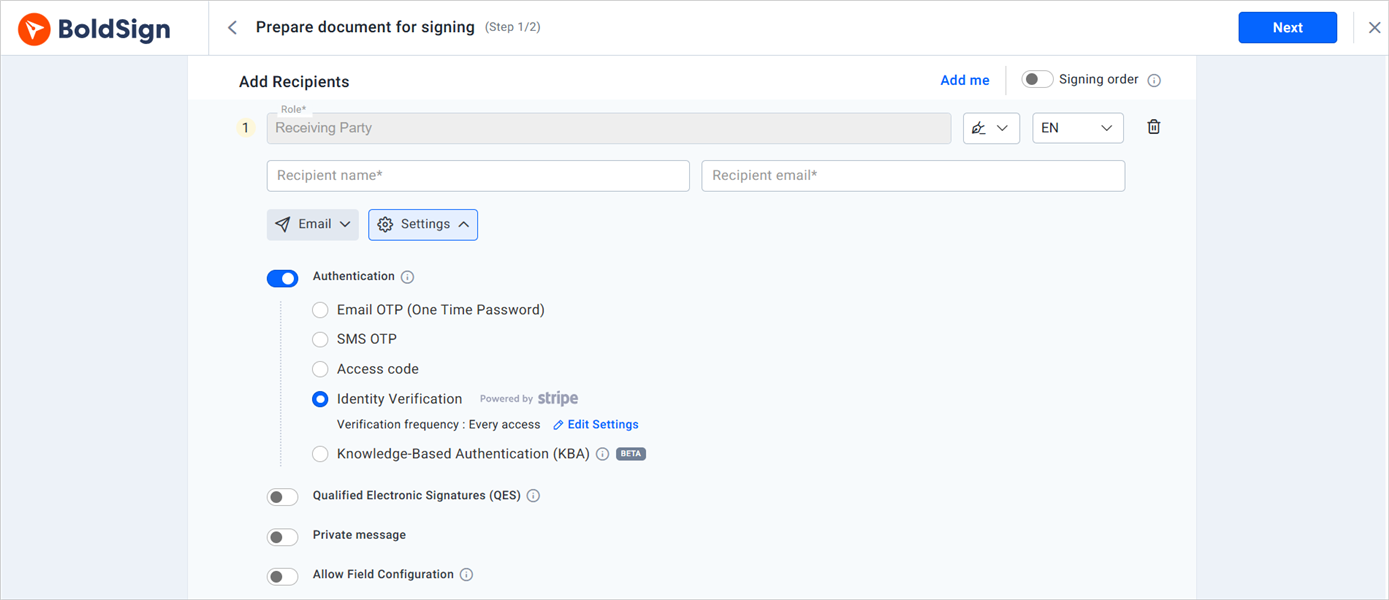
Signer authentication asks each director to prove who they are before they open a document. We offer five methods:
- Email one-time passcode (OTP)
- Access code that you share with the director
- SMS one-time passcode
- Knowledge-based authentication (KBA)
- ID verification with a photo ID
Delivery by email, SMS or WhatsApp
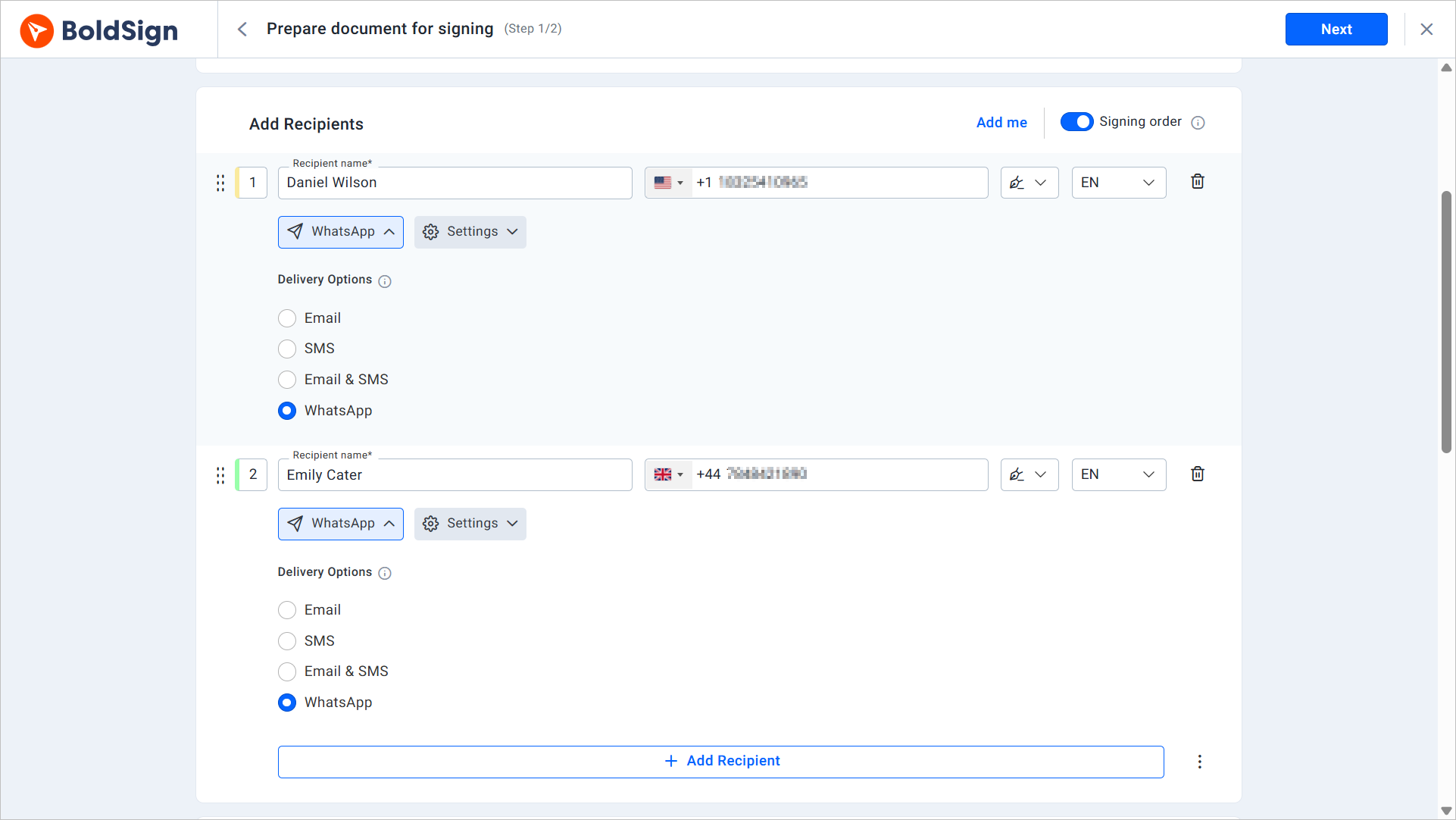
A director who misses an email may still see an SMS or WhatsApp message. With multi-channel delivery, you send the signing request by email, SMS or WhatsApp. Each director can then sign on the channel they check most.
Reminders for signers
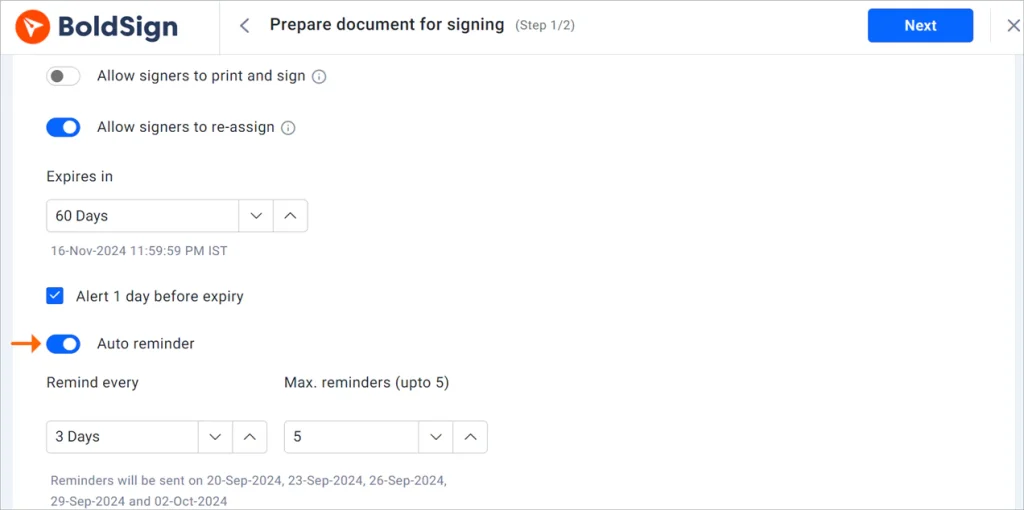
Automatic reminders go out on a schedule until a director signs. The secretary no longer has to chase each signature by hand.
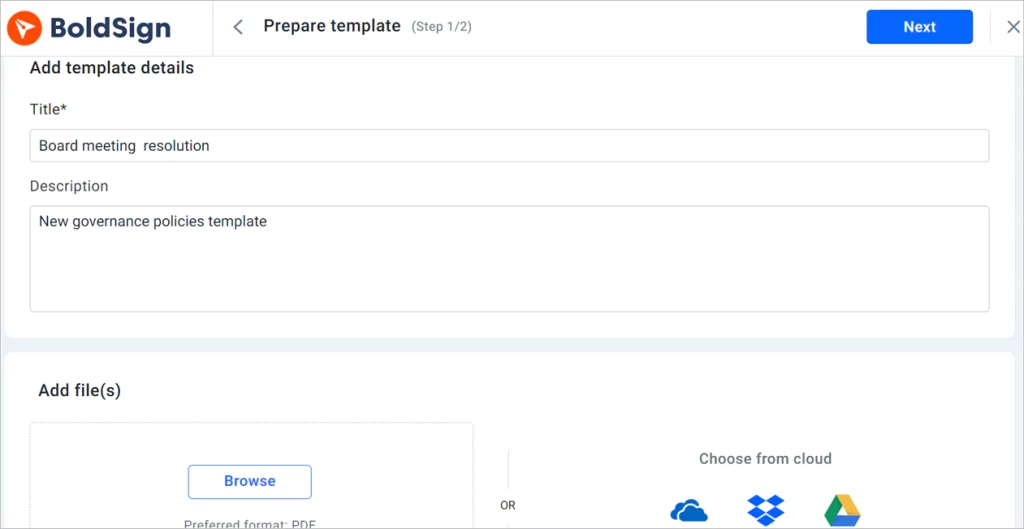
Templates for repeat documents
Most boards sign the same few documents every year. Templates save the layout, signer roles and fields of a document, such as an annual conflict of interest form. You fill in the details and send it in a few clicks.
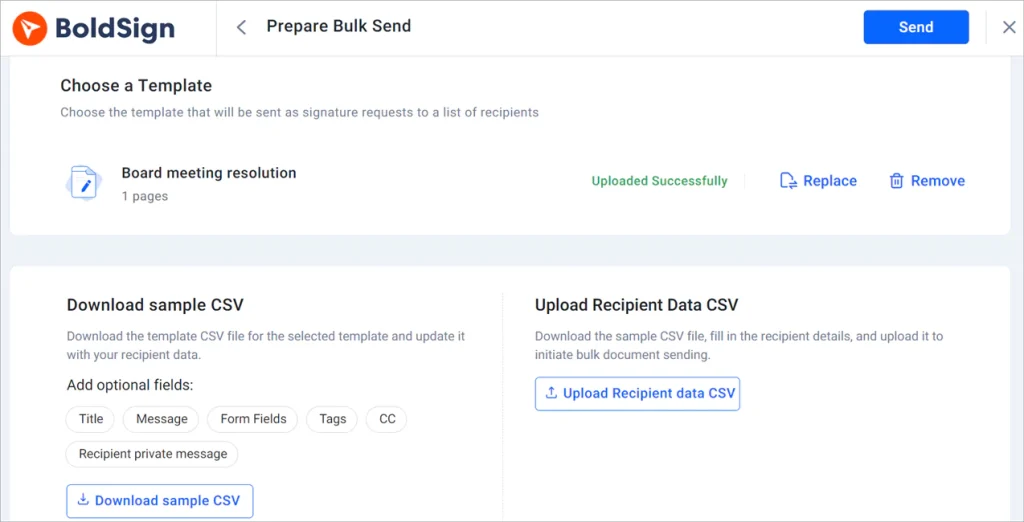
One copy for every director
Bulk send sends one document to many people at once, and each person signs their own copy. Use it for a policy that every director must acknowledge.
How do you keep board records organized and secure?
Agendas, minutes and resolutions pile up fast across a year of meetings. Labels and an audit trail keep each one easy to find and easy to prove.
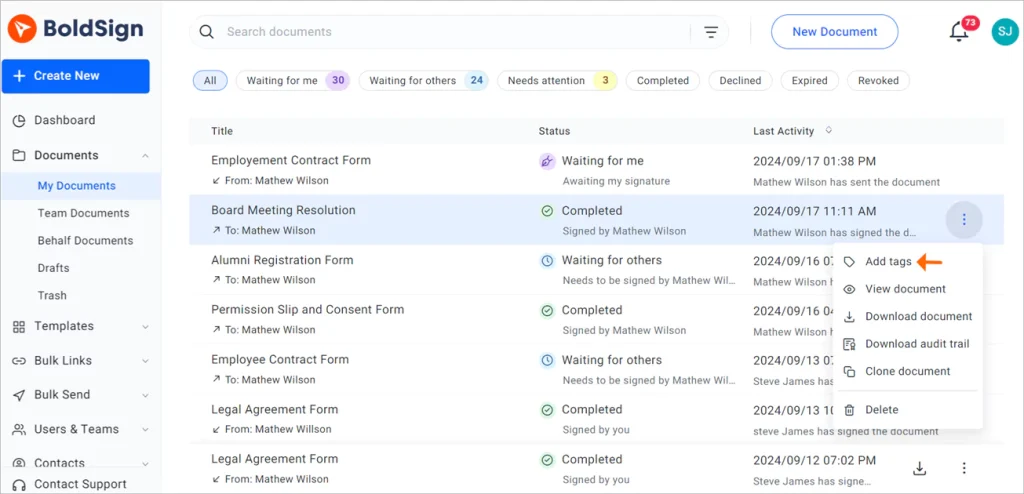
Labels and pinned filters
Add your own labels to documents, such as “Board 2026” or “Finance committee”, then filter by label. With document management, you can pin the filters you use most to your home page.
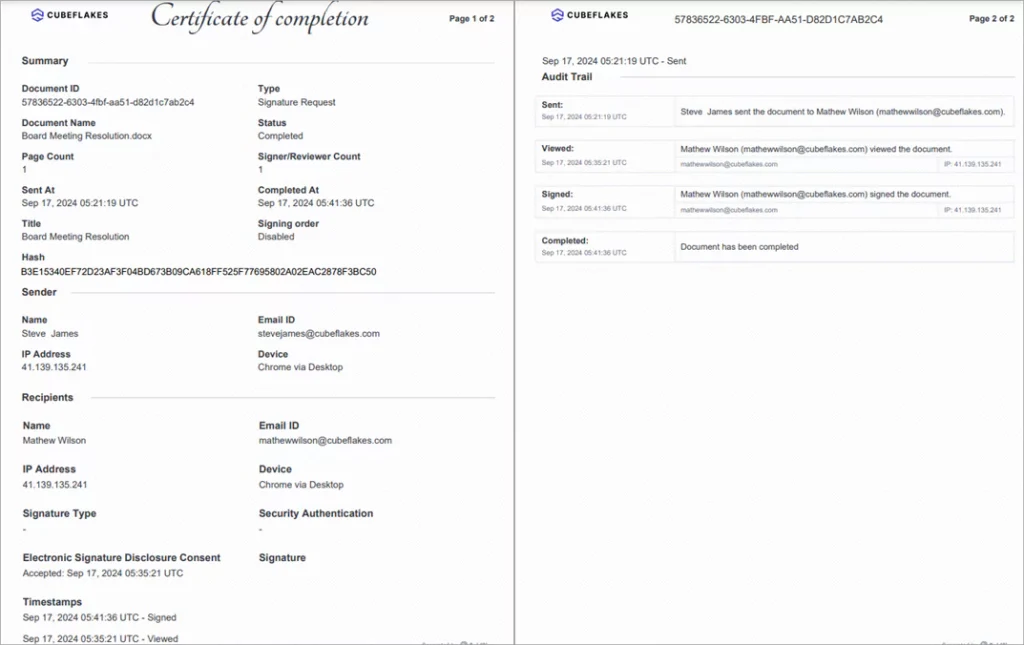
Audit trail for every document
Every signed document comes with an audit trail. The record lists each view and signature with its time and Internet Protocol (IP) address.
Security and compliance
We hold System and Organization Controls (SOC) 2 Type 2 and follow the General Data Protection Regulation (GDPR). Our security policy covers how we protect documents. Read our GDPR overview for data privacy, and healthcare boards can read our Health Insurance Portability and Accountability Act (HIPAA) overview.
How do directors sign board documents?
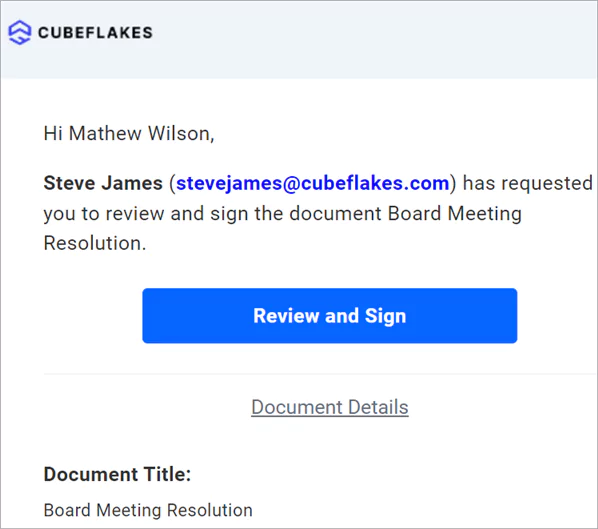
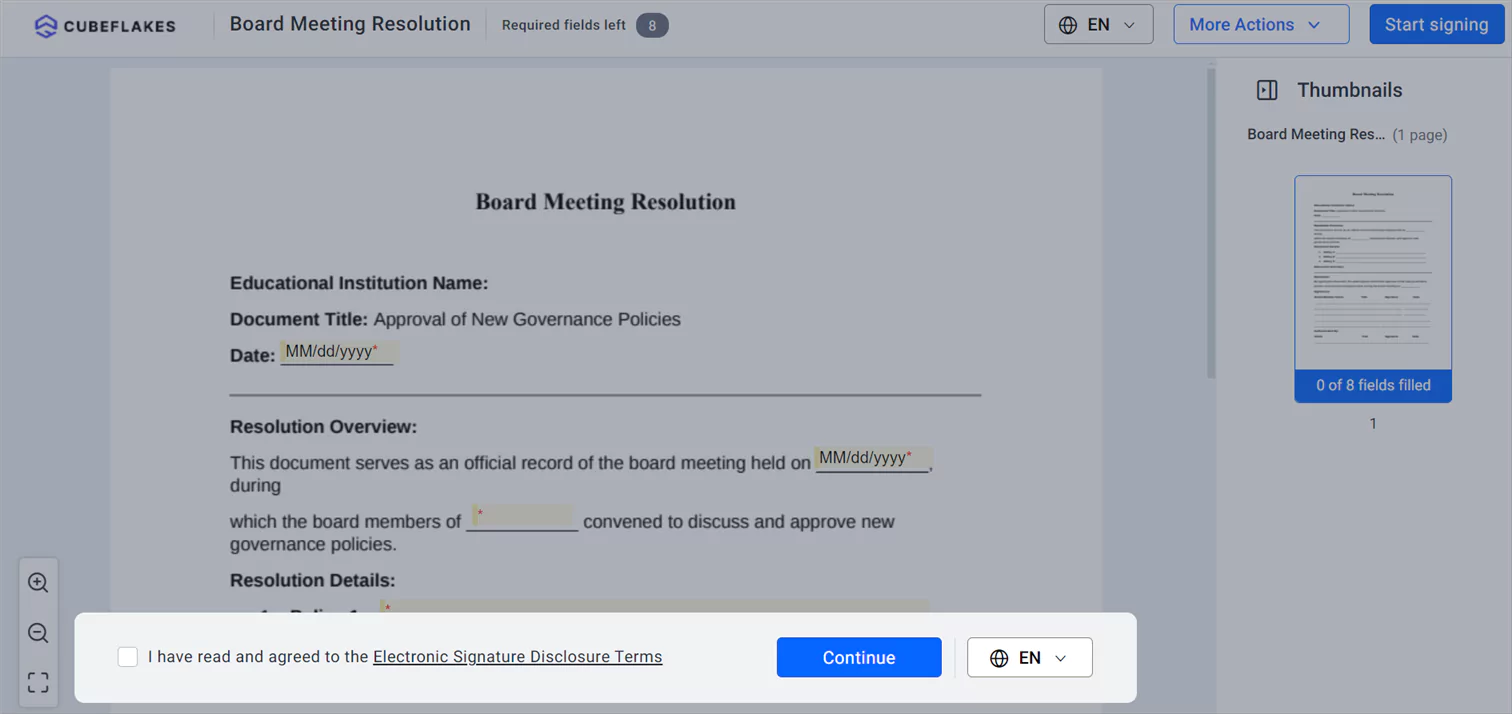
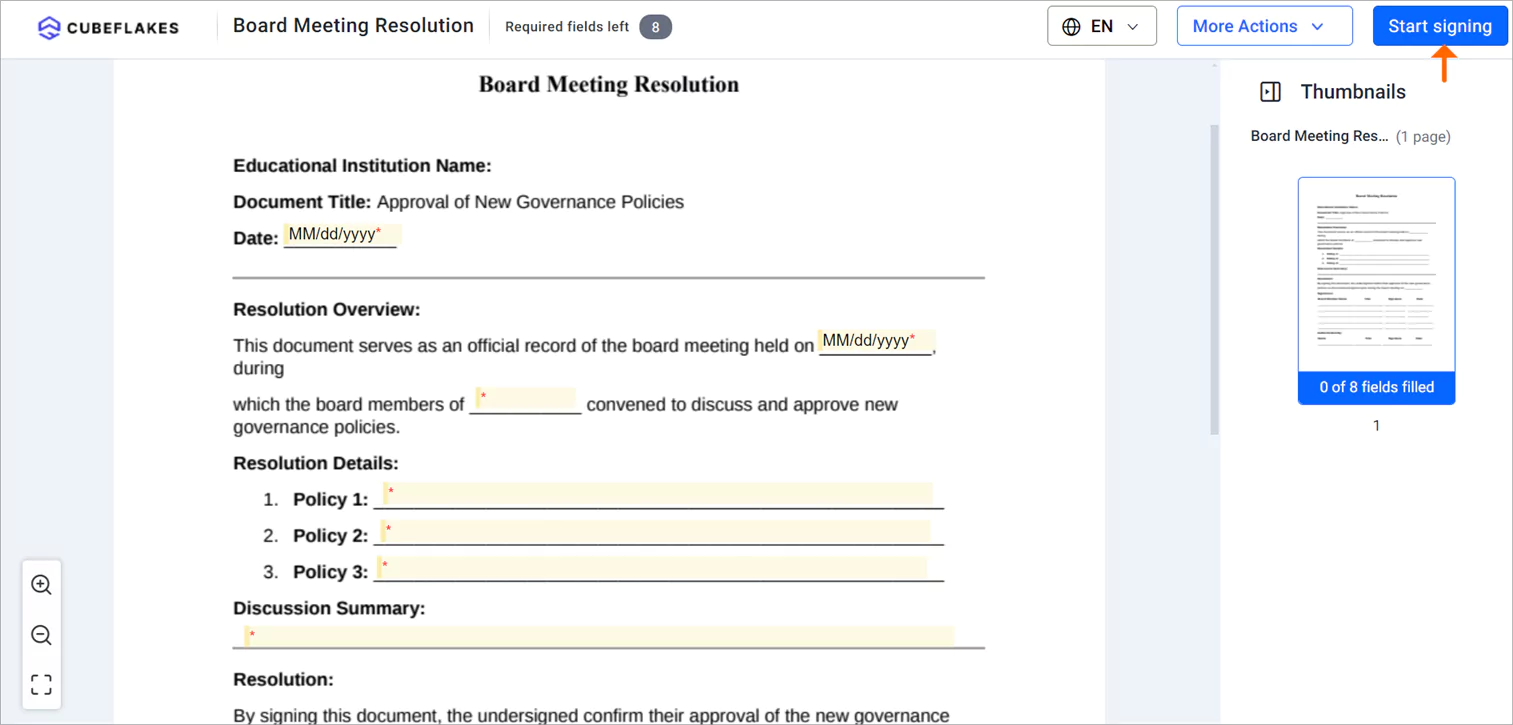
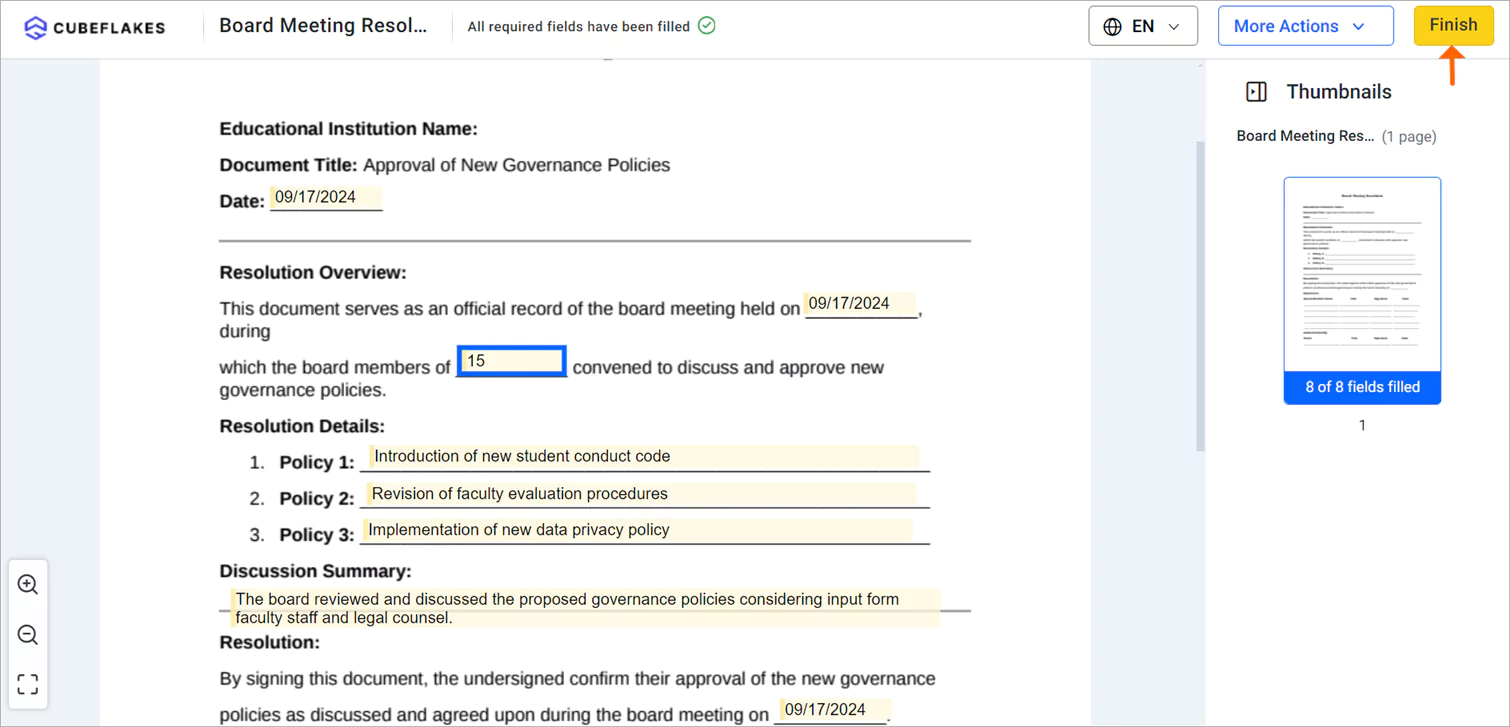
Directors sign from a link in the signing email, on a computer or phone. They can sign without a BoldSign account.
- Open the signing email and select Review and Sign.
- Read and agree to the disclosure terms, then select Continue.
- On the signing page, select Start signing.
- Fill in each field, using Next field to move to the next one.
- Select Finish to complete the signing.
Signature types and branded emails
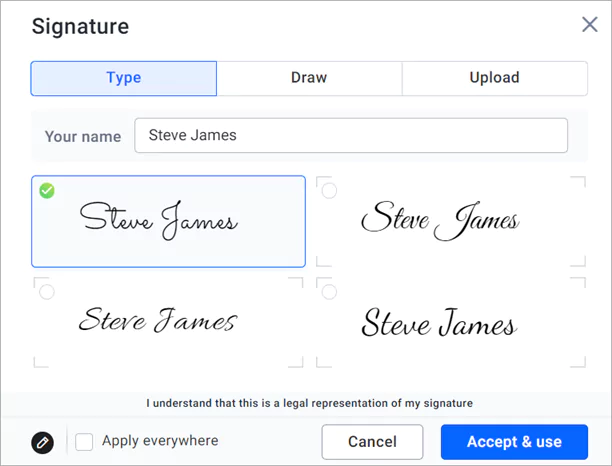
Directors can type, draw or upload their signature, as the sender allows. Choose the options that suit your board.
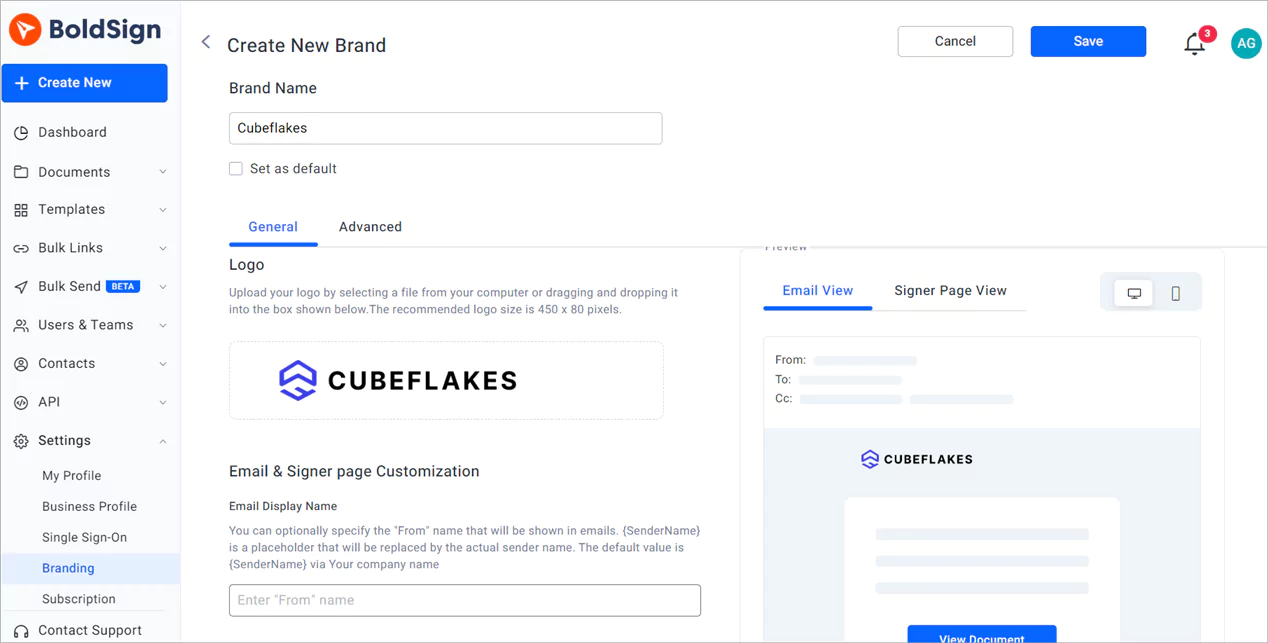
With branding, you add your logo and colors to signing pages and emails. Directors then see your organization’s name on every request.
Which BoldSign plan do you need for board signing, and what does it cost?
Prices below come from the BoldSign pricing page in November 2026, in USD. Every plan includes reminders, the audit trail, email OTP, access codes and custom branding.
The Essential plan is free, with 25 envelopes a month and 2 templates. The Growth plan costs $5 per user a month, billed yearly, with 50 envelopes a month and 10 templates.
The Business plan costs $15 per user a month, billed yearly. It adds bulk send, SMS and WhatsApp delivery, SMS OTP, knowledge-based authentication (KBA), ID verification, HIPAA support and unlimited templates and brands. The Premium plan costs $99 a month for unlimited users, billed yearly, with the same features and 250 envelopes a month.
How do you start signing board documents online?
Try the steps above with one real board document. A set of last meeting’s minutes is a good first test.
- Start a 30-day free trial and send your next resolution for signature.
- Book a demo to see board signing set up for your directors.
- Read how nonprofit boards handle electronic approvals, or ask our support portal a question.
Frequently asked questions
What is board signature software?
Board signature software sends board documents to directors and collects their electronic signatures. Each director signs from a link on a computer or phone, and the sender sees who has signed.
What electronic signature platforms help corporate secretaries collect board members' signatures on resolutions when directors work remotely?
An eSignature platform such as BoldSign does this job. You send the resolution once, each director signs from a link, and an audit trail records each signature with a time and IP address.
Can you list board portal software that supports e-signature functionality?
We do not rate other vendors on this page. BoldSign is eSignature software rather than a board portal, so you can keep board packs in your portal and send the pages that need signatures from us.
Can board minutes be signed electronically?
Yes, when your bylaws and the law where your organization is formed allow it. Ask your legal counsel to confirm, then send the minutes to the chair and secretary for signature.
Do directors need a BoldSign account to sign?
Directors sign from the link in the signing email, so they can sign without a paid seat. Only the person who sends documents needs a BoldSign account.
How do you confirm that the right director signed?
Turn on signer authentication before you send. Email codes and access codes work on every plan, and SMS codes, knowledge-based questions and ID checks start on the Business plan.
Can directors sign board documents on a phone?
Yes. The signing page works in a phone browser, and directors can type, draw or upload a signature where the sender allows each option.
How much does board signature software from BoldSign cost?
Our Essential plan is free, and Growth costs $5 per user a month, billed yearly. Business, which adds bulk send and ID verification, costs $15 per user a month, billed yearly.

Evans Omondi Otieno
Evans Omondi Otieno is a customer support representative and writer at BoldSign, specializing in creating clear, insightful content to help users navigate eSignature solutions. As a blog author, Evans writes well-researched articles that simplify technical concepts, helping businesses and professionals understand how to use BoldSign effectively. With expertise in technical support and content creation, he ensures users have a seamless experience and gain valuable knowledge from his articles.
More posts by Evans Omondi Otieno