How to Speed Up the Nonprofit Grant Application Signing Process with BoldSign
 Evans Omondi Otieno
TL;DR: You can collect every signature a grant application needs online, in the order you choose, before the funder’s deadline. Upload the application, add each signer and place the fields, then track progress until everyone signs. Our eSignature for nonprofits page shows the free plan and discounted pricing.
A grant deadline is on Friday. The proposal is ready, but the budget sheet needs the finance lead, and the cover letter needs the director. The board chair is travelling all week.
Chasing printed pages around a team like this costs days. This guide shows how to send a grant application for signature, how signers complete it and what nonprofit pricing looks like.
What is a grant application signing process?
A grant application signing process gets every required person to sign before you submit. Picture a birthday card passed around an office, where nobody should be skipped.
A grant application is a formal request for money from a foundation, government agency or company. A typical one includes:
- A cover letter
- The grant proposal itself
- A budget plan
- Supporting documents, such as proof of nonprofit status
Signatures show that each person agrees with what the application says. A clear record of who signed, and when, also keeps you accountable to the funder.
Why do grant signatures slow nonprofits down?
Grant applications often need several signers in a set order. Each handoff by paper or scanned email can add a day.
Signers work in different places and keep different hours. A missed signature can push the application past the deadline. Sending it electronically lets everyone sign from wherever they are, and you see who is still pending.
How do you send a grant application for signature?
You upload the documents, add the signers and place the fields in a few minutes. The steps below follow our web app.
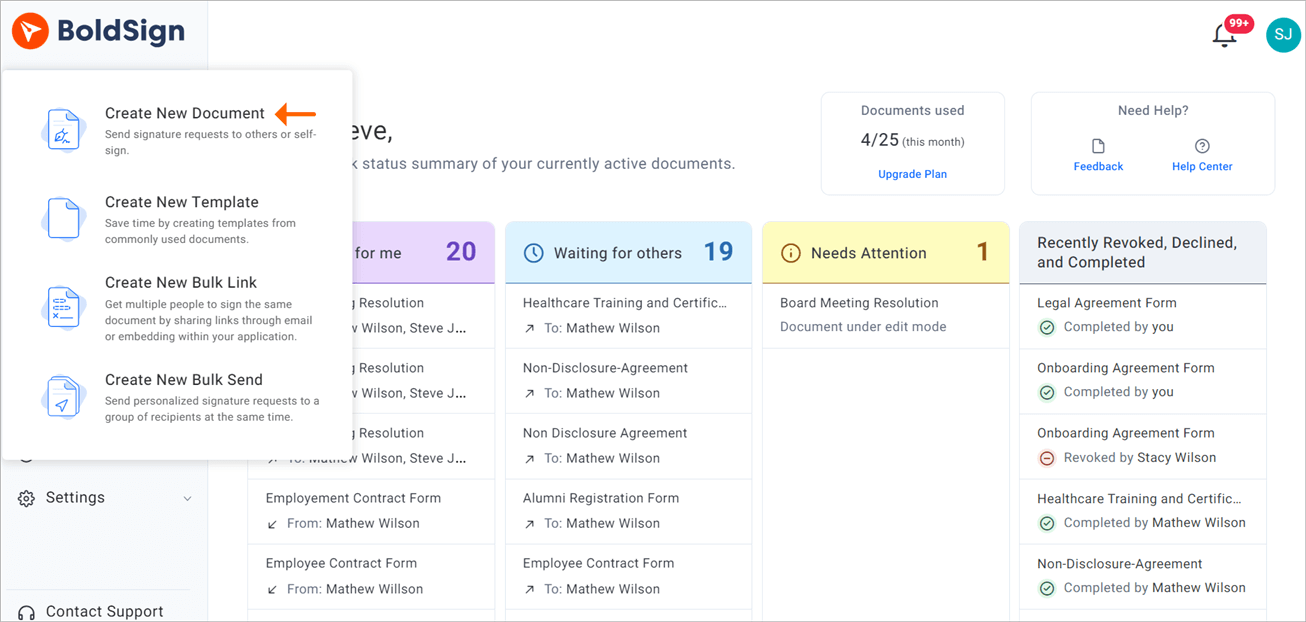
Step 1: Start a new document
- Log in to your BoldSign account, or create a new account.
- Select Create New, then Create New Document.
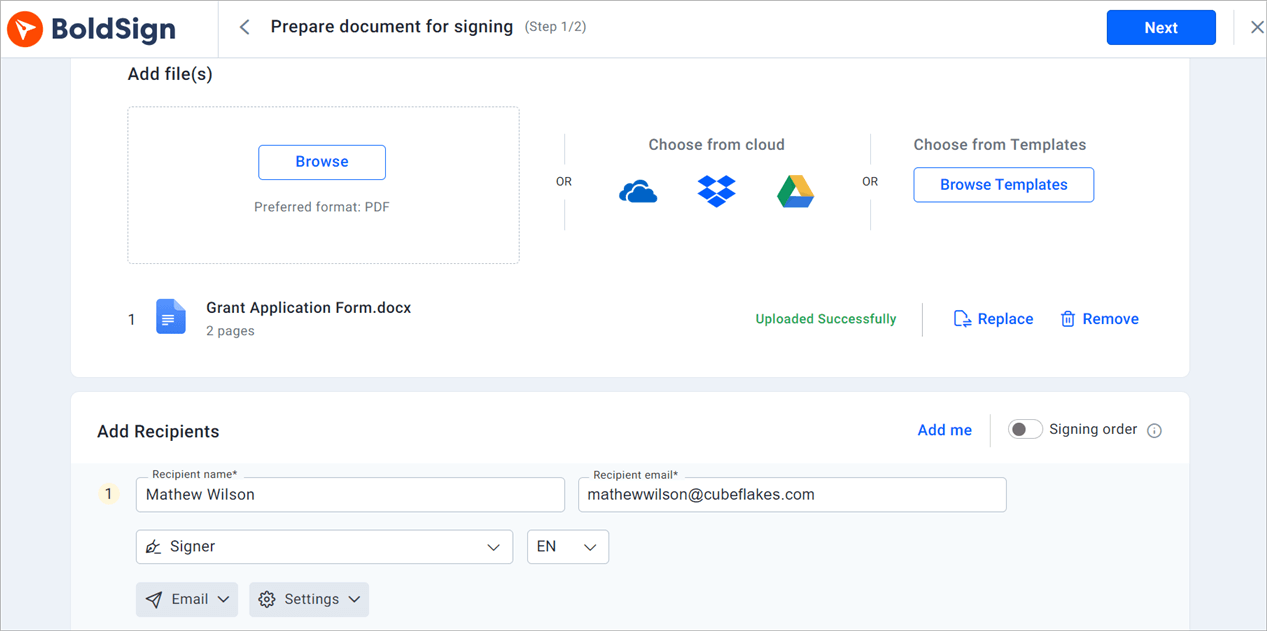
Step 2: Add the files and signers
- On the Prepare document for signing page, upload your grant documents in the Add file(s) section.
- Add each person who needs to review or sign, with their name and email address.
- Fill in any other details you need, then select Next.
Step 3: Place the fields and send
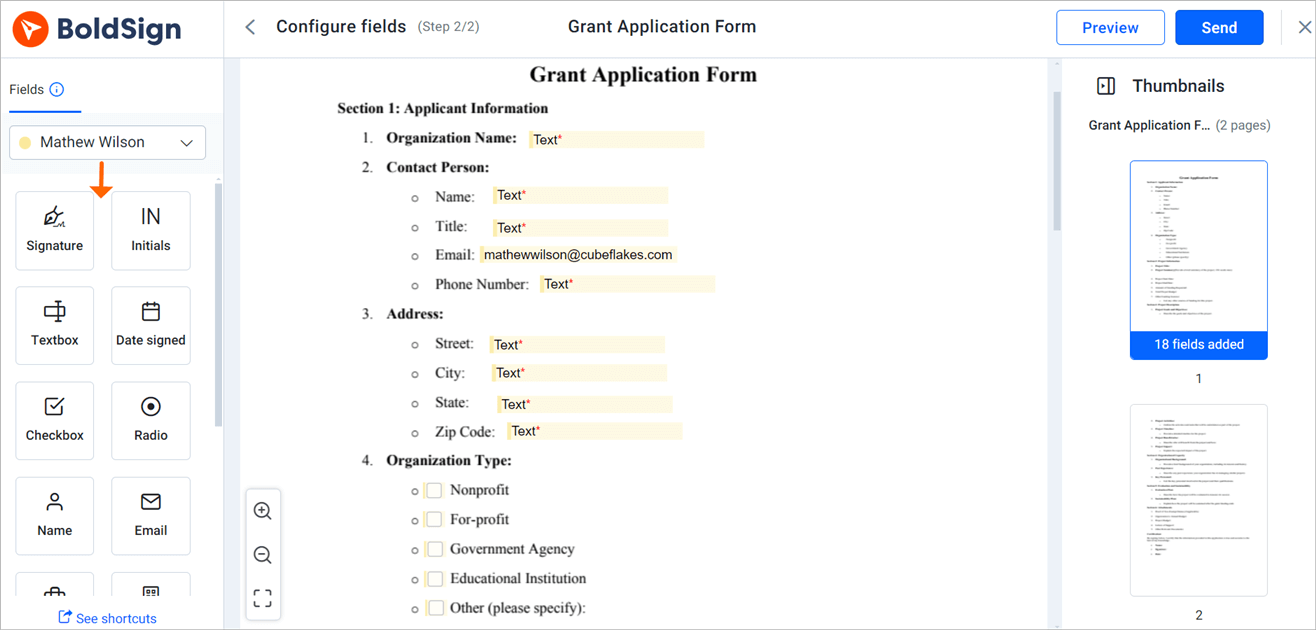
- On the Configure fields page, drag signature, date and text fields onto the document.
- Assign each field to the right signer.
- Select Send.
How do signers complete a grant application?
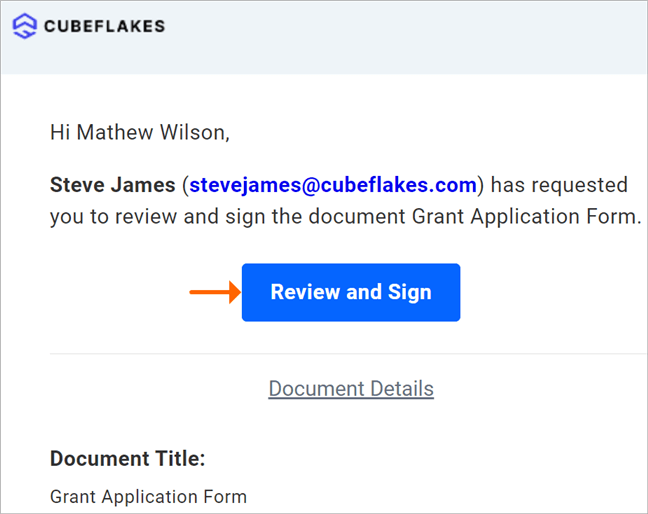
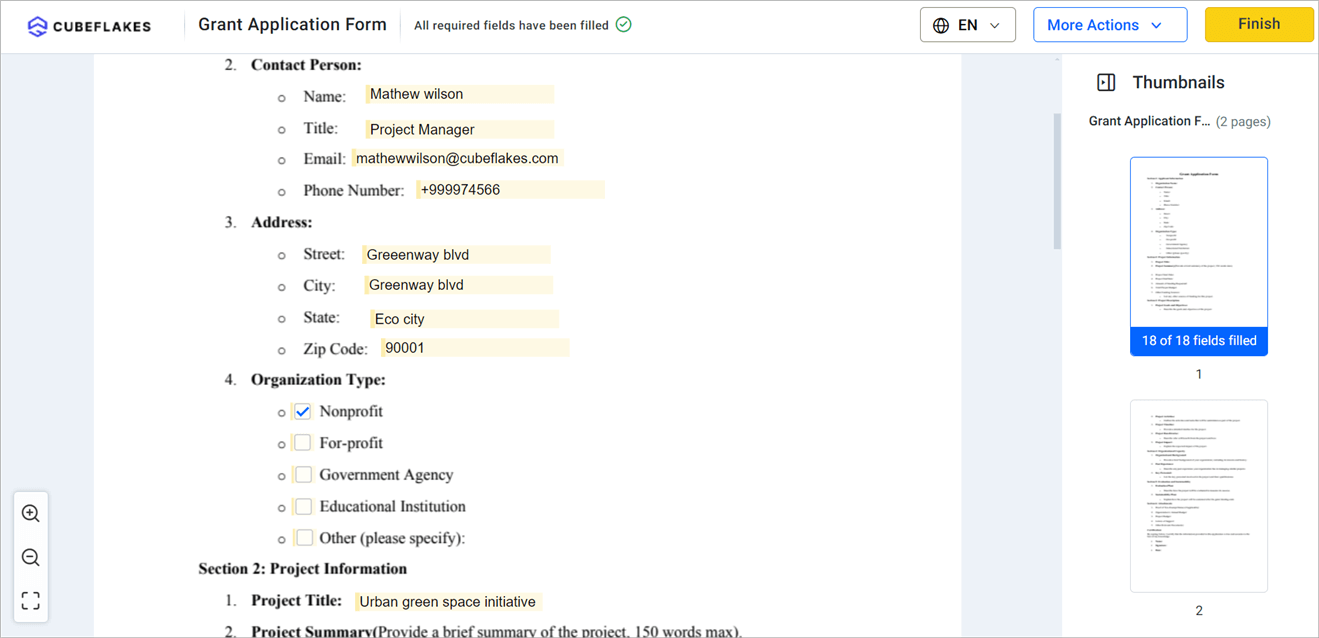
Signers open the document from a link in their email and sign in a few steps. They can also sign from their BoldSign account.
- Select Review and Sign in the email to open the document.
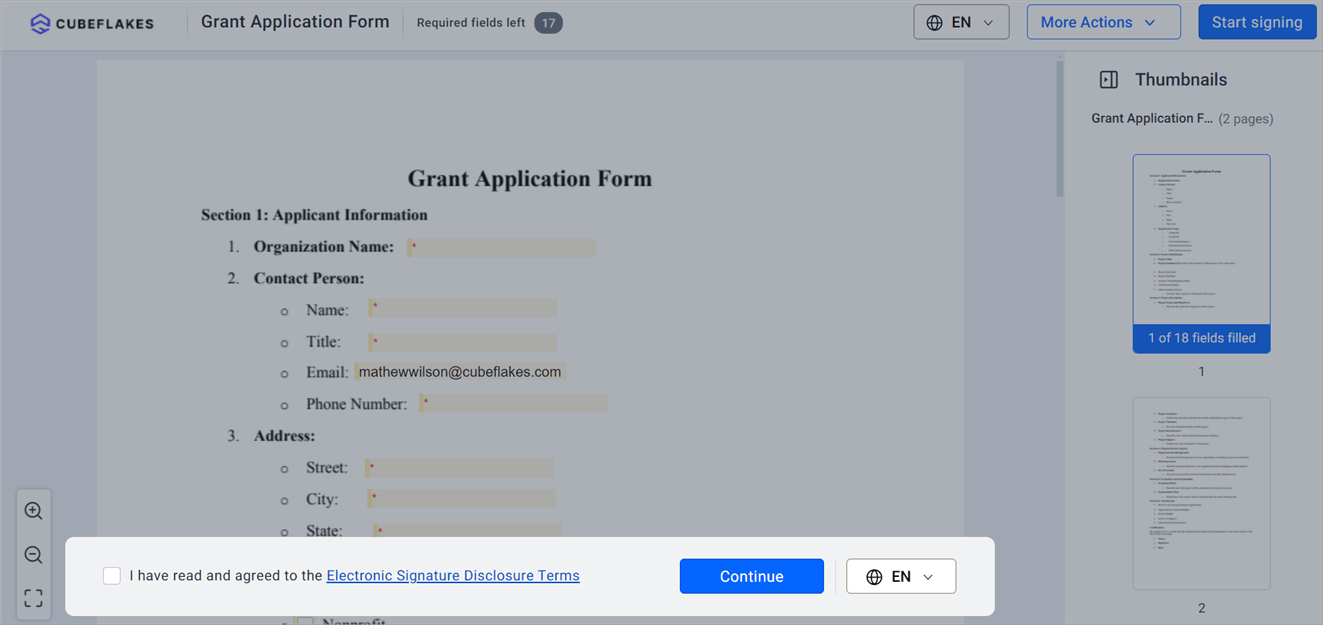
- Read the disclosure terms, agree to them, then select Continue.
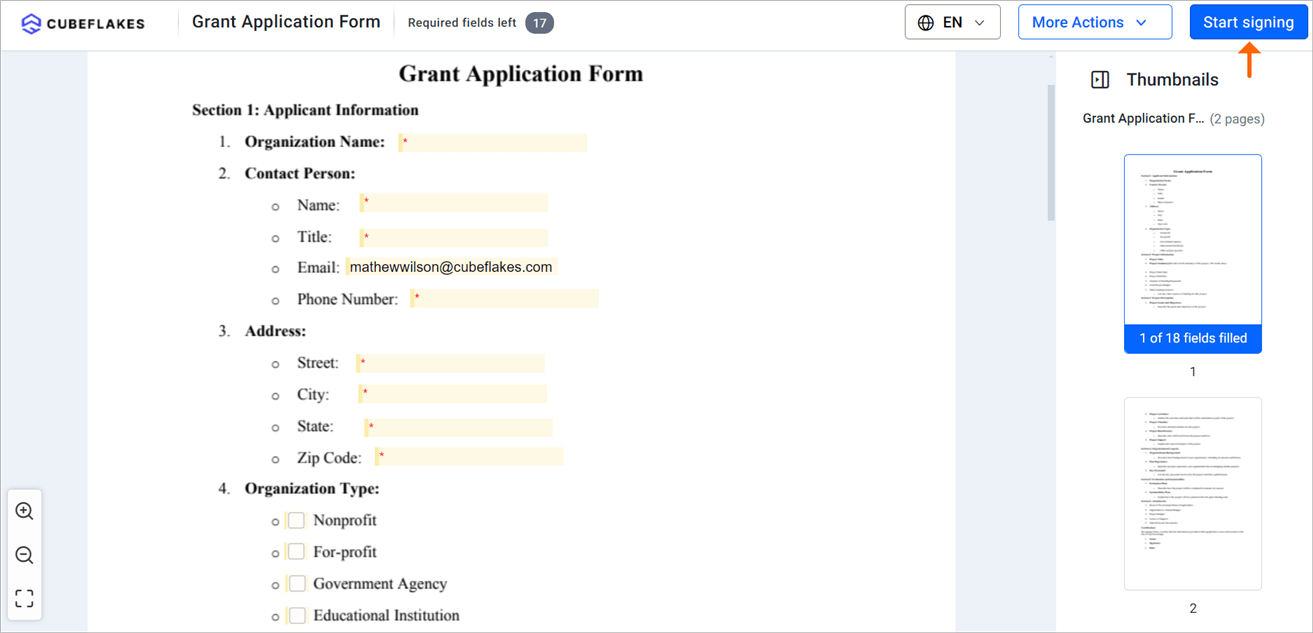
- Select Start Signing, then use Next Field to move from field to field.
- Select Finish once every field is complete.
Which BoldSign features help with grant applications?
The features below cover the parts of a grant process that usually stall. Each one is set when you send the document.
Signing order and deadlines
You can collect signatures in a set order, all at once, or a mix of both. Set an expiry date that matches the funder’s deadline, and extend it if plans change.
Automatic reminders go out on a schedule until each person signs. You no longer chase signers by hand.
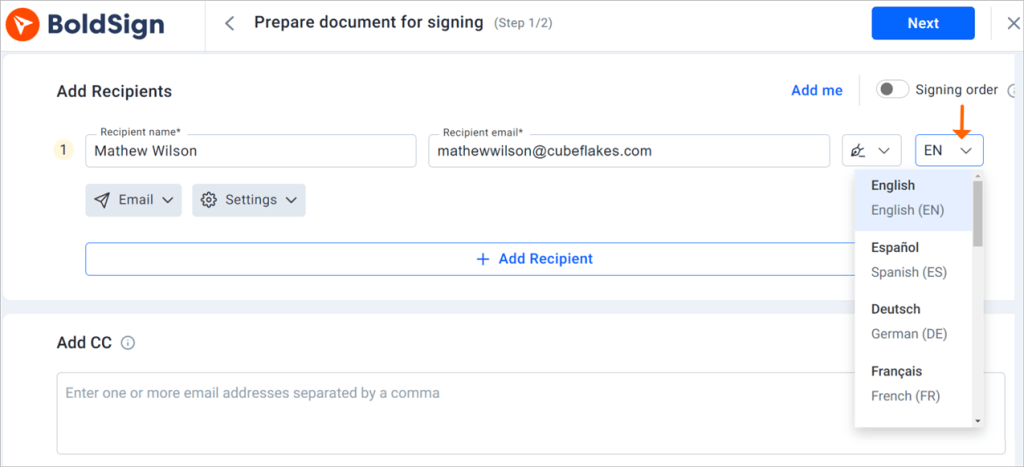
Signing in the signer’s language
You choose a language for each signer, and their signing page and emails appear in it. The choices include English, French, German and Spanish. Partners and community members can then read what they sign.
Signing from a phone
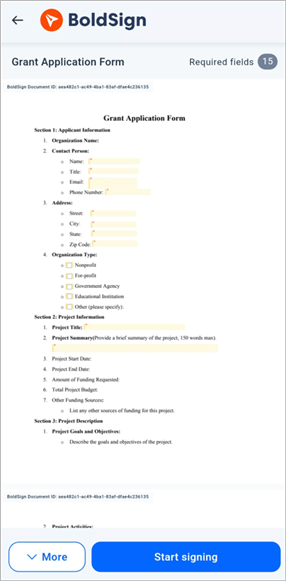
Board members and partners can review and sign from a phone or tablet. Our mobile app also lets them place a saved signature in every signature field at once.
Templates for repeat applications
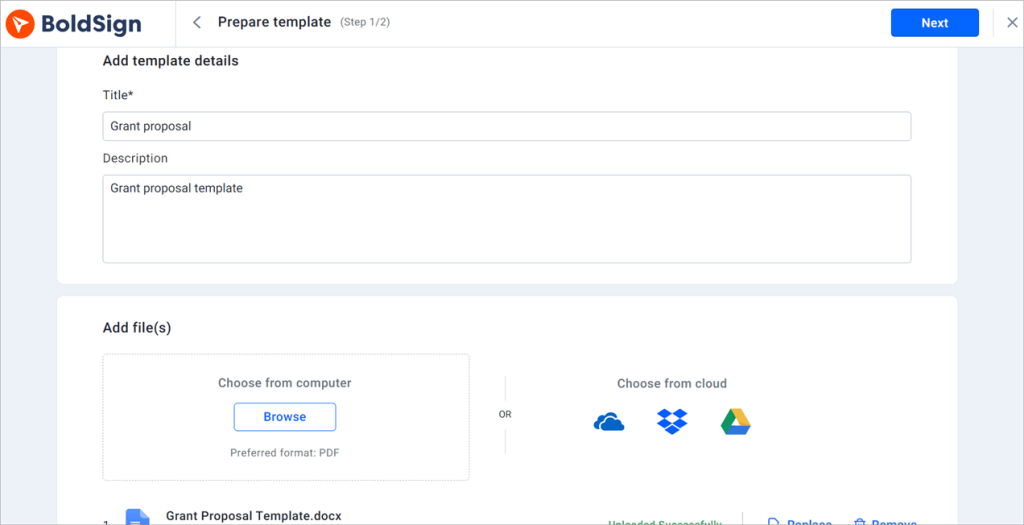
Many funders ask for the same letters and forms each cycle. Save them as templates, with the fields in place, and reuse them for the next application.
How do you keep grant records secure and auditable?
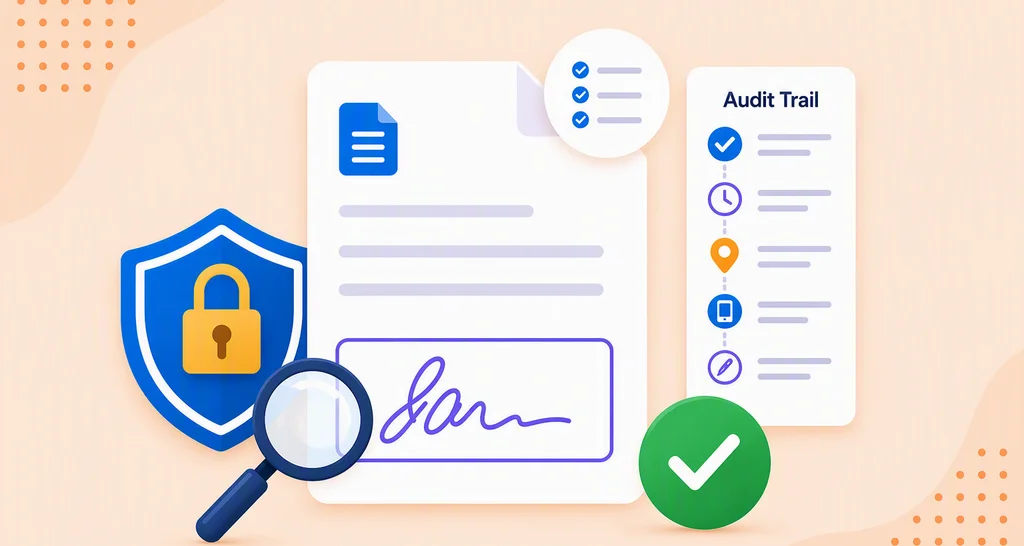
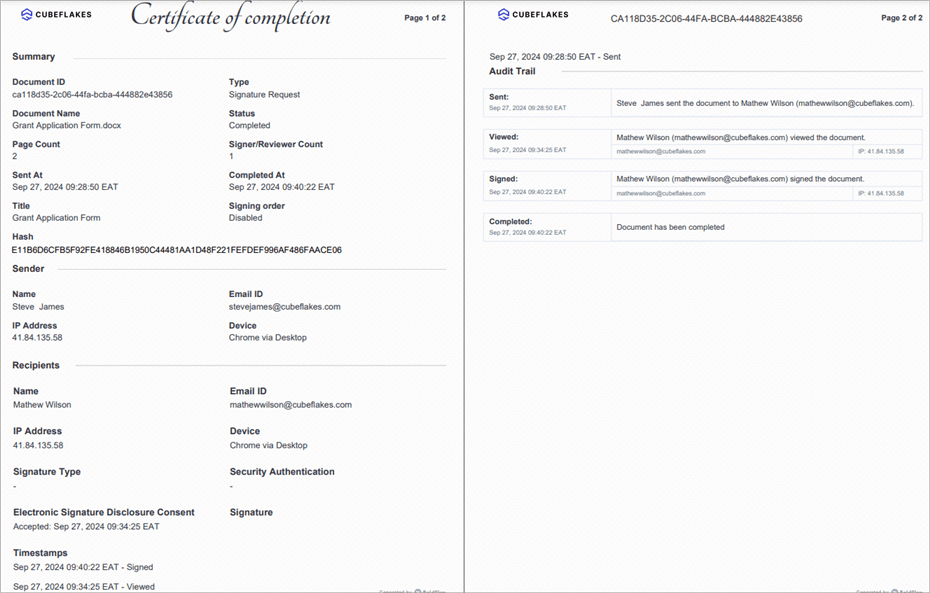
Every completed document comes with an audit trail. It records the document ID, the signers and a timestamp for each action.
Document history also shows the internet protocol (IP) address for each action. A funder or auditor who asks about a signature gets a clear answer. Our eSignature audit trail guide explains what each entry means.
We protect your documents under these security and privacy standards:
- SOC 2 Type 2
- The General Data Protection Regulation (GDPR)
- The Health Insurance Portability and Accountability Act (HIPAA)
- The Payment Card Industry (PCI) Data Security Standard (DSS)
How much does BoldSign cost for a nonprofit grant team?
Verified nonprofits get the Growth plan free for one user. Each extra user costs the standard $5 a month, billed yearly.
The free Growth plan includes 50 envelopes a month and 10 templates. Teams that send many applications can move to the Business plan, which costs a nonprofit $8 per user a month, billed yearly. That is half the standard $15, and it adds unlimited envelopes and HIPAA support.
The Premium plan costs a nonprofit $50 a month for unlimited users, billed yearly, instead of $99. Prices are in USD. To apply, follow our nonprofit application guide and send proof of nonprofit status.
How do you get your next grant application signed?
Pick the step that suits your team today.
- Start a 30-day free trial and send your next grant application for signature.
- Book a demo to see a grant workflow set up for your team.
- Read how to get board approvals signed without waiting for a meeting.
Frequently asked questions
Can a grant application be signed electronically?
Yes, when the funder accepts electronic signatures. Check the funder's guidelines first, since some ask for a specific format or portal.
Who usually signs a nonprofit grant application?
Your executive director or another authorized officer signs for the organization. Some funders also want a board chair, finance lead or project partner to sign.
Do signers need a BoldSign account to sign?
No. Each signer opens the document from the link in their email and signs in the browser or on a phone.
Can I control the order in which people sign?
Yes. You can set a signing order, so the finance lead signs before the director, or let everyone sign at the same time.
What happens if a signer misses the grant deadline?
You can set an expiry date and automatic reminders when you send. Reminders go out on a schedule, and you can extend the expiry date if needed.
Can signers see the signing page in another language?
Yes. You choose a language for each signer, and their signing page and emails appear in it. The options include English, French, German and Spanish.
Is BoldSign free for nonprofits?
Yes, for one user. Verified nonprofits get our Growth plan free for one user, and each extra user costs the standard $5 a month, billed yearly.
How does a nonprofit apply for discounted pricing?
Fill in the application form on our nonprofit page with your organization's name, website, chosen plan and proof of nonprofit status. We review it and email you the activation steps.

Evans Omondi Otieno
Evans Omondi Otieno is a customer support representative and writer at BoldSign, specializing in creating clear, insightful content to help users navigate eSignature solutions. As a blog author, Evans writes well-researched articles that simplify technical concepts, helping businesses and professionals understand how to use BoldSign effectively. With expertise in technical support and content creation, he ensures users have a seamless experience and gain valuable knowledge from his articles.
More posts by Evans Omondi Otieno