Evans Omondi Otieno
TL;DR: You can e-sign mortgage documents online: the borrower signs from a link on any device, and the lender tracks each step. BoldSign adds templates, identity checks, reminders and an audit trail for each loan. Our real estate eSignature page shows how agents and lenders use it.
A home loan comes with a stack of forms: the loan agreement, the promissory note and a long list of disclosures. Each one needs the right signature, and each delay pushes back the closing date.
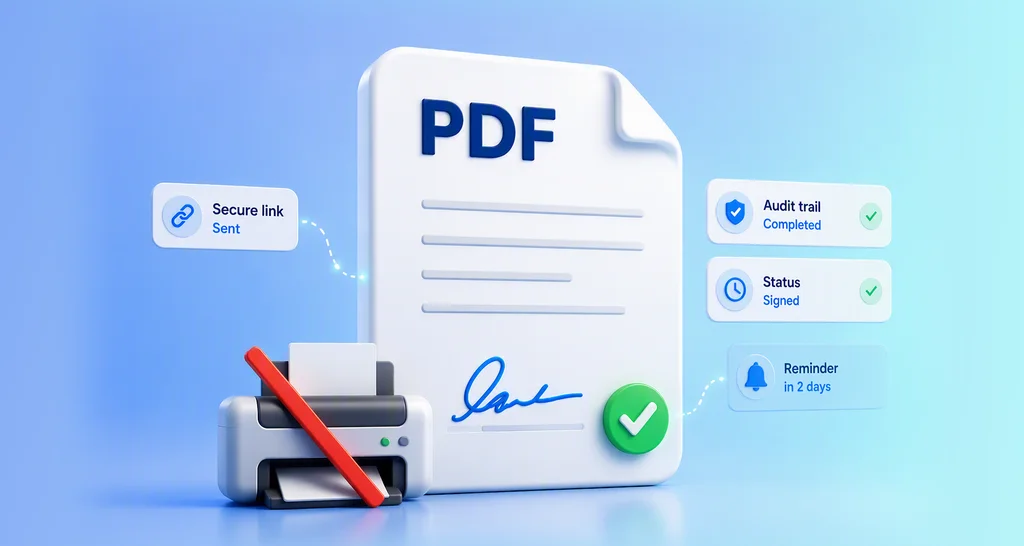
On paper, that means printing, scanning and asking busy buyers to come into an office. With e-signatures, the borrower signs from home on a phone, and the lender sees the moment it happens.
What digital tools do lenders use to speed up the mortgage process?
The core digital tools are e-sign, online document upload and status tracking. Together they replace the courier, the scanner and the “did you sign yet?” phone call.
Think of it like ordering food from an app. You place the order, follow it on a map and get a message when it arrives. A digital mortgage works the same way for each signature.
Can you e-sign mortgage documents legally in the US?
Yes, when the signer agrees to sign electronically and the signed record is kept. The Electronic Signatures in Global and National Commerce (ESIGN) Act says a signature cannot lose legal effect only because it is electronic.
The same law sets a rule for consumers. Information the law says must be in writing can be sent electronically when the consumer agrees first. Before agreeing, the consumer must learn of their right to paper copies and to withdraw consent.
Notarization is a separate step. Under the ESIGN Act, a notarization rule can be met by the notary’s own electronic signature with the other details the law asks for. BoldSign does not notarize documents, so check your state’s rules and your lender’s policy.
How does BoldSign help with mortgage documents?
We cover each part of the signing work, from preparing the forms to storing the signed copy. The sections below take each feature in turn.
Templates for loan agreements and disclosures
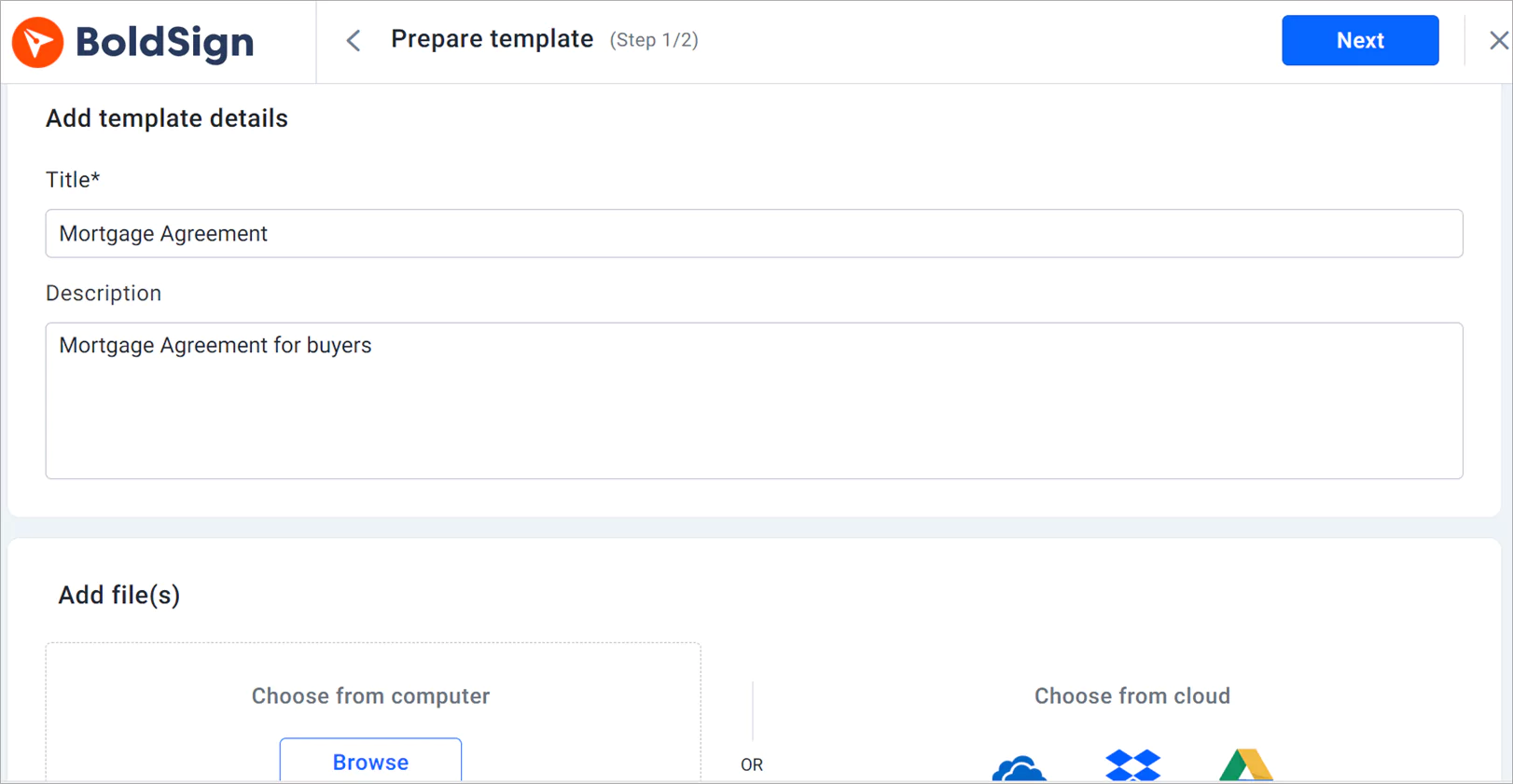
Save a template once for each form you send often. Good candidates are loan agreements, mortgage disclosure statements and promissory notes. Each new loan then starts from a ready form, with the fields already placed.
Signer authentication
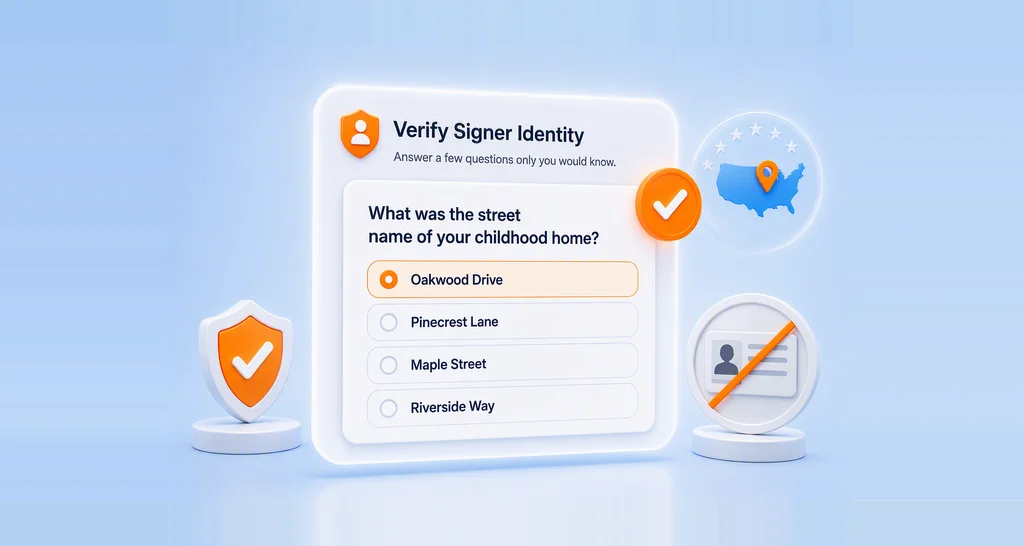
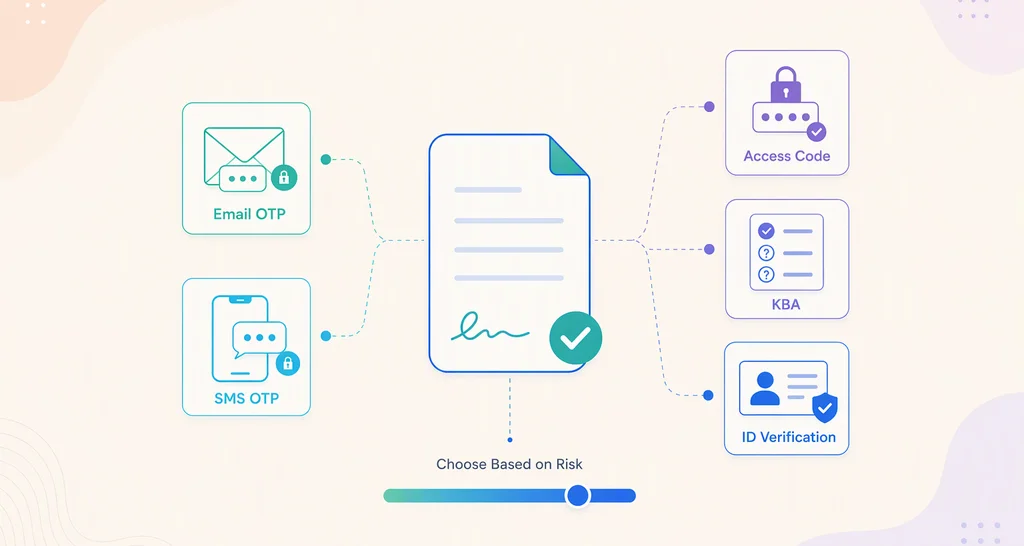
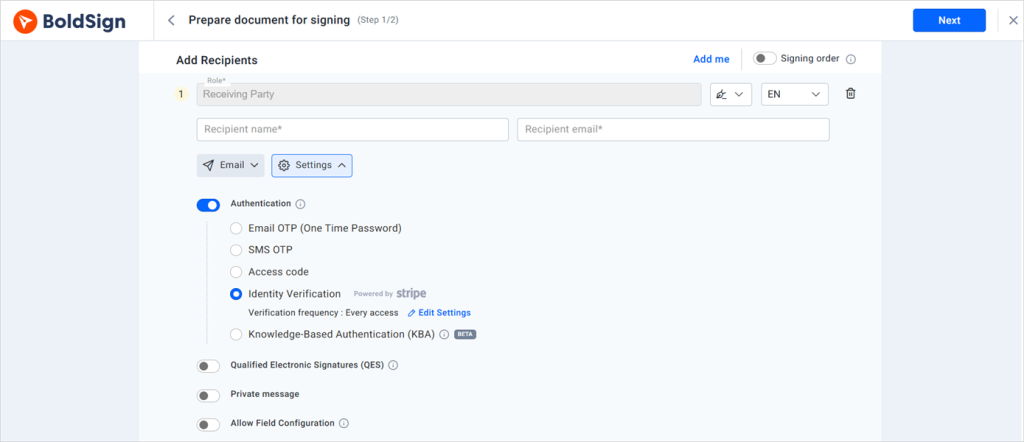
Mortgage files hold personal and financial details, so you want to know who signs. You choose a check for each signer before the document opens:
- An email one-time passcode (OTP)
- An SMS one-time passcode
- An access code you share by another route
- Knowledge-based authentication (KBA) for US signers
- Identity verification with a photo ID
Several signers on one document
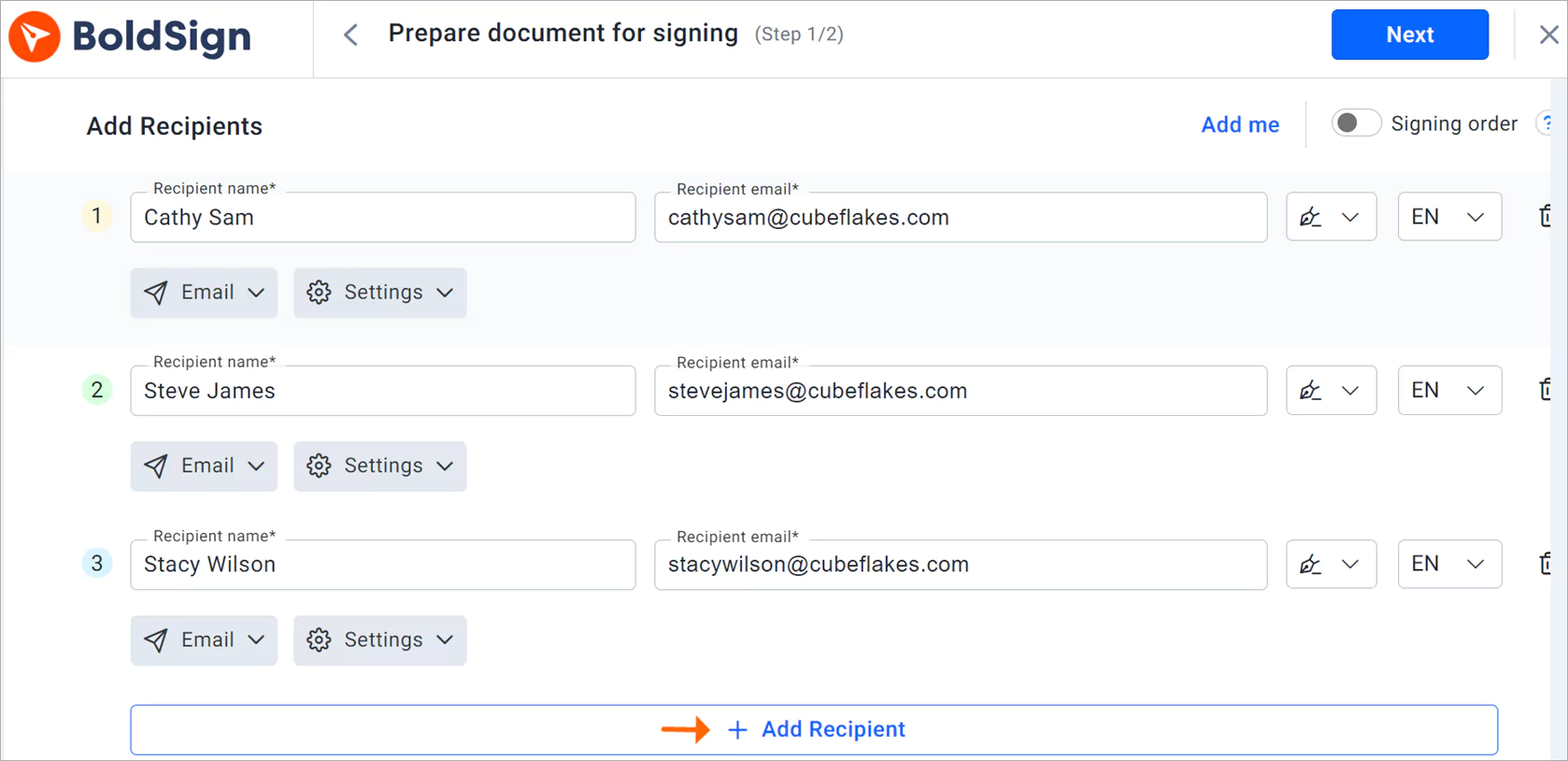
A buyer, a co-borrower and the lender often sign the same form. Add each person as a recipient, and each one gets their own signing link.
Document tracking
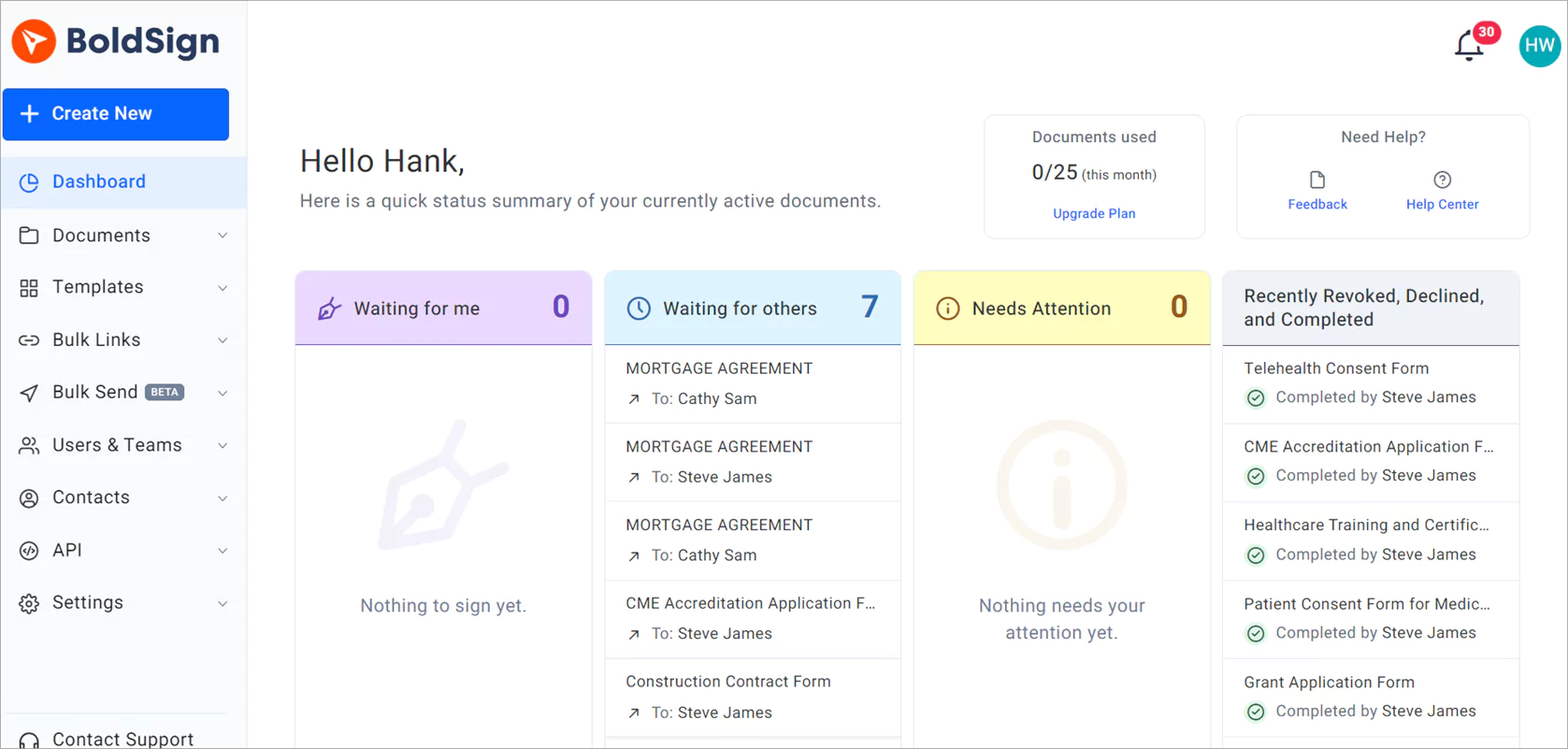
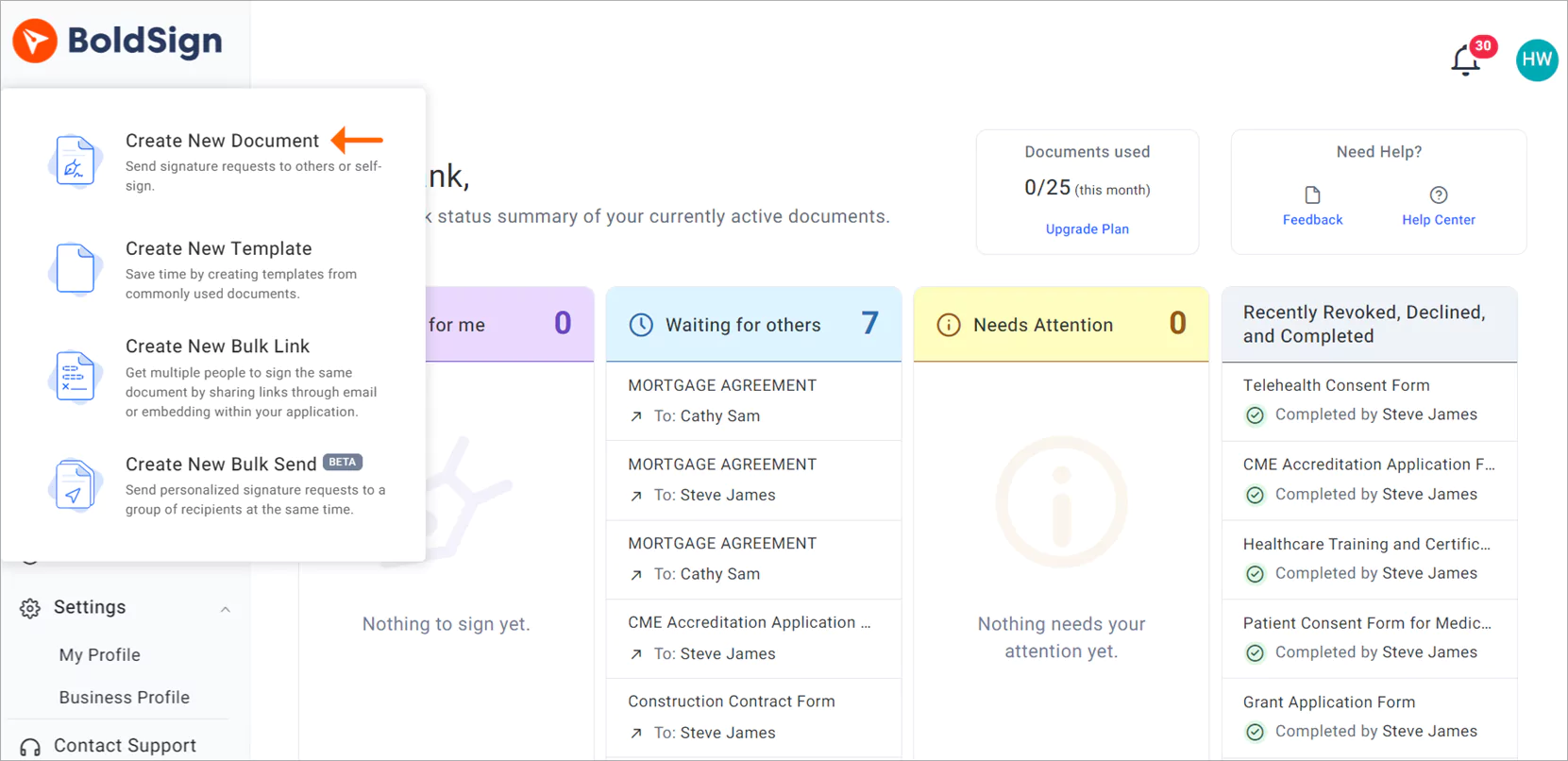
Our document status tracking shows where each file stands, so you spot a stalled loan early. The dashboard sorts documents by status:
- Waiting for me
- Waiting for others
- Needs attention
- Revoked, declined or completed
Expiry dates and reminders
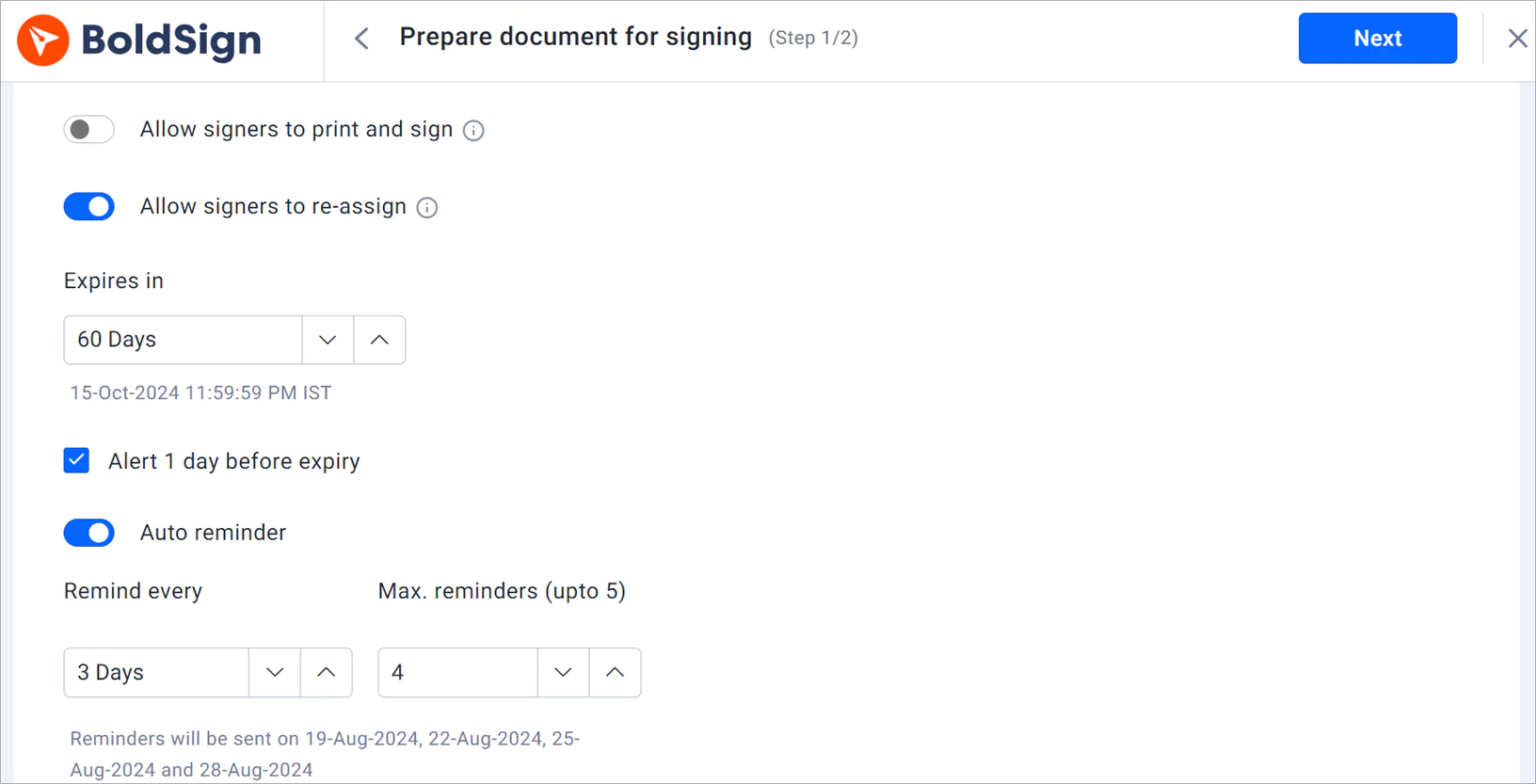
Set an expiry date and reminders when you send a document. Signers get a nudge before the deadline, and you avoid chasing them by phone.
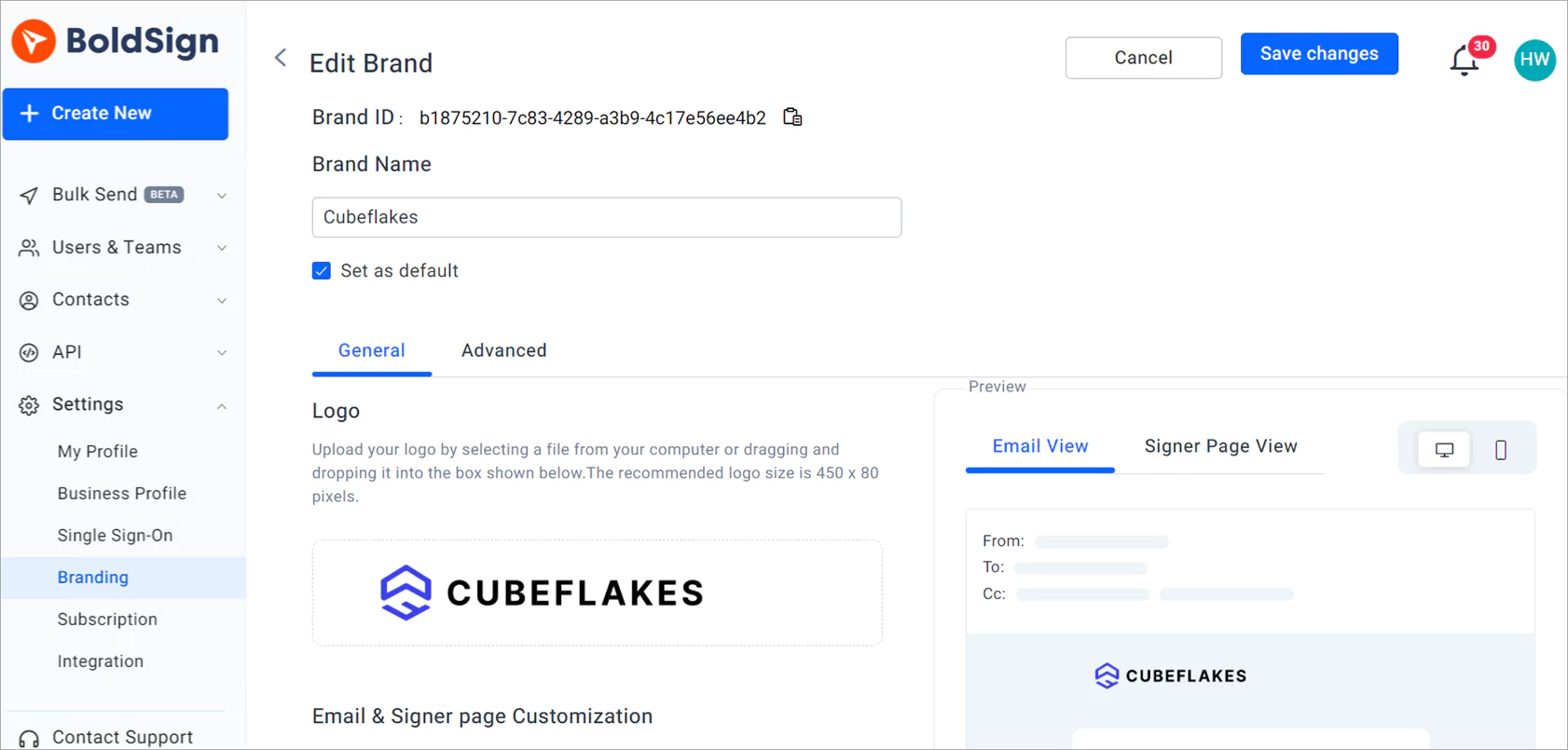
Your brand on every request
Add your logo and colors to signing emails and pages. Borrowers then know the request comes from you and not from an unknown sender.
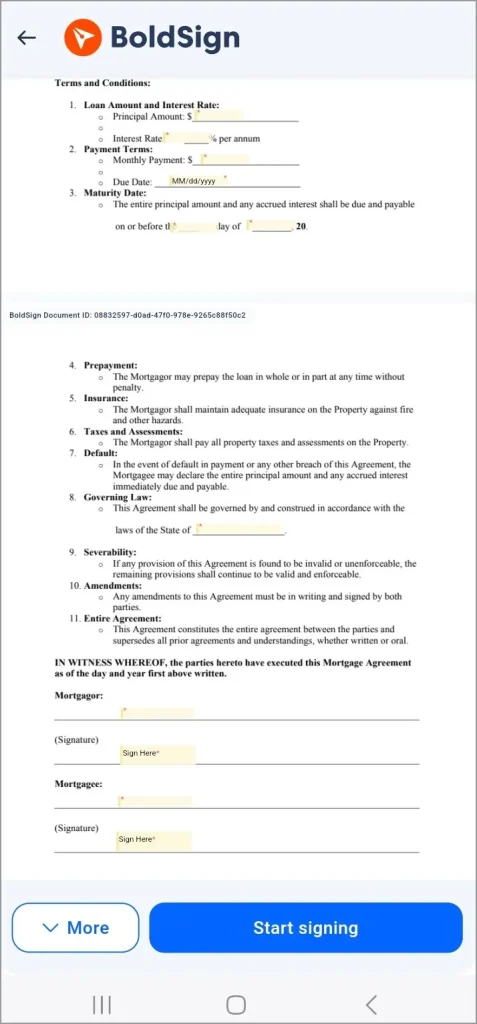
Signing on a phone or tablet
Borrowers can sign on a phone or tablet, wherever they are. Our mobile app also lets you send and track documents on the go.
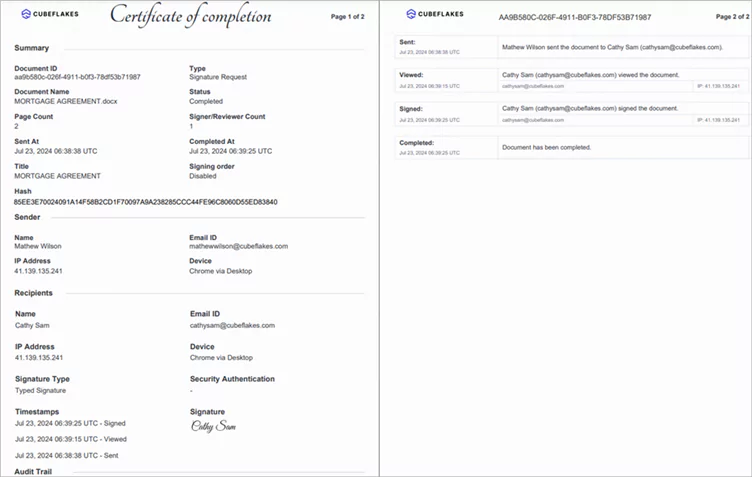
Security and audit trail
Each signed document gets an audit trail. The trail records who viewed and signed it and when, with each signer’s details.
We hold a System and Organization Controls (SOC) 2 Type 2 report and follow the General Data Protection Regulation (GDPR). We also support the Health Insurance Portability and Accountability Act (HIPAA).
No account needed to sign
Borrowers sign from the link in their email, without a password or an app to download. A first-time signer can finish in the browser they already use.
How do you send a mortgage document for signature in BoldSign?
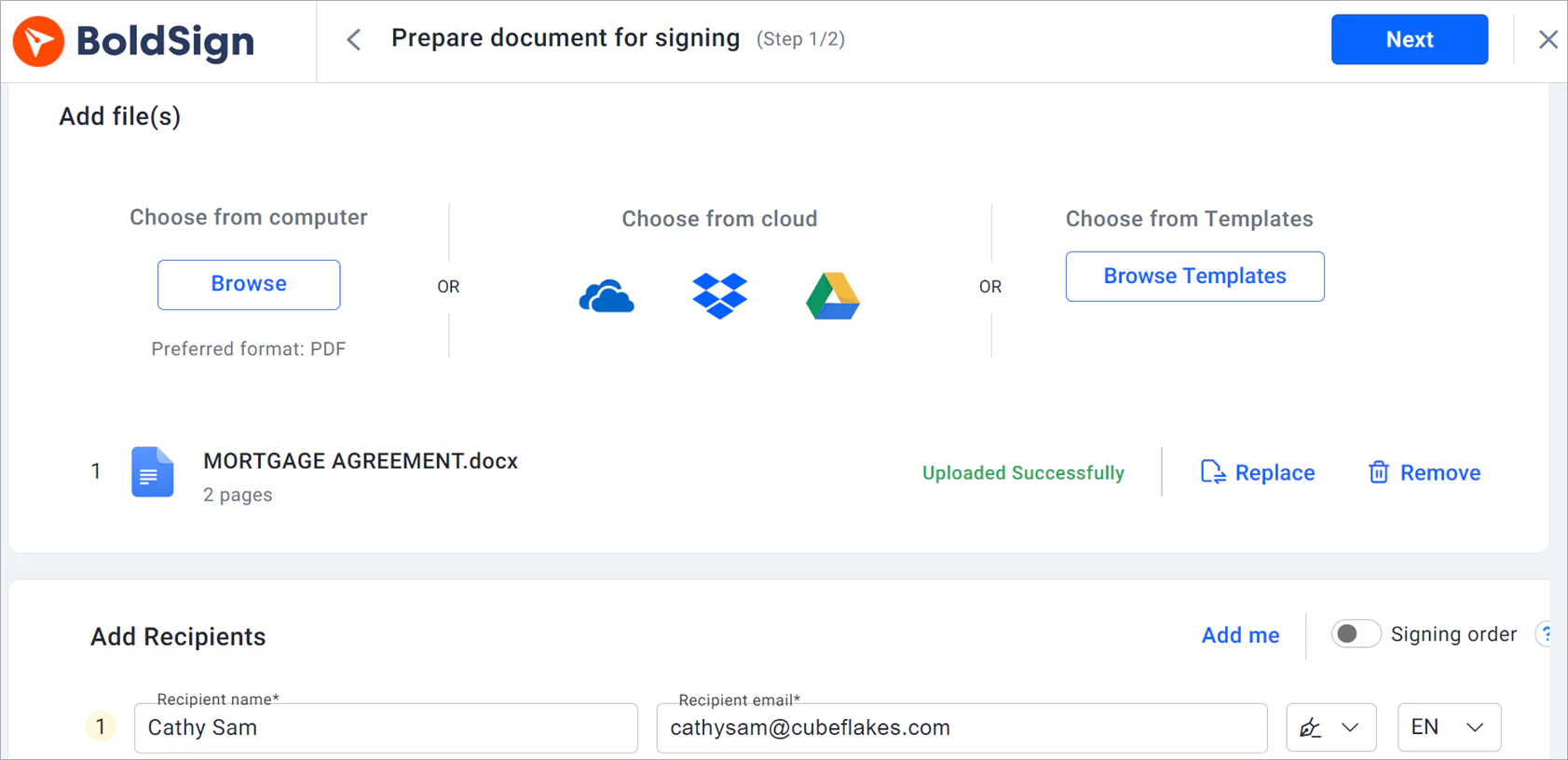
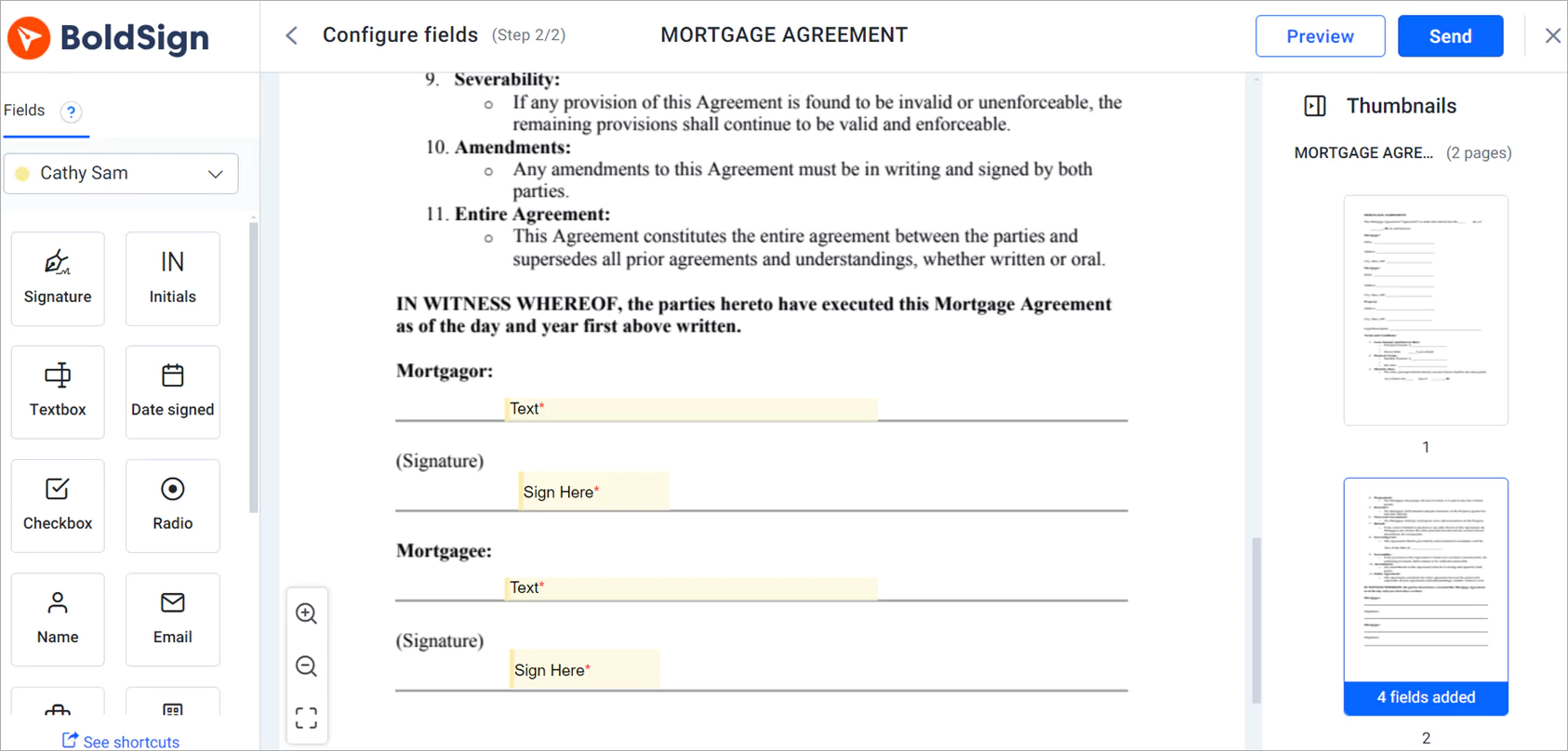
You upload the file, add the signers, place the fields and send. Saved templates cut out most of the set-up for repeat forms.
- Log in to BoldSign or create a free account.
- Click Create New, then select Create New Document.
- Upload the documents you want signed from your device.
- Fill in the required details, such as the signers, then click Next.
- On the Configure fields page, drag fields onto the document, then click Send.
How does a borrower sign a mortgage document?
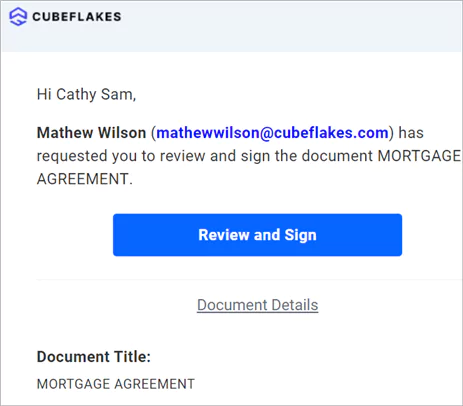
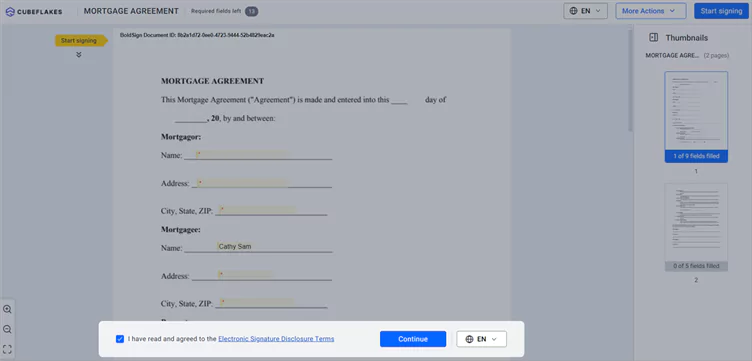
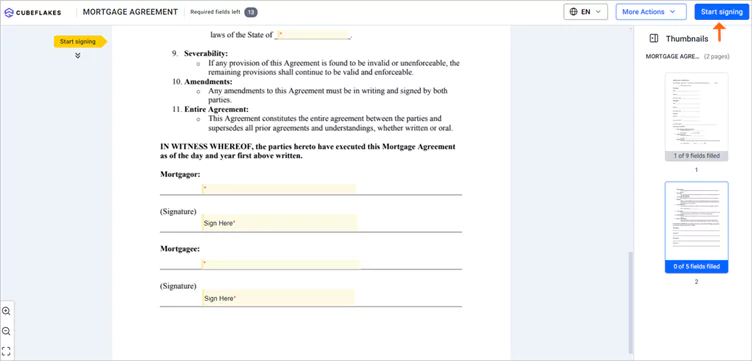
The borrower opens the email, agrees to sign electronically and signs. Each step happens in the browser.
- Click the Review and Sign link in the email to open the document.
- Read the disclosure terms, tick the box to agree, then click Continue.
- Click Start signing, fill in each field, then click Complete signing.
Which BoldSign plan fits a mortgage team, and what does it cost?
A team that needs identity checks needs the Business plan, at $15 per user a month billed yearly. It adds SMS codes, ID verification and KBA.
The free Essential plan includes 2 templates and 25 envelopes a month. The Growth plan costs $5 per user a month and holds 10 templates. The Business plan has unlimited templates, ID verification at $2 per attempt and KBA at $1.50 per attempt.
The Business plan also covers HIPAA and more brands. The Premium plan costs $99 a month for unlimited users. Developers use the Enterprise API plan, from $30 a month with 40 envelopes and $0.75 per extra envelope, after a free sandbox.
Prices are in USD. Each plan has a 30-day free trial, and agents at our partner brokerage get 30% off BoldSign plans.
Where can you go from here?
Pick the step that fits where you are today:
- Start a 30-day free trial and send your first loan form.
- Book a demo to walk through a mortgage workflow with our team.
- Ask a question in our support portal.
Frequently asked questions
Can mortgage documents be signed electronically?
Yes, when the lender, the borrower and the type of document allow it. The Electronic Signatures in Global and National Commerce (ESIGN) Act says a signature cannot lose legal effect only because it is electronic. Steps such as notarization follow their own rules.
Do borrowers need a BoldSign account to sign a mortgage document?
No. A borrower opens the link in the signing email and signs in a phone or computer browser, with nothing to install.
Can a buyer, a co-borrower and a lender all sign the same document?
Yes. You add each person as a recipient when you send the document. Each one gets a signing link, and the audit trail records what every signer did.
Which e-signature platforms have strong API documentation and support multi-party signing workflows?
BoldSign has API documentation with endpoint details and request and response examples, plus software development kits (SDKs) for five languages. A loan origination system that needs digital signatures on PDFs can send one document to several signers. You can test it for free in a sandbox.
Does BoldSign notarize mortgage documents?
No. BoldSign does not notarize documents. Use a notary for any step your state or lender says needs one, and use BoldSign for the signatures around it.
How do I check a borrower's identity before they sign?
Pick a check for each signer when you send. Options run from a one-time code by email or SMS to ID verification with a photo ID.
How do I see where a mortgage document is in the signing process?
Open your BoldSign dashboard. Each document shows a status such as waiting for others, needs attention, declined or completed, so you can see who still has to act.
How much does BoldSign cost for a mortgage team?
The Essential plan is free. Growth costs $5 per user a month and Business costs $15 per user a month, billed yearly. Business adds SMS codes, ID verification and knowledge-based authentication.

Evans Omondi Otieno
Evans Omondi Otieno is a customer support representative and writer at BoldSign, specializing in creating clear, insightful content to help users navigate eSignature solutions. As a blog author, Evans writes well-researched articles that simplify technical concepts, helping businesses and professionals understand how to use BoldSign effectively. With expertise in technical support and content creation, he ensures users have a seamless experience and gain valuable knowledge from his articles.
More posts by Evans Omondi Otieno