Preethi Loganathan
TL;DR: To request a signature on a PDF, upload the file to an eSignature tool and add each signer’s name and email. Place the signature fields and send. The signer gets a secure link and signs on any device, and our eSignature features page shows what else you can set before you send.
The PDF is final and one person needs to sign it. Three days later it still sits in an inbox, and you are writing another polite follow-up.
This guide shows how to request a signature on PDF files and how to set the request up so it comes back fast. Sending takes a few minutes in most tools. Your choices before you send decide how long the signature takes.
Where do PDF signature requests lose time?
Most delays come from how the request was set up, not from a slow signer. Paper, plain email and unclear fields each add their own wait.
The print, sign and scan loop is the plain case. The signer prints the PDF, signs it and emails back a crooked scan. That scan is hard to search, and the signature on it is hard to check.
A PDF sent as an email attachment has a quieter problem. You have no way to see whether the signer opened it or forwarded it. From your side, silence and a delay look the same.
Unclear fields cause rework. A signer who cannot tell where to sign or which date to fill in will write back with a question. Each question adds another round trip.
How does a sign request work?
A sign request sends each signer a secure link to your PDF, with fields placed where they need to act. The tool records each step and returns a signed PDF with an audit trail.
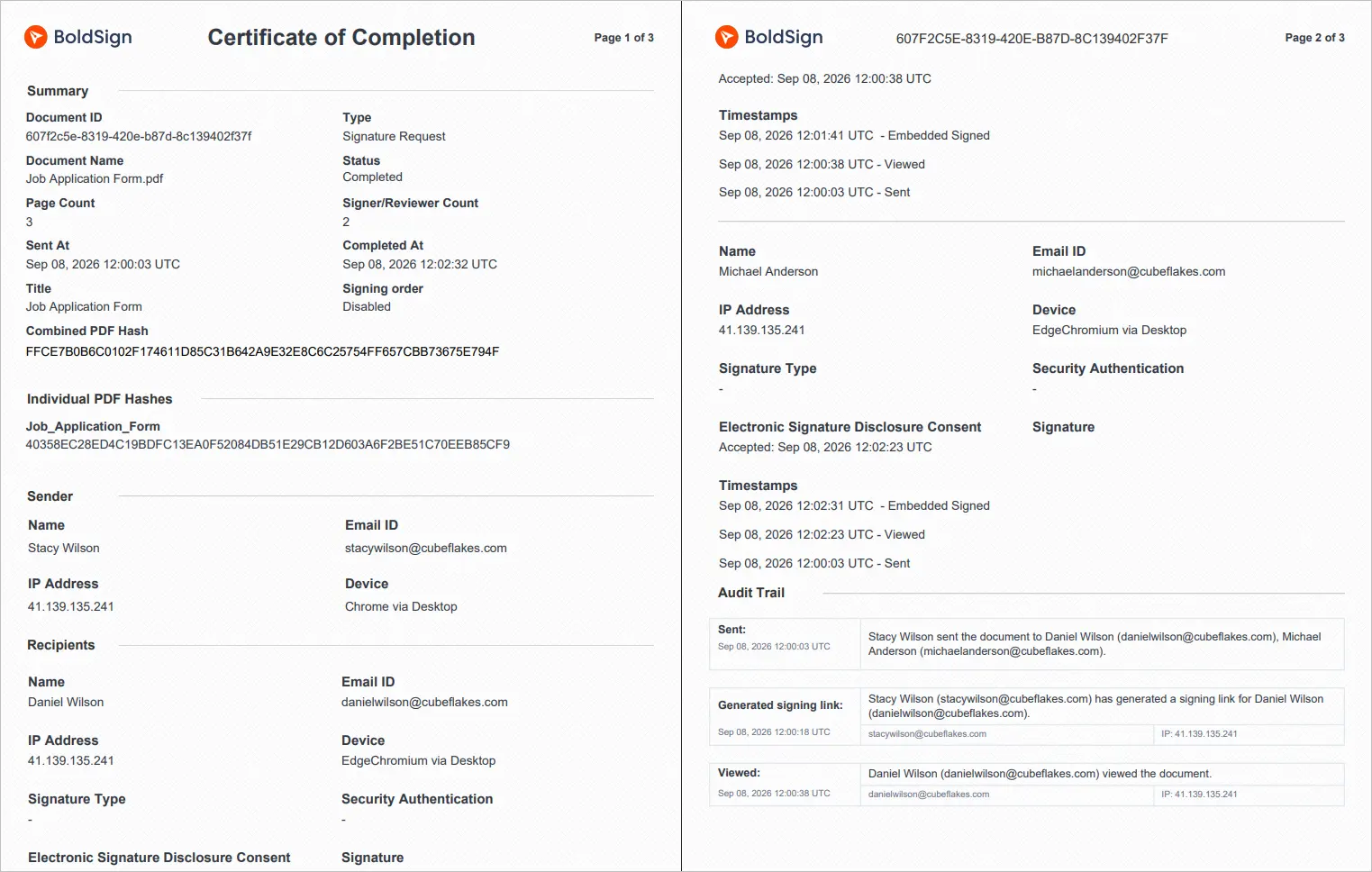
An audit trail is the record of what happened to a document. Ours lists names, email addresses, internet protocol (IP) addresses, devices and timestamps for each action. It also shows how each signer proved who they are.
A shop receipt works in a similar way. It shows what happened, when and where, so you can point to it later in a dispute.
Are signatures on a PDF legally valid?
Yes, when the parties agree to sign electronically and the signed record is kept. The Electronic Signatures in Global and National Commerce (ESIGN) Act says a signature or contract keeps its legal effect in electronic form.
Most US states also follow the Uniform Electronic Transactions Act (UETA), which covers much of the same ground. Some document types carry extra rules, so check with your lawyer for anything unusual in your industry.
Do you need a full eSignature workflow for every PDF?
Often you do not. The right setup depends on how many people sign, how often you send and how much the document is worth.
| Your situation | What you need |
|---|---|
| You sign a PDF yourself and send it on | A free self-signing tool |
| One or two signers, a few documents a month | Fields, email delivery and status tracking |
| The same PDF goes out again and again | A reusable template with fields already placed |
| A contract that needs a countersignature | Signing order, status tracking and reminders |
| High-value or regulated agreements | Stronger signer checks and a downloadable audit trail |
| Signing has to happen inside your own product | An eSignature API with embedded signing |
Watch for repetition. The time goes into setup and follow-up once you send the same agreement several times a month.
How do I request a signature on a PDF?
Upload the PDF to an eSignature tool, add the signer, place the fields and send. The steps below show each part in BoldSign, with the choice that matters at each one.
Use the same steps when you request customer signatures on a quote or an order form. The labels below match the BoldSign web app.
Upload the final version, not the working draft
Signers can sign or decline, but they cannot fix your numbers. A wrong figure found after sending means you cancel the request and start again.
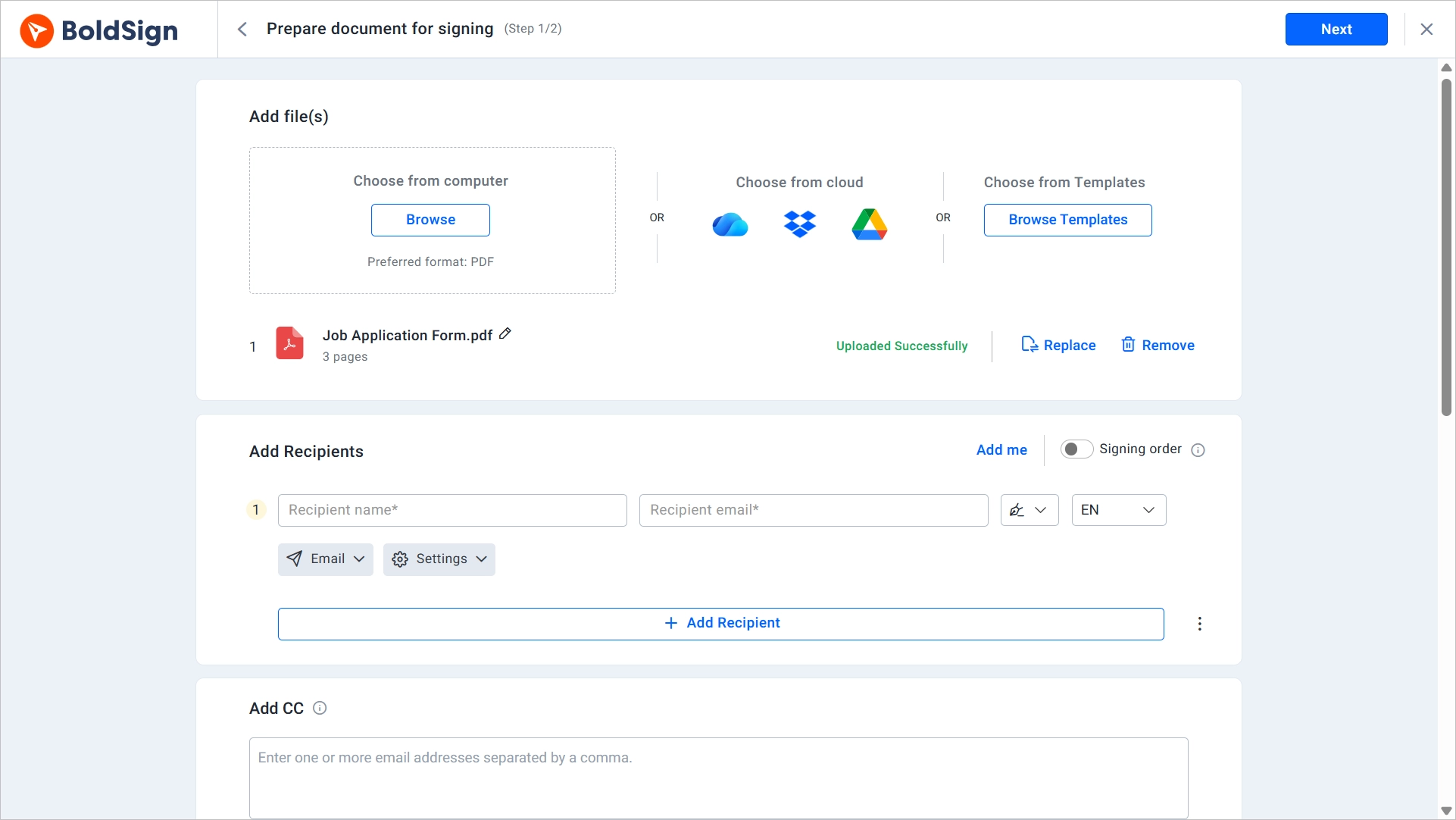
- Select Create New, then Create New Document.
- On the Prepare document page, upload the PDF from your computer or cloud drive.
- Check that the file is the final version before you continue.
Add each recipient by the role they play
Add each person’s name and email in the Add recipients section, or select Add me to include yourself. Then give each person a role, so a reviewer is never asked to sign.
The most common role is Signer: that person must complete fields in the document. People who only need the signed copy go in the CC (carbon copy) box. A two-party contract should still need only two signatures.
Place fields where the signer has to act
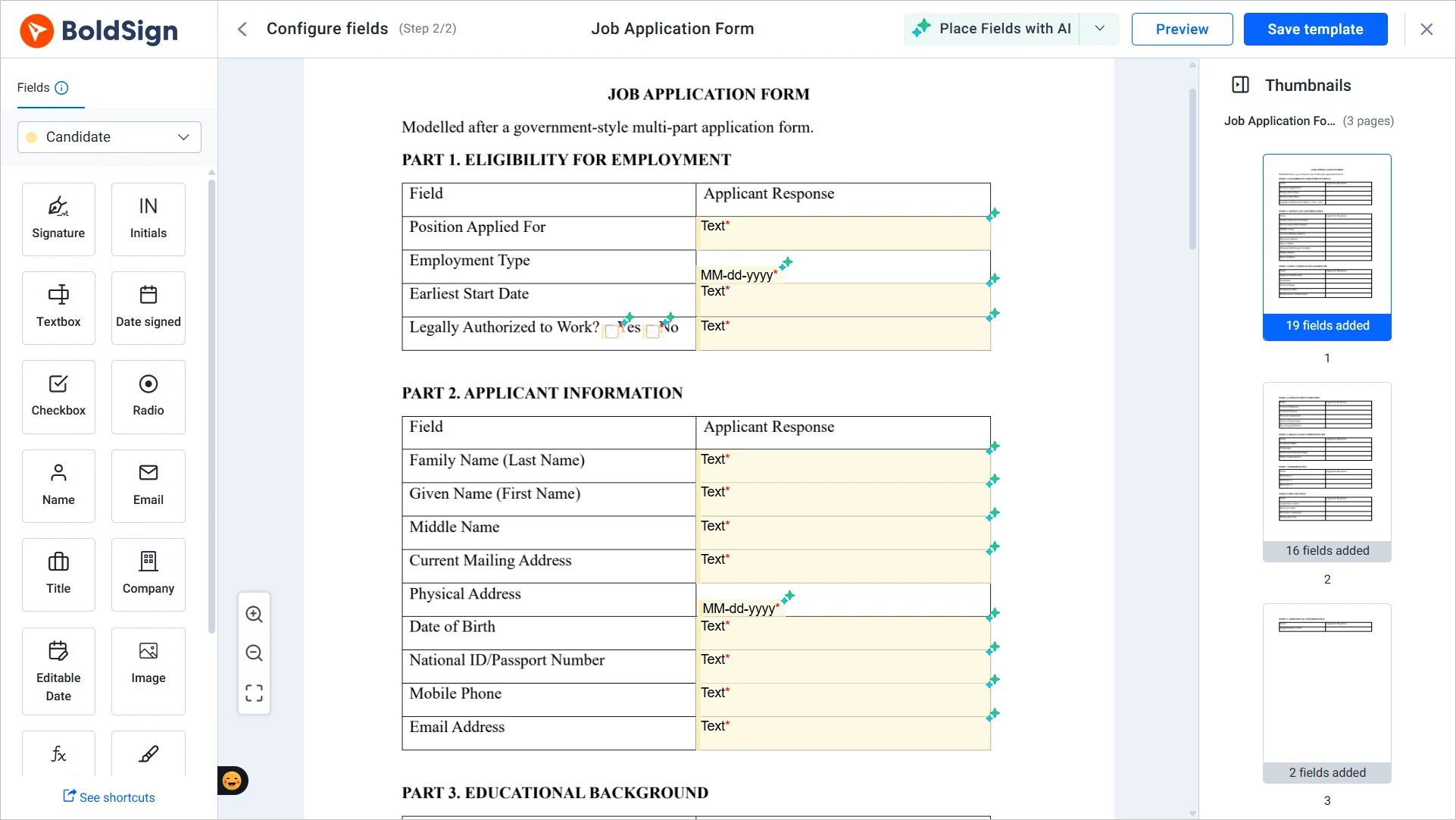
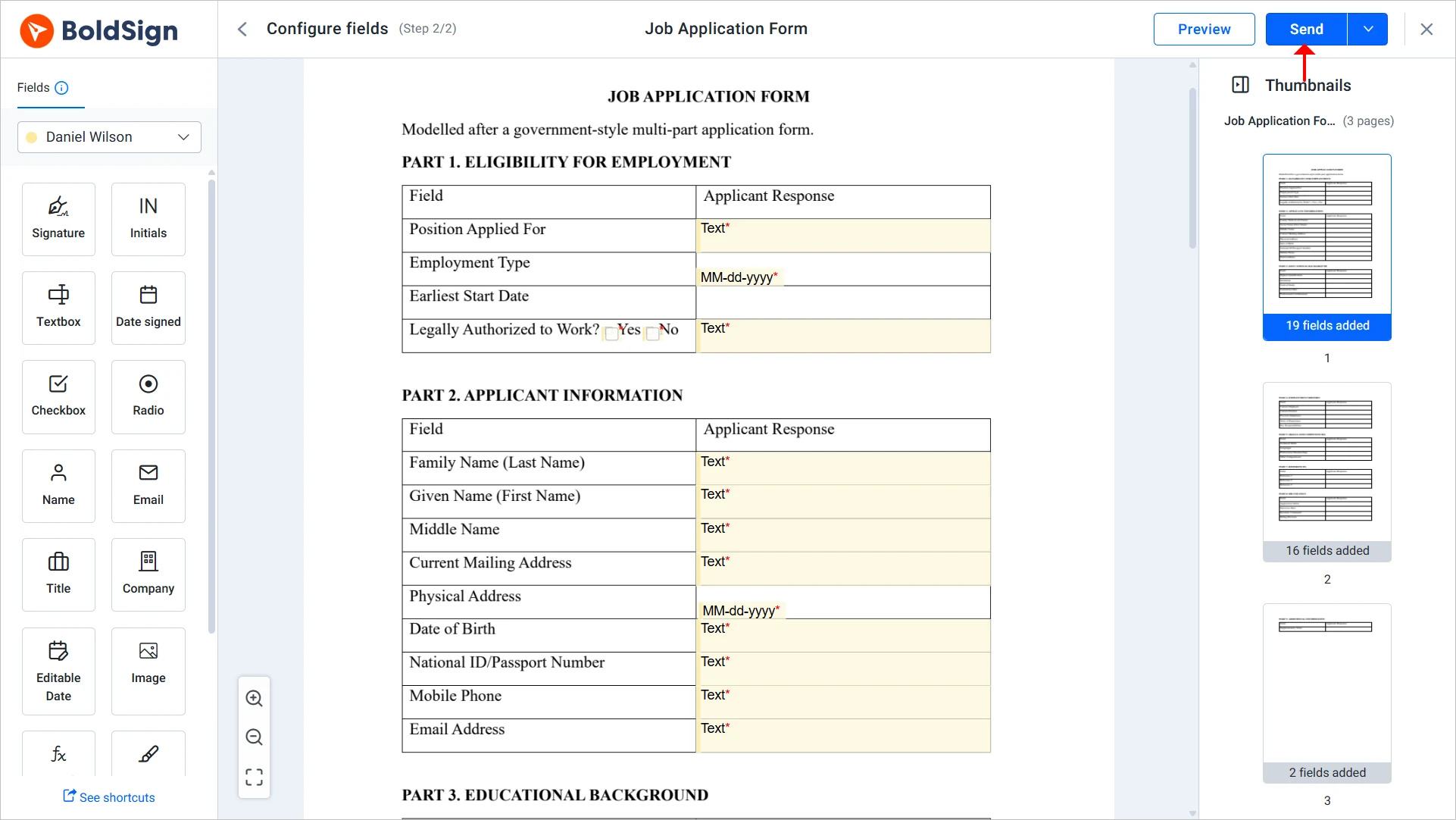
Select Next to open the fields page, then drag fields onto the exact spots where the signer needs to act. Assign each field to a signer and mark the ones they must fill in.
- Signature and Initials fields for each signer.
- Date signed fields, so nobody guesses the date format.
- Text and Checkbox fields for details the signer adds.
Fill in known details before you send, such as the contract value or start date. Our guide on prefilling form fields shows how.
Building a reusable template? Our artificial intelligence (AI) feature, Place Fields with AI, finds and places the fields for you. You then review and adjust each one.
Set signing order only when order matters
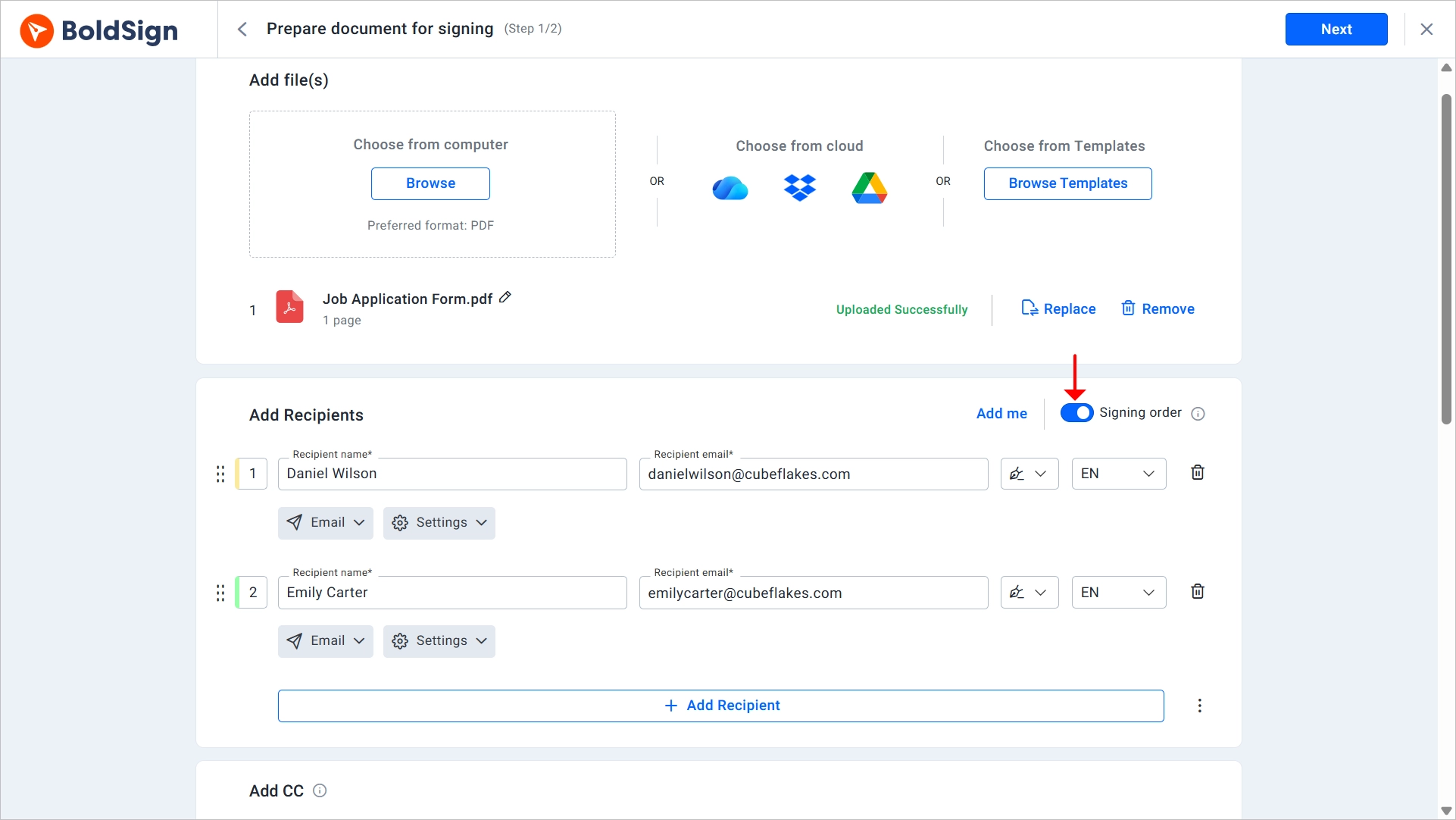
Turn on the Signing order toggle when one signature depends on another. A common case is a manager who countersigns after the customer.
With signing order on, only the first signer receives the PDF request at first. Each later signer gets it after the person before them finishes.
Leave it off when people can sign on their own, such as department heads who each acknowledge a policy. Everyone then gets the document at once.
Match signer authentication to what the document is worth
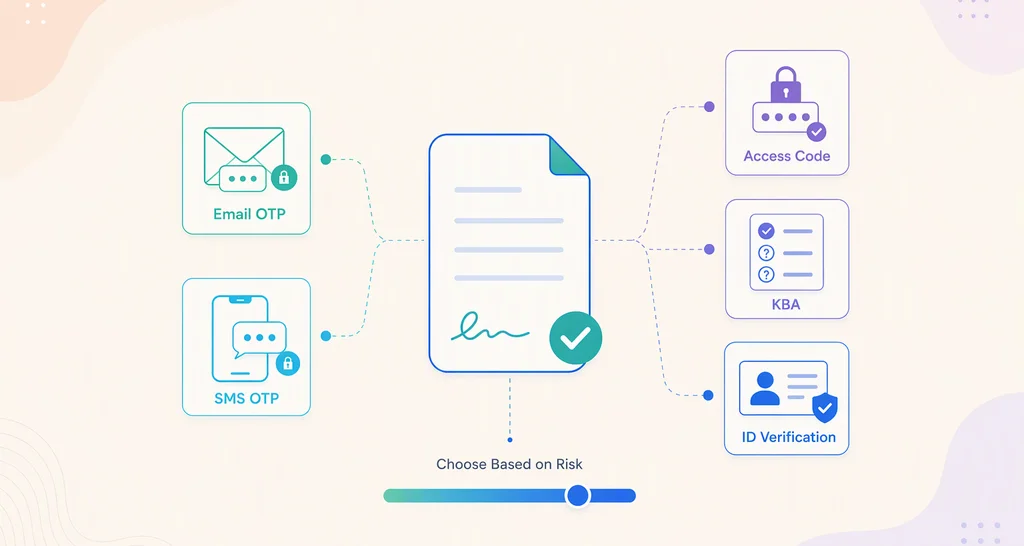
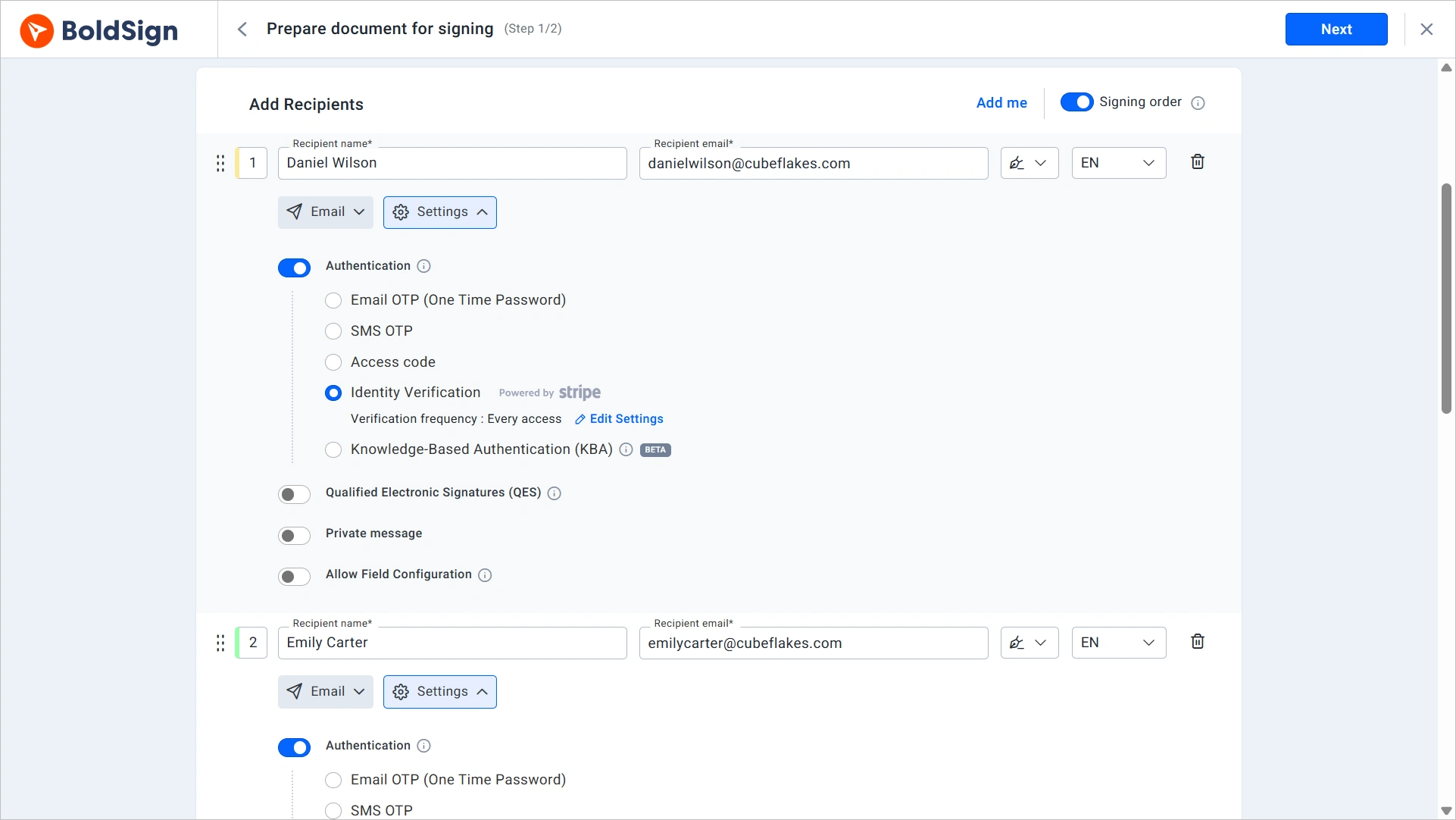
Each signer can have their own check, so one document can use a light check for one person and a strong check for another. We offer these methods:
- An email one-time passcode (OTP) or an SMS OTP.
- An access code that you share with the signer yourself.
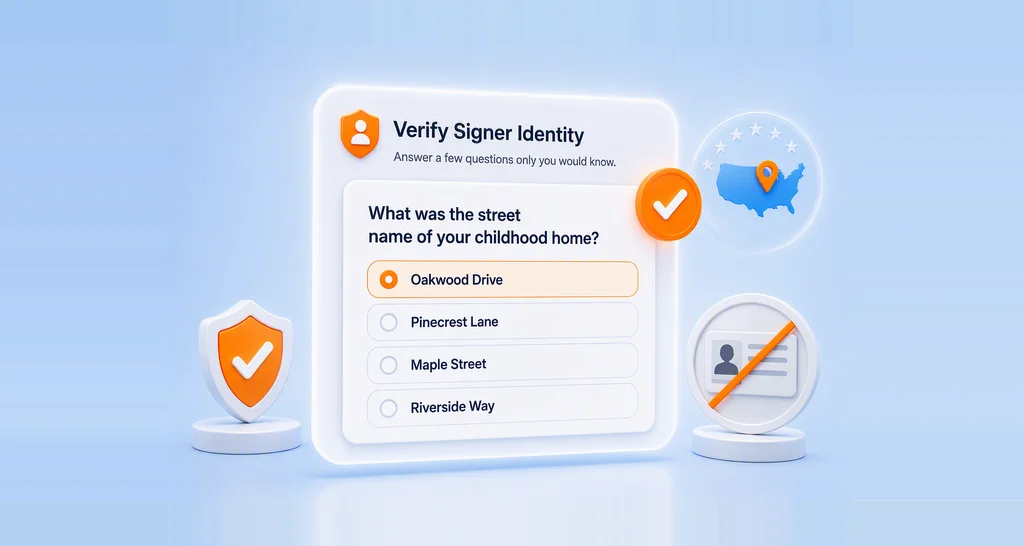
- Knowledge-based authentication (KBA), where the signer answers questions about their own history.
- ID verification, where the signer scans a photo ID.
A routine internal acknowledgment rarely needs ID verification, but a loan agreement may. The audit trail records each check, so a stronger check also gives you stronger evidence.
Pick the delivery channel your signer checks
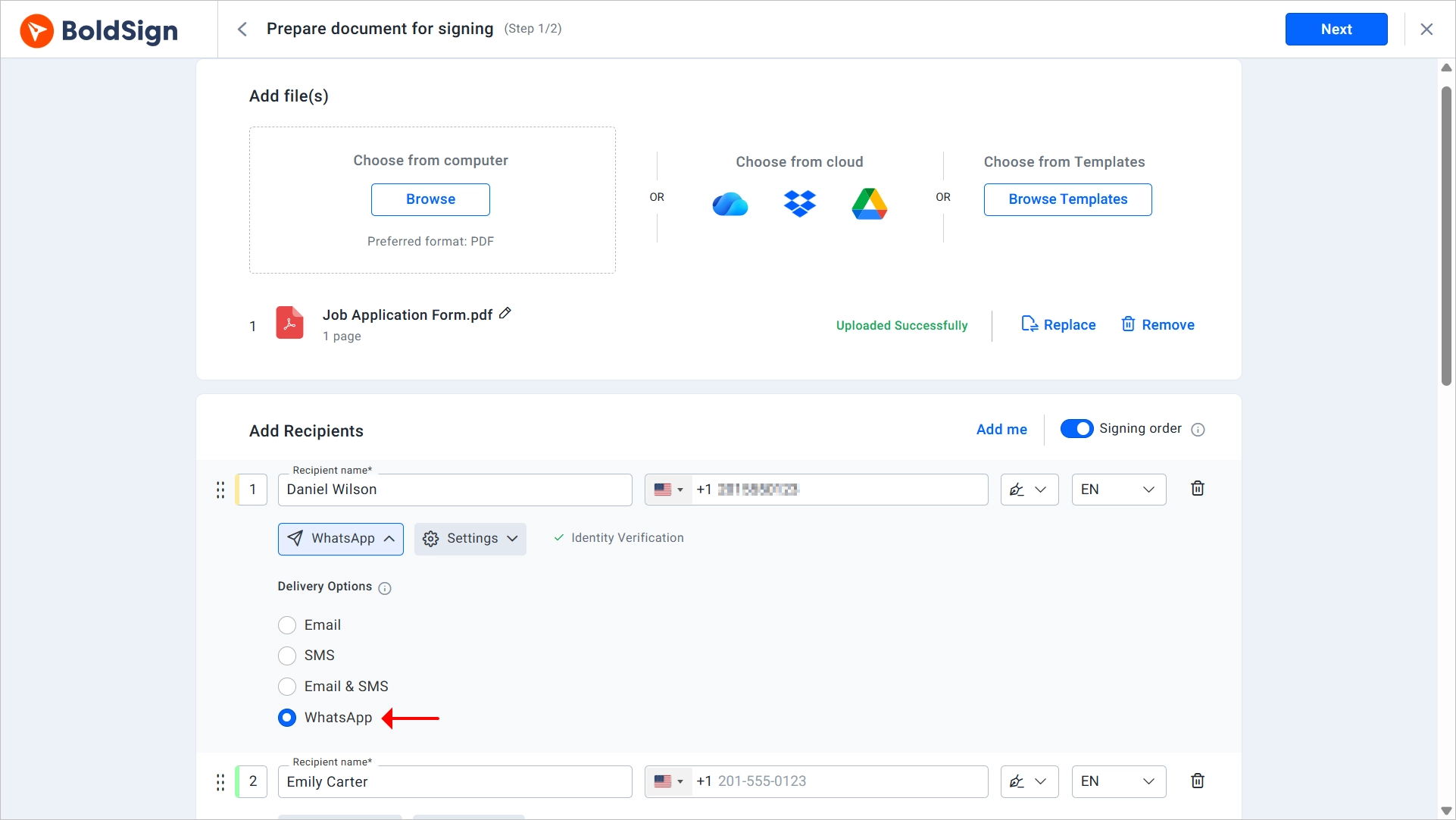
Email is the default. In the Delivery Options dropdown, choose Email & SMS to send the signing link by email and text message.
Plan your follow-up before you choose it. Our Email and SMS help article notes that SMS signers get no automatic reminders, so send those by hand.
For signers who use WhatsApp, you can send the request through WhatsApp instead.
Send, then work from document status
In the Document settings section, set an expiry date and automatic reminders for anyone who has not signed. Then select Send.
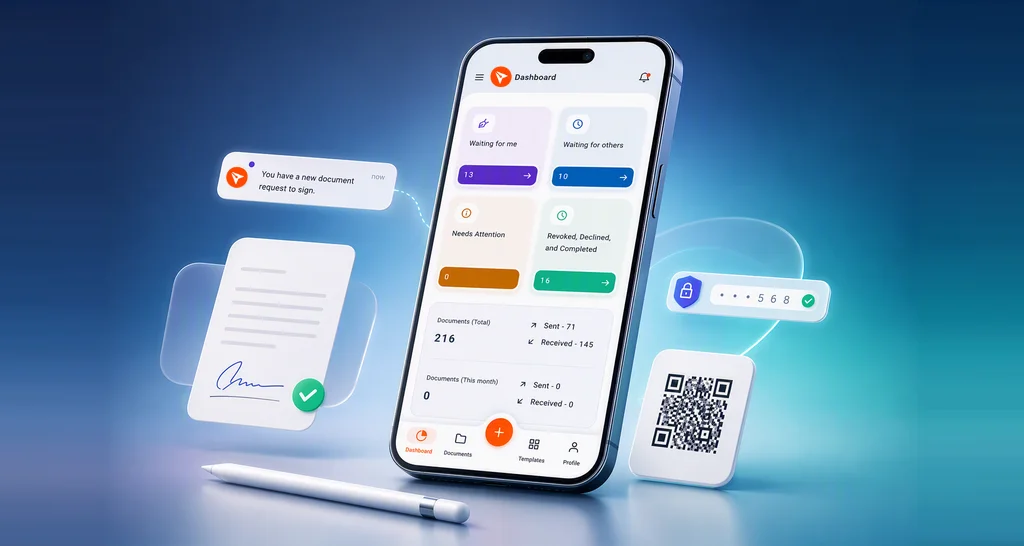
Your dashboard shows the status of each document and who it is waiting on. Use Remind now for the one deal that cannot wait.
Once everyone signs, download the signed PDF with its audit trail. You now hold a record of who signed and when, in place of an email thread.
How to request a signature on a PDF you send often
Save the prepared PDF as a template, with fields, roles and signing order already set. An HR team that sends offer letters each week then skips the setup every time.
Teams that build signing into their own product can send the same request from code. Our developer guide on how to request signatures by email with the API shows each call.
Which BoldSign plan do you need, and what does it cost?
You can send PDF signature requests on every plan, including the free one. Prices below come from the BoldSign pricing page in November 2026, in USD, billed yearly.
The Essential plan is free. It includes 25 envelopes a month with a business email signup, 2 templates and an audit trail. The Growth plan costs $5 per user a month and adds 50 envelopes a month and 10 templates.
The Business plan costs $15 per user a month and adds the stronger options from this guide:
- SMS OTP, KBA and ID verification for signers.
- Delivery by text message and WhatsApp.
- Place Fields with AI for templates.
The Premium plan costs $99 a month for unlimited users and includes the same features.
Embedded signing and live use of the API need the Enterprise API plan, from $30 a month with 40 envelopes. You can try BoldSign first with a 30-day free trial.
What should you do with your next PDF?
Pick the next step that fits where you are.
- Start a 30-day free trial and send your next PDF for signature.
- Book a demo to see signing order, reminders and signer checks set up for your documents.
- Read how HR teams send employment contracts for signature with templates.
Frequently asked questions
What is the easiest way to request a signature?
Send the PDF through an eSignature tool. You add the signer's name and email, place a signature field and send. The signer gets a link and signs in a browser.
I have an employment contract PDF. How do I request signatures?
Upload the contract, add the new hire as a signer and yourself as the second signer, then turn on signing order. Place the fields and send. Save it as a template if you send it often.
How does the sign request feature work in BoldSign?
We create a secure link for each signer and email it to them. The signer opens the PDF, fills in the fields you placed and signs. We then send everyone the signed copy.
How to request signature on PDF without printing it?
Use an eSignature tool in place of a printer. The signer opens your PDF in a browser, signs on screen and submits it, so nobody prints, scans or posts anything.
How to request PDF signature from several people?
Add each person as a recipient on the same document. Turn on signing order when one person must sign after another. Leave it off so everyone can sign at the same time.
How to request electronic signature in PDF files for free?
Sign up for our free plan with a business email address. It lets you send up to 25 envelopes a month, with an audit trail and 2 templates.
Are electronic signatures on PDFs legally binding?
Yes, when the signer means to sign and agrees to sign electronically, and the signed record is kept. US federal law gives these signatures the same effect as ink. Some document types carry extra rules.
Does the signer need an account to sign a PDF?
No, a signer needs only the link in the signature request email. They open it, review the PDF and complete the fields you assigned to them.

Preethi Loganathan
Preethi is a Digital Marketing Executive at BoldSign who develops precise, research-driven content on eSignatures, compliance, and digital signing workflows. She works closely with product and engineering teams to ensure every article is accurate, validated, and aligned with industry best practices. Connect with her on LinkedIn.
More posts by Preethi Loganathan