Electronic Consent Guide for E-Sign Disclosure Requirements
 Christine Akinyi Omolo
TL;DR: The Electronic Signatures in Global and National Commerce (ESIGN) Act sets rules for sending required records to consumers by email. First you explain their rights and the technology they need. Then the consumer must agree in electronic form, and you must keep proof. Our eSignature audit trail records when each signer agreed to the disclosure.
Picture an online insurer that sends policies and notices by email. An auditor asks to see how customers agreed to get those notices without paper. The signed policies are on file, but the consent records are not.
This guide shows what the law asks for, what a good disclosure says, and how to collect consent with us.
What is electronic consent under the ESIGN Act?
Electronic consent is a consumer’s clear yes to getting records on a screen instead of on paper. The ESIGN Act sets the rules for that yes.
Think of a gym that asks before it switches you to email bills. It tells you how to get paper again and what you need to read the bills. Then it waits for you to say yes.
The rules sit in 15 U.S.C. 7001(c), on the Legal Information Institute site at Cornell Law School. They protect the consumer’s choice and their access to the record.
When do E-Sign consumer disclosure requirements apply?
The rules apply when a law requires you to give a consumer information about a deal in writing. In that case, an electronic copy counts only after the consumer agrees under the rules below.
A contract between two firms is outside these rules. So is a record that no law requires in writing. Ask your legal team which of your notices, statements and forms fall under them.
The rules also leave other laws in place. Section 7001(c)(2) says the ESIGN Act does not change the content or timing of a disclosure another law requires.
What must an E-Sign consumer disclosure include?
Before the consumer agrees, you give them a clear and conspicuous statement. Under section 7001(c)(1)(B), it covers four points.
- Their right to get the record on paper, and to withdraw consent, with any fees or conditions
- Whether consent covers one deal or named types of records
- How to withdraw consent and update their email or other contact details
- How to ask for a paper copy later, and whether a fee applies
Keep this notice apart from your general terms. A reader should find it without hunting through a long policy.
What must you say about hardware and software?
Section 7001(c)(1)(C) asks you to list the hardware and software a consumer needs to open and keep the records. For example, name the devices, browsers and file formats you use.
Your needs may change later in a way that could stop people from opening or keeping records. Then you must send the new needs and their right to withdraw without a fee, and collect consent again.
How must the consumer give consent?
The consumer must agree on purpose, and the consent must not be withdrawn. They agree or confirm in electronic form, in a way that shows they can open the format you will use.
Here are common ways teams collect that proof.
- An unchecked box or an I Agree button next to the disclosure
- A typed name or electronic signature after the disclosure
- A test file in the same format that the consumer opens before agreeing
What can happen when a consumer withdraws consent?
Records you sent before a withdrawal stay valid. Under section 7001(c)(4), it takes effect within a reasonable time after you receive it.
Make the way to withdraw easy to find and use. Say how to do it in the disclosure, and act on each request quickly.
What does a clear consent disclosure look like?
A good disclosure uses plain words and short lines. The sample wording below shows one way to cover each point.
| What the law asks | What it means | Sample wording |
|---|---|---|
| Paper option | The consumer knows paper is available | “You may ask for a paper copy at any time.” |
| Scope | The consumer knows which records go by email | “This consent covers all monthly statements.” |
| Technology | The consumer can open and keep the records | “You need a device with a PDF reader.” |
| Consent | The consumer agrees on purpose | The consumer selects I Agree after reading the notice |
| Withdrawal | The consumer can take consent back | “Email support@example.com to withdraw.” |
Ask your legal team to review your final wording. The table is a starting point, not legal advice.
What mistakes put electronic consent at risk?
Most problems come from treating consent as a side effect of signing. These are the gaps auditors tend to find.
- Assuming that a signature also means consent to get every record online
- Using a pre-checked box, so nobody can show the consumer chose
- Keeping the signed contract but not the proof of consent
- Changing file formats or apps without telling consumers
- Hiding how to withdraw, or taking weeks to act on it
Review your consent flow during each audit and after each system change. A short check then saves a long search later.
How do you collect electronic disclosure consent in BoldSign?
We show signers a disclosure dialog titled “Electronic signature disclosure terms” before they sign. You choose who sees it in your settings, as our help article on managing electronic signature disclosure consent explains.
- Open the Settings menu and select Business Profile.
- Scroll to the Electronic Signature Disclosure Consent section.
- Choose an option from the dropdown list.
- Select Save Changes.
Which disclosure options can you choose?
Each option changes who sees the dialog and when.
- Display to all signers is the default. Every signer must read and agree before signing each document.
- Display to external signers only shows the dialog to signers outside your organization.
- Show once per signer shows it once, and again when the custom legal terms on a brand change.
- Do not display hides the dialog. The audit trail then shows the note “Not requested by the sender.”
Where do you find proof of consent?
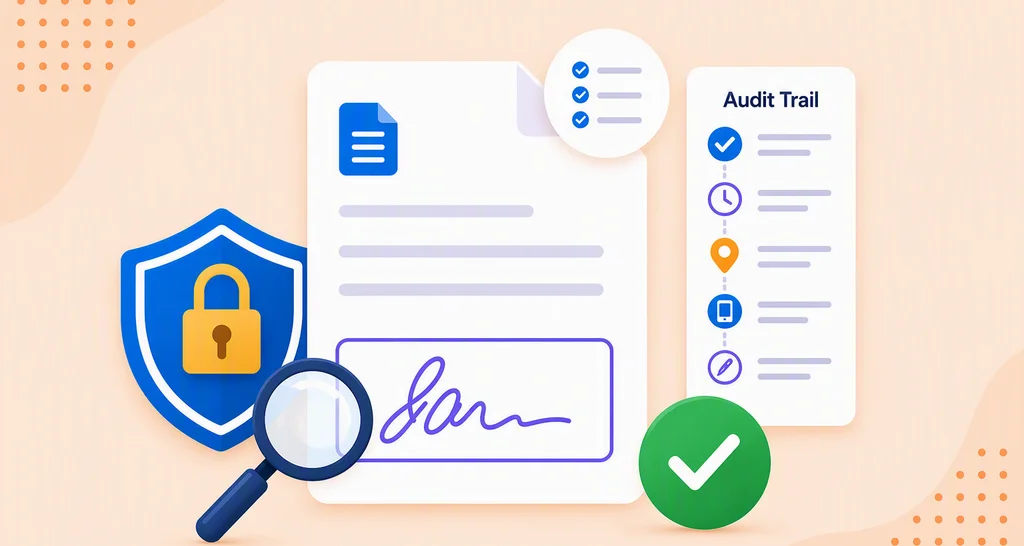
Each document’s audit trail shows when the signer agreed to the disclosure. Our post on why eSignature audit trails matter explains what else the trail records.
The dialog is one part of the process. You still write the disclosure text, keep your records and handle withdrawal requests.
Which BoldSign plans include an audit trail, and what do they cost?
Every BoldSign plan includes an audit trail and custom branding, as listed on the BoldSign pricing page in November 2026. Prices are in USD.
Our Essential plan is free. The Growth plan costs $5 per user a month, and the Business plan costs $15 per user a month.
The Premium plan costs $99 a month for unlimited users. All paid plans are billed yearly.
How do you start collecting electronic consent the right way?
Write your disclosure, choose who sees it, and test the flow with a sample document. Pick the next step that fits your team.
- Start a 30-day free trial and set up your disclosure settings.
- Book a demo to walk through consent and audit trails with our team.
- Read our guide to electronic signature legality, or ask our support team a question.
Frequently asked questions
What is electronic consent under the ESIGN Act?
It is a consumer's clear yes to getting records by electronic means instead of on paper. The law asks you to show a set of disclosures first, then collect that yes in electronic form.
Is electronic delivery of a required consumer notice legally valid?
Yes, when the consumer has agreed to it after the required disclosures. Under 15 U.S.C. 7001(c), electronic delivery counts as written delivery only while that consent is in place.
Is a signed contract still valid if the consent step was missed?
Yes, when the one gap is how the consumer confirmed consent. Section 7001(c)(3) says a contract is not denied effect only because the provider missed that step. Electronic delivery of required notices is still at risk.
Can a consumer withdraw consent to electronic records?
Yes. The disclosure must explain how to withdraw and any fees or conditions. Records sent before the withdrawal stay valid, and the withdrawal takes effect within a reasonable time.
Can I use a pre-checked box to collect electronic consent?
We advise against it. The law asks for consent the consumer gives on purpose, and a box someone else ticked is weak proof of that. Use an unchecked box or an I Agree button.
What happens when my system requirements change after consent?
You send consumers the new hardware and software needs and their right to withdraw without a fee. You collect consent again in a way that shows they can open the new format.
Does BoldSign show an electronic signature disclosure before signing?
Yes. By default, we show every signer a disclosure dialog before signing, and the signer must agree to continue. The time of that consent goes into the audit trail.
Can I show the BoldSign disclosure only to people outside my company?
Yes. In Settings, then Business Profile, choose Display to external signers only. You can also show it once per signer or turn it off.

Christine Akinyi Omolo
Christine Akinyi Omolo is a lawyer at Syncfusion, where she manages corporate legal matters, drafts insightful legal blogs, and creates clear, practical contract templates. She is committed to simplifying complex legal concepts and supporting organizations with effective, business‑aligned legal solutions. Connect with her on LinkedIn.
More posts by Christine Akinyi Omolo