How to Produce Electronic Signature Evidence for Litigation and Arbitration
 Priscah Akech Okeyo
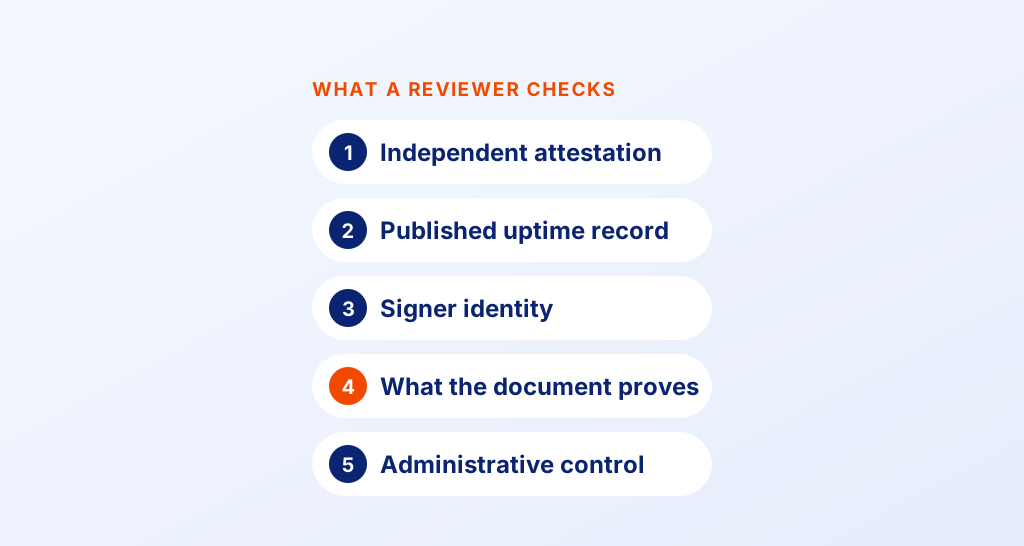
TL;DR: You prove an electronic signature by showing who signed and how they proved their identity. You also show what they agreed to and that the file has not changed since. A signed PDF alone shows none of that, so keep the audit trail with it. See what our eSignature audit trail records for each document.
Picture a sales contract you signed online with a supplier last spring. Now the supplier says nobody at their company ever agreed to it. Your copy of the PDF shows a name in the signature box, and little else.
Whether you win that argument depends on the records behind the signature. This guide explains what those records are, how courts and arbitrators weigh them, and how to keep them ready.
What is e-signature evidence?
E-signature evidence is the record that shows how a document was signed. It covers the signer’s identity, the steps they took, the times and the state of the file afterwards.
Think of a parcel you sign for at the door. The driver’s scanner logs your name, the time and the place.
Say the sender later claims the parcel never arrived. The scanner log settles it, far more than the scribble on the screen.
An electronic signature works the same way. The signature itself can be a typed name or a click.
The US Code, at title 15, section 7006, defines it as a sound, symbol or process. A person attaches it to a record with the intent to sign. The proof sits in the log around it.
What identity evidence should electronic signature software retain for disputes?
Your signing software should keep proof of who signed and how they got in. A common challenge in a dispute is “that was not me”, and these records answer it.
- The name and email address each request went to
- The internet protocol (IP) address and device used for each step
- The check each signer passed, such as an email code or ID verification
- The time of every view, signature and completion
- Whether the signer agreed to sign electronically, and when
An email link alone is weak proof when several people share an inbox. A one-time password (OTP) sent as an SMS code, or an ID check, ties the signature to one person far more firmly.
How do courts decide if an electronic signature is valid?
US courts first ask whether the law allows the electronic signature, then whether you can prove it. The law part is usually simple, and the proof part is where cases turn.
What does the law say about electronic signatures?
The Electronic Signatures in Global and National Commerce (ESIGN) Act covers this, at title 15, section 7001 of the US Code. A signature or contract “may not be denied legal effect solely because it is in electronic form.”
The same section adds a condition. A required written record can lose its effect if it cannot be kept and accurately reproduced for everyone entitled to it.
States can replace parts of ESIGN by adopting the Uniform Electronic Transactions Act (UETA), under section 7002.
How do you authenticate an electronic signature in court?
Federal Rule of Evidence 901 asks you to show the item is what you claim it is. One accepted way, in Rule 901(b)(9), is evidence describing a process or system and showing it produces an accurate result.
For e-signatures, that means explaining how your signing system works and producing its log. Rule 902(13) lets a qualified person certify a record from an electronic system in writing, after notice to the other side.
State courts follow their own evidence rules, so check the local version.
How is e-signature evidence weighed in litigation and arbitration?
Courts and arbitrators look at the same facts about the signing. What differs is the procedure around the evidence.
In court, the evidence rules above apply, and a judge can rule a record out. A records custodian often explains the system, or signs the written certification instead.
In arbitration, the procedure comes from the arbitration agreement and the rules the parties chose. The tribunal still has to be persuaded that the signing happened as you say.
Arbitration also starts with an agreement to arbitrate. The Federal Arbitration Act covers that agreement, at title 9, section 2 of the US Code. A written arbitration clause in a commercial contract “shall be valid, irrevocable, and enforceable.”
When a party denies signing that clause, your audit trail can decide whether the case goes to arbitration at all.
Which electronic signature platforms preserve evidence needed for international arbitration?
Look for a platform that keeps a complete record you can hand to a tribunal in any country.
US courts enforce foreign arbitral awards under the New York Convention, through title 9, section 201.
Rules on electronic signatures differ from country to country, so the record should explain itself without local context. Check that the platform gives you these:
- A downloadable audit trail for each signed document
- A seal that shows any change made after signing
- Signer checks stronger than an email link, for high-value contracts
- Timestamps you can read in a stated time zone
- A record of each signer’s consent to sign electronically
Ask local counsel which signature type each country in your contract expects. Some countries give extra weight to certificate-based signatures for certain documents.
Why does e-signature evidence fail in a dispute?
Most failures come from missing records, not from the signature. A contract can be signed correctly and still be hard to prove.
- The signed PDF was kept, but the audit trail was deleted
- Every signer used a shared inbox with no further check
- Timestamps had no time zone where timing mattered
- Nobody on staff could explain how the signing system works
- The document type was outside ESIGN, such as a will
ESIGN does not cover wills, adoption, divorce or court orders. Some notices are also outside it, such as foreclosure or eviction notices for a home.
The full list is in section 7003.
What happens if you delete evidence once a dispute starts?
Losing records once a lawsuit is likely can cost you the case. Federal Rule of Civil Procedure 37(e) covers electronic records that should have been kept and were lost through a lack of reasonable care.
A court can order measures to cure the harm.
Rule 37(e) goes further for a party that meant to deprive the other side. The court may presume the lost record was unfavorable, or even end the case. Pause automatic deletion as soon as a dispute looks likely.
How do you build an evidence package with BoldSign?
You collect most of the record by choosing settings before you send, then download it in one file.
- Keep the Electronic Signature Disclosure Consent setting on, so each signer agrees to sign electronically.
- Add a signer check when you prepare the document, such as Email OTP (One Time Password) or Access code.
- Use SMS OTP, Knowledge-Based Authentication (KBA) or Identity Verification for higher-risk contracts.
- Send the document. We log each view, signature and completion with its time, IP address and device.
- Once all signers finish, open the document and select Download audit trail.
The download is a Certificate of Completion. It records the document details, each signer’s activity, the check they passed and when they gave consent. A cryptographic hash and a tamper-evident seal show any change made after signing.
Where can you read the setup steps?
Our help article on how to download the audit trail shows both places to find it. The consent options are in our article on managing electronic signature disclosure consent.
What should you check before a dispute arises?
Check your Document Deletion Policy under your business profile settings. When it is on, we delete completed documents after the number of days you choose, from 14 to 1,827.
Set that period to match how long a contract could be challenged. Our article on automatically deleting documents shows how to cancel a scheduled deletion. For a longer view, read our guide to how long to keep signed agreements.
Which BoldSign plan do you need, and what does it cost?
For dispute-ready records, we recommend our Business plan or our Premium plan. Both add SMS OTP, KBA, ID verification and the automatic deletion policy, as listed on the BoldSign pricing page in November 2026.
Our Business plan costs $15 per user a month. Our Premium plan costs $99 a month for unlimited users. Prices are in USD and billed yearly.
Every plan, including the free one, keeps the audit trail, tamper-proof documents, email OTP and access codes. Each SMS code, KBA attempt and ID check carries a pay-as-you-go charge, and KBA works for US signers only.
How do you start collecting dispute-ready signature evidence?
The record that wins a dispute is the one you set up before anyone signs. Pick the step that fits where you are now.
- Start a 30-day free trial and download your first audit trail.
- Book a demo to see signer checks and consent settings with our team.
- Read why e-signature audit trails matter, or ask our support portal a question.
This article gives general information, not legal advice. Talk to a lawyer about a specific dispute.
Frequently asked questions
Is an electronic signature admissible as evidence in court?
Yes, when you can authenticate it. In US federal courts, you must show the record is what you say it is. An audit trail and testimony about how the signing system works are the usual ways to do that.
Is an electronic signature legally binding in the US?
Yes, when the signer meant to sign and the record can be kept and reproduced. Federal law says a signature may not be denied legal effect only because it is electronic. Wills, family law matters and court orders are among the exceptions.
Can an arbitration agreement be signed electronically?
Yes, when the signing can be proven. The Federal Arbitration Act treats a written arbitration clause in a commercial contract as valid and enforceable. An electronic record can meet that writing, and the audit trail shows who agreed.
What is an audit trail in electronic signatures?
An audit trail is a log of every step a document went through. It lists each view and signature with its time, IP address and device. It also shows the check each signer passed.
Who explains e-signature evidence in a dispute?
Usually a records custodian or an IT staff member who knows your signing process. In federal court, a qualified person can certify a system record instead of testifying. Complex cases may add an expert witness.
How long should I keep signed contracts and audit trails?
Keep both for as long as someone could enforce or challenge the contract. Your legal team sets the period, since limits differ by contract type and place. Once a dispute looks likely, stop any automatic deletion.
Can someone claim they never signed an electronic document?
Yes, and that claim is a common challenge. You answer it with attribution evidence: the email the request went to, the code or ID check the signer passed, and the IP address and time of each step.
Does BoldSign include an audit trail on every plan?
Yes. Every plan, including our free Essential plan, includes the audit trail and tamper-proof documents. Stronger signer checks such as SMS codes and ID verification come with our Business and Premium plans.

Priscah Akech Okeyo
Priscah is a skilled and dedicated lawyer at Syncfusion with expertise in legal research, document drafting, and digital signature workflows. She supports legal operations with accuracy and compliance, contributes to BoldSign templates and educational blogs, and is passionate about digital transformation in law, including e-signature compliance and eIDAS, effectively bridging law and technology. Connect with her on LinkedIn.
More posts by Priscah Akech Okeyo