Send Documents for eSignature to Your Xero Contacts with BoldSign
 Meikanda Nayanar
TL;DR: Our Xero integration copies the contacts in your Xero organization into BoldSign, so you pick a client and send without retyping details. You connect it from your BoldSign settings in a few steps, and new Xero contacts follow within 24 hours. Our Xero eSignature integration page shows what it covers.
An accounting firm sends engagement letters, tax forms and service agreements to the same clients every year. Their names and email addresses already sit in Xero. Without a link between the two tools, someone copies each address into the signing tool by hand.
One wrong character sends a letter to the wrong inbox. The mistake shows up only when someone chases the client. This guide shows how to send for eSignature with Xero contacts, how to connect the two accounts and what it costs.
What does the Xero eSignature integration do?
The integration copies the client records in your Xero organization into your BoldSign contact list. You pick a client as the recipient, and we send the document.
Think of it like a shared address book on your phone. You save a number once, and every app that needs it can find it. The Xero integration does the same for your client list, so you keep one list instead of two.
What does the contact sync include?
Once you connect, all valid existing contacts from Xero land on the My Contacts page in BoldSign. After that, the sync follows the changes your team makes in Xero.
- Contacts added in Xero appear in BoldSign.
- Contacts updated in Xero show the new details in BoldSign.
- Contacts archived in Xero are reflected in BoldSign too.
The sync runs once a day, so a client added today is ready to pick tomorrow. The integration reads contacts only. It does not read invoices, bills or any other Xero record.
Why connect Xero to your eSignature tool?
A second client list costs time and causes mistakes. Connecting Xero removes that list.
- Your team stops copying names and email addresses from Xero for each new engagement.
- Details come straight from Xero, so a typo in a second list cannot delay a signature.
- A client who changes their email in Xero gets the new address in BoldSign too.
Your clients still sign the usual way. They open the link in the signature request email and sign in any browser, with no Xero or BoldSign account.
How do you connect your Xero account to BoldSign?
You connect Xero from the Integration page in your BoldSign settings. Our help article on how to import contacts from Xero to BoldSign lists the same steps.
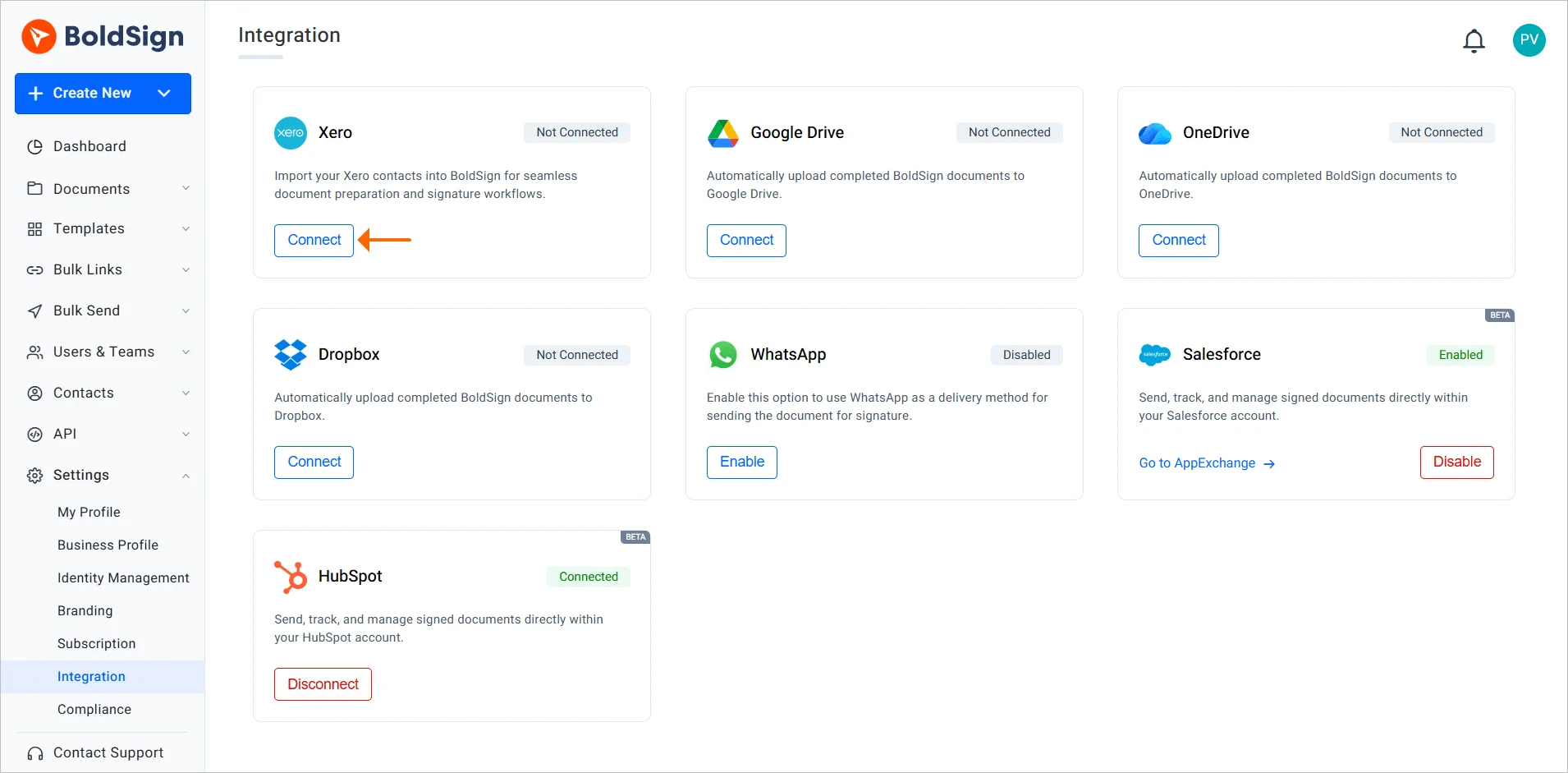
Enable the Xero app and select Connect
- Go to the Settings menu and select Integration.
- Find the Xero app and select Enable to turn on the paid add-on.
- Select Connect on the Xero app to open the Xero login page.
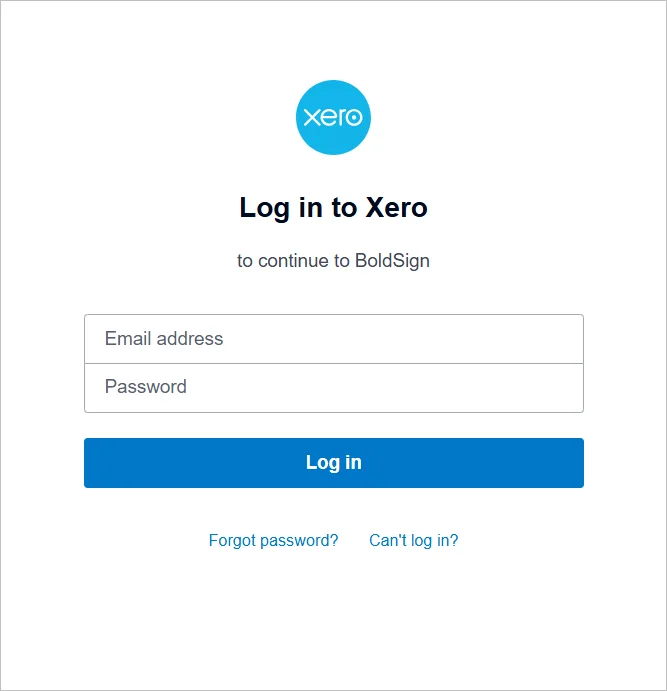
Log in to your Xero account
Enter the email address and password for your Xero account. Then select Log in.
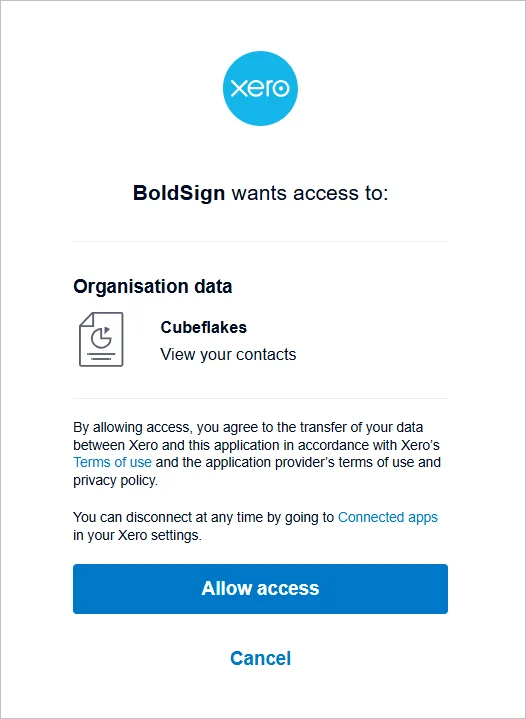
Approve the consent screen
Xero then shows a consent screen that lists the access we ask for. Select Allow access, and your Xero account links to BoldSign.
Check who connected Xero
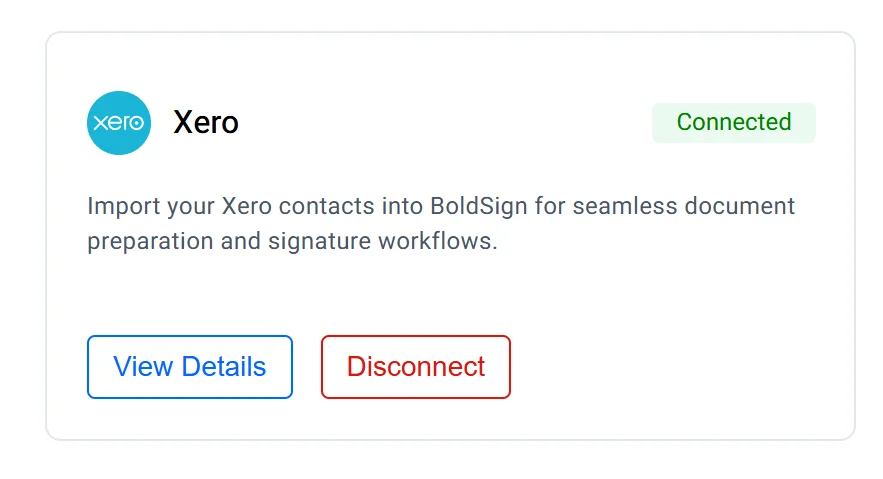
Select View Details on the Xero app to see which BoldSign user connected Xero. It also shows the name of the connected Xero organization. That helps when several people in your company use BoldSign.
How do you send for eSignature with Xero contacts?
You prepare the document in BoldSign as usual and pick the client from your synced contacts. We then send it, remind the client and keep the signed copy with its audit trail.
- Upload your document, or start from a saved template such as your engagement letter.
- Add the recipient and pick the client from your contacts.
- Place the signature fields and send the request.
Set reminders so we follow up with a client who has not signed yet. Our guide on using templates in BoldSign shows how to save a letter you send to every client.
How do you stop the Xero contact sync?
Open the Integration page in your settings and select Disconnect on the Xero app. The contact sync between Xero and BoldSign stops.
Which plan do you need, and what does the Xero integration cost?
The Xero integration starts on the Growth plan at $5 per user a month, billed yearly. It is also on the Business plan at $15 per user a month and the Premium plan at $99 a month for unlimited users.
The Xero add-on costs $5 per organization a month on top of your paid plan. It is not part of the free Essential plan. Prices are in USD, as listed on our pricing page in November 2026.
How do you start sending to your Xero clients?
Pick the step that fits where your team is today.
- Start a 30-day free trial, connect Xero and send your next engagement letter.
- Read how accounting firms use electronic signatures for tax documents.
- Contact our support team with a question about your Xero connection.
Frequently asked questions
What does the BoldSign Xero integration do?
It copies the contacts in your Xero organization into your BoldSign contact list. You then pick a client as the recipient and send, with no address to retype.
How often do Xero contacts sync to BoldSign?
The sync runs once a day. A client you add in Xero today is ready to pick in BoldSign within 24 hours.
Can I send a document for signature from inside Xero?
No. The contacts move to BoldSign, and you prepare and send the document in BoldSign.
Does BoldSign read my invoices or bills in Xero?
No. The integration reads your contacts only. It does not read invoices, bills or any other Xero record.
Do my clients need a Xero or BoldSign account to sign?
No. A client opens the link in the signature request email and signs in any browser.
Are documents I send to Xero contacts legally binding?
Yes, when the signer agrees to sign electronically and the document type allows an electronic signature. Each signed file keeps an audit trail of who signed and when.
How much does the Xero integration cost?
It starts on the Growth plan at $5 per user a month, billed yearly. The Xero add-on costs $5 per organization a month on top of a paid plan.
How do I stop syncing Xero contacts?
Open the Integration page in your BoldSign settings and select Disconnect on the Xero app. The sync stops at once.

Meikanda Nayanar
A veteran product manager at BoldSign, boasting a decade-long journey as a .NET developer. With a rich history of leading product development across diverse technologies like Windows Forms, WPF, UWP, Xamarin.Forms, Flutter, and MAUI, Meikandan brings a unique blend of technical expertise and strategic insight to the table. Connect with him on LinkedIn.
More posts by Meikanda Nayanar