How Electronic Signatures Help Accounting Firms Manage Tax Documents
 Lakshmi Priya Murugesan
TL;DR: Accounting firms handle electronic signatures for tax returns by sending each document from a saved template, checking who signs, and keeping an audit trail. Clients sign from a link on any device. Our eSignature for accounting firms page shows how this works for a practice.
Tax season brings the same paperwork from every client: an engagement letter, a consent form, a W-9 and the return approval. Each one holds personal and financial data. Printing, scanning and mailing it all costs days and risks lost pages.
Electronic signatures move that work online. This guide is for certified public accountants (CPAs) and their staff. It explains where eSignatures fit, how to set them up, and how we keep client data safe.
How do accounting firms handle electronic signatures for tax returns?
Most firms prepare the return in their tax software, then send the client documents for signature through an eSignature tool. The client signs online, and the firm keeps the signed copy with its audit trail.
Think of it like a dentist’s front desk that emails the intake form before your visit. You fill it in at home, and the office has it ready when you arrive.
Our accounting firms page notes one rule to know. It says the Internal Revenue Service (IRS) asks for knowledge-based authentication (KBA) when a taxpayer signs Form 8879 or Form 8878 remotely.
Which tax documents can clients sign electronically?
Most of the paperwork around a return can be signed online. Our accounting firms page names these common documents:
- Engagement letters and service agreements
- Tax return approvals and client consent forms
- Client onboarding forms and W-9s
- Payroll forms, W-4s and direct deposit forms
- Representation letters and financial statement sign-offs
Our guide on how to sign a W-9 online walks through that form step by step.
What does document management for accounting firms look like with eSignatures?
You upload a document once, place the fields, and send it to the client. We track each document from sent to signed, so tax form management happens in one place.
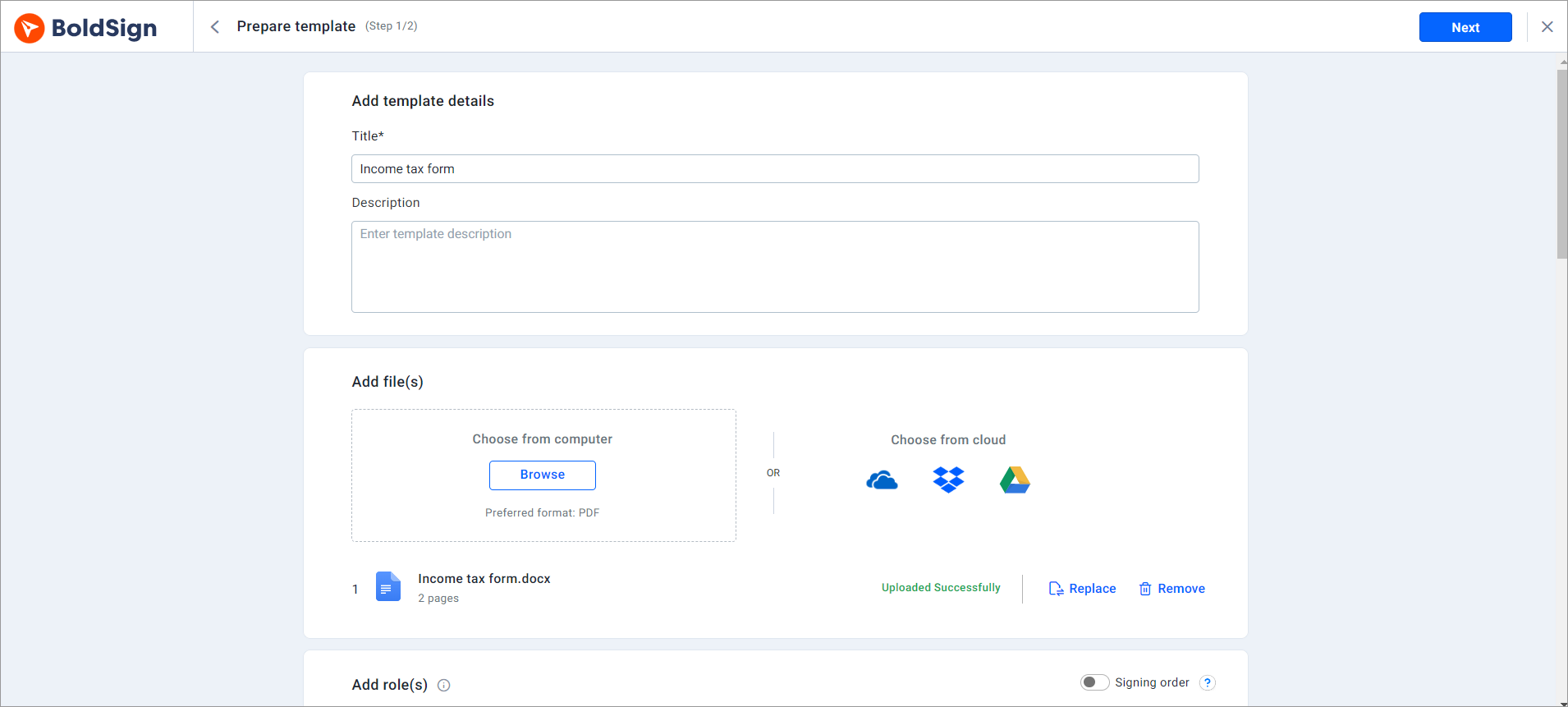
Our help article on how to send documents for signature covers each setting. You can set an expiry date and turn on automatic reminders before you send.
How do templates save time on repeat tax forms?
A template is a saved document with its fields already in place. You build your engagement letter once and reuse it for every client.
You add each client’s name and email address when you send. The layout and wording stay the same from one client to the next, so nothing drifts.
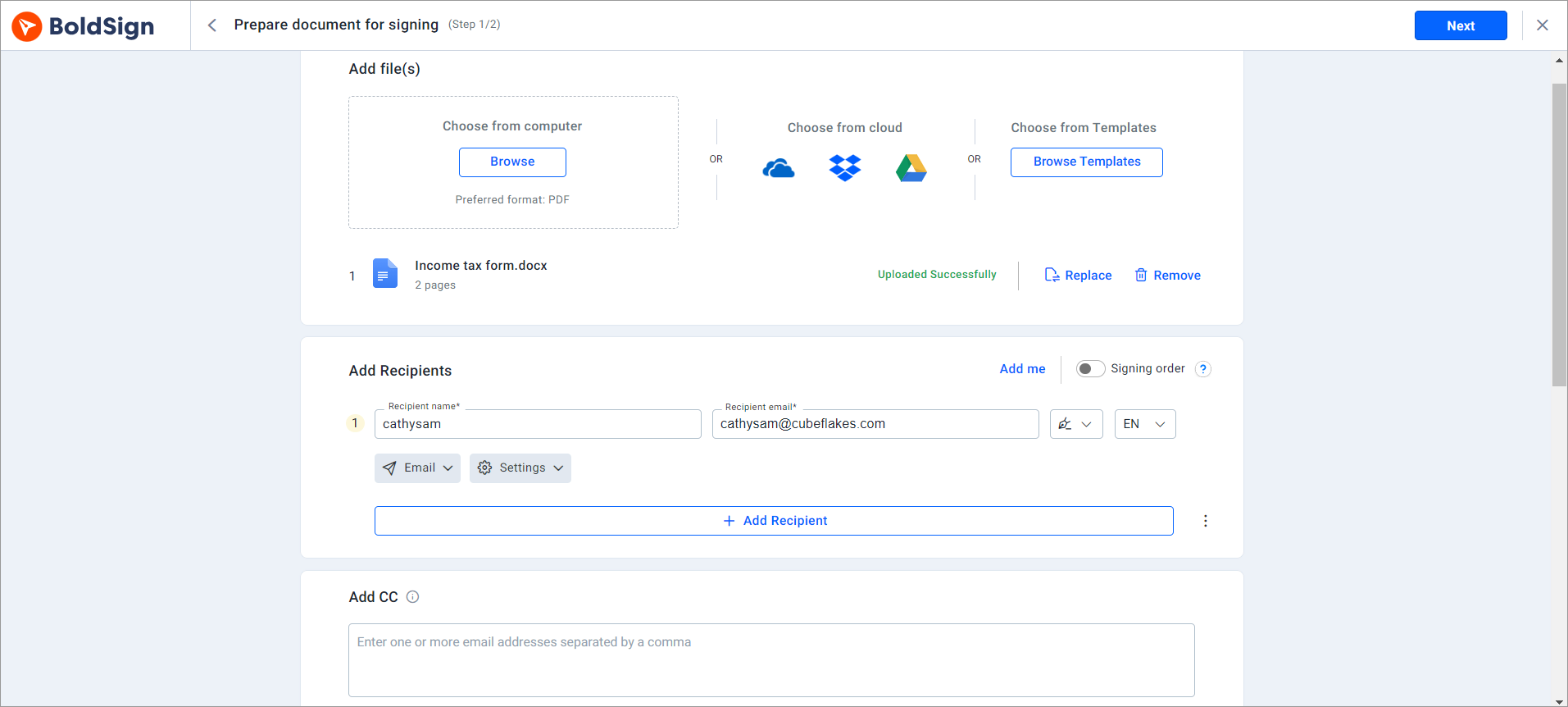
Read our guide to eSignature templates, or our help article on how to create templates. Our templates page lists what a template can hold.
Which form fields help you collect client details?
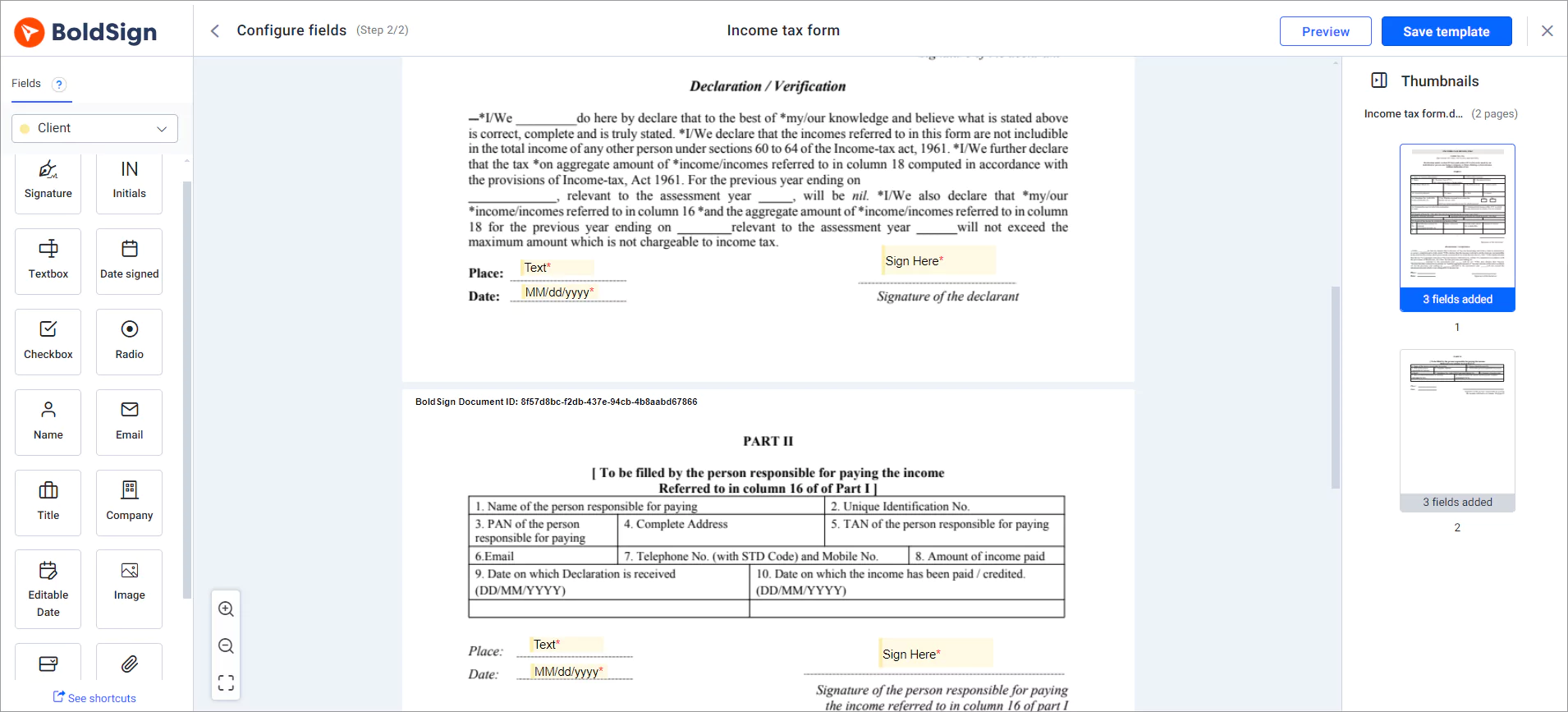
Form fields let clients enter details right inside the document. You can add text boxes, check boxes, radio buttons, dropdowns and attachment fields.
An attachment field is handy when you need a copy of a document from the client. Mark a field as required, and the client must fill it in to finish.
How do you send one document to many clients at once?
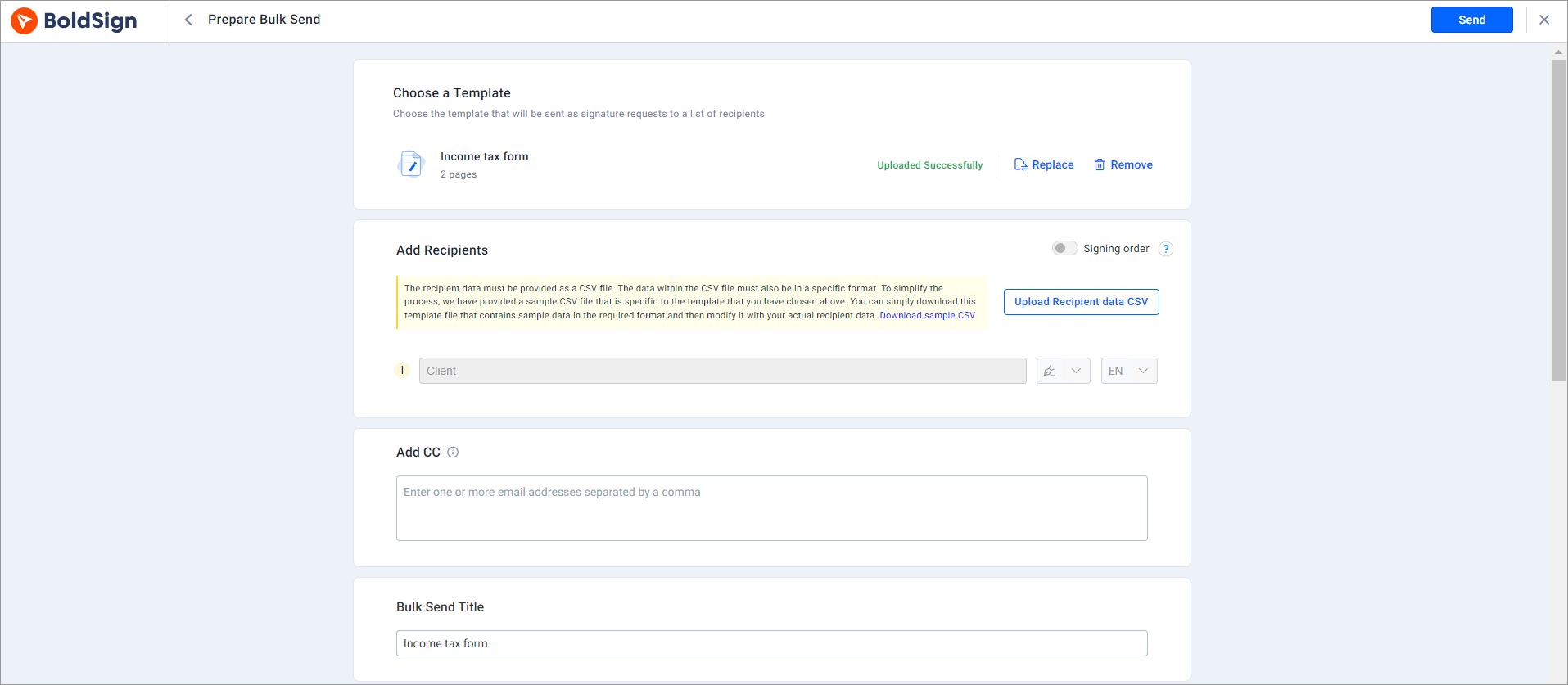
Use bulk send to send one template to a whole client list from a CSV file. Each client gets a separate copy with their own details.
A firm can send its yearly engagement letter to every client in one step. Our help article on how to send documents in bulk shows the set-up.
How do you get documents signed by several people in order?
Add each signer, then turn on the Signing order toggle under Add recipients. Each person gets the document only after the one before them signs.
A joint return is a common case. Both spouses sign, and the document waits for the second signer. Corporate filings that need a partner’s approval work the same way.
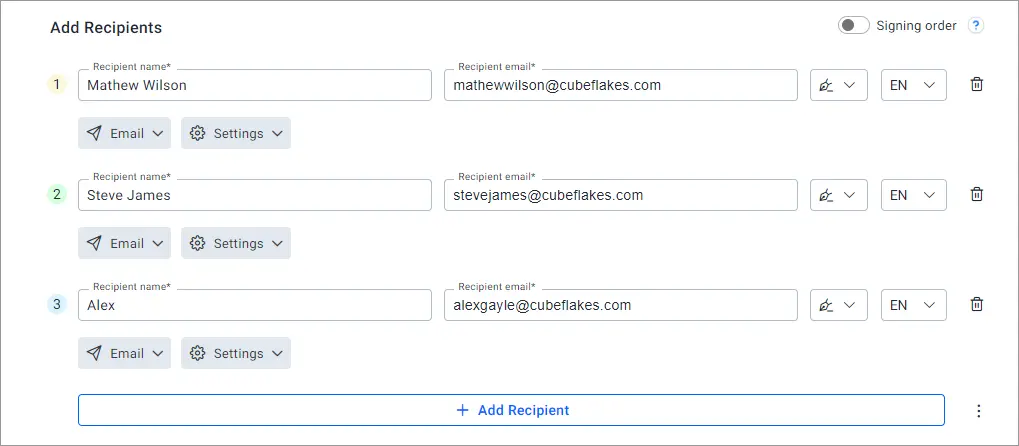
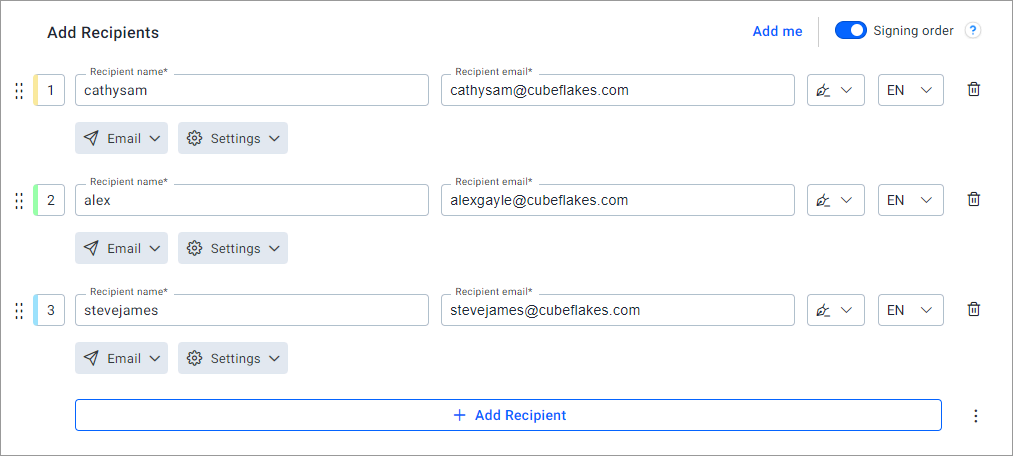
Our help article on how to set a signing order explains how to drag signers into place.
How do you check that the right client signs?
Add a signer check before the client can open the document. You pick the method for each signer.
- Email code: a one-time code we send to the client’s email address
- Access code: a code you set and share with the client yourself
- Text message code: a one-time code sent to the client’s phone
- Knowledge-based authentication: questions drawn from public records
- Identity verification: a photo of an ID and a live selfie
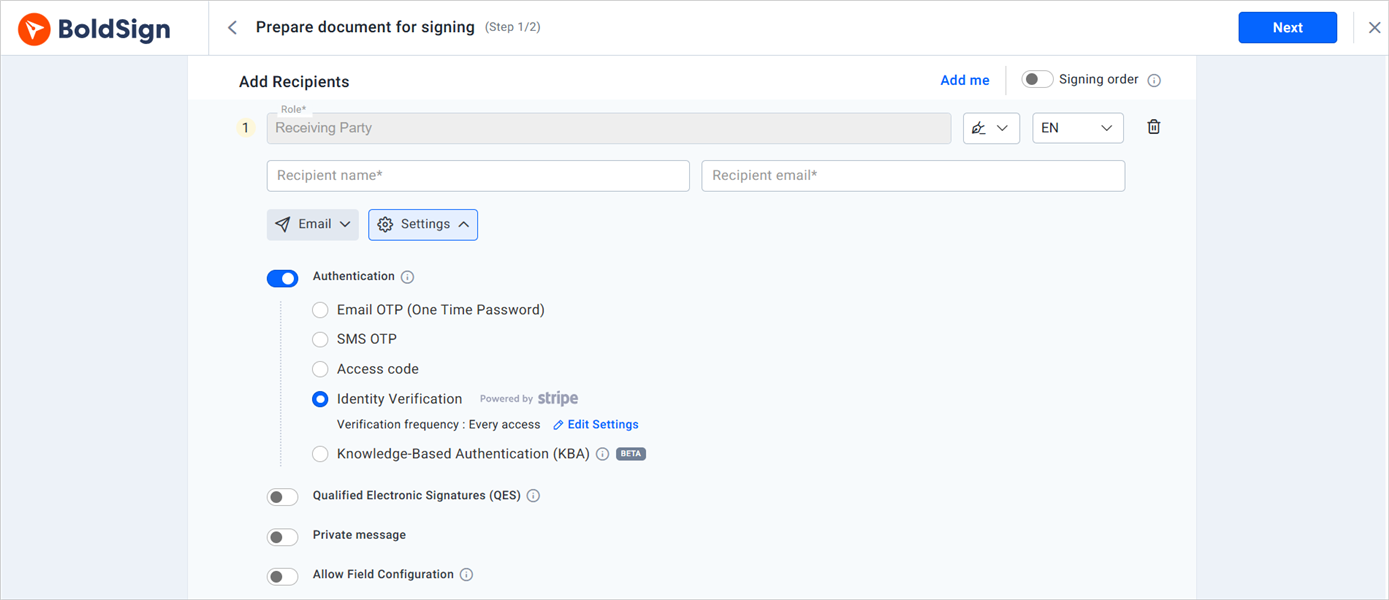
Our signer authentication page lists every method.
What records does an eSignature keep for audits?
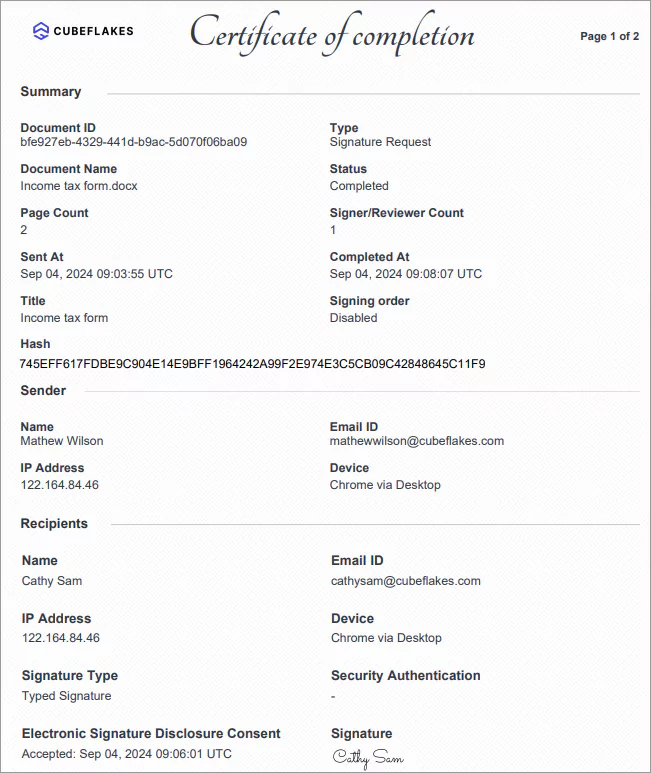
Each signed document gets an audit trail. It records names, email addresses, internet protocol (IP) addresses, and the date and time of each action.
You can show it during a review to prove who signed and when. Our guide on why eSignature audit trails matter explains each entry.
We follow the Electronic Signatures in Global and National Commerce Act (ESIGN) and the Uniform Electronic Transactions Act (UETA). In the EU, we follow the electronic identification and trust services (eIDAS) regulation.
What is signing like for your clients?
Clients sign from a link in their email, in any phone or computer browser. They sign without an app or an account.
Firm staff can send and track documents in our mobile apps as well. Here is what a client does:
- Open the email link and select Review and Sign.
- Read the disclosure terms, agree to them and select Continue.
- Select Start signing at the top-right corner of the page.
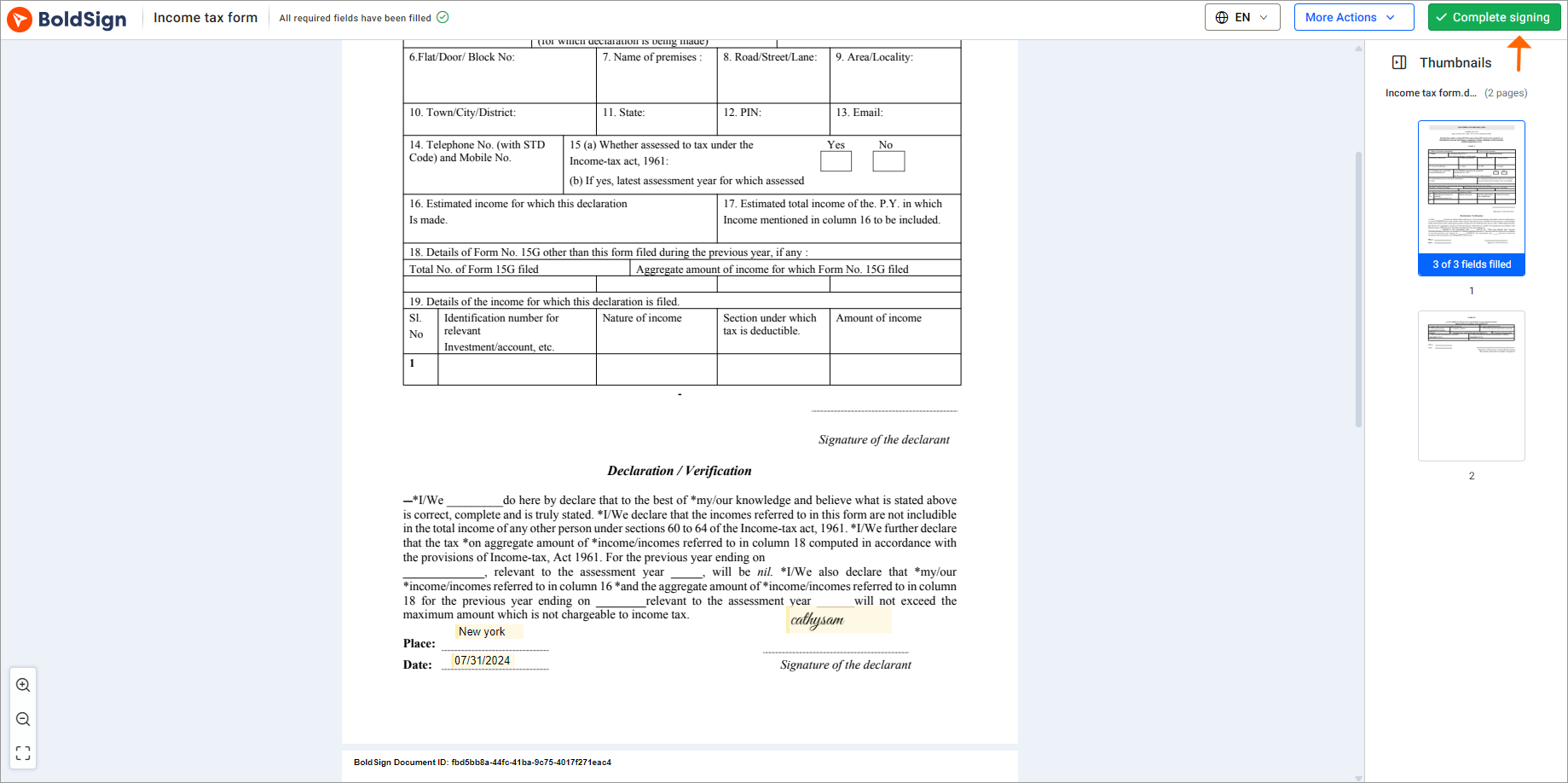
- Fill in every required field and select Complete signing.

What does an eSignature tool leave to your tax software?
Like most electronic signature software CPAs use, we collect and track signatures on documents your firm prepares. Your tax software still prepares and e-files the return.
Check each tax form’s own instructions before you send it. Some forms set rules on who signs and how.
Which BoldSign plan fits an accounting firm, and what does it cost?
Our pricing page lists four web app plans, all billed yearly in USD. The Essential plan is free, and the Growth plan costs $5 per user a month.
The Business plan costs $15 per user a month. It adds bulk send, text message codes and ID verification. The Premium plan costs $99 a month for unlimited users.
On the Business plan, some checks carry a charge per use. Text message codes cost $0.20 each, KBA costs $1.50 per attempt and ID verification costs $2 per check.
Bulk send costs $0.25 per envelope. See the BoldSign pricing page for current details.
How can you try eSignature for accountants this tax season?
Start with one document your clients sign every year, such as your engagement letter. Test it with a colleague before you send it to clients.
- Start a 30-day free trial and send your first engagement letter.
- Book a demo to see a tax season set-up for your firm.
- Contact our support team with a question about your documents.
Frequently asked questions
Can clients sign tax documents electronically?
Yes, for most client paperwork, such as engagement letters, consent forms and W-9s. Some tax forms carry their own signing rules, so check the instructions for each form before you send it.
Are electronic signatures on tax documents legally valid?
Yes, when the signer agrees to sign electronically and the signed record is kept. We follow the ESIGN Act, UETA and eIDAS, and each document gets an audit trail.
Do my clients need a BoldSign account to sign?
No. Clients open the link in our email and sign in any browser, on a phone or a computer, without an account.
Can a married couple sign a joint return document in order?
Yes. Turn on signing order, add both spouses, and the second spouse gets the document only after the first one signs.
How do I confirm the right client is signing?
Add a check before the client can open the document. Choose an email code, an access code, a text message code, knowledge-based questions or a photo ID check.
Does BoldSign prepare or file tax returns?
No. We collect and track signatures on documents your firm prepares. Your tax software still prepares and files the return.
What is the right eSignature solution for tax firms?
Look for one that sends from saved templates, checks who is signing, reminds clients on its own and keeps an audit trail. A free trial lets you test it on real client paperwork.
How much does eSignature software cost for a small accounting firm?
Our Growth plan costs $5 per user a month and our Business plan costs $15 per user a month, both billed yearly in USD. A free Essential plan is also available.

Lakshmi Priya Murugesan
Lakshmi Priya Murugesan is a Technical writer at BoldSign. She excels in creating clear, concise documentation and guides across various tech fields. Lakshmi Priya is passionate about technology, she enjoys exploring new trends and sharing her insights through blogs and articles.
More posts by Lakshmi Priya Murugesan