eSignature for Salesforce: How Our Integration Sends, Tracks and Saves Contracts
 Shanmuga Raj Subramani
TL;DR: Our eSignature for Salesforce lets your team send contracts from a Salesforce record, fill them from record fields and see their status on that record. Signed copies save back to the same record. Our Salesforce integration page lists every feature.
A sales rep closes a deal on a Friday afternoon. The contract lives in a shared drive, the customer details live in Salesforce, and the signing tool sits in a third tab. By Monday, nobody is sure whether the customer signed.
We launched our Salesforce integration in March 2026 to keep that work in one place. This guide covers what it does, how to set it up, what to look for and what it costs.
What is eSignature for Salesforce?
eSignature for Salesforce means you send, sign and file contracts from inside your customer relationship management (CRM) system. You never copy details between tools.
Think of a restaurant that prints each order straight to the kitchen. The cook reads the same order the waiter typed, so every detail arrives intact. The integration does the same for contracts: the record holds the details, and the contract goes out from there.
What can you do with BoldSign in Salesforce?
You can run the whole signing job from the record your team already has open. Here is what the integration covers:
- Send from leads, contacts, accounts, opportunities and custom objects.
- Fill templates with record fields such as contact name, email, amount and close date.
- Add several signers and choose the order they sign in.
- See each document’s status, and remind or revoke from the record.
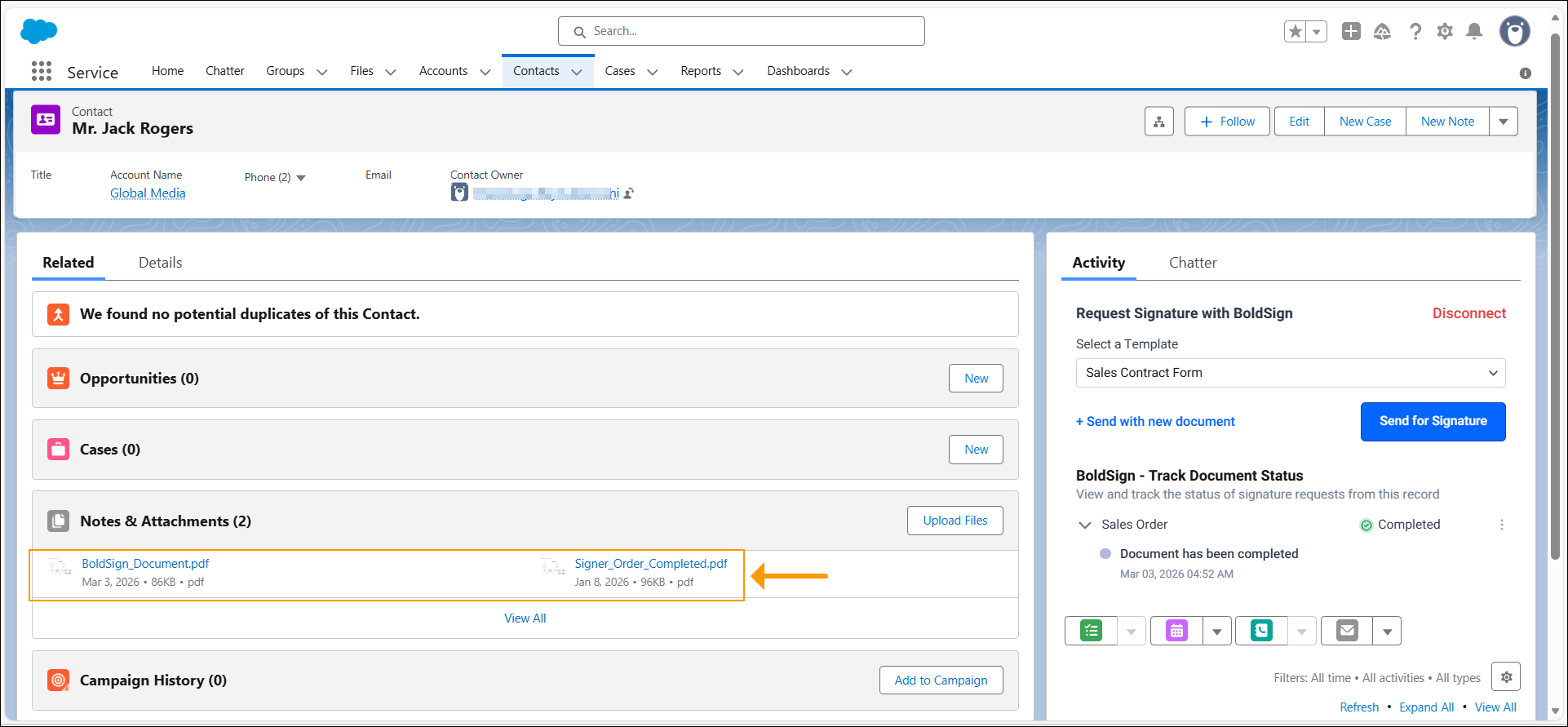
- Save the completed document back to the matching record.
You can also upload a one-off document from the record. Mapped fields do not fill uploaded files, so use a template for any contract you send often.
How do you collect e-signatures through a Salesforce-connected form?
Build the form as a BoldSign template and map its fields to Salesforce fields. You can then collect e-signatures through a Salesforce-connected form that fills itself from the record.
Our guide to auto-filling contracts from Salesforce fields walks through the mapping. A sales order or a sales contract form suits this well, because the same fields repeat on every deal.
How does signing work from a Salesforce record?
The rep stays on the record from start to finish. Here is the flow:
- Open a lead, contact, account or opportunity in Salesforce.
- Choose a template with mapped fields, or upload a one-off document.
- Check the document and signers, then send it.
- The signer opens the email link and signs from any device.
- Watch the status change on the record until the document is complete.
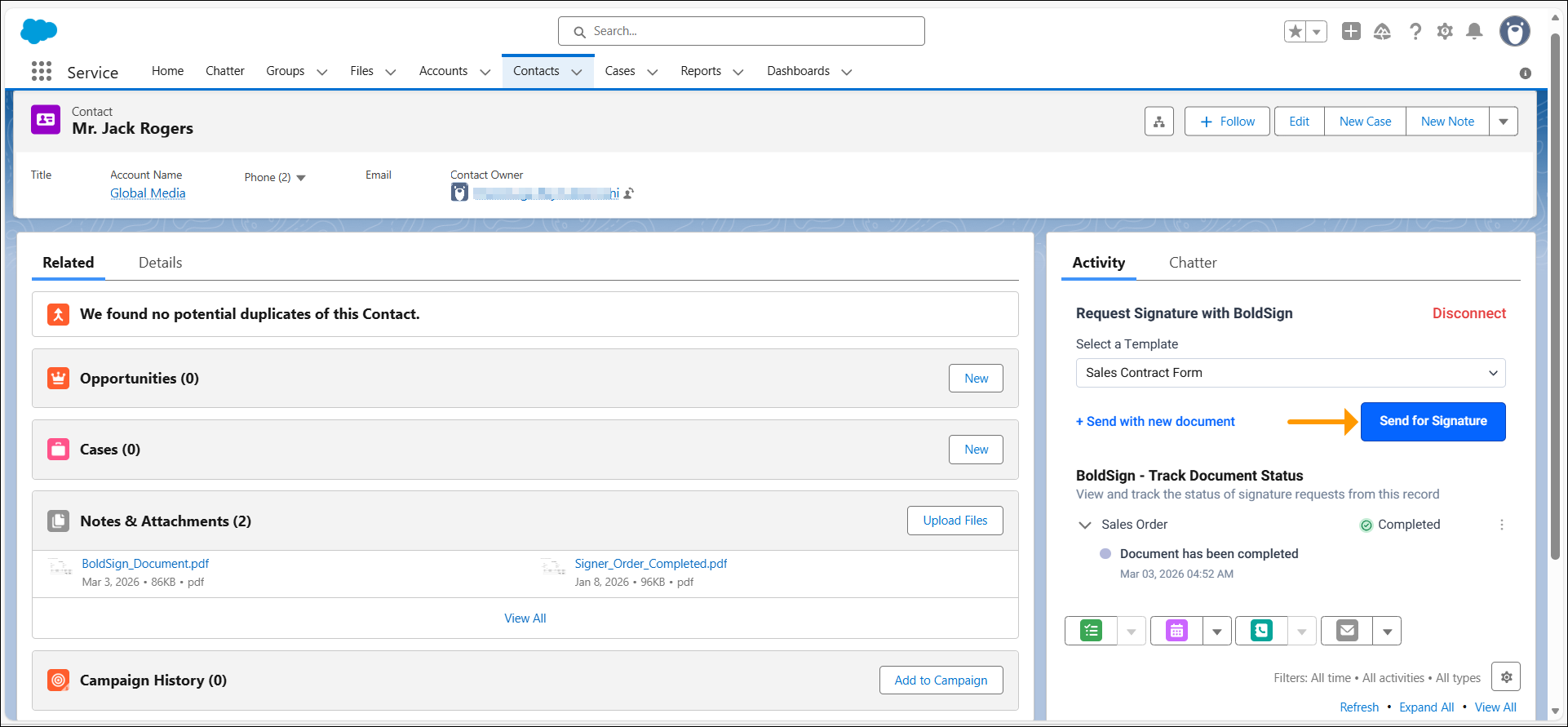
Signers need no BoldSign or Salesforce account. The record shows each status as it changes: sent, opened, signed, declined or expired.
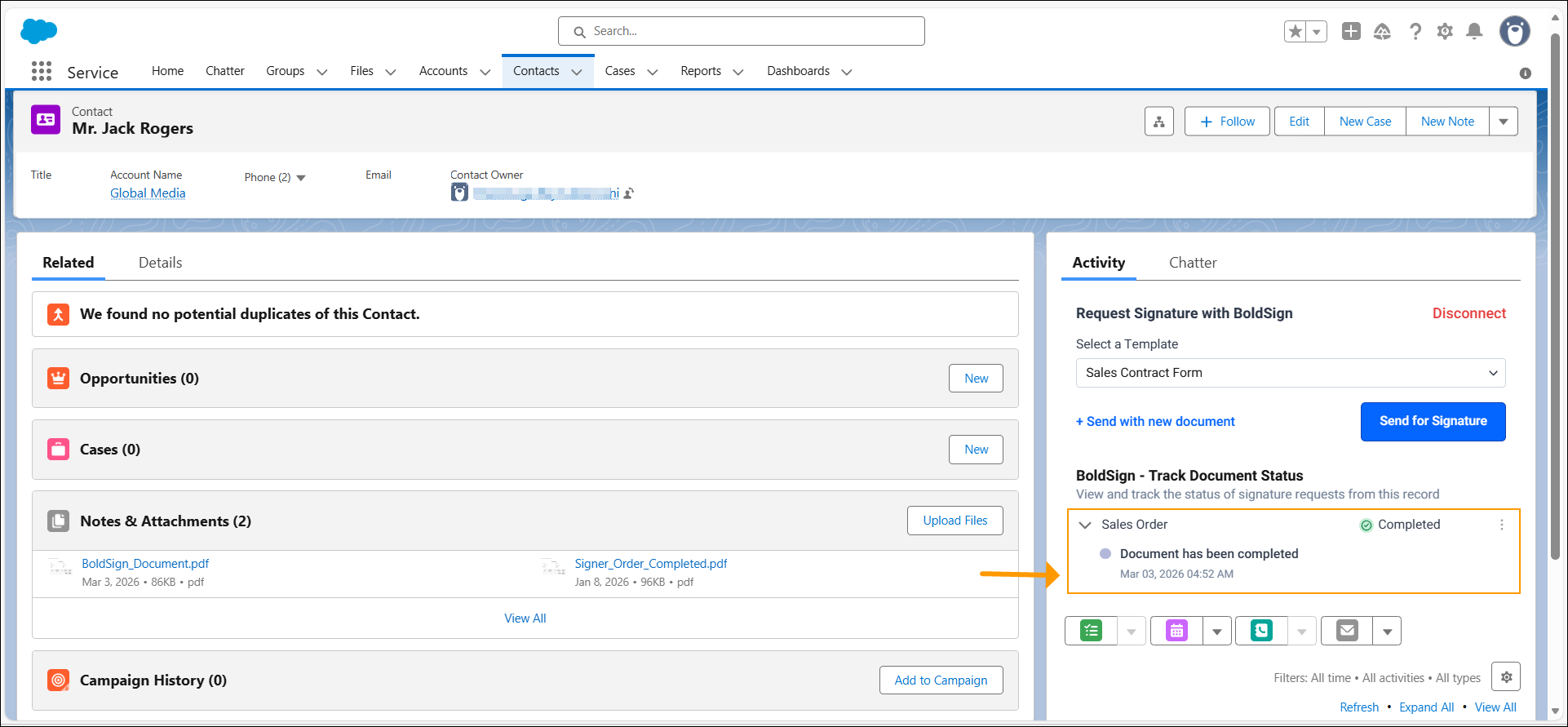
Only the sender can remind or revoke from the record. Other users can view the status. Our help article on how to track BoldSign document status from Salesforce covers the details.
How do you set up BoldSign in Salesforce?
Setup is a one-time job, and it needs no code. An account admin in BoldSign and a Salesforce admin share the steps below.
Step 1: Turn on Salesforce in BoldSign
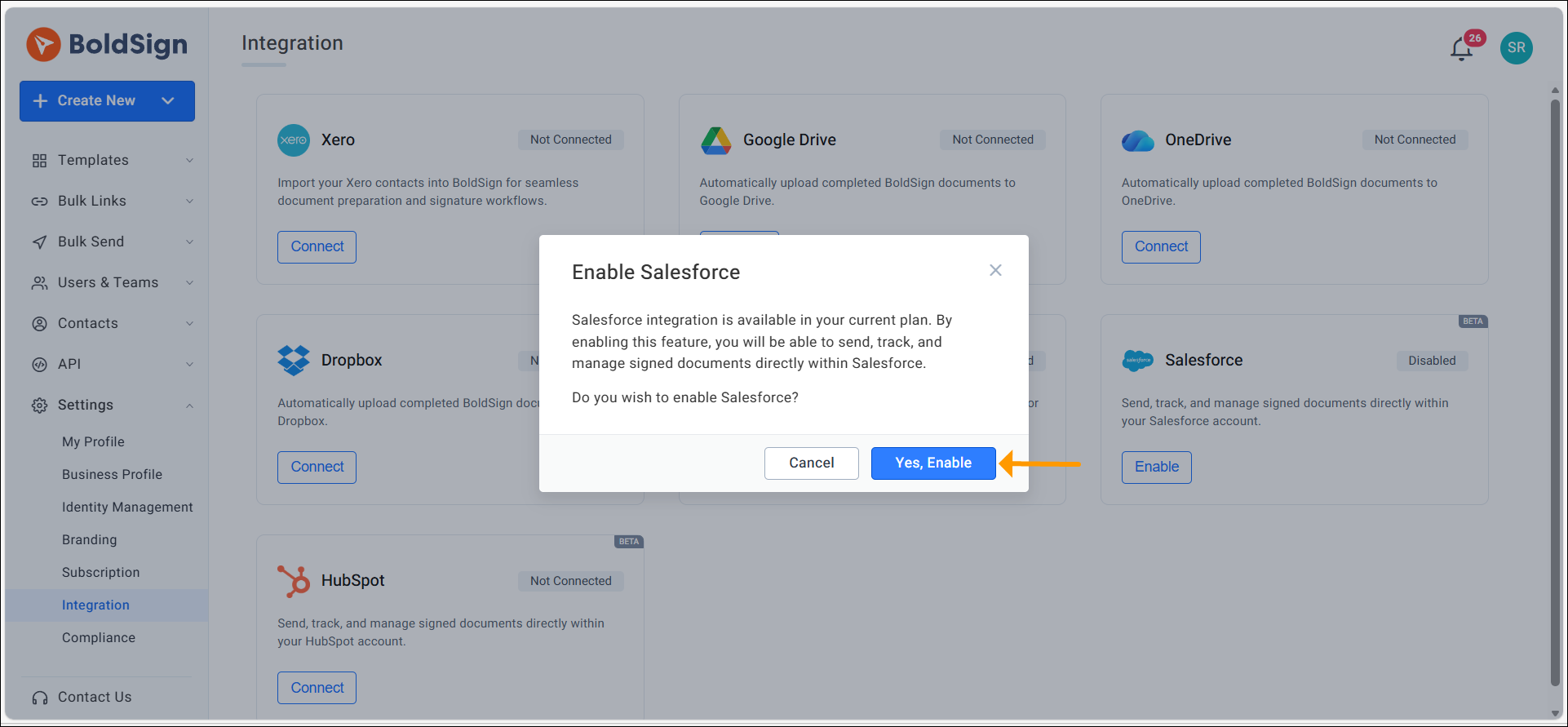
An account admin opens Integrations in BoldSign, turns on Salesforce and accepts the add-on charge.
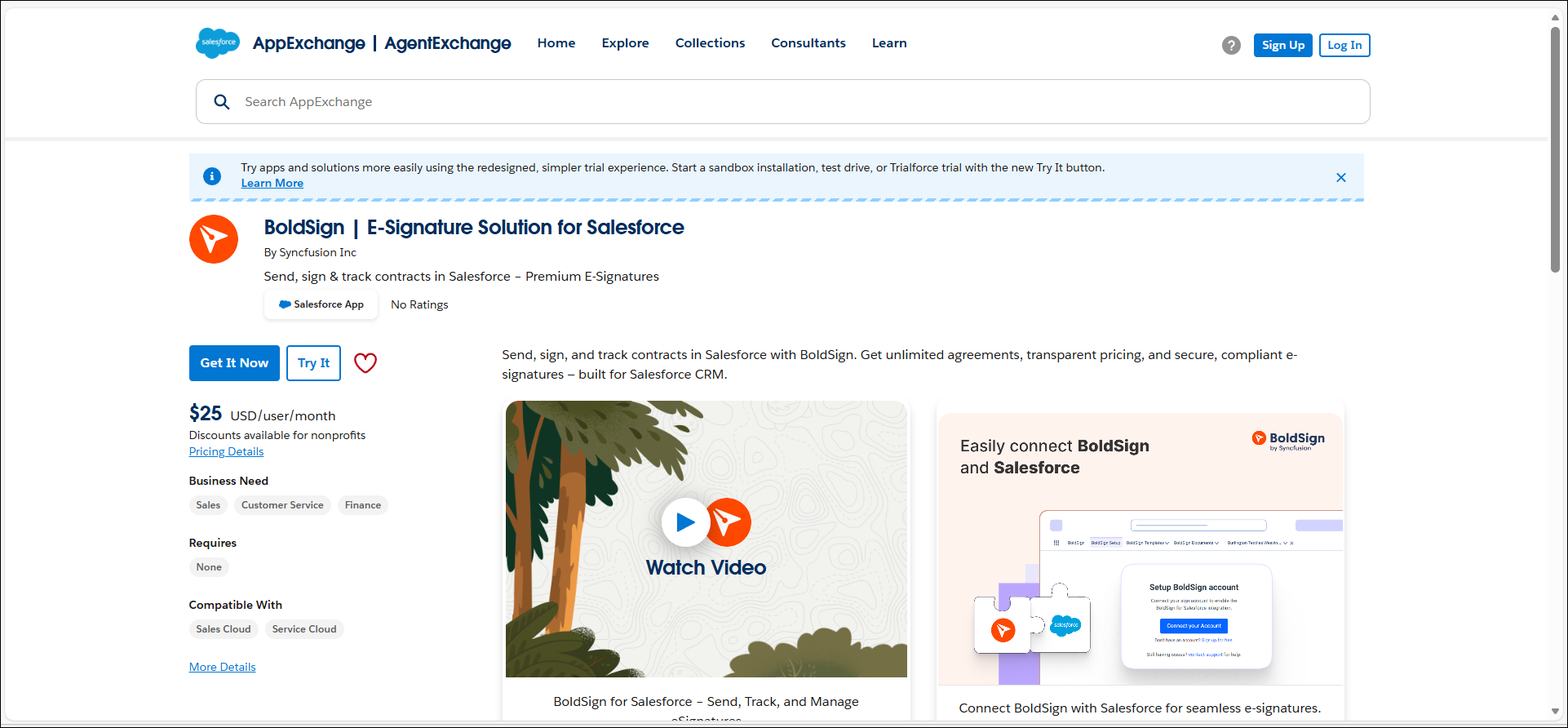
Step 2: Install the app from Salesforce AppExchange
A Salesforce admin finds BoldSign on the Salesforce AppExchange and installs it in your org. Salesforce now also shows AppExchange as AgentExchange.
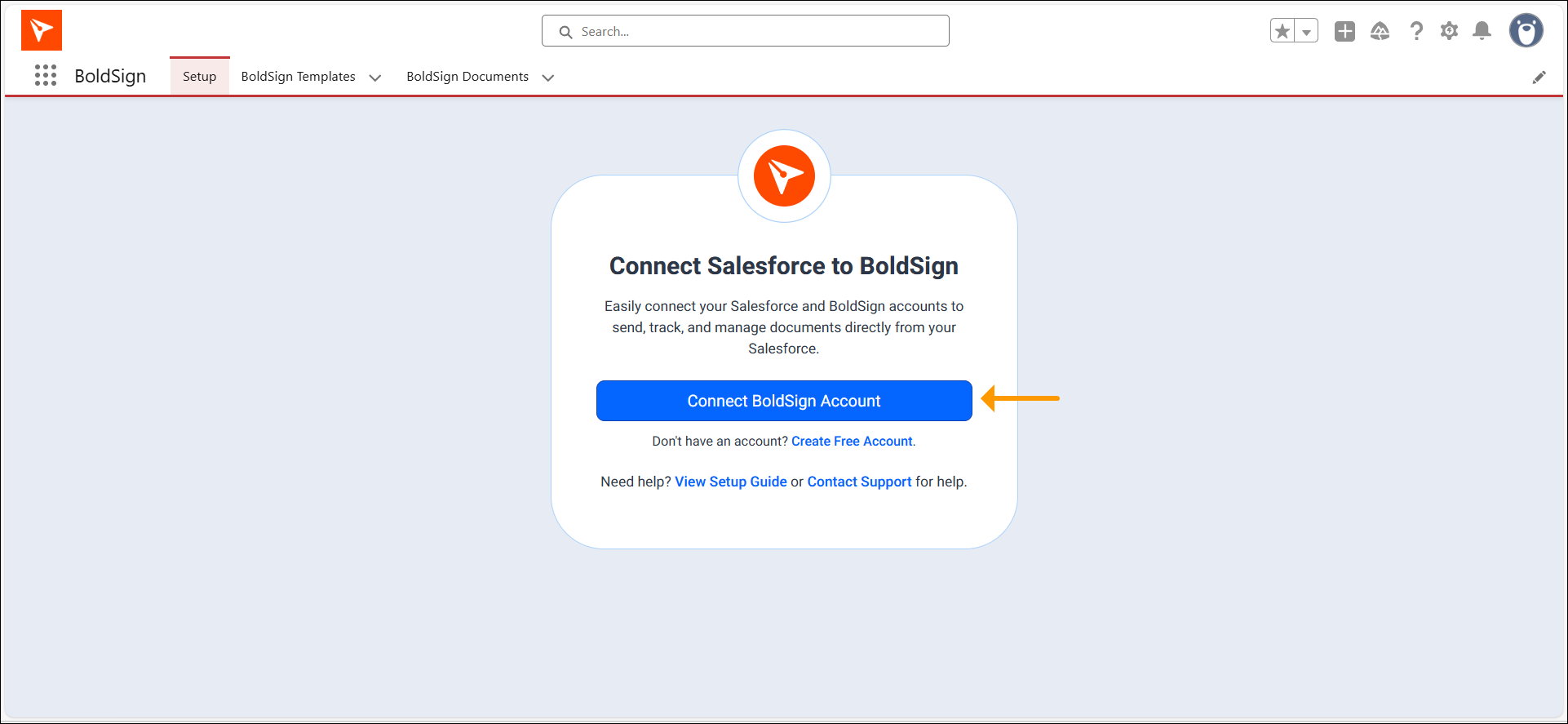
Step 3: Connect your BoldSign account
The Salesforce admin links your BoldSign account to Salesforce from the app’s settings.
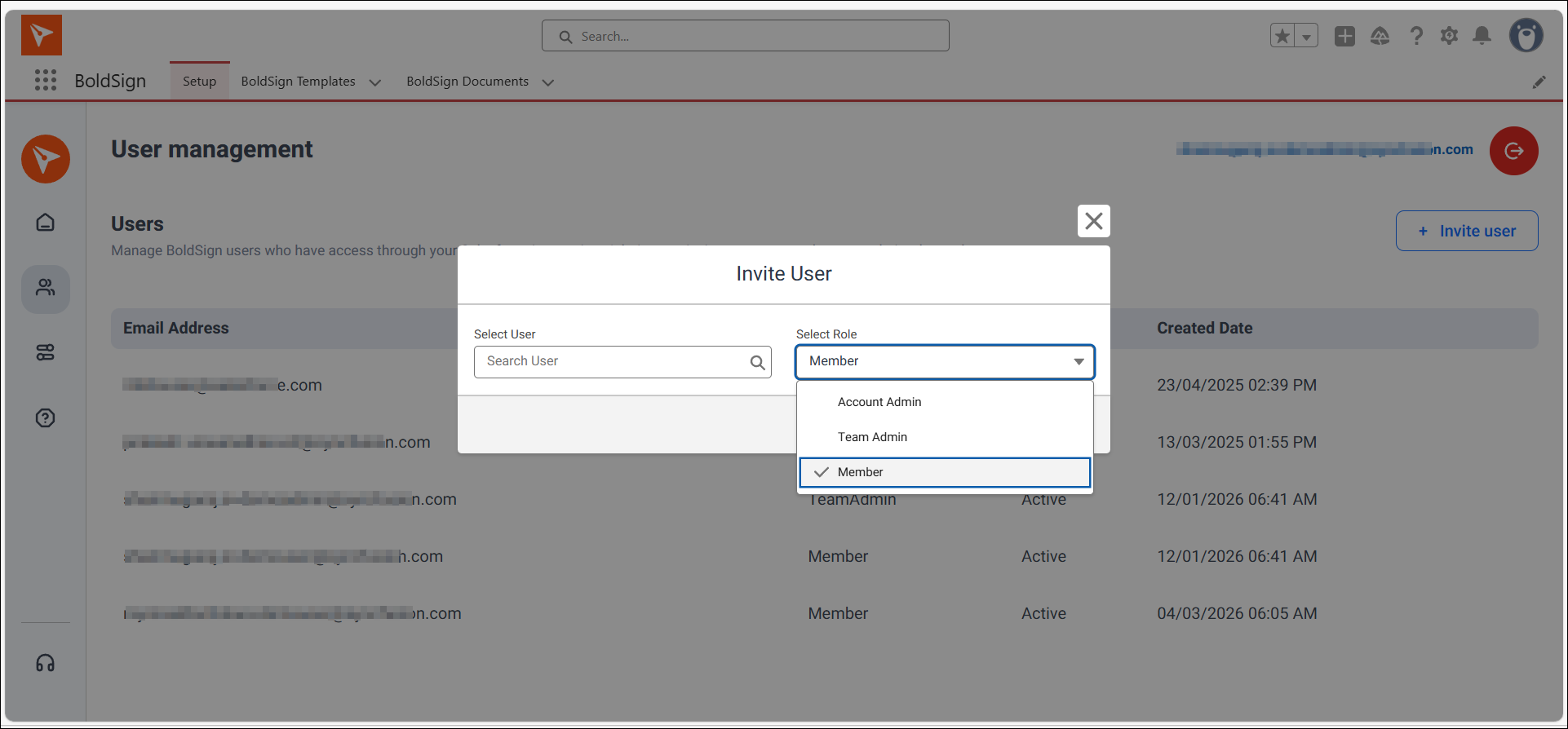
Step 4: Give your team access
The admin adds the BoldSign cards to record pages and assigns permission sets. Permission sets decide who can send and who can only view.
Step 5: Map templates to Salesforce fields
Create a template in BoldSign for each contract you send often. Then map each template field and signer role to a record field.
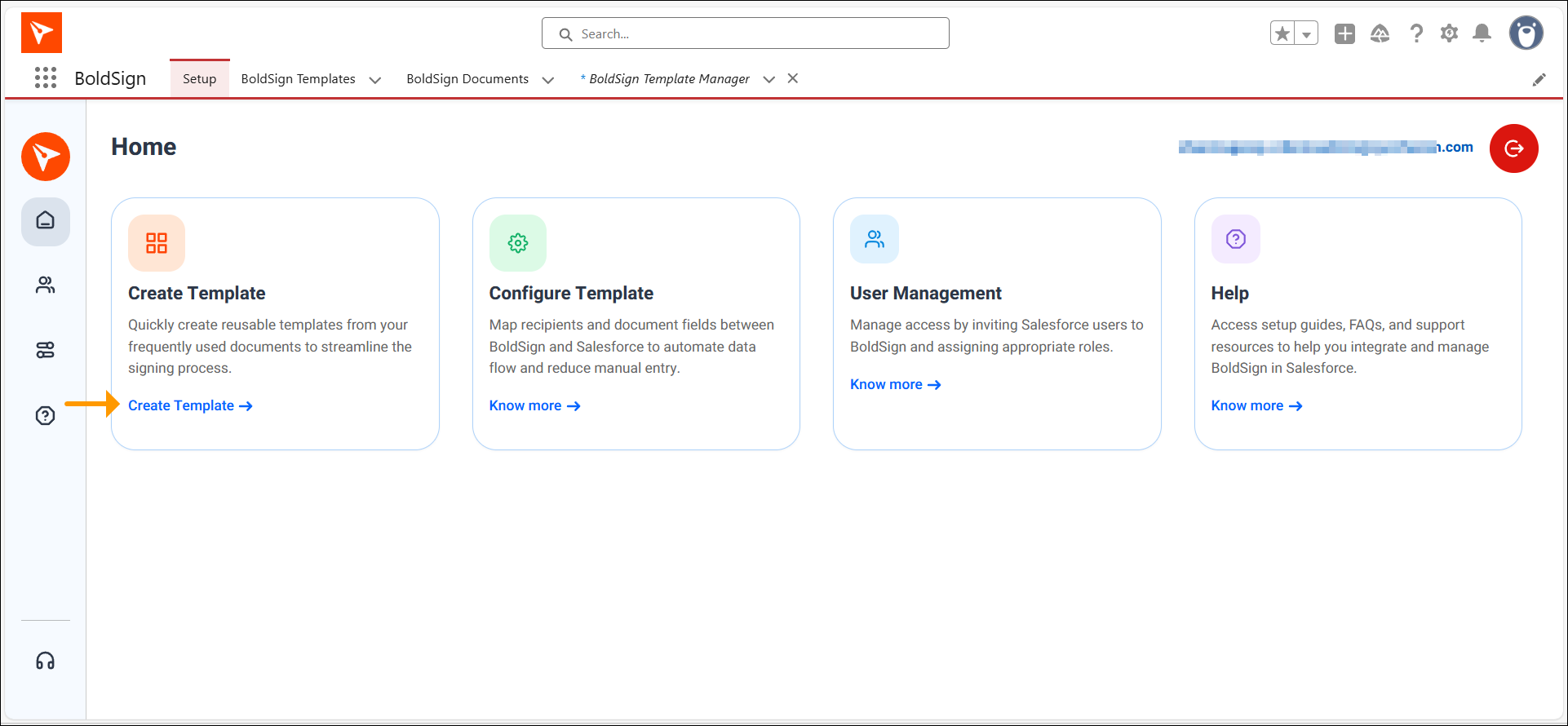
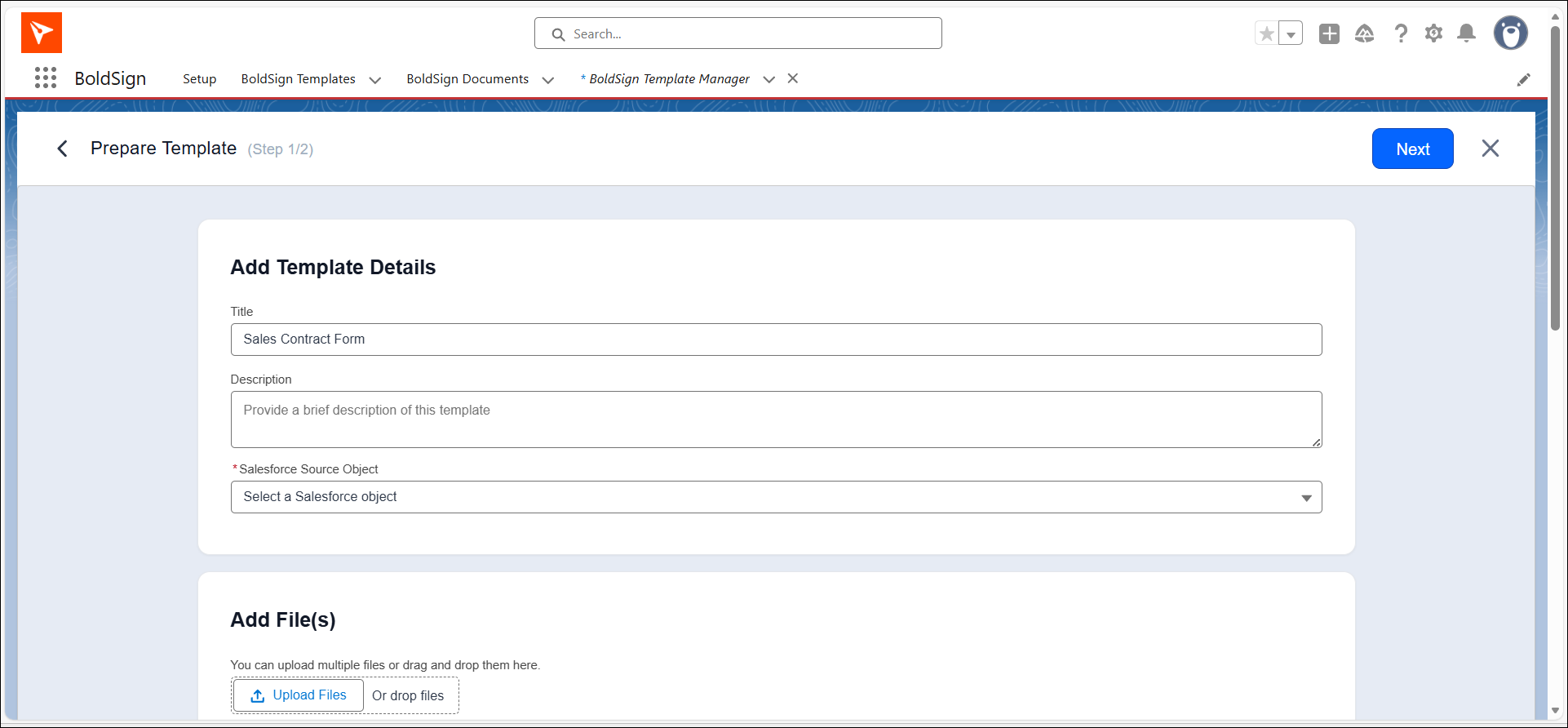
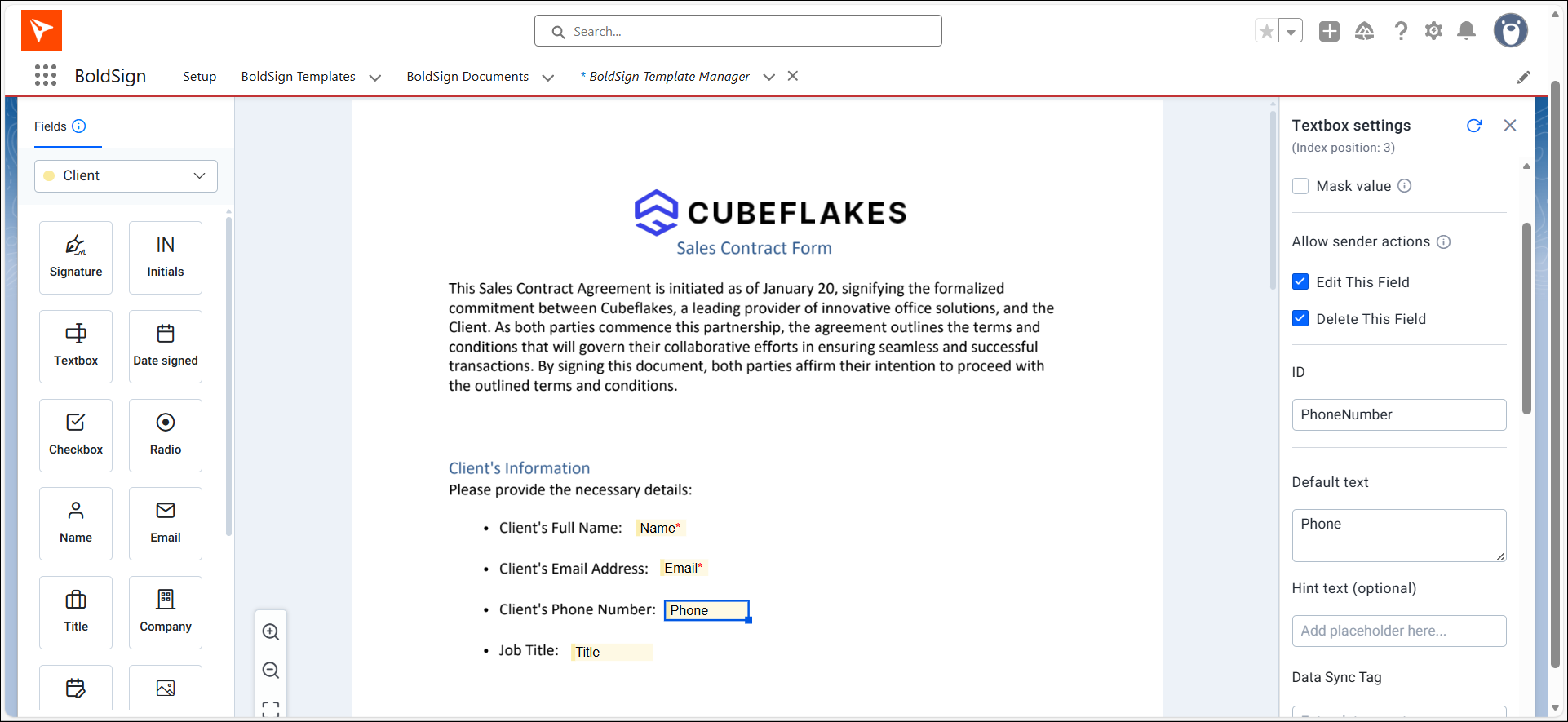
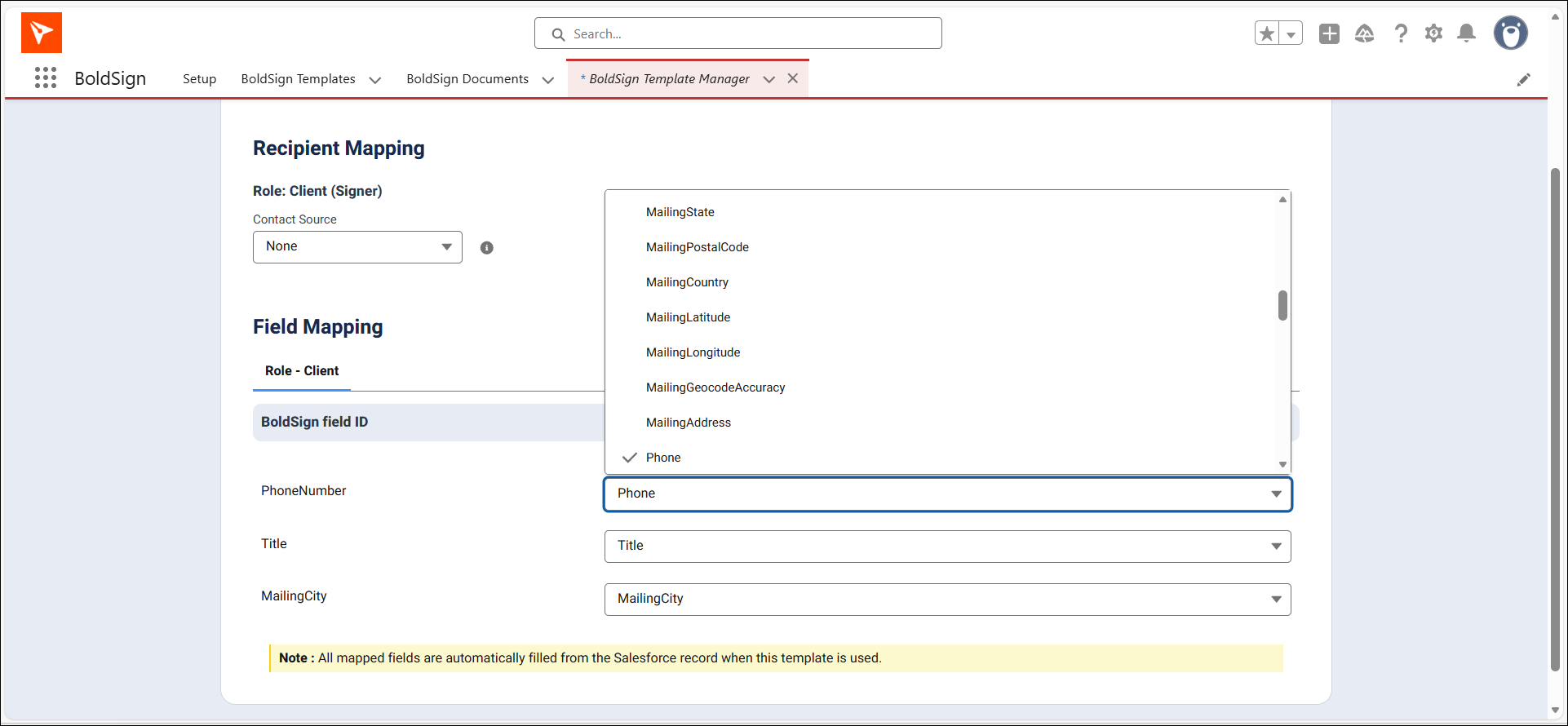
Our guide on how to save time with eSignature templates covers building templates.
Step 6: Send a test document
Send a test from an opportunity or contact record to yourself. Check that the fields fill and the signed copy lands on the record, then open access to the rest of your team.
Which e-signature platforms integrate with Salesforce and maintain a complete audit trail?
BoldSign does: every contract sent from Salesforce carries a full audit trail, and the completed document saves to its record. Use the checks below for any tool you compare.
- It is listed on Salesforce AppExchange.
- It works on the records your team uses, including custom objects.
- It shows status on the record as it changes.
- It keeps a full audit trail for each signed document.
- It saves the signed copy back to the record.
These same checks help when you compare enterprise e-signature solutions with Salesforce integration. Our post on why eSignature audit trails matter explains what a trail records.
What should you watch out for?
A few limits shape how you set things up. Plan around them before you roll out to the team.
- Mapped fields fill only from templates, not from uploaded documents.
- Only the sender can remind or revoke a request from the record.
- Completed documents stay in BoldSign and also save to the record.
Which BoldSign plan do you need, and what does the Salesforce add-on cost?
The Salesforce integration is a paid add-on on the Business and Premium plans only. Prices are in USD, billed yearly, as listed on our pricing page in November 2026.
On the Business plan, you pay $15 per user a month plus a $10 Salesforce add-on per user a month. That comes to $25 per user a month.
On the Premium plan, you pay $99 a month for unlimited users plus a $21 add-on for the organization. That comes to $120 a month, with a cap of 250 envelopes a month.
Where do you go next with eSignature for Salesforce?
The quickest test is one real contract sent from one record. Pick a next step:
- Start a 30-day free trial and install the AppExchange app.
- Book a demo to see the integration on your own records.
- Contact our support team with a setup question.
Frequently asked questions
Do signers need a BoldSign or Salesforce account to sign?
No. Signers get an email link and sign from any device. They sign without a BoldSign account or a Salesforce account.
How much is the Salesforce add-on for BoldSign?
As of November 2026, the add-on costs $10 per user a month on the Business plan. On the Premium plan it costs $21 a month for the whole organization, on top of the plan price.
Can I send a document to more than one signer?
Yes. You can add several signers to one document from the record and choose the order they sign in.
How long does setup take?
Setup is a one-time job, and it needs no code. An account admin turns on Salesforce in BoldSign, then a Salesforce admin installs the app, assigns access and maps templates.
What if a signer does not respond?
The sender can send a reminder from the Salesforce record. The sender can also revoke the request there and send a new one.
Which Salesforce records can I send from?
You can send from leads, contacts, accounts and opportunities. Our cards also work on custom Salesforce objects.
Do mapped fields fill a document I upload?
No. Mapped fields fill only from templates. An uploaded one-off document goes out as it is, and you place its fields by hand.
Is there a free trial of BoldSign?
Yes. We offer a 30-day free trial, and you need no credit card to start it.

Shanmuga Raj Subramani
A Digital Marketing Executive at BoldSign, focused on creating engaging blogs, feature pages, and social media content. With a passion for simplicity, creativity, and digital trends, he ensures every piece reflects BoldSign’s mission to make eSignature solutions easy, accessible, and impactful for businesses worldwide. Connect with him on LinkedIn.
More posts by Shanmuga Raj Subramani