How to Spot eSign Scams and Stay Safe from Email Fraud
 BoldSign Team
TL;DR: An eSign scam is a fake or misused signature request that tries to get your password, money or personal details. Check who sent it, confirm with that person through a contact you already trust, and forward anything suspicious to us. When you send documents yourself, signer authentication adds a code check before anyone can sign.
An email says a document is waiting for your signature. The sender’s name looks familiar and the logo looks right. One click later, a page asks for your email password.
Scammers copy eSignature emails because people trust them and act on them quickly. This guide shows you how to spot a fake, what to do with one, and how to keep your BoldSign account safe.
What are esign scams and how do they work?
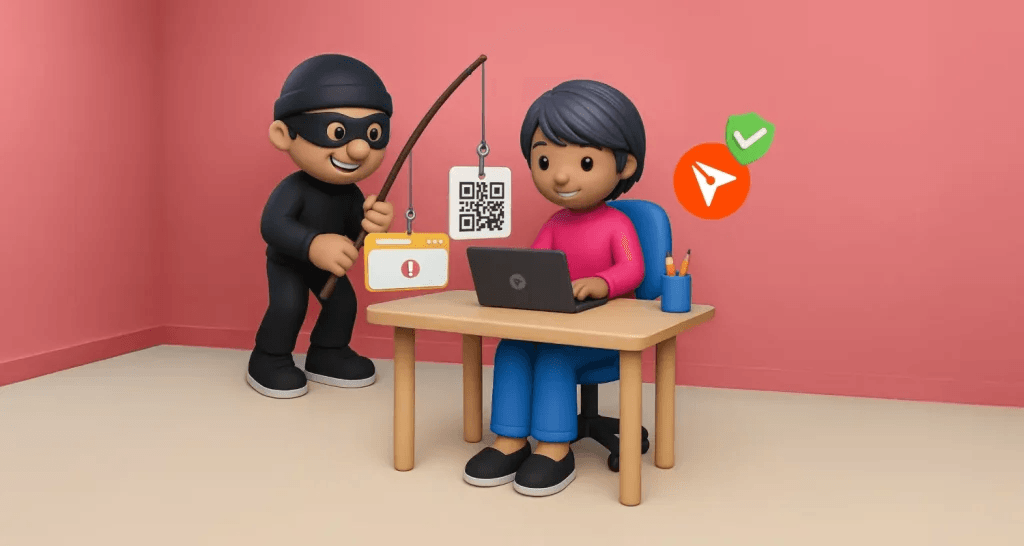
Esign scams are emails or texts dressed up as a request to sign a document. They aim to steal your login details, install harmful software or get you to pay money.
A fake parking ticket on your windshield works the same way. It looks official, it gives you a deadline, and it sends you to a website to pay.
Scammers mostly use one of two tricks. Some copy the look of a real signing email and link to a fake sign-in page. Others open a real account on a trusted service and send a harmful document from it.
The second trick is harder to spot, since the email comes from a genuine address. So check who sent the document, not only which service delivered it.
What are the warning signs of a fake signature request?
Most fake requests give themselves away in the sender, the request or the link. Look for these signs before you click anything.
Who sent it?
- The sender’s domain has an extra letter or a swapped character.
- You do not know the person named as the sender.
- The greeting is generic, such as “Dear Customer”, instead of your name.
- The email has typos, odd grammar or a blurred logo.
What does it ask you to do?
- It asks for a password, bank details or a card number.
- It pushes you to act fast, such as “Sign today or your account closes.”
- It carries an attachment you did not expect, or a file that asks you to enable macros.
Where does the link go?
Hover over the button before you click it, or press and hold it on a phone. The address that appears should belong to the service’s real domain, not a lookalike.
A padlock or https:// only means the connection is encrypted. Scam sites use it too, so check the domain as well.
How do you check whether a BoldSign email is real?
Contact the person who sent the document through a phone number or address you already have. A reply to the email itself may go straight to the scammer.
- Leave the links in the email alone for now.
- Call or message the sender and ask them to confirm the document name.
- Forward the email to support@boldsign.com when you still have doubts, and we will check it.
We do not ask for your password, bank details or card number in an email. Treat any email that does as a scam, whatever name it carries.
How do you report a scam email or fake BoldSign site?
Forward it to support@boldsign.com with the sender’s address, the message and any links or attachments. Our team looks into each report to protect the people who use BoldSign.
Then delete the email from your inbox. Ask your IT team as well, since many companies have their own way to report phishing.
People in the US can also report fraud to the Federal Trade Commission (FTC) at ReportFraud.ftc.gov. Online crime can go to the Federal Bureau of Investigation (FBI) through its Internet Crime Complaint Center.
What should you do if you already clicked the link?
Act quickly, starting with the password you may have given away. Each step below closes one way back into your accounts.
- Change the password you typed into the fake page, and any account that shares it.
- Turn on two-factor authentication for your email and your BoldSign account.
- Run a virus scan if you opened an attachment.
- Call your bank straight away if you shared card or bank details.
- Report the email to us and to your IT team.
How do you keep your BoldSign account secure?
Use a password you do not use anywhere else, and add two-factor authentication (2FA). With 2FA on, a stolen password alone is not enough to sign in.
Our guide to setting up 2FA for your BoldSign account walks through each step. You can get your code from an authenticator app or the other methods in our 2FA help article.
Account administrators can also require 2FA for the whole team. Share the warning signs above with your colleagues, so everyone knows what a fake request looks like.
Where do you go next to stay safe?
A short check before you click is the habit that matters. Pick the next step that fits you.
- Start a 30-day free trial and send documents with signer authentication turned on.
- Read our guide to modern phishing attacks, such as quick response (QR) code scams.
- Contact our support team with a question about an email you received.
Frequently asked questions
What is an eSign scam?
It is a fake or misused request to sign a document. The scammer wants your login details, your money or access to your computer, and uses a trusted signing service as cover.
Can scammers send a real email from an eSignature service?
Yes. A scammer can open a genuine account and send a harmful document from it. Check who the sender is and whether you expected the document.
How can I tell if a signature request email is fake?
Look at the sender's address, the greeting and where the link goes. A lookalike domain, a generic greeting, a deadline threat or a request for a password are the common giveaways.
Does BoldSign ask for my password by email?
No. We do not ask for your password, bank details or card number in an email. Treat any email that asks for them as a scam and forward it to support@boldsign.com.
Is a website safe if it shows a padlock or https?
Not on its own. The padlock only means the connection is encrypted, and scam sites use it too. Check that the domain in the address bar is the real one.
What should I do if I entered my password on a fake page?
Change that password at once, along with any account that uses the same one. Then turn on two-factor authentication and report the email to us and to your IT team.
Where do I report a fake BoldSign email?
Forward it to support@boldsign.com with the sender's address and any links or attachments. In the US, you can also report it at ReportFraud.ftc.gov.
Should I sign a document I was not expecting?
Wait until you confirm it with the sender through a contact you already trust. A real sender can resend the request, so a short delay costs you little.

BoldSign Team
The official team behind BoldSign—the simple, secure eSignature solution trusted by businesses worldwide. Our platform helps individuals and teams create, sign, and manage documents effortlessly while maintaining full compliance. Experience BoldSign yourself with a free trial or request a personalized demo to see it in action.
More posts by BoldSign Team