Karthick Ramasamy
TL;DR: You add eSignatures to a Node.js app with our official software development kit (SDK) in four steps. Create an API key, send a document from a template, show the signing page in your app and download the signed PDF. Our Node.js SDK page sums up what the SDK covers.
Picture a developer at a real estate agency. Agents, buyers and sellers sign dozens of contracts each month. Today those PDFs go out by email, come back as scans and get filed by hand.
This guide moves that whole flow into the agency’s own Node.js app. You send the contract, the buyer signs it on your page, and your server saves the signed copy.
What does a Nodejs digital signature integration do?
An integration lets your app send documents for signature and collect them without people leaving your product. Your server talks to our API, and we handle the signing page, the reminders and the audit trail.
Think of it like a card terminal in a shop. The shop never handles the bank’s systems, yet the customer pays at the shop’s own counter. Your app is the counter, and our API is the bank.
The word digital gets used loosely here. Our guide to electronic signatures vs digital signatures explains the difference.
Why not build a Node js PDF digital signature step yourself?
You can, but signing is more than drawing a name on a PDF. A full Nodejs sign PDF flow also needs signer emails, reminders, field placement, an audit trail and storage.
With our SDK, a digital signature Nodejs integration needs only a few calls. You send, embed, track and download, and the Node.js SDK documentation lists every call.
What do you need before you start?
Have three things ready before you write any code.
- Node.js installed on your machine.
- A BoldSign account: a paid account or a free API sandbox account.
- An API key, which you create on the API key page of the web app.
How do you set up the Node.js project?
Skip to connecting your API key when you already have an app. For a new app, create a folder and run npm init -y in it.
The samples below use import and top-level await. Add "type": "module" to your package.json file so Node.js runs them as modules.
Then install Express, a web framework for Node.js, and Dotenv, which loads settings from a .env file.
npm install express dotenvHow do you install the BoldSign Node.js SDK?
Install the official SDK from npm. The package is called boldsign.
npm install boldsignTogether, Express, Dotenv and the SDK let your server take requests, read your settings and call our API. Our getting started guide covers the API in more depth.
How do you connect your API key?
Create a .env file in your project folder and add the API key you made earlier. Keep this file out of source control so the key stays private.
BOLDSIGN_API_KEY=<Your API Key>How do you prepare a template for your contracts?
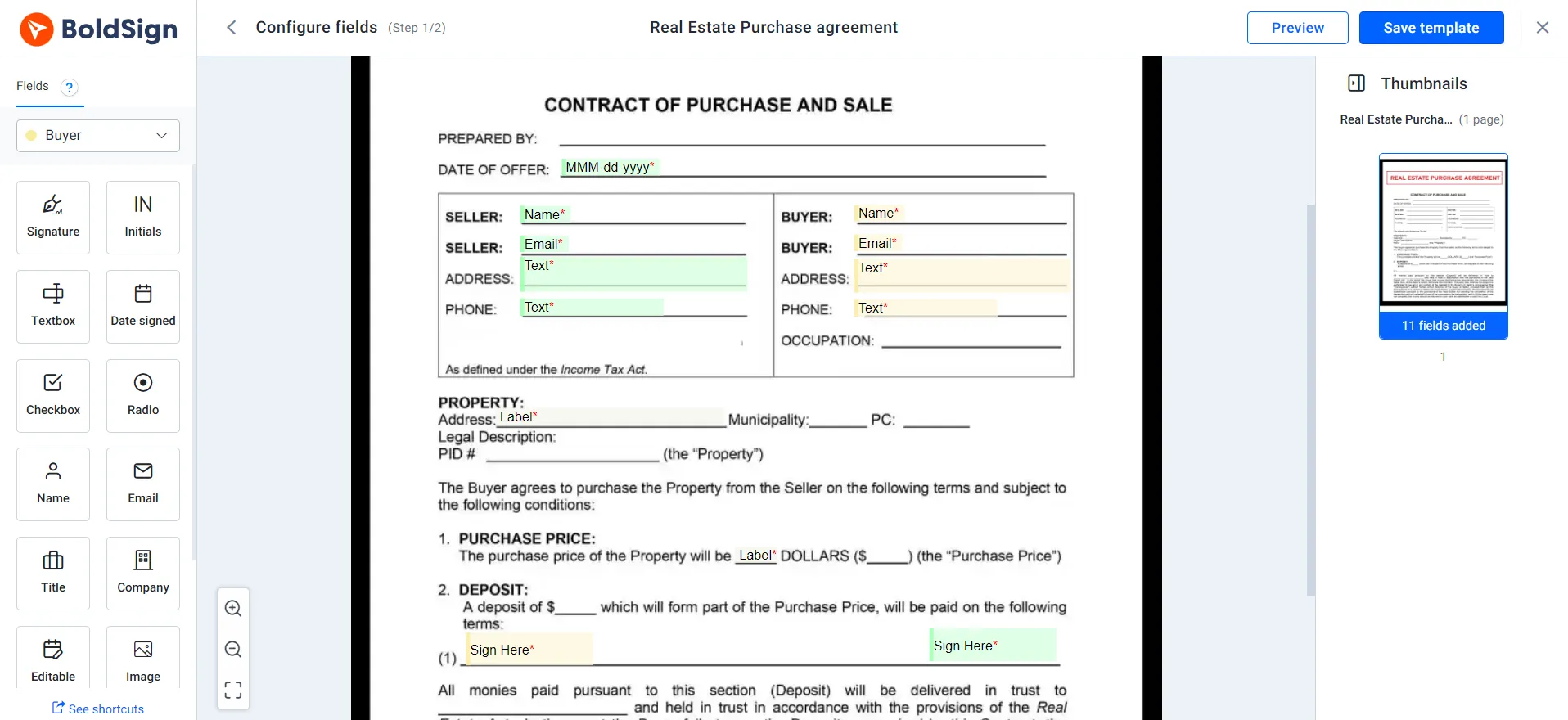
Build a template once with the signer roles and fields every contract needs. Each new contract then starts from that template instead of a blank PDF.
You can create templates in the BoldSign web app or with the create template API. For the agency, the template holds a seller role, a buyer role and fields for the address and price.
How do you send a document for signature in Node.js?
Add a route that takes the deal details and calls the send from template API. The route fills the template fields and returns the new document ID.
In the sample, the seller’s role fills two existing fields with the address and amount. The buyer’s role adds a signature field on page 1.
import express from "express";
import { TemplateApi } from "boldsign";
import "dotenv/config";

const app = express();
app.use(express.json());

const templateApi = new TemplateApi();
templateApi.setApiKey(process.env.BOLDSIGN_API_KEY);

// Define route for document creation and extract necessary data from request body
app.post("/create-document", async (req, res) => {
  const { sellerName, sellerEmail, buyerName, buyerEmail, amount, address, templateId } = req.body;

  const data = {
    roles: [
      {
        roleIndex: 1,
        signerName: sellerName,
        signerEmail: sellerEmail,
        existingFormFields: [
          {
            id: "<labelField1>",
            value: address,
          },
          {
            id: "<labelField2>",
            value: amount,
          },
        ],
      },
      {
        roleIndex: 2,
        signerName: buyerName,
        signerEmail: buyerEmail,
        formFields: [
          {
            fieldType: "Signature",
            pageNumber: 1,
            bounds: { x: 100, y: 300, width: 200, height: 50 },
          },
        ],
      },
    ],
    disableEmails: true,
  };

  const response = await templateApi.sendUsingTemplate(templateId, data);
  const docId = response.documentId;

  res.status(200).json({ success: true, documentId: docId }); // Send a success response with document ID
});
Setting disableEmails to true stops us from emailing the signers. Use it when people will sign inside your app, as the next step shows.
How do you let people sign inside your app?
Ask for an embedded signing link for each signer, then show it on your page. The signer completes the contract without opening an email.
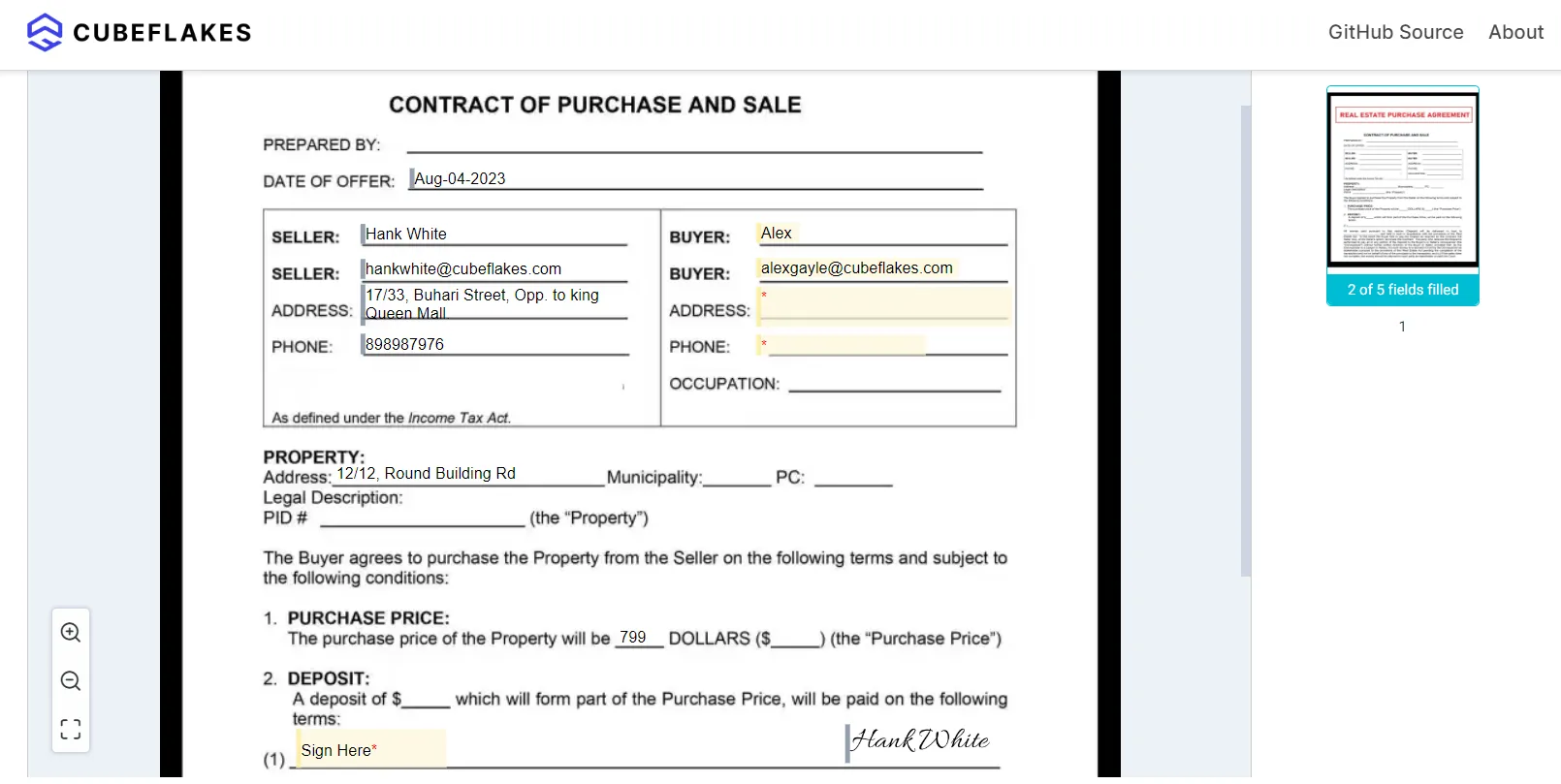
The sample asks for the seller’s link and passes a redirect URL. After signing, the page sends the seller to that address.
import { DocumentApi } from "boldsign";
import "dotenv/config";
const documentApi = new DocumentApi();
documentApi.setApiKey(process.env.BOLDSIGN_API_KEY);

const docId = "YOUR_DOCUMENT_ID";
const sellerEmail = "SELLER_EMAIL_ADDRESS";

// If a redirect URL is specified, the iFrame will redirect users to it after they sign the document.
const redirectUrl = "{your-host}/{your-redirect-path}";
const result = await documentApi.getEmbeddedSignLink(
  docId,
  sellerEmail,
  null,
  null,
  null,
  redirectUrl,
);

// Get the embedded signing URL.
const signUrl = result.signLink;
Load the link within an iFrame on your page. Your page can also listen for events from the iFrame, such as a signed document.
How do you download the signed PDF with webhooks?
Subscribe a webhook to the Document Completed event, then download the PDF when it fires. That event tells you every party has signed and the final PDF is ready.
Your webhook handler can call the download document API with the document ID. The sample saves the PDF as a file on disk.
import { DocumentApi } from "boldsign";
import "dotenv/config";
import { writeFileSync } from "fs";

const documentApi = new DocumentApi();
documentApi.setApiKey(process.env.BOLDSIGN_API_KEY);
const documentId = "YOUR_DOCUMENT_ID";

// Download the PDF as a Buffer
const pdfBuffer = await documentApi.downloadDocument(documentId);

// Write the buffer to a PDF file
writeFileSync("FILE_NAME.pdf", pdfBuffer);
From there, your app can email the signed copy to the buyer and seller or store it with the deal. Read the webhooks documentation to set one up, and verify webhook events before you trust them.
Which plan do you need, and what does the API cost?
You can build and test everything in this guide with a free API sandbox account. Sandbox documents carry a “This is a test document” watermark and are deleted after 14 days.
Live sending through the API needs the Enterprise API plan, which also includes embedded signing and webhooks. It starts at $30 a month with 40 envelopes, and each extra envelope costs $0.75.
Prices are in USD, as listed on the API pricing page in November 2026.
Where do you go next with your Node.js integration?
Start in the sandbox with one template and one test signer. Then add embedded signing and the webhook once the first send works.
- Create a free API sandbox account and run the samples in this guide.
- Book a demo to talk through your signing flow with our team.
- Work through the Node.js integration checklist before you go live.
You can also try our live API demos, browse sample code on GitHub, or ask a question on our support portal.
Frequently asked questions
How to integrate eSignatures into an app?
Create an API key, install our SDK, then send a document from your server. Signers can sign by email or inside your app, and you download the signed PDF when they finish.
Does BoldSign have a Node.js SDK for eSignatures?
Can I sign PDF Nodejs documents without a PDF library?
Yes. Your code sends the PDF or a template to our API, and signers add their signatures on our signing page. You download the finished PDF afterwards, so your app never edits the file itself.
Is a Node js digital signature from an API legally binding?
Yes, when it meets the usual rules for electronic signatures, such as the signer's clear intent to sign. Sending through an API does not change those rules. Check the rules for your document type and country.
How do I keep signers inside my Node.js app?
Send the document with emails turned off, then ask for an embedded signing link for each signer. Load that link in an iFrame on your page, and the signer never leaves your app.
How do I know when every signer has finished?
Subscribe a webhook to the Document Completed event. We call your URL once all parties have signed and the final PDF is ready to download.
Can I test a Node.js eSignature integration for free?
Yes. A free API sandbox account gives you full API access with no credit card. Sandbox documents carry a test watermark and are deleted after 14 days.
Do signers need a BoldSign account?
No. Signers open the link in their email or the page in your app and sign there. Only the sender needs an account.

Karthick Ramasamy
I am an experienced full-stack developer with 7 years of hands-on expertise in .NET Core and JavaScript. My passion lies in crafting top-notch and highly efficient programs. I derive great satisfaction from solving technical challenges and continuously seek to expand my knowledge in software development. Outside of work, I find joy in embarking on journeys that take me over mountains. Connect with him on LinkedIn.
More posts by Karthick Ramasamy