Conditional vs Unconditional Lien Waivers: What to Sign and When
 Meikanda Nayanar
TL;DR: A lien waiver is a form that gives up the right to claim a lien on a property in return for payment. A conditional waiver takes effect once the payment clears, and an unconditional waiver takes effect the moment you sign it. With BoldSign for construction, each waiver type lives in its own locked template, and every signature carries a time-stamped record.
You run payments on a construction project. Each month, every subcontractor and supplier on the job owes you a waiver before the money moves. Or you are the subcontractor, and a waiver lands in your inbox before the check does.
Either way, the form takes two minutes to fill in. The hard part is sending the right version to every party, getting it back on time, and proving later which one was in force.
What is a lien waiver?
A lien waiver is a signed form that gives up the right to claim a lien on a property in return for payment. Think of it as a receipt that trades a claim for money.
Picture paying a painter to paint two rooms. You pay her and ask her to sign a note that says she has received full payment. Should she later say otherwise, the note settles it.
Now flip the order. She signs first, on your promise to pay tomorrow, and the money never comes. Her own note now says she got paid.
A lien waiver is the construction version of that note. People who improve a property and go unpaid can claim a mechanic’s lien, a legal claim against the property itself.
The waiver gives up that claim, so the payer knows no lien will appear later. A new waiver usually changes hands with every payment.
What does a lien waiver contain?
Every waiver answers the same five questions. Read each one before you sign or accept a form.
- Which project? The property address, plus the job number or legal description where needed.
- Who are the parties? The party giving up the claim, and the party it releases.
- How much, and through what date? The payment amount and the last day of work it covers.
- Paid already, or on condition? Whether the waiver takes effect on signing or once payment clears.
- Whose signature? A person with the authority to bind the party giving up the claim.
Leave a form unsigned when the amount or the through date is blank. An open date can give up rights for work you have not been paid for, so send the form back for completion.
Conditional vs unconditional lien waiver: what is the difference?
A conditional lien waiver takes effect only once the payment it names actually clears. An unconditional lien waiver takes effect the moment you sign it, whatever happens to the payment.
Each kind also comes in two versions: one for a progress payment and one for the final payment. That gives four common forms.
| Form | When you sign it | When it takes effect |
|---|---|---|
| Conditional progress | Before a progress payment arrives | Once that payment clears |
| Unconditional progress | After a progress payment clears | As soon as you sign |
| Conditional final | Before the final payment arrives | Once the final payment clears |
| Unconditional final | After the final payment clears | As soon as you sign, for all remaining work |
The conditional forms exist because payers usually ask for waivers before money moves. A conditional lien release lets the exchange happen while the payee keeps their protection until the money lands.
When is it safe to sign an unconditional lien waiver?
Sign an unconditional waiver only once the money has cleared your account. Sign it any earlier and you give up your claim, even if the check bounces or the payer goes out of business.
Follow these rules on every payment.
- Payment promised but not received: sign the conditional form.
- Payment cleared and in your account: the unconditional form is now safe.
- Last payment on the job: sign the final unconditional waiver last, once that payment clears.
Lien law is state law. Each state sets its own forms, wording and notary rules, and some set none at all. Check your state’s rules, and take any dispute to a construction attorney.
What can go wrong for the payer?
Most warnings speak to subcontractors, yet payers carry risk too. A waiver may fail to hold up when it is incomplete or signed by the wrong person.
When that happens, a lien can surface after the job closes, and you may end up paying twice for the same work.
A title search can find the lien during a sale, or a lender can hold the next draw until someone clears it. Both sides want the same result: a form that will stand up later.
Why is collecting lien waivers really a timing problem?
The form is quick to complete. The real cost is the follow-up around it, and that repeats every month.
Say a general contractor submits a draw, and 14 subcontractors each owe a waiver. Nine come back within the week. Two arrive on the unconditional form instead of the conditional one, and one comes back with a blank through date.
Two more never answer and need two rounds of chasing. The lender waits for a full set before it releases funds. So the subcontractors who replied on day one still wait on day twelve.
That leaves two poor choices. You can chase by email and lose track of which form was in force when the check went out. Or you can hold payment until every form is right, and watch good subcontractors stop bidding on your jobs.
How do you collect lien waivers with BoldSign?
Build your waiver forms once as templates, one per waiver type. After that, each draw needs only the list of parties and each party’s amount and through date.
- Upload each waiver form and save it as its own template.
- Turn off sender edits to files, fields and recipients so nobody changes the form type.
- Send the conditional forms to every party on the draw in one bulk send.
- Let automatic reminders follow up with anyone who has not signed.
- Download each signed waiver with its audit trail for your records.
Our template settings let you lock the files, so senders use only the document you added. Our help article on template settings that stop users from modifying a template shows each option.
Can an artificial intelligence (AI) agent send lien waivers for you?
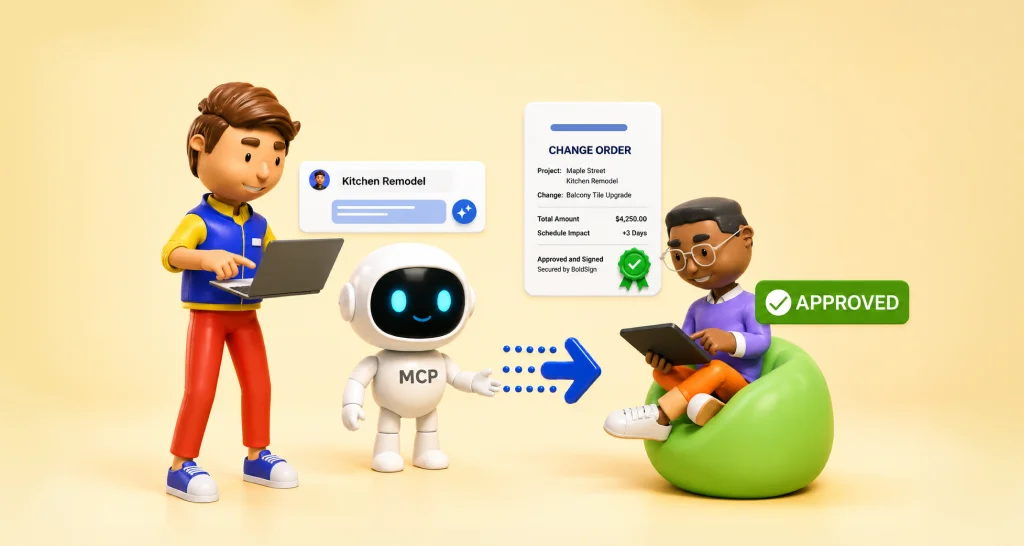
You can drive the same steps from a chat with an AI agent. Our Change Order Approval Agent demo collects change order details in a chat and sends the document for signature.
The demo is for show only and processes no real change order. Lien waivers follow a similar pattern, and our guide to building an AI agent that sends contracts walks through it.
What will BoldSign not do?
On a form where signing too early can cost you a payment, the limits matter as much as the features. Here is where we stop and you decide.
- We do not check your state’s form. You choose the wording, and we send exactly what you built.
- We cannot see your bank. You decide when a payment has cleared and the unconditional form is safe.
- We send a locked template as is. Any error goes out too, so review the template before the first send.
- We do not give legal advice. A construction attorney should handle any contested claim.
What we do remove are the two clerical failures: the wrong form going out, and no record of when the right one came back.
Does an electronically signed lien waiver hold up?
Generally yes, and an electronic waiver often carries more evidence than a paper one. A federal law, the Electronic Signatures in Global and National Commerce (ESIGN) Act, says a signature cannot lose legal effect just for being electronic.
The ESIGN Act text applies to deals in interstate commerce. Most states also follow the Uniform Electronic Transactions Act (UETA), and our page on electronic signature legality covers the detail. Some states add form or notary rules for waivers.
Each signed waiver also comes with records you can show in a dispute:
- An audit trail with the time each party received, viewed and signed the form.
- A digital seal on the completed document, so any later change to an amount or date shows.
- A completion certificate that ties the trail to one unchanged copy of the file.
Our guide to why audit trails matter explains the record.
Which BoldSign plan do you need, and what does it cost?
Locked templates start on the Growth plan, which holds 10 templates. That covers the four waiver forms, and the free Essential plan holds only two templates.
Bulk send and unlimited templates start on the Business plan and are also on the Premium plan. Each envelope you send in bulk costs $0.25 on top of the plan price.
Prices are in USD, billed yearly, as listed on the BoldSign pricing page in November 2026. Essential is free, Growth is $5 per user a month, and Business is $15 per user a month. Premium is $99 a month for unlimited users, and you can start with a 30-day free trial.
How do you start collecting lien waivers electronically?
Start with the conditional progress form, since it changes hands most often. Then add the other three forms as templates.
- Start a 30-day free trial and build your first waiver template.
- Book a demo to see a monthly waiver run set up for your draws.
- Read about eSignature for construction, which covers change orders and subcontractor agreements too.
Frequently asked questions
What is a lien waiver in construction?
A lien waiver is a signed form in which a contractor, subcontractor or supplier gives up the right to claim a lien on a property. The signer gives up that right in return for a payment for their work.
What is the difference between a conditional and unconditional lien waiver?
A conditional waiver takes effect only once the named payment clears. An unconditional waiver takes effect the moment you sign it, even if the payment later fails.
Is a conditional lien release the same as a conditional lien waiver?
In everyday use, yes. Both names describe a form that gives up lien rights once a named payment clears. Use the exact title that your state's form carries.
When should I sign an unconditional lien waiver?
Sign it once the payment has cleared your account. A promise or a pending check calls for the conditional form instead.
Can lien waivers be signed electronically?
Yes, when your state's lien rules allow it. Federal law gives electronic signatures the same legal effect as ink in most business deals, and some states add form or notary rules for waivers. Our UETA and ESIGN Act compliance page explains the general rules.
Do lien waivers have to be notarized?
It depends on the state. Some states ask for a notary on certain waiver types, and many ask for none. Check your state's rule before you build a template.
Does BoldSign check that a waiver matches my state's required form?
No. You build the template, and we send the form exactly as you built it. You or your attorney check the wording against your state's law.
Can BoldSign tell me whether a payment has cleared?
No. Your bank holds the payment status. We record when each waiver went out and when each party signed it. The choice of when to send the unconditional form stays with you.

Meikanda Nayanar
A veteran product manager at BoldSign, boasting a decade-long journey as a .NET developer. With a rich history of leading product development across diverse technologies like Windows Forms, WPF, UWP, Xamarin.Forms, Flutter, and MAUI, Meikandan brings a unique blend of technical expertise and strategic insight to the table. Connect with him on LinkedIn.
More posts by Meikanda Nayanar