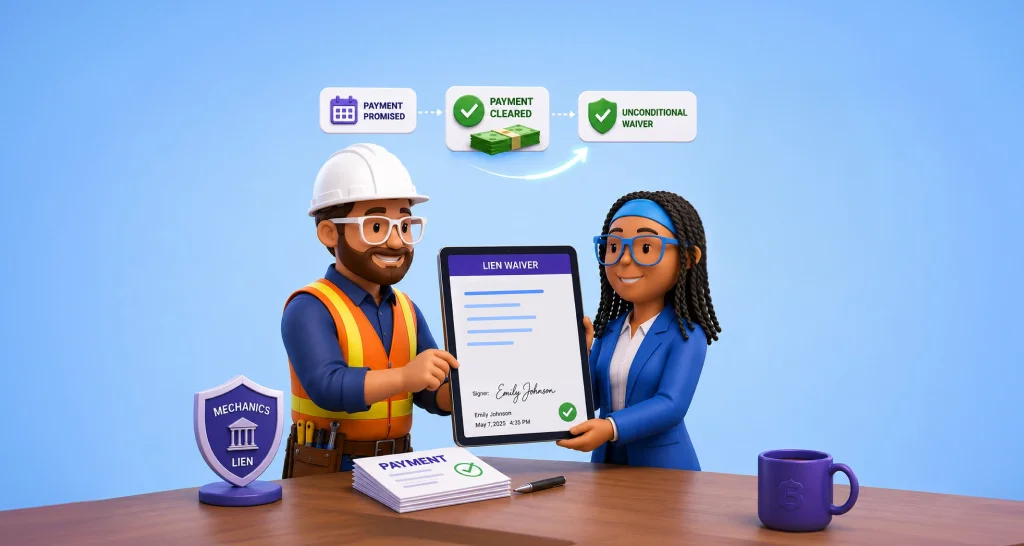
What Is a Change Order, and How Do You Approve One by Chat?
 Meikanda Nayanar
TL;DR: A change order is a short written amendment to a construction contract that records new work, its price and any schedule change. You can approve one through an artificial intelligence (AI) chat: you describe the change, and the signing request reaches your inbox. Our AI eSignature agents page shows this and other chat-based flows.
Halfway through a kitchen remodel, your contractor says the new tile will cost extra. You agree on the phone, and work goes on. Two months later, the invoice arrives, and nobody remembers the same number.
A change order prevents that moment. This guide explains what one holds and who signs it, then shows what approving one by chat looks like from the client’s side.
What is a change order?
A change order is a written amendment to a construction contract. You use it whenever the job changes from what both sides first agreed.
Think of ordering a pizza. You order one large pepperoni, then call back and add a second pizza. The price goes up, and someone should write the new total down.
Construction works the same way, with bigger numbers. A client asks for nicer tile, or the crew opens a wall and finds rotten wood. The original contract no longer describes the real job.
The change order closes that gap. It is often one page, and it states what changed, the new cost and the new finish date. Once both sides sign, it becomes part of the contract.
What is written on a change order?
A complete change order answers six questions. Formats differ between contractors, but these questions stay the same.
- Which contract does it change? The project name, address and the original agreement.
- What is the change? The work you add, remove or do differently.
- What does it cost? The amount, and whether it is a fixed price or time and materials.
- What does it do to the schedule? The extra days and a new completion date.
- Who asked for it, and who signs? The reason for the change and a signature line for each party.
Ask about any blank line before you sign. A question costs little before work starts and much more after it ends.
Why does a signed change order matter to both sides?
A signed change order is the written proof of what the client agreed to pay. Without it, a contractor may struggle to collect payment for the extra work.
A spoken yes feels like agreement on the day. Months later, the two sides may remember a different price or scope. The signed page fixes the price in writing before the work happens.
The client gains as much as the contractor. A surprise line item on the final invoice is far harder to add when both sides signed the price in advance. Our guide on why unsigned change orders become unpaid work walks through what the gap costs a contractor.
Why does approval take so long?
Writing a change order takes minutes. Getting the client to open, read and sign it can take days.
Picture a common week. The client says yes on Tuesday, and the PDF goes out on Wednesday. The client opens it on Friday and signs it the following week, if the email stays near the top of the inbox.
Meanwhile, the contractor has two choices. One is to pause the crew and pay for idle people and equipment. The other is to start on a spoken yes and risk never collecting payment for the work.
How do you approve a change order by chat?
You type a few short answers in a chat window, and a real signing request arrives in your email. You print, scan and download nothing.
What the agent asks you for
Our demo agent asks for four things and nothing else:
- The project, such as “the Maple Street kitchen remodel”.
- The change, such as “the balcony tile upgrade”.
- Your name.
- Your email address.
What happens after you answer
- The agent shows a summary of the project, the change, your name and your email.
- You confirm the summary, and the agent sends the contractor’s change order template for signature.
- You open the email, read the document and sign it.
- You ask the chat for the status later, if you want to check it.
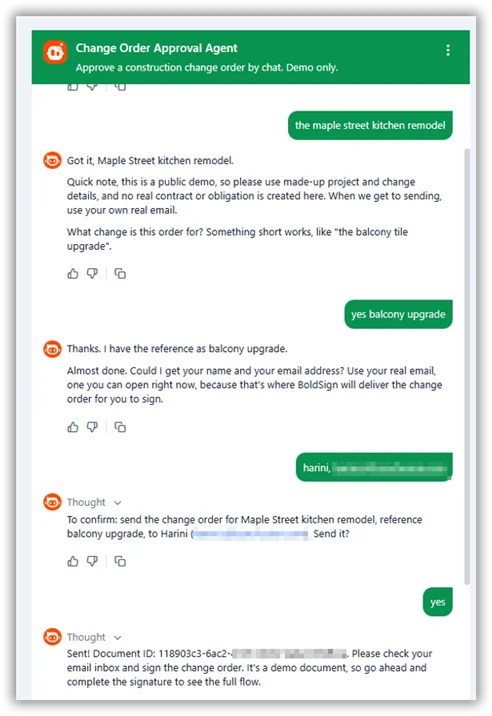
Try the demo yourself
Try the live change order demo with a made-up project and change. Use your own email address, because the signing request is the part worth seeing. CubeFlakes Construction is fictional, and the demo creates no real contract.
Can a contractor send the change order from a chat too?
Yes. A contractor can send the same template from Claude or another AI assistant that connects to the BoldSign Model Context Protocol (MCP) server.
For example, a contractor asks the assistant to “send the Hendersons a change order for the rot repair”. The assistant shows a summary for review, then sends the document for signature. That suits a person who approves paperwork from a ladder or a truck between job sites.
Our guide on how to build a change order agent for your construction business covers the setup step by step. The same server runs our lease signing, insurance claim and patient check-in agents.
What will the change order agent never do?
The agent’s limits are what make a money conversation safe to have in a chat. Our demo agent follows these rules in its instructions:
- It never states, estimates or negotiates a price, and it sends price questions to the project manager.
- It never asks for deposits, wire transfers, gift cards or fees.
- It never asks for Social Security numbers, bank details or passwords.
- It never gives legal advice about liens, permits or contract rights.
- It never vouches for a contractor and points you to your state licensing board.
A payment request inside a signing chat is a common scam sign. The agent pauses when a user describes that kind of pressure and suggests a report to the Federal Trade Commission (FTC).
Does a change order signed this way hold up later?
Yes, when both sides agree to sign electronically and the record shows the signed document and its timeline. In the US, the Electronic Signatures in Global and National Commerce (ESIGN) Act covers this.
Under that act, no rule may deny a contract legal effect solely because the parties signed it electronically.
Our UETA and ESIGN Act page explains how that act fits with the Uniform Electronic Transactions Act (UETA) that most states use. In the EU, electronic signatures are recognized under the electronic identification and trust services (eIDAS) Regulation.
Every document we complete carries a tamper-evident seal and an audit trail. The seal shows whether anyone changed the signed price afterwards. The audit trail records when the request was sent, viewed and signed.
Where to read more about proof and trust
- Our guide to producing electronic signature evidence for litigation or arbitration covers what a court may ask for.
- Who’s Liable When an AI Agent Sends the Wrong Contract? explains the one-template, one-summary guardrail.
- Is the Right Person Signing? covers checking who signs in an AI-driven flow.
Which BoldSign plan do you need, and what does it cost?
A client who approves a change order needs no BoldSign account or plan. The contractor who sends it chooses the plan.
Template locking, which stops senders from editing your approved wording, starts on the Growth plan at $5 per user a month. The Business plan costs $15 per user a month, and the Premium plan costs $99 a month for unlimited users. Prices are in USD and billed yearly.
Sending through an AI agent needs the Enterprise API plan, from $30 a month with 40 envelopes and $0.75 per extra envelope. You can test it first with a free API sandbox account. These prices are listed on the BoldSign pricing page as of November 2026.
How do you get your next change order signed the same day?
A change order is rarely the hard part. The wait between a yes and a signature is, and a chat can shorten it.
- Start a 30-day free trial and build your first change order template.
- Build your own agent on the same BoldSign MCP server.
- See eSignature for construction for change orders, work orders, subcontractor agreements and lien waivers.
Frequently asked questions
What is a change order in simple terms?
A change order is a short written amendment to a construction contract. It records new work, its price and any added days, and it joins the contract once both sides sign.
Who has to sign a change order?
Usually the contractor and the client, who may be a homeowner, a property owner or a general contractor. Some contracts also need an architect or a lender to approve.
Can a construction change order be signed electronically?
Yes, when both sides agree to sign electronically. In the US, the federal Electronic Signatures in Global and National Commerce (ESIGN) Act gives such a signature legal effect.
What happens if a contractor starts work before the change order is signed?
The contractor may struggle to get paid for that work. The extra price then rests on a conversation that each side may remember differently.
How long does change order approval take?
It depends on how fast the client opens and signs the document. A request sent from a chat lands in the client's inbox at once, so signing can happen within minutes.
Can an AI agent change the price on a change order?
Our demo agent cannot change it. The contractor prepares the price, scope and schedule, and the agent only sends the document.
What does the change order chat agent ask me for?
It asks for four things: the project, a short description of the change, your name and your email address. It needs nothing else to send the document.
Is it safe to approve a change order in a chat?
Yes, when the chat only routes the document and never asks for money or identity details. You still read and sign the real document in your own inbox.

Meikanda Nayanar
A veteran product manager at BoldSign, boasting a decade-long journey as a .NET developer. With a rich history of leading product development across diverse technologies like Windows Forms, WPF, UWP, Xamarin.Forms, Flutter, and MAUI, Meikandan brings a unique blend of technical expertise and strategic insight to the table. Connect with him on LinkedIn.
More posts by Meikanda Nayanar