How to Send eSignature Requests Through SMS with the BoldSign API
 Starvritsa Buhungi
TL;DR: Set the signer’s
deliveryModetoSMSand add their phone number to send an eSignature request by text message with the BoldSign API. We text the signer a link, and they sign in their phone’s browser. Our page on SMS signature requests covers the feature from end to end.
A customer needs to sign a service form today, but they rarely check email. Your request sits unread in an inbox while the job waits. A text message reaches the same person on the phone already in their hand.
This guide shows how to send that request from your own code. It covers the request fields, the code, how to confirm the send, and what to check first.
What is eSignature API SMS delivery?
eSignature API SMS delivery means your app sends the signing link by text message in place of email. The signer taps the link and signs on their phone, with no app to install.
Think of a pharmacy that texts you when a prescription is ready. The news arrives where you already look, and you can act on it in a minute. SMS delivery for electronic signatures works the same way.
How do I automate SMS delivery for document signing instead of using email?
Set deliveryMode to SMS on the signer in your send document request, and add a phoneNumber object. We then text the signing link to that number.
The send document endpoint accepts three delivery modes:
Email, the default when you leave the field outSMS, which sends the link by text message onlyEmailAndSMS, which sends the link both ways
The phoneNumber object has two fields, countryCode and number. The send document API reference lists every signer field.
How do you send an SMS signature request in code?
Each sample below sends one PDF with a signature field to a signer by SMS. Swap in your own API key, file path and phone number.
- Build a signer with a name, a
phoneNumberanddeliveryModeset toSMS. - Add at least one form field for that signer, such as a signature field.
- Send the document and keep the document ID from the response.
Our help article on how to send a signature request via SMS walks through the same request.
curl -X 'POST' \
  'https://api.boldsign.com/v1/document/send' \
  -H 'accept: application/json' \
  -H 'X-API-KEY: {your api key}' \
  -H 'Content-Type: multipart/form-data' \
  -F 'Message=sign please' \
  -F 'Signers={
  "name": "star",
  "phoneNumber": {
    "countryCode": "{Signer Country Code}",
    "number": "{signer phone number}"
  },
  "deliveryMode": "SMS",
  "signerType": "Signer",
  "allowFieldConfiguration": true,
  "formFields": [
    {
      "id": "signature1",
      "fieldType": "Signature",
      "pageNumber": 1,
      "bounds": {
        "x": 130,
        "y": 130,
        "width": 82,
        "height": 32
      },
      "isRequired": true
    }
  ],
  "locale": "EN"
}' \
  -F 'Files=@bill.pdf;type=application/pdf' \
  -F 'Title=sample document'
var apiClient = new ApiClient("https://api.boldsign.com","{Your API Key}");
var documentClient = new DocumentClient(apiClient);
var documentFilePath = new DocumentFilePath
{
ContentType = "application/pdf",
FilePath = "{Your File Path}"
};
var filesToUpload = new List<IDocumentFile>
{
documentFilePath
};
var signatureField = new FormField(
id: "signature",
isRequired: true,
type: FieldType.Signature,
pageNumber: 1,
bounds: new Rectangle(
x: 100,
y: 100,
width: 125,
height: 25));
var formFieldCollections = new List<FormField>
{
signatureField
};
var signer = new DocumentSigner(
signerName: "David",
phoneNumber: new PhoneNumber(
countryCode: "{Signer Country Code}",
number: "{Signer Phone Number}"),
formFields: formFieldCollections,
locale: Locales.EN);
signer.DeliveryMode = DeliveryMode.SMS;
var documentSigners = new List<DocumentSigner>
{
signer
};
var sendForSign = new SendForSign
{
Signers = documentSigners,
Title = "Sample Document",
Message = "Please sign this",
Files = filesToUpload
};
var documentCreated = documentClient.SendDocument(sendForSign);import boldsign
configuration = boldsign.Configuration(host="https://api.boldsign.com", api_key="YOUR_API_KEY")
with boldsign.ApiClient(configuration) as api_client:
document_api = boldsign.DocumentApi(api_client)
form_field = boldsign.FormField(
fieldType="Signature",
pageNumber=1,
bounds=boldsign.Rectangle(x=50, y=50, width=200, height=25),
)
document_signer = boldsign.DocumentSigner(
name="David",
signerType="Signer",
deliveryMode="SMS",
formFields=[form_field],
phoneNumber=boldsign.PhoneNumber(
countryCode="Signer Country Code", number="Signer Phone Number"
),
)
send_for_sign = boldsign.SendForSign(
title="Document SDK API", files=["YOUR_FILE_PATH"], signers=[document_signer]
)
document_created = document_api.send_document(send_for_sign)<?php
require_once "vendor/autoload.php";
use BoldSign\Configuration;
use BoldSign\Api\DocumentApi;
use BoldSign\Model\{FormField, Rectangle, DocumentSigner, SendForSign, PhoneNumber, FileInfo};
$config = new Configuration();
$config->setHost('https://api.boldsign.com');
$config->setApiKey('YOUR_API_KEY');
$documentApi = new DocumentApi($config);
$formField = new FormField();
$formField->setFieldType('Signature');
$formField->setPageNumber(1);
$bounds = new Rectangle();
$bounds->setX(100);
$bounds->setY(100);
$bounds->setWidth(100);
$bounds->setHeight(50);
$formField->setBounds($bounds);
$phoneNumber = new PhoneNumber();
$phoneNumber->setCountryCode('Signer Country Code');
$phoneNumber->setNumber('Signer Phone Number');
$documentSigner = new DocumentSigner();
$documentSigner->setName('David');
$documentSigner->setSignerType('Signer');
$documentSigner->setDeliveryMode('SMS');
$documentSigner->setPhoneNumber($phoneNumber);
$documentSigner->setFormFields([$formField]);
$sendForSign = new SendForSign();
$sendForSign->setTitle('Document SDK API');
$sendForSign->setFiles(['YOUR_FILE_PATH']);
$sendForSign->setSigners([$documentSigner]);
$documentCreated = $documentApi->sendDocument($sendForSign);ApiClient client = Configuration.getDefaultApiClient();
client.setBasePath("https://api.boldsign.com");
client.setApiKey("YOUR_API_KEY");
DocumentApi documentApi = new DocumentApi(client);
FormField signatureField = new FormField();
signatureField.setFieldType(FormField.FieldTypeEnum.SIGNATURE);
signatureField.setPageNumber(1);
Rectangle bounds = new Rectangle().x(100f).y(100f).width(100f).height(50f);
signatureField.setBounds(bounds);
PhoneNumber phoneNumber = new PhoneNumber();
phoneNumber.setCountryCode("Signer Country Code");
phoneNumber.setNumber("Signer Phone Number");
DocumentSigner signer = new DocumentSigner();
signer.setName("David");
signer.setSignerType(DocumentSigner.SignerTypeEnum.SIGNER);
signer.setDeliveryMode(DocumentSigner.DeliveryModeEnum.SMS);
signer.setPhoneNumber(phoneNumber);
signer.setFormFields(Arrays.asList(signatureField));
SendForSign sendForSign = new SendForSign();
File file = new File("YOUR_FILE_PATH");
sendForSign.setFiles(Arrays.asList(file));
sendForSign.setSigners(Arrays.asList(signer));
sendForSign.setTitle("Document SDK API");
DocumentCreated documentCreated = documentApi.sendDocument(sendForSign);import {
DocumentApi,
DocumentSigner,
FormField,
Rectangle,
SendForSign,
PhoneNumber,
} from "boldsign";
import * as fs from "fs";
async function sendDocument() {
const documentApi = new DocumentApi("https://api.boldsign.com");
documentApi.setApiKey("YOUR_API_KEY");
const bounds = new Rectangle();
bounds.x = 100;
bounds.y = 50;
bounds.width = 100;
bounds.height = 100;
const formField = new FormField();
formField.fieldType = FormField.FieldTypeEnum.Signature;
formField.pageNumber = 1;
formField.bounds = bounds;
const phoneNumber = new PhoneNumber();
phoneNumber.countryCode = "Signer Country Code";
phoneNumber.number = "Signer Phone Number";
const documentSigner = new DocumentSigner();
documentSigner.name = "David";
documentSigner.signerType = DocumentSigner.SignerTypeEnum.Signer;
documentSigner.deliveryMode = DocumentSigner.DeliveryModeEnum.SMS;
documentSigner.formFields = [formField];
documentSigner.phoneNumber = phoneNumber;
const files = fs.createReadStream("YOUR_FILE_PATH");
const sendForSign = new SendForSign();
sendForSign.title = "Agreement";
sendForSign.signers = [documentSigner];
sendForSign.files = [files];
const documentCreated = await documentApi.sendDocument(sendForSign);
console.log(documentCreated);
}
sendDocument().catch(console.error);How do you confirm an SMS signature request was sent?
Listen for webhooks. Sending is asynchronous, so the document ID comes back at once while the file may still be processing.
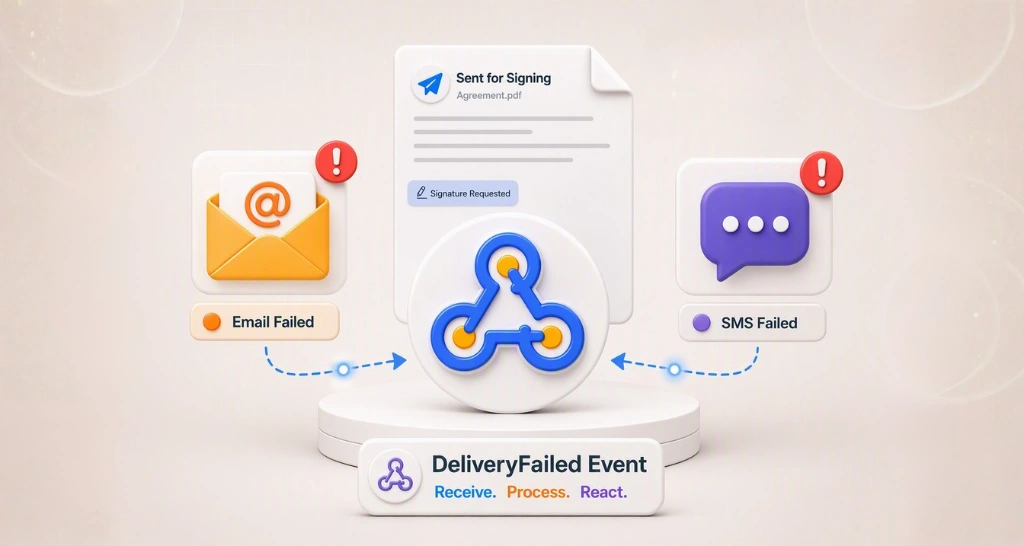
We trigger a Sent event when the document goes out, or a SendFailed event when the send fails. A SendFailed event carries an error message, so fix that error before you send the request again. Read more about webhooks.
Problems can also happen after a send. Our guide on how to detect email and SMS delivery failure covers those cases.
What does an esign via text message look like for the signer?
The signer gets a text with a link that opens the BoldSign signing page in the phone’s browser. They review the document and sign there, with no account needed.
We log each view and signature in the audit trail, the same as for email. You can also send a manual reminder to an SMS signer at any time. Automatic reminders go by email only.
What should you check before your first SMS request?
SMS delivery has a few rules that email does not. Check them before you build SMS into your workflow:
- The signer’s number must be in one of the 26 supported countries.
- Email OTP (one-time password) authentication cannot be used with SMS delivery.
- Signing groups cannot receive requests by SMS.
- CC (carbon copy) recipients get no SMS notifications.
- You cannot change the wording of the SMS message.
Which plan do you need, and what does SMS delivery cost?
Envelope via SMS is on the Business, Premium and Enterprise API plans. Each text message costs $0.20 as an add-on, in USD, as of November 2026.
You need the Enterprise API plan to call the API in production and receive webhooks. It starts at $30 a month with 40 envelopes, and extra envelopes cost $0.75 each.
You can build and test first in a free API sandbox, with no credit card. Sandbox documents carry a watermark and are deleted after 14 days.
For sending from the web app, Business costs $15 per user a month and Premium $99 a month for unlimited users, billed yearly. Our pricing page has the full list.
How do you start sending signature requests by text?
Pick the next step that fits where you are:
- Create a free API sandbox account and send your first SMS request.
- Schedule a demo to walk through SMS delivery with our team.
- Read how to send signature requests from templates via email and SMS.
Questions about your setup? Reach our team through the support portal.
Frequently asked questions
How do I automate SMS delivery for document signing instead of using email?
Set the signer's deliveryMode to SMS in your send document request and add their phone number with its country code. We then text the signing link to that number in place of an email.
Which deliveryMode values does the BoldSign API accept?
The send document endpoint accepts Email, SMS and EmailAndSMS. Email is the default when you leave the field out.
Does the signer need an app or a BoldSign account to sign from a text message?
No. The link opens the BoldSign signing page in the phone's browser. The signer signs there without installing an app or creating a BoldSign account.
Which countries can receive SMS signature requests?
We send SMS signature requests to numbers in 26 countries, among them the United States, Canada, the United Kingdom, India and Australia. Our support article lists every country.
How do I know an SMS signature request was sent?
Listen for webhooks. A Sent event confirms the document went out. A SendFailed event carries an error message to fix before you send again.
Are automatic reminders sent by SMS?
No, automatic reminders go by email only. You can send a manual reminder to an SMS signer at any time.
Is a document signed from a text message legally binding?
Yes, when the signing meets the rules for any electronic signature, such as the Electronic Signatures in Global and National Commerce (ESIGN) Act and the Uniform Electronic Transactions Act (UETA) in the US. The text only delivers the link, and we log each view and signature in the audit trail.
How much does SMS delivery cost with BoldSign?
Each text message costs $0.20 as an add-on, charged per SMS on top of a plan that includes SMS delivery. Prices are in USD, as of November 2026.

Starvritsa Buhungi
Starvritsa is a Technical Assistant at BoldSign, channelling her passion into crafting top-tier content for users through meticulous documentation. She creates content across various formats, including API tutorials, help articles, and comprehensive guides.
More posts by Starvritsa Buhungi