How to Sign a W-9 Electronically: Step-by-Step Guide
 Meikanda Nayanar
TL;DR: Yes, you can sign a W-9 electronically when the requester accepts it and their system meets Internal Revenue Service (IRS) rules. The payee named on the form signs last, under penalties of perjury. Our templates let you esign W9 forms and send the same request again in a few clicks.
A new client wants your W-9 before they pay your first invoice. Printing the form, signing it, scanning it and emailing it back takes a printer and a scanner for one signature.
Can you sign a W9 electronically instead? In most cases, yes.
This guide explains how to sign a W9 electronically and what the IRS asks of an online form. It also shows how to digitally sign W9 forms with BoldSign.
What is a W-9 form?
Form W-9, Request for Taxpayer Identification Number and Certification, gives your taxpayer identification number (TIN) to someone who must report payments to the IRS. A US person, including a resident alien, fills it out for the requester.
Think of it like giving a courier your exact address. The requester needs your correct number so the income they report lands on your tax record.
You give the form to the requester. The form itself says not to send it to the IRS.
Note: You can download a signable W9 as a fillable W-9 form PDF from the IRS website. Form W-9 (Rev. March 2024) is the revision in use now. The IRS has also posted a draft of a newer revision, so confirm which one your requester wants.
Can you electronically sign a W9?
Yes, when the requester’s electronic system meets IRS rules. The Instructions for the Requester of Form W-9 let requesters accept forms submitted electronically, and they list what the system must do:
- Keep the information received the same as the information the payee sent.
- Record each access that leads to a submission.
- Take reasonable steps to confirm that the person submitting is the payee named on the form.
- Give the IRS a hard copy when the IRS asks for one.
- End with the payee’s electronic signature, under penalties of perjury, using the paper form’s wording.
So can you sign W9 electronically with any app you like? Ask the requester first. The rules cover the requester’s system, so they choose the method.
Can a W9 form be signed electronically for every payment?
You can, but not every W-9 needs a signature. For some payments, such as mortgage interest you paid, you must give a correct TIN but need not sign.
You must sign for interest and dividend accounts opened after 1983, or backup withholding applies. Where a form needs no signature, the IRS lets the electronic system skip the signature and perjury statement.
Where to sign W9 forms, and what does your signature certify?
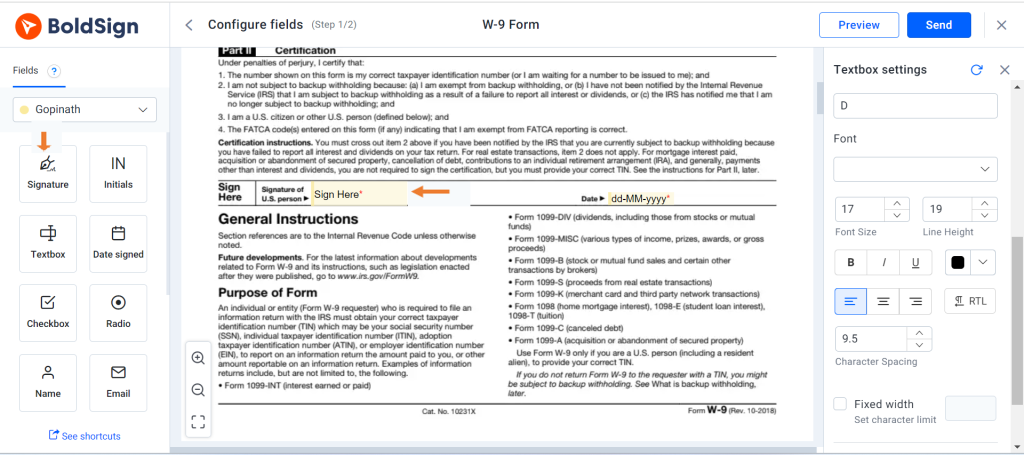
Sign in the Sign Here box of Part II, Certification, on the line for Signature of US person. Then add the date beside it.
By signing, you certify under penalties of perjury that your TIN is correct. You also state your backup withholding status and that you are a US person.
An electronic W9 form signature must carry the same perjury statement as the paper form. On a joint account, only the person whose TIN is shown in Part I signs.
How do I sign a W9 form online without printing it?
How to sign a W9 form online depends on your role. The payee signs from a link, and the requester prepares the form and sends that link.
The next two sections show how to sign W9 online as each person. Start with the one that matches your role.
How to electronically sign a W9 sent to you?
Open the email from the requester and follow four steps. You need no BoldSign account.
- Select Review and Sign in the email.
- Agree to the terms and select Continue.
- Select Start signing and complete the required fields.
- Select Finish to submit your signature.
Our help article on how to sign a document in BoldSign shows each screen. So can I sign W9 electronically with just that email? Yes, the link is all you need to electronically sign W9 forms.
How to digitally sign a W9 by typing, drawing or uploading?
Choose the signature style you prefer when you reach the signature field. A W9 digital signature in BoldSign can be typed, drawn or an uploaded image.
Our audit trail records which method you used, with timestamps and the signer’s internet protocol (IP) address. The requester keeps that record with the signed form.
How do you send a W-9 for signing with BoldSign?
Upload the IRS fillable PDF and let us turn its fields into BoldSign fields. Then add the signer and send.
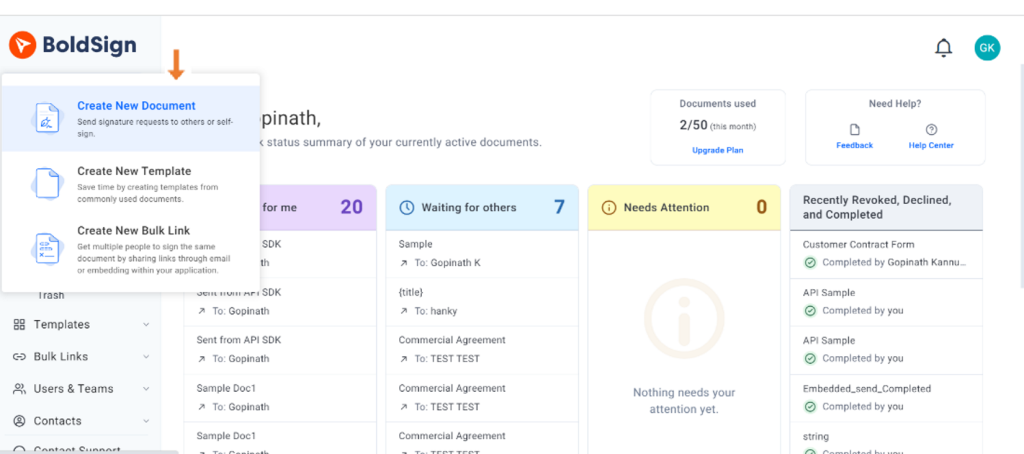
- Select Create New in the top-left corner, then Create New Document.
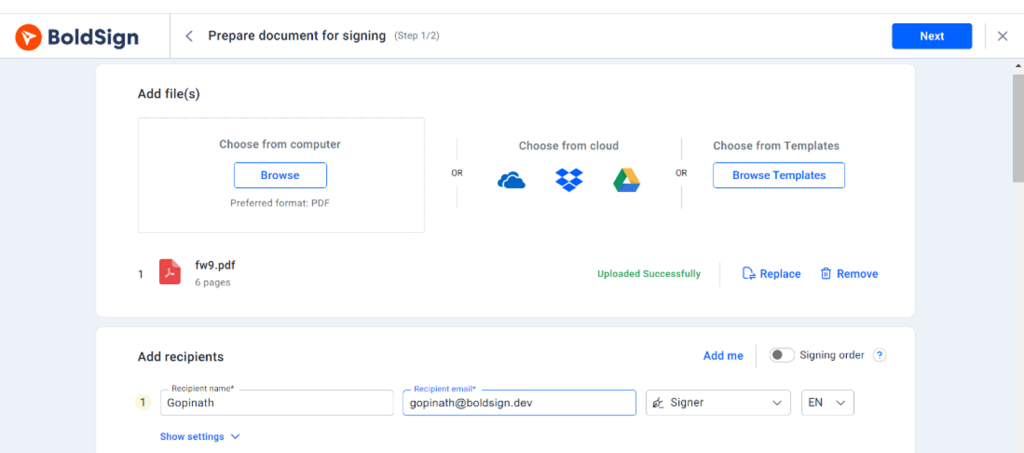
- Upload the W-9 under Add file(s), add the signer, and select Next.
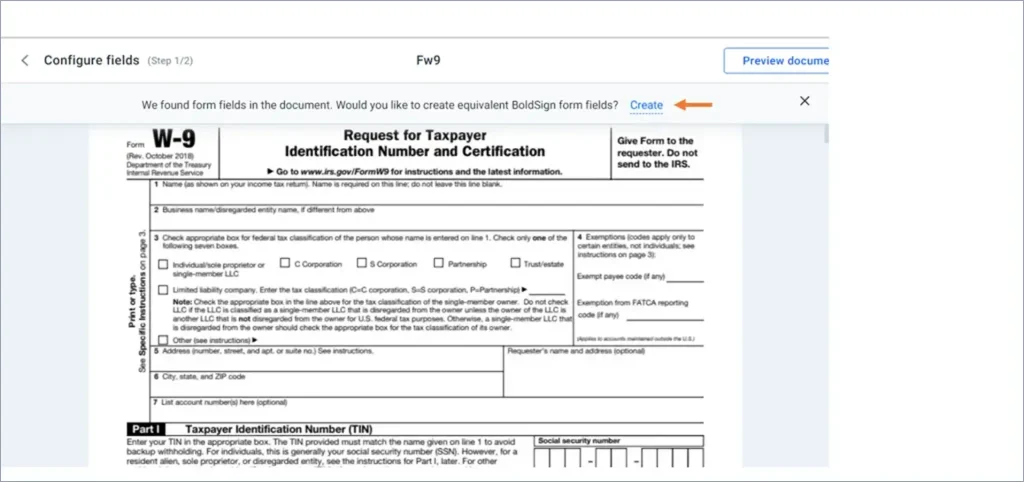
- On the Configure fields page, select Create in the message at the top.
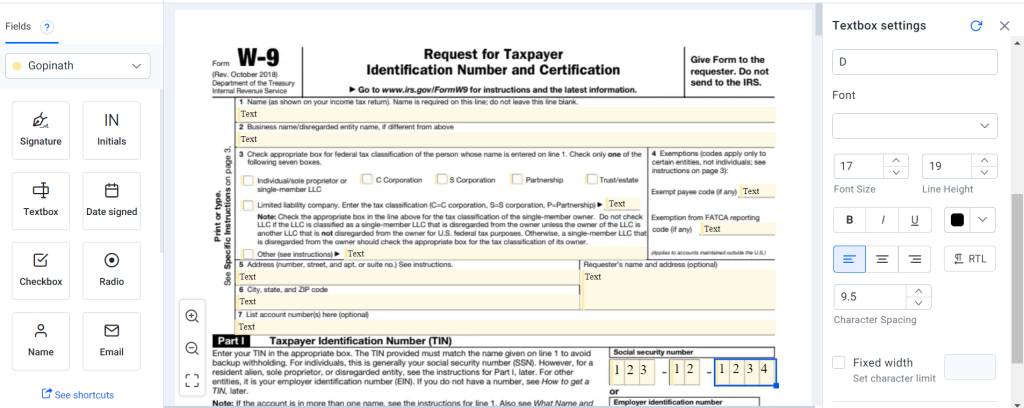
- Check the fields, place the signature field where it belongs, and select Send.
What happens to the fields on the IRS form?
The IRS form is a fillable PDF, so we can find its fields for you. Our help article on how to auto-detect form fields in a PDF explains which ones we pick up.
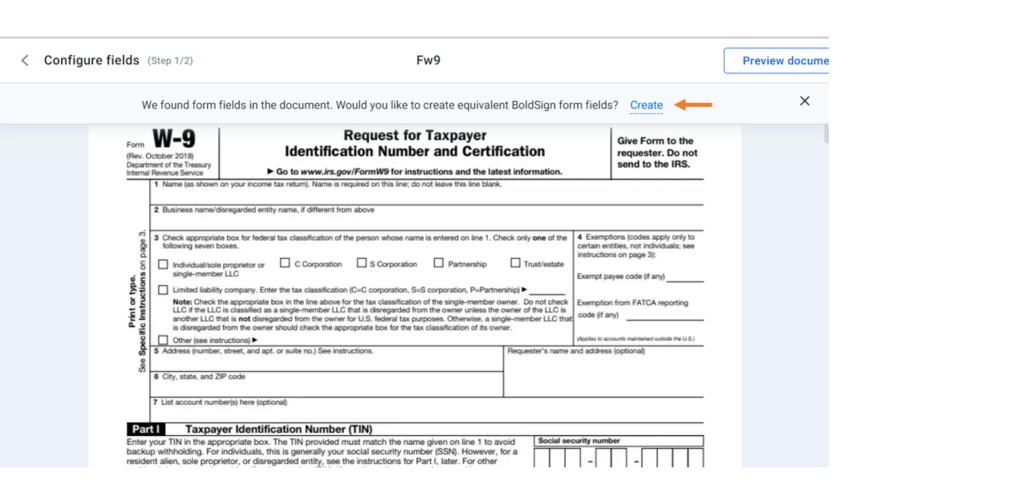
We pick up text boxes, check boxes, radio buttons, dropdowns and signature fields. Select any field to change its settings on the right.
How do you reuse the same W-9 for every new contractor?
Save the prepared W-9 as a template, with a role such as Contractor in place of a named signer. Each time you need one, open My Templates, select Use and enter the new contractor.
Our help article on creating templates walks through each step.
What are the new online options for W9 and how do they compare to each other?
You have three common routes. You can fill in the IRS PDF and email it, use a signing link from the requester, or have the requester run an eSignature tool.
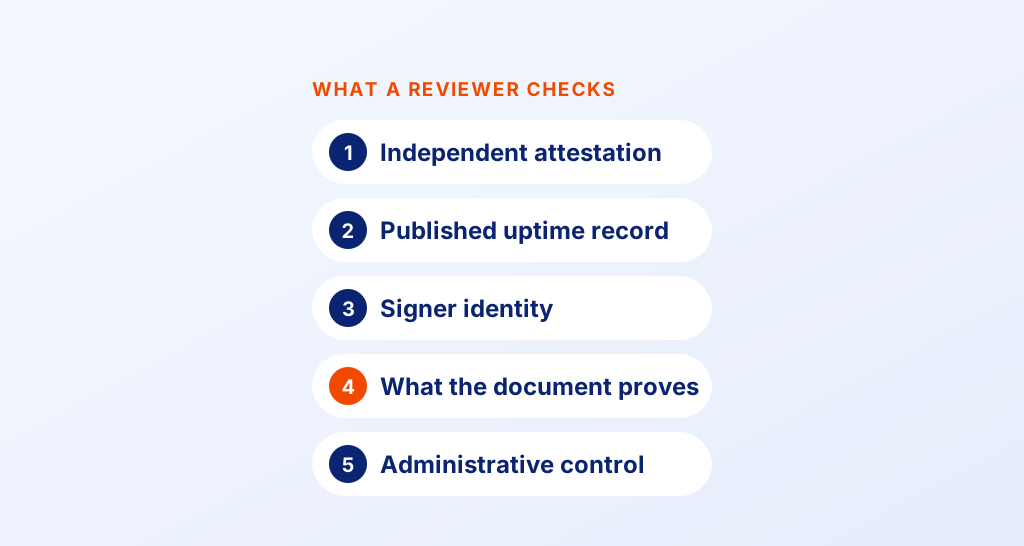
Measure each one against the IRS list above when you compare online W9 options and platforms. The checks below cover the points that matter most:
- Does the data reach the requester exactly as the payee sent it?
- Is each access that leads to a submission logged?
- How does it confirm that the signer is the payee named on the form?
- Can the requester print a hard copy for the IRS?
Use these checks before you pick one, and compare new online options for completing and submitting IRS W9 forms. Our electronic signature for freelancers page shows how independent workers use us for forms like this.
Which BoldSign plan do you need for W-9 forms, and what does it cost?
Every plan lets you send documents for signature and find the fields in a fillable PDF. The plan you need depends on how many requests and templates you use, as listed on our pricing page in November 2026.
The Essential plan is free, with 25 envelopes a month and 2 templates. The Growth plan costs $5 per user a month and includes 10 templates.
The Business plan costs $15 per user a month, with unlimited envelopes and templates. The Premium plan costs $99 a month for unlimited users. Paid plans are billed yearly, and prices are in USD.
How do you start sending W-9 forms for eSignature?
Try it with one W-9 and one test signer once you know how to sign a W9 online. Save it as a template when it looks right.
- Start a 30-day free trial and send your first W-9 for signing.
- Book a demo to see W-9 requests set up for your team.
- Read how accounting firms manage tax documents with electronic signatures.
Frequently asked questions
Can I electronically sign a W9?
Yes, when the person who asked for the form accepts electronic forms and their system meets the IRS rules. The payee named on the form signs last, under penalties of perjury.
Can I sign a W9 electronically and send it to the IRS?
No, you give the signed form to the requester. Form W-9 says at the top that you should not send it to the IRS.
Can you e-sign a W9 without a BoldSign account?
Yes. You sign from the link in the email we send you, so you need no account of your own.
Can I esign a W9 if I am not a US person?
Form W-9 is meant for US persons, including resident aliens. Ask the requester which form applies to you when you are a foreign person.
Can a W9 be signed electronically with a typed signature?
Yes, when the requester's system meets the IRS rules. You can type, draw or upload your signature, and our audit trail records which method you used.
Can W9s be electronically signed by both people on a joint account?
One of you signs. The form's instructions say the person whose TIN is shown in Part I signs, when a signature is required.
Can you esign a W9 that comes as a fillable PDF?
Yes. When you upload the IRS fillable PDF, we find its text boxes, check boxes and signature field and turn them into fields you can edit.
What are the features of online W9?
An online W-9 should keep the data exactly as sent and log each access. It should also confirm the signer is the payee and end with the payee's electronic signature.

Meikanda Nayanar
A veteran product manager at BoldSign, boasting a decade-long journey as a .NET developer. With a rich history of leading product development across diverse technologies like Windows Forms, WPF, UWP, Xamarin.Forms, Flutter, and MAUI, Meikandan brings a unique blend of technical expertise and strategic insight to the table. Connect with him on LinkedIn.
More posts by Meikanda Nayanar