How Accounting Firms Collect Policy Sign-Offs from Staff with BoldSign
 Evans Omondi Otieno
TL;DR: Accounting firms can send each policy, such as the employee handbook, for eSignature and track who has signed. In BoldSign, you upload the policy and add your staff as recipients. Once everyone signs, you download an audit trail. Our eSignature for accounting firms page shows other uses across a firm.
A firm with 25 staff updates its confidentiality agreement before busy season. On paper, a manager prints 25 copies, hands them out and waits. Some copies come back late, and a few get filed in the wrong client folder.
This guide walks through doing the same job with electronic signatures. It covers which policies need a signature, how to send them, and how to prove each person signed.
What is a policy sign-off in an accounting firm?
A policy sign-off is an employee’s signed note that they have read a firm rule and agree to follow it. The signed copy is your record that the rule reached that person.
Think of the slip a gym asks you to sign before your first class. The slip does not teach you the rules. Instead, it shows you saw them on a set date.
Which policies do accounting firm staff sign?
Most firms ask staff to sign the documents that set out how they handle client data and how they behave at work. Common ones include:
- The employee handbook
- A code of conduct agreement
- A confidentiality agreement covering client records
- A yearly compliance checklist
Why use eSignature for accountants’ policy sign-offs?
Electronic signatures put every copy and its status in one place. You see who has signed, who has not, and you can remind the rest in a click.
Paper copies get lost or misfiled, and you have to chase each person by hand. With eSignature, the signed copy and its record stay together in your account.
How do you send a policy for signature in BoldSign?
You upload the policy, add your staff and place the fields they must fill in. Here are the steps.
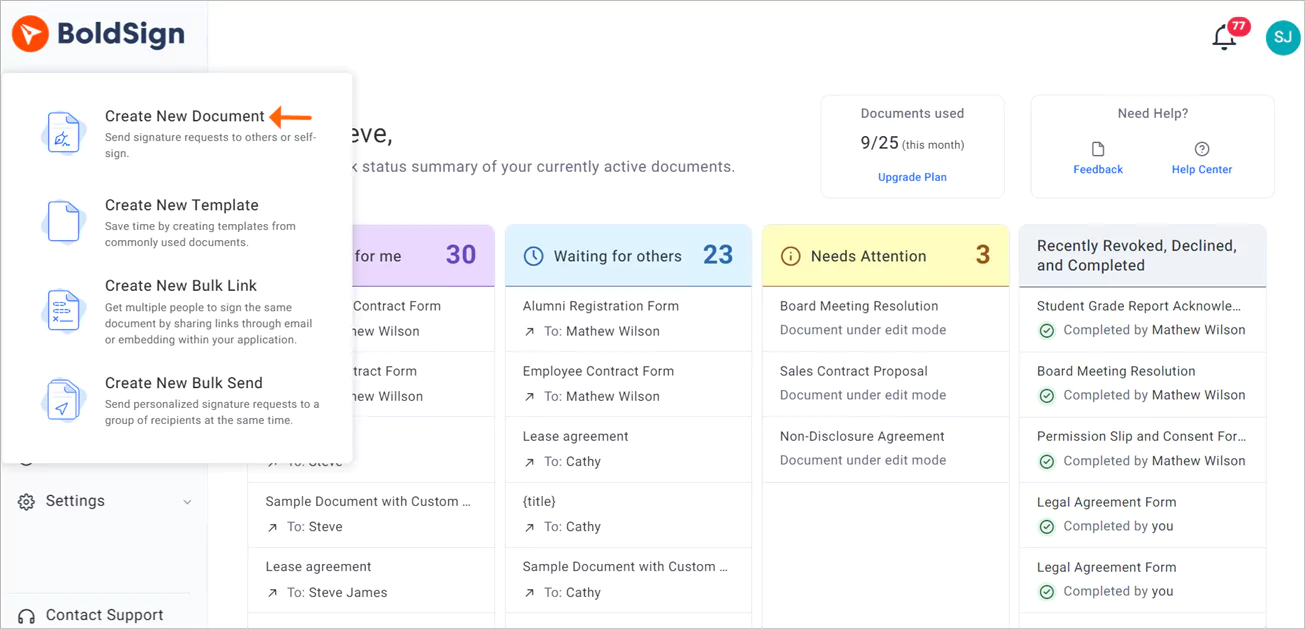
- Log in to your BoldSign account, or create a new account.
- Select Create New, then Create New Document.
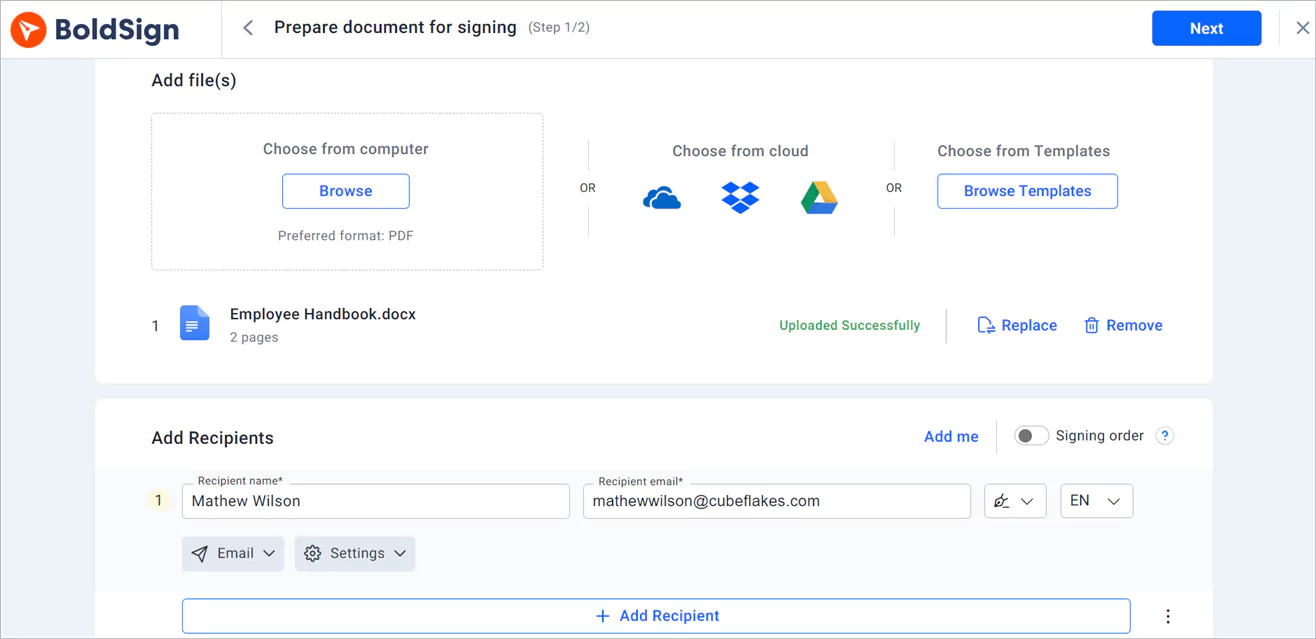
- On the Prepare document page, upload the policy and add each employee as a recipient.
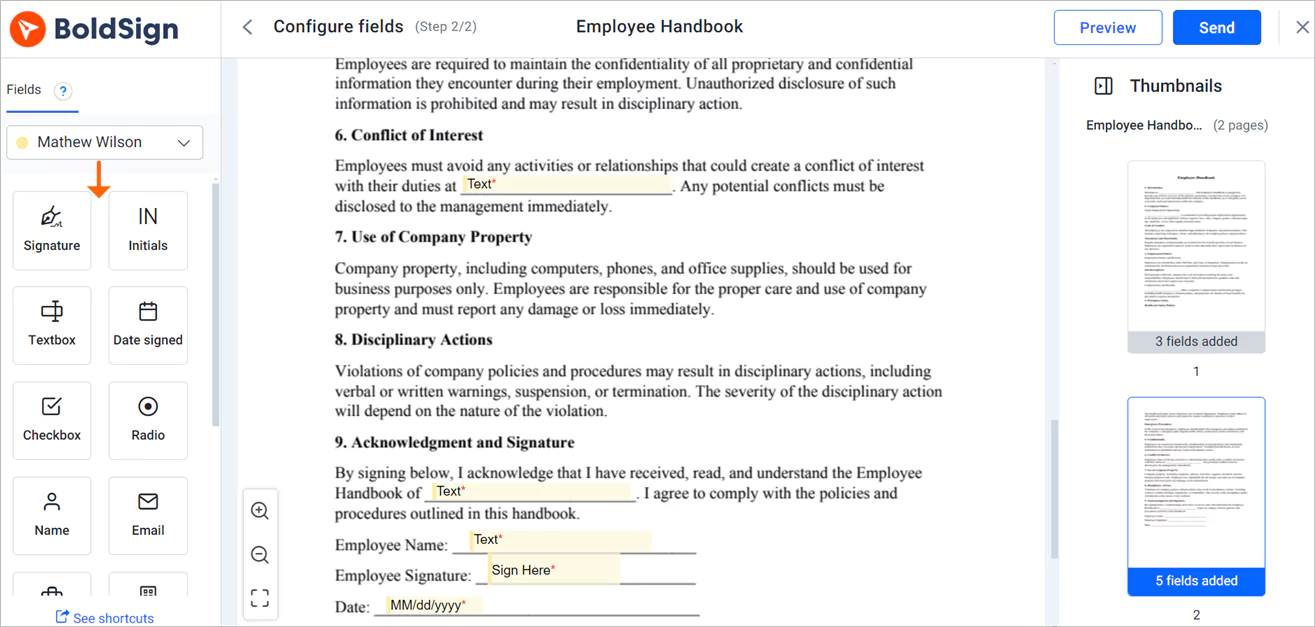
- Select Next to open the Configure fields page.
- Drag the signature and date fields onto the policy, then select Send.
How do you get policies signed in a set order?
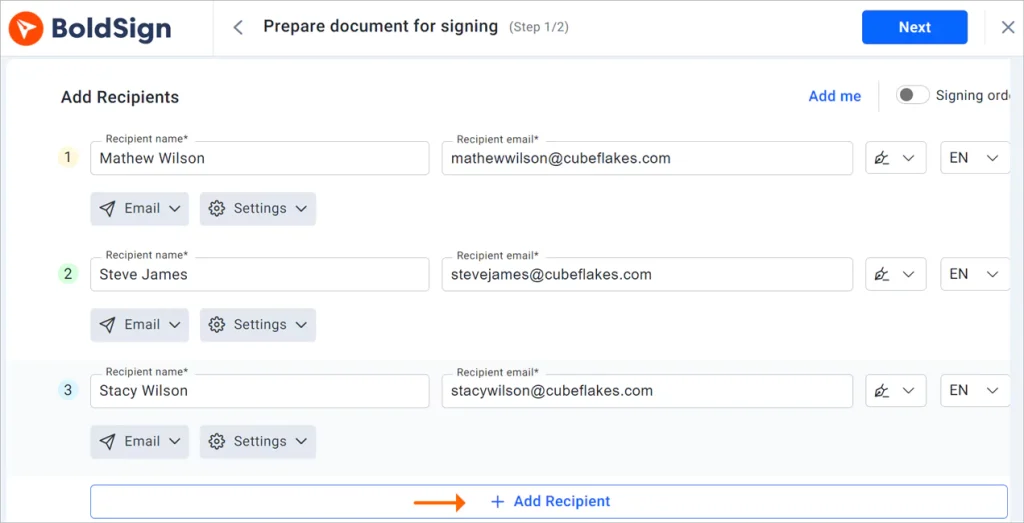
Turn on the Signing order toggle in the recipients section, then drag recipients into the order you want. The first person gets the policy right away, and each next person gets it after the one before signs.
A set order suits a policy that a partner signs off after staff. Leave the toggle off when everyone can sign at the same time. Our help article on how to set a signing order has the full steps.
How do you set a deadline and send reminders?
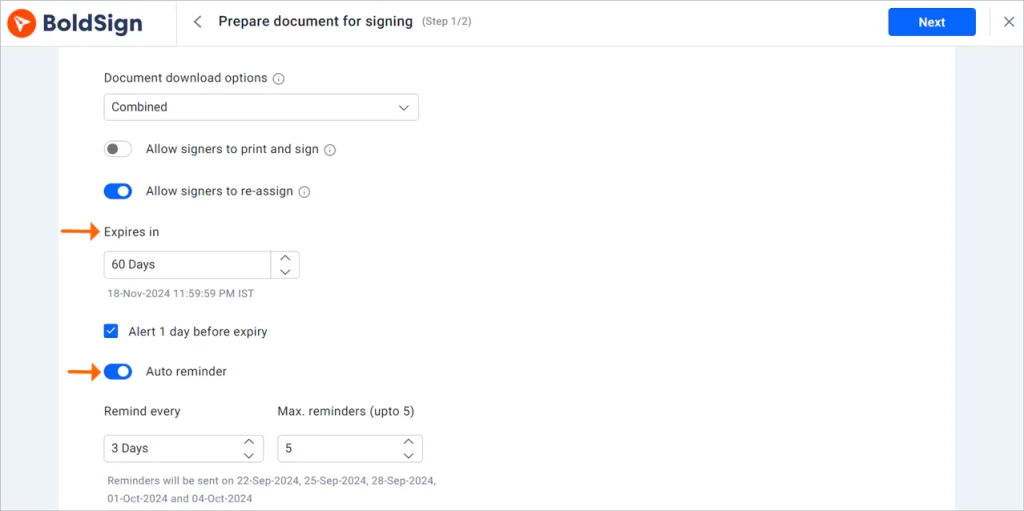
Set the number of days under Expires in in the Document settings section. A new document expires after 60 days unless you change it.
You can also turn on automatic reminders when you create the document. After you send, select Remind now on the document’s overview page to nudge anyone who has not signed.
How do you prove who signed a policy and when?
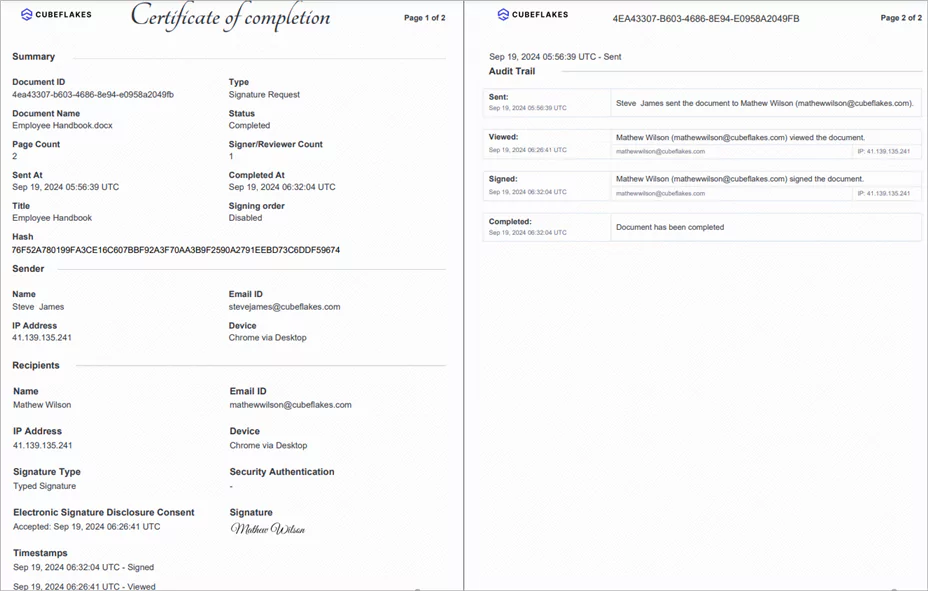
Download the audit trail once every signer has finished. The audit trail lists the document ID, name, sender, each signer, their internet protocol (IP) address and time stamps.
To get it, open Documents, then My Documents. Select the menu at the end of the document’s row, then Download audit trail. Our help article on how to download an audit trail shows a second way.
Which security standards does BoldSign meet?
We have passed a System and Organization Controls (SOC) 2 Type 2 audit, as our SOC 2 Type 2 page explains. We also follow the General Data Protection Regulation (GDPR). Our security policy page covers how we protect your data.
Firms that handle health records can turn on HIPAA mode, under the Health Insurance Portability and Accountability Act (HIPAA). An Account Admin accepts the business associate agreement (BAA) under Settings, then Compliance.
How do you confirm the right employee signed?
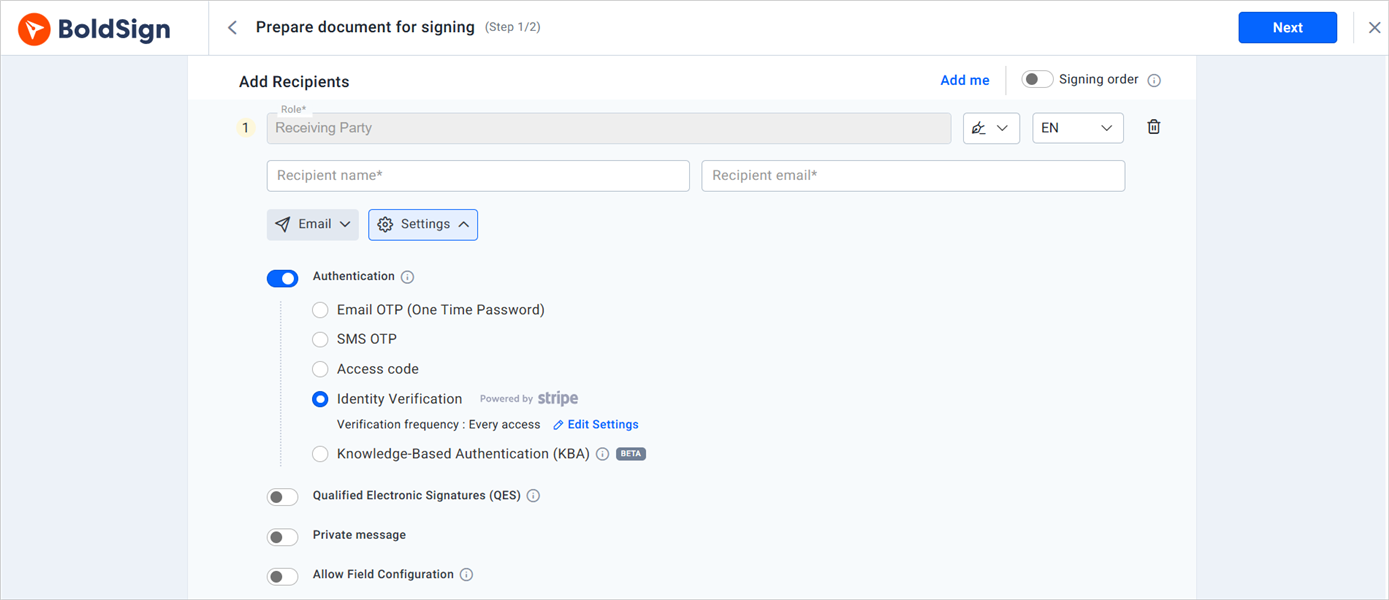
Add a check that each signer must pass before they can open the policy. Options include an access code and a one-time code sent by email or SMS.
For extra checks, you can add knowledge-based authentication (KBA) for US signers. You can also add ID verification, where the signer matches a government ID with a selfie.
How do you reuse the same policy every year?
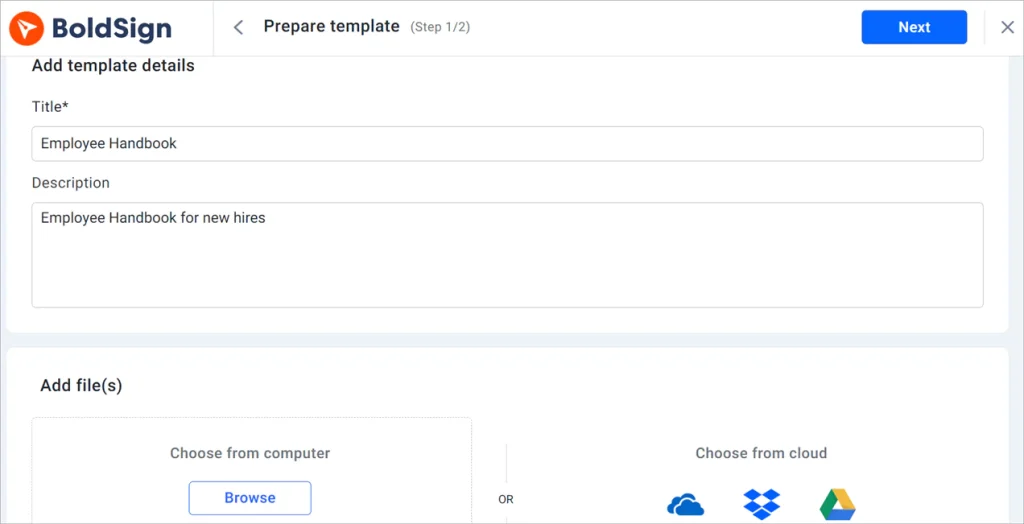
Save the policy as a template once, with a role standing in for the employee. Next year, pick the template, fill in the names and send.
To build one, select Create New, then Create New Template. Add the file, create a role, place the fields and select Save template. Our templates page and the help article on how to create a template explain more.
How do you put your firm’s logo on signing emails?
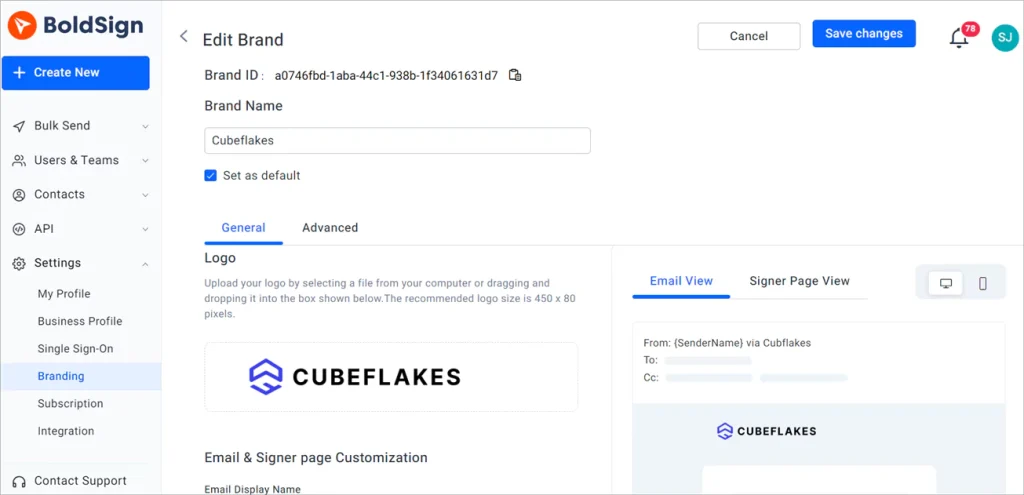
Create a brand with your logo and colors, and we use it on your signing emails. Staff then see a request that looks like it came from your firm.
Go to Settings, then Branding, and select Create New Brand. Add a name, upload your logo, pick your colors and select Save. Our help article on how to create a brand lists the other options.
What does an employee see when they sign?
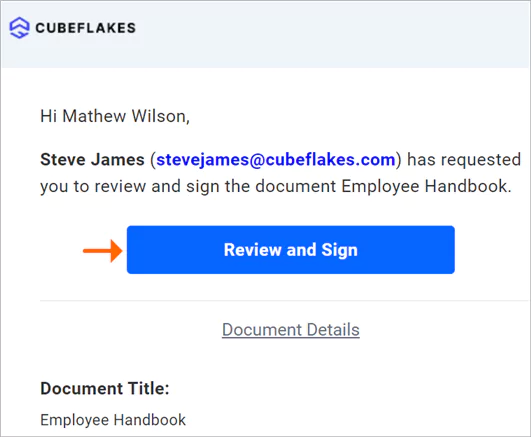
Each employee gets an email with a link and signs in their web browser. They do not need an account.
- Select the link in the email to open the policy.
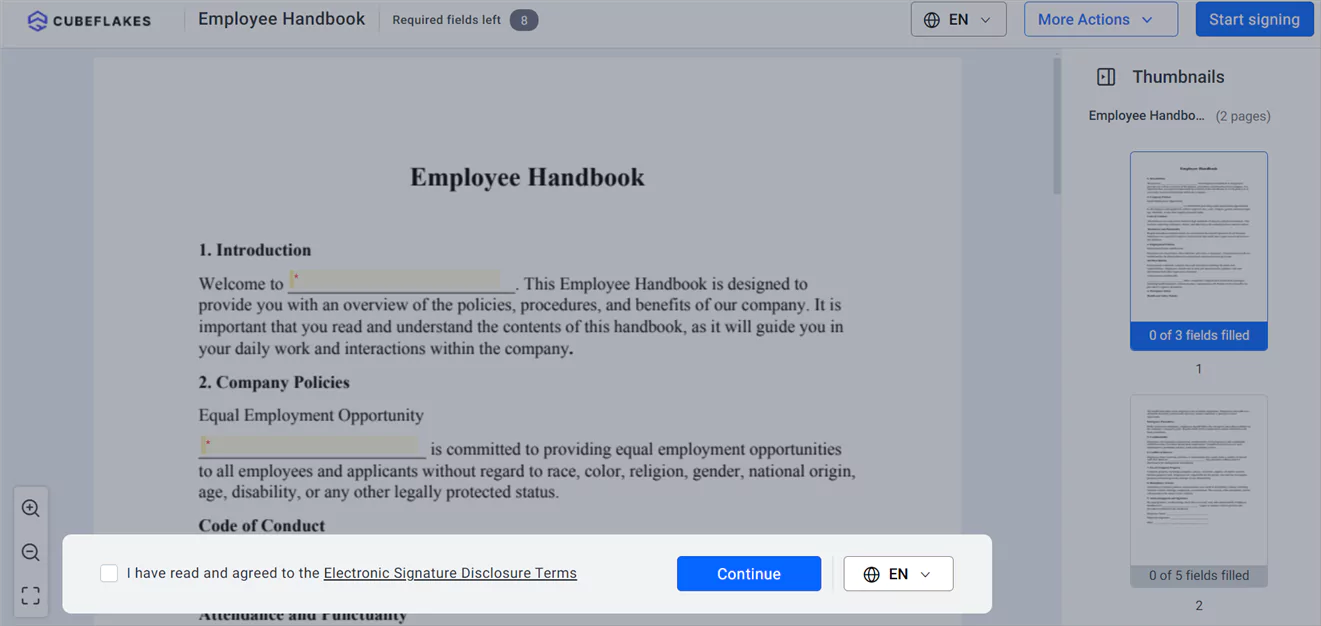
- Read the disclosure terms, agree to them and select Continue.
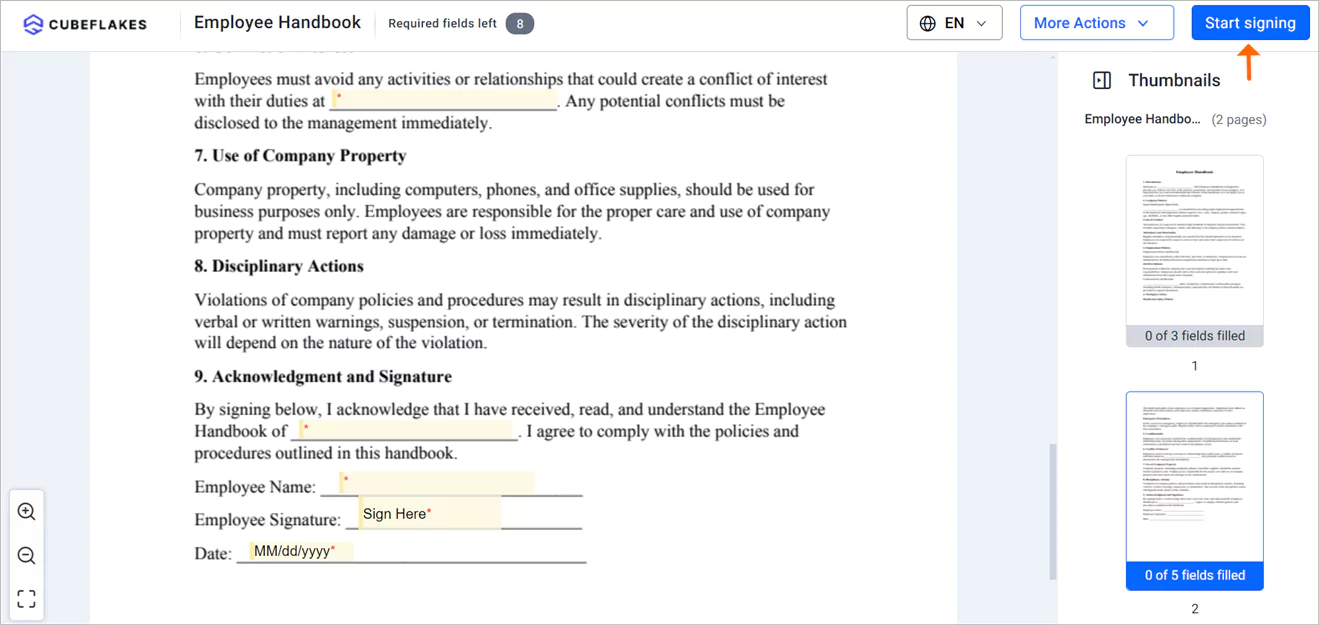
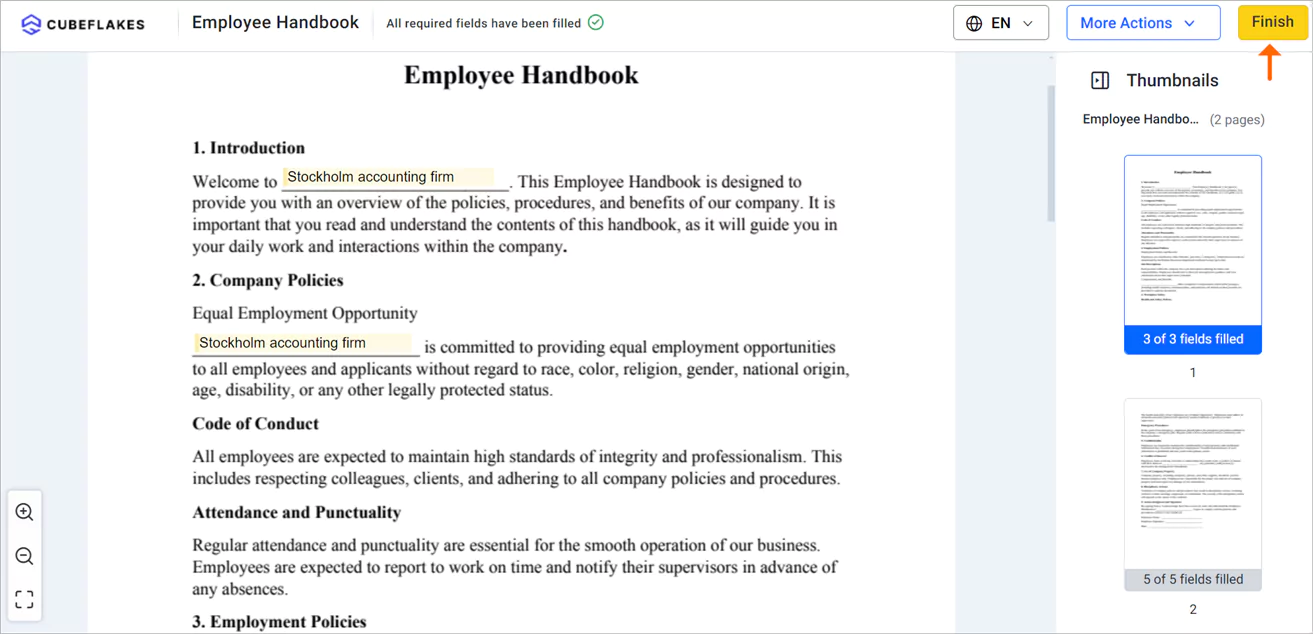
- Select Start signing, then use Next Field to move between fields.
- Fill in every required field and select Finish.
Can staff sign on a phone?
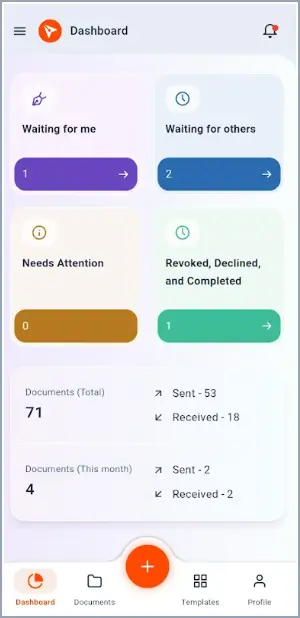
Yes. Staff can sign in any phone browser, and our mobile app for iOS and Android lets you send and track policies too.
Where can you get help setting this up?
Our team can help by chat, phone or email. You can also find answers on your own:
- Live chat on our website, or the phone numbers on our contact page
- Email our sales team, or open a ticket in our support portal
- Tutorials on YouTube and our knowledge base articles
Which BoldSign plan do you need, and what does it cost?
Sending policies, reminders, branding and audit trails come with every plan, as listed on our pricing page in November 2026. Prices are in USD and billed yearly.
The free Essential plan holds 2 templates and 1 brand. The Growth plan costs $5 per user a month, with 10 templates and 2 brands. The Business plan costs $15 per user a month, with unlimited templates and brands.
Business adds KBA and ID verification, which costs $2 per attempt. HIPAA support comes with yearly Business and Premium plans.
The Premium plan costs $99 a month for unlimited users. Signed-in users can compare plans on the subscription plans page.
How do you start collecting policy sign-offs?
Pick one policy, such as your confidentiality agreement, and send it to a small group first.
- Start a 30-day free trial and send your first policy.
- Book a demo to see policy sign-offs set up for your firm.
- Read how to sign tax documents with your clients with eSignature.
Frequently asked questions
What is a policy acknowledgment form?
A policy acknowledgment form is a short page an employee signs to confirm they received and read a firm policy. The signed copy shows who agreed to the policy and on which date.
Are electronic signatures on employee policies legally binding?
Yes, when the employee agrees to sign electronically and the signed record is kept. Our eSignatures follow the US Electronic Signatures in Global and National Commerce (ESIGN) Act. Check any local rules for your document type.
Do employees need a BoldSign account to sign a policy?
No. Each employee opens the link in their email and signs in a web browser. They can sign on a phone, tablet or computer.
Can I send one policy to the whole firm at once?
Yes. Add every employee as a recipient on one document. Turn on signing order only when people must sign one after another.
How long does a signing link stay open?
A new document expires after 60 days by default. You can change the number of days under Expires in before you send.
How do I prove an employee signed a policy?
Download the audit trail once every signer has finished. The audit trail lists the document ID, the sender, each signer and time stamps.
Can I reuse the same policy every year?
Yes. Save the policy as a template with a role for the employee. Each year, you pick the template, add names and send.
Is BoldSign HIPAA compliant for accounting firms that handle health data?
Yes, when an Account Admin accepts the business associate agreement (BAA) under Settings, then Compliance. Health Insurance Portability and Accountability Act (HIPAA) support comes with yearly Business and Premium plans.

Evans Omondi Otieno
Evans Omondi Otieno is a customer support representative and writer at BoldSign, specializing in creating clear, insightful content to help users navigate eSignature solutions. As a blog author, Evans writes well-researched articles that simplify technical concepts, helping businesses and professionals understand how to use BoldSign effectively. With expertise in technical support and content creation, he ensures users have a seamless experience and gain valuable knowledge from his articles.
More posts by Evans Omondi Otieno