How to Simplify Volunteer Agreement Signatures for Nonprofit Organizations
 Evans Omondi Otieno
TL;DR: You can send volunteer agreements from saved templates, and volunteers sign them on any device without an account. Verified nonprofits can use BoldSign free for one user. Our page on eSignature for nonprofits shows the full offer.
A food bank brings on 30 new volunteers before a holiday drive. Each one needs to sign a role description, a liability waiver and a confidentiality form. Printing, chasing and filing those pages takes staff away from the work that matters.
Many volunteers also help from home or join for one weekend. This guide shows how to send each agreement online, collect signatures fast and keep a clean record.
What is a volunteer agreement?
A volunteer agreement is a written record of what a volunteer will do and the rules they accept. It protects both the volunteer and your organization.
Think of it like the sign-up sheet at a school fair, with the ground rules printed at the top. Everyone knows their task, and everyone has agreed to the same rules.
What does a volunteer agreement include?
Most nonprofits bundle a few short forms into one signing request. A typical set covers:
- A role description with tasks, hours and who the volunteer reports to.
- A confidentiality agreement for donor, client or member details.
- A liability waiver for activities with some physical risk.
- Health and safety rules for the site or event.
Each form needs the volunteer’s signature, and some also need a staff signature.
Why use eSignature for nonprofits with volunteers?
Signing online means volunteers can sign from wherever they are, on the device they have. You also get each signed copy back in one place, with no scanning or filing.
Paper forms get lost, signed in the wrong place or left in a car. Online signing gives you a clear status for each volunteer. You can see at a glance who still needs to sign before their first shift.
How do you send volunteer agreements with BoldSign?
You prepare each agreement once, send it to as many volunteers as you need, and track the replies from your dashboard. The four parts below follow that order.
Save each agreement as a template
A template is a saved document with its signature and form fields already placed. You can reuse it for every new volunteer, so each one gets the same wording.
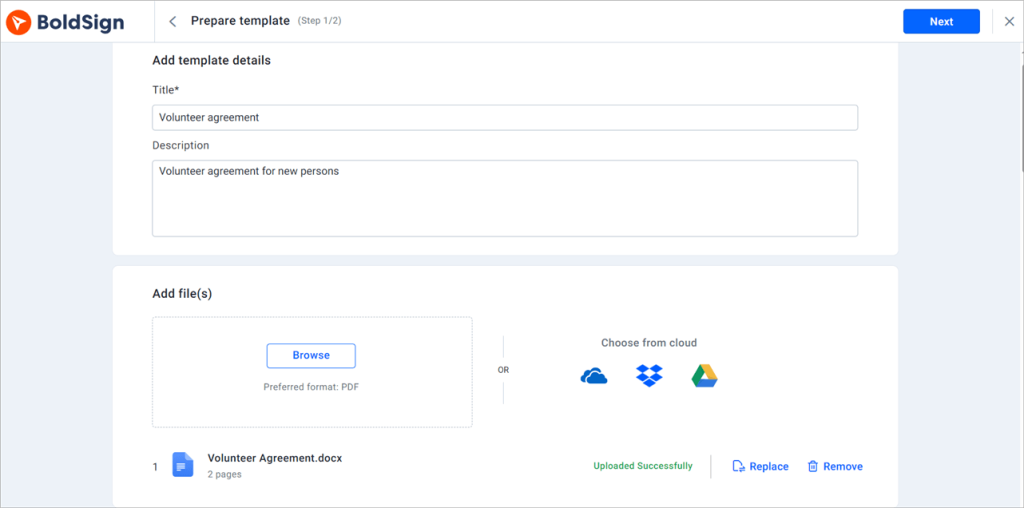
Make one template per role, such as event helper or youth mentor. Our guide on how to save time with eSignature templates walks through the setup.
Let volunteers sign in their own language
Volunteers can switch the signing page to any of 20 languages. The list includes Spanish, French, Polish, Russian, Japanese and Korean.
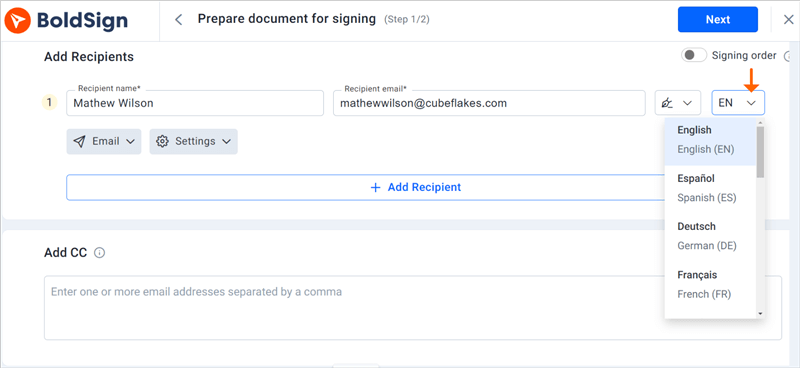
A volunteer who reads the terms in their first language is more likely to understand them. That helps groups that serve mixed or international communities.
Sort agreements with tags
Tags are short labels you add to a document, such as “Spring drive” or “Waiver”. You can add tags to documents when you send them, or later from the My Documents page.
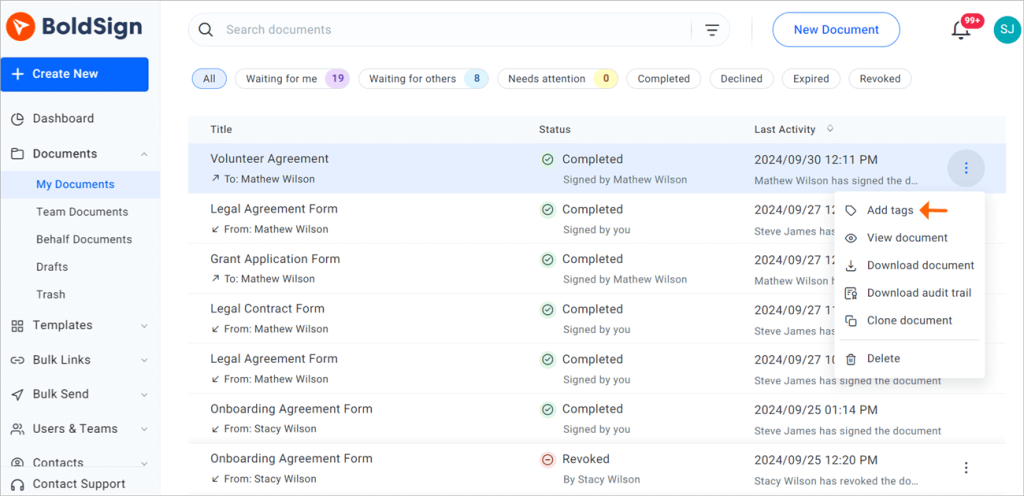
Filter by a tag, then select Save & Pin to pin it to your dashboard. Each event then gets its own widget.
Track who has signed
The dashboard shows the status of the documents you have sent. Send a reminder to any volunteer who has not signed yet.
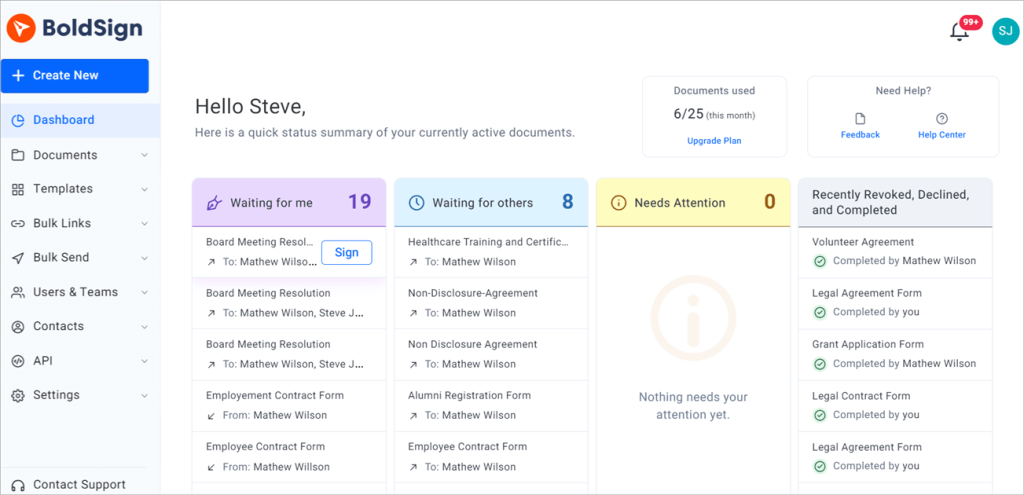
Set automatic reminders on the agreement, and we nudge each volunteer for you until they sign.
How do volunteers sign the agreement?
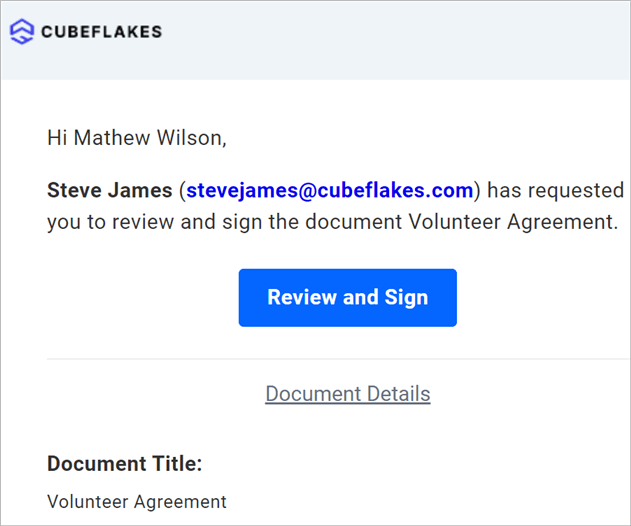
Volunteers sign from the email we send them, with no account needed. Staff who countersign follow the same steps.
- Open the email and select Review and Sign.
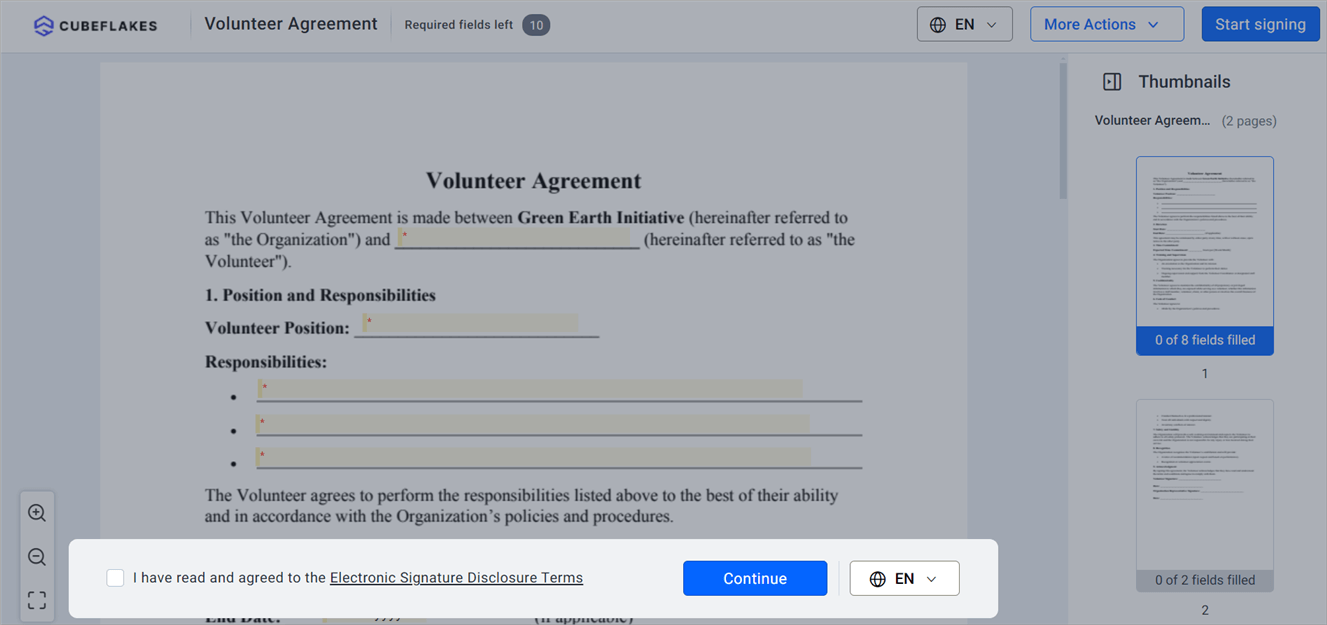
- Read the terms, agree to them and select Continue.
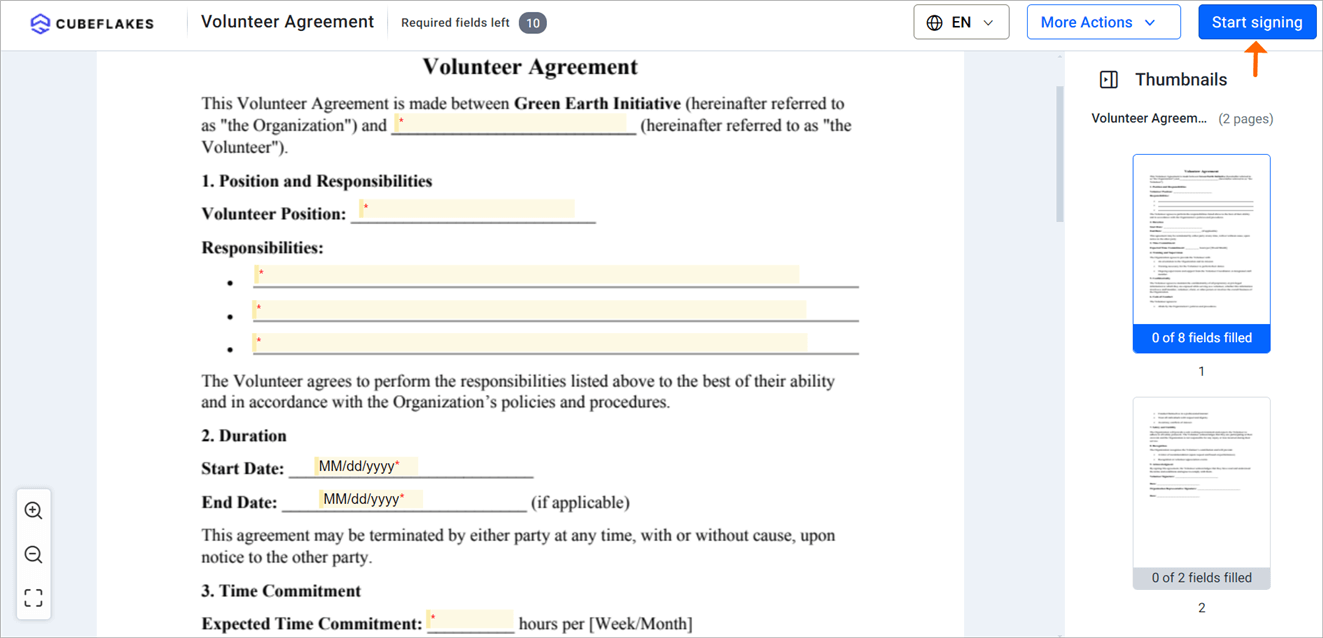
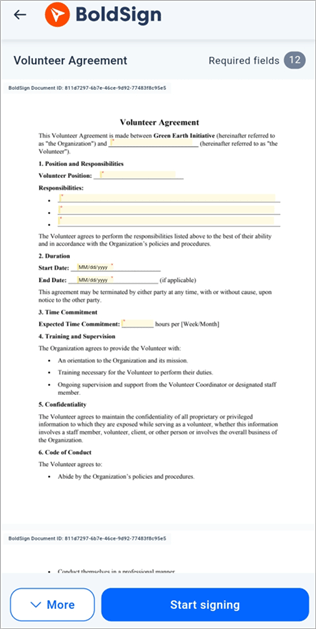
- Select Start signing, then fill in each required field.
- Select Complete signing to finish.
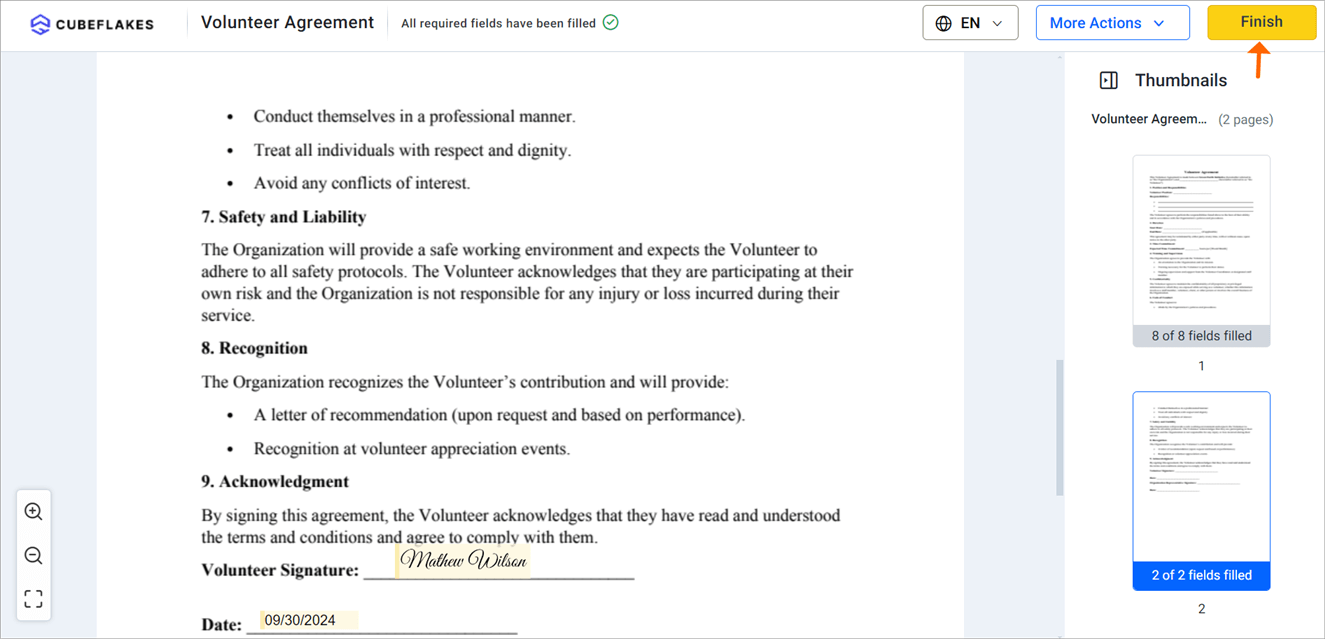
Volunteers can also sign from a phone browser or our mobile app.
How do you keep signed volunteer records safe?
Each signed agreement comes with an audit trail that shows who signed and when. You can download it once everyone has signed.
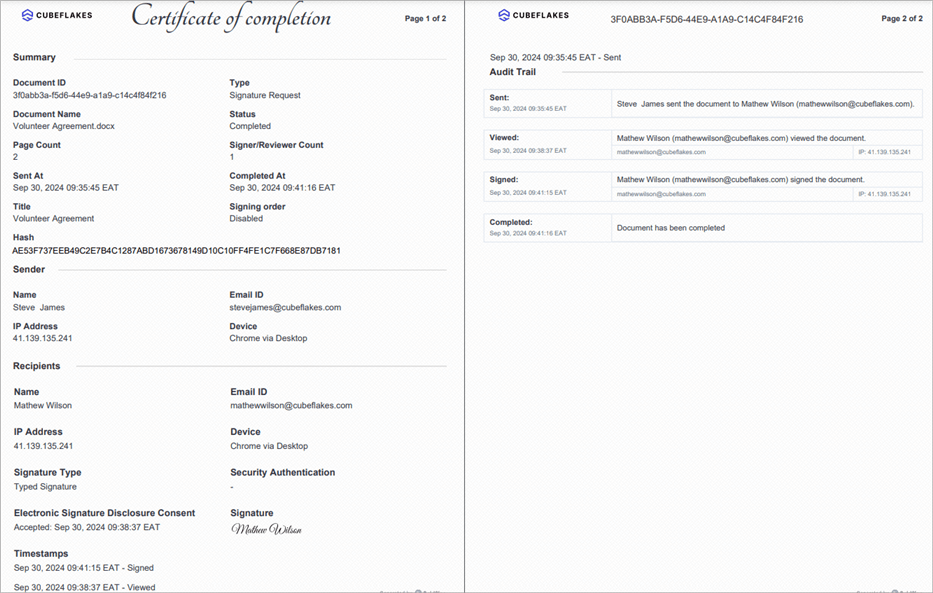
The audit trail also lists each signer’s email address, internet protocol (IP) address and device. It records how each person signed, such as a typed or drawn signature.
We encrypt stored documents with 256-bit Advanced Encryption Standard (AES) encryption. Our security page covers our System and Organization Controls (SOC) 2 Type 2 audit. We also meet the General Data Protection Regulation (GDPR).
Some groups collect health details from volunteers. Our page on the Health Insurance Portability and Accountability Act (HIPAA) explains how we handle that data.
What does eSignature for nonprofits cost, and which plan is free?
Verified nonprofits get our Growth plan free for one user, and 50% off the Business and Premium plans. All prices are in USD and billed yearly, as shown on our nonprofit page in November 2026.
The free Growth plan includes 50 envelopes a month, 10 templates, template sharing, team management and in-person signing. Each extra user costs the standard $5 a month.
The Business plan costs a nonprofit $8 per user a month instead of $15. It adds unlimited envelopes and templates, bulk send and the HIPAA features above. The Premium plan costs $50 a month for the whole account instead of $99.
To apply, follow our guide to BoldSign for nonprofits. You need one proof of nonprofit status, such as a 501(c)(3) letter.
How do you start sending volunteer agreements?
Turn your current paper forms into one template and send it to a few volunteers first. Then add the rest of your roles.
- Start a 30-day free trial and send your first volunteer agreement.
- Book a demo to see the setup for your own forms.
- Read our volunteer onboarding checklist, or ask a question on our support portal.
Frequently asked questions
What free e-signature options work for nonprofits collecting volunteer agreements and consent forms?
Verified nonprofits get our Growth plan free for one user. It covers 50 envelopes a month, 10 templates, template sharing and in-person signing, which suits most volunteer agreements and consent forms.
Is an electronically signed volunteer agreement legally binding?
Yes, when the volunteer agrees to sign electronically and you keep the signed record. In the US, the Electronic Signatures in Global and National Commerce (ESIGN) Act gives an electronic signature the same legal effect as one on paper. Check the rules for your country and document type.
Do volunteers need a BoldSign account to sign?
No. Volunteers sign from the link in their email. They can sign on a phone, tablet or computer without creating an account.
Can volunteers sign in a language other than English?
Yes. A signer can switch the signing page to any of 20 languages, including Spanish, French, Japanese and Korean.
How do we prove who signed a volunteer waiver and when?
Every signed document has an audit trail. It lists each signer's name, email address, internet protocol (IP) address and device, with a timestamp for each action.
How do nonprofits apply for BoldSign nonprofit pricing?
Fill in the application form on our nonprofit page with your organization's name, website and chosen plan. Attach one proof of nonprofit status, such as a 501(c)(3) letter. We email the activation steps once we verify it.
Can we add more staff to the free nonprofit plan?
Yes. The free Growth plan covers one user. Each extra user costs the standard $5 a month, billed yearly.
How much do the Business and Premium plans cost a nonprofit?
Verified nonprofits get 50% off both. The Business plan costs $8 per user a month and the Premium plan costs $50 a month for the account, billed yearly in USD.

Evans Omondi Otieno
Evans Omondi Otieno is a customer support representative and writer at BoldSign, specializing in creating clear, insightful content to help users navigate eSignature solutions. As a blog author, Evans writes well-researched articles that simplify technical concepts, helping businesses and professionals understand how to use BoldSign effectively. With expertise in technical support and content creation, he ensures users have a seamless experience and gain valuable knowledge from his articles.
More posts by Evans Omondi Otieno