Free Software for Nonprofit Organizations: eSignature for Nonprofits
 Caroline Dolly
TL;DR: The most useful free software for a small charity is often an esignature for nonprofits, since so much of the work runs on signed forms. Verified nonprofits get one user free on a paid tier, and our larger tiers cost 50% less. Our eSignature for nonprofit organizations page explains how to apply.
A food bank signs up 60 new volunteers before a holiday drive. Each one needs a waiver and a photo consent form. Printing, chasing and filing that paper takes hours a small team does not have.
Free software can do much of that work for you. This guide covers what nonprofit esignature is, what free options exist, and what it costs to grow past them.
What is electronic signature for nonprofit organizations?
An electronic signature for nonprofit organizations is a way to get forms signed online instead of on paper. The signer opens a link, types or draws a signature, and gets a signed copy back.
Think of a sign-up sheet on a clipboard at a community event. eSignature is the same sheet, but each person signs from their own phone. You never lose a page, and you can see at a glance who has signed.
BoldSign is an eSignature tool that works this way. Your signers sign without making a BoldSign account.
What free e-signature options work for nonprofits collecting volunteer agreements and consent forms?
A free plan with templates and email signing covers most volunteer and consent paperwork. We offer two free routes for a small team.
Anyone can send 25 envelopes a month for free. A verified nonprofit gets one user free on a paid tier, with 50 envelopes a month.
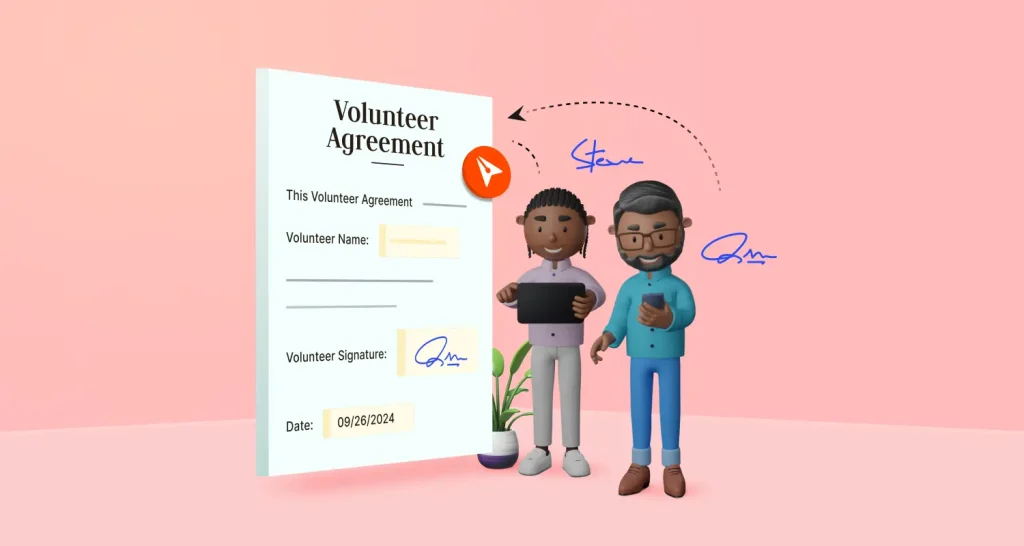
Both plans keep an audit trail of who signed and when. Our guide to volunteer agreement signatures walks through a full volunteer form. For school trips and medical forms, see our guide to permission slips and consent forms.
What are the benefits of electronic signature platforms for nonprofits?
The main benefits of electronic signature platforms for nonprofits are time saved and fewer lost forms. Staff stop printing, posting and scanning, and signers sign wherever they are.
- Signers sign from a phone or computer, in their own language.
- Reminders go out on a schedule until each person signs.
- Each signed document gets a record of the signers and the time of signing.
- Saved templates keep the fields and signers in place for forms you send often.
You can also host a session where someone signs on your device. Our in-person signing page shows how that works at an event table.
What electronic signature tools help nonprofits finalize grant agreements with remote partners across multiple organizations?
Choose a tool that sends one document to several signers in a set order. Each partner signs from their own office, and the document moves to the next person on its own.
Grant agreements often need a program lead, a finance officer and a funder to sign. With us, you can collect signatures in order, all at once, or a mix of both. Our guide to the grant application signing process covers the steps in detail.
How do you get started with free software for your nonprofit?
Start with the one form that makes the most paperwork today. Add more once your team is used to it.
- List the forms your team prints and signs most often.
- Sign up for a free plan or a 30-day free trial and send one real form.
- Save that form as a template so the next send is quicker.
- Show two or three colleagues how to send and track a form.
- Move the next form online once the first one runs well.
Use the same approach for any free software you try, from donor lists to volunteer rotas.
How secure is a nonprofit esignature tool for donor and volunteer data?
A good tool encrypts your documents and has outside audits of its security. Our nonprofit eSignature page lists the standards we support.
- Service Organization Control 2 (SOC 2) Type 2 security reports
- The General Data Protection Regulation (GDPR) in the EU
- The Health Insurance Portability and Accountability Act (HIPAA) in the US
- The Electronic Signatures in Global and National Commerce (ESIGN) Act in the US
We encrypt your documents with Advanced Encryption Standard (AES) 256 at rest and in transit.
Which BoldSign plan fits a nonprofit, and what does it cost?
How much should a nonprofit budget for electronic signature software?
A small team can budget nothing at first, since two of our plans cost $0 for one user. Larger teams pay half price on our Business and Premium plans once verified.
Our regular prices are in USD and billed yearly. Essential is free, and Growth is $5 per user a month.
Business is $15 per user a month, and Premium is $99 a month for unlimited users.
For a verified nonprofit, the Growth plan is free for one user, and each extra user costs the regular $5 a month. The Business and Premium plans are 50% off.
Essential includes 2 templates and Growth includes 10. In-person signing starts on Growth. Business adds bulk send, unlimited templates and HIPAA support.
Which digital signature services are affordable for nonprofits?
Look for a published nonprofit price you can check before you talk to anyone. To get ours, apply with your nonprofit registration and one proof document, then wait for an activation email. See the nonprofit pricing details for the full terms.
Where do you go from here with free software for your nonprofit?
Pick one form, send it to a colleague, and see how long the signing takes. Then decide which plan your team needs.
- Start a 30-day free trial and send your first volunteer form.
- Book a demo to see your nonprofit forms set up live.
- Apply for nonprofit pricing with your registration proof.
Frequently asked questions
What is an electronic signature for nonprofit organizations?
It is a way for a nonprofit to get forms signed online instead of on paper. Staff, volunteers and donors sign from a link in an email, and the signed copy keeps a record of who signed and when.
Is an esignature for nonprofits legally binding?
Yes, when the signer agrees to sign electronically and a record of the signed document is kept. In the US, the ESIGN Act gives these signatures the same legal effect as ink. Check the rules for your document type and country.
Which esignature tool suits a mid-sized nonprofit organization?
Pick one that lets several staff send from shared templates and keeps an audit trail. Our nonprofit offer takes 50% off the Business and Premium plans, which add bulk send and single sign-on.
What free or affordable e-signature tools can help student groups manage permission forms and shared documents?
Look for a free plan with templates and email signing. Our Essential plan is free for one sender with 25 envelopes a month. A registered student nonprofit can apply for our free Growth plan.
Which platform can collect digital signatures for a cause?
Choose a tool where supporters sign from a phone without making an account. Our signers open the link and sign in their browser, and you see the status of each document in one place.
What kinds of e-signature tools help public agencies collect signed benefit applications from residents online?
Look for tools that send forms by link, remind people who have not signed and keep an audit trail. Our nonprofit pricing covers a government-funded group only when it runs as an independent, registered nonprofit.
I run a nonprofit and need a google forms alternative with e-signatures and pdf export?
BoldSign lets you add text, date, check box and signature fields to your own PDF. Signers fill and sign it online, and you download the signed PDF one at a time or merged into one file.
Which email signature management tools offer discounts for charities or ngos?
We do not make email signature tools. Our nonprofit discount covers eSignature, the online signing of documents, for registered nonprofits, charities and foundations worldwide.

Caroline Dolly
Caroline Dolly is a technical writer at BoldSign who simplifies complex concepts into clear, engaging content. She creates tutorials, help articles, and product documentation, ensuring information is accurate and accessible. Connect with her on LinkedIn.
More posts by Caroline Dolly