How to Securely Collect Signatures on Banking Compliance Documents
 Lakshmi Priya Murugesan
TL;DR: You can collect secure eSignatures on banking compliance documents with reusable templates, a set signing order, signer checks and an audit trail. Signers need no account and sign on any device. Our eSignature for banking page shows how it fits a bank’s forms.
A compliance officer has a stack of account forms, policy sign-offs and approvals waiting. Each one needs the right people to sign in the right order. Paper and email attachments make that slow and hard to track.
This guide covers which documents banks sign, what the law says about eSignatures, and how to send them securely with BoldSign.
What are banking compliance documents?
Banking compliance documents are the forms a bank keeps to show it follows the law and its own rules. They often need more than one signature and a clear record of who signed.
Think of them as the bank’s receipts for its own checks. Common examples include these forms:
- Account opening forms
- Know your customer (KYC) forms
- Anti-money laundering (AML) forms
- Internal policy and procedure sign-offs
For account opening, US rules ask for specific details. A bank must run a written Customer Identification Program (CIP), under section 1020.220 of the Code of Federal Regulations (CFR) Title 31. It must collect a customer’s name, date of birth, address and ID number before opening an account.
Are eSignatures legally valid for banking documents?
Yes, when the signer agrees to sign electronically and the record is kept. Being electronic alone cannot void a signature under the Electronic Signatures in Global and National Commerce (ESIGN) Act.
Some records follow extra rules, so check each form type before you move it online. The proof you keep matters too, which is why the audit trail comes up later in this guide.
How do you collect secure eSignatures on banking compliance documents?
Start with a template, add your signers, choose how they get the request, and track it until it is done. Each step below shows what we offer for it.
Prepare forms once with templates
Typing the same compliance form by hand each time invites errors. A reusable template keeps the wording, fields and signer roles the same on every copy.
You can build templates for KYC and AML forms, then send them in a few clicks. Each new request starts from the approved version.
Add every signer in the right order
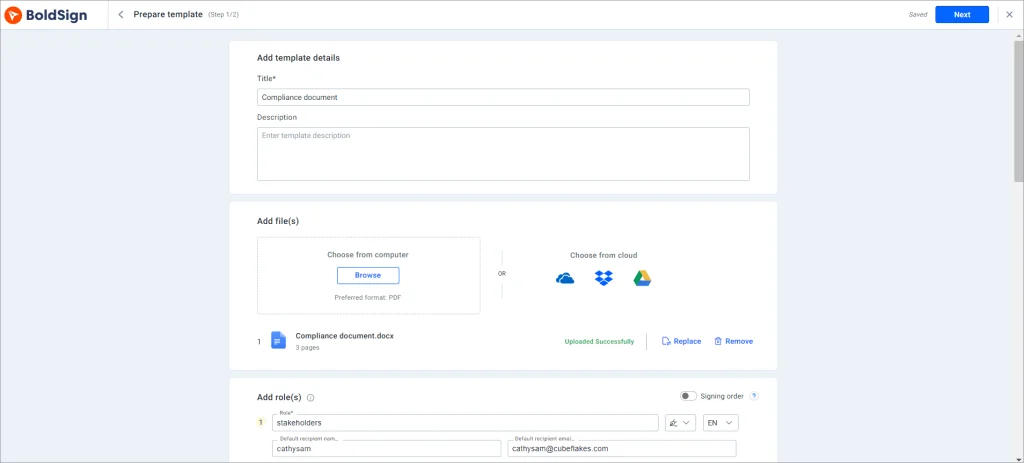
Compliance forms often need sign-off from a customer, a branch officer and a manager. You can add as many signers as the form needs.
Turn on the Signing order toggle when the order matters. Each person gets the document only after the one before them has signed, as our help article on signing in a particular order shows.
Send the form in each signer’s language
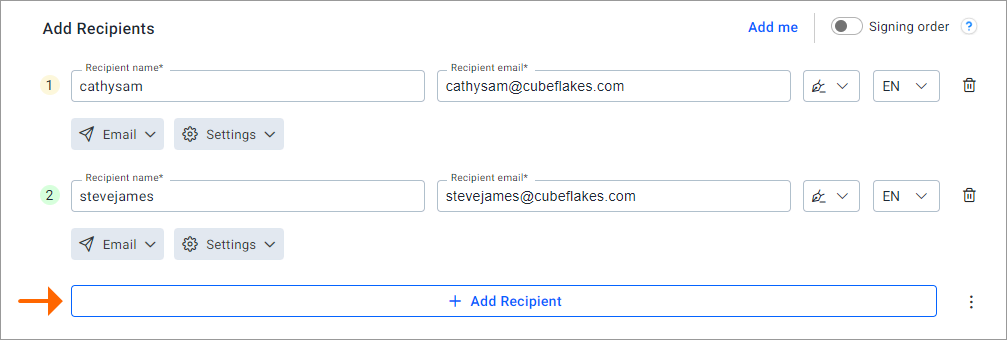
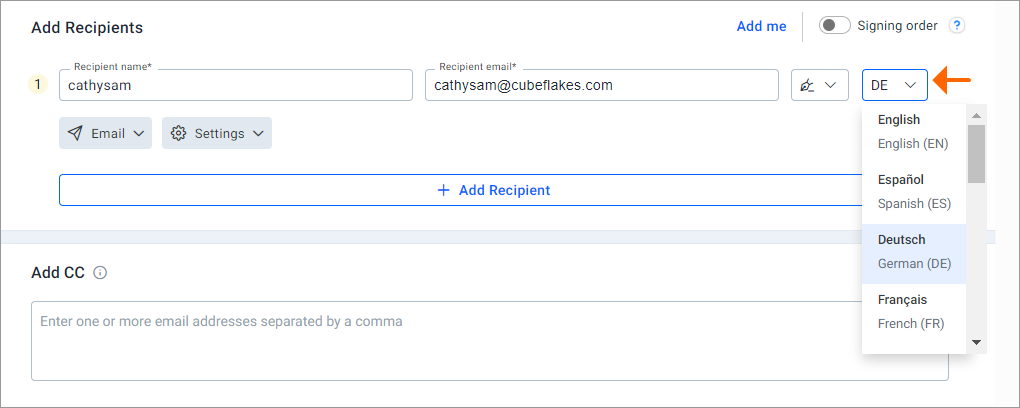
A customer who misreads a form may sign something they did not mean to. You can pick a language for each signer from a list next to their name.
Their signing pages and emails then appear in that language. Our help article on how to change the language for signers lists 20 languages.
Reach customers by email, SMS or WhatsApp
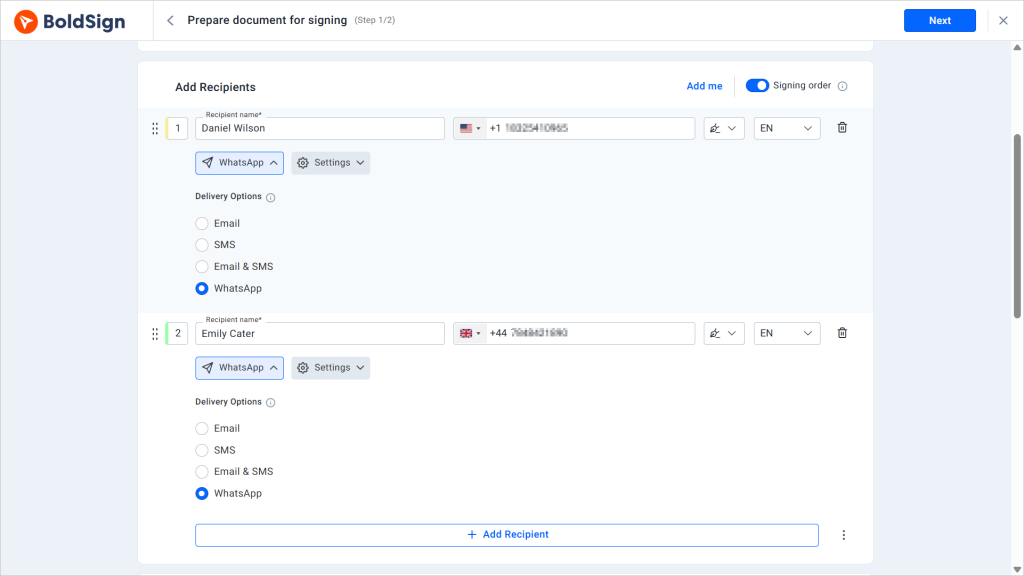
Some customers miss email but read every text. With multi-channel delivery, you can send a signing request by email, SMS or WhatsApp.
Customers then open the link on the channel they check most. That helps forms come back sooner.
Track progress and send reminders
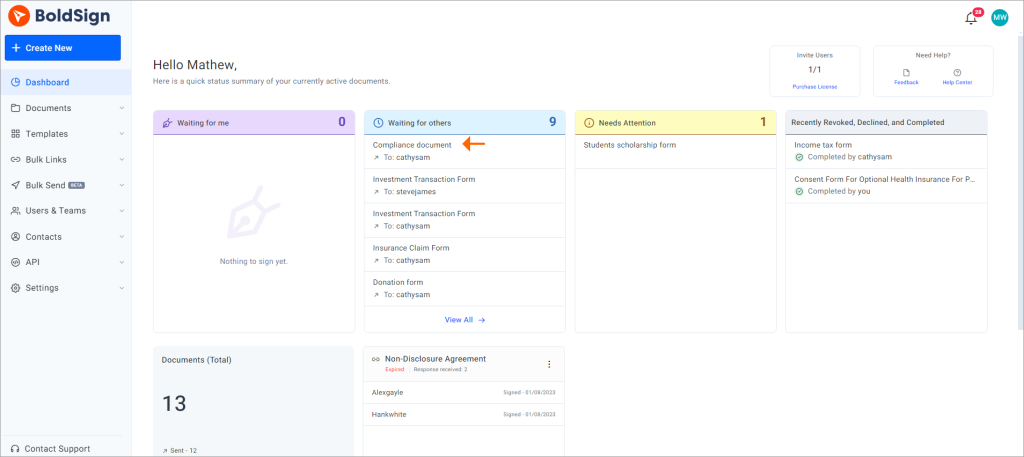
Manual tracking makes it easy to miss a form that is stuck. Our document tracking shows who has viewed, signed or completed each document.
You can set automatic reminders or send one by hand to anyone who has not signed yet. Your team sees each view and signature as it happens.
How does BoldSign keep banking documents secure?
We encrypt stored documents twice with 256-bit Advanced Encryption Standard (AES) encryption. Our controls have passed a System and Organization Controls (SOC) 2 Type 2 audit, as our security policy explains.
We are also GDPR (General Data Protection Regulation) compliant. Banks that handle health data can review our HIPAA (Health Insurance Portability and Accountability Act) page.
How do you confirm the signer is your customer?
Signer checks add a step before the document opens. Our signer authentication options include a one-time code by email or SMS.
For higher-risk forms, ID verification asks the signer to photograph a passport or driver’s license and take a selfie.
What does the audit trail record?
The audit trail logs every step with times and internet protocol (IP) addresses. Keep it with the signed document as part of your compliance records.
How do your customers sign a banking document?
Customers sign without creating an account. They open a secure link from their email or phone and sign in any browser.
- Open the email and select Review and Sign.
- Read the terms, agree to them and select Continue.
- Select Start signing and fill in the required fields.
- Add the signature in its field, then select Finish.
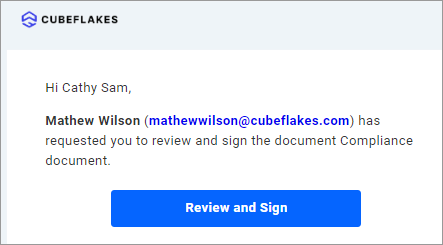
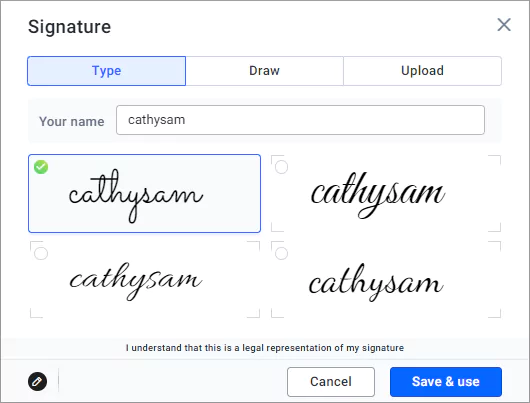
Our help article on how to sign a document in BoldSign shows each screen.
Which BoldSign plan do you need, and what does it cost?
Most banking teams need the Business plan, which costs $15 per user a month, billed yearly. It adds SMS and WhatsApp delivery, ID verification, HIPAA support and unlimited templates.
The free Essential plan includes 2 templates, and the Growth plan includes 10 at $5 per user a month. The Premium plan costs $99 a month for unlimited users. All prices are in USD and billed yearly, as listed on the BoldSign pricing page.
Signer languages, reminders and the audit trail come with every plan.
How do you start collecting banking signatures with BoldSign?
Try it on one form first, such as a policy sign-off, and send it to a colleague.
- Start a 30-day free trial and send your first compliance form.
- Book a demo to see a banking workflow set up for your team.
- Contact our support team with a question about your forms.
Frequently asked questions
Are electronic signatures valid on banking documents in the US?
Yes, when the transaction falls under the Electronic Signatures in Global and National Commerce (ESIGN) Act and the record meets its rules. The Act says a signature or contract may not be denied legal effect only because it is electronic. Some documents follow other rules, so check each form type.
What banking compliance documents can be signed electronically?
Common ones include account opening forms, know your customer (KYC) forms, anti-money laundering (AML) forms and internal policy sign-offs. Check the rules for each document type before you switch it to eSignature.
Do bank customers need a BoldSign account to sign?
No. Your customers open the signing link in any browser and sign on a phone, tablet or computer. They install nothing.
Can several people sign one compliance document in a set order?
Yes. Turn on the Signing order toggle and drag your recipients into place. Each person gets the document only after the one before them has signed.
How does BoldSign protect banking documents?
We encrypt stored documents with 256-bit Advanced Encryption Standard (AES) encryption, at two levels. Our controls are audited for System and Organization Controls (SOC) 2 Type 2.
Can I send a signing request by text message?
Yes. You can send a request by email, SMS or WhatsApp, so customers sign on the channel they check most. Text and WhatsApp delivery start on the Business plan.
Can signers read the document in their own language?
Yes. You pick a language for each signer, and their signing pages and emails appear in it. Our help article lists 20 languages, with English as the default.
What does a BoldSign audit trail show?
It logs each step of the signing process with times and internet protocol (IP) addresses. Keep it with the signed document as evidence of who signed and when.

Lakshmi Priya Murugesan
Lakshmi Priya Murugesan is a Technical writer at BoldSign. She excels in creating clear, concise documentation and guides across various tech fields. Lakshmi Priya is passionate about technology, she enjoys exploring new trends and sharing her insights through blogs and articles.
More posts by Lakshmi Priya Murugesan