BoldSign Edit Document API: Update Signers, Fields, and Files Without Restarting
 Ranjitha Vazhivittan
TL;DR: The Edit Document API changes a draft or sent document without creating it again. You can update the message, labels, files, signers and form fields in one request. Our eSignature API page shows what else you can build.
A contract has gone out to three signers, and the second signer’s email address has a typo. Without an edit endpoint, you would revoke the document, create it again, place every field and send it once more.
The BoldSign Edit Document API fixes the typo in place. This guide covers what you can change, how each request runs, and the rules that lock some changes.
What is the Edit Document API?
The Edit Document API is an endpoint that changes an existing draft or sent document. You send only what you want to change, and we keep everything else.
Think of a form at a bank counter. When you spot a wrong digit, the clerk corrects that one box and you initial it. You do not fill in a new form from the start.
What can you change with the Edit Document API?
Each request can carry changes to the document itself and to the items inside it.
- Metadata such as the message, labels and reminder settings
- Files, which you can add, replace or remove
- Signers, which you can add, update or remove
- Form fields such as text boxes, signature fields and check boxes
Labels may not contain spaces and must stay within 255 characters. Each document holds up to 25 files, 1,000 pages and 25 megabytes (MB) in total.
How does the Edit Document API process a request?
The answer depends on whether your request includes files. Requests without files finish at once, and requests with files go into a queue.
When does an edit return Completed?
A request without files runs straight away and returns "status": "Completed". Signer changes, form field changes, labels and reminder settings all work this way.
When does an edit return Queued?
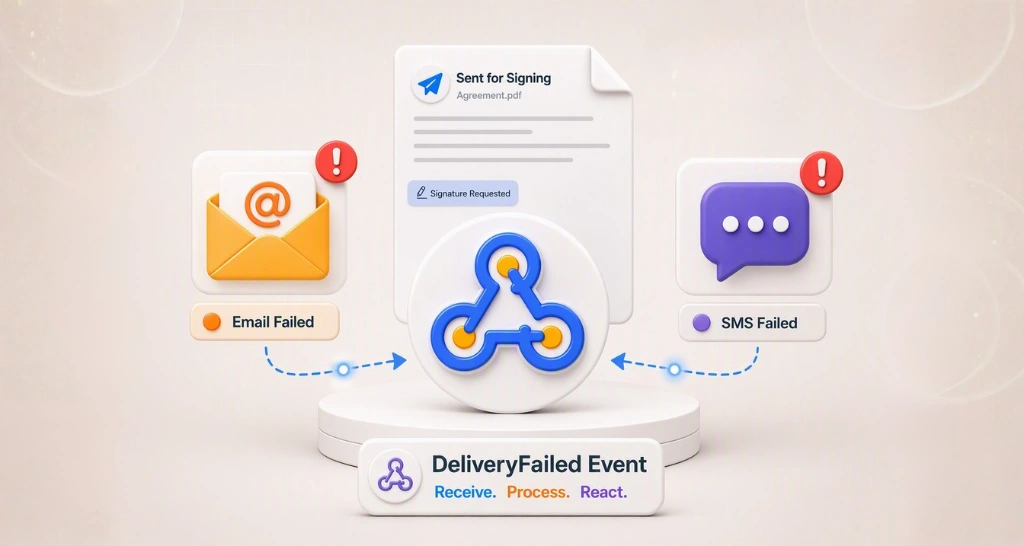
A request with files runs in the background and returns "status": "Queued". We then send a webhook event: Edited when the change worked, or EditFailed with the reason it did not.
Why do you need document properties before you edit?
Update and Remove actions need the ID of each item you change. The Document Properties API returns the full document with every ID.
You need these three IDs:
fileIdfor each filesignerIdfor each signerformFieldIdfor each form field
Fetch the properties just before you edit, so your IDs match the current document.
How do partial updates differ from nested updates?
A partial update changes top-level settings, and a nested update changes items inside the document. Both send only what you want changed.
What does a partial update change?
Send only the top-level fields you want changed, such as the message, labels or reminder settings. The API changes those fields and leaves the rest as it was.
How do nested updates work for files, signers and fields?
Files, signers and form fields each take an EditAction value of Add, Update or Remove. Update and Remove also need the item’s ID, such as the signerId of the signer you change.
Sending one item with its ID changes that item alone. Every other signer and field stays as it was.
What do you need before you call the Edit Document API?
Gather four things before your first request.
- A free API sandbox account or a live API account
- An API key or an OAuth 2.0 access token
- The
documentIdof the document you want to change - The file, signer and form field IDs from the Document Properties API
Send the API key in the X-API-KEY header. With OAuth 2.0, send Authorization: Bearer <access_token> instead. Any web request tool works, such as client URL (cURL), Postman or one of our software development kits (SDKs).
How do you update signers and metadata without editing files?
This request holds no files, so it returns Completed. The sample updates one signer, adds a new signer with a signature field, and sets the message, labels and reminders.
curl -X PUT \
  'https://api.boldsign.com/v1/document/edit?documentId=YOUR-DOCUMENT-ID' \
  -H 'Content-Type: application/json' \
  -H 'X-API-KEY: {API-KEY}' \
  -d '{
  "Message": "Please sign this document.",
  "Signers": [
    {
      "EditAction": "Update",
      "Id": "YOUR-SIGNER-ID",
      "AuthenticationType": "EmailOTP",
      "FormFields": [
        {
          "EditAction": "Add",
          "FieldType": "TextBox",
          "Bounds": {
            "X": 100,
            "Y": 100,
            "Width": 100,
            "Height": 20
          },
          "IsRequired": false,
          "PageNumber": 1
        }
      ]
    },
    {
      "EditAction": "Add",
      "Name": "Signer",
      "EmailAddress": "signer@gmail.com",
      "AuthenticationType": "AccessCode",
      "AuthenticationCode": "1234",
      "FormFields": [
        {
          "EditAction": "Add",
          "FieldType": "Signature",
          "Bounds": {
            "X": 150,
            "Y": 150,
            "Width": 200,
            "Height": 30
          },
          "IsRequired": true,
          "PageNumber": 1
        }
      ]
    }
  ],
  "Labels": [
    "Label1",
    "Label2"
  ],
  "ReminderSettings": {
    "EnableAutoReminder": true,
    "ReminderDays": 2,
    "ReminderCount": 4
  }
}'
var apiClient = new ApiClient("https://api.boldsign.com", "YOUR_API_KEY");
var documentClient = new DocumentClient(apiClient);
// --- Form fields for existing signer ---
var textField = new EditFormField()
{
EditAction = EditAction.Add,
Type = FieldType.TextBox,
IsRequired = false,
Bounds = new Rectangle()
{
X = 100,
Y = 100,
Width = 100,
Height = 20,
},
PageNumber = 1,
};
var signerToUpdate = new EditDocumentSigner()
{
EditAction = EditAction.Update,
Id = "YOUR-SIGNER-ID",
AuthenticationType = AuthenticationType.EmailOTP,
FormFields = new List<EditFormField>()
{
textField
}
};
// --- Form fields for new signer ---
var signatureField = new EditFormField()
{
EditAction = EditAction.Add,
Type = FieldType.Signature,
IsRequired = false,
Bounds = new Rectangle()
{
X = 150,
Y = 150,
Width = 200,
Height = 30,
},
PageNumber = 1,
};
var signerToAdd = new EditDocumentSigner()
{
EditAction = EditAction.Add,
Name = "Signer",
EmailAddress = "signer@gmail.com",
AuthenticationType = AuthenticationType.AccessCode,
AuthenticationCode = "1234",
FormFields = new List<EditFormField>()
{
signatureField
}
};
// --- Signers collection ---
var documentSigners = new List<EditDocumentSigner>()
{
signerToUpdate,
signerToAdd
};
// --- Labels ---
var labels = new List<string>()
{
"Label1",
"Label2"
};
// --- Reminder settings ---
var reminderSettings = new ReminderSettings()
{
EnableAutoReminder = true,
ReminderCount = 4,
ReminderDays = 2,
};
// --- Final request ---
var editDocumentRequest = new EditDocumentRequest()
{
DocumentId = "YOUR-DOCUMENT-ID",
Message = "Please sign this document.",
Signers = documentSigners,
Labels = labels,
ReminderSettings = reminderSettings
};
var documentEdited = documentClient.EditDocument(editDocumentRequest);import boldsign
configuration = boldsign.Configuration(api_key="YOUR_API_KEY")
with boldsign.ApiClient(configuration) as api_client:
document_api = boldsign.DocumentApi(api_client)
document_id = "YOUR-DOCUMENT-ID"
signer1 = boldsign.EditDocumentSigner(
edit_action="Update",
id="YOUR-SIGNER-ID",
authentication_type="EmailOTP",
form_fields=[
boldsign.EditFormField(
edit_action="Add",
fieldType="TextBox",
is_required=False,
bounds=boldsign.Rectangle(x=100, y=100, width=100, height=20),
page_number=1,
)
],
)
signer2 = boldsign.EditDocumentSigner(
edit_action="Add",
name="Signer22",
email_address="signer@gmail.com",
authentication_type="AccessCode",
authentication_code="1234",
form_fields=[
boldsign.EditFormField(
edit_action="Add",
type="Signature",
is_required=False,
bounds=boldsign.Rectangle(x=150, y=150, width=200, height=30),
page_number=1,
)
],
)
edit_request = boldsign.EditDocumentRequest(
message="Please sign this document.",
signers=[signer1, signer2],
labels=["Label1", "Label2"],
reminder_settings=boldsign.ReminderSettings(
enable_auto_reminder=True, reminder_count=4, reminder_days=2
),
)
response = document_api.edit_document(document_id, edit_request)<?php require_once "vendor/autoload.php";
use BoldSign\Configuration;
use BoldSign\Api\DocumentApi;
use BoldSign\Model\EditDocumentRequest;
use BoldSign\Model\EditDocumentSigner;
use BoldSign\Model\EditFormField;
use BoldSign\Model\Rectangle;
use BoldSign\Model\ReminderSettings;
use BoldSign\Model\EditDocumentFile;
$config = new Configuration();
$config->setApiKey('YOUR_API_KEY');
$apiInstance = new DocumentApi($config);
$document_id = "YOUR-DOCUMENT-ID";
$formField2 = new EditFormField();
$formField2->setEditAction("Add");
$formField2->setFieldType("TextBox");
$formField2->setIsRequired(false);
$formField2->setBounds(new Rectangle([100, 100, 100, 20]));
$formField2->setPageNumber(1);
$signer1 = new EditDocumentSigner();
$signer1->setEditAction("Update");
$signer1->setId("YOUR-SIGNER-ID");
$signer1->setAuthenticationType("EmailOTP");
$signer1->setFormFields([$formField2]);
$formField3 = new EditFormField();
$formField3->setEditAction("Add");
$formField3->setFieldType("Signature");
$formField3->setBounds(new Rectangle([100, 100, 100, 70]));
$formField3->setPageNumber(1);
$signer2 = new EditDocumentSigner();
$signer2->setEditAction("Add");
$signer2->setName("Signer");
$signer2->setEmailAddress("signer@gmail.com");
$signer2->setAuthenticationType("AccessCode");
$signer2->setAuthenticationCode("1234");
$signer2->setFormFields([$formField3]);
$reminderSettings = new ReminderSettings();
$reminderSettings->setEnableAutoReminder(true);
$reminderSettings->setReminderCount(4);
$reminderSettings->setReminderDays(2);
$edit_document_request = new EditDocumentRequest();
$edit_document_request->setMessage('Please sign this document.');
$edit_document_request->setSigners([$signer1, $signer2]);
$edit_document_request->setLabels(["Label1", "Label2"]);
$edit_document_request->setReminderSettings($reminderSettings);
$edit_document_response = $apiInstance->editDocument($document_id, $edit_document_request);ApiClient apiClient = Configuration.getDefaultApiClient();
apiClient.setApiKey("YOUR_API_KEY");
DocumentApi documentApi = new DocumentApi(apiClient);
Rectangle bounds = new Rectangle();
bounds.setX(50f);
bounds.setY(100f);
bounds.setWidth(100f);
bounds.setHeight(60f);
EditFormField formField = new EditFormField();
formField.setEditAction(EditFormField.EditActionEnum.ADD);
formField.setFieldType(EditFormField.FieldTypeEnum.SIGNATURE);
formField.setPageNumber(1);
formField.setBounds(bounds);
EditDocumentSigner signers = new EditDocumentSigner();
signers.setEmailAddress("signer@gmail.com");
signers.setName("signername");
signers.setFormFields(Arrays.asList(formField));
signers.setEditAction(EditDocumentSigner.EditActionEnum.ADD);
EditDocumentRequest editDocumentJsonRequest = new EditDocumentRequest();
editDocumentJsonRequest.setSigners(Arrays.asList(signers));
editDocumentJsonRequest.setMessage("Updated documents");
String documentId = "YOUR-DOCUMENT-ID";
documentApi.editDocument(documentId, editDocumentJsonRequest);import {
DocumentApi,
EditDocumentFile,
EditDocumentRequest,
EditDocumentSigner,
EditFormField,
Rectangle,
ReminderSettings,
} from "boldsign";
import * as fs from "fs";
const documentApi = new DocumentApi();
documentApi.setApiKey("YOUR_API_KEY");
const documentId = "YOUR-DOCUMENT-ID";
const bounds1 = new Rectangle();
bounds1.x = 100;
bounds1.y = 100;
bounds1.width = 100;
bounds1.height = 20;
const formField1 = new EditFormField();
formField1.editAction = EditFormField.EditActionEnum.Add;
formField1.fieldType = EditFormField.FieldTypeEnum.TextBox;
formField1.isRequired = false;
formField1.bounds = bounds1;
formField1.pageNumber = 1;
const signer1 = new EditDocumentSigner();
signer1.editAction = EditDocumentSigner.EditActionEnum.Update;
signer1.id = "YOUR-SIGNER-ID";
signer1.authenticationType = EditDocumentSigner.AuthenticationTypeEnum.EmailOtp;
signer1.formFields = [formField1];
const bounds2 = new Rectangle();
bounds2.x = 150;
bounds2.y = 150;
bounds2.width = 200;
bounds2.height = 30;
const formField3 = new EditFormField();
formField3.editAction = EditFormField.EditActionEnum.Add;
formField3.fieldType = EditFormField.FieldTypeEnum.Signature;
formField3.isRequired = false;
formField3.bounds = bounds2;
formField3.pageNumber = 1;
const signer2 = new EditDocumentSigner();
signer2.editAction = EditDocumentSigner.EditActionEnum.Add;
signer2.name = "Signer";
signer2.emailAddress = "signer@gmail.com";
signer2.authenticationType = EditDocumentSigner.AuthenticationTypeEnum.AccessCode;
signer2.authenticationCode = "1234";
signer2.formFields = [formField3];
const reminderSettings = new ReminderSettings();
reminderSettings.enableAutoReminder = true;
reminderSettings.reminderCount = 4;
reminderSettings.reminderDays = 2;
const editDocumentRequest = new EditDocumentRequest();
editDocumentRequest.message = "Please review and sign the attached document.";
editDocumentRequest.signers = [signer1, signer2];
editDocumentRequest.labels = ["Label1", "Label2"];
editDocumentRequest.reminderSettings = reminderSettings;
const editDocumentResponse = await documentApi.editDocument(documentId, editDocumentRequest);In the Python SDK, the method is edit_document. It takes the document ID and an EditDocumentRequest object.
How do you add or replace files with the Edit Document API?
A request with files always returns Queued. Use either files or fileUrls in one request, but never both.
curl -X PUT \
  'https://api.boldsign.com/v1/document/edit?documentId=YOUR-DOCUMENT-ID' \
  -H 'Content-Type: application/json' \
  -H 'X-API-KEY: {API-KEY}' \
  -d '{
  "files": [
    {
      "editAction": "Add",
      "fileUrl": "YOUR_FILE_URL"
    }
  ]
}'
var apiClient = new ApiClient("https://api.boldsign.com", "YOUR_API_KEY");
var documentClient = new DocumentClient(apiClient);
// File to edit
var editDocumentFile = new EditDocumentFile()
{
EditAction = EditAction.Add,
FileUrl = new Uri("YOUR_FILE_URL")
};
var filesToEdit = new List<EditDocumentFile>()
{
editDocumentFile
};
// Final request
var editDocumentRequest = new EditDocumentRequest()
{
DocumentId = "YOUR-DOCUMENT-ID",
Files = filesToEdit
};
var documentEdited = documentClient.EditDocument(editDocumentRequest);import boldsign
configuration = boldsign.Configuration(api_key="YOUR_API_KEY")
with boldsign.ApiClient(configuration) as api_client:
document_api = boldsign.DocumentApi(api_client)
document_id = "YOUR-DOCUMENT-ID"
document_file = boldsign.EditDocumentFile(edit_action="Add", file="YOUR_FILE_PATH")
edit_request = boldsign.EditDocumentRequest(files=[document_file])
response = document_api.edit_document(document_id, edit_request)<?php require_once "vendor/autoload.php";
use BoldSign\Configuration;
use BoldSign\Api\DocumentApi;
use BoldSign\Model\EditDocumentRequest;
use BoldSign\Model\EditDocumentFile;
$config = new Configuration();
$config->setApiKey('YOUR_API_KEY');
$apiInstance = new DocumentApi($config);
$document_id = "YOUR-DOCUMENT-ID";
$edit_document_request = new EditDocumentRequest();
$document1 = new EditDocumentFile();
$document1->setFileUrl("YOUR_FILE_URL");
$document1->setEditAction('Add');
$edit_document_request->setFiles([$document1]);
$edit_document_response = $apiInstance->editDocument($document_id, $edit_document_request);ApiClient apiClient = Configuration.getDefaultApiClient();
apiClient.setApiKey("YOUR_API_KEY");
DocumentApi documentApi = new DocumentApi(apiClient);
EditDocumentFile document = new EditDocumentFile();
document.setEditAction(EditDocumentFile.EditActionEnum.ADD);
document.setFileUrl(new URI("YOUR_FILE_URL"));
EditDocumentRequest editDocumentJsonRequest = new EditDocumentRequest();
editDocumentJsonRequest.setFiles(Arrays.asList(document));
String documentId = "YOUR-DOCUMENT-ID";
documentApi.editDocument(documentId, editDocumentJsonRequest);import { DocumentApi, EditDocumentFile, EditDocumentRequest } from "boldsign";
import * as fs from "fs";
const documentApi = new DocumentApi();
documentApi.setApiKey("YOUR_API_KEY");
const documentId = "YOUR-DOCUMENT-ID";
const documentfile = new EditDocumentFile();
documentfile.file = fs.createReadStream("YOUR_FILE_PATH");
documentfile.editAction = EditDocumentFile.EditActionEnum.Add;
const editDocumentRequest = new EditDocumentRequest();
editDocumentRequest.files = [documentfile];
const editDocumentResponse = await documentApi.editDocument(documentId, editDocumentRequest);After the Edited event arrives, fetch the document properties again. The new file has its own fileId, which you need for any later change.
How do you change one property of a signer or form field?
Send the item’s ID and the one property you want changed. Everything else on the signer and the document stays the same.
The cURL tab sets IsRequired to false on one form field. The SDK tabs change the access code of one signer in the same way.
curl -X PUT \
  'https://api.boldsign.com/v1/document/edit?documentId=YOUR-DOCUMENT-ID' \
  -H 'Content-Type: application/json' \
  -H 'X-API-KEY: {API-KEY}' \
  -d '{
  "Signers": [
    {
      "EditAction": "Update",
      "Id": "YOUR-SIGNER-ID",
      "FormFields": [
        {
          "EditAction": "Update",
          "Id": "YOUR-FIELD-ID",
          "IsRequired": false
        }
      ]
    }
  ]
}'
var apiClient = new ApiClient("https://api.boldsign.com", "YOUR_API_KEY");
var documentClient = new DocumentClient(apiClient);
var signerToUpdate = new EditDocumentSigner()
{
EditAction = EditAction.Update,
Id = "YOUR-SIGNER-ID",
AuthenticationCode = "1234"
};
// --- Signers collection ---
var documentSigners = new List<EditDocumentSigner>()
{
signerToUpdate
};
// --- Final request ---
var editDocumentRequest = new EditDocumentRequest()
{
DocumentId = "YOUR-DOCUMENT-ID",
Signers = documentSigners
};
var documentEdited = documentClient.EditDocument(editDocumentRequest);import boldsign
configuration = boldsign.Configuration(api_key="YOUR_API_KEY")
with boldsign.ApiClient(configuration) as api_client:
document_api = boldsign.DocumentApi(api_client)
document_id = "YOUR-DOCUMENT-ID"
signer1 = boldsign.EditDocumentSigner(
edit_action="Update", id="YOUR-SIGNER-ID", authentication_code="1234"
)
edit_request = boldsign.EditDocumentRequest(
signers=[signer1],
)
response = document_api.edit_document(document_id, edit_request)<?php require_once "vendor/autoload.php";
use BoldSign\Configuration;
use BoldSign\Api\DocumentApi;
use BoldSign\Model\EditDocumentRequest;
use BoldSign\Model\EditDocumentSigner;
$config = new Configuration();
$config->setApiKey('YOUR_API_KEY');
$apiInstance = new DocumentApi($config);
$document_id = "YOUR-DOCUMENT-ID";
$signer1 = new EditDocumentSigner();
$signer1->setEditAction("Update");
$signer1->setId("YOUR-SIGNER-ID");
$signer1->setAuthenticationCode("1234");
$edit_document_request = new EditDocumentRequest();
$edit_document_request->setSigners([$signer1]);
$edit_document_response = $apiInstance->editDocument($document_id, $edit_document_request);ApiClient apiClient = Configuration.getDefaultApiClient();
apiClient.setApiKey("YOUR_API_KEY");
DocumentApi documentApi = new DocumentApi(apiClient);
EditDocumentSigner signers = new EditDocumentSigner();
signers.setAuthenticationCode("1234");
signers.setId("YOUR-SIGNER-ID");
signers.setEditAction(EditDocumentSigner.EditActionEnum.UPDATE);
EditDocumentRequest editDocumentJsonRequest = new EditDocumentRequest();
editDocumentJsonRequest.setSigners(Arrays.asList(signers));
String documentId = "YOUR-DOCUMENT-ID";
documentApi.editDocument(documentId, editDocumentJsonRequest);import { DocumentApi, EditDocumentRequest, EditDocumentSigner } from "boldsign";
import * as fs from "fs";
const documentApi = new DocumentApi();
documentApi.setApiKey("YOUR_API_KEY");
const documentId = "YOUR-DOCUMENT-ID";
const signer1 = new EditDocumentSigner();
signer1.editAction = EditDocumentSigner.EditActionEnum.Update;
signer1.id = "YOUR-SIGNER-ID";
signer1.authenticationCode = "1234";
const editDocumentRequest = new EditDocumentRequest();
editDocumentRequest.signers = [signer1];
const editDocumentResponse = await documentApi.editDocument(documentId, editDocumentRequest);Which changes does the Edit Document API not allow?
Some settings lock when you send the document, and more lock once a signer has signed. Plan your edits around both sets of rules.
Which settings can you change only in a draft?
The API accepts these four settings only while the document is a draft:
TitleBrandIdEnableSigningOrderScheduledSendTime
What locks after a signer has signed?
Our help article on how to edit an existing document lists these rules once anyone has signed:
- A signed recipient’s details stay as they are.
- Uploaded files stay as they are.
- Form fields assigned to a signed recipient stay as they are.
- Label and hyperlink fields cannot be added.
You can still add new recipients and edit those who have not signed. Completed, declined, revoked and expired documents accept no edits at all.
How do the Edited and EditFailed webhooks confirm an edit?
The Edited event confirms that a queued change worked. The EditFailed event carries the error, which you fix before you try the request again.
Queued requests give you no final result in the response itself. Listen for both events in your webhook handler, as shown in the available webhook events list.
What steps keep an edit safe?
Three habits prevent most failed edits.
- Fetch the document properties to get the current IDs.
- Send only the fields and items you want changed.
- Check the response status, and wait for the webhook on queued edits.
Which plan do you need for the Edit Document API, and what does it cost?
You can build and test with the free API sandbox, which needs no credit card. Sandbox documents carry a “This is a test document” watermark, and we delete them after 14 days.
Live API access and webhooks come with the Enterprise API plan. It starts at $30 a month with 40 envelopes, and each extra envelope costs $0.75. See the BoldSign pricing page for current prices in USD.
Where do you go next with the Edit Document API?
Try a small edit on a test document first, then wire up the webhook events. The full parameter list is in the Edit Document API reference.
- Create a free API sandbox account and edit a test document.
- Book a demo to talk through your integration with our team.
- Read how to edit in-progress documents in the web app, or visit our support portal.
Frequently asked questions
Do I need to recreate a document to change it?
No, in most cases. The Edit Document API changes the message, files, signers and form fields of a draft or sent document in place.
What can I change with the Edit Document API?
You can change the message, labels and reminder settings. You can also add, update or remove files, signers and form fields.
When should I use a partial update?
Use one for top-level changes such as the message, labels or reminder settings. Send only the fields you want to change, and the API leaves the rest as it was.
What is editAction used for in the Edit Document API?
The editAction value tells the API to add, update or remove a file, signer or form field. Update and Remove need the item's ID, which the Document Properties API returns.
Why does my edit request return Queued instead of Completed?
A request that includes files runs in the background and returns Queued. The Edited or EditFailed webhook event then tells you how it ended.
Can I edit a document after one signer has signed?
Yes, for recipients who have not signed yet. A signed recipient's details, their form fields and the uploaded files stay locked.
Can I change the title of a sent document?
No. Title, BrandId, EnableSigningOrder and ScheduledSendTime can be changed only while the document is still a draft.
Can I test the Edit Document API for free?
Yes. Our free API sandbox gives full API access with no credit card. Sandbox documents carry a test watermark and are deleted after 14 days.

Ranjitha Vazhivittan
Ranjitha is a skilled software developer with 3 years of experience at BoldSign. Alongside her technical expertise, she has a passion for writing and enjoys sharing thoughtful insights on technology and development. Beyond work, she stays curious by exploring emerging tools and trends, constantly seeking opportunities to learn and grow.
More posts by Ranjitha Vazhivittan