Embed eSignatures with No-Code Integration in WordPress
 Evans Omondi Otieno
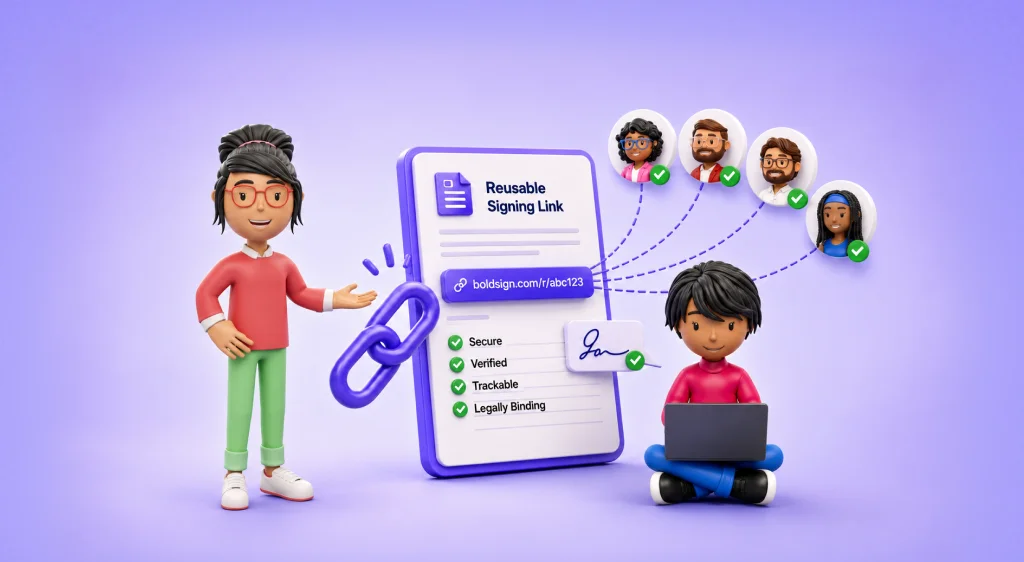
TL;DR: You can embed eSignature forms on a WordPress site without writing code. Create a BoldSign bulk link, copy its embed code, and paste it into a WordPress block for custom HyperText Markup Language (HTML). Visitors then sign their own copy of the document right on your page.
Picture a sign-up page for a youth football club. Every parent needs to sign the same consent form, and you have no time to email each family a separate request.
A bulk link solves this with one form on your website. This guide explains how bulk links work, how to embed one in WordPress, and what your signers see.
How do bulk links work?
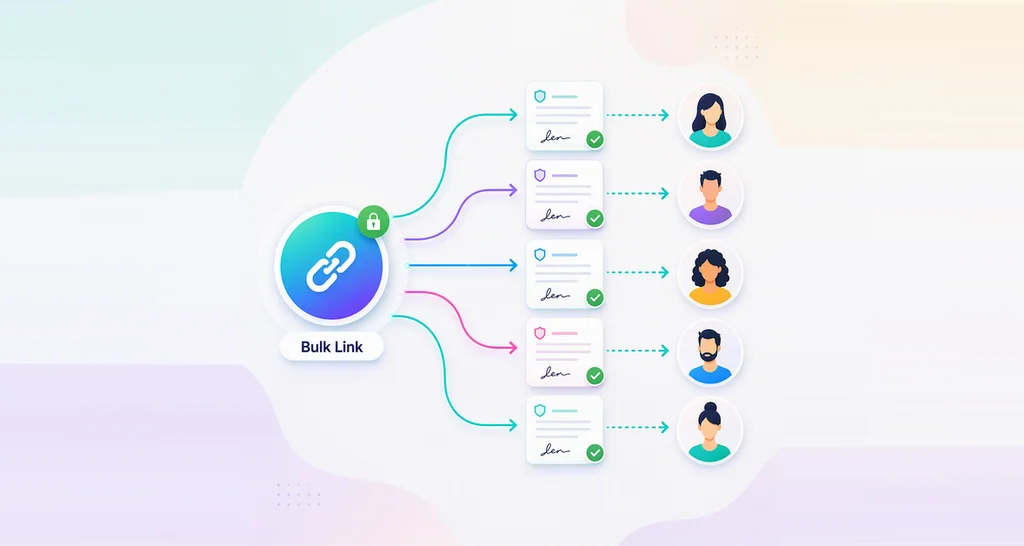
A bulk link is one reusable signing link that many people can use. Each person who opens it enters their own name and email, then signs a separate copy.
Think of a clipboard sheet at a front desk, except each visitor gets their own page. You build the document once and add fields such as name and signature. Then you share the link anywhere people can click it.
You can place the link on a webpage or send it in an email. Our free link QR code generator turns it into a quick response (QR) code for posters and desks. Each signed copy appears under the bulk link in your account.
How can I embed e-signature documents into a no-code app?
Paste the bulk link embed code into any page builder that accepts custom HTML. WordPress, Wix, Webflow and Squarespace all have a block or widget for this.
The embed code is a short iframe tag. We give you this code each time you create a bulk link. You copy it from BoldSign, paste it into your page, and publish.
Why use a bulk link to embed eSignature forms?
A bulk link puts a signing form on your page in a few minutes, with no server work. Here is what you get:
- One link serves every signer, so you keep no contact list.
- The embed code works in most website builders and content management systems.
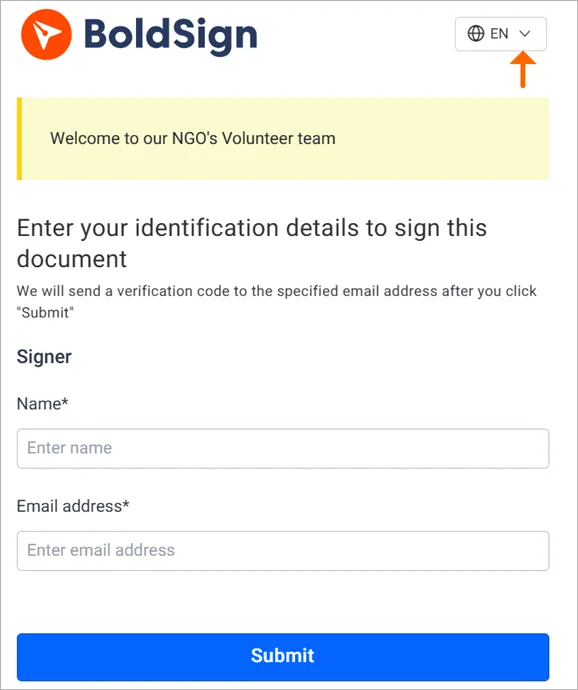
- Signers can switch the form language, with 20 languages to choose from.
- Each response has its own document and audit trail.
A childcare provider in our customer stories uses bulk links to send forms to parents. The same setup suits clubs, schools and small teams.
How do you add eSignature with WordPress?
Create the bulk link in BoldSign first, then paste its embed code into your page. Both parts take a few minutes.
Create the bulk link in BoldSign
- Sign in to your BoldSign account, or start a free trial.
- Select Create New, then Create New Bulk Link, and set up the document.
- Select Create Bulk Link, then copy the Embed code that appears.
Our help article on how to create bulk links in BoldSign explains every setting.
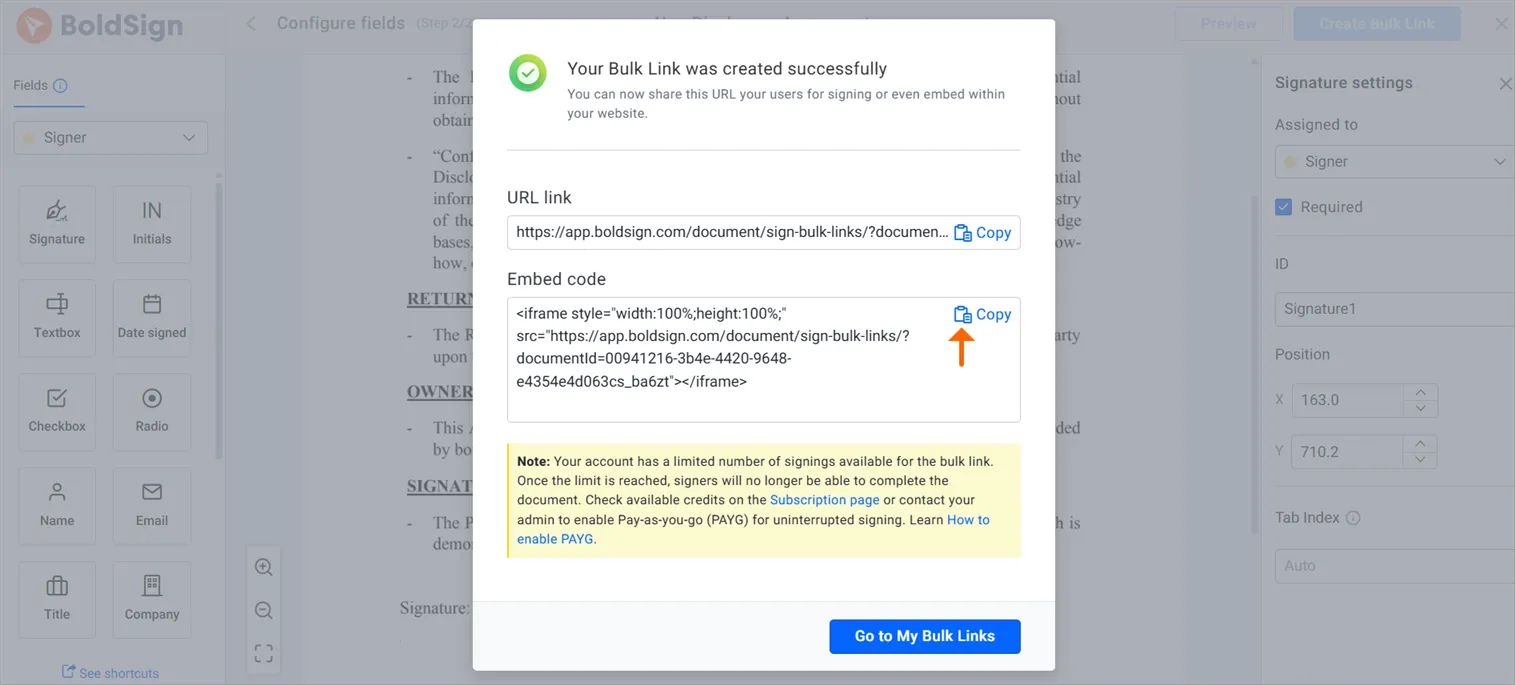
Paste the code in the WordPress block editor
- Open the page or post where the form should go.
- Add a Custom HTML block.
- Paste the embed code into the block.
- Save and publish the page.
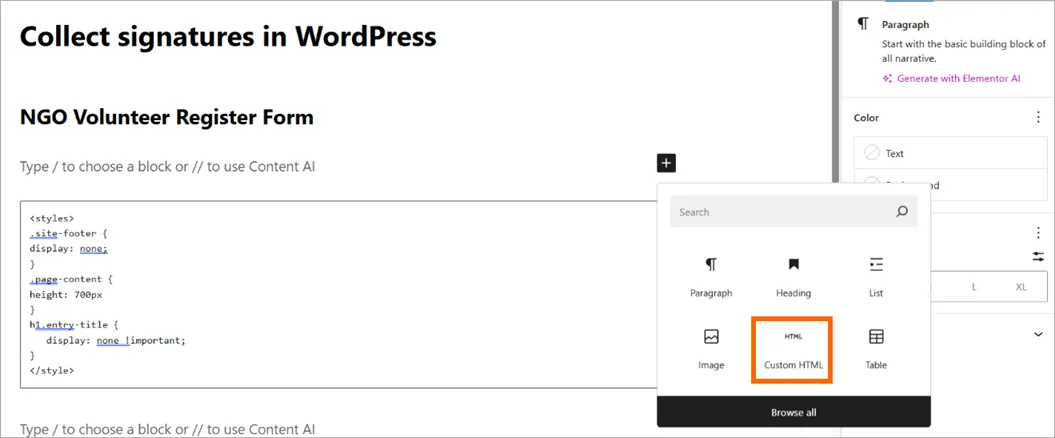
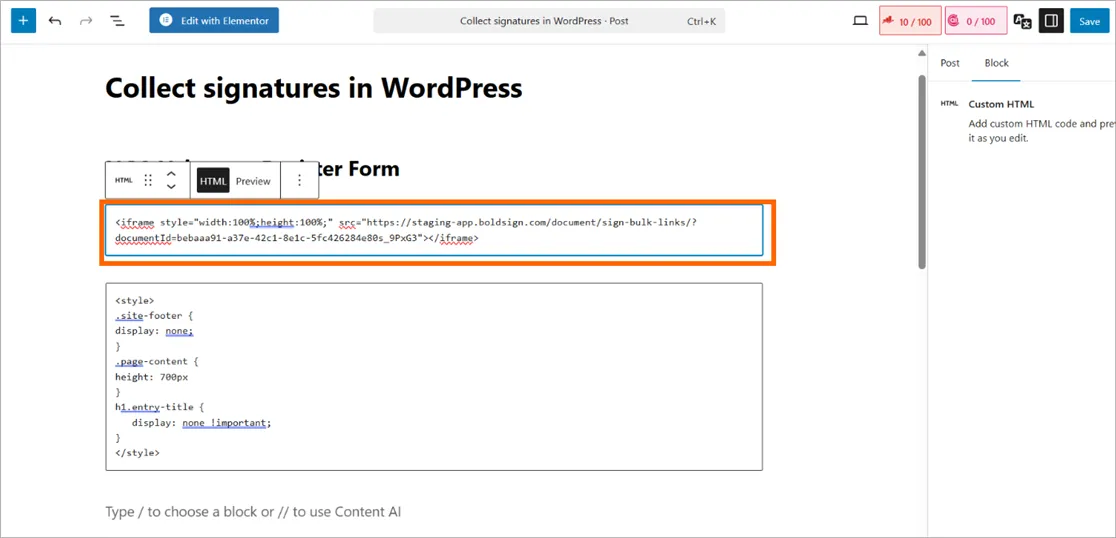
What about the classic editor or a page builder?
Paste the iframe code into the Text tab when you use the classic editor. Page builders such as Elementor or Divi take the code in an HTML widget or code module.
Visitors can now sign on your site without leaving the page.
What does the signer see on your WordPress page?
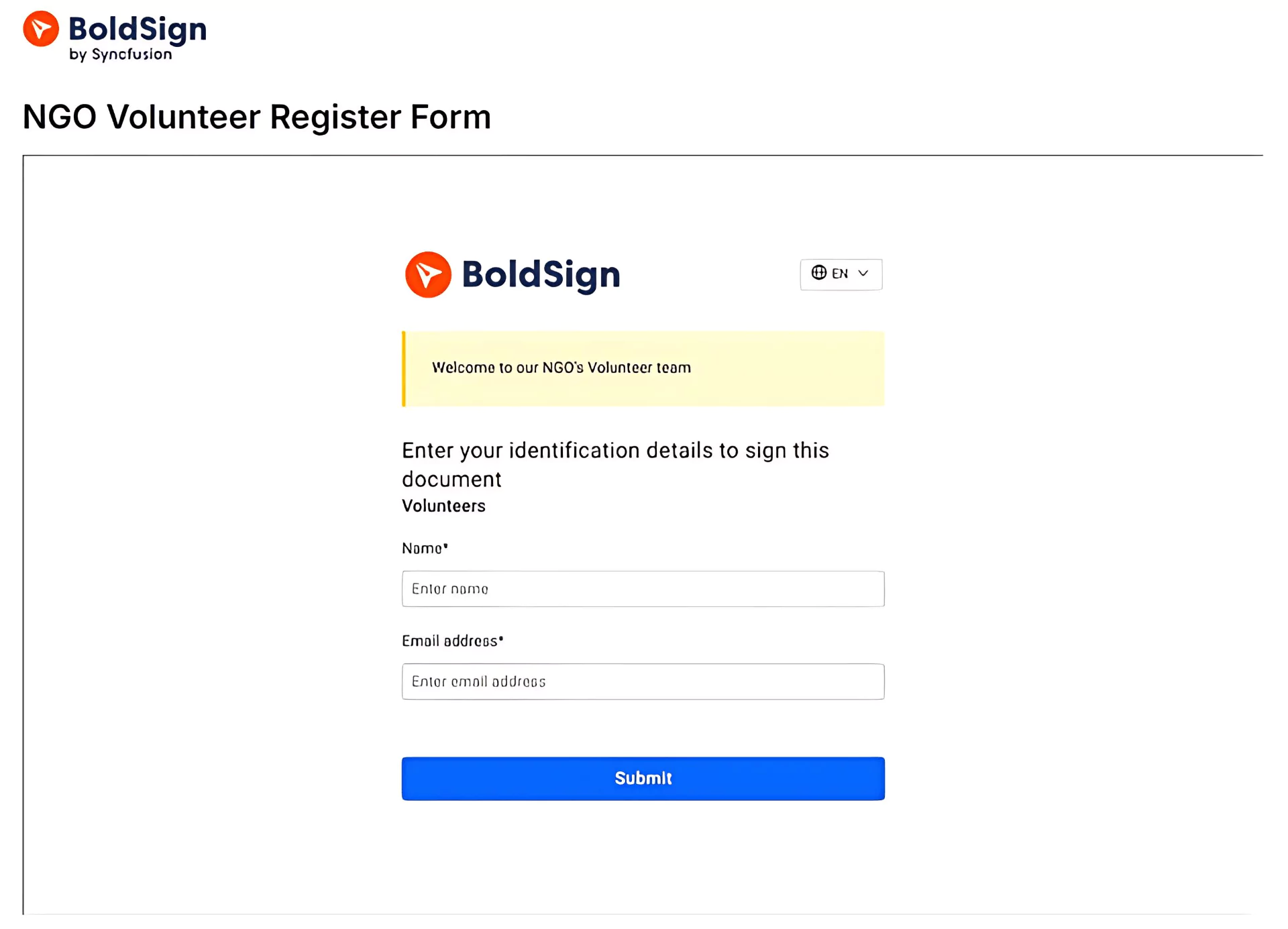
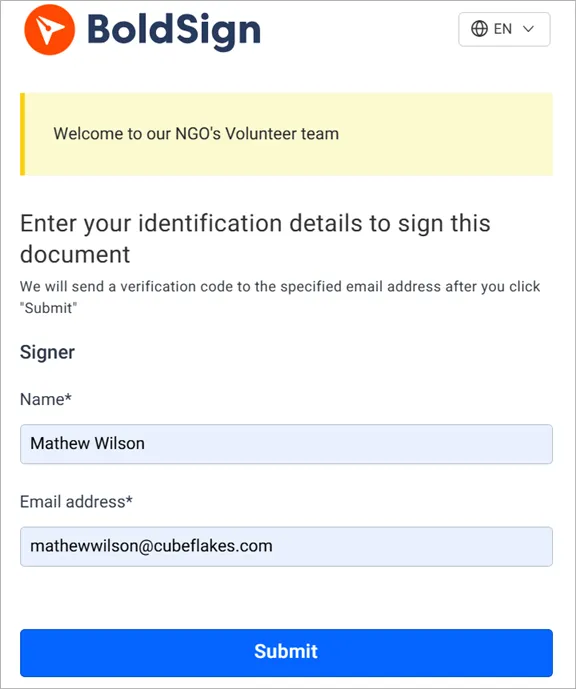
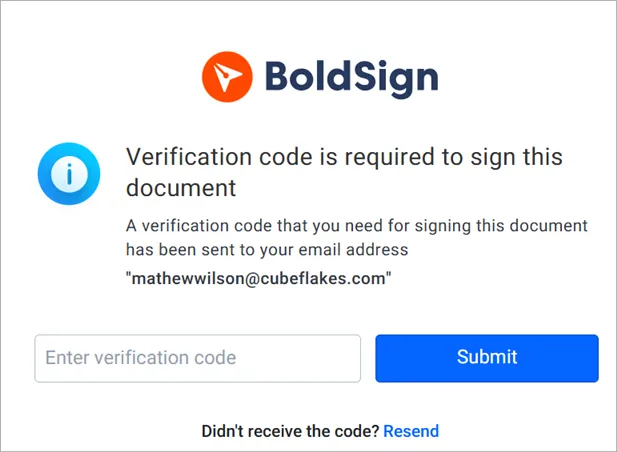
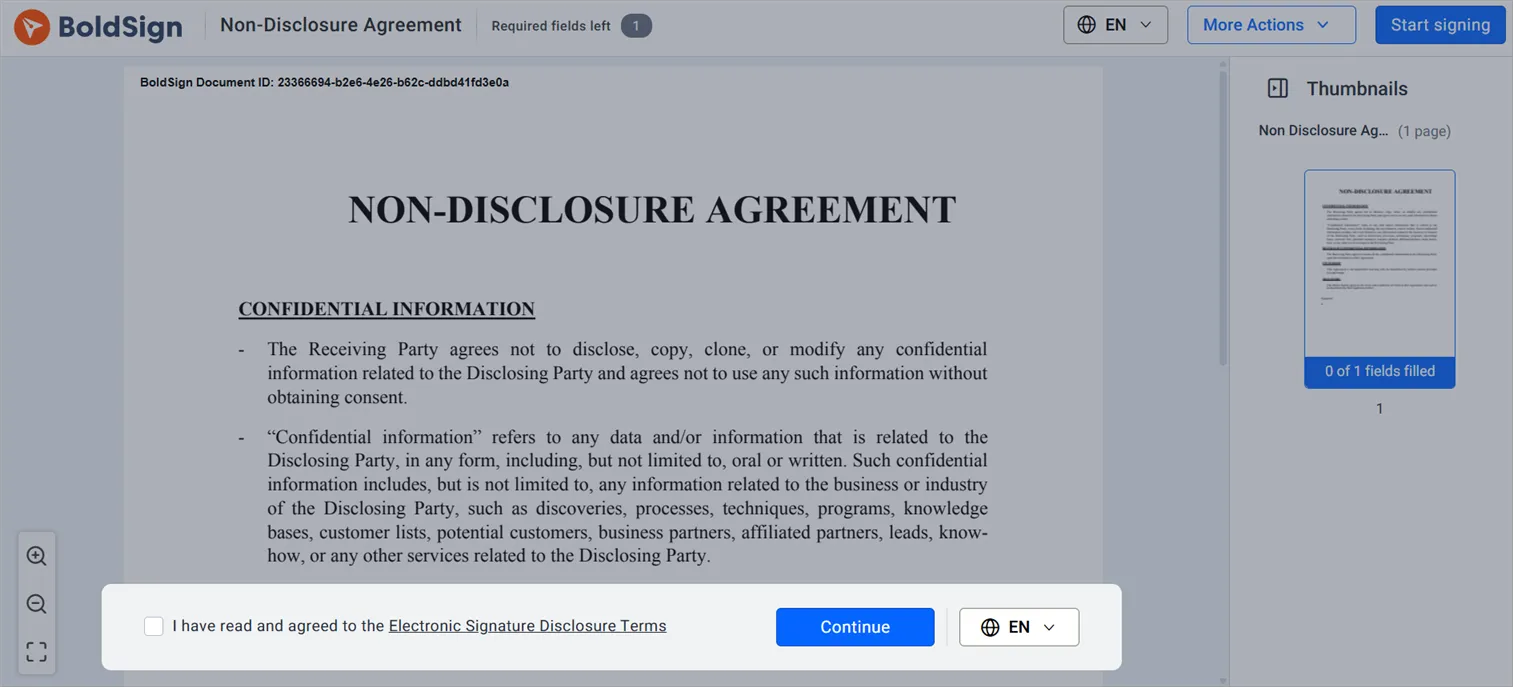
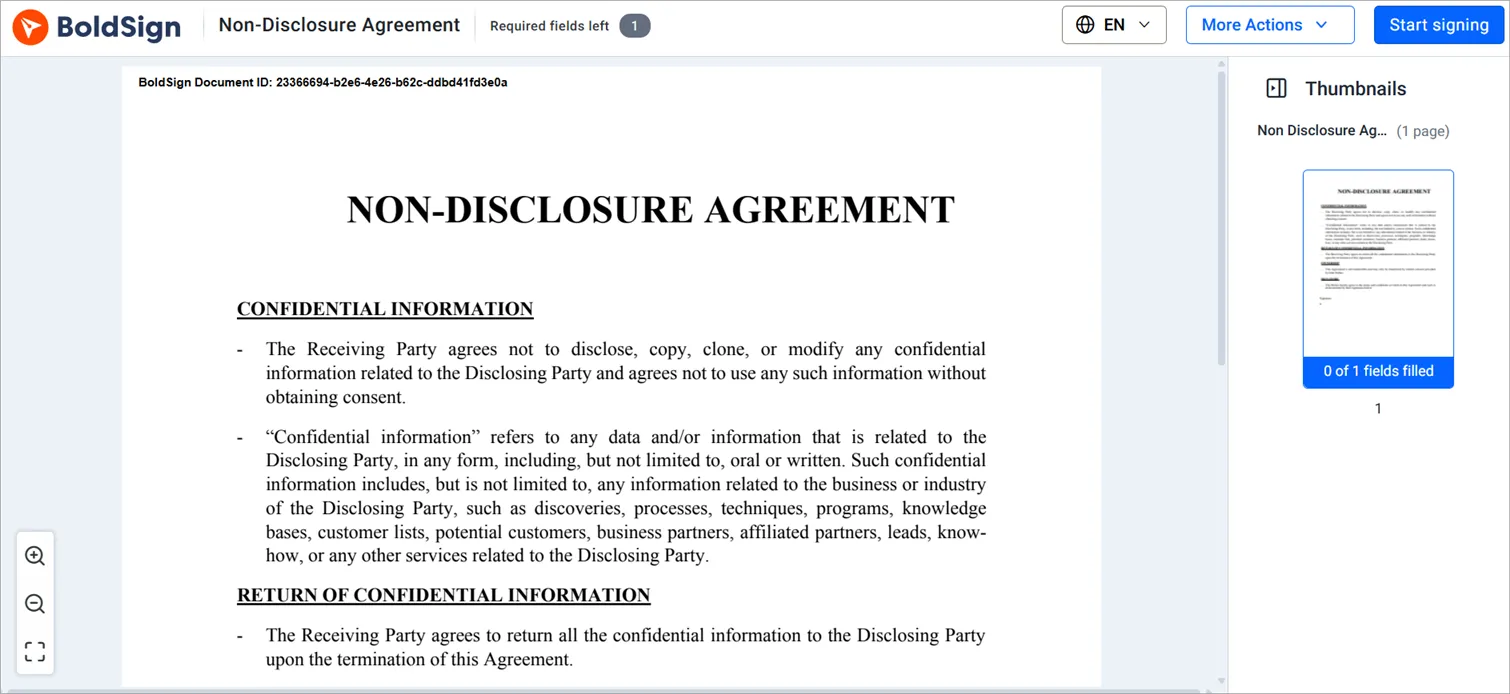
Your visitor fills in a short form, confirms an email code, and signs. Here are the steps from their side:
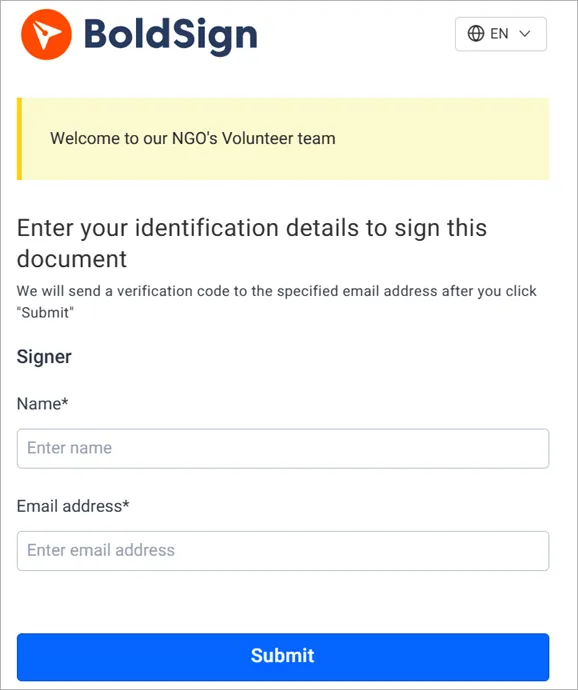
- Enter a name and email address, then select Submit.
- Enter the code we email, when email validation is on for the link.
- Check the box to accept the terms, then select Continue.
- Select Start signing and complete the fields.
- Read the confirmation message that appears once the document is signed.

Is there an electronic signature WordPress plugin you need?
You need no plugin for a bulk link form. The embed code goes into a block that WordPress already includes, so nothing extra runs on your site.
Do you need an electronic signature API for WordPress?
You need the API only when each signer gets a document made just for them. A public form that many people sign works with a bulk link alone.
For one-to-one documents, embedded signing shows our signing page inside your own site. Your server asks the BoldSign API for a link for each signer, so a developer sets it up. Tools such as Zapier and Power Automate, listed on our integrations page, can start signing requests from other apps.
What can you use embedded bulk links for?
Bulk links suit any form that many people sign in the same way. Here are common examples:
| Use case | What the bulk link does |
|---|---|
| Event registrations | Attendees sign a waiver while they register |
| Volunteer sign-ups | Volunteers sign without you collecting emails first |
| HR onboarding | New hires sign policy forms on a careers page |
| School admissions | Parents sign consent forms from the school site |
| Legal waivers | Customers sign before a class or rental |
Our guide on online waiver forms with bulk links walks through one of these in detail.
Is a signing form on your site secure?
Each signer confirms an email code before signing, unless you turn that off behind your own sign-in. Anyone with the link can sign, so share it with care.
Our security pages cover the standards we follow:
- System and Organization Controls (SOC) 2 Type 2 audit, renewed each year
- General Data Protection Regulation (GDPR) compliance
- Health Insurance Portability and Accountability Act (HIPAA) support for health data
Our security policy explains how we protect your data and card payments.
Which BoldSign plan do you need for bulk links, and what does it cost?
Bulk links start on the Business plan at $15 per user a month, billed yearly. They are also on the Premium plan at $99 a month for unlimited users, and on the Enterprise API plan.
Each bulk link envelope costs $0.25 on top of the plan price, as listed on the BoldSign pricing page in November 2026. Bulk links cannot be added to the free Essential plan or the Growth plan at $5 per user a month. Prices are in USD.
HIPAA support comes with yearly Business and Premium plans, once you accept the business associate agreement (BAA) in settings. Live use of the BoldSign API, embedded signing, Zapier and Power Automate need the Enterprise API plan, from $30 a month with 40 envelopes. Our 30-day free trial includes 10 bulk links.
Where do you go next with eSignatures on WordPress?
Start with one test form on a draft page, then publish it when it works.
- Start a 30-day free trial and embed your first bulk link.
- Book a demo to see a bulk link set up for your forms.
- Read our guide on when to use bulk links before you build one.
Frequently asked questions
Can I customize the bulk link signing form?
Yes. Pick a brand in the document settings while you create the bulk link, and the form shows your logo and colors. See how to create a brand in BoldSign.
Can I collect extra details from signers, such as a phone number or address?
Yes. Add text fields for those details on the Configure fields page when you build the bulk link document. Each signer fills them in before signing.
Can I track who has signed through a bulk link?
Yes. Each response becomes its own document with its own audit trail. You find every signed copy under the bulk link in My Bulk Links.
Can I set an expiration date for a bulk link?
Yes. Set how many days the link stays open in Expires in, or set an Expiry date in the document settings. The link closes when that date arrives.
Can I limit how many people sign one bulk link?
Yes. Enter a number in the Limit responses field. The link closes once that many people have signed, or at its expiry date if that comes first.
What is an embedded digital signature?
An embedded digital signature is a signing page shown inside your own app or website in an iframe. Your server asks the BoldSign API for a signing link for one signer, and your page displays it.
Can I use WordPress without coding?
Yes. WordPress pages are built from blocks, themes and plugins. To add a signing form, you paste our bulk link embed code into a HyperText Markup Language (HTML) block, with no code to write.
How do I add a signature in WordPress?
Create a bulk link in BoldSign and copy its embed code. Then add a Custom HTML block to your WordPress page, paste the code, and publish the page.

Evans Omondi Otieno
Evans Omondi Otieno is a customer support representative and writer at BoldSign, specializing in creating clear, insightful content to help users navigate eSignature solutions. As a blog author, Evans writes well-researched articles that simplify technical concepts, helping businesses and professionals understand how to use BoldSign effectively. With expertise in technical support and content creation, he ensures users have a seamless experience and gain valuable knowledge from his articles.
More posts by Evans Omondi Otieno