When to Use BoldSign Bulk Links for Bulk Signing
 Rayronald Ochola Otieno
TL;DR: Use a bulk link when many people need to sign the same document and you do not have a list of their names in advance. You share one URL, and each person signs a separate copy. Our bulk links page shows what each link includes.
A gym needs every new member to sign the same waiver. A training team wants feedback forms signed after each session. Neither knows in advance who will sign or when.
Sending a request to each person does not fit those cases. A bulk link does. This guide covers when to use one, how to set it up in the BoldSign web app, and what signers see.
What are BoldSign bulk signing links?
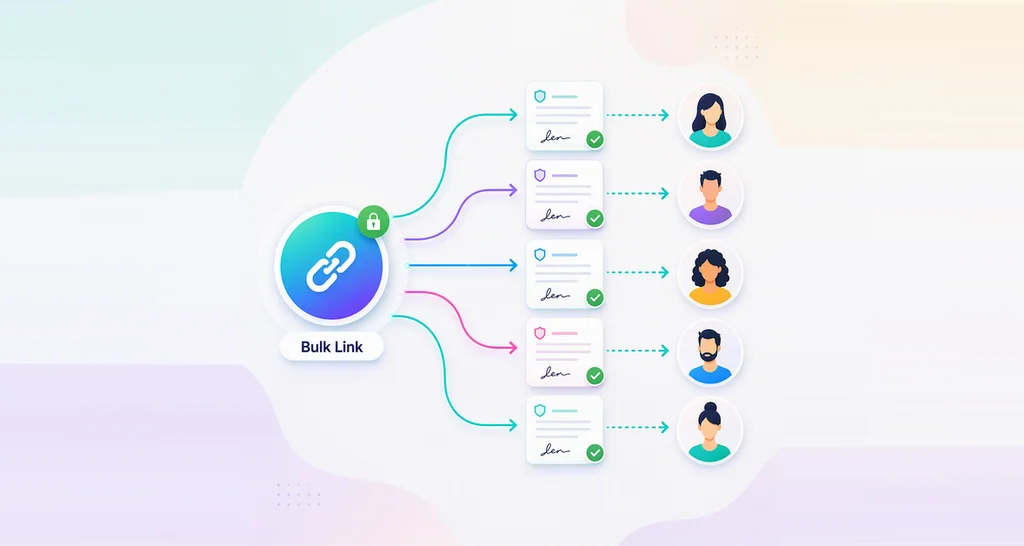
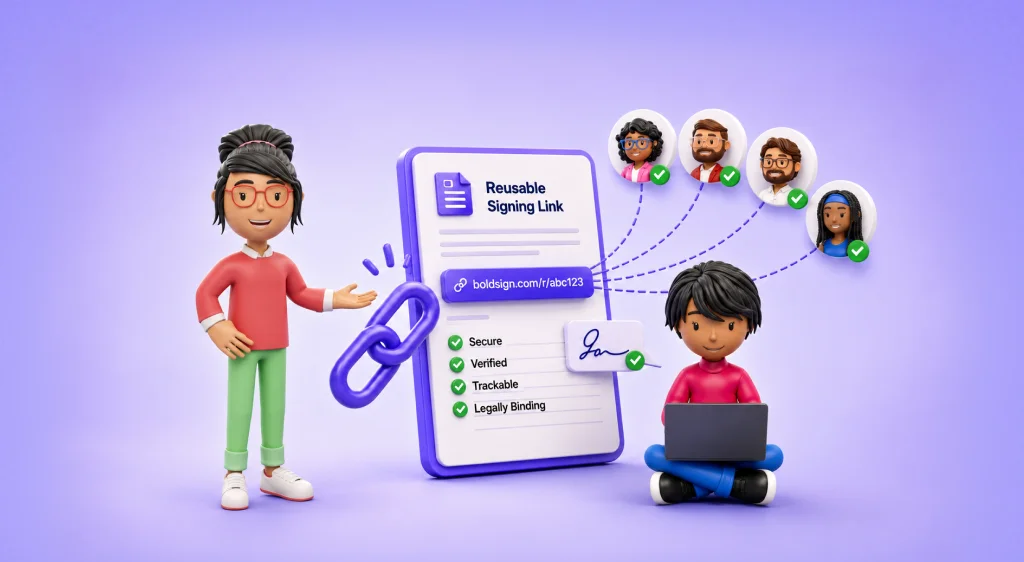
A bulk link is one signing URL for a document or template. Each person who opens it signs a separate copy of their own.
Think of a sign-up sheet pinned to a notice board. Anyone who walks past can add their name. A bulk link works the same way, except each person gets a private copy, and you see every response in one place.
Can I sign contracts in bulk?
Yes. A bulk link lets any number of people sign their own copy of the same contract, form or policy from one URL.
Bulk signing like this suits documents that many people sign in the same form:
- Waivers and consent forms for events, classes or clinics
- Non-disclosure agreements (NDAs) for visitors or contractors
- Policy sign-offs and training acknowledgments for staff
- Feedback or registration forms that need a signature
When should you use a bulk link instead of bulk send?
Use a bulk link when you do not know who will sign. Use bulk send when you already have a list of names and email addresses.
With bulk send, you upload a CSV file and we send each person a request. With a bulk link, people come to the document instead. You share the URL, and each signer types in their own details.
A bulk link also fits work with no fixed end date. Membership waivers or visitor agreements can keep coming in for months from the same URL.
When are bulk links the right fit?
Each bulk link setting answers a common need. The sections below match each need to the setting that handles it.
When you want one link for many signers
Share a single link instead of sending one email per person. You can post it in any of these places:
- An email to a group
- A social media post
- A page on your website
- A chat or messaging app
When signing should happen on your website
Embed a bulk link straight into a web page, so people sign as part of an online process. A training site, for example, can show a signed feedback form right after each session.
When you reuse the same document
Start a bulk link from a template for documents you send again and again. For a one-time document, upload the file instead. You can also add more signer roles when someone else must sign as well.
When the link should stay open
Turn off expiry for a bulk link when signatures arrive over a long period. You keep one URL and never need to make a new one.
When you need a set number of signatures
Limit the number of responses a link accepts. Once the limit is reached, the link closes to new signers, which suits a class with 20 places.
When you want to check signer details
Turn on email validation to set a pattern that each signer’s email address must match. Our guide to regular expressions (regex) for email address validation shows how to write one.
When plans change after you share the link
Edit a bulk link after you create it, or deactivate it to stop new signatures. You can also let signers reassign the request to someone better placed to sign.
When you need the signed copies
Download each signed document on its own, or download attachments in bulk. Your records then sit wherever your team keeps them.
How do you create a bulk link in BoldSign?
Setting up a bulk link takes six steps, from the Create New menu to sharing the URL. Each step below shows the screen you work on.
1. Start a new bulk link
Select Create New, then Create New Bulk Link. You can also select New Bulk Link on the My Bulk Links page.
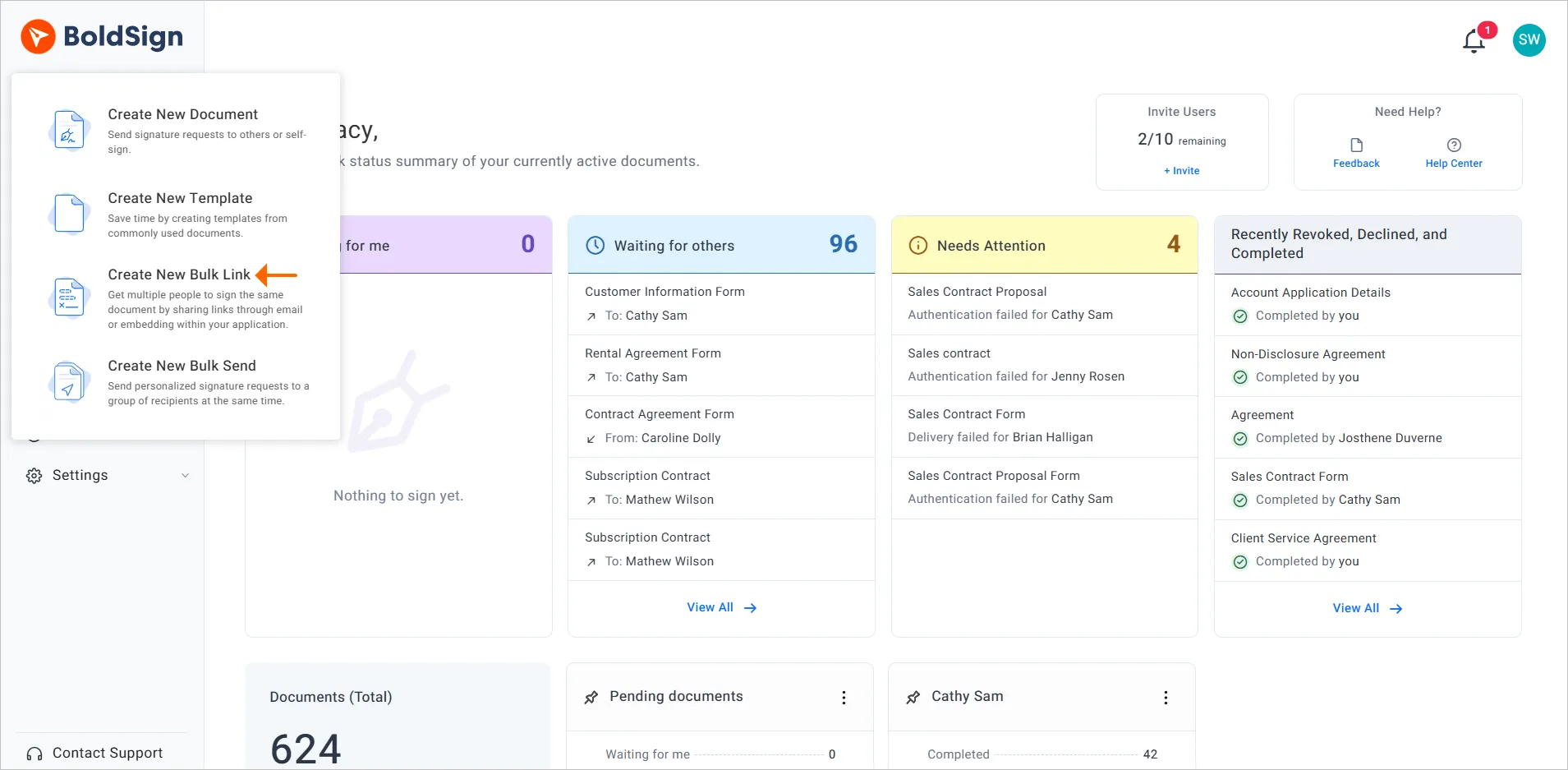
To start from a template, open All Templates or My Templates. Then choose Create Bulk Link from that template’s action menu.
2. Prepare the bulk link document
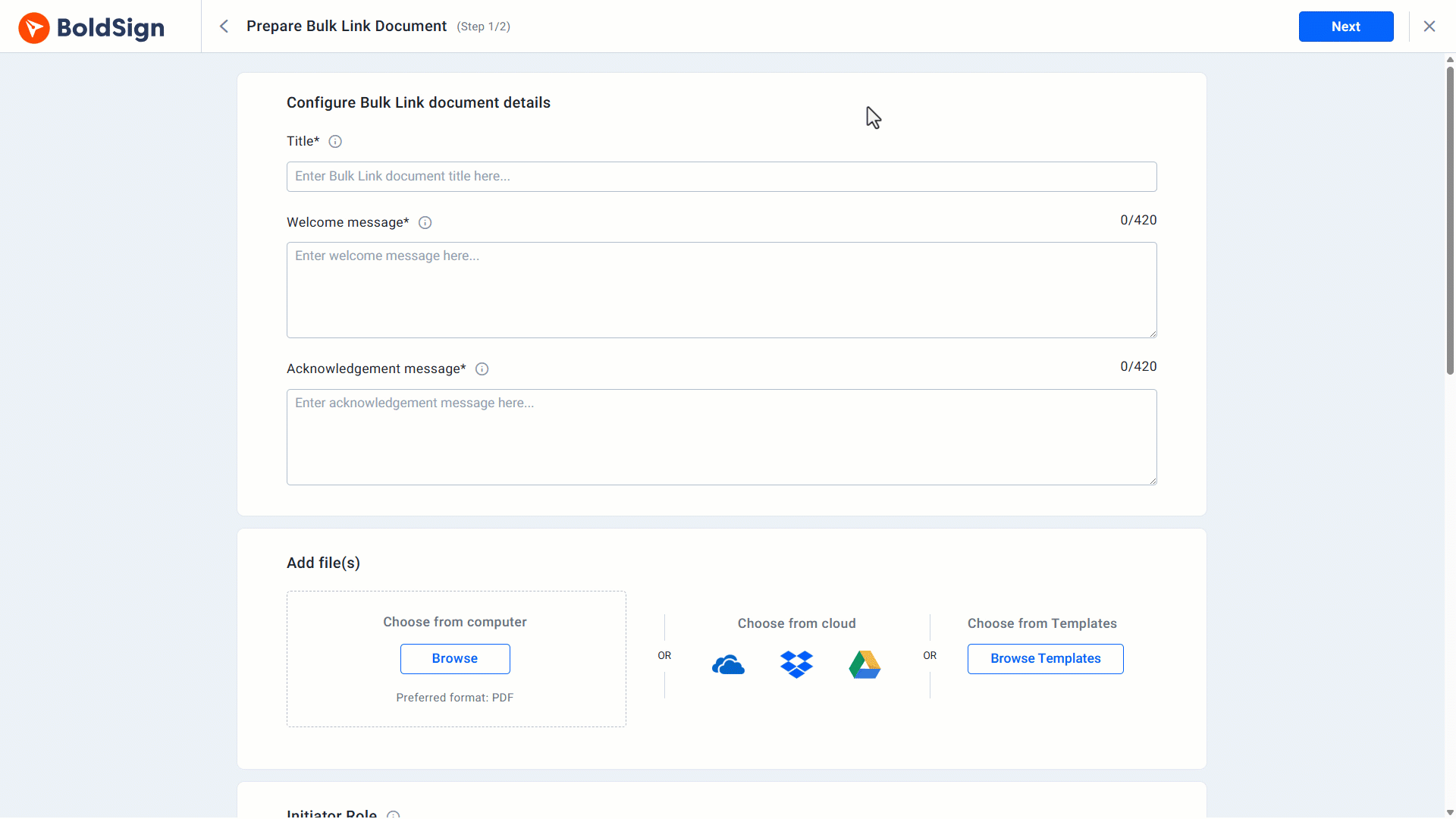
On the Prepare Bulk Link Document page, fill in the basics:
- A Title for the bulk link
- A welcome message and an acknowledgment message for signers
- A document you upload, or a template from Browse Templates
- The initiator role and, if needed, the signer language
Select Add Recipient Role to add another required role.
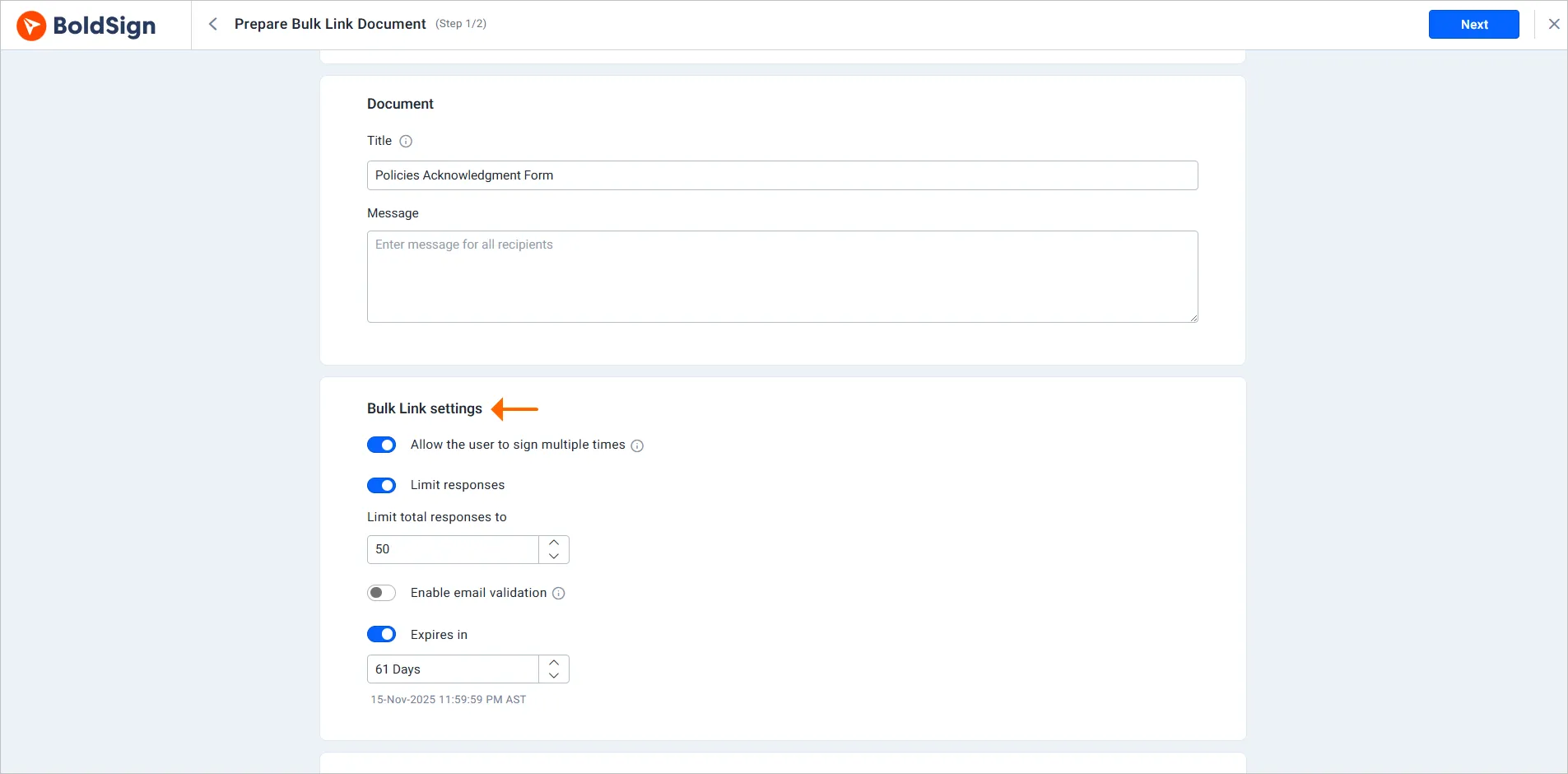
3. Choose the bulk link settings
Under Bulk Link Settings, choose how the link behaves:
- Allow the user to sign multiple times
- Limit responses to cap how many people can sign
- Enable email validation to check signer addresses
- Expires in to set an end date, or turn it off
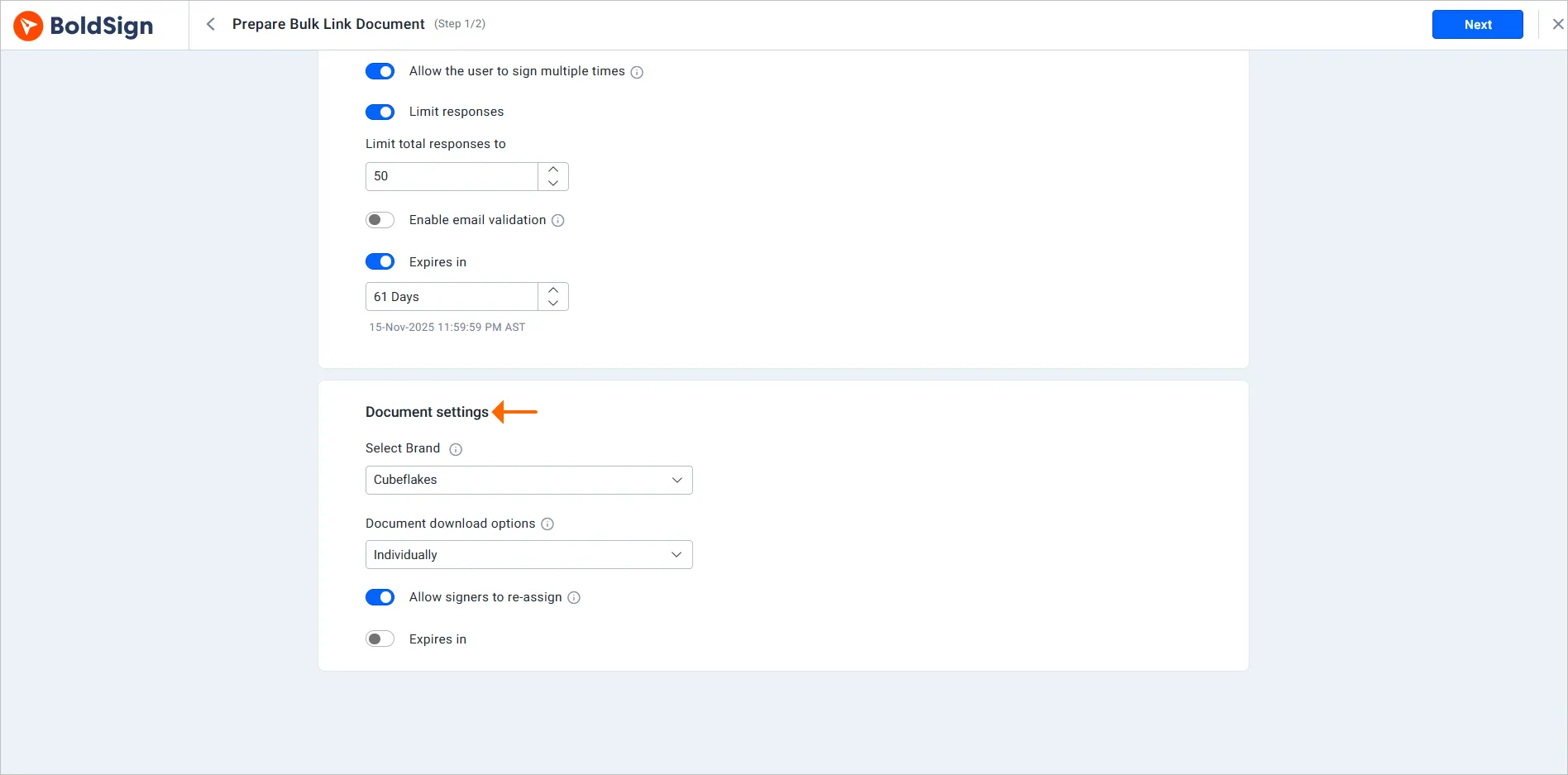
Under Document Settings, you can choose a brand with Select Brand. You can also turn on Allow signers to re-assign and set auto reminders.
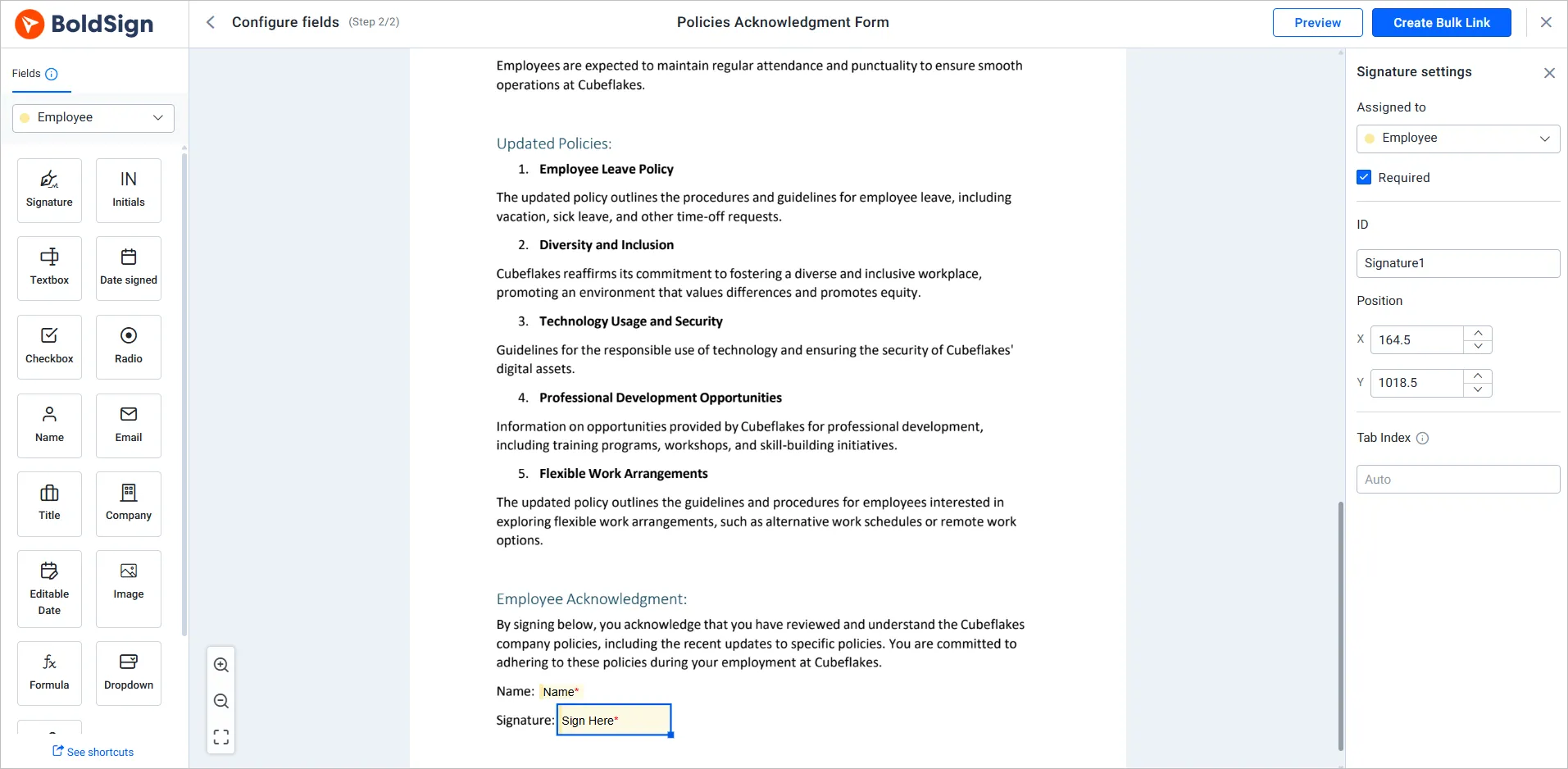
4. Add the form fields
Select Next, then add the fields each signer must fill in on the Configure fields page. You can change fields here even when you started from a template.
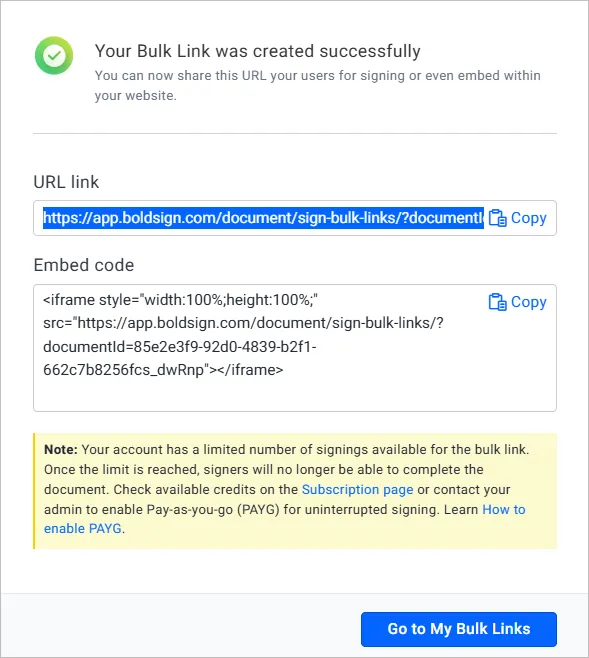
5. Create and share the link
Select Create Bulk Link, and we give you a URL and an embed code. Send the URL by email, social media or any messaging app, and paste the embed code into your website.
6. Track and manage your bulk links
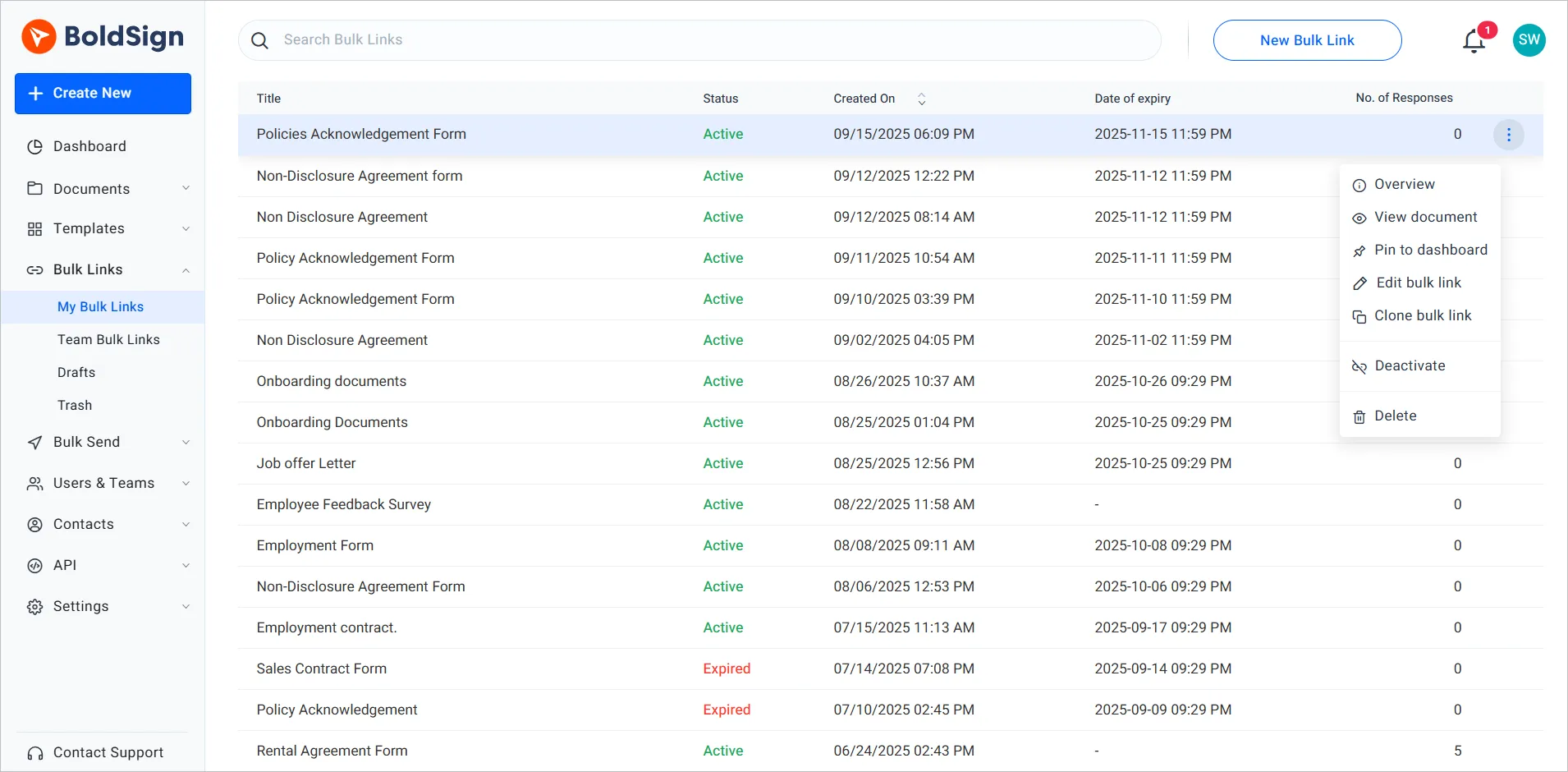
Open the My Bulk Links page to see each link’s status and number of responses. From the menu next to a link, you can:
- Open Overview to change the link
- Deactivate it to stop new signatures
- Delete it once you no longer need it
What does signing a bulk link look like for signers?
Signers open the link on any device and enter their name and email address. Then they review the document and sign.
- Open the bulk link from an email, a web page or a message.
- Enter a name and email address.
- Enter the verification code we send to that email address, when the link asks for one.
- Fill in the required fields and sign.
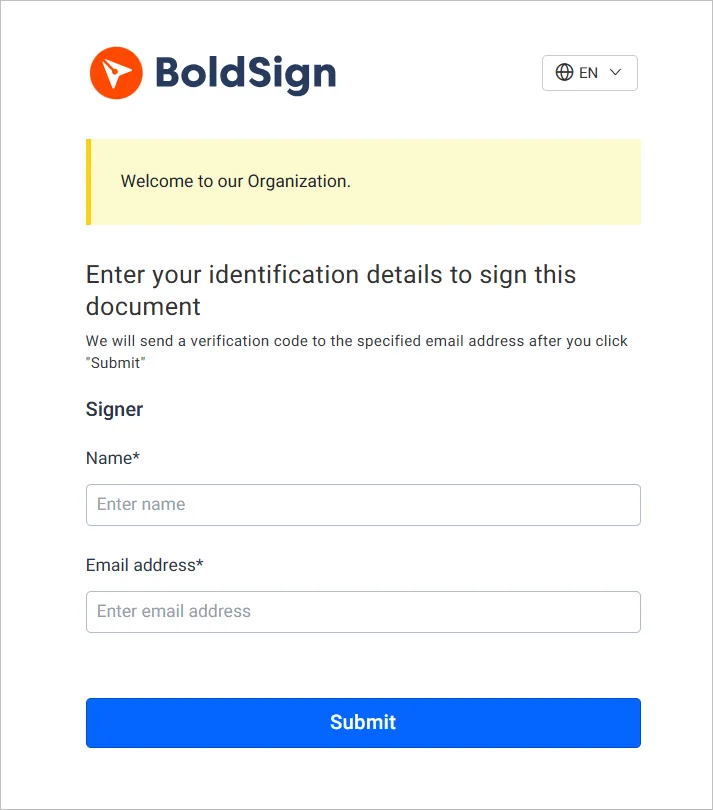
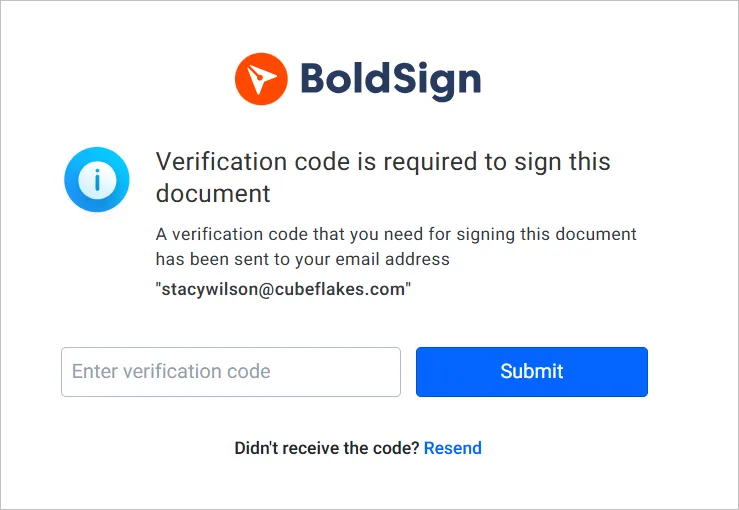
Each signed copy then appears with the bulk link in your BoldSign account.
Which BoldSign plan includes bulk links, and what do they cost?
Bulk links start on the Business plan, as listed on the BoldSign pricing page in November 2026. Prices are in USD.
The Business plan costs $15 per user a month, billed yearly. The Premium plan costs $99 a month for unlimited users, billed yearly, and the Enterprise API plan also includes bulk links. The pricing page lists bulk links as an add-on at $0.25 per envelope on each of these plans.
The Business plan also gives you unlimited brands for the Select Brand setting. You can try bulk links first with a 30-day free trial.
How do you get started with bulk links?
Start with one document that many people sign today, such as a waiver or a policy sign-off. Then share its bulk link with a small group first.
- Start a 30-day free trial and create your first bulk link.
- Book a demo to see bulk links set up for your documents.
- Read how to create bulk links with templates for documents you reuse.
Frequently asked questions
What is a bulk link in BoldSign?
A bulk link is one signing URL for a document or template. Each person who opens it enters their name and email, then signs a separate copy of their own.
Can I sign contracts in bulk?
Yes. A bulk link lets any number of people sign their own copy of the same contract from one URL. You can also cap the number of responses.
What is the difference between a bulk link and bulk send?
Bulk send goes to a list of people you already know, uploaded in a CSV file. A bulk link is a URL you share, and whoever opens it can sign.
Do signers need a BoldSign account to use a bulk link?
No. Signers open the URL, enter their name and email address, and sign. They sign without an account of their own.
Can I put a bulk link on my website?
Yes. When you create a bulk link, we give you a URL and an embed code. Paste the embed code into a page so visitors can sign there.
Can a bulk link stay open with no end date?
Yes. Turn off the Expires in option when you create the link, or edit the expiry on the My Bulk Links page later.
Are documents signed through a bulk link legally binding?
Yes, when they meet the same rules as any electronic signature: the signer agrees to sign electronically and the signed record is kept. Check the rules for your document type and country.
How much do bulk links cost in BoldSign?
Bulk links come with the Business plan at $15 per user a month, billed yearly, and with higher plans. Our pricing page also lists an add-on charge of $0.25 per envelope.

Rayronald Ochola Otieno
Rayronald Ochola Otieno is a content specialist at BoldSign, specializing in video content and help articles within the eSignature domain. As a blog author, he creates well-researched, insightful content that simplifies complex eSignature topics like digital signatures, compliance, and workflow automation for businesses and professionals. With expertise in creating educational videos and articles, Ray helps users understand and adopt secure, efficient signing solutions. Beyond writing and video creation, Ray enjoys exploring new technologies, reading about the latest industry trends, and continually refining his skills.
More posts by Rayronald Ochola Otieno