How BoldSign Helps with Account Openings in Banking
 Evans Omondi Otieno
TL;DR: Electronic signature for digital account opening lets a customer fill in, check and sign a bank’s forms from home, with no branch visit. With BoldSign, you send one form to every account holder, check their details as they type and confirm who signed. Our eSignature for banking page shows the full set of tools.
A couple wants to open a joint checking account. On paper, both of them book time off, travel to the branch together and sign a stack of forms. A missed field means another trip.
Online account opening removes those trips. This guide shows how each step works in BoldSign, from the first form field to the signed copy in your records.
What does electronic signature for digital account opening mean?
Digital account opening means the customer fills in and signs the bank’s forms online. The bank gets a signed copy with a record of every step.
Nobody prints, scans or posts anything. Think of ordering food through an app instead of at the counter: same menu, same receipt, from your sofa.
How do you add every account holder to one application?
Add each account holder as a recipient on the same document. Each person opens their own link, confirms who they are and signs, so nobody needs a joint visit.
You can turn on Signing order when one person must sign before the next. A document can hold up to 50 recipients, as our help article on how to add multiple recipients explains.

How do form fields keep applicant details in the right format?
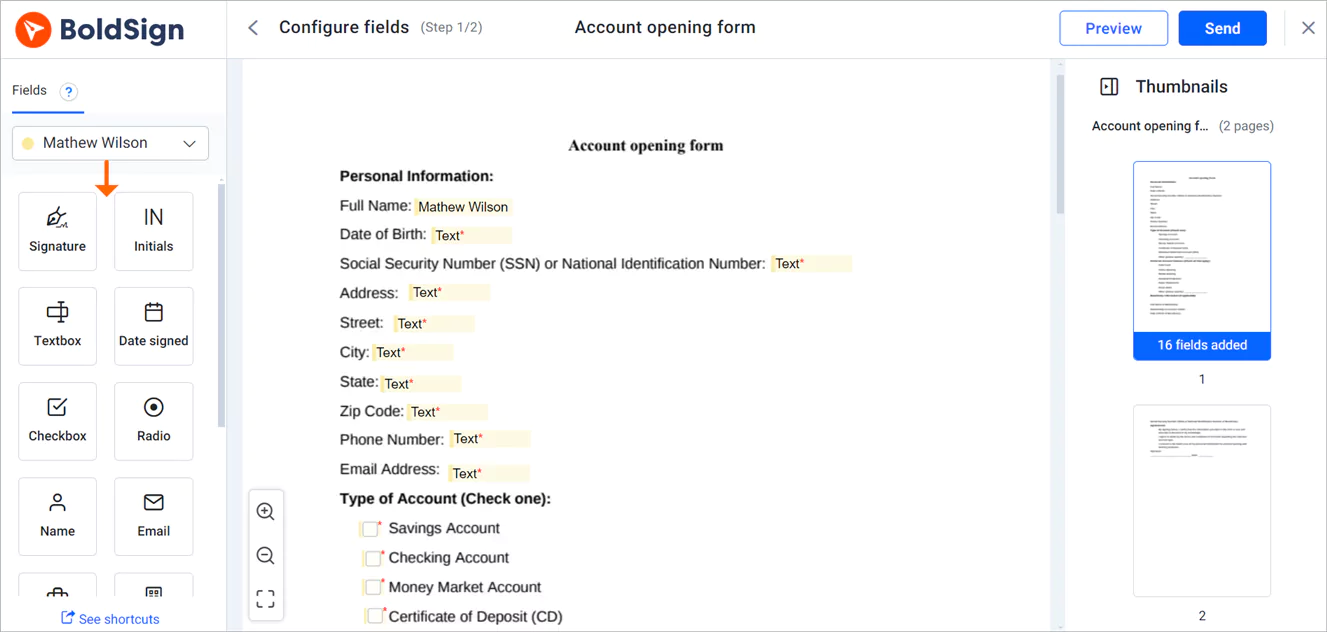
Form fields tell the applicant exactly what to enter and where. Validation rules then block entries in the wrong format before the form is sent back.
Banking institutions collect a lot of personal details at this stage. A text box can accept only numbers, an email address, a currency amount or a pattern you define. A dropdown limits the answer to the options you set.
Our help article on available form fields lists every field type.
How do templates help with different account types?
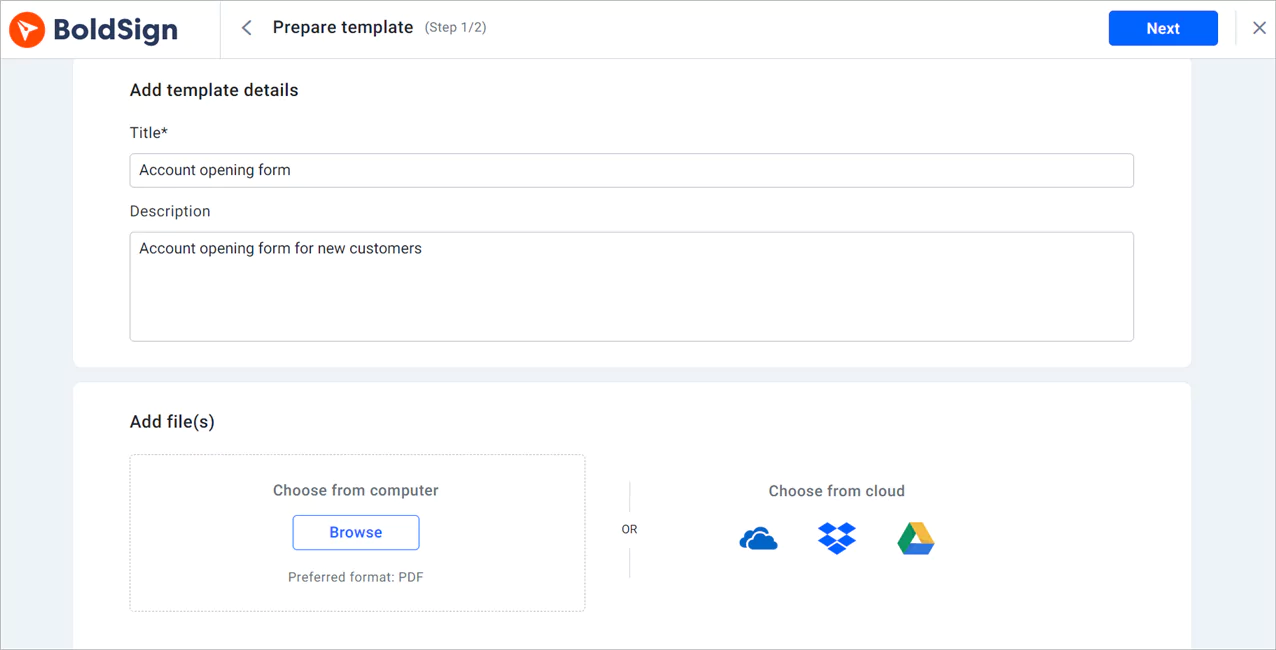
A template is a form you set up once and reuse for every new applicant. You can keep one template per account type, such as checking, savings or business accounts.
Each template keeps the same fields, roles and wording every time. Staff choose the right one and add the applicant’s name and email. Read more about templates, or follow our help article on how to create a template.
How do you confirm who is signing an account opening form?
Add an identity check to each signer before the document opens. We offer five methods, from a simple code to a photo ID check.
- Email one-time password (OTP): a fresh code sent to the signer’s email.
- SMS OTP: the same kind of code sent to the signer’s phone.
- Access code: a code you share with the signer outside the signing email.
- Knowledge-based authentication (KBA): questions built from public records.
- ID verification: a photo of a passport or driver’s license plus a live selfie.
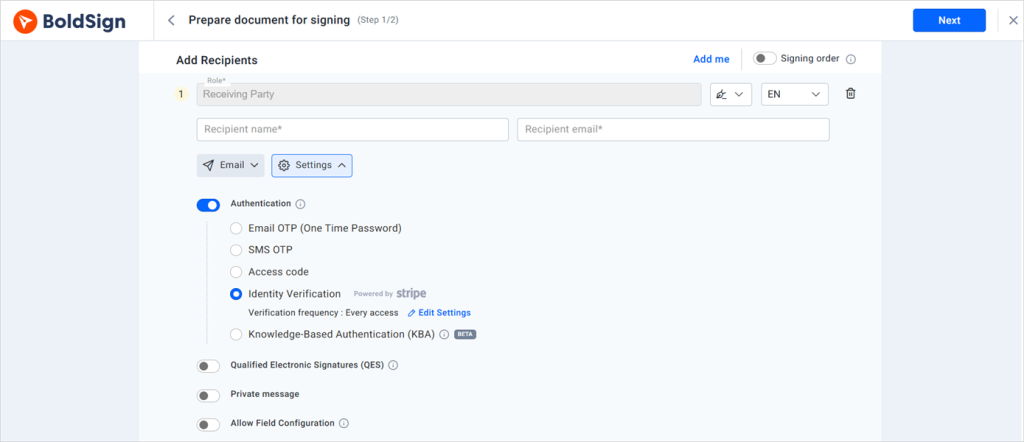
What does ID verification check?
The applicant photographs a passport or driver’s license and then takes a live selfie. We match the two through Stripe Identity before the document opens.
ID verification confirms who signed the form. Your compliance team still decides how it fits into your know your customer (KYC) program. The check cannot yet read ID details written in some scripts, such as Arabic, Chinese and Cyrillic.
Can customers open an account from their phone?
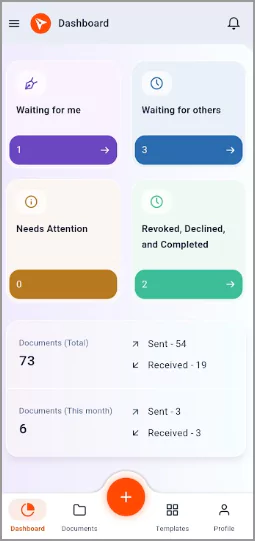
Yes. Applicants sign in any phone browser, without an app or a BoldSign account.
Your staff can use our mobile app to send forms and track signers on the go.
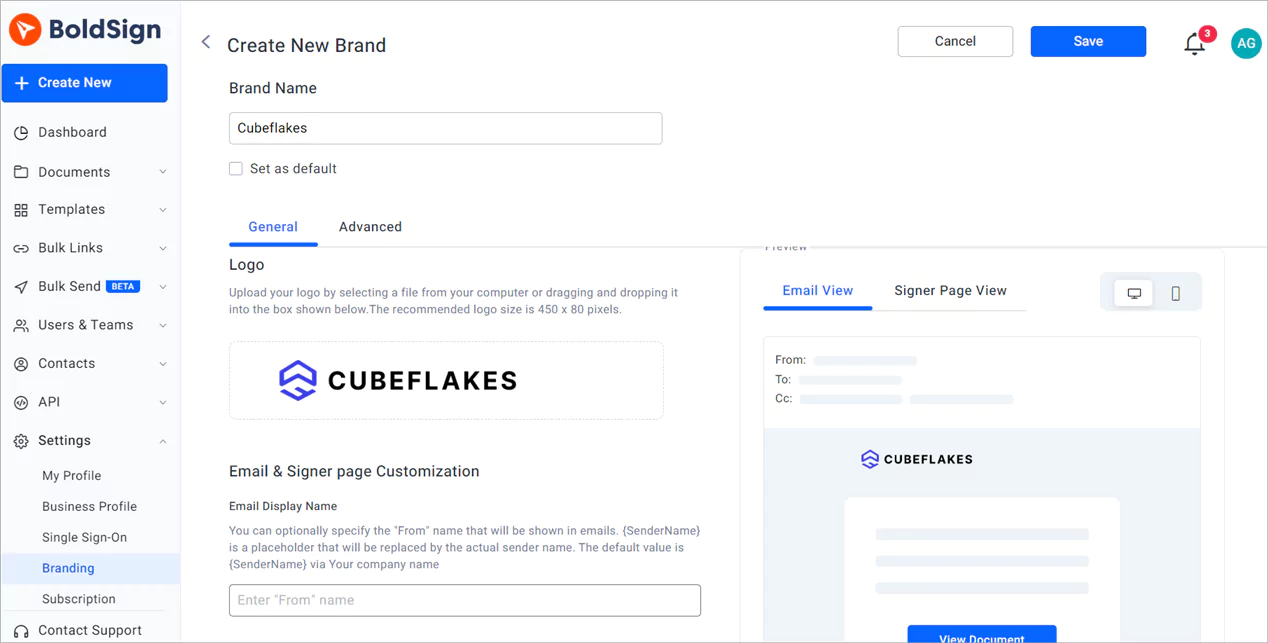
How do you keep the bank’s look and terms on every request?
Create a brand with your logo and colors, then pick it when you send. The applicant then sees your name on the email and signing page.
Our help article on how to create a brand in BoldSign walks through each setting. The branding page shows how emails and signing pages look.
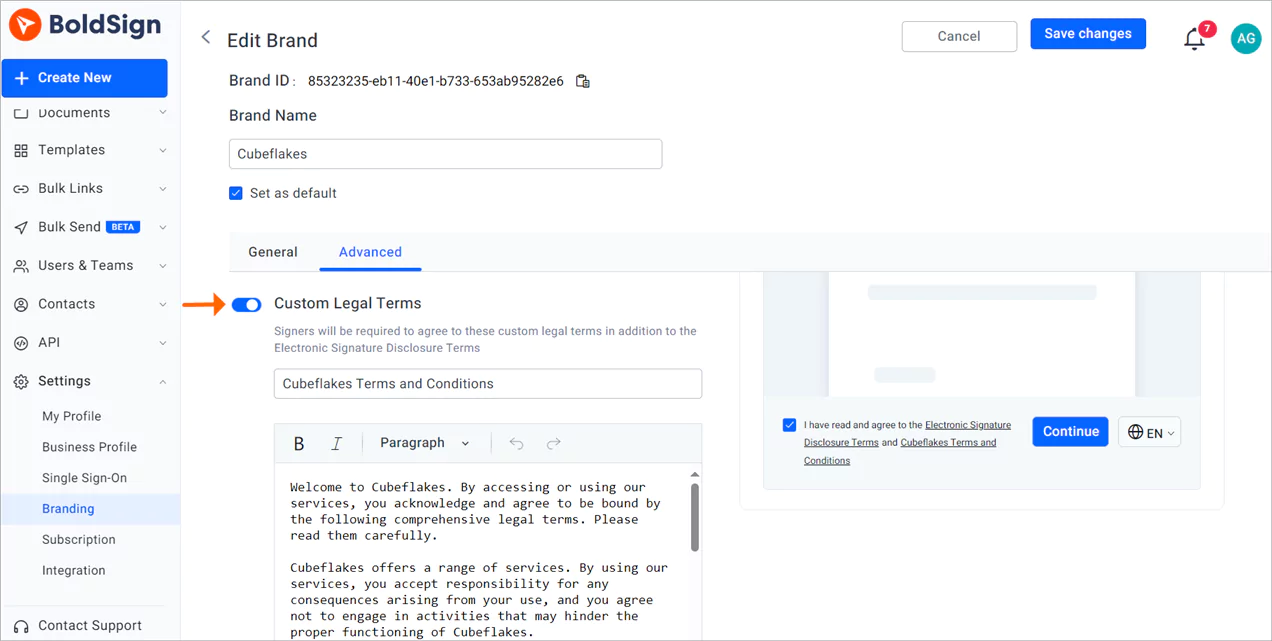
How do you add your own legal terms?
Turn on Custom Legal Terms in the Advanced section of a brand. Signers must review and accept those terms before they continue.
The terms also appear at the end of the audit trail. Our help article on how to add a custom legal disclosure covers the steps.
How do you track each application?
You get an alert when an applicant views or signs the form. Staff can then see which applicants still need a reminder.
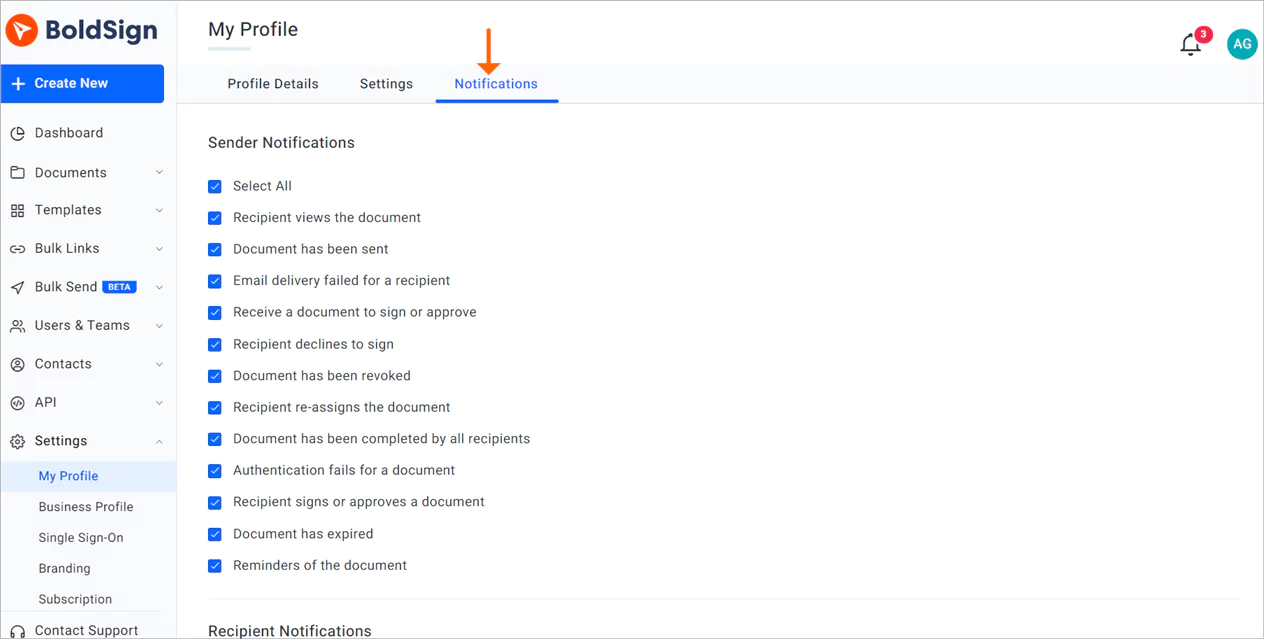
Each signed document also carries an audit trail. It logs every step with the time and the signer’s internet protocol (IP) address, ready for an internal or external review.
How does BoldSign protect applicant data?
We store documents with Advanced Encryption Standard (AES) 256-bit encryption and encrypt data in transit. Completed PDFs are sealed so later edits show up.
Our controls have passed a System and Organization Controls (SOC) 2 Type 2 audit, as our security policy states. We follow the General Data Protection Regulation (GDPR) and keep data in the US, EU, Canada or Australia.
Can applicants sign in their own language?
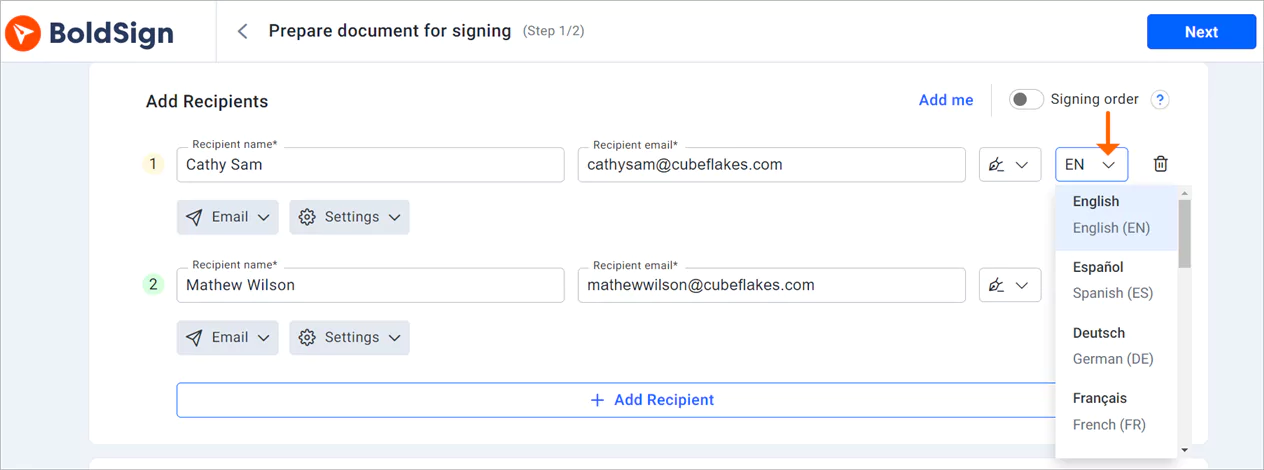
Yes. You choose a language for each signer when you add them, and their emails and signing page appear in it.
The list covers 15 languages, including Spanish, French, German and Portuguese. Our help article on how to send a request in different languages lists them all.
What does the applicant see when they sign?
The applicant follows three short steps from the email to the signed form. No account or download is needed.
- Select Review and Sign in the email.
- Read and accept the disclosure, then select Continue.
- Select Start signing, fill in each field, then select Complete Signing.
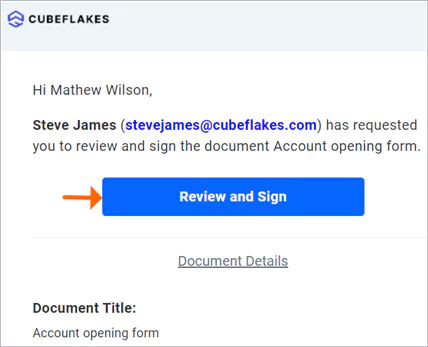
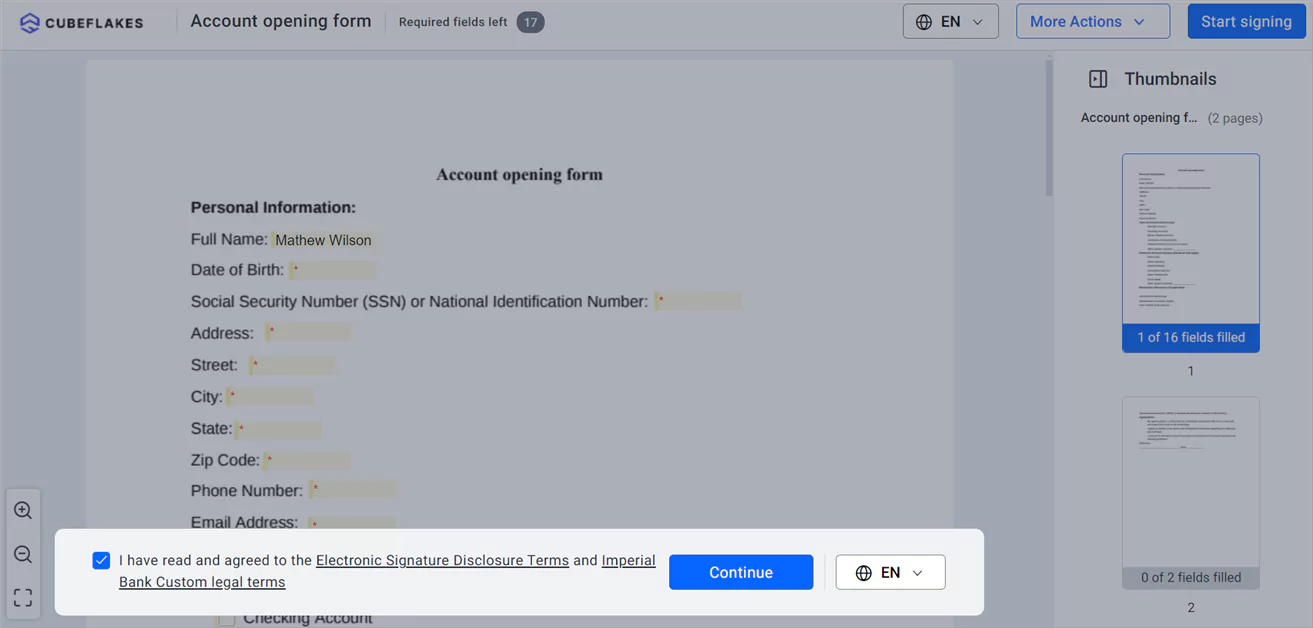
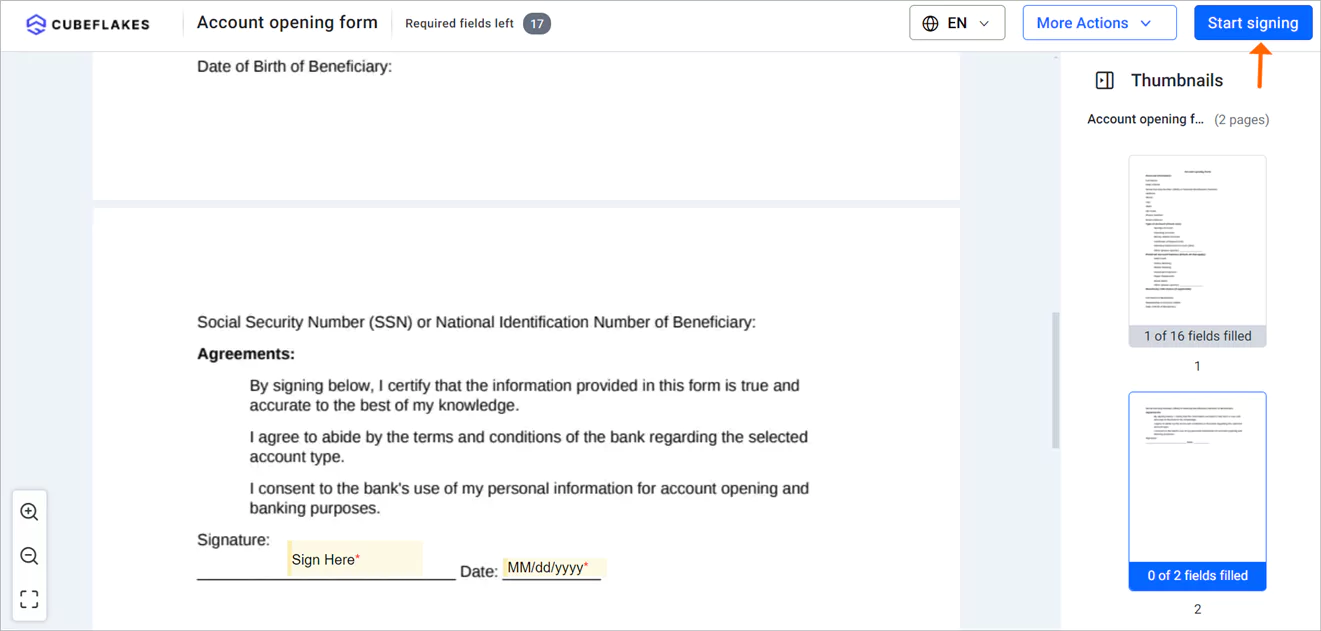
We email everyone a copy of the final document once all signers finish. The same steps apply to loan forms, as our guide on how we improve the loan application process shows.
Which BoldSign plan do you need for account opening, and what does it cost?
Banks that want photo ID checks need the Business plan, at $15 per user a month billed yearly. That plan adds ID verification, SMS codes and unlimited brands and templates.
Our free Essential plan covers form fields, email codes, custom legal terms and an audit trail, with 2 templates. The Growth plan, at $5 per user a month billed yearly, raises that to 10 templates. The Premium plan costs $99 a month for unlimited users, billed yearly, and also includes ID verification.
Prices are in USD, as listed on the BoldSign pricing page in November 2026.
How do you start moving account opening online?
Start with one account type and one template. Test it with a colleague before you send it to customers.
- Start a 30-day free trial and build your first account opening template.
- Book a demo to see the signing flow set up for your bank.
- Visit our support portal with questions about a form you already use.
Frequently asked questions
What e-signature platforms help financial firms collect signed account-opening forms without in-person client visits?
BoldSign is one of them. Applicants get an email link, fill in the form and sign from any browser, and the bank gets the signed copy with an audit trail.
Can two people sign a joint account application online?
Yes. Add each account holder as a recipient on the same document. Each person signs from their own email link, in the order you set.
Do applicants need a BoldSign account to sign?
No. Applicants sign from the link in their email in any phone or computer browser. They do not install an app or create an account.
Can BoldSign check an applicant's photo ID?
Yes. With ID verification, the applicant photographs a passport or driver's license and takes a live selfie. We match the two through Stripe Identity before the document opens.
Does ID verification replace a bank's know your customer (KYC) checks?
No. ID verification confirms who opened and signed the document. Your compliance team decides how it fits into the identity checks your bank must run.
Is an electronically signed account opening form legally binding?
Yes, when the signer agrees to sign electronically and the signed record is kept. Ask your legal team about any form type with extra rules where you operate.
Can applicants get the signing request in their own language?
Yes. You pick a language for each signer when you add them, and the signing page and emails show in that language. The list covers 15 languages, including Spanish and French.
Which BoldSign plan do banks need for account opening?
The Business plan, at $15 per user a month billed yearly, adds ID verification and SMS codes. Our free Essential plan covers basic signing with form fields and an audit trail.

Evans Omondi Otieno
Evans Omondi Otieno is a customer support representative and writer at BoldSign, specializing in creating clear, insightful content to help users navigate eSignature solutions. As a blog author, Evans writes well-researched articles that simplify technical concepts, helping businesses and professionals understand how to use BoldSign effectively. With expertise in technical support and content creation, he ensures users have a seamless experience and gain valuable knowledge from his articles.
More posts by Evans Omondi Otieno