How BoldSign Speeds Up the Loan Application Process for Banks
 Evans Omondi Otieno
TL;DR: BoldSign speeds up the loan application process for banks by letting borrowers fill in and sign loan forms online, from any device. You send one document to every signer, check each person’s identity and track the file until it is complete. Our eSignature for banking page shows how lenders use it.
A small business owner applies for a loan with a co-owner as second borrower. The bank needs an application form, a promissory note and a loan agreement signed by both. On paper, that means printing, posting and waiting for each page to come back.
With electronic signatures, both borrowers sign from home on their phones. The loan officer sees who has signed and who still has to act.
What does an eSignature tool do in the loan application process?
An eSignature tool collects the signatures and form details a loan file needs, without paper. Think of it as a courier that also checks ID and keeps a receipt for every page.
Loan software for banks covers the full life of a loan: intake, credit checks, approval and servicing. An eSignature tool handles the signing step inside that process. Many banks connect the two, so a loan system creates the documents and the eSignature tool collects the signatures.
How do several borrowers sign the same loan document?
Add each person as a recipient when you send the document. Choose whether they sign in a set order or all at once.
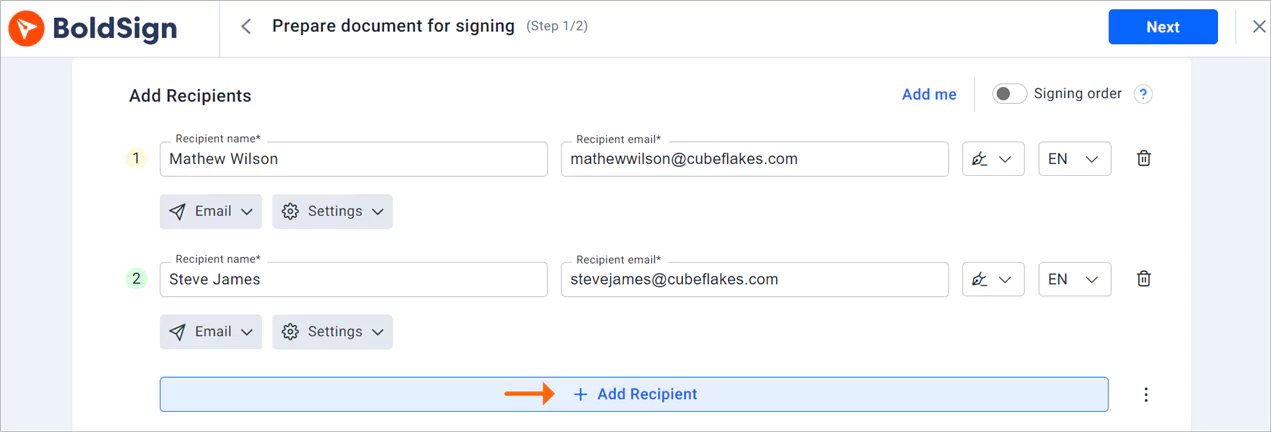
A joint loan often needs both borrowers, a guarantor and a bank officer to sign. Each person gets their own link and signs only the fields assigned to them. We let each signer know when their turn comes.
What types of software let lenders auto-populate borrower data into signed documents?
eSignature tools with templates, bulk send and an API can fill in borrower data for you. Each one fits a different volume of loans.
- Templates keep the same loan form ready, with signers and fields already in place.
- Bulk send fills fields from a CSV file, with one row per borrower.
- The BoldSign API lets your loan system fill fields with borrower data before the borrower signs.
Our templates page explains how saved forms work. Through the API, you can prefill form fields such as text boxes, check boxes and dates on a document in progress.
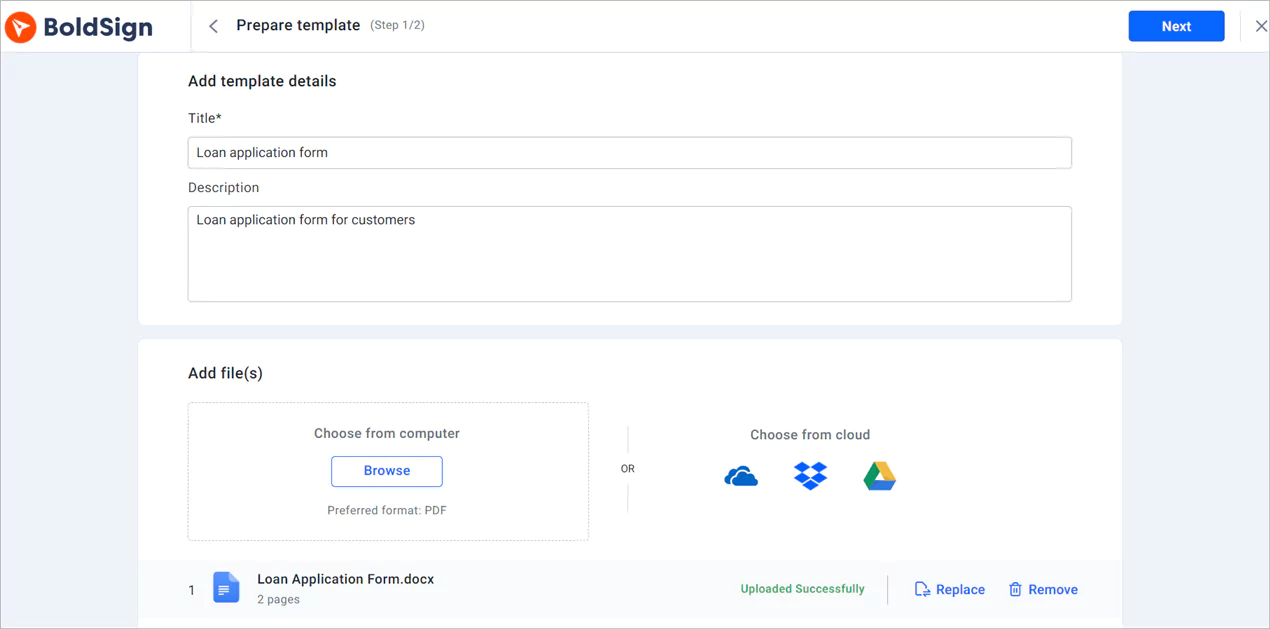
How do you collect borrower details with form fields?
Place fields on the loan form for the details you need, such as name, income and address. The borrower types into those fields online instead of writing by hand.
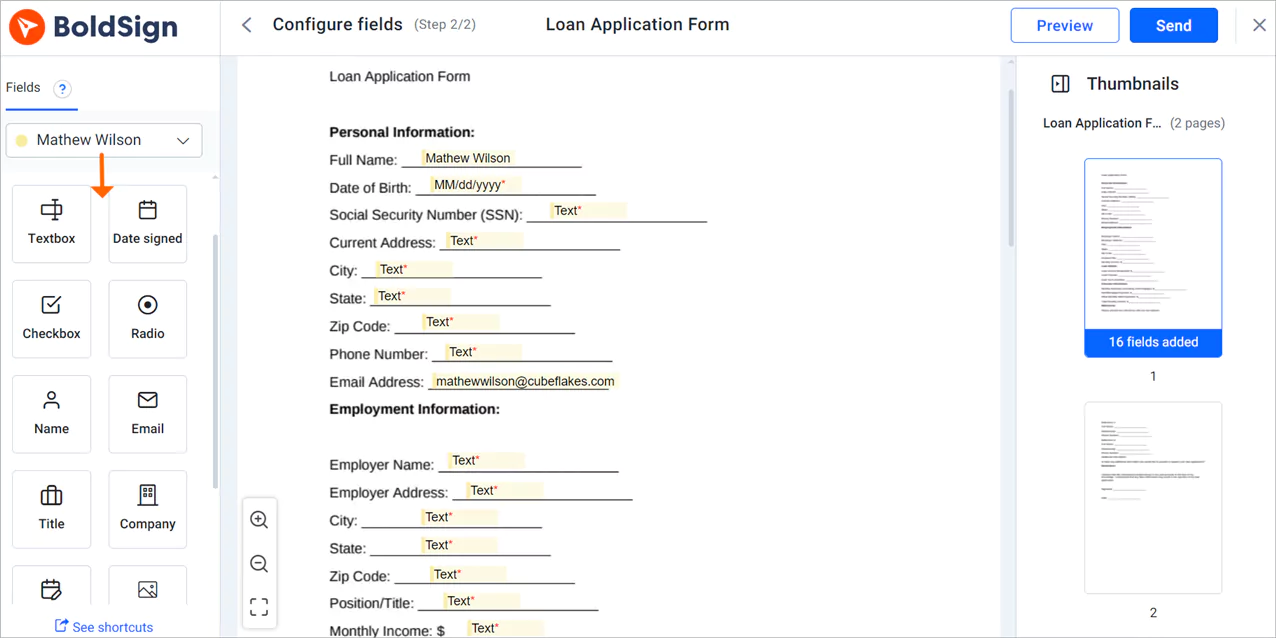
Typed answers are easier to read than handwriting, so staff spend less time fixing errors. You can also mark fields as required, so a form cannot come back half done.
How do you check that the right borrower is signing?
Choose a signer check for each borrower when you send the document. The borrower passes the check before the document opens.
- A one-time code sent by email or SMS
- An access code you share outside the signing email
- Knowledge-based authentication (KBA), with questions built from public records
- ID verification, with a government ID and a selfie
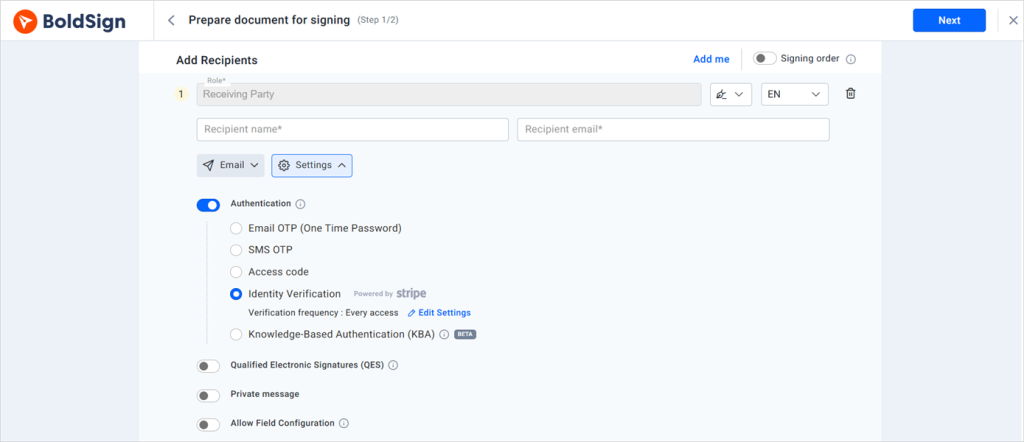
A check sized to the loan lowers the risk of a stranger signing in the borrower’s name. Our guide to signer verification compares each method.
What should you know about compliant texting for loan origination?
We can send the signing link and the sign-in code by SMS, and the signing link by WhatsApp. Whether a text counts as compliant depends on the laws that cover your bank and on the borrower’s consent.
Ask your compliance team which messages you may send by text and what consent you need. Each step the borrower takes is recorded in the document history. That record helps when an auditor asks how a loan was signed.
Can borrowers sign loan documents on a phone?
Yes. The signing page works in a phone or tablet browser, and our mobile app lets you send and sign on the go.
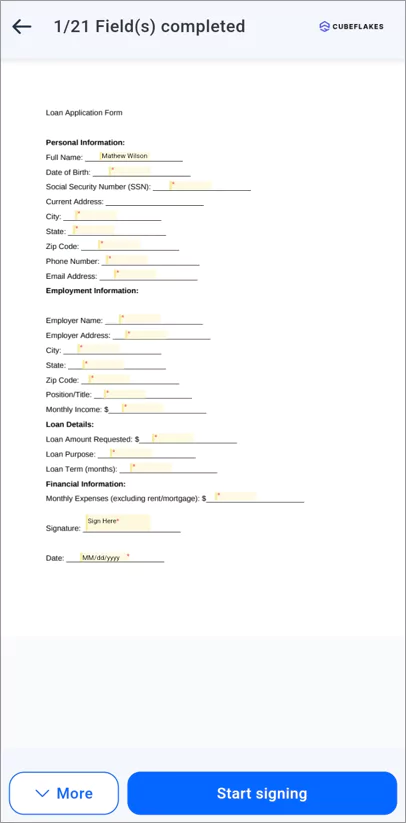
Borrowers sign without creating an account. They open the email link, confirm their identity if you asked for a check, accept the terms and sign.
How do you track where each loan file stands?
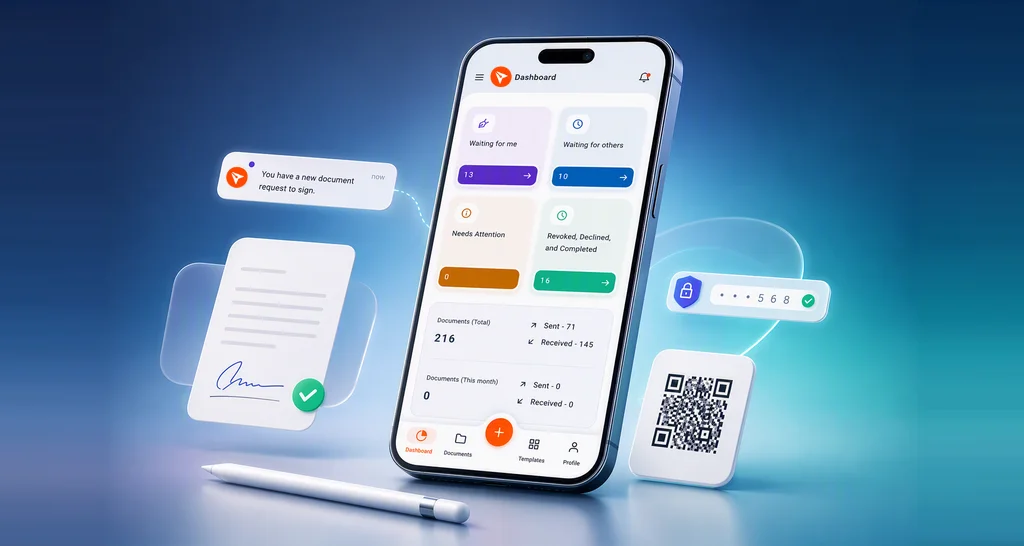
Open the dashboard to see each document’s status, such as waiting for others or completed. We also send alerts when a document is viewed or signed.
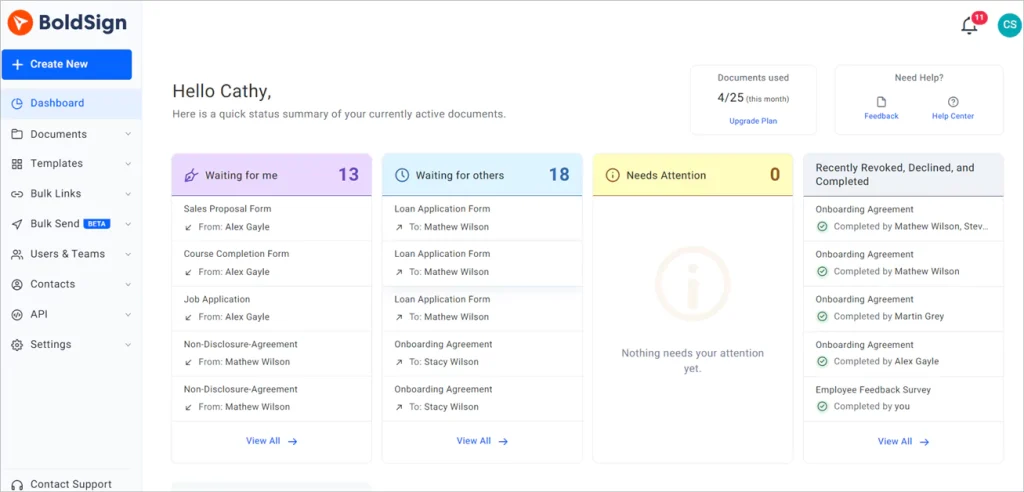
Our document management page shows the filters and reminders. A loan officer can send a reminder instead of phoning the borrower.
How do we protect borrower data?
We encrypt stored documents with 256-bit Advanced Encryption Standard (AES) encryption. Our controls have passed a System and Organization Controls (SOC) 2 Type 2 audit.
We also follow the General Data Protection Regulation (GDPR). Our security policy lists each control. Every document gets an audit trail with the time and network address of each action.
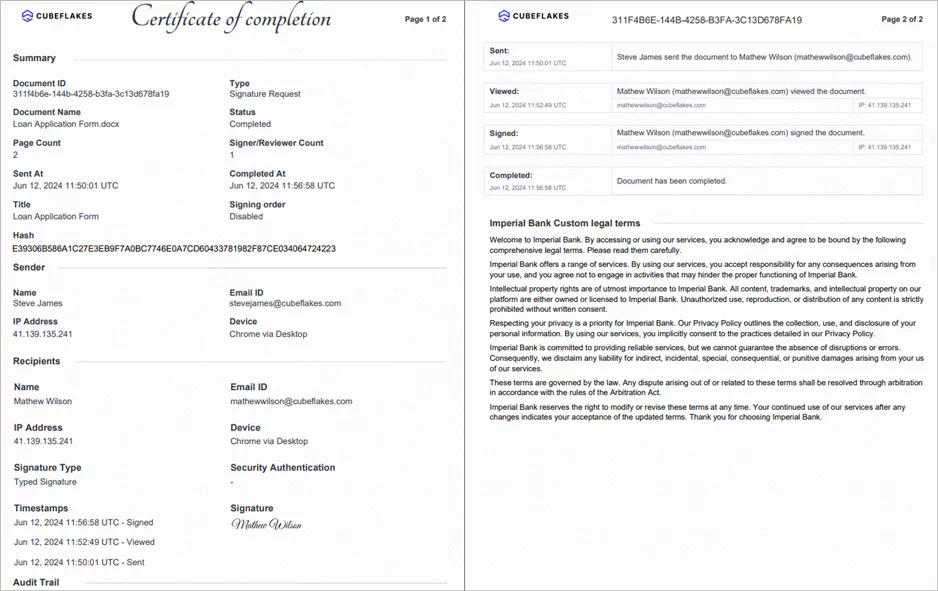
A signature cannot lose legal effect only because it is electronic, under the Electronic Signatures in Global and National Commerce (ESIGN) Act. You can read the rule in section 7001 of the Act.
How do you show borrowers your disclosure terms?
Add your own legal terms, and borrowers must accept them before they open the document. You set the wording once on the branding page.
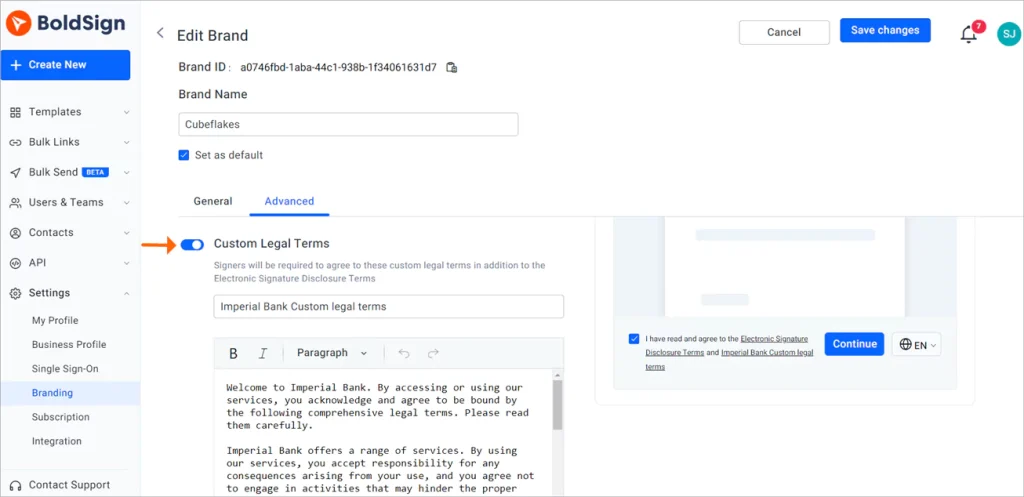
Use the terms to explain how you collect and store borrower data. The audit trail then records each step the borrower takes.
Can borrowers sign in their own language?
Yes. You can set a signing language for each signer, such as French, German or Spanish.
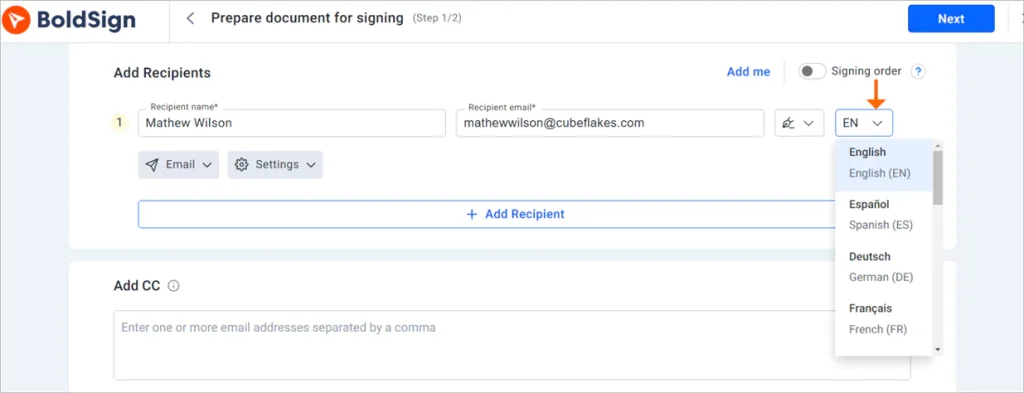
The signing page and emails then appear in that language. Borrowers who read the terms in their own language are less likely to stop and call with questions.
How does a borrower sign a loan application?
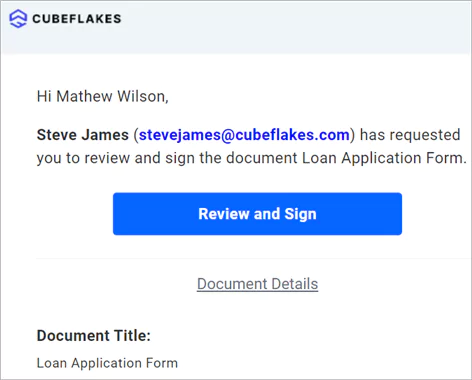
The borrower needs only the email and a browser. Here are the steps they follow.
- Open the signing email and select Review and sign.
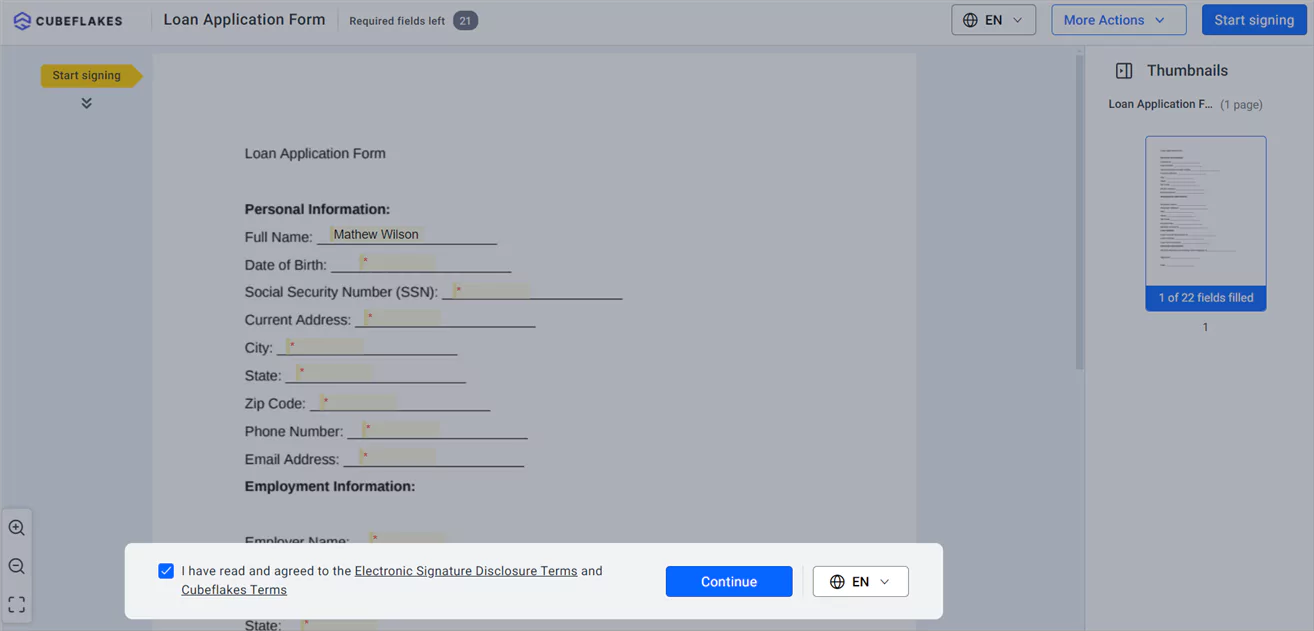
- Read the disclosure terms, accept them and select Continue.
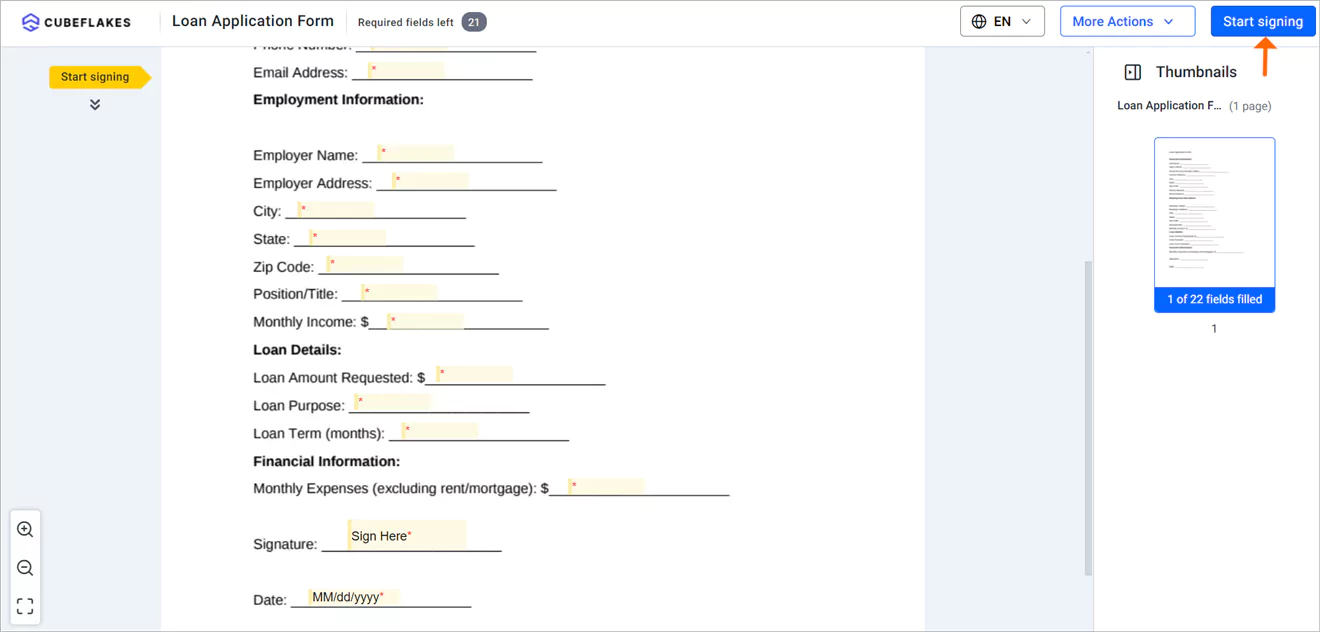
- Select Start signing, fill in each field, then select Complete Signing.
What if you are building a loan origination system that requires digital signatures on PDFs?
Connect it to the BoldSign API. Your system can send a PDF to several signers, set a signing order and fetch the signed file.
Our API documentation lists each endpoint with request and response examples. We publish software development kits (SDKs) for popular languages, including Python, Java and Node.js. You can test every call for free in a sandbox before going live.
Which BoldSign plan does a bank need, and what does it cost?
The Essential plan is free, and Growth costs $5 per user a month. Business costs $15 per user a month, and Premium costs $99 a month for unlimited users, all billed yearly in USD.
Bulk send, SMS and WhatsApp delivery, ID verification and KBA start on the Business plan. SMS delivery costs $0.20 a message, ID verification $2 a check and KBA $1.50 an attempt. Your legal terms sit with your brand settings: Essential includes one brand, Growth two, and Business and Premium unlimited.
The Enterprise API plan, for a loan system that calls the API, starts at $30 a month with 40 envelopes. Each extra envelope costs $0.75, and testing in the sandbox is free. The BoldSign pricing page lists every plan.
How do you start moving loan applications online?
Start with one loan form you send often, and turn it into a template.
- Start a 30-day free trial and send a test loan form to yourself.
- Book a demo to see a loan workflow set up for your bank.
- Visit our support portal with a question about your setup.
Frequently asked questions
Can borrowers sign a loan application online?
Yes. The borrower opens the link in the signing email, fills in the fields and signs in a phone or computer browser. Nothing needs to be installed.
Are electronic signatures on loan documents legally binding?
Yes, when the signer agrees to sign electronically and the record is kept. Under the US ESIGN Act, a signature cannot lose legal effect only because it is electronic. Some steps, such as notarization, follow their own rules.
Can two borrowers and a guarantor sign the same loan agreement?
Yes. Add each person as a recipient and choose whether they sign in a set order or all at once. Each one gets a separate signing link.
How does a bank check a borrower's identity before they sign?
Pick a check for each borrower when you send. Choices include a code by email or text message, an access code, questions from public records, or a photo ID with a selfie.
Can a borrower sign a loan form by text message?
Yes. We can send the signing link by SMS or WhatsApp as well as email. Each message has a small charge, listed on our pricing page.
What e-signature platforms have strong API documentation and support multi-party signing workflows?
Look for endpoint references with request and response examples, sample code in your language, and a free test space. Our API documentation has all three, and a send request can hold several signers with a signing order.
Can signers see the loan documents in their own language?
Yes. You can set a signing language for each signer, such as French, German or Spanish. The signing page and emails then appear in that language.
Do borrowers need to pay for BoldSign?
No. Only the people who send documents need a seat. Borrowers sign for free, without creating an account.

Evans Omondi Otieno
Evans Omondi Otieno is a customer support representative and writer at BoldSign, specializing in creating clear, insightful content to help users navigate eSignature solutions. As a blog author, Evans writes well-researched articles that simplify technical concepts, helping businesses and professionals understand how to use BoldSign effectively. With expertise in technical support and content creation, he ensures users have a seamless experience and gain valuable knowledge from his articles.
More posts by Evans Omondi Otieno