How to Insert a Signature in Excel and Get It Signed Online
 Rowan Sam Kerongo Makori
TL;DR: Yes, you can sign in Excel in three ways: a picture of your signature, a signature line or an eSignature service. A picture is quick but proves little. An eSignature service sends the workbook, tracks it and keeps an audit trail of who signed and when.
You have a budget approval or an invoice open in Excel, and a manager has to sign it today. Printing the sheet, signing it and scanning it back takes time you may not have.
This guide shows three ways to insert a signature in Excel. You will also see how to send the workbook to other people for signing, and which method leaves proof.
Can I sign an Excel document?
Yes. You can place a signature image on the sheet, add an Excel signature line, or upload the file to an eSignature service.
Each method leaves a different amount of proof behind.
Think of a sticky note with a name on it. Anyone could have written it, and nobody can tell later who did. A signature image works the same way.
A signature line with a digital certificate is closer to a sealed envelope. A digital certificate is an electronic ID card from a certificate authority. An eSignature service works like a courier with a logbook: we send the file, record each step and hand you the record.
How do I insert a signature image in Excel?
Sign on paper, take a picture of it, and place that picture on the sheet. You need no extra service, but the picture proves very little.
- Sign your name in dark ink on plain white paper.
- Scan or photograph the signature and save it as an image file.
- Open the workbook and insert the image near the cell for the signature.
- Resize the image so it sits on the signature line.
Anyone can copy the picture and reuse it on another file. The picture also leaves no audit trail. Nobody can tell when you signed or whether the numbers changed later.
Can you sign on Excel with a signature line?
Yes. Excel can add a signature line that marks where a person signs, and a valid digital certificate links the signer to the file.
The same idea works in Word, and our guide on how to sign a Word document explains it in more detail. Our guide to electronic and digital signatures explains how the two differ.
A signature line needs setup on both sides:
- You need a valid digital certificate to sign with one.
- Recipients must be able to check and trust that certificate.
- Excel keeps no record of who received or opened the file.
- Excel shows no central view of who still needs to sign.
A signature line suits teams that already use digital certificates and keep the original workbook.
How do you send an Excel document for signature with BoldSign?
Upload the Excel file to BoldSign, add your signers, place the fields and send. We accept Excel files in .xlsx format, though PDF is our preferred format.
These steps follow our help article on how to send your first document:
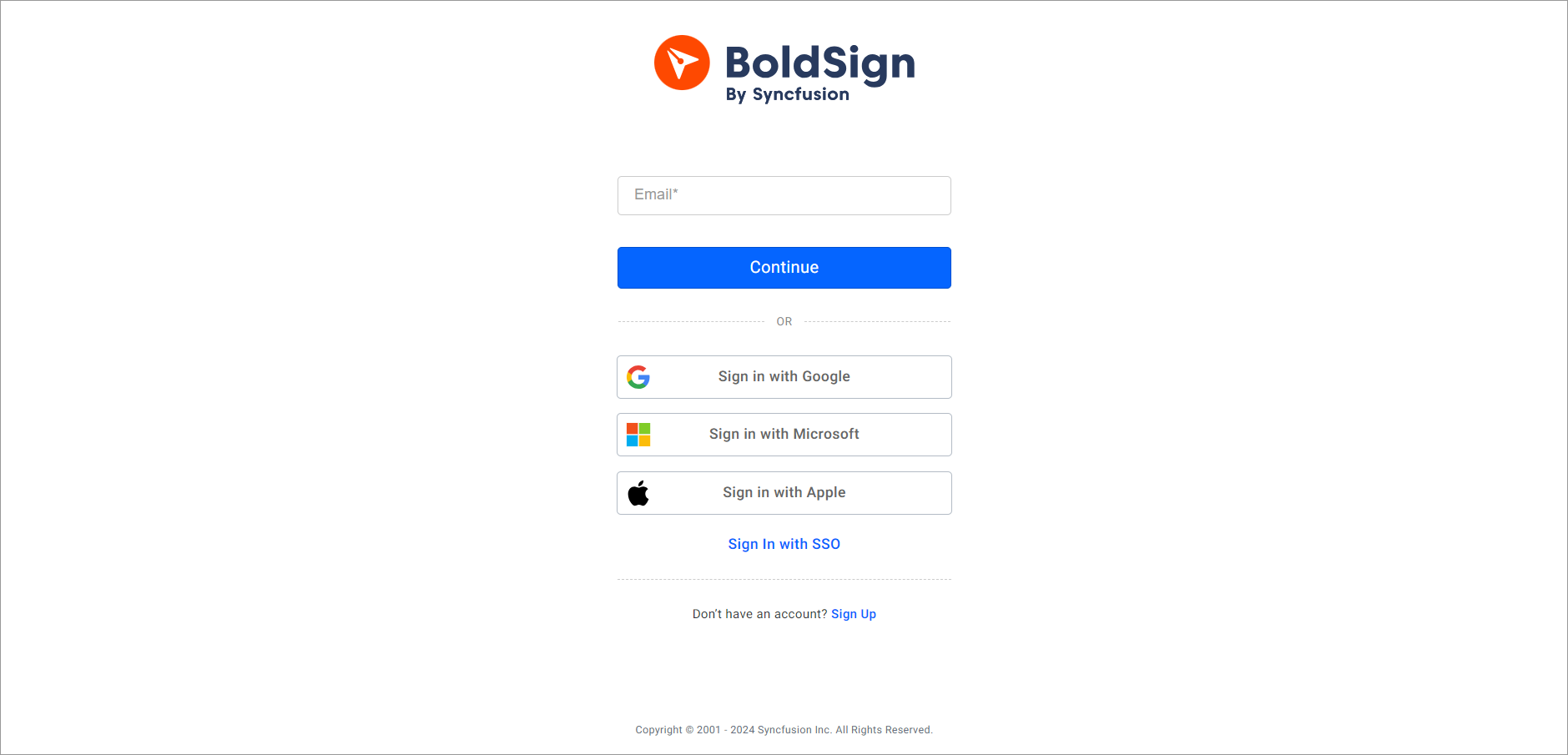
- Log in to your BoldSign account, or create one.
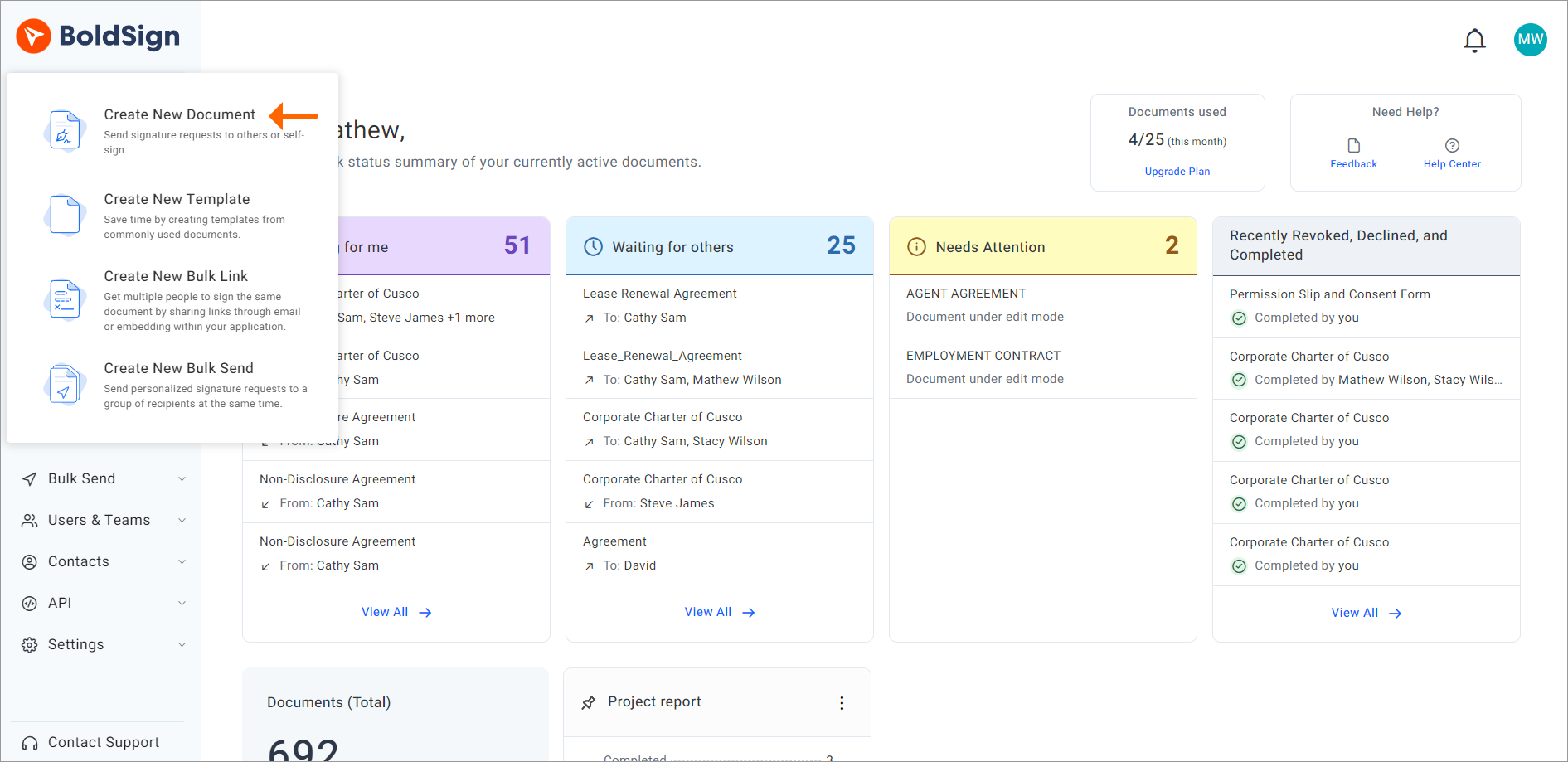
- Select Create New, then Create New Document.
- Upload the Excel file from your computer or a cloud drive, or pick a saved template.
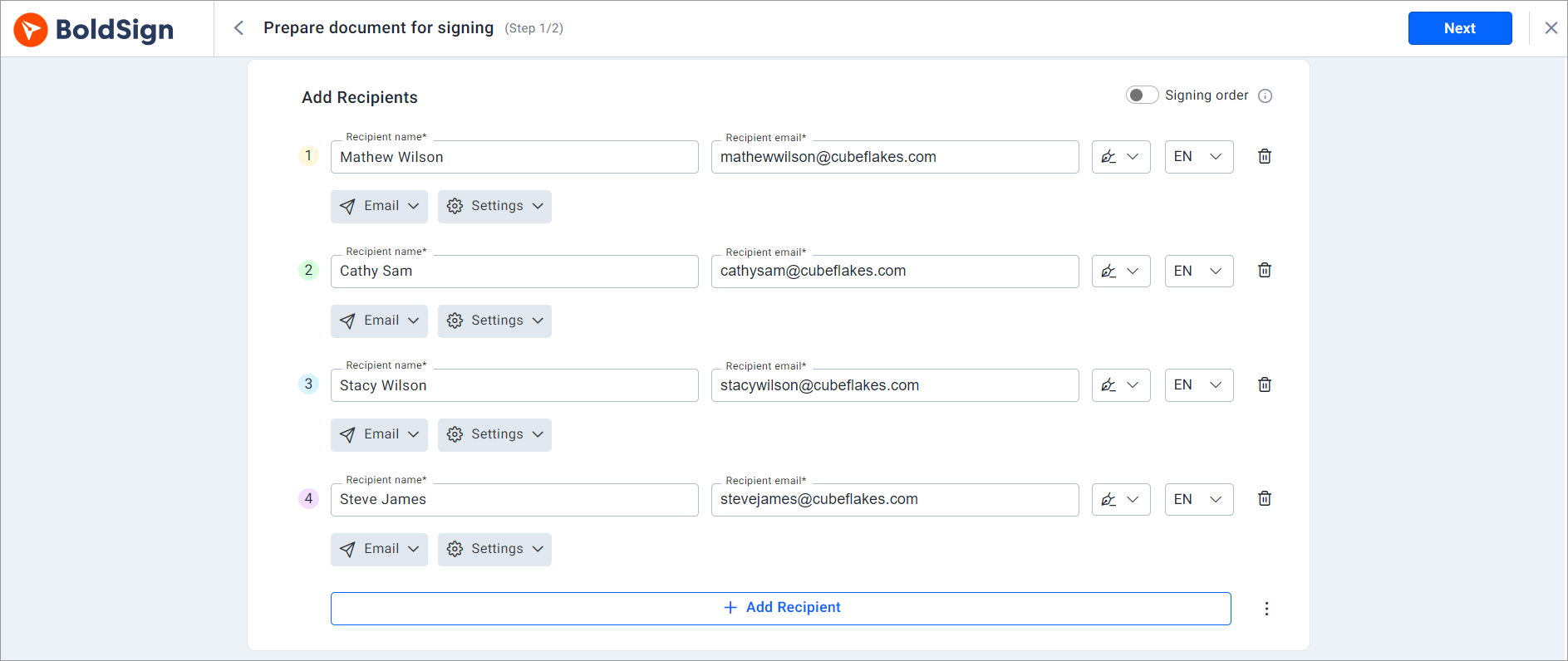
- Enter each signer’s name and email address, and choose the Signer role.
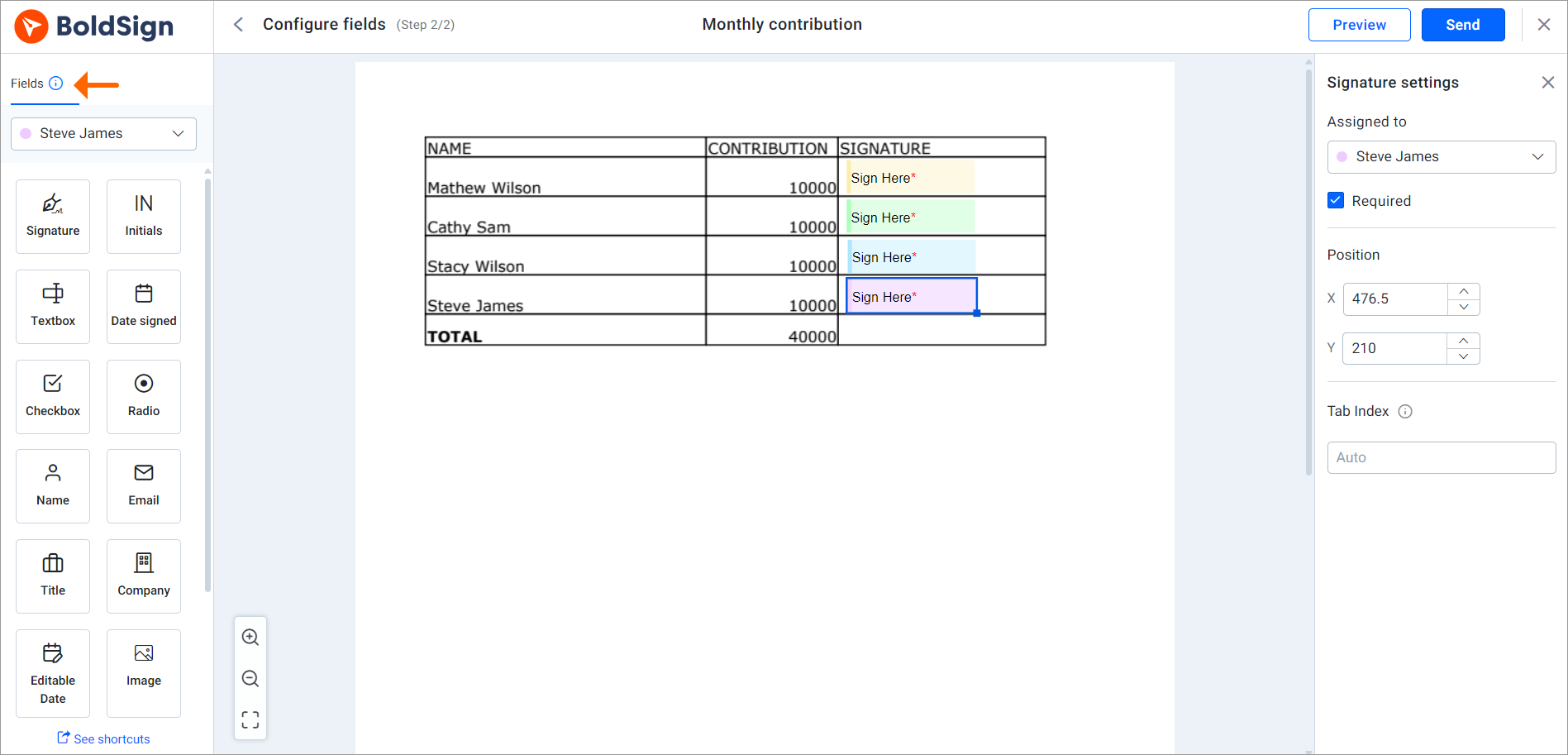
- Select Next, then drag signature fields and any other fields onto the sheet.
- Select Send to email the request to each signer.
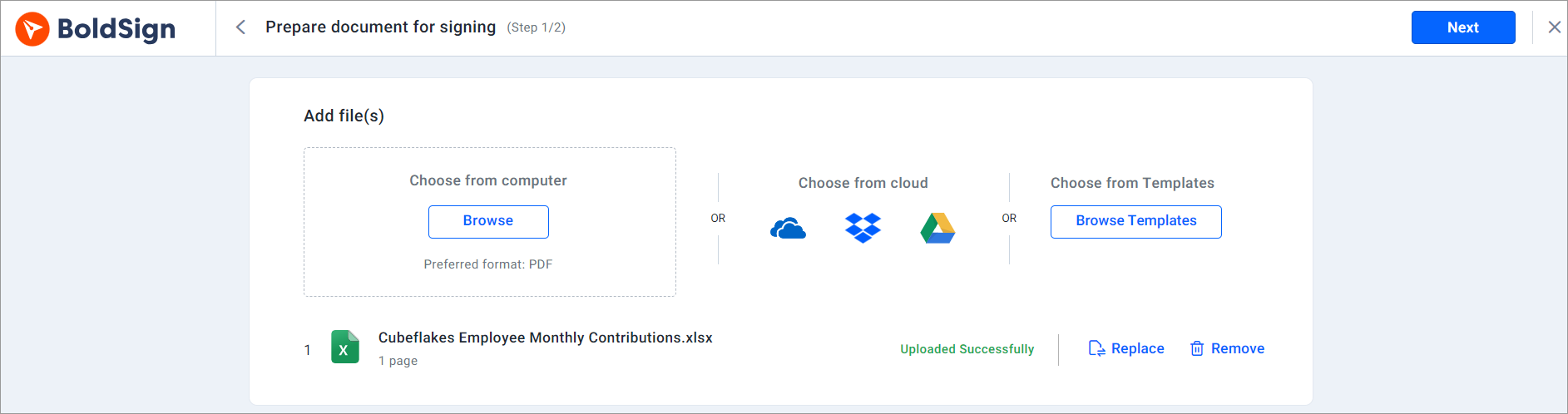
How do you collect multiple signatures in Excel?
Add every signer on the same page before you select Next. Turn on signing order when people must sign in turn, and drag signers into that order.
You can also add CC (carbon copy) recipients, who get a copy of the signed document without signing.
How do you sign an Excel document someone sent you?
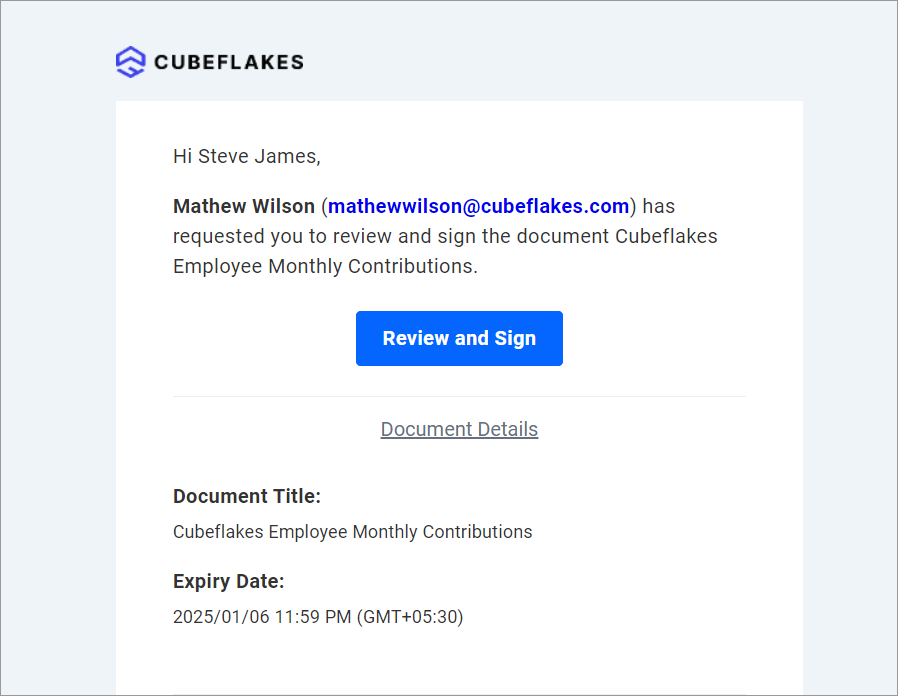
Open the email and select Review and Sign, then follow the prompts in your browser. You need no BoldSign account to sign.
These steps follow our help article on signing as a recipient:
- Open the email and select Review and Sign.
- Read and accept the terms, then select Continue.
- Review the document and select Start signing.
- Add your signature, fill in the other fields, then select Complete Signing.
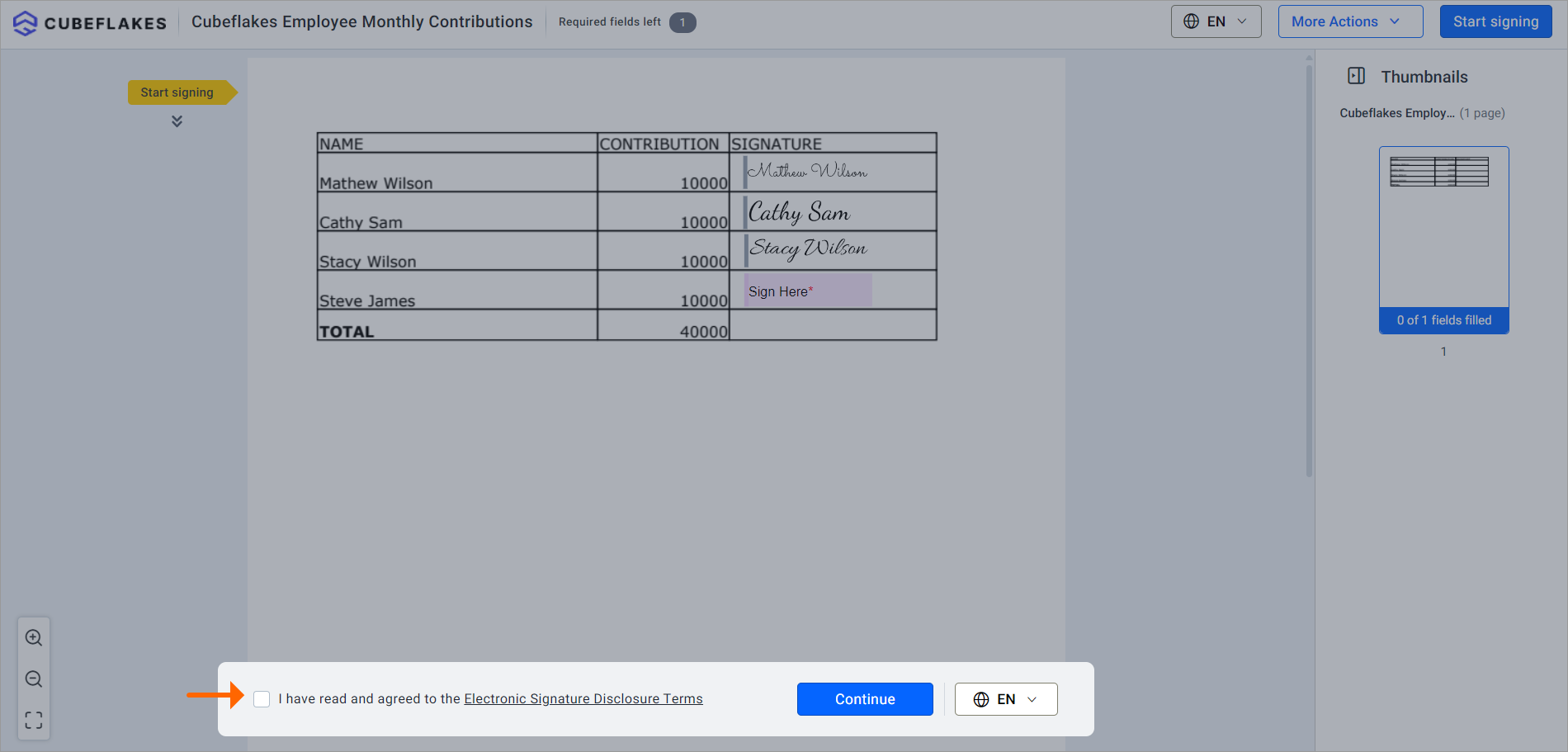
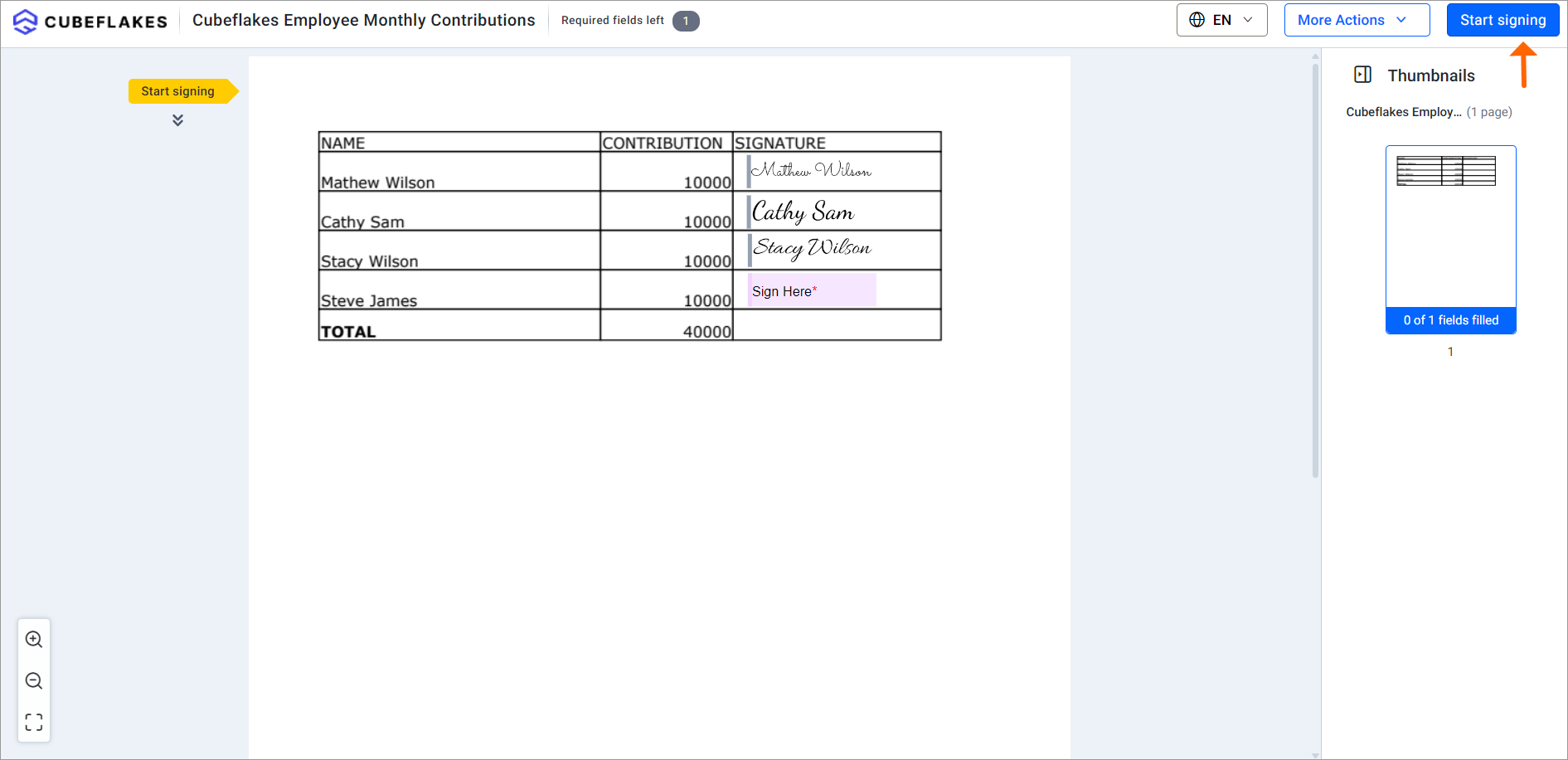
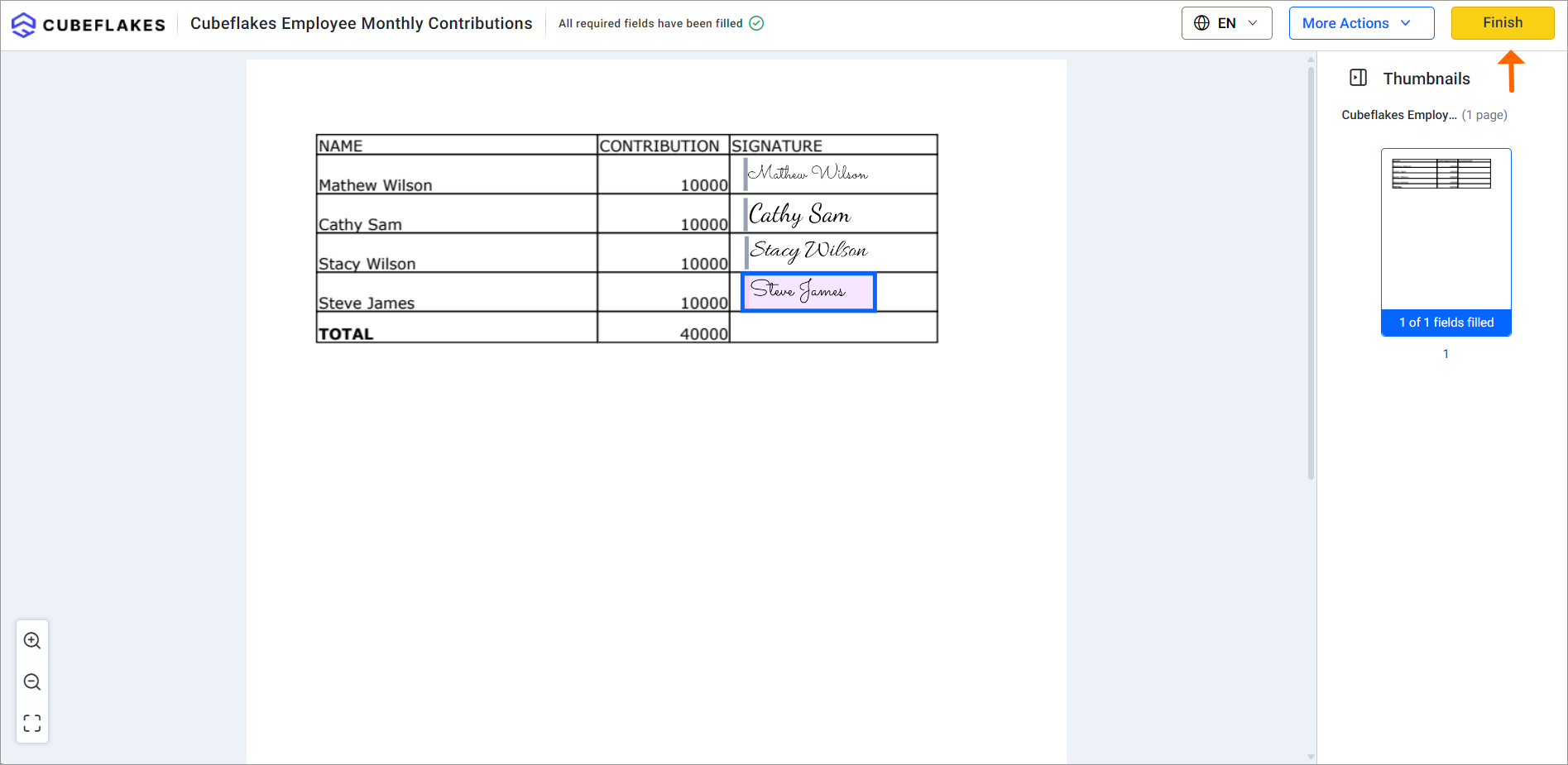
You get a copy of the final document by email once everyone has signed.
When should you use an eSignature service instead of Excel?
Use one when other people sign or when you need proof of the signing. Excel’s own tools work for an occasional signature on your own file.
An eSignature service helps most when:
- More than one person signs, in a set order.
- Signers work outside your company.
- You chase people by email to get files back.
- You need a record of who signed and when.
Our audit trail lists the signers, their internet protocol (IP) addresses and the time of each step. Our help article on how to download the audit trail shows where to find it.
How much does it cost to sign an Excel file with BoldSign?
You can start for free. Our Essential plan costs nothing and includes 25 envelopes a month and 2 templates.
Paid plans add more envelopes and templates, as listed on the BoldSign pricing page in November 2026. The Growth plan costs $5 per user a month and includes 10 templates. The Business plan costs $15 per user a month, and the Premium plan costs $99 a month for unlimited users.
All prices are in USD and billed yearly. You can try the paid features with a 30-day free trial.
What should you do next with your Excel file?
Pick the method that matches the proof you need. For approvals and outside signers, choose a method that records who signed and when.
- Start a 30-day free trial and send your first Excel file for signature.
- Book a demo to see how we handle your team’s signing process.
- Visit our support portal with a question about signing a document.
Frequently asked questions
Can I sign in Excel without printing the file?
Yes. You can place a picture of your signature on the sheet, add an Excel signature line, or upload the file to an eSignature service and sign in the browser.
Can I sign an Excel document that someone else sent me?
Yes. When the file comes through BoldSign, open the email, select Review and Sign, and follow the prompts. You need no BoldSign account to sign.
Can you sign on Excel on a phone?
Yes, with an eSignature service. The signer opens the BoldSign email link on the phone and signs in the browser.
How do I get multiple signatures in Excel?
Upload the workbook to BoldSign and add each signer by name and email address. You can set a signing order, so each person gets the request in turn.
What Excel file types can I upload to BoldSign?
You can upload Excel files in .xlsx format. We also accept PDF, Word and PowerPoint files and common image files. PDF is our preferred format.
How can I sign an Excel file for free?
A picture of your signature costs nothing to insert. Our free Essential plan also lets you send 25 envelopes a month for eSignature.
Does a picture of my signature prove that I signed?
Very little. A picture only shows your name, and anyone can copy it. It holds no record of the time of signing or of later edits.
Is an eSignature on an Excel file legally binding?
Yes, when the signer means to sign and the record is kept. A signature cannot lose legal effect only because it is electronic, under the US Electronic Signatures in Global and National Commerce Act (ESIGN).

Rowan Sam Kerongo Makori
Rowan contributes to the BoldSign blogs and helps the articles team. He is passionate about writing high-quality and informative content. His interests include reading books, writing, and exploring.
More posts by Rowan Sam Kerongo Makori