What Is Knowledge-Based Authentication (KBA)? How It Verifies Signers in BoldSign
 Caroline Dolly
TL;DR: Knowledge-based authentication (KBA) checks who a signer is by asking questions built from public records about them. In BoldSign, a US signer enters their legal details, answers the questions, and only then sees the document. See how it fits with our other signer checks on the KBA feature page.
You need to send a loan form or a consent form to someone you have never met. An email code shows they can open the inbox. It does not show they are the person named on the form.
KBA closes that gap without asking for a photo of an ID. This guide explains what KBA is, how it works in BoldSign, what the signer sees and what it costs.
What is knowledge-based authentication (KBA)?
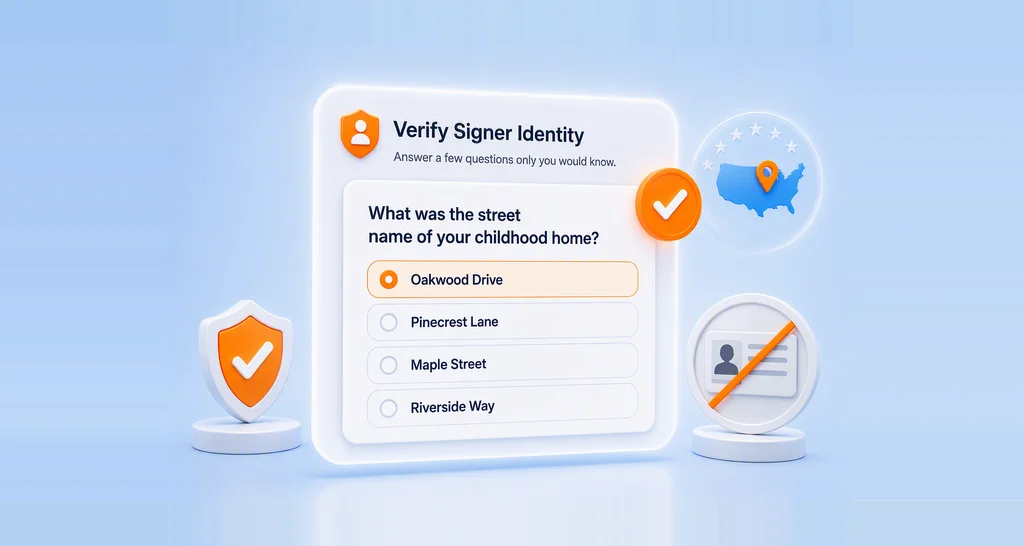
Knowledge-based authentication (KBA) is a way to confirm who someone is by what they know. The signer answers questions drawn from public records about their own life.
Think of a call to your bank. Before the agent talks about your account, they ask a few questions only you should be able to answer. KBA does the same thing before a document opens.
The questions come from records, so the signer does not set them up in advance. The right answers are hard for a stranger to guess.
How does KBA work for eSignatures?
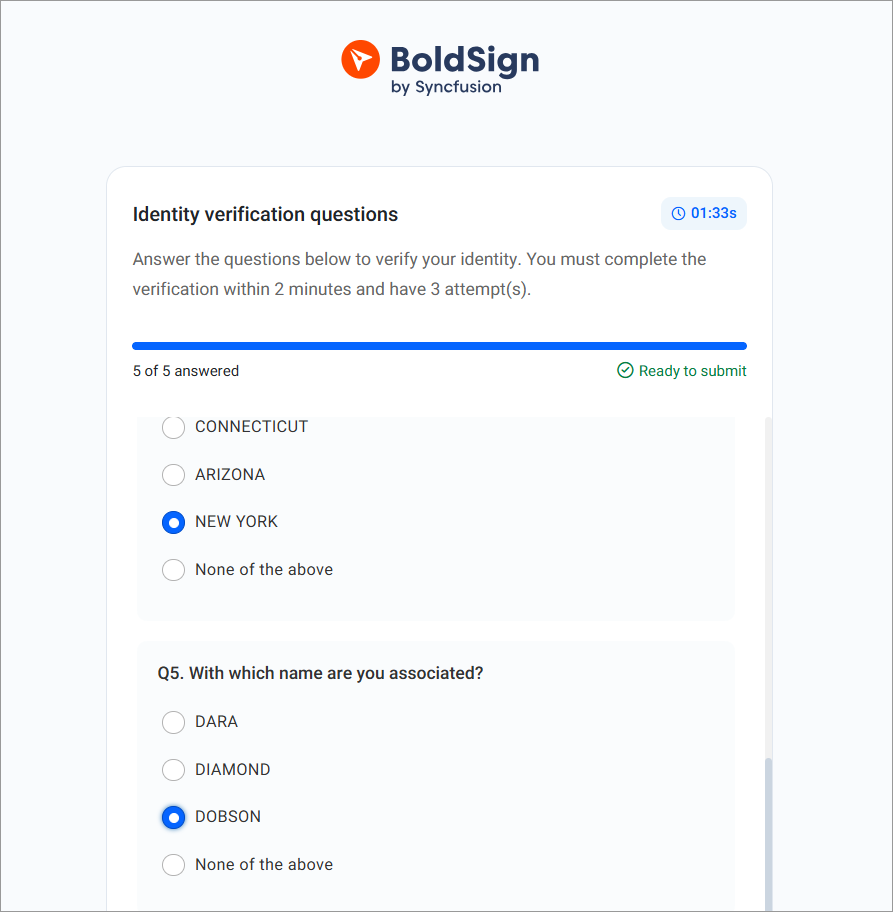
The signer gives their legal details, and BoldSign uses them to build a set of questions from public records. The signer must answer all of them correctly within a time limit to open the document.
Here is what the signer enters before the questions appear:
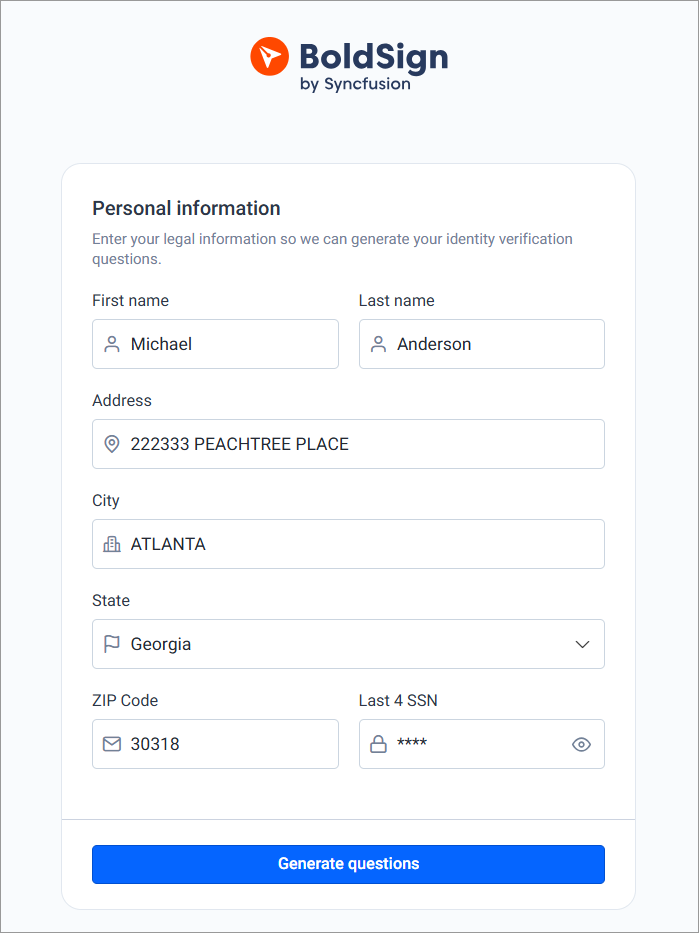
- First name and last name
- Street address, city and state
- Postal code
- The last four digits of their Social Security number (SSN)
Correct answers open the document. A failed check does not cancel it: the signer can try again while attempts remain.
Who can use KBA in BoldSign?
KBA works only for recipients based in the US. The questions rely on US public records and the last four digits of an SSN.
You cannot use KBA for signing groups or in-person signers. KBA also replaces other checks for that signer. You cannot pair it with an access code, ID verification, or an email or SMS one-time passcode (OTP).
For signers outside the US, use ID verification or an OTP instead.
How is KBA different from ID verification?
ID verification checks something the signer has and is: a photo ID and a live selfie. KBA checks something the signer knows, so they skip the upload and the camera.
KBA is lighter for the signer as a result. They type details and answer questions on any device, with no lighting or camera issues.
ID verification gives you a document-backed record of who signed, and it works for signers outside the US. Both give more proof of identity than an email code. Our guide to BoldSign ID verification covers the ID check in full.
When should you choose KBA signature software over an ID check?
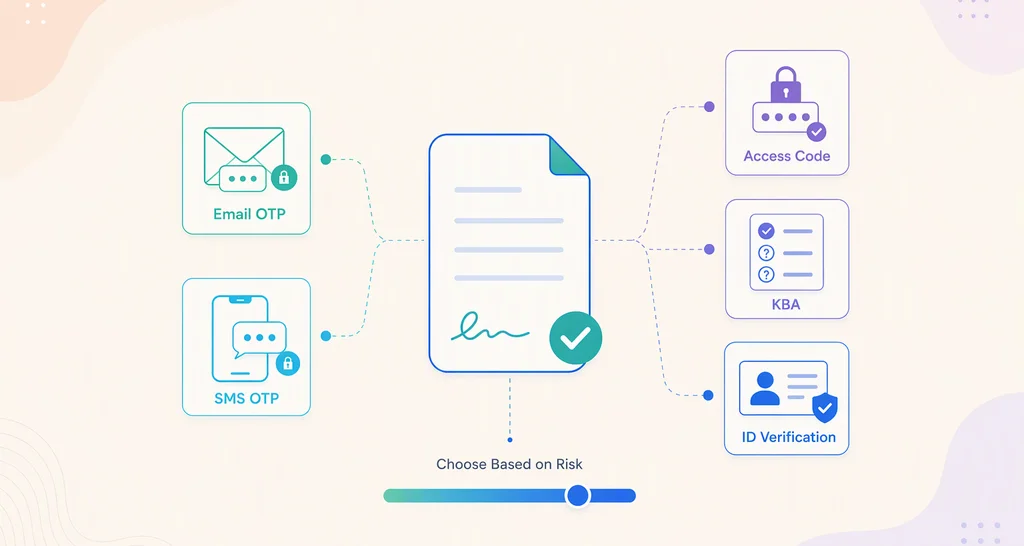
Choose KBA signature software when an email code feels too weak but an ID upload asks too much of the signer. That is often true for US documents with money, health data or private details in them.
- Banks and lenders sending loan papers, account forms or disclosures.
- Insurers and clinics collecting claim or consent forms from privacy-minded signers.
- HR teams sending offer letters or benefits forms to new hires.
- Teams that saw signers drop off during an ID upload.
For low-risk internal approvals, an email code or an access code is usually enough. Our guide to signer authentication methods compares each option.
How do you add KBA to a document in BoldSign?
You turn on KBA in the signer’s settings while you prepare the document. The steps below start from a new document.
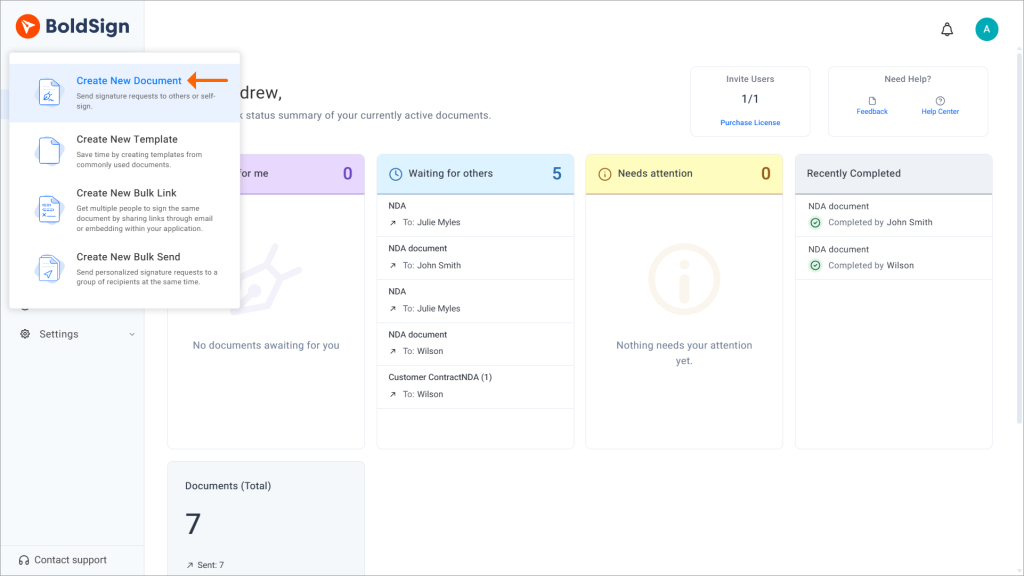
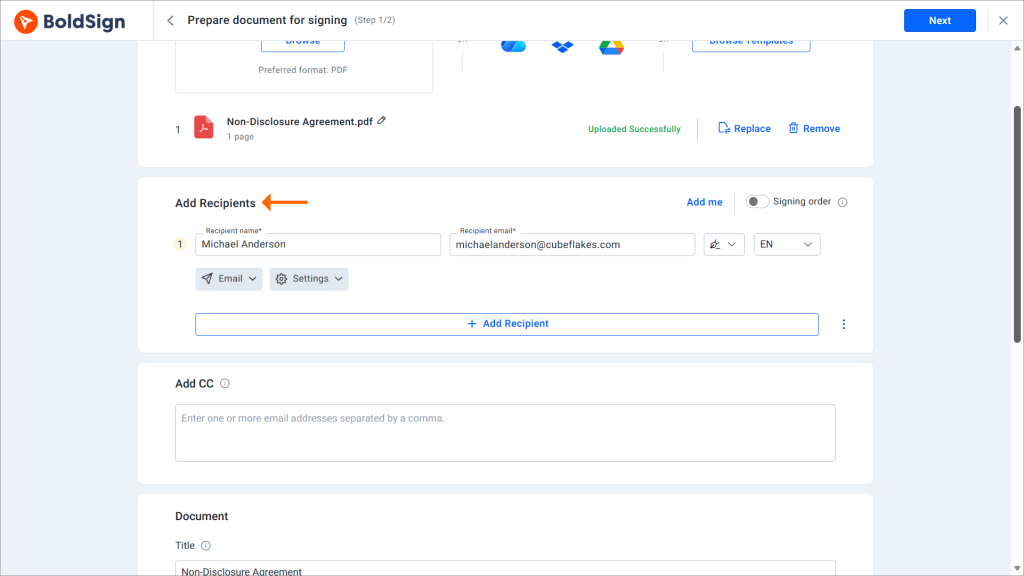
- Select Create New, then Create New Document, and upload your file.
- Enter the signer’s name and email. Use their legal name, since KBA compares it with the details they enter.
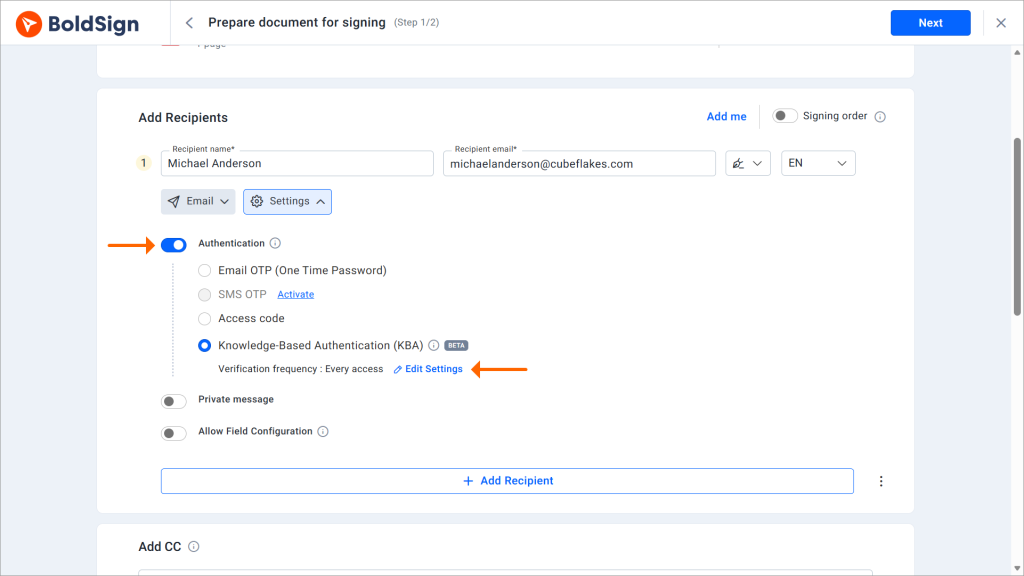
- Open the signer’s settings, turn on authentication and choose KBA.
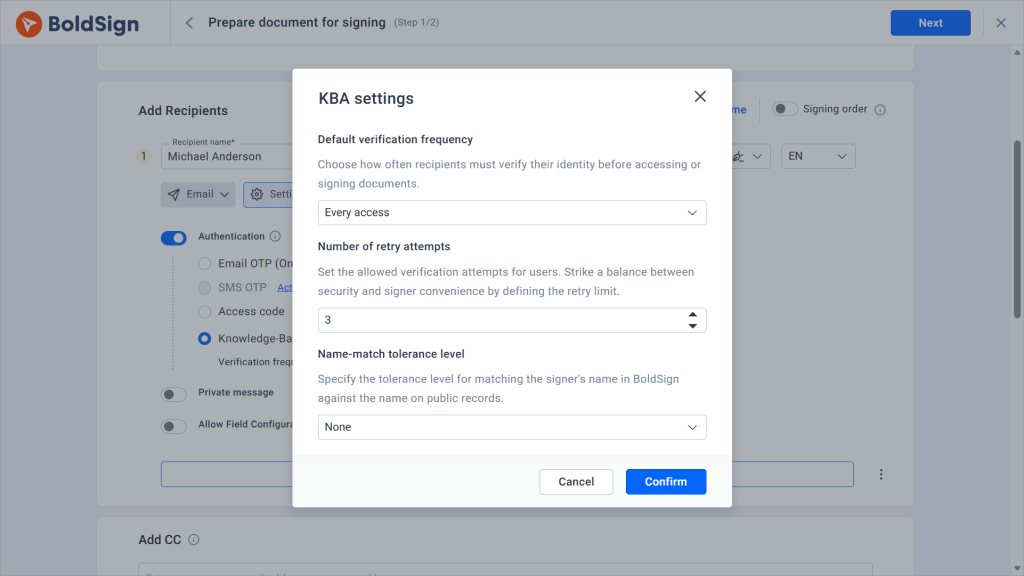
- Check the KBA settings for that signer: frequency, number of retries and name-match tolerance.
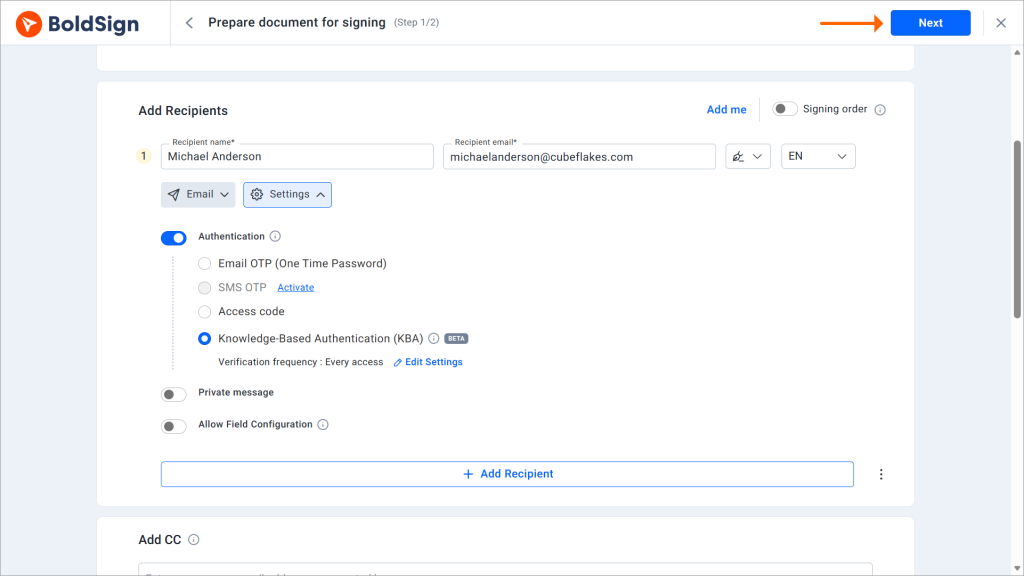
- Select Next, add the fields you need and select Send.
Already sent the document? You can still add KBA to an existing signer from My Documents. The signer uses the same link and gets the KBA check on their next visit.
What does the signer see during KBA?
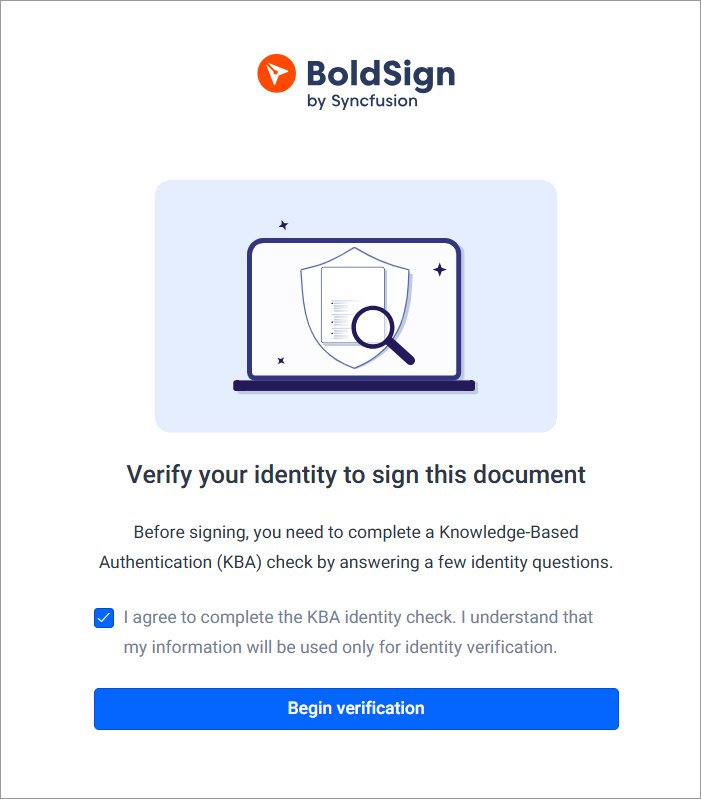
The signer sees a short check before the document, all in the browser. Our help article on how to sign a document with KBA shows each screen.
- The signer opens the email, selects Review and Sign and sees the KBA consent screen.
- They tick the consent box and enter their legal details.
- BoldSign builds the questions, and the signer answers them before the timer runs out.
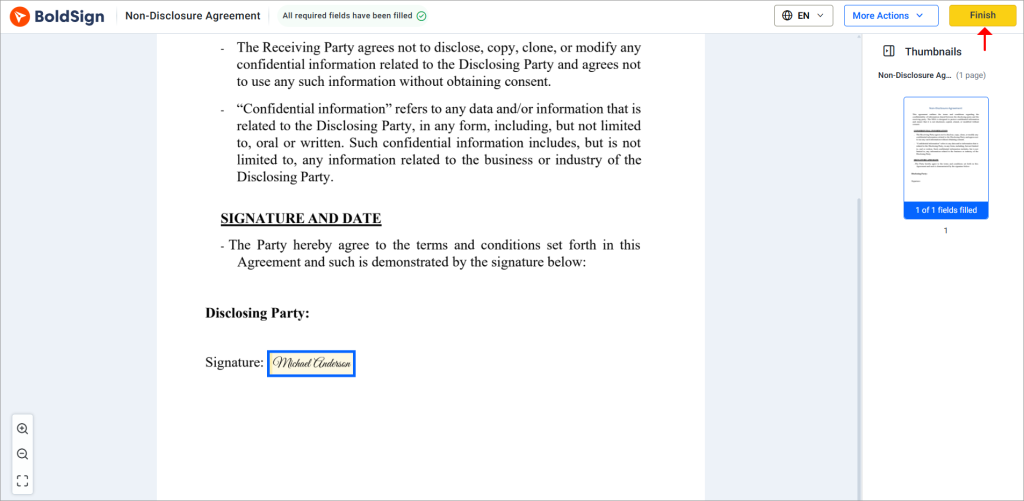
- Correct answers open the document, where the signer fills in fields and signs.
Which KBA settings can you change?
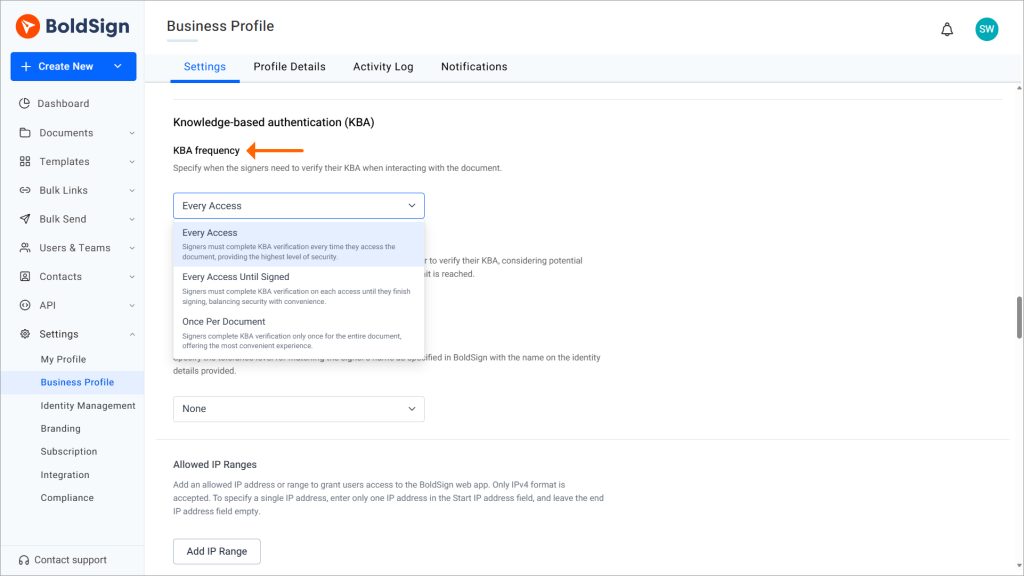
You set defaults for frequency, retries and name matching in your Business Profile settings, then adjust them for each signer.
Our KBA settings article lists every option.
How often does the signer repeat KBA?
KBA frequency sets when the check runs. Choose every access, every access until signed, or once per document.
How many tries does the signer get?
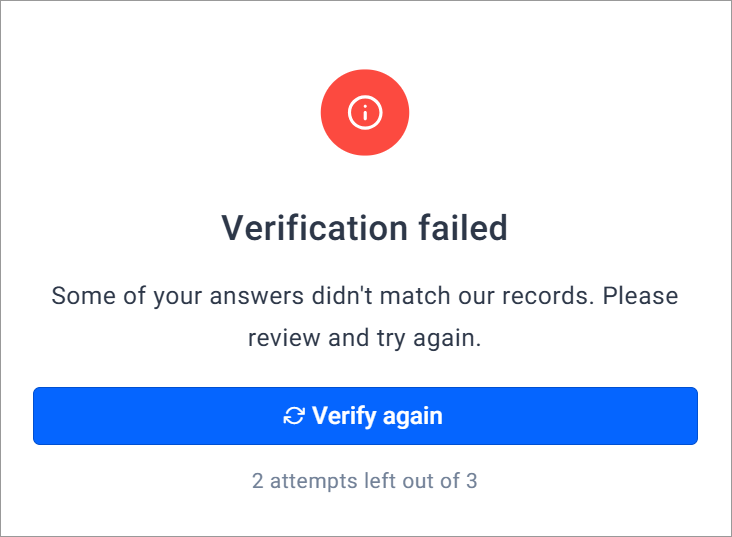
You can allow from 1 to 3 attempts. After the last failed attempt, the document locks for that signer until you reset KBA.
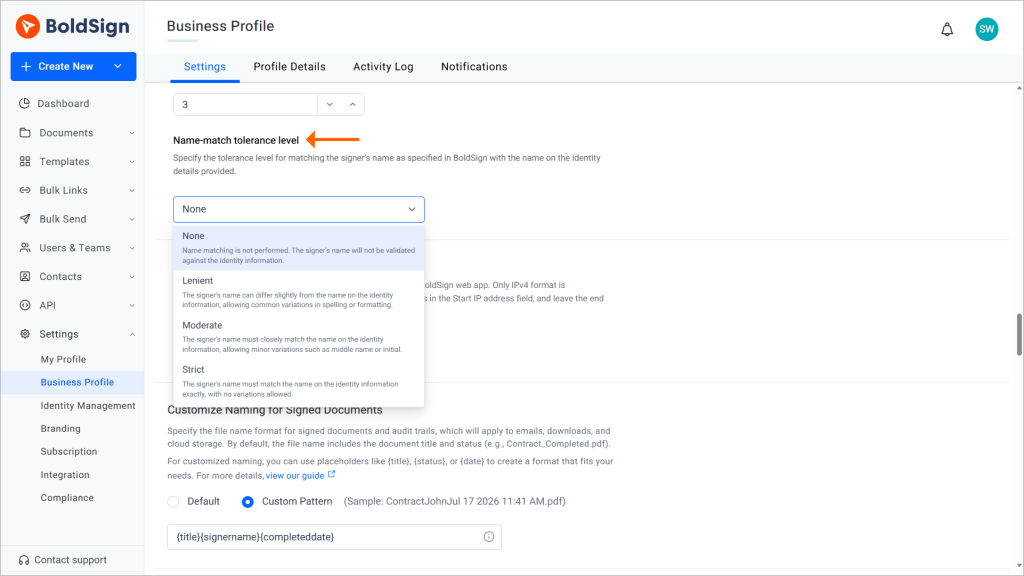
How closely must the name match?
Name-match tolerance compares the name you entered with the name the signer types. The levels are None, Strict, Moderate and Lenient.
We suggest you keep name matching on. Without it, someone else could pass KBA with their own details.
What happens if a signer fails KBA?
The signer can try again while attempts remain. Once they use the last one, access stays locked until you act.
A check can fail for these reasons:
- Missing or wrong identity details, or a name that does not match.
- A wrong answer or a question left blank.
- A session that timed out before the signer submitted.
- Too little public record data to build questions.
From the document page, you can reset KBA to give the signer another try. You can also remove authentication, or check that the signer’s name matches their legal name.
What does KBA cost, and which plan do you need?
KBA costs $1.50 per attempt as an add-on to the Business, Premium and Enterprise API plans. Our pricing page listed this in November 2026.
Trial plans include no KBA credits.
The Business plan costs $15 per user a month and the Premium plan costs $99 a month for unlimited users. Both are billed yearly, and prices are in USD. The Enterprise API plan starts at $30 a month with 40 envelopes.
The same plans include ID verification at $2 per verification and SMS one-time passcodes at $0.20 per SMS.
When is a KBA check charged?
A charge is recorded when the signer starts the check and the questions appear, pass or fail. Adding KBA or resetting it costs nothing until a new attempt starts.
Each retry can count as its own charge, so your retry limit also caps your cost. Usage comes out of any plan credits first, then pay as you go when that is turned on.
Where do you track KBA usage?
Go to Settings, then Subscription, and filter the transactions by KBA. Each record shows the document, date, action, credit type and signer.
How do you start verifying signers with KBA?
Once KBA is on your plan, send one test document to a US colleague. You will see each screen your signers see, and the charge it records.
- Start a 30-day free trial to try BoldSign before you choose a plan.
- Book a demo to see KBA set up for your documents.
- Read every KBA help article, or ask our support team which check fits your signers.
Frequently asked questions
What does KBA stand for?
KBA stands for knowledge-based authentication. The signer proves who they are by answering questions that only they should know, built from public records about them.
What is KBA signature software?
It is eSignature software that asks each signer to pass a knowledge-based check before the document opens. In BoldSign, you turn it on per signer, and the attempts are logged with the document.
Is a document signed after KBA legally binding?
Yes, when it meets the usual rules for an electronic signature, such as the signer's consent to sign electronically and a kept record. KBA adds proof of who signed. It does not change those rules.
Can signers outside the US use KBA?
KBA works only for US-based recipients. It builds its questions from US public records and asks for the last four digits of a Social Security number. For other signers, use ID verification or a one-time passcode.
Does the signer need a BoldSign account for KBA?
No. The signer opens the link in the signing email, agrees to the check, enters their details and answers the questions in the browser.
Can I turn on KBA for just one signer on a document?
Yes. You set authentication per signer, so one signer can use KBA while another uses a different method on the same document.
Am I charged if the signer fails KBA?
Yes. The charge is recorded as soon as the questions are generated, pass or fail. Adding KBA to a signer or resetting it costs nothing until a new attempt starts.
Where can I see how many KBA checks we used?
Go to Settings, then Subscription, open the transactions view and filter by KBA. Each record shows the document ID, date, action, credit type and signer name.

Caroline Dolly
Caroline Dolly is a technical writer at BoldSign who simplifies complex concepts into clear, engaging content. She creates tutorials, help articles, and product documentation, ensuring information is accurate and accessible. Connect with her on LinkedIn.
More posts by Caroline Dolly