Simplifying Banking Documentation Processes with eSignatures
 Evans Omondi Otieno
TL;DR: eSignature solutions for banking let you move everyday paperwork, such as address changes and beneficiary forms, online. Customers sign from a link on any device after an identity check, and every step lands in an audit trail. Our eSignatures for banking page shows the full set of features for banks.
A customer moves house and needs to update their address. A month later, they want to add their partner as a beneficiary. Each change means a signed form, and often a trip to the branch or a letter in the post.
Those small forms add up for your team, too. Staff print, scan, chase missing pages and re-key details. This guide shows how to let customers sign them online, safely, in a few minutes.
Which everyday banking documents can customers sign electronically?
Most forms that change an existing account can be signed electronically. Think of a deposit slip filled in at the counter, except the customer fills it in from home.
- Address and contact detail change forms
- Beneficiary designation and change forms
- Requests to switch account type
- Joint account agreements and signature cards
- Credit card applications
New accounts and loans follow the same pattern with more steps. Our guides on account openings in banking and the loan application process cover them.
What software should a bank use to enable legally binding digital signatures for customers?
Use eSignature software that confirms who is signing, records each step and seals the finished file. Customers should also be able to sign without installing anything.
In the US, the Electronic Signatures in Global and National Commerce (ESIGN) Act sets the base rule. Under section 7001 of the Act, a signature may not be denied legal effect solely because it is electronic.
Regulated forms such as customer identification records carry extra duties. Our guide on how to collect signatures on banking compliance documents explains those rules.
How do you send an account change form for signing in BoldSign?
You can send a form in a few clicks once you have the file. Here is the path from upload to send.
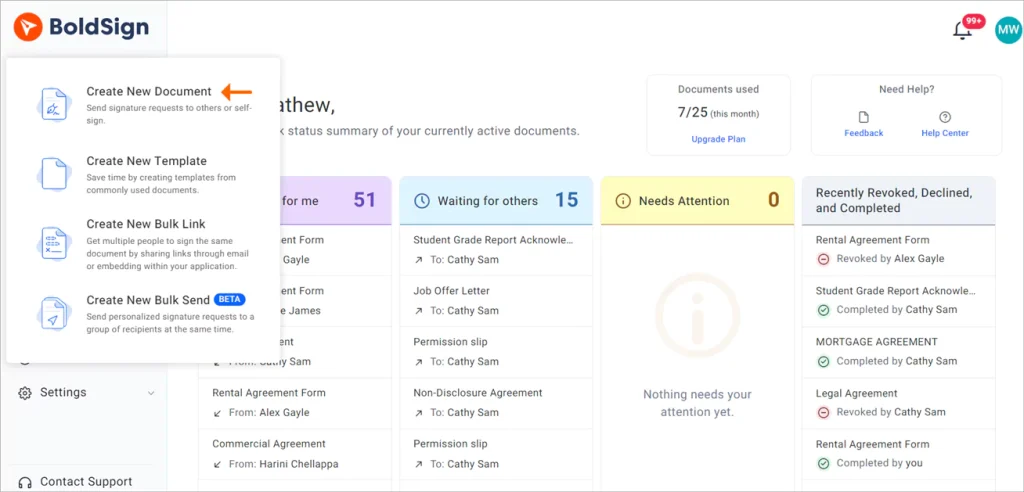
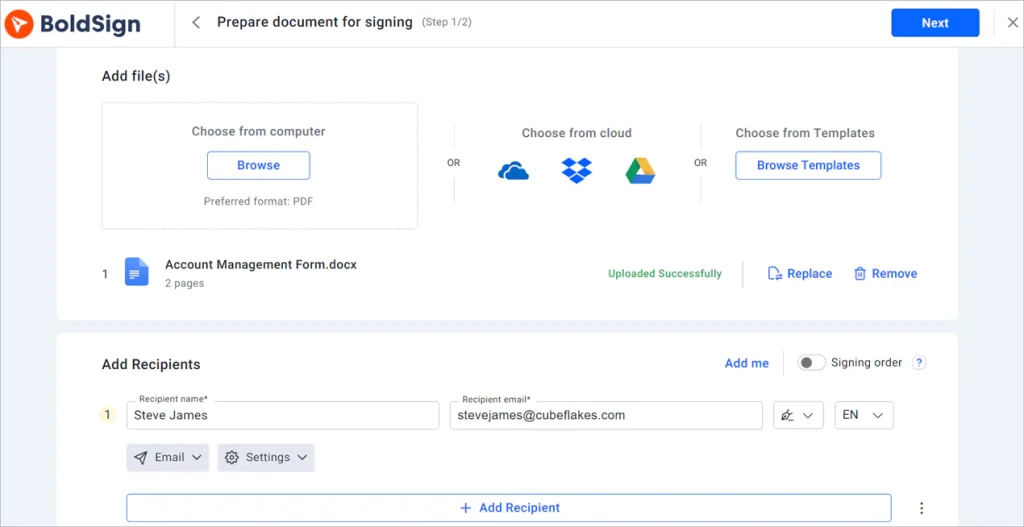
- Log in to your BoldSign account or create a new one.
- Select Create New, then Create New Document.
- On the Prepare document for signing page, add your files in Add files, then add the recipients.
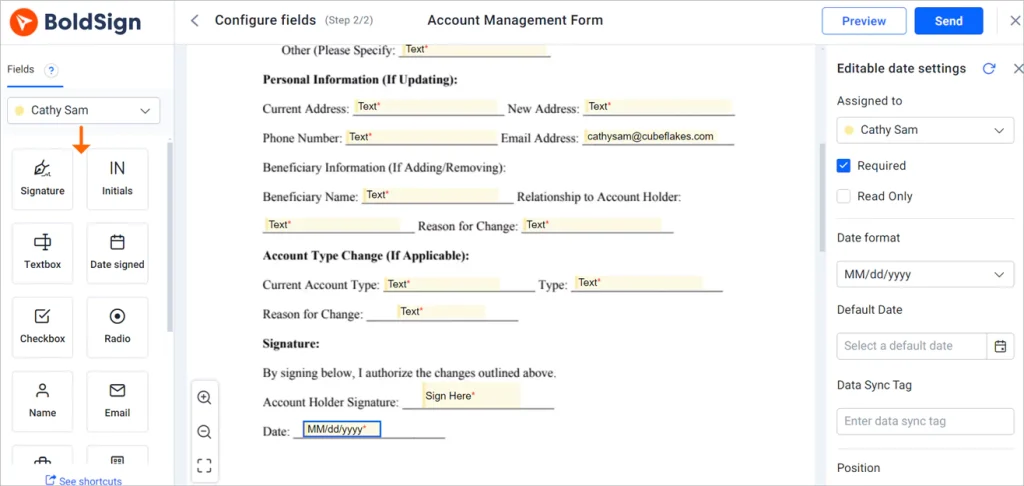
- Select Next, drag form fields onto the document, then select Send.
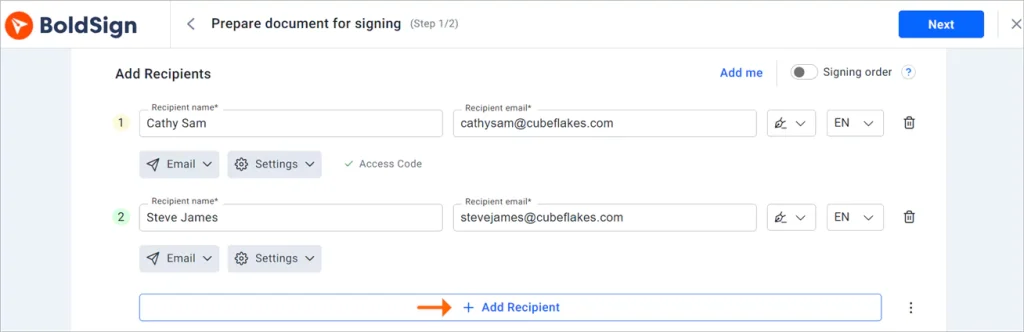
Some changes need more than one person, such as both holders of a joint account. Add each one as a recipient, and each signs from their own device.
How do you make sure the right customer signs?
Add a signer check to the document before you send it. The customer must pass the check before the form opens.
- Email one-time passcode (OTP): a code sent to the customer’s inbox
- SMS OTP: a code sent to the customer’s phone
- Access code: a code you choose and share outside BoldSign
- Knowledge-based authentication (KBA): questions drawn from public records, for US signers
- ID verification: a government ID matched to a live selfie
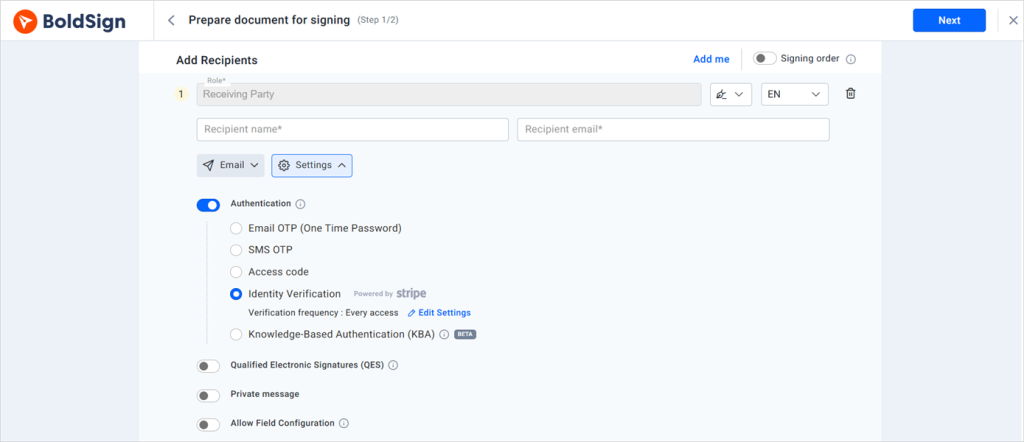
Match the check to the risk. An address change may need only an email code, while a beneficiary change may call for ID verification.
How do customers send supporting documents?
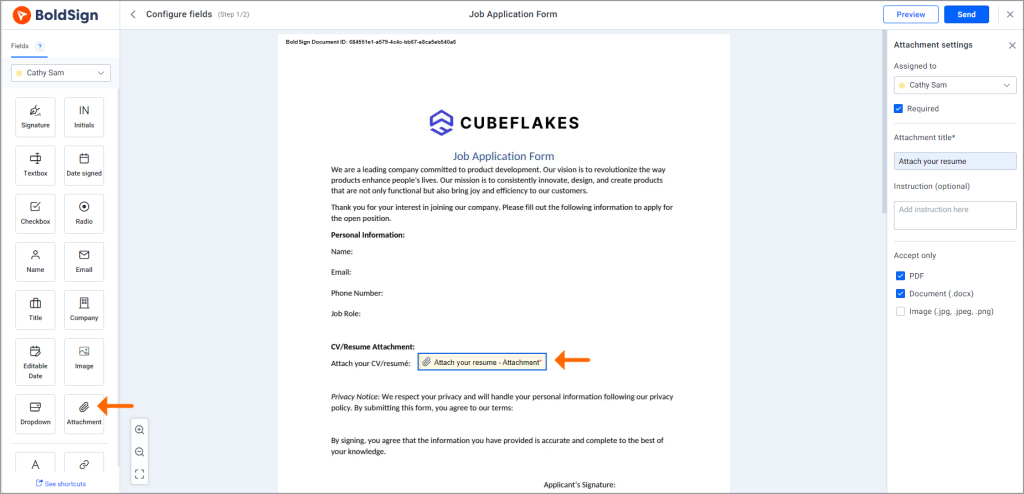
Add an attachment field to the form. The customer uploads a file, such as a government ID or proof of address, while they sign.
The file stays with the signed form, so nobody has to match an email attachment to a request later. That helps your know your customer (KYC) checks too.
How is customer data protected?
We encrypt stored documents with 256-bit Advanced Encryption Standard (AES) encryption. Our data centers are in the US East, the EU, Canada and Australia. Our security policy covers our System and Organization Controls (SOC) 2 Type 2 audit.
Our overviews also cover the General Data Protection Regulation (GDPR) and the Health Insurance Portability and Accountability Act (HIPAA). Card payments run through Stripe, a processor that meets the Payment Card Industry (PCI) Data Security Standard.
How do templates and branding save time on repeat forms?
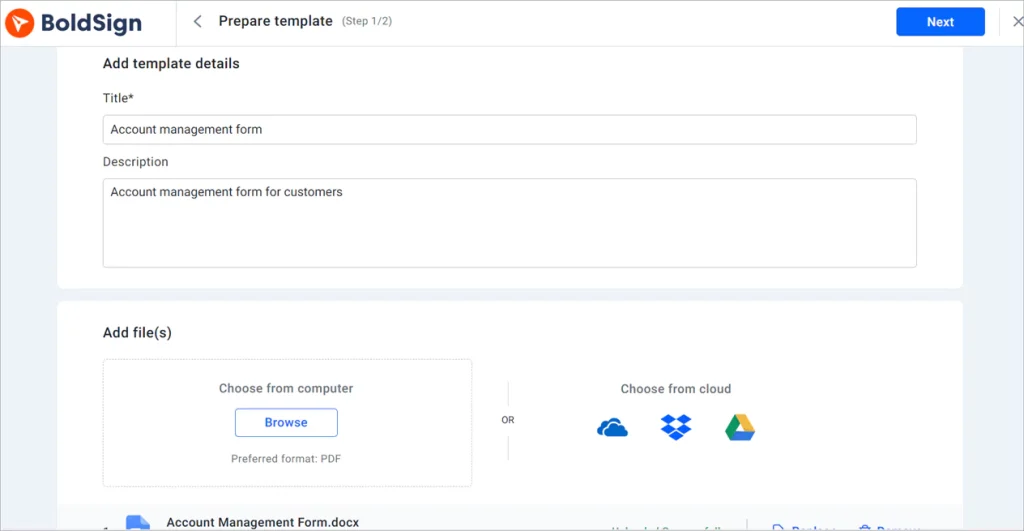
A template holds the file, the fields and the signer roles, so you set a form up once. Branding makes every request look like it came from your bank.
Save your beneficiary form or address change form as one of your eSignature templates. Each time, you add the customer’s name and email and send.
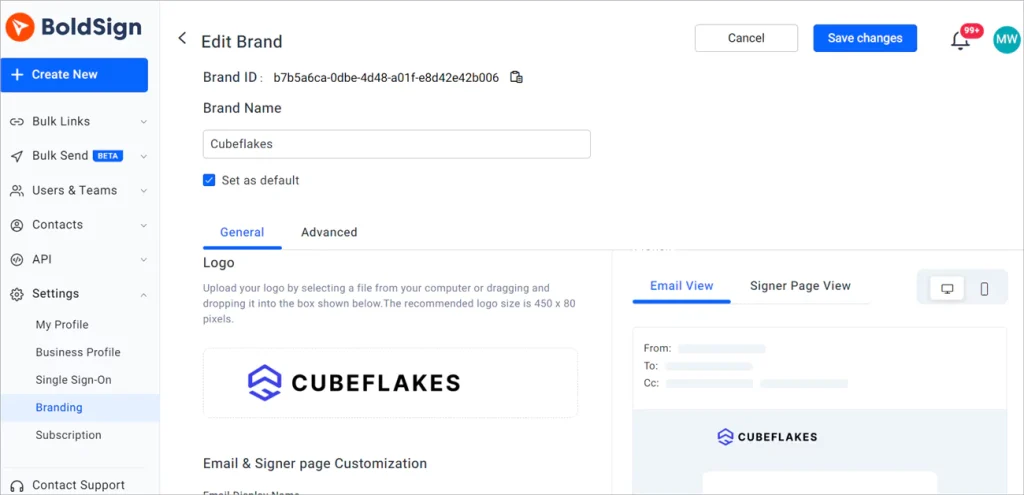
Custom branding puts your logo and colors on the signature request emails. Customers who see your own name are more likely to trust the request. Our help article shows how to create a brand in BoldSign.
How do you track who has signed?
Open your dashboard to see each document’s status. You can see when a form is viewed, signed or completed, and follow up the same day.
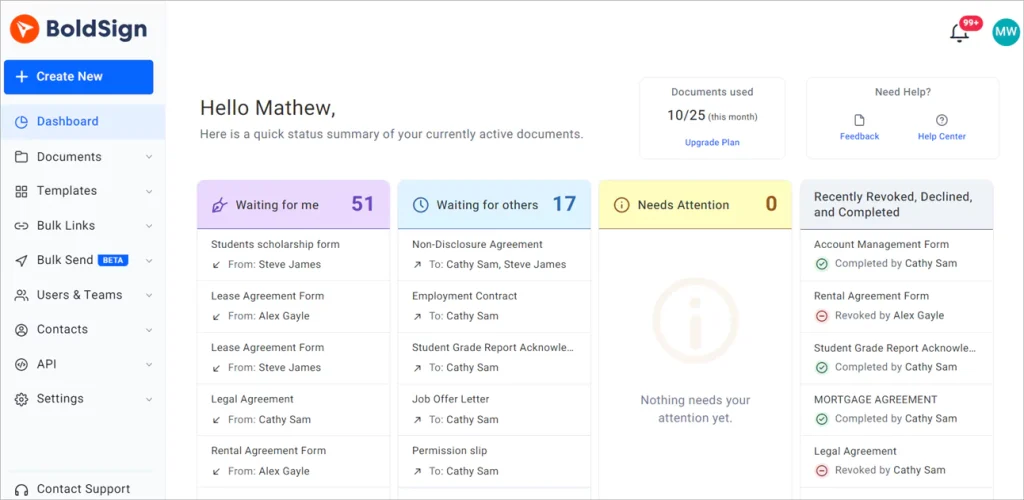
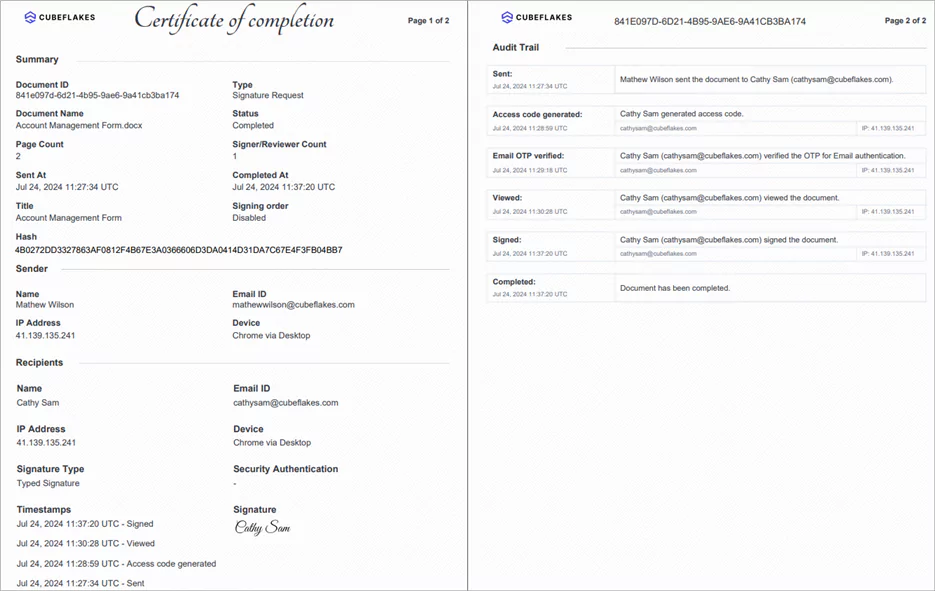
Our document management page covers the tracking tools. Each completed form also gets an audit trail. It lists the sender, signers, internet protocol (IP) addresses and timestamps, and you can download it once everyone has signed.
What does the customer see when they sign?
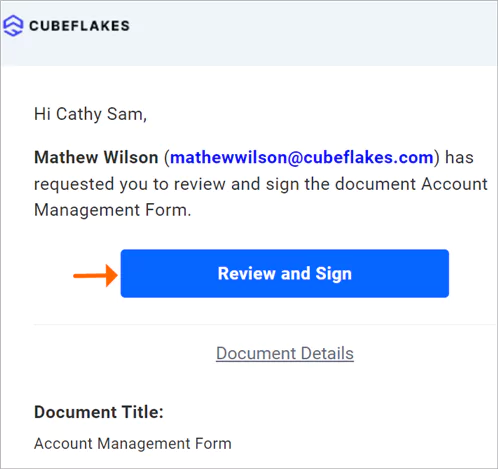
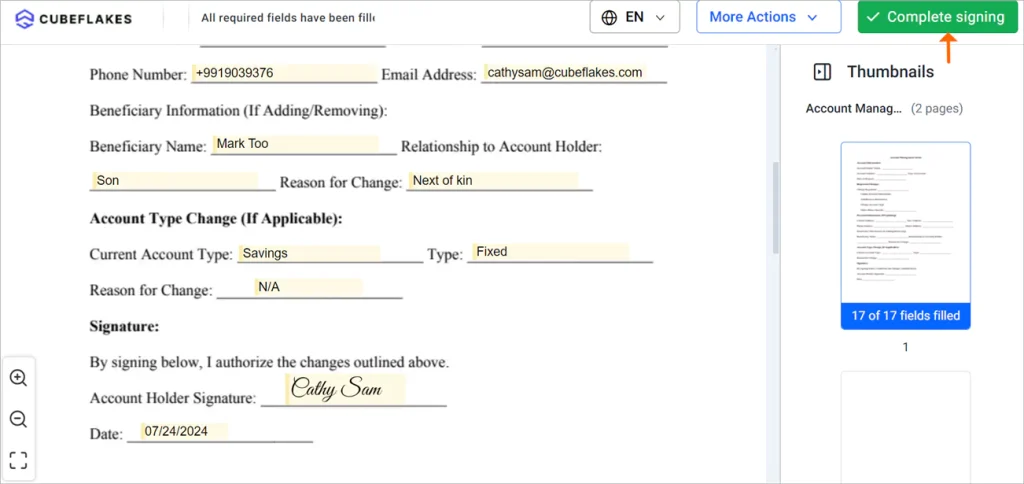
Customers sign from a link, with no BoldSign account needed. The link comes by email, text message or WhatsApp.
- The customer opens the secure link in the message.
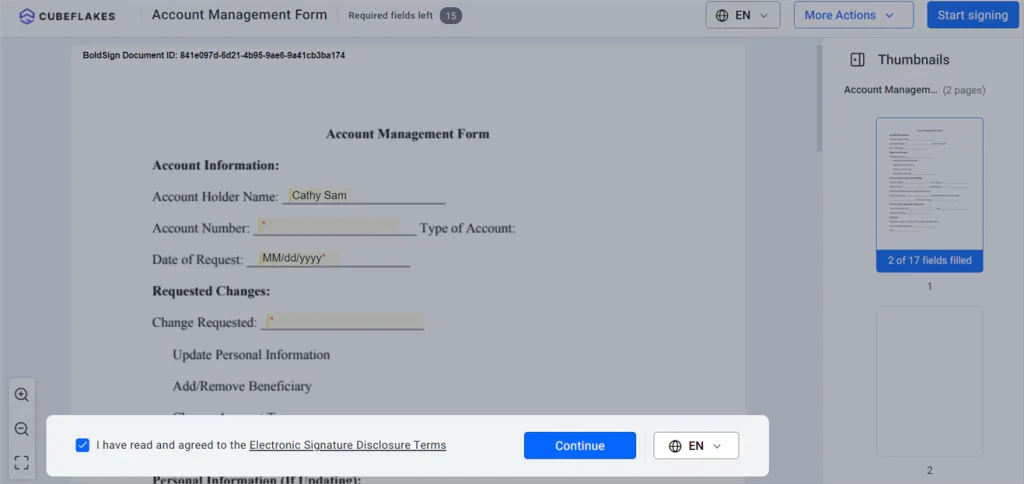
- They read the disclosure terms and select Continue.
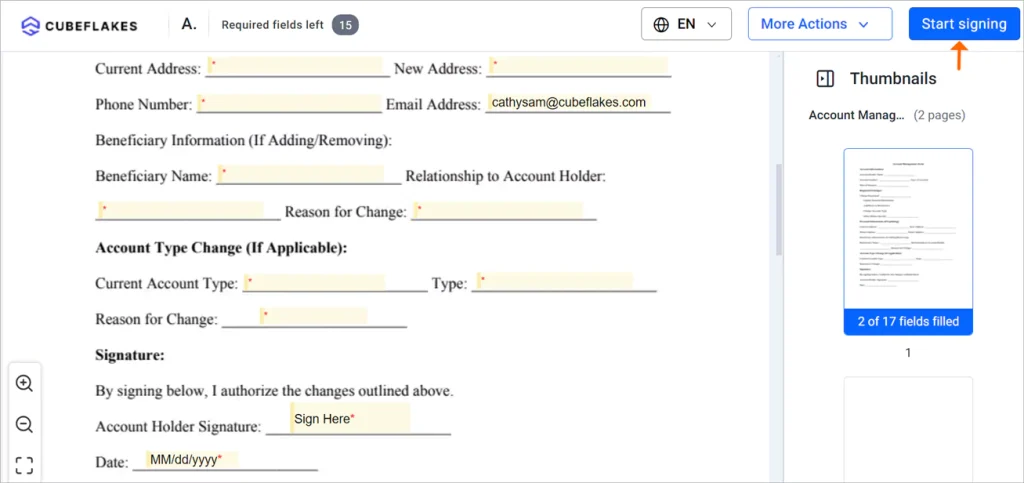
- They select Start Signing, then Next field to move through each field.
- They select Complete Signing to finish.
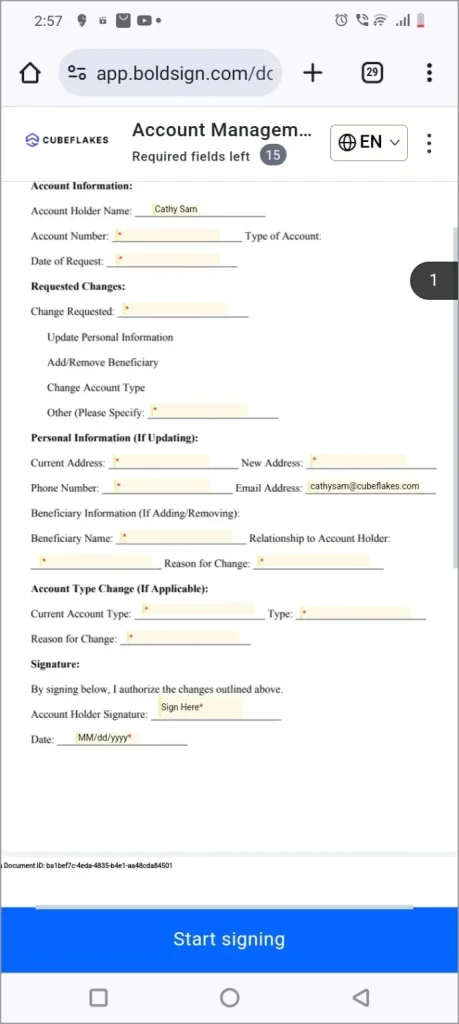
The signing page fits a phone screen. Your staff can also send and track forms from our mobile app.
Does a bank need a qualified electronic signature?
Usually only for EU documents where the law or your policy asks for one. A qualified electronic signature (QES) has the legal effect of a handwritten signature under the EU rules on electronic identification and trust services (eIDAS).
A qualified trust service provider, not us, checks the signer and issues the certificate. Our QES page shows how it works, and our guide on how to get a qualified electronic signature covers each provider.
How do you integrate digital signatures into your loan processing system?
Connect your system to an eSignature API. Your system then sends forms, places fields and collects signed files without anyone opening the web app.
The BoldSign API uses the same templates you build in the web app. With embedded signing, customers sign inside your own portal. You can test every call in a free sandbox before you go live.
Which BoldSign plan does a bank need, and what does it cost?
Most banks need the Business plan or the Premium plan. Both include delivery by text message or WhatsApp, SMS codes, KBA, ID verification, qualified electronic signature (QES) checks, HIPAA support and unlimited templates.
The free Essential plan suits a trial run with 2 templates and 25 envelopes. Prices below are in USD, billed yearly, from our pricing page in November 2026.
What does each plan cost?
- Essential plan: free, with 1 brand
- Growth plan: $5 per user a month, with 10 templates and 2 brands
- Business plan: $15 per user a month, with unlimited templates and brands
- Premium plan: $99 a month for unlimited users
- Enterprise API plan: from $30 a month with 40 envelopes, for the API and embedded signing
What do identity checks and messages cost?
On the Business plan and up, some checks and messages carry a small charge. KBA costs $1.50 per attempt, ID verification costs $2 per verification and QES costs $3 per signing attempt.
Each SMS costs $0.20 and each WhatsApp message costs $0.10.
Where do you start with eSignatures at your bank?
Pick one form your customers sign often, such as an address change, and move it online first.
- Start a 30-day free trial and send your first account change form.
- Book a demo to see a beneficiary form set up with ID verification.
- Visit our support portal with a question about your bank’s forms.
Frequently asked questions
What is the top qualified electronic signature solution for a bank?
Choose a tool that connects your signers to a qualified trust service provider, since only that provider can issue the qualified certificate. We offer QES through providers such as Evrotrust, at $3 per signing attempt in USD, as of November 2026.
What are the top document APIs that handle e-signature workflows at scale?
Look for templates, embedded signing, webhooks and a free sandbox to test in. The BoldSign API offers all four, and our Enterprise API plan starts at $30 a month with 40 envelopes.
Are electronic signatures legally binding on US bank forms?
Yes, when the transaction falls under the ESIGN Act and the signer agrees to sign electronically. The Act says a signature may not be denied legal effect only because it is electronic. Some documents have their own rules, so check with your legal team.
Do bank customers need a BoldSign account to sign?
No. Customers open the link we send by email, text message or WhatsApp. The signing page runs in their browser, with nothing to install.
How can a bank confirm who is signing an account change form?
Add a signer check before the form opens. Options include a one-time code by email or text, an access code you share, knowledge-based questions, or a government ID matched to a selfie.
Can customers upload proof of address while they sign?
Yes. Add an attachment field to the form, and the customer uploads the file on the signing page. The file stays with the signed document.
Can a bank put its own logo on signature request emails?
Yes. Custom branding comes with every plan, including the free one. You set the logo and colors once and pick the brand when you send.
Can customers sign bank forms on their phone?
Yes. The signing page fits a phone screen, so customers can review and sign anywhere. We also offer a mobile app for staff who send and track forms.

Evans Omondi Otieno
Evans Omondi Otieno is a customer support representative and writer at BoldSign, specializing in creating clear, insightful content to help users navigate eSignature solutions. As a blog author, Evans writes well-researched articles that simplify technical concepts, helping businesses and professionals understand how to use BoldSign effectively. With expertise in technical support and content creation, he ensures users have a seamless experience and gain valuable knowledge from his articles.
More posts by Evans Omondi Otieno