Tenant Identity Verification for Secure Lease Signing
 Stephen Otieno Okoth
TL;DR: Tenant identity verification asks a tenant to show a government photo ID and take a live selfie before they can open a lease. It helps confirm that the right person signs, even when you never meet them. Our signer identity verification feature runs the check inside the signing link.
You list a flat, and a renter applies from another city. You email the lease, and the signed copy comes back within the hour. Yet you have no proof that the person who signed is the person on the application.
A lease ID check closes that gap. This guide shows how the check works, how to set it up and what the tenant sees.
What is tenant identity verification?
Tenant identity verification is a check that the person signing a lease is who they say they are. The tenant shows a government photo ID and a selfie, and a service compares the two.
Think of a hotel front desk. The clerk looks at your ID and your face before handing over the room key. A lease ID check does the same thing before the tenant gets the lease.
Why does tenant identity verification matter for a lease?
A lease hands someone the keys to a property and a duty to pay rent. When you cannot show who signed, you carry the risk.
- Someone could sign with a stolen or fake identity.
- A tenant could later make an “I didn’t sign this” claim.
- A dispute about the signer turns into your word against theirs.
ID checks are one part of lease validation. You still review the application, the references and the lease terms as you do today.
How can remote identity verification be used during contract signing?
The check sits between the signing link and the document. The signer verifies first, and only then can they open and sign it.
Stripe Identity runs each check for us. During the check, the tenant goes through three steps:
- Photograph a passport or driver’s license.
- Take a live selfie, which is matched to the ID photo.
- Have the name on the ID matched to the name you entered.
The certificate of completion logs who verified, the provider, the session ID and the time. Stripe stores the ID data, and we keep none of it on our servers. The check works alongside the rest of our eSignature features.
Which identity verification settings can you choose?
You choose the settings for each signer on each document. Our help article on identity verification settings lists them all.
- Turn the check on for the main tenant and leave it off for a co-signer.
- Choose how often the signer verifies, for example on every access.
- Allow 1 to 10 tries before the document locks. The default is 3.
- Limit the issuing countries and the ID types you accept.
- Keep the selfie check on, as it is by default, or turn it off.
A failed check leaves the document in place. You can approve the uploaded ID by hand or reset the tries.
What do you need before you send a lease with ID checks?
Gather four things before you start. The name matters most, since we compare it with the name on the ID.
- A BoldSign account on a plan that includes ID verification
- The lease as a file
- The tenant’s email address
- The tenant’s full legal name, written as it reads on their ID
How do you set up identity verification for lease signing in BoldSign?
You turn on the check while you prepare the lease. Our help article on how to send a document with identity verification has the full detail.
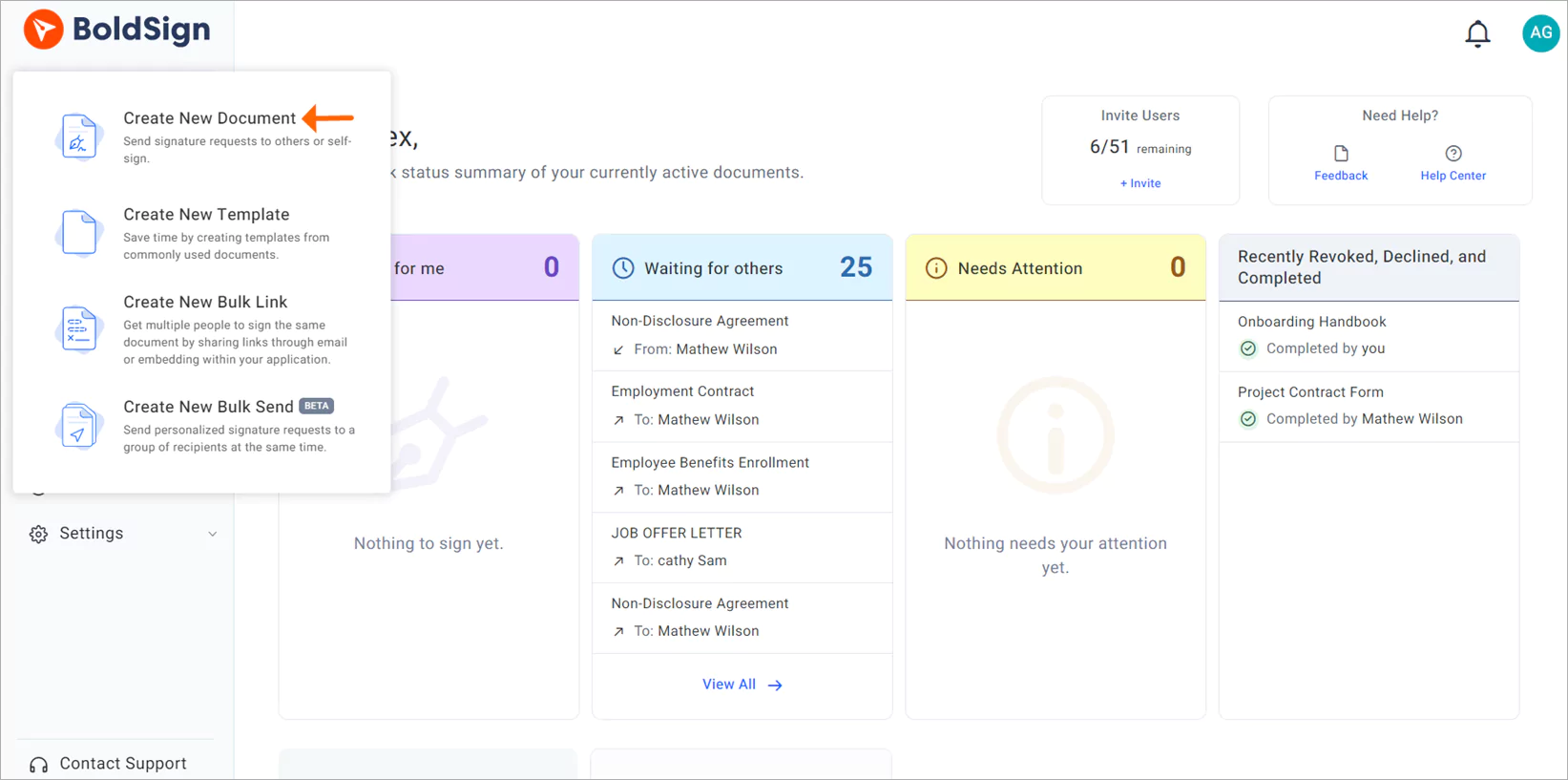
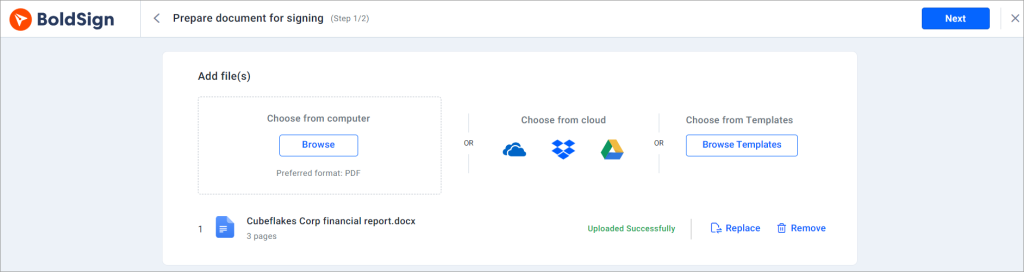
- Start a new document from the create new document option.
- Upload the lease in the Add file(s) section.
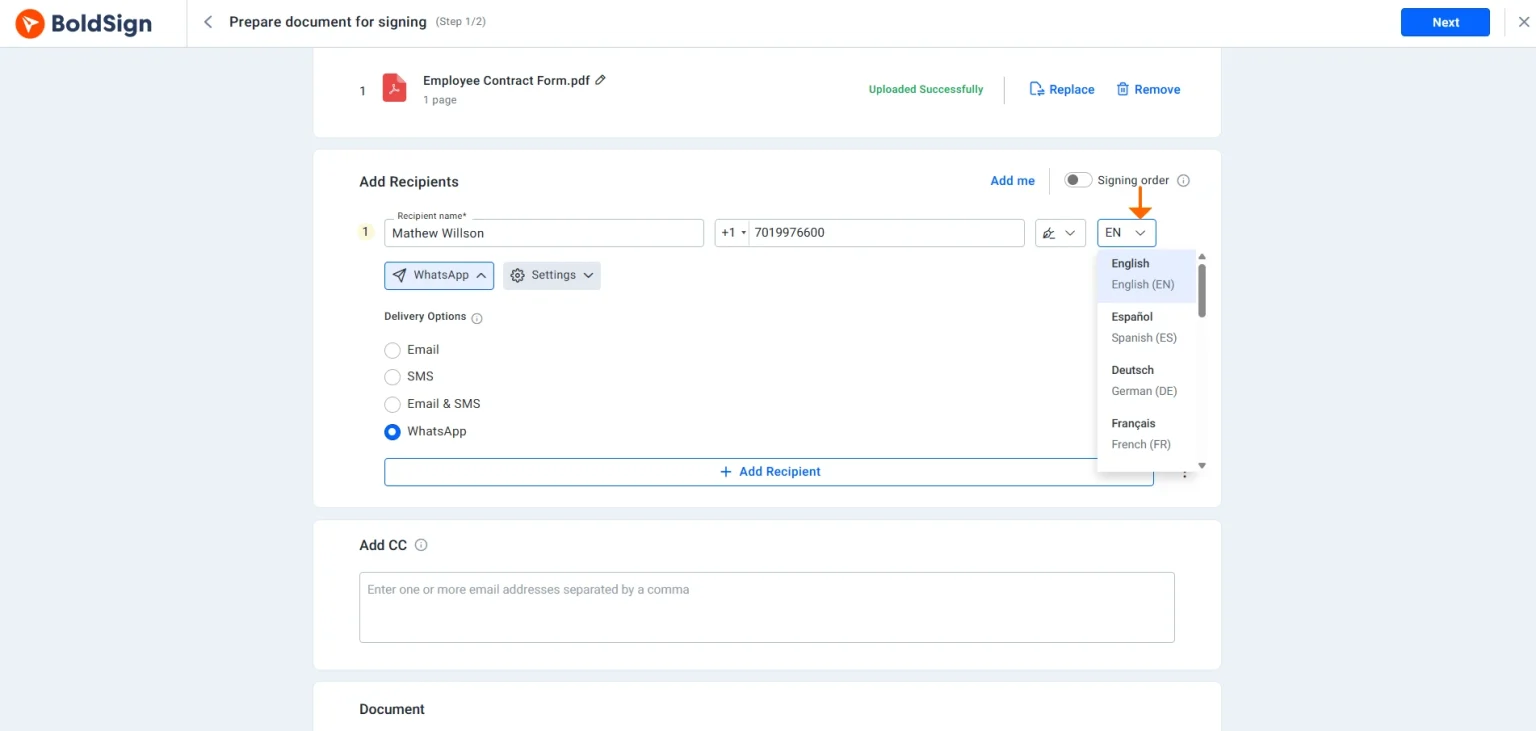
- Enter the tenant’s details under Recipients, using their full legal name.
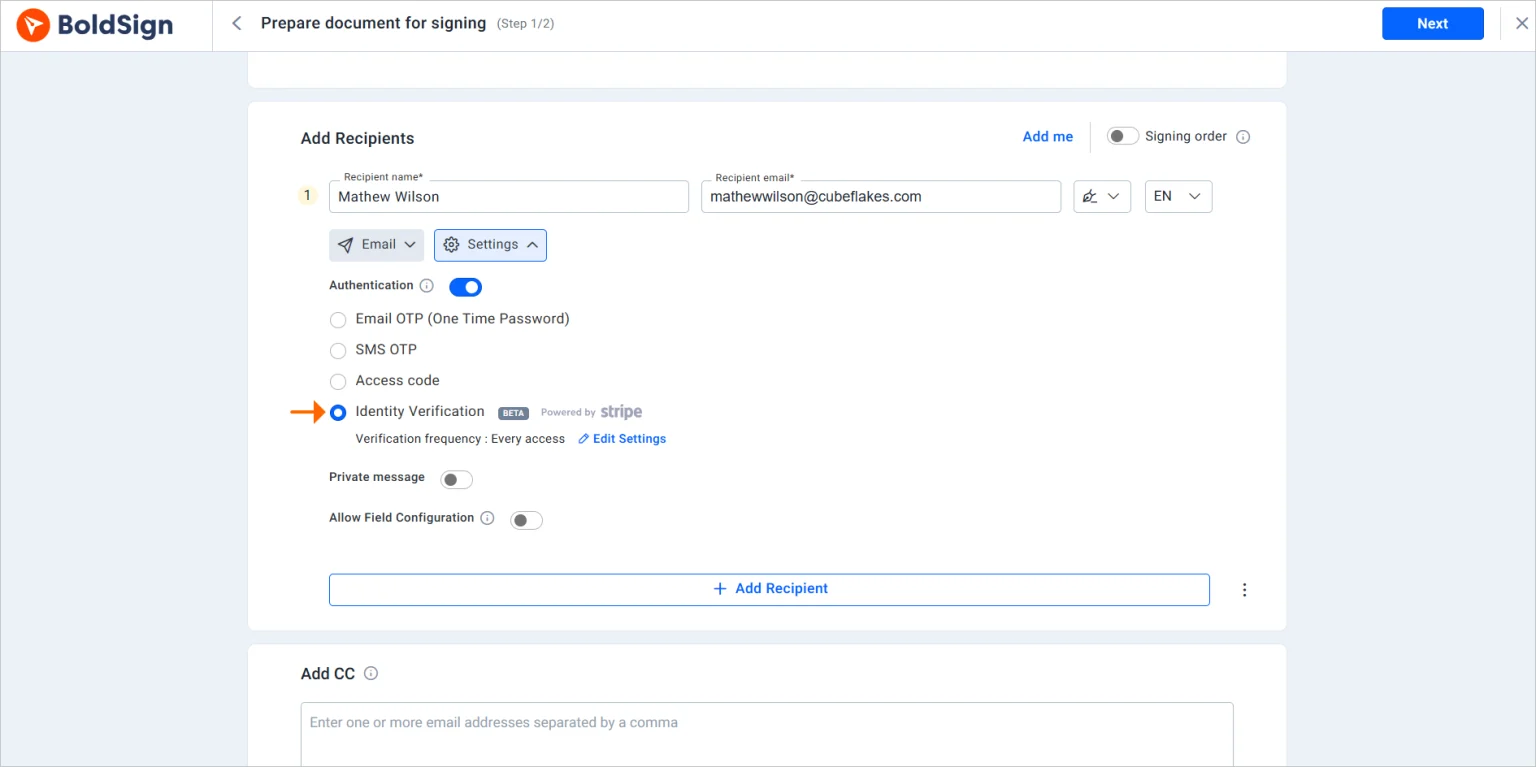
- Select Settings, turn on Authentication and choose Identity Verification.
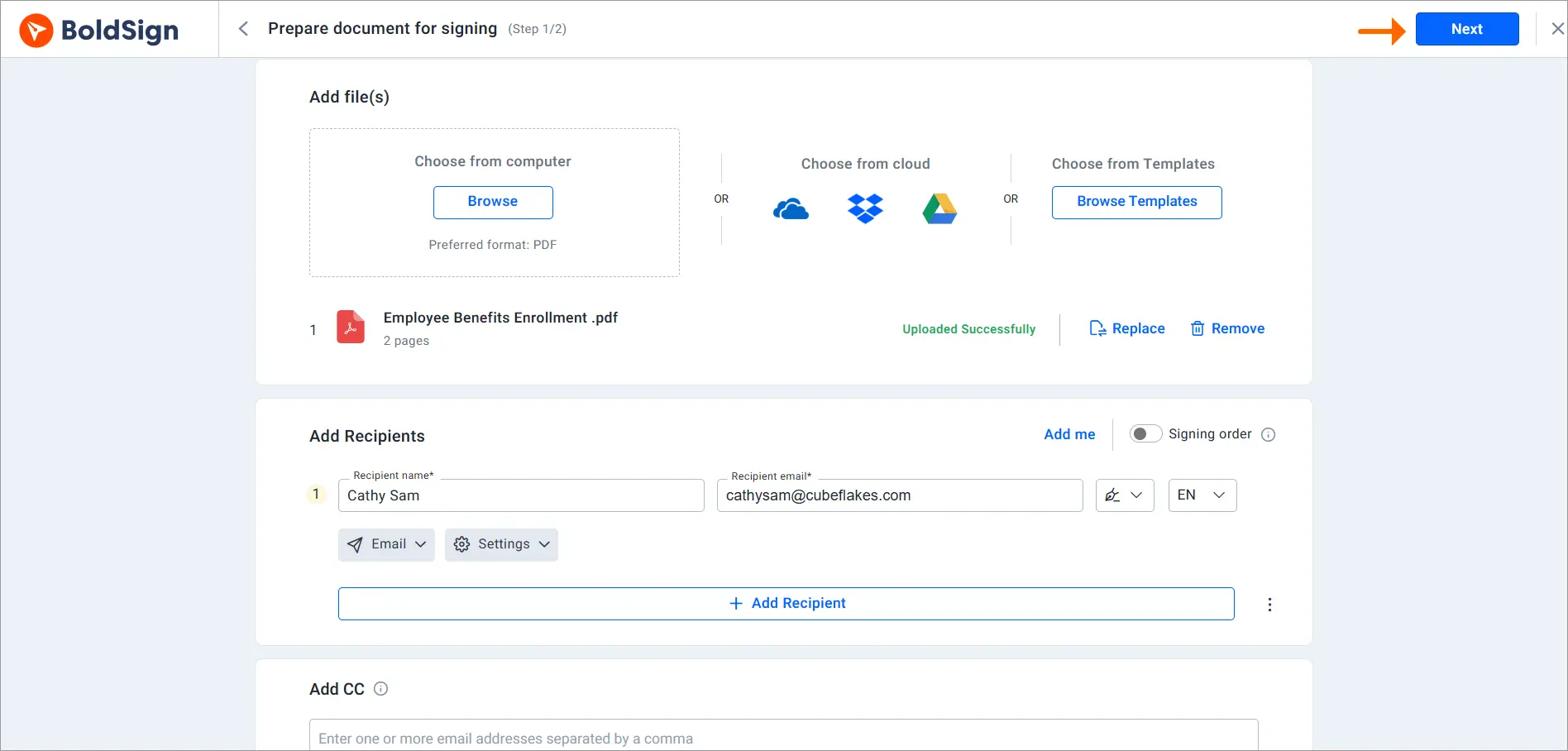
- Select Next, add the signature and other fields, then select Send.
Avoid nicknames and short forms in the signer name. A name that differs from the ID can stop the tenant from opening the lease.
What does the tenant see during verification?
The tenant verifies in their browser from the signing link. There is no app to install.
- Open the signing link in the email.
- Photograph the ID and take a selfie on a phone, or scan a quick response (QR) code on a computer to use a phone.
- Wait a moment for the check to finish.
- Open, review and sign the lease once the check passes.
Our support portal has more help articles for you and your tenants.
What should you watch out for with lease ID checks?
Most problems come from small details in the set-up. Keep an eye on these:
- Nicknames or short names that fail the name match
- Tenants who get the lease with no warning to have an ID ready
- Checks on signers who do not need one, since each attempt has a charge
- IDs written in scripts we cannot read yet, such as Arabic, Chinese or Cyrillic
Tell tenants in your first message that the lease asks for an ID and a selfie. Fewer of them will stop halfway.
Which BoldSign plan includes ID verification, and what does it cost?
ID verification is on the Business, Premium and Enterprise API plans, as listed on the BoldSign pricing page in November 2026. It is an add-on that costs $2 per verification on top of the plan price, in USD.
Business costs $15 per user a month, and Premium costs $99 a month for unlimited users, both billed yearly. Enterprise API starts at $30 a month with 40 envelopes and is for live documents sent through the API. The Essential and Growth plans cannot add ID verification.
Each completed attempt costs $2, pass or fail, and so does each retry. A tenant set to verify on every access who opens the lease three times costs $6. The 30-day free trial includes no ID verification credits.
How do you start verifying tenants before they sign?
Start with one lease and one tenant you know, and run the check yourself first. Then use it for remote renters and high-value lets.
- Start a 30-day free trial and set up your lease and signer settings.
- Book a demo to see an ID check on a real lease.
- Read how to run ID checks on rental applications before the lease stage.
Frequently asked questions
What is tenant identity verification?
It is a check that the person signing a lease is the person named on it. The tenant shows a government photo ID and takes a live selfie, and we compare the two before the lease opens.
How to capture lease e-signatures using a phone camera?
Send the lease with ID verification turned on. The tenant opens the signing link on a phone, uses the camera for the ID photo and selfie, and then signs on the screen.
Which lease-to-own vendors support mobile lease signing and digital identity capture?
We support both: tenants sign a lease on a phone and capture their ID and selfie in the browser. For other vendors, check each vendor's own product pages.
Does a tenant need an app to verify their ID?
No. Tenants verify in their browser from the signing link, on a phone or a computer.
Which IDs can a tenant use for a lease ID check?
Tenants can use a passport or a driver's license. National ID cards are available by invitation, and the accepted documents vary by issuing country.
What happens if a tenant fails the ID check?
The tenant can try again up to the limit you set. The lease then locks for that tenant, and you can approve the ID by hand or reset the tries.
Can I verify just the main tenant on a shared lease?
Yes. Each signer has their own ID verification setting, so you can turn it on for the main tenant and leave it off for a co-signer.
How much does tenant ID verification cost in BoldSign?
ID verification is a $2 per verification add-on, pass or fail, on the Business, Premium and Enterprise API plans. Business costs $15 per user a month, billed yearly, and each retry costs another $2.

Stephen Otieno Okoth
Stephen is a Technical Assistant at BoldSign who specializes in creating clear documentation and engaging videos. He combines his technical skills and creativity to deliver user-focused solutions. Connect with him on LinkedIn.
More posts by Stephen Otieno Okoth