What Is an Electronic Signature and Why Does It Matter?
 Yvone Atieno Odhiambo
TL;DR: An electronic signature is a sound, symbol or process that a person attaches to a record with the intent to sign it. US federal law gives it the same legal effect as ink for most business deals. See how our electronic signature features record who signed and when.
You have a lease, an offer letter or a client quote to sign. Printing it, signing it and scanning it back takes a day. An electronic signature lets you do the same thing from a laptop or phone in a few minutes.
This guide explains what an electronic signature is in plain words. It covers the law behind it, the features worth checking, and how to send your first document with BoldSign.
What is an electronic signature?
An electronic signature is any electronic mark or action you add to a document to show you agree to it. A typed name, a drawn squiggle, or a click on “I agree” can all count.
Think of nodding yes across a table. The nod counts because you meant it, and someone saw you do it. An eSignature works the same way: the mark shows you meant to sign, and the record of the signing is the witness.
US federal law gives the same idea in formal words. The definition in the United States Code (USC) at 15 USC 7006 calls it “an electronic sound, symbol, or process” attached to a record. The person must adopt it “with the intent to sign the record.”
Want the bigger picture, with history and use cases? Read our complete guide to electronic signatures.
Do electronic signatures need to look like your handwritten signature?
Your eSignature can look any way you like. What counts is your intent to sign and a record that links you to the document.
A wet signature is a name written by hand in ink on paper. People check it by comparing handwriting. An eSignature is checked in a different way, by the details captured while you sign.
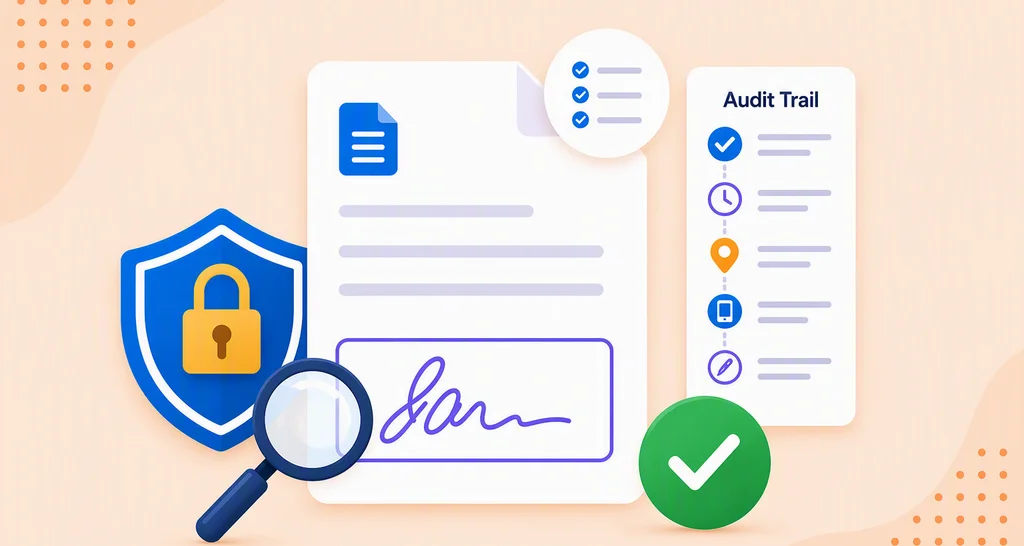
In BoldSign, you can type, draw or upload an image of your signature. Each choice is just as valid. Our audit trail notes which method you used, along with the time and your network address.
Are electronic signatures legally binding?
Yes, when the signer means to sign and the record can be kept. In the US, a signature or contract cannot be denied legal effect just because it is electronic.
That rule comes from the Electronic Signatures in Global and National Commerce (ESIGN) Act, in 15 USC 7001. Most states add their own laws based on the Uniform Electronic Transactions Act (UETA).
Consumers must agree to get records electronically before an eSignature replaces paper they are owed.
Some records sit outside the federal rule. 15 USC 7003 excludes wills, adoption and divorce papers, and court orders. Certain notices, such as eviction or utility shut-off notices, are excluded too.
In the EU, the electronic identification and trust services (eIDAS) regulation names three levels: simple, advanced and qualified. Our eSignature legality page covers the rules by country.
What features matter in e-signature software?
The features that matter most prove who signed and keep the document safe. Ease of use for your signers comes a close second.
Check these before you choose a tool:
- An audit trail with names, times and network addresses for each action
- Ways to check signers, such as an email code or an access code
- Encryption for documents while stored and while sent
- Signing on any device, with no app for the signer to install
- Templates and team controls once you send many documents
A digital signature adds a certificate to show whether a file changed after signing. Our post on electronic signature vs digital signature explains the difference.
What does BoldSign add to an electronic signature?
We record proof of each signing and give you ways to check signers. We also help teams share the work and keep their brand.
Proof of who signed
Every completed document comes with an audit trail. It lists document details, sender and recipient details, how each signer was verified, the signature type, timestamps and user activity. Our post on why audit trails matter shows how to use it in a dispute.
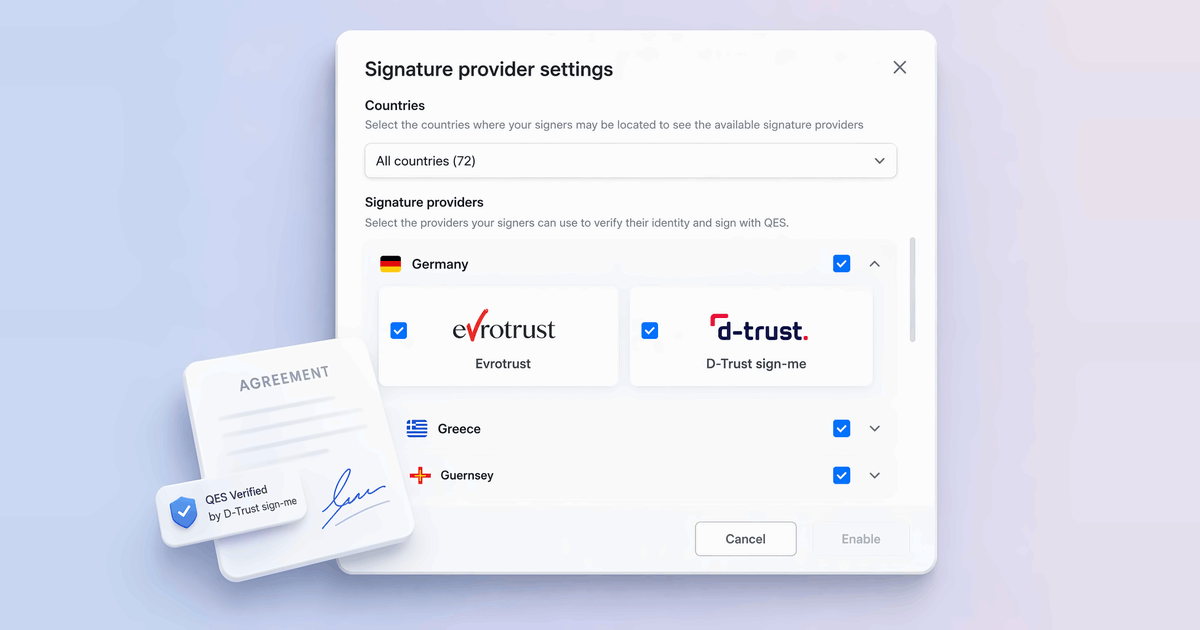
You can ask signers for an email code or an access code. For higher-risk documents, you can add SMS codes, ID verification or knowledge-based authentication (KBA).
Security and compliance
We store documents with 256-bit Advanced Encryption Standard (AES) encryption and encrypt data in transit. We have passed a System and Organization Controls (SOC) 2 Type 2 audit, and we comply with the General Data Protection Regulation (GDPR).
Healthcare teams can read our Health Insurance Portability and Accountability Act (HIPAA) overview. Our security overview has the full details.
Teams, roles and brand
Admins can invite users to the account and create teams that match your company. Later, you can change a user’s role or deactivate a user.
With custom permissions, you can hand template management to a colleague while the admin is away. You can also create a brand in BoldSign with your logo and colors for signing emails.
Mobile and other languages
Signers can sign on a phone or tablet, and senders can use our mobile app. You can also send a signature request in another language to match each signer.
Where are electronic signatures used?
Almost any team that collects agreements can use them. Below are the industries we serve, grouped by the kind of work.
Money and property
- Banking, for account and loan forms
- Real estate, for leases and purchase offers
- Insurance, for policy and claim forms
- Accounting firms, for engagement letters
People and care
- HR teams, for offer letters and onboarding forms
- Healthcare, for patient consent and intake forms
- Education, for enrollment and permission forms
- Nonprofit organizations, for volunteer and donor forms
Contracts and buying
- Legal teams, for client agreements and intake forms
- Procurement, for supplier contracts and purchase orders
- Freelancers, for project proposals and contracts
How do you send a document for electronic signature with BoldSign?
Upload the file, add your signers, place the fields and send. The full steps are in our help article on how to send a document for signature.
Upload the file and add signers
- Sign in, or start a free trial if you have no account yet.
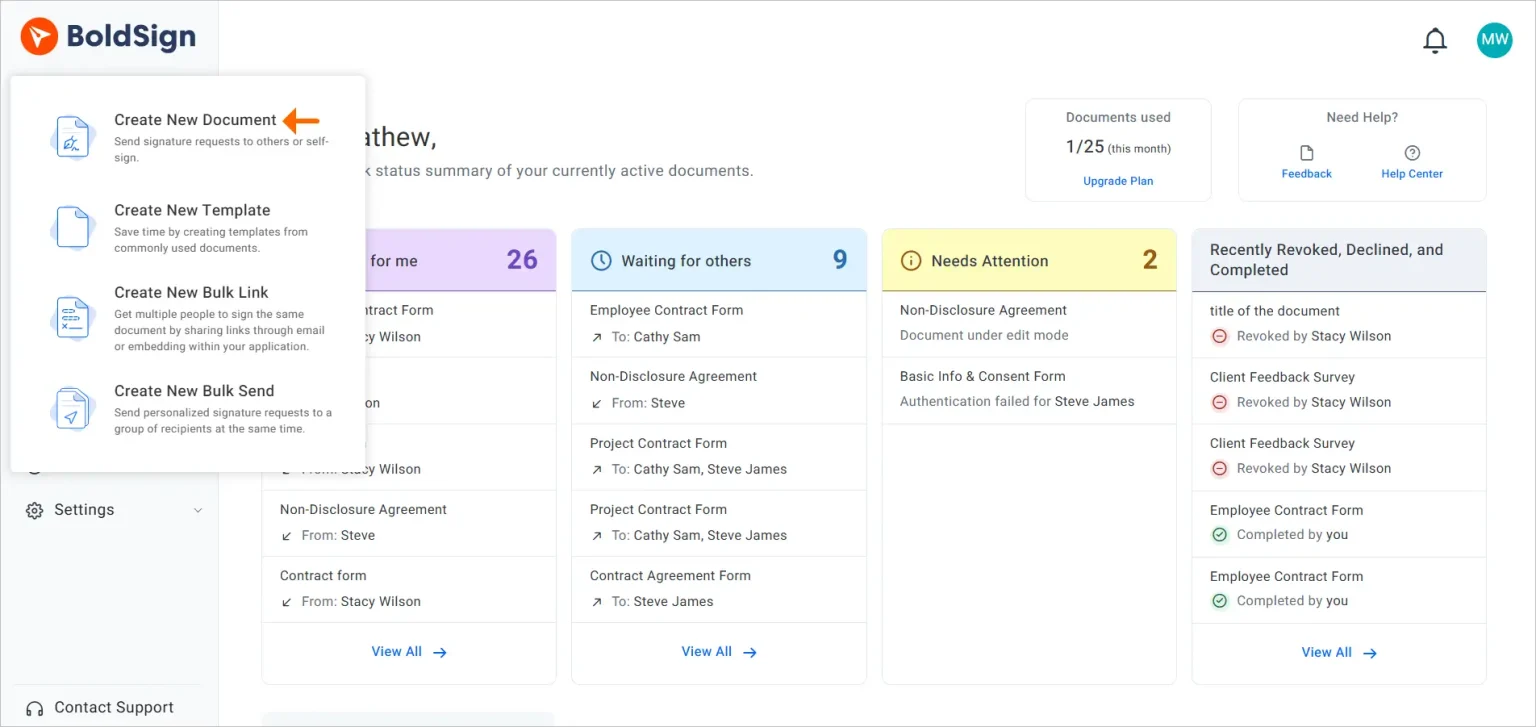
- Click Create New, then choose Create New Document.
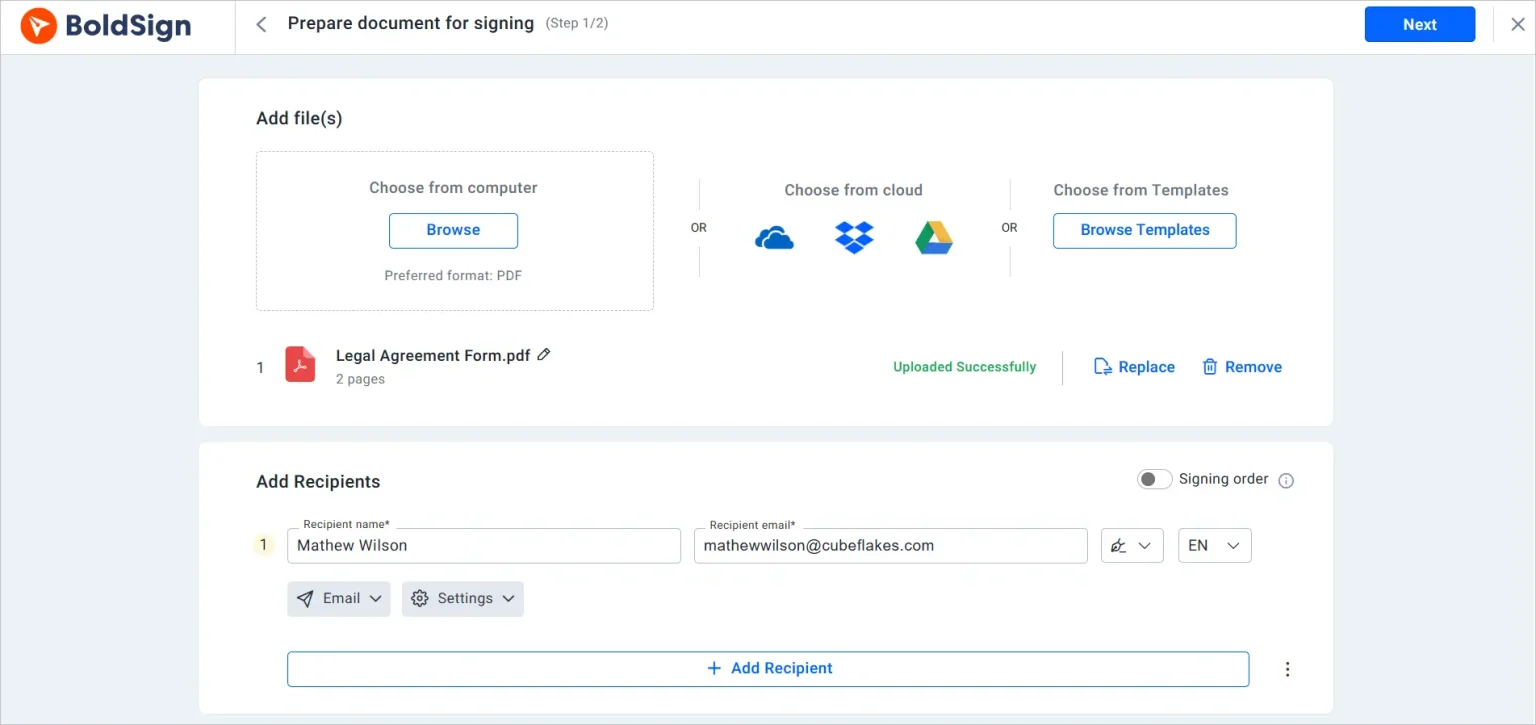
- Upload your file. You can drag it in or select it from your computer.
- Enter each signer’s name and email address.
Place the fields and send
- Click Next to open the field editor.
- Drag signature and other fields onto the document, and assign each one to a signer.
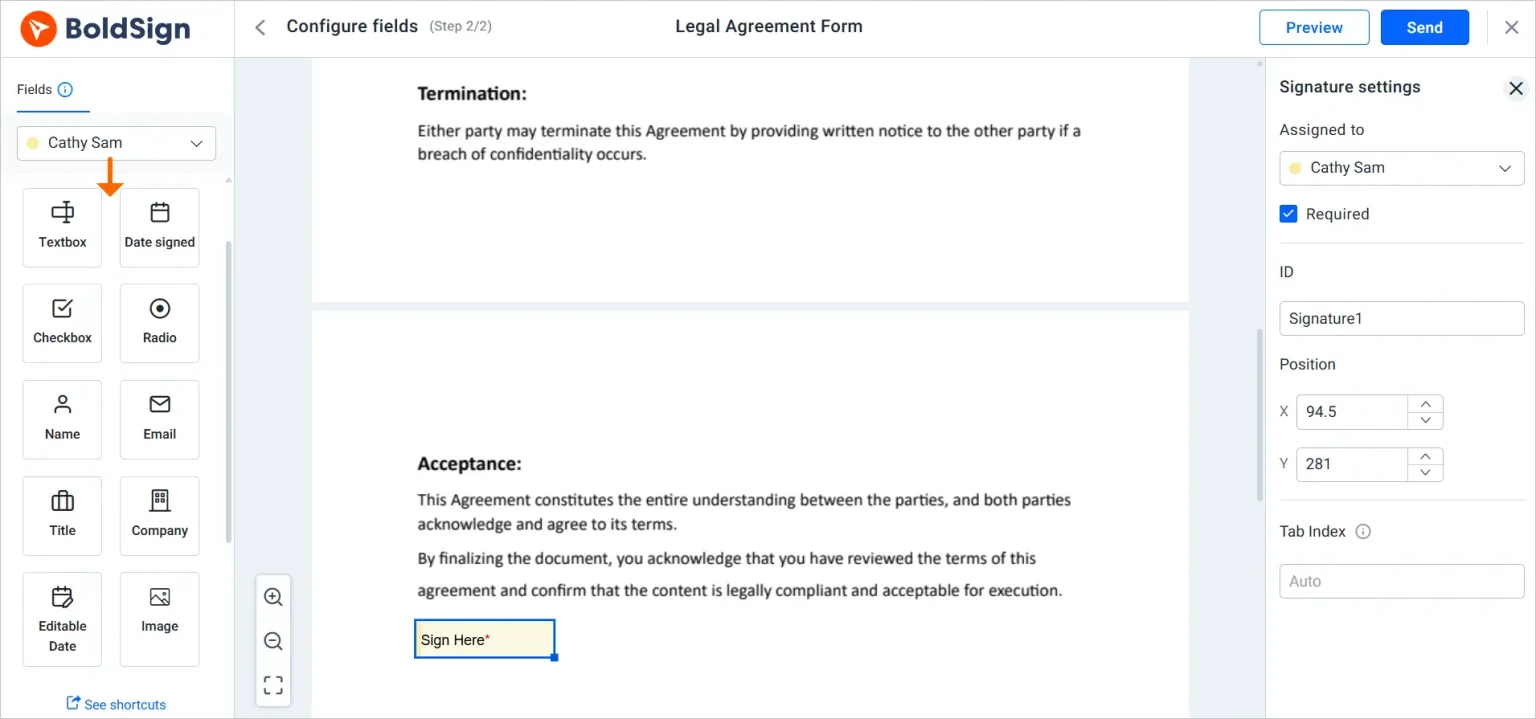
- Click Send to email the signing request to your signers.
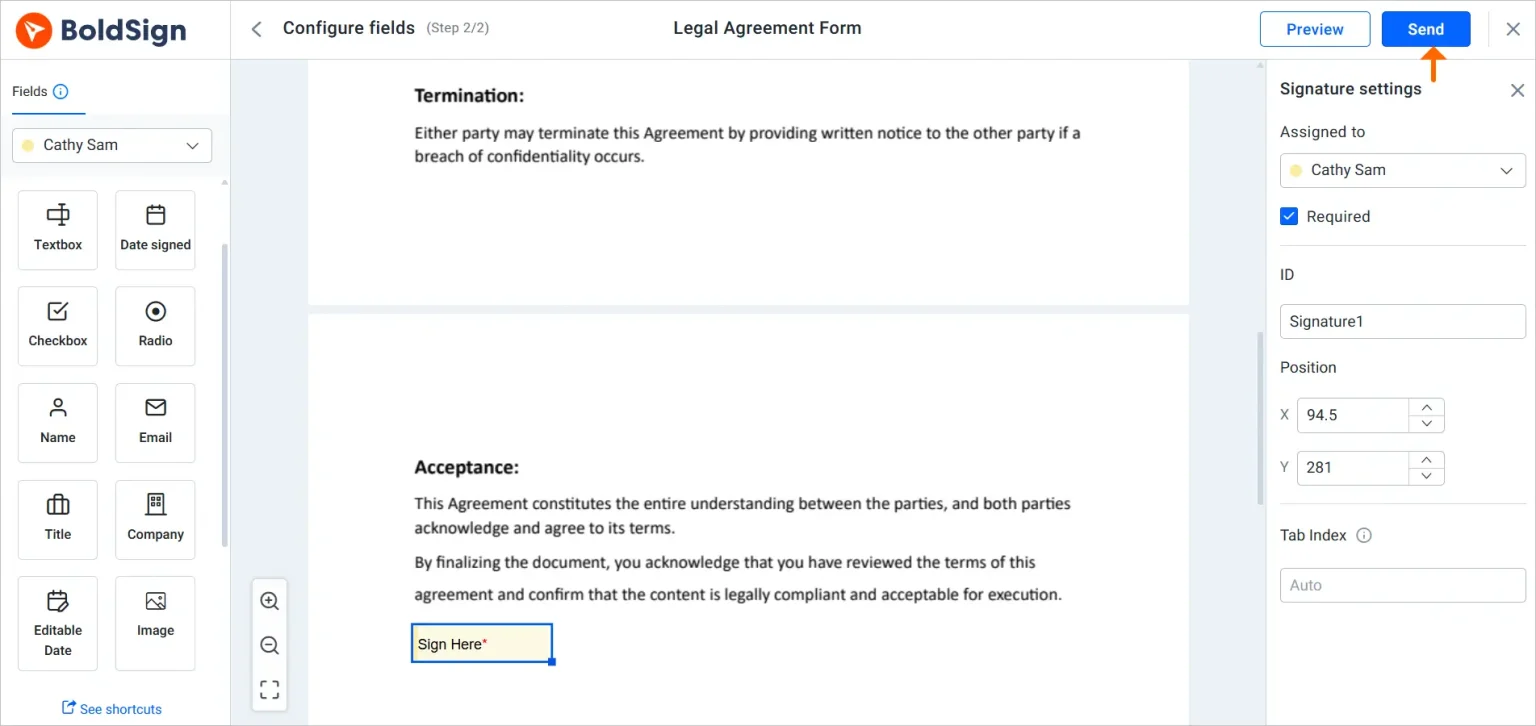
You can track each document from your dashboard. Our help center has guides for each step.
Which BoldSign plan do you need, and what does it cost?
You can start free and move up when you need more. All prices are in USD, billed yearly, as listed on the BoldSign pricing page.
Our Essential plan is free, with 25 envelopes a month and 2 templates. The Growth plan costs $5 per user a month and allows 50 envelopes and 10 templates. Every plan includes the audit trail and email codes for signers.
The Business plan costs $15 per user a month. It adds unlimited envelopes, templates and brands, SMS codes, ID verification and HIPAA support. KBA is a paid add-on on Business and up.
The Premium plan costs $99 a month for unlimited users and 250 envelopes. You can test our paid features with a 30-day free trial.
Questions about your account? Our support team can help.
How do you start using electronic signatures?
Pick the step that fits where you are today.
- Start a 30-day free trial and send your first document in minutes.
- Book a demo to ask our team about your own documents.
- See the signer authentication options you can add to sensitive documents.
Frequently asked questions
What is an electronic signature in simple terms?
It is a mark or an action, such as a typed name or a click, that you add to a digital document to show you agree to it. The law looks at your intent to sign, not at how the mark looks.
Are electronic signatures legally binding?
Yes, when the signer means to sign and the record can be kept and shown later. In the US, the Electronic Signatures in Global and National Commerce (ESIGN) Act gives them the same effect as ink for most deals.
What features does online e-sign offer?
Most online eSign tools let you upload a file, place signature fields, send it by email and track who has signed. We also keep an audit trail and can ask signers for an email code or an access code.
What is a wet signature?
A wet signature is a name written by hand in ink on paper. The name comes from the ink, which is still wet when you sign.
What is the difference between an e-signature and a digital signature?
A digital signature is one kind of electronic signature. It uses a certificate and encryption to show whether the document changed after signing.
What are the three types of electronic signatures?
EU law names simple, advanced and qualified electronic signatures. Each level adds stronger checks on who signed, and the qualified level needs a certified trust provider.
Can I sign documents electronically for free?
Yes. We offer a free plan that lets you send 25 envelopes a month, and a 30-day free trial if you want to test our paid features first.
How can you prove who signed a document electronically?
Check the audit trail. Ours records each action on the document with its time. It also shows how each signer proved their identity.

Yvone Atieno Odhiambo
Yvone is a Technical Assistant at BoldSign who specializes in creating clear documentation and engaging videos. She combines her technical skills and creativity to deliver user-focused solutions. Connect with her on LinkedIn.
More posts by Yvone Atieno Odhiambo