Simplify Underwriting Agreement Signatures for Insurance Companies
 Rowan Sam Kerongo Makori
TL;DR: An underwriting agreement in insurance is the set of papers an applicant, an underwriter and sometimes a partner sign before a policy starts. With BoldSign, you send them as one document, set the signing order, check each signer’s identity and track every sign-off. Our eSignature for insurance page shows the full workflow.
An underwriter has a new commercial policy ready to approve. The applicant still has to sign the risk form, a broker has to confirm the details, and a senior underwriter has to sign off. On paper, that means printing, posting and chasing three people.
Each day the form sits in someone’s inbox is a day the policy cannot start. This guide explains what these agreements are, then shows how we help you collect every signature online.
What is an underwriting agreement?
The term has two meanings. In insurance, it covers the papers signed while an insurer judges a risk and sets the price of cover.
In securities, an underwriter agreement is the contract between a company selling new shares and the firm that buys and resells them. The Cornell Wex entry on underwriting covers both meanings. This post is about the insurance kind.
Think of it like renting a flat. The landlord checks your income and references, then you both sign before you get the keys. Underwriting works the same way: the insurer checks the risk, and everyone signs before the policy begins.
Which documents need signatures during insurance underwriting?
Most underwriting files hold a few standard forms. The exact set depends on the type of cover.
- Insurance applications from the person or business seeking cover
- Risk assessment forms filled in by the applicant or an inspector
- Policy declarations that list the cover, limits and premium
- Endorsements that change an existing policy
Why do paper sign-offs slow underwriting down?
Paper forms move one person at a time. A missing initial or a lost page sends the file back to the start.
Tracking is hard too. Nobody can see at a glance who has signed, so staff spend time on phone calls and email follow-ups. Our guide to the benefits of electronic signatures for insurance companies covers the wider gains for claims and renewals.
How do you get an underwriting agreement signed with BoldSign?
Upload the agreement, add the signers and send it. The steps below cover the settings that matter most for underwriting.
Add every signer and set the order
Add the applicant, the underwriter and any reviewer to one document. You can set the order they sign in, so the underwriter signs only after the applicant has finished.
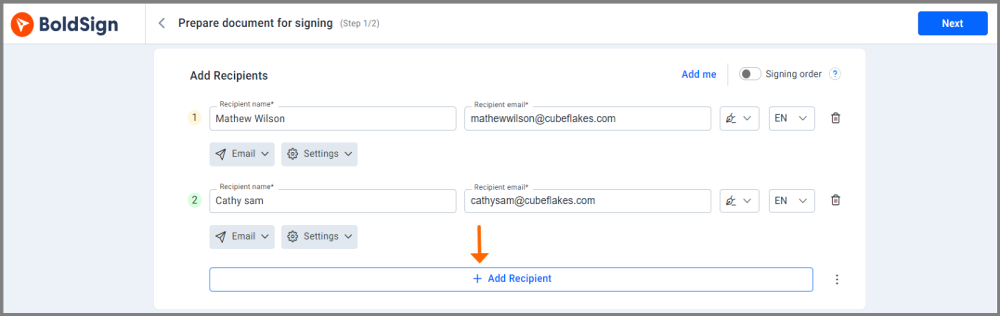
Each person signs only the fields assigned to them. The document is complete only when every signer is done.
Save your standard forms as templates
Save forms you send often as templates. Good candidates are application forms, disclosure statements and approval agreements.
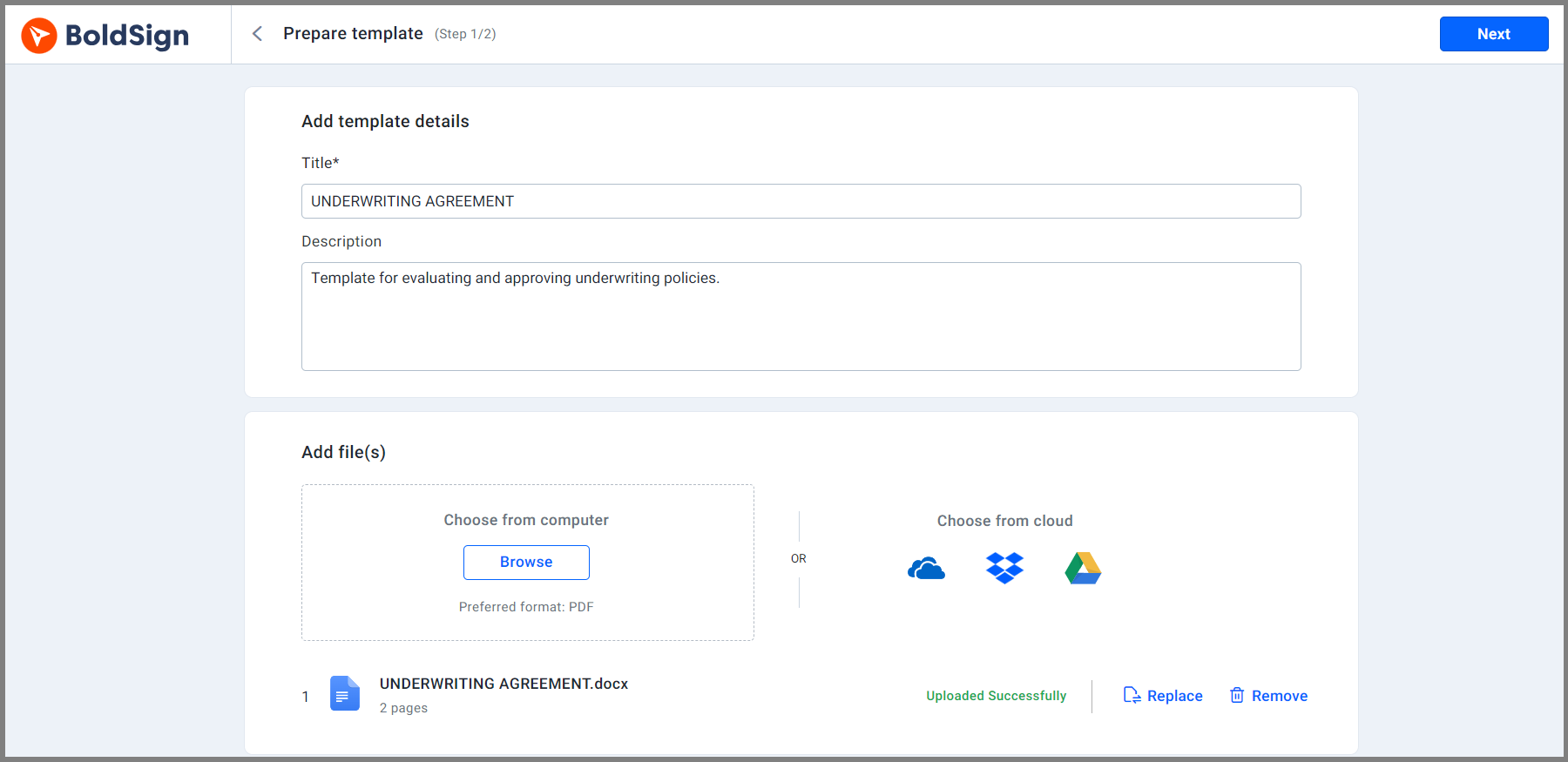
A template keeps the fields and signer roles in place. Your team fills in the names and sends, instead of preparing the same form again.
Check who is signing
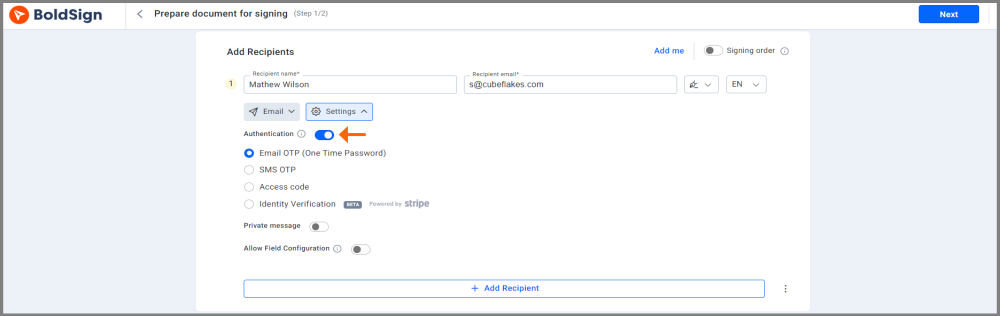
Add a check to each signer before the document opens. Our guide to eSignature authentication methods explains each option.
- An access code that you share with the signer yourself
- A one-time passcode (OTP) sent by email
- An OTP sent by text message (SMS)
- Identity verification with a photo ID and a live selfie
Add your logo and colors
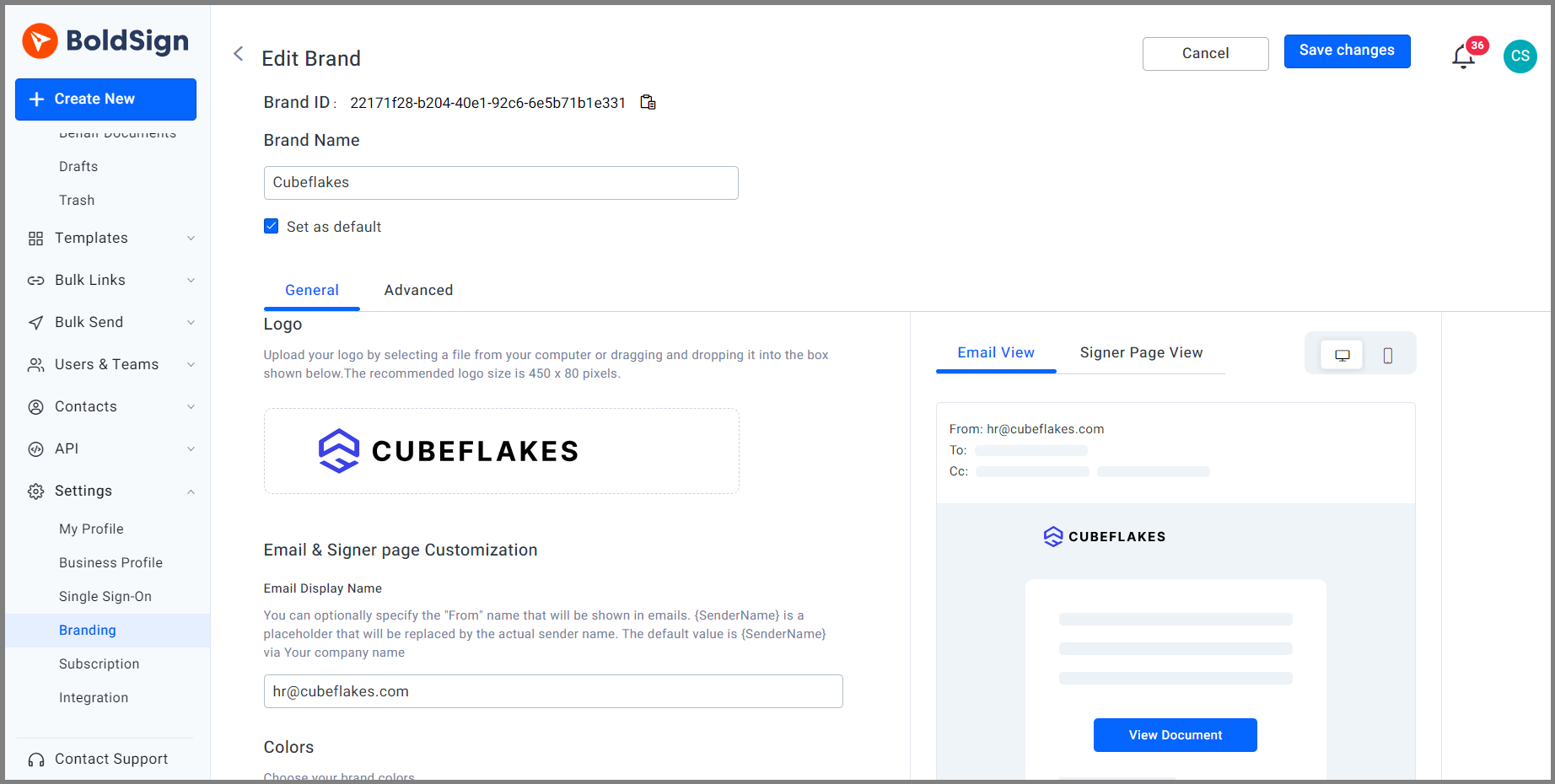
Applicants trust a request that looks like it comes from you. Add your logo and colors to the emails and the signing page.
Let people sign from a phone
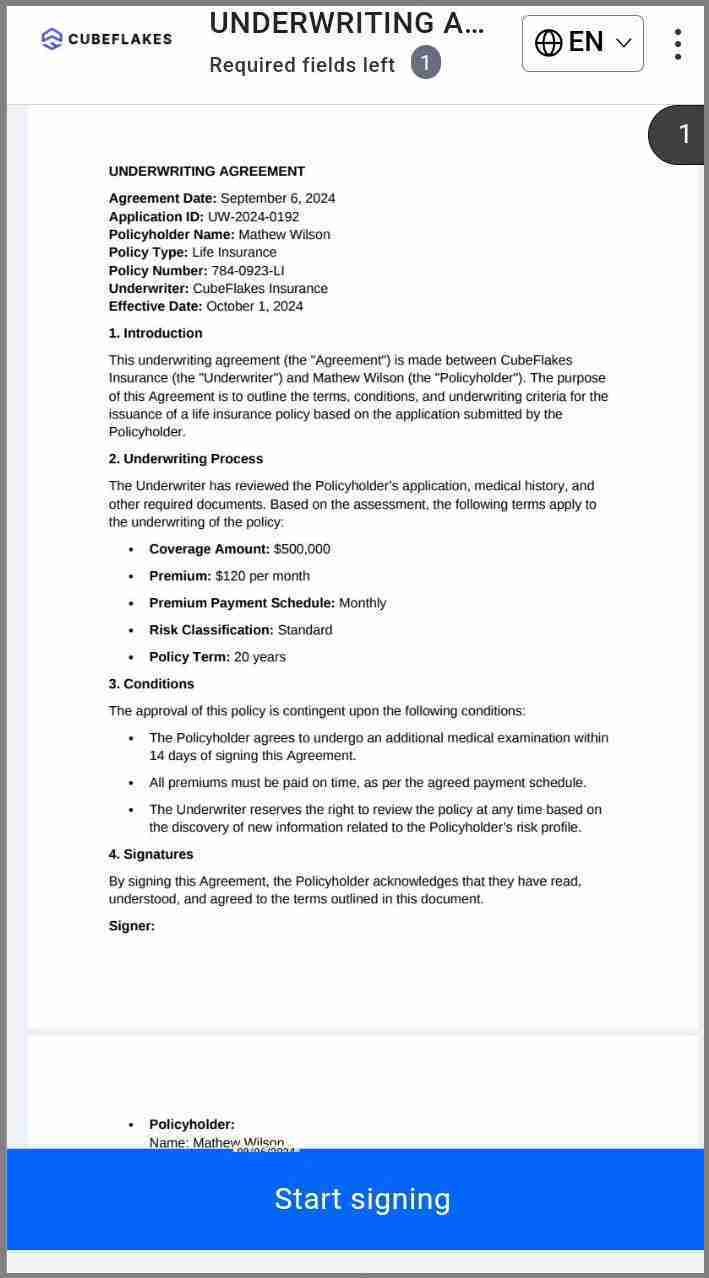
Signers open the link in any phone browser and sign without an account or an app. Your own team can also send and track documents from the BoldSign mobile app.
How do you build a partner approvals tracker for underwriting policy sign-offs?
You can skip the spreadsheet. The BoldSign dashboard already works as a partner approvals tracker, because it groups every document by status.
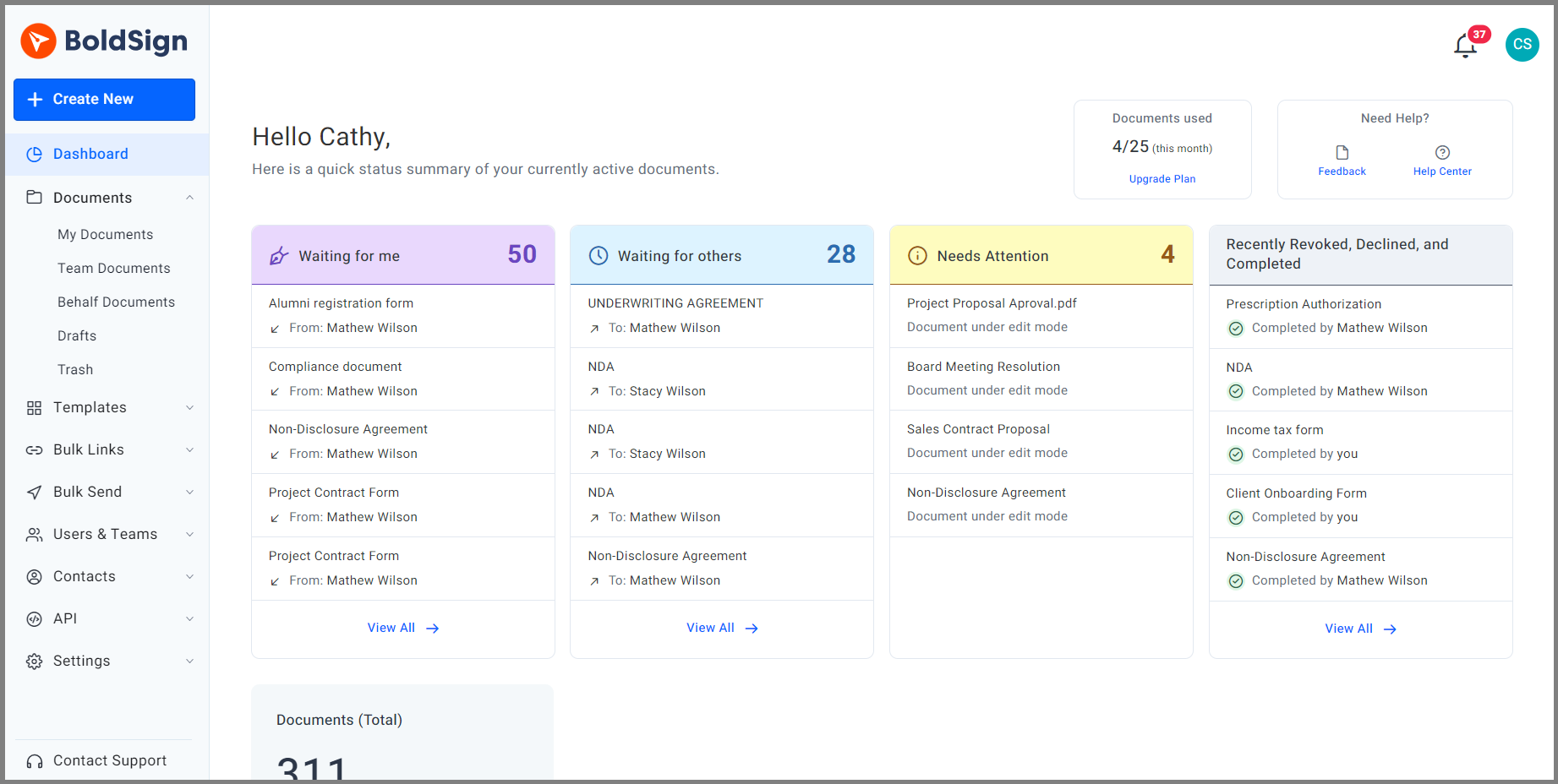
- Send each policy for signature with the partner added as a signer.
- Add a label such as “underwriting policy sign-offs” so these files stay together.
- Open My Documents and filter by Waiting for others.
- Open a document to see who has viewed it and who has signed.
Automatic reminders go to anyone who has not signed yet. They stop on their own once the document is complete.
How does the signer complete the agreement?
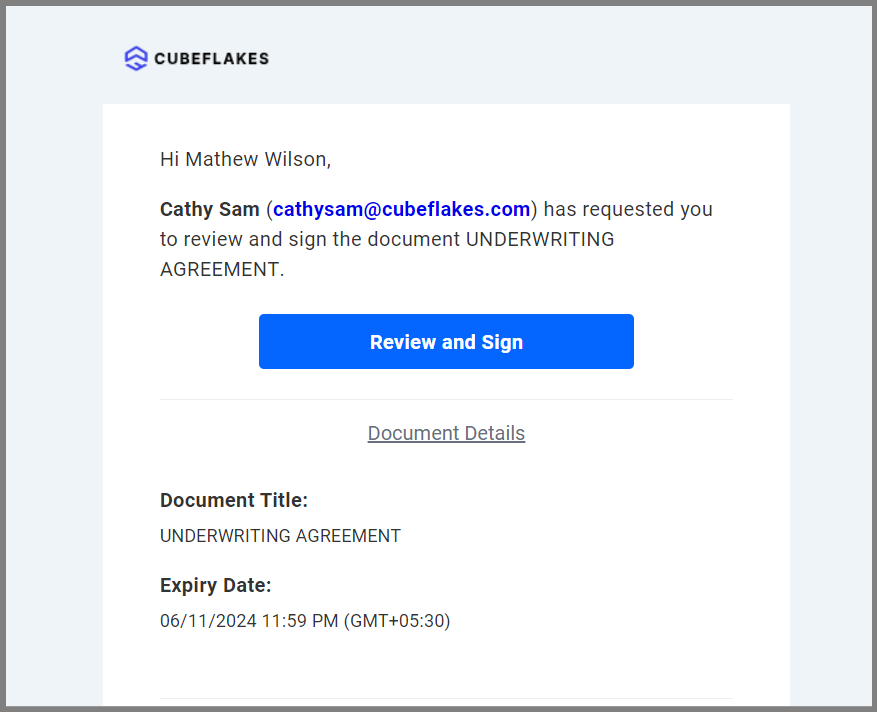
The signer needs only an email address. Here is what they see.
- Open the email and select Review and Sign.
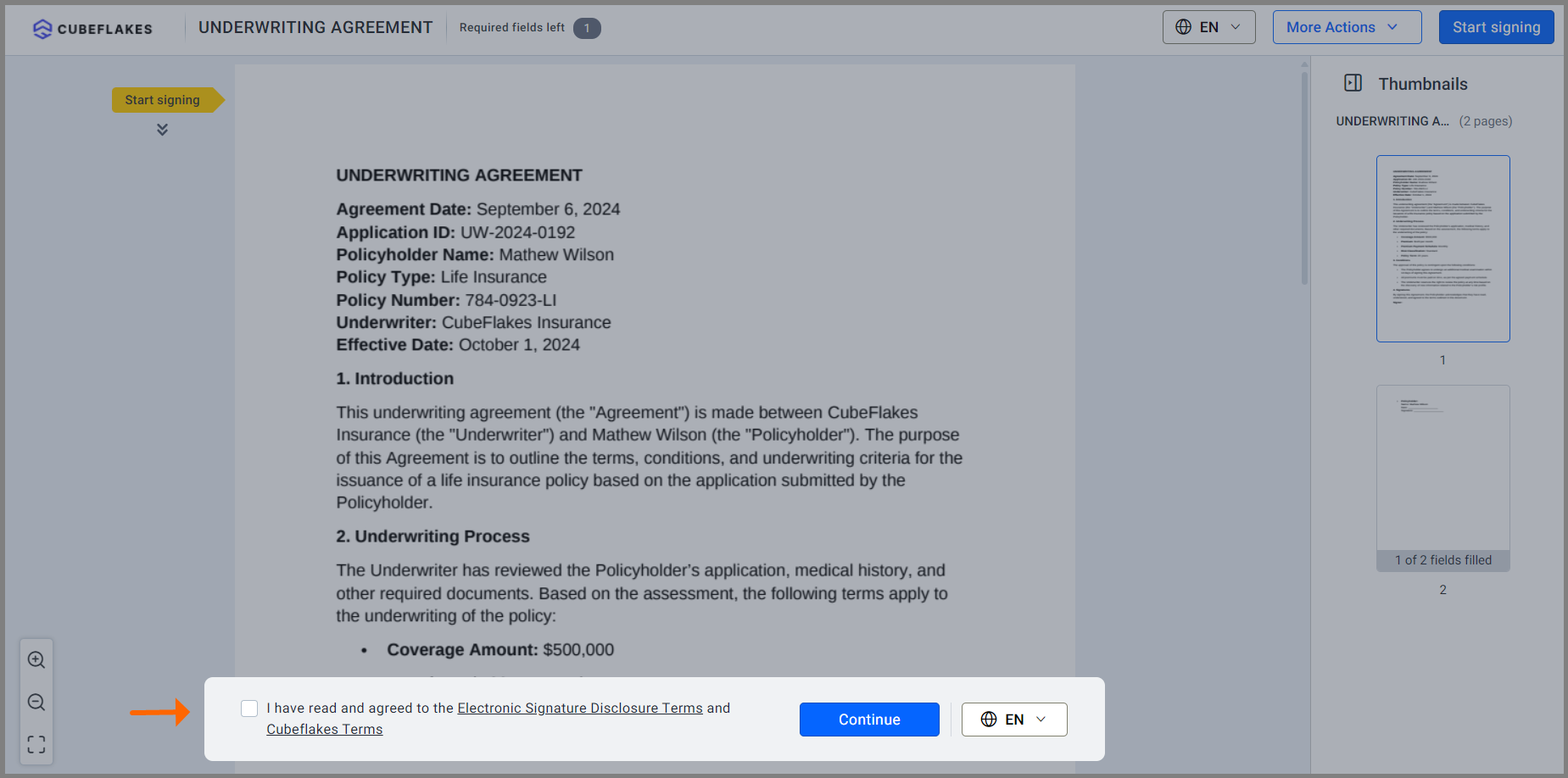
- Tick the box to agree to the terms, then select Continue.
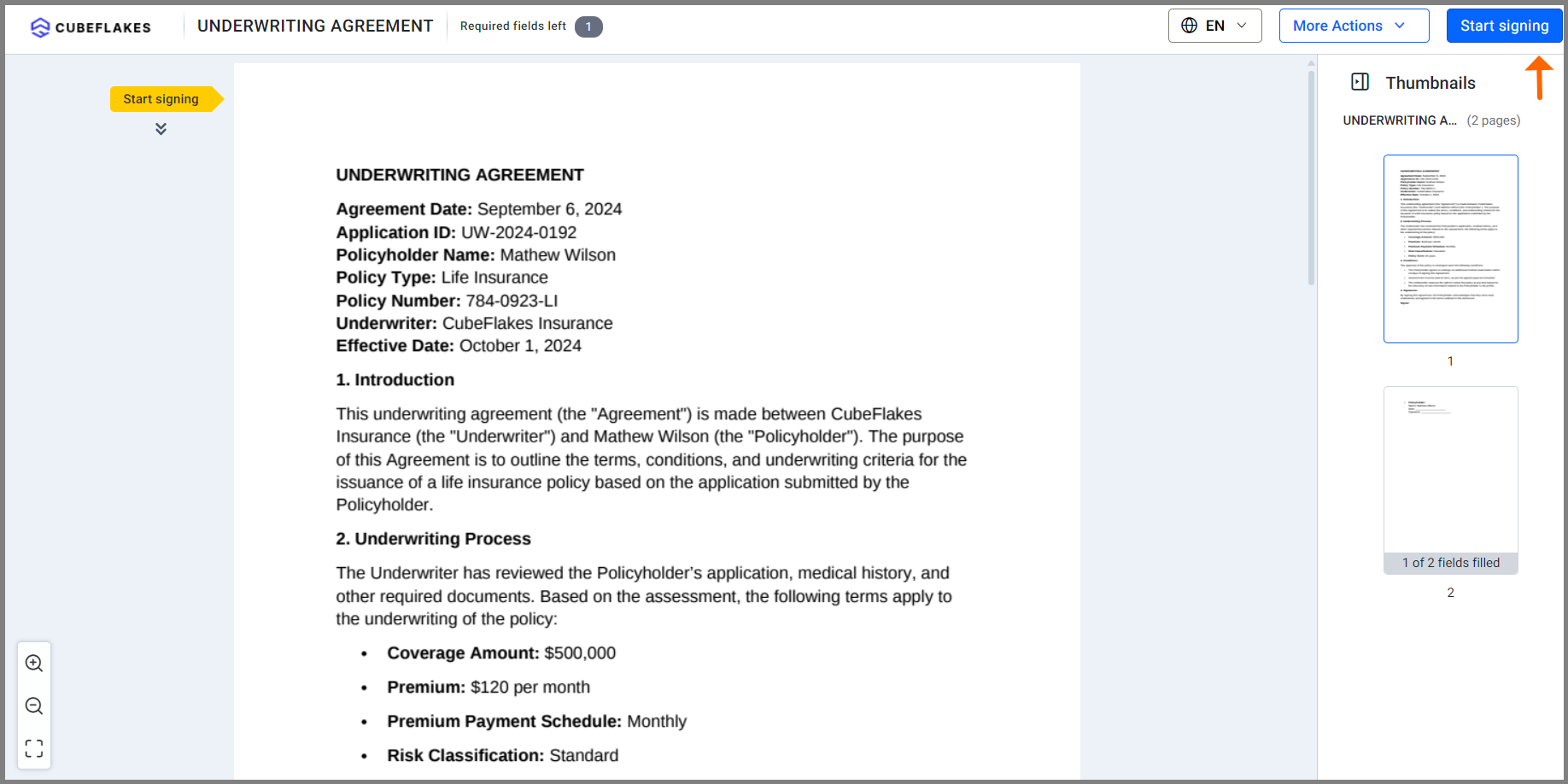
- Read the document and select Start Signing.
- Fill in each field, then select Finish.
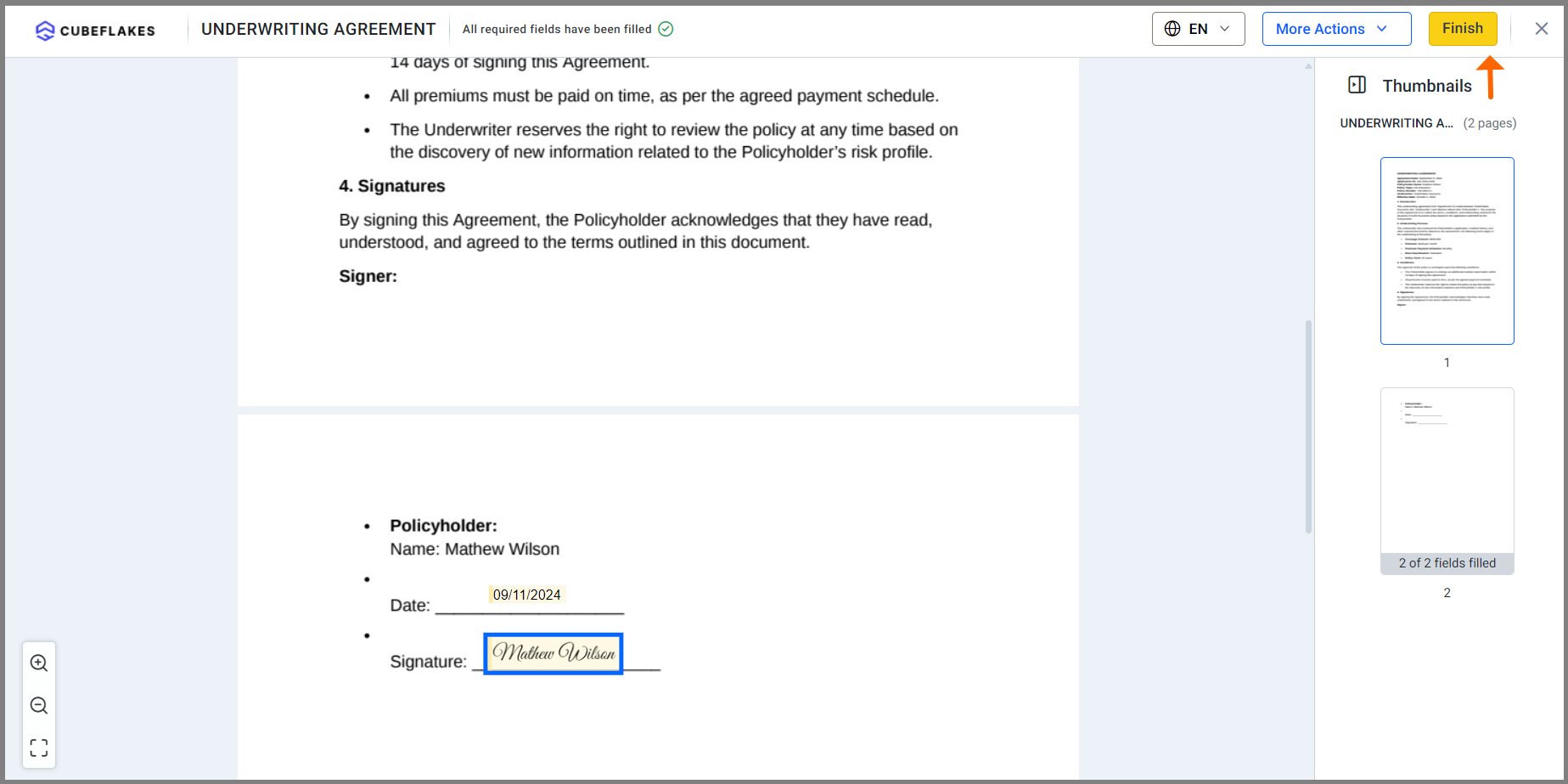
Is an electronically signed underwriting agreement legally valid?
Yes, when the parties agree to sign electronically and keep the signed record. The US Electronic Signatures in Global and National Commerce (ESIGN) Act says a contract cannot lose legal effect only because it was signed electronically.
The same law states that it applies to the business of insurance. Rules for some notices and some countries differ, so check with your legal team for each document type.
What records does BoldSign keep?
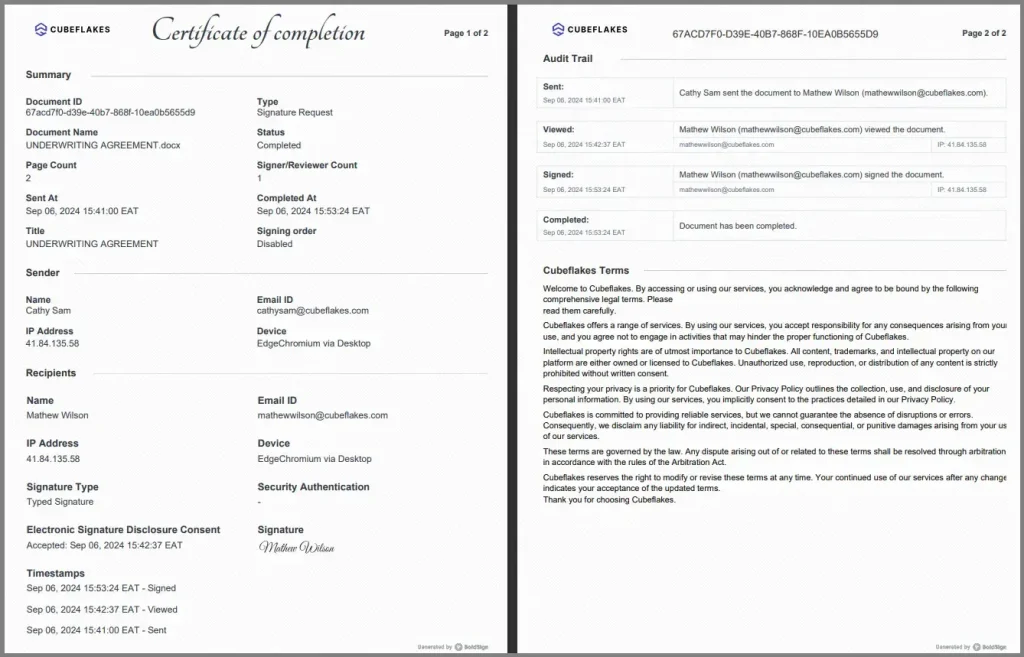
Every completed document comes with an audit trail. It records who opened, signed and downloaded the document, with the time and internet protocol (IP) address.
An independent auditor checks our controls under the System and Organization Controls (SOC) framework, and we hold a SOC 2 Type 2 report. We also support the General Data Protection Regulation (GDPR) for clients in the EU.
Which BoldSign plan do you need, and what does it cost?
Most underwriting teams fit the Business plan, at $15 per user a month billed yearly. It includes ID verification, codes sent by text message, unlimited templates and unlimited brands.
Premium costs $99 a month for unlimited users and also includes text message codes and ID verification. Each completed ID check costs $2 on top of the plan price.
The free Essential plan includes 2 templates and one brand. Growth costs $5 per user a month and includes 10 templates and 2 brands. Neither includes ID verification or SMS OTP codes.
All prices are in USD, billed yearly, as listed on the BoldSign pricing page in November 2026.
Where do you start with underwriting agreement signatures?
Send one real underwriting form to a colleague and test the signing order first.
- Start a 30-day free trial and send your first agreement.
- Book a demo to see an underwriting workflow set up for your team.
- Explore our eSignature features to plan the rest of your insurance forms.
Have a question about a document you already sent? Contact our support team.
Frequently asked questions
What is an underwriting agreement in insurance?
In insurance, the phrase usually covers the papers signed while an insurer judges a risk and sets the premium. These include the application, risk forms, disclosures and the final approval.
What is an underwriter agreement in securities?
It is the contract between a company selling new shares and the firm that agrees to buy and resell them. It sets the price, the number of shares and each side's duties.
Can an underwriting agreement be signed electronically?
Yes, when the parties agree to sign electronically and the signed record is kept. The US ESIGN Act states that it applies to the business of insurance.
Do applicants need a BoldSign account to sign?
No. Each signer gets a link by email and signs in a web browser. They can sign on a phone, tablet or computer without an app.
Can I control who signs first on an underwriting form?
Yes. You add every signer and set the order they sign in. Each person signs only the fields you assign to them.
How do I check a signer's identity before they open the document?
Add a check to that signer when you send. You can ask for an access code, a one-time code by email or text, or a photo ID with a selfie.
How do I see which policy sign-offs are still waiting?
Open the dashboard or My Documents and filter by Waiting for others. Each document shows which signers have viewed it and which have signed.
How much does BoldSign cost for an underwriting team?
The Essential plan is free. Growth is $5 per user a month and Business is $15 per user a month, billed yearly in USD. You can try paid features with a 30-day free trial.

Rowan Sam Kerongo Makori
Rowan contributes to the BoldSign blogs and helps the articles team. He is passionate about writing high-quality and informative content. His interests include reading books, writing, and exploring.
More posts by Rowan Sam Kerongo Makori