Track Approvals and Sign-Offs with a Construction Audit Trail
 BoldSign Team
TL;DR: A construction audit trail is a record of who viewed, approved and signed each project document, and when. Send approvals through an eSignature tool that writes this record for you, then keep it with the signed file. Our eSignature for construction page shows how this works on a job.
A change order needs three signatures before work can start. The PDF on your laptop shows the names, but not who signed first. It also cannot tell you whether the subcontractor saw the latest version.
Weeks later, the owner asks who approved the extra cost. You search email threads and guess. This guide shows how an audit trail answers that question in one file.
What is a construction audit trail?
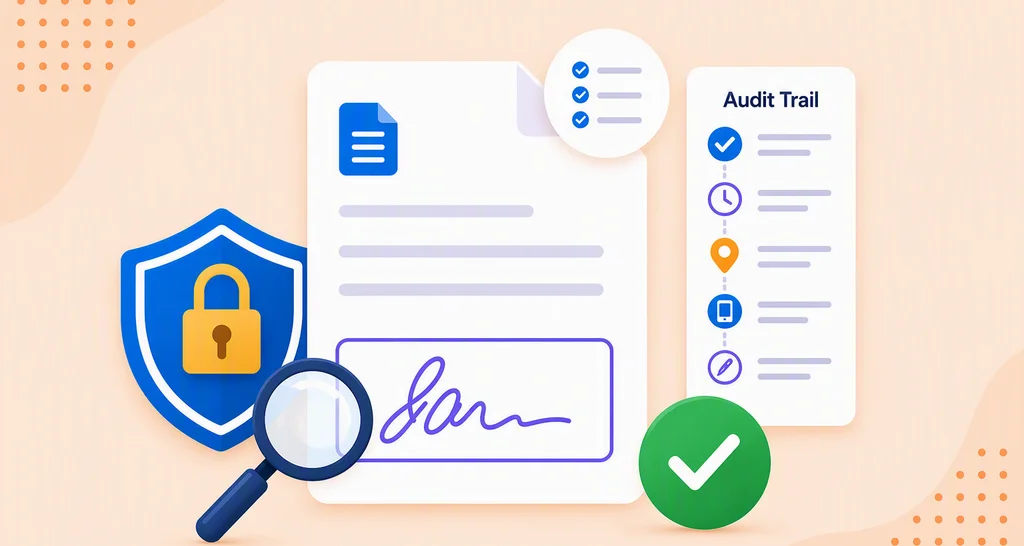
A construction audit trail is a record of every action on a project document, with the date and time. It shows who opened it, who approved it and the exact time of each step.
Think of the sign-in sheet at a site gate. It tells you who came on site and when, without anyone having to remember. An audit trail does the same for a change order, a request for information (RFI) or a submittal.
What should an audit trail record for each approval?
A useful audit trail ties each approval to a person, a time and a document. Without all three, the record is easy to question.
For construction approvals, look for these details:
- The document name, ID, status and signing order
- Each person’s name, email, internet protocol (IP) address and device
- How each signer proved who they were before signing
- The date and time of every view, signature and other action
Why do email chains and file names fail as proof?
Email chains and file names show that a file moved, not who approved it. A name typed on a spreadsheet can be changed by anyone with access.
Most teams start with folder names such as v1_FINAL.pdf, email threads and a sign-off sheet. Each one breaks in a familiar way:
- A file name says nothing about who signed it.
- Email threads split when someone replies from a phone.
- A spreadsheet row can be edited after the fact.
On a busy job, that gap shows up in the worst places. A disputed change order can hold up payment, as our guide on unsigned change orders explains.
Is an audit trail worth it for a small construction team?
Yes, for most small teams the effort is close to zero. The eSignature tool writes the record while you send documents as usual.
The payoff comes when someone asks a question you cannot answer from memory. Picture a site engineer approving an RFI response on a phone between site checks. A month later, the owner asks who approved it.
With an audit trail, the engineer opens one file that shows the name, the time and the document.
A small team has fewer people to chase down for answers. That makes a written record more useful, not less.
How do you keep an audit trail of sign-offs?
Route every approval through one system that records it, then file the record with the signed copy. Five steps cover it:
- Pick the documents that need proof, such as change orders, RFIs, submittals and lien waivers.
- Send each one for signature from an eSignature tool, not as an email attachment.
- Ask signers to confirm who they are with a code before they open it.
- Download the signed file and its audit trail once everyone has signed.
- Save both in the job folder under the same document name.
See our guide to multi-party approvals on construction contracts for approvals that pass through several people in a set order.
How does BoldSign record approvals on construction documents?
We write an audit trail for every document you send, from the moment you send it until the last signature. You can download it once all signers have signed.
Our help article on what the audit trail contains lists every part. It includes the signature type, such as typed, drawn or image, and who accessed the document.
Subcontractors and owners sign from a link on any device, with no BoldSign account. You can also ask them to enter a code before the document opens. Our signer authentication page lists the options.
How do you download the audit trail?
Download it from the document list or from the document’s own page. Follow these steps:
- Go to Documents, then My Documents.
- Open the menu at the right end of the document’s row.
- Select Download audit trail.
You can also open the document and choose Download audit trail from More actions. You can download audit trails only for documents you sent or received. Our article on how to download the audit trail shows each screen.
To send a document first, follow our guide on how to send and sign documents online.
Can the audit trail travel inside the signed PDF?
Yes. Turn on Combine Audit Trail in a brand’s settings, and the signed PDF carries the audit trail at the end.
Only an account admin can open the Branding page. Once the option is on, Download audit trail no longer appears on My Documents. Our article on how to combine signed and audit trail documents walks through it.
How do you send a document and get its audit trail with the BoldSign API?
Developers can send a document and download its audit log with two calls. Replace the API key, file and document ID placeholders with your own values.
# Send document for signature request
curl -X 'POST' \
  'https://api.boldsign.com/v1/document/send' \
  -H 'accept: application/json' \
  -H 'X-API-KEY: {your API key}' \
  -H 'Content-Type: application/json' \
  -d '{
  "DisableExpiryAlert": false,
  "ReminderSettings": {
    "ReminderDays": 5,
    "ReminderCount": 3,
    "EnableAutoReminder": true
  },
  "BrandId": "",
  "EnableReassign": true,
  "Message": "",
  "Signers": [
    {
      "Name": "Alex",
      "EmailAddress": "alex@example.com",
      "SignerType": "Signer",
      "FormFields": [
        {
          "Id": "string",
          "Name": "string",
          "FieldType": "Signature",
          "PageNumber": 1,
          "Bounds": {
            "X": 50,
            "Y": 50,
            "Width": 125,
            "Height": 25
          },
          "IsRequired": true
        },
        {
          "Id": "string",
          "Name": "string",
          "FieldType": "Label",
          "PageNumber": 1,
          "Bounds": {
            "X": 150,
            "Y": 250,
            "Width": 125,
            "Height": 25
          },
          "IsRequired": true,
          "Value": "string",
          "BackgroundHexColor": "string"
        }
      ],
      "Locale": "EN"
    }
  ],
  "ExpiryDays": 30,
  "EnablePrintAndSign": false,
  "AutoDetectFields": false,
  "OnBehalfOf": "",
  "EnableSigningOrder": false,
  "UseTextTags": false,
  "SendLinkValidTill": "",
  "Files": [
    "data:application/pdf;base64,JVBERi0xLjcKJcfs..."
  ],
  "Title": "Sampledocument",
  "HideDocumentId": false,
  "EnableEmbeddedSigning": false,
  "ExpiryDateType": "Days",
  "ExpiryValue": 60,
  "DisableEmails": false,
  "DisableSMS": false,
  "MetaData": {
    "DocumentType": "new",
    "DocumentCategory": "Software"
  }
}'

# Download audit trail
curl -X GET \
  'https://api.boldsign.com/v1/document/downloadAuditLog?documentId={{:documentId}}' \
  -H 'accept: application/json' \
  -H 'X-API-KEY: {your-api-key}'
//Send document for Signature request
import { DocumentApi, DocumentSigner, FormField, Rectangle, SendForSign } from "boldsign";
import * as fs from "fs";
const documentApi = new DocumentApi();
documentApi.setApiKey("YOUR_API_KEY");
const bounds = new Rectangle();
bounds.x = 100;
bounds.y = 50;
bounds.width = 100;
bounds.height = 100;
const formField = new FormField();
formField.fieldType = FormField.FieldTypeEnum.Signature;
formField.pageNumber = 1;
formField.bounds = bounds;
const documentSigner = new DocumentSigner();
documentSigner.name = "Alex";
documentSigner.emailAddress = "alex@example.com";
documentSigner.signerType = DocumentSigner.SignerTypeEnum.Signer;
documentSigner.formFields = [formField];
const files = fs.createReadStream("YOUR_FILE_PATH");
const sendForSign = new SendForSign();
sendForSign.title = "Agreement";
sendForSign.signers = [documentSigner];
sendForSign.files = [files];
const documentCreated = documentApi.sendDocument(sendForSign);
//Download Audit trail
const documentStream = documentApi.downloadAuditLog("YOUR_DOCUMENT_ID");What should you watch out for?
An audit trail proves only what went through the system. Approvals given by phone or in a hallway leave no trace.
- Send every approval, even small ones, as a signature request.
- Turn on a signer check for change orders that move money.
- Keep the signed file and its audit trail together for the life of the project.
- Show field staff where to find the audit trail on a signed document.
How does an audit trail compare with paper and email sign-offs?
The difference shows up the moment someone questions an approval. This table sums up the two ways of working.
| Area | Paper, email and file names | eSignature audit trail |
|---|---|---|
| Finding the record | Spread across inboxes and folders | One signed file with its audit trail |
| Who approved | A name on a sheet or in a message | Name, email, IP address and device |
| When | The date someone wrote down | The time of every action |
| Disputes | Slow, with little proof | One file to share |
Which BoldSign plan do you need for an audit trail, and what does it cost?
Every plan includes the audit trail and email authentication. The plans differ mostly in templates, envelopes, brands and extra checks.
The free Essential plan includes 2 templates, 25 envelopes a month and 1 brand. The Growth plan costs $5 per user a month, with 10 templates, 50 envelopes a month and 2 brands. The Business plan costs $15 per user a month, with unlimited templates, envelopes and brands, plus text message codes and single sign-on.
The Premium plan costs $99 a month for unlimited users, with 250 envelopes a month and unlimited brands. Live use of the BoldSign API needs the Enterprise API plan, from $30 a month with 40 envelopes, after testing in a free sandbox.
All prices are in USD and billed yearly, as listed on our pricing page in November 2026.
How can you start keeping an audit trail today?
Send your next change order through BoldSign and download its audit trail when it is signed. These links help you take the next step:
- Start a 30-day free trial and send a test change order.
- Request a demo to see an audit trail on a sample project.
- Read how eSignatures speed up construction approvals across a whole project.
Frequently asked questions
How do I keep an audit trail of process sign offs and is it worth it for a small team?
Send each sign-off through an eSignature tool that writes the audit trail for you, then save it with the signed file. It is worth it for a small team, since one disputed change order can cost more time than the setup.
What is an audit trail in construction?
It is a record of each action on a project document, such as each view and signature, with its time. It turns an approval into something you can show, not just remember.
What information does an audit trail document contain?
Ours lists the document ID, name, status and signing order. It also shows each person's name, email, IP address and device. You also see how each signer was verified and when each action happened.
When can I download the audit trail in BoldSign?
Once every signer has signed. Open the document from My Documents and choose Download audit trail from the menu or from More actions.
Can the audit trail be added to the signed PDF?
Yes. An account admin turns on Combine Audit Trail in a brand's settings. Signed documents sent with that brand then carry the audit trail as their last pages.
Is an electronically signed change order with an audit trail legally binding?
Yes, when both parties agree to sign electronically and the signed record is kept. Check the rules for your contract type and your state before you rely on it.
Do subcontractors need a BoldSign account to sign?
No. Subcontractors and owners sign from a link on any device, on site or off. Their actions still appear in the audit trail.
Can I download an audit trail with the BoldSign API?
Yes. The API has a call that downloads the audit log for a document ID. You can test it in a free sandbox, and live use needs the Enterprise API plan.

BoldSign Team
The official team behind BoldSign—the simple, secure eSignature solution trusted by businesses worldwide. Our platform helps individuals and teams create, sign, and manage documents effortlessly while maintaining full compliance. Experience BoldSign yourself with a free trial or request a personalized demo to see it in action.
More posts by BoldSign Team