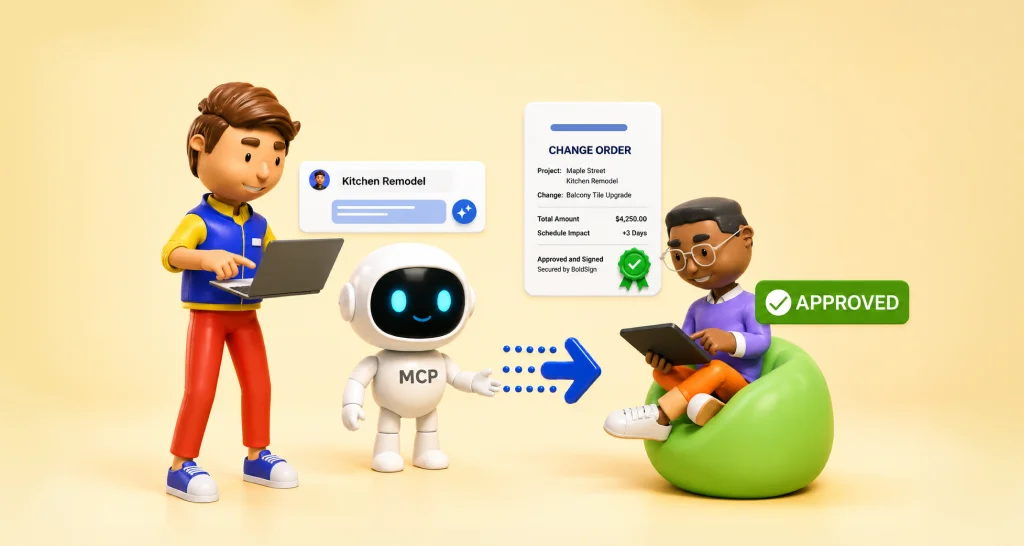
Unsigned Change Orders Are Unpaid Work: What the Gap Costs
 Meikanda Nayanar
TL;DR: An unsigned change order means extra work went ahead on a spoken yes, with no signed record of its price. That gap can leave you unpaid, stall the job or start a dispute. With our eSignature for construction, your client signs the change order on a phone the same day.
On most building jobs, the talk happens before the paperwork. A homeowner asks for an extra window, or the crew finds rot behind a wall. The crew keeps going because the schedule will not wait.
The change order often lags behind that decision. The crew orders materials and the hours pile up while the paperwork waits. A simple agreement on site can turn into a payment argument when the final invoice arrives.
What does an unsigned change order mean?
The unsigned order meaning is simple: the client agreed to a change and the crew started, but nobody signed the change order. The client said yes on the phone on Tuesday, and the crew is already cutting.
A change order is the short document that updates a construction contract when the job changes. Once both sides sign it, it becomes part of the contract. Our beginner guide on what a change order is and how to get one signed covers more.
Think of it like adding a dish after you order at a restaurant. The waiter writes it on your ticket, so the bill matches what you asked for. A change order is that note on the ticket.
What does a change order need to include?
A complete change order answers five questions. Whatever form your contract uses, check each one before you send.
- Which contract does it amend, and on what date was the change agreed?
- What is different? Describe the changed scope in plain words.
- What does it cost? Give the price and the new contract total.
- How does the date move? Give the added days and the revised finish date.
- Who has to approve it? Name everyone the original contract requires.
Record added time even when the price is the main change. Otherwise the extra work can make the job look late against its first deadline.
What happens when a change order goes unsigned?
An unsigned change order can hurt you in three ways: unpaid work, a stalled schedule and a dispute. Each one starts with the gap between the spoken yes and the signature.
Unpaid work
A spoken go-ahead feels firm on a Tuesday afternoon. Six weeks later, when the invoice lands, memories can differ. You then either absorb the bill or try to prove a conversation.
A stalled schedule
Crews may stand idle while a PDF sits unopened in an inbox, and idle crews still get paid. The delay comes from waiting for approval, and nobody quotes for that wait.
A dispute
A missing signature leaves you without a clear record of what was agreed. A small disagreement can then drag on for months. Meanwhile, you carry the bill for work already done.
The client loses out too. The new price lives only in memory, so a surprise line item can appear on the final invoice.
Why does the signature lag behind the spoken yes?
The signature lags because each paper step waits for the next free moment. A normal week shows how one change can stretch out.
- Tuesday: the client agrees to the change on site.
- Wednesday: someone copies the last change order into a new draft.
- Thursday: the draft goes out by email as an attachment.
- Next Monday: the client opens it on a phone, then prints, signs and scans it.
The crew started work somewhere in the middle. Stopping the crew puts the schedule at risk, so most contractors carry on and accept the gap. The fix is to make the signature almost as quick as the spoken yes.
How do you get a change order signed the same day?
Send the change order from a ready template while the change is fresh, and let the client sign on a phone. With a template, nobody has to draft from scratch.
Set up your change order process first. Construction Contract Basics: What Every Project Agreement Should Include explains what counts as a change and who approves it.
- Save your change order as a template with fields for scope, price and dates.
- Fill in the details as soon as the client agrees to the change.
- Send it for signature, and the client signs from a phone or computer.
- Let automatic reminders follow up until the client signs.
- Start the work once the signed copy is back.
Picture 20 jobs a year with four change orders each. That makes 80 documents a year, each one signed before work starts or missing when an invoice is questioned.
Can an artificial intelligence (AI) agent send the change order for you?
Yes. An AI assistant such as Claude can send your approved template through the BoldSign Model Context Protocol (MCP) server.
For example, you type “Send the Hendersons a change order for the rot repair” in the chat. The agent fills the template and sends it, and the client signs from their own inbox. The agent never signs for your client, and every send lands on the audit trail.
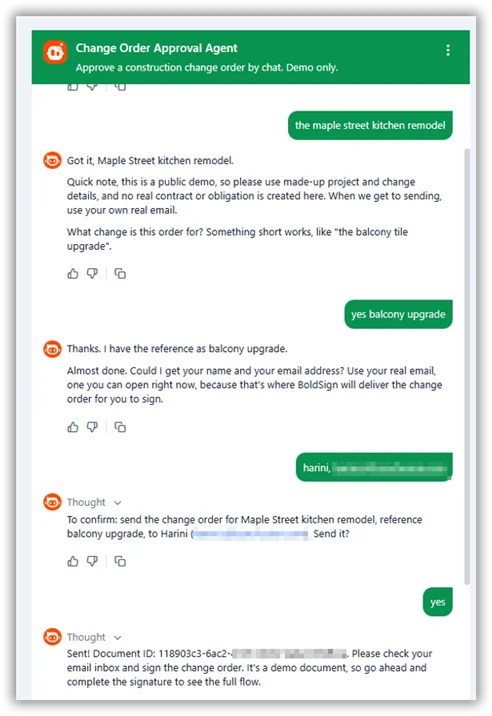
Try our live Change Order Approval Agent, where the documents and amounts are fictional. You can also read how to build one for your own business or try the no-code version using Claude Desktop. Our AI eSignature agents page shows more ways to use the same server.
Is an electronically signed change order legally valid?
Yes, when both sides agree to sign electronically. In the US, the Electronic Signatures in Global and National Commerce (ESIGN) Act covers this.
Under that act, no rule may deny a contract legal effect solely because the parties signed it electronically.
The same act lets a state that adopts the Uniform Electronic Transactions Act (UETA) use it in place of the federal rule, under section 7002. Our UETA and ESIGN Act page explains how the two fit together.
A homeowner who hires you for their own home counts as a consumer under the act. Some information that a law says a consumer must get in writing needs their consent to electronic records first. Check whether your state adds its own rules for home improvement contracts.
In the EU, Article 25 of the electronic identification and trust services (eIDAS) Regulation gives electronic signatures similar standing.
Does an electronically signed change order hold up later?
A signed change order holds up when the record shows what was signed and when. Every document we complete carries a tamper-evident seal and an audit trail.
- The seal shows whether anyone changed the signed price or scope afterwards.
- The audit trail records when the request was sent, viewed and signed.
- You download the signed copy together with its audit trail.
Our guide to producing electronic signature evidence for litigation or arbitration covers what a court or an arbitrator may ask for.
Which BoldSign plan do you need for change orders, and what does it cost?
Every plan sends change orders with automated reminders and an audit trail. The plans differ mainly in how many templates you can save.
The free Essential plan holds 2 templates, and the Growth plan, at $5 per user a month, holds 10. The Business plan at $15 per user a month and the Premium plan at $99 a month for unlimited users hold unlimited templates. Template locking, which keeps senders from editing your approved wording, starts on the Growth plan.
Sending through an AI agent needs the Enterprise API plan, from $30 a month with 40 envelopes and $0.75 per extra envelope. You can test the agent in the free API sandbox first. Prices are in USD, with the Essential, Growth, Business and Premium prices billed yearly, as listed on the BoldSign pricing page in November 2026.
How do you close the signature gap before the crew starts work?
Each unsigned change order is a bet that the client will remember the deal and pay. A template and a same-day signature turn that bet into a signed record.
- Start a 30-day free trial and build your first change order template.
- Book a demo to see a change order sent and signed.
- See eSignature for construction for subcontracts, change orders and lien waivers.
Frequently asked questions
What happens if work is done without a signed change order?
You may struggle to get paid for it. The extra price then rests on a conversation, and you would have to prove what the client agreed to.
What does a change order need to include?
It needs the contract it amends, the changed scope and its price. Add the new contract total, any added days and the date the change was agreed.
What is the difference between a change order and a change order request?
A request proposes a change and its price. A change order is the signed document that amends the contract. Work done on a request alone carries the risk of going unpaid.
How do I get a change order signed quickly?
Send it from a ready template as soon as the change is agreed. Your client can then sign it on a phone the same day, and reminders follow up for you.
Who has to sign a change order?
Everyone whose approval the original contract requires. On a home job that is usually the homeowner and the contractor. Larger jobs can add an architect, an engineer or a lender.
Is an e-signed change order legally valid for a home remodeling job, or do I need a paper signature?
Yes, when both sides agree to sign electronically. The US Electronic Signatures in Global and National Commerce (ESIGN) Act keeps a contract's legal effect when it is signed electronically. Check your state's home improvement rules too.
Does the change order agent sign the change order?
No. The agent fills your approved template and sends it for signature. Your client reviews and signs it on their own device, with the same audit trail as any other request.
Should a client ask for a change order before extra work starts?
Yes. A signed change order fixes the new price in writing, so the client sees it before the final invoice. Asking for one protects the client as much as the contractor.

Meikanda Nayanar
A veteran product manager at BoldSign, boasting a decade-long journey as a .NET developer. With a rich history of leading product development across diverse technologies like Windows Forms, WPF, UWP, Xamarin.Forms, Flutter, and MAUI, Meikandan brings a unique blend of technical expertise and strategic insight to the table. Connect with him on LinkedIn.
More posts by Meikanda Nayanar