E-Signature Retention: How Long Should You Keep Signed Records?
 Christine Akinyi Omolo
TL;DR: Keep an electronic signature for as long as the law makes you keep the signed record, and keep its audit trail with it. The Electronic Signatures in Global and National Commerce (ESIGN) Act accepts an electronic copy that stays accurate and accessible for that whole period. Our eSignature audit trail travels with every signed document.
An auditor asks for a contract you signed online two years ago. You find the PDF quickly. Then the next question comes: who signed it, when, and can you show the file has stayed the same?
A privacy review can ask the opposite question: why do you still hold this person’s data? This guide shows how long to keep signed records, what to keep with them, and how to delete them on time.
What is electronic signature retention?
Electronic signature retention means keeping a signed electronic document, and the proof behind its signature, for as long as you need it. The period comes from the rules for the document, not from the signature.
Think of a receipt stapled to a warranty card. The card matters while the warranty runs, and the receipt has to stay with it the whole time.
A signature works the same way. Its audit trail is the receipt, and it should last as long as the signed record.
What are the two requirements that must be met to retain electronic records?
First, the electronic records must accurately reflect the information contained in the applicable document. Second, they must remain accessible for the duration of the retention period.
Both tests come from section 7001(d) of the ESIGN Act. The record must stay open to everyone the law entitles to see it. You must also be able to reproduce it accurately later.
The law sets no number of years. Instead, the period comes from the rule that already covers the record, such as a tax or labor rule. The same section lets an accurate electronic copy stand in for a paper original.
How long should you keep e-signed records?
Keep each record for the longest period that any law or contract term sets for it. The eSignature records retention requirements for signed contracts come from the law behind each contract, so the period differs by document.
The table shows a few US federal rules, from the Code of Federal Regulations (CFR) and the United States Code (USC). State laws and your own contracts can ask for longer.
| Record | Federal rule | How long to keep it |
|---|---|---|
| Health Insurance Portability and Accountability Act (HIPAA) security documentation | 45 CFR 164.316(b)(2) | 6 years from creation or the date it was last in effect, whichever is later |
| Payroll records and employment contracts under federal wage rules | 29 CFR 516.5 | At least 3 years |
| Personnel records under Equal Employment Opportunity Commission (EEOC) rules | 29 CFR 1602.14 | 1 year from the record or the personnel action, whichever is later |
| Records behind a federal tax return | 26 USC 6501(a) | The Internal Revenue Service (IRS) has 3 years after filing to assess more tax, with longer exceptions |
Signed commercial contracts follow each state’s statute of limitations: the time someone has to sue. Ask your lawyer for the period in your state, and add a margin.
Which records should you keep with the signature?
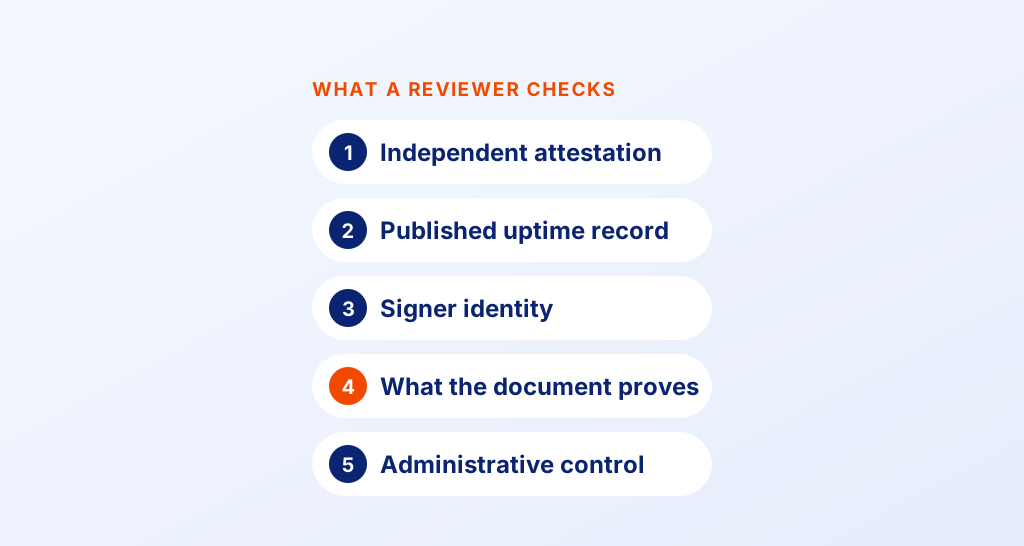
Keep the signed document and the evidence that shows how it was signed. A PDF on its own shows what was agreed, but not who agreed or how.
- The final signed document, sealed so any later edit shows
- The audit trail, with names, times and internet protocol (IP) addresses
- The signer’s consent to sign electronically, where you collected it
- The digital certificate that proves the file stayed the same
Our guide to e-signature audit trails explains each entry in more detail.
What identity evidence should electronic signature software retain for disputes?
Good software keeps proof of who signed and how they proved who they were. In a dispute, these details help show the signature belongs to the person named.
- The email address or phone number the request went to
- The check the signer passed, such as an access code
- The time of each view and signature, with the IP address
- Each change to the document’s status, in order
Our signer authentication options include an access code, a one-time email code and ID verification. Each check the signer passes lands in the audit trail.
How do electronic signature platforms protect and retain signer data?
A platform should encrypt stored documents, limit who can open them, and keep backups. Ask each vendor where its data lives and how long its backups last.
Look for a legal document platform with disaster recovery and data retention policies before signing a long-term vendor contract. A vendor that cannot answer these questions in writing is a risk to your records.
How do we protect signed documents?
Our security policy describes how we store your files.
- We encrypt stored documents with 256-bit Advanced Encryption Standard (AES) encryption.
- We host data on Google Cloud Platform and Microsoft Azure, in the US East, EU, Canada and Australia.
- We keep hourly backups of our main database for 30 days.
- We seal each signed document and audit trail with a digital certificate, so any later change shows.
We have also completed a System and Organization Controls (SOC) 2 Type 2 audit.
How do you set an e-signature data retention policy?
Tie each document type to its retention period, then delete the records once that period ends. Keeping personal data longer than you need adds risk in a privacy review.
- List the documents you sign, such as offer letters, sales contracts and consent forms.
- Note the rule that sets each period, and who on your team owns it.
- Pick the date the clock starts: signing, contract end or an employee’s exit.
- Set deletion to run when the period ends, and pause it during a legal hold.
- Review the schedule each year, as laws and contracts change.
A legal hold is a notice to keep records for a lawsuit or an investigation. Our guide to document retention for signed agreements covers schedules by department.
Which practices support complying with the record retention requirements of the E-Sign Act?
Keep each record accurate, open to the right people and readable for the full period. These habits cover both tests in the law.
- Store the signed PDF and its audit trail together, as one record.
- Limit access by role, and log who opens each file.
- Keep copies as PDF, a format that common readers still open.
- Once a year, test that you can find a contract and its audit trail.
- Keep the schedule in writing, so every team deletes on the same terms.
How do you keep and delete signed documents in BoldSign?
Every signed document comes with an audit trail, and you can download the two merged into one file. You can also set documents to delete on their own after a period you choose.
How do you turn on the Document Deletion Policy?
Our help article on deleting documents automatically lists these steps.
- Open Settings and select Business profile.
- On the Settings tab, turn on Document Deletion Policy.
- Under Document Status Filters, choose Completed, Declined, Revoked or Expired.
- Enter the Number of Days to Retain, from 14 to 1,827 days, then select Save changes.
The policy skips documents sent on behalf of another user. Export what you must keep before the period ends.
What happens to a deleted document?
Deleted documents stay in the trash for up to 30 days, and you can restore them during that time. Our help article on documents in trash explains the options.
After 30 days, the file is gone for good. Delete forever removes a document from the trash at once. Our guide to document deletion and retention covers each setting.
Which BoldSign plan do you need, and what does it cost?
Audit trails come with every plan, including our free Essential plan. Automatic document deletion and ID verification need the Business plan or higher.
The Business plan costs $15 per user a month. The Premium plan costs $99 a month for unlimited users. Both are billed yearly, in USD, as listed on the BoldSign pricing page.
Health Insurance Portability and Accountability Act (HIPAA) support needs the Business or Premium plan. The Enterprise API plan also includes automatic deletion. You can start with a 30-day free trial.
How do you start keeping signed records the right way?
Start with the rule behind each document, then let your software keep and delete records on time. Pick the step that fits you.
- Start a 30-day free trial and send a test document to see its audit trail.
- Request a demo to walk through retention settings with our team.
- Explore the BoldSign web app and how it handles signing from start to finish.
Frequently asked questions
How long should we keep signed contracts?
Keep them for as long as the law or the contract asks, then a little longer. Contract claims follow each state's statute of limitations, so ask your lawyer for the period in your state.
The E-Sign Act allows financial institutions to retain electronic copies of all records only if they are retained for how long?
For the duration of the retention requirement. The Electronic Signatures in Global and National Commerce (ESIGN) Act accepts an electronic copy that stays accurate and accessible for the whole period the law sets.
Is an electronically stored signed contract legally valid?
Yes, when the record stays accurate and open to the people entitled to see it. US federal law says a contract keeps its legal effect even though it is electronic.
How do e-signature platforms store signed documents, and what should I check for retention and access controls?
A platform keeps an encrypted copy of each signed file with its audit trail. Check who can open files, how long backups last, and whether you can set files to delete after a period you choose.
What are good practices for storing e-signed PDFs for a SOC 2 Type 2 audit?
Keep them in one system with access by role, encryption and a log of who opens each file. Write down your retention schedule and follow it. We have completed a SOC 2 Type 2 audit of our own controls.
Is an electronic record enough without the paper original?
Yes, when it stays accurate and accessible for the full period. The ESIGN Act says such a record meets a rule that asks for an original.
Does deleting a signed document in BoldSign remove it at once?
Deleted documents stay in the trash for up to 30 days, and you can restore them in that time. Choose Delete forever to remove one from the trash straight away.
Should I keep the audit trail with the signed document?
Yes. The document shows what was agreed, and the audit trail shows who signed it, when and how. Keep both for the same period.

Christine Akinyi Omolo
Christine Akinyi Omolo is a lawyer at Syncfusion, where she manages corporate legal matters, drafts insightful legal blogs, and creates clear, practical contract templates. She is committed to simplifying complex legal concepts and supporting organizations with effective, business‑aligned legal solutions. Connect with her on LinkedIn.
More posts by Christine Akinyi Omolo