How to Renew, Extend or Amend a Lease Online with eSignatures
 Evans Omondi Otieno
TL;DR: To renew or extend a lease digitally, write a short renewal addendum, upload it to an eSignature app, add each signer and send it. Everyone signs from a link on a phone or computer, and you get a signed copy with an audit trail. Our eSignature for real estate page shows how property teams use this.
A tenant’s lease ends in six weeks. You want to keep the tenant, raise the rent a little and add a pet clause. On paper, that means printing, posting or meeting up, and waiting for each page to come back.
Online lease signing turns that into one email per signer. This guide covers what eSign means for a lease, how to send a renewal or amendment, and what it costs.
What is the process for renewing or extending a lease digitally?
You put the new terms in writing, send them for eSignature, and keep the signed copy. The steps are the same whether you renew, extend or amend.
Think of it like a note clipped to a signed paper lease. The note says “the new rent starts on July 1” and both people sign it. The original lease stays as it was.
- Check the current lease for its end date and any notice terms.
- Write the renewal or amendment as a short document.
- Upload it and add every lease signer, such as tenants and the landlord.
- Place signature, initials and date fields, then send it.
- Track who has signed and keep the finished copy with its audit trail.
How do I renew or extend a lease digitally? Follow these five steps for each lease. With many units, a saved template keeps each renewal in the same form.
How do I e-sign a lease renewal addendum without redoing the whole lease?
Send only the addendum. It names the original lease, states what changes, and says the rest stays the same.
A renewal addendum usually holds a few items:
- The names of the parties and the address of the unit
- The date of the original lease
- The new end date and the new rent, if any
- Any clause you add or remove
- A line that keeps all other terms in force
Our guide on how to create and use a lease renewal template online covers what to check before you fill in the details. You keep the old signed lease and the new addendum side by side.
How do you send a lease renewal with BoldSign?
With the addendum written, the sending part takes a few minutes. Log in to your BoldSign account, or start a 30-day free trial to try it.
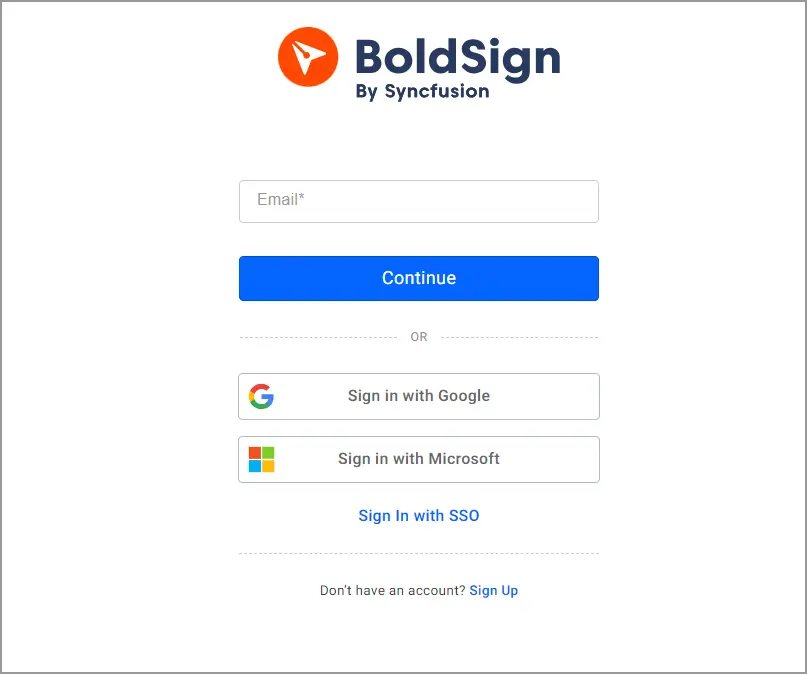
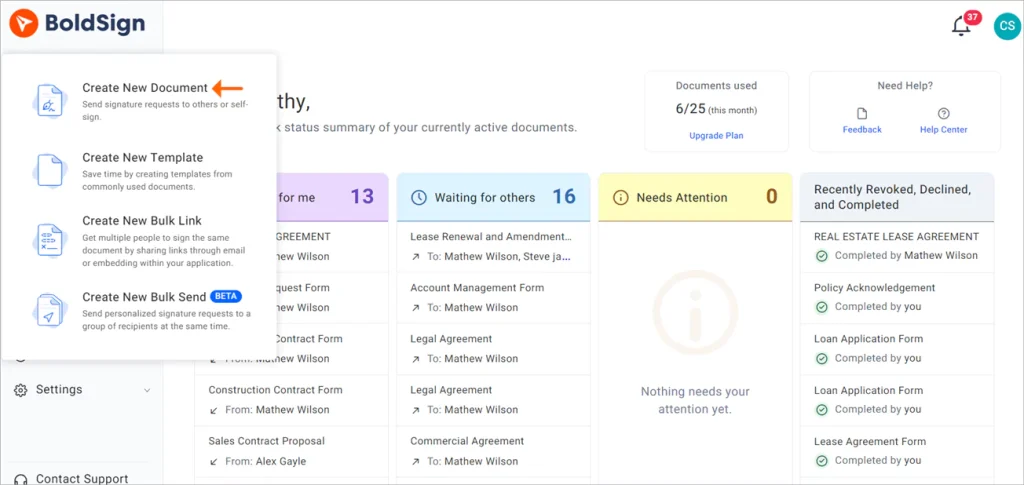
- Click Create New, then Create New Document.
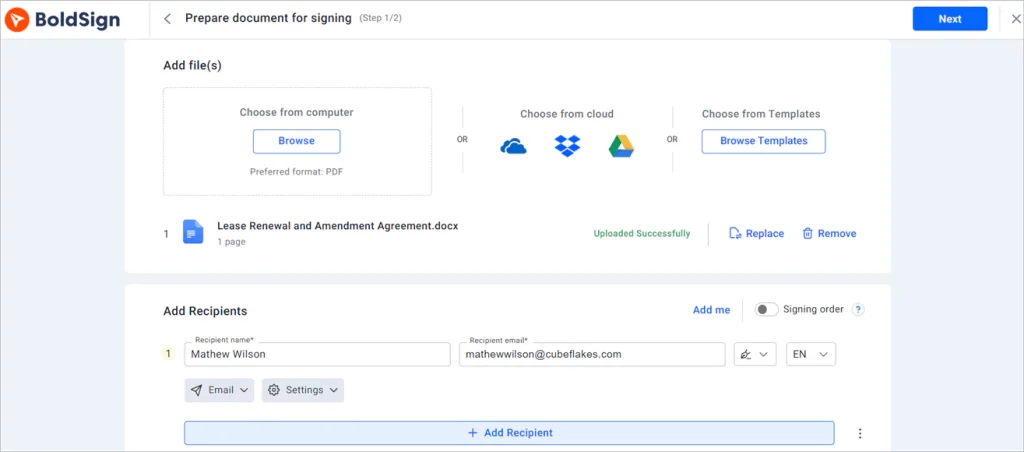
- Upload the addendum in the Add file(s) section.
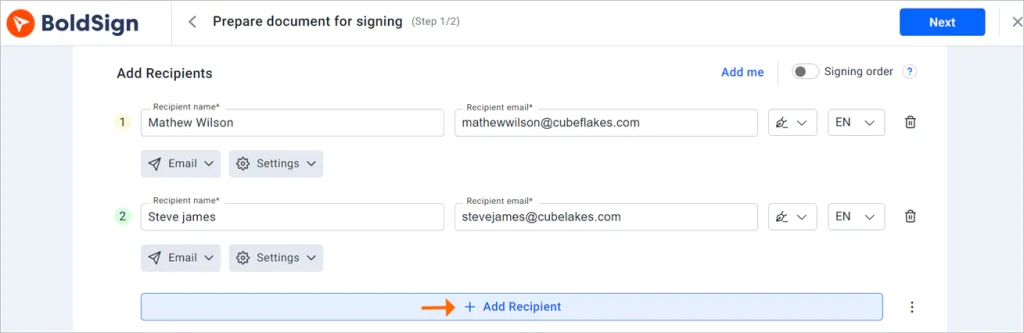
- Add each recipient with a name and email address.
- Click Next to open the Configure fields page.
How do you check that the right tenant signs?
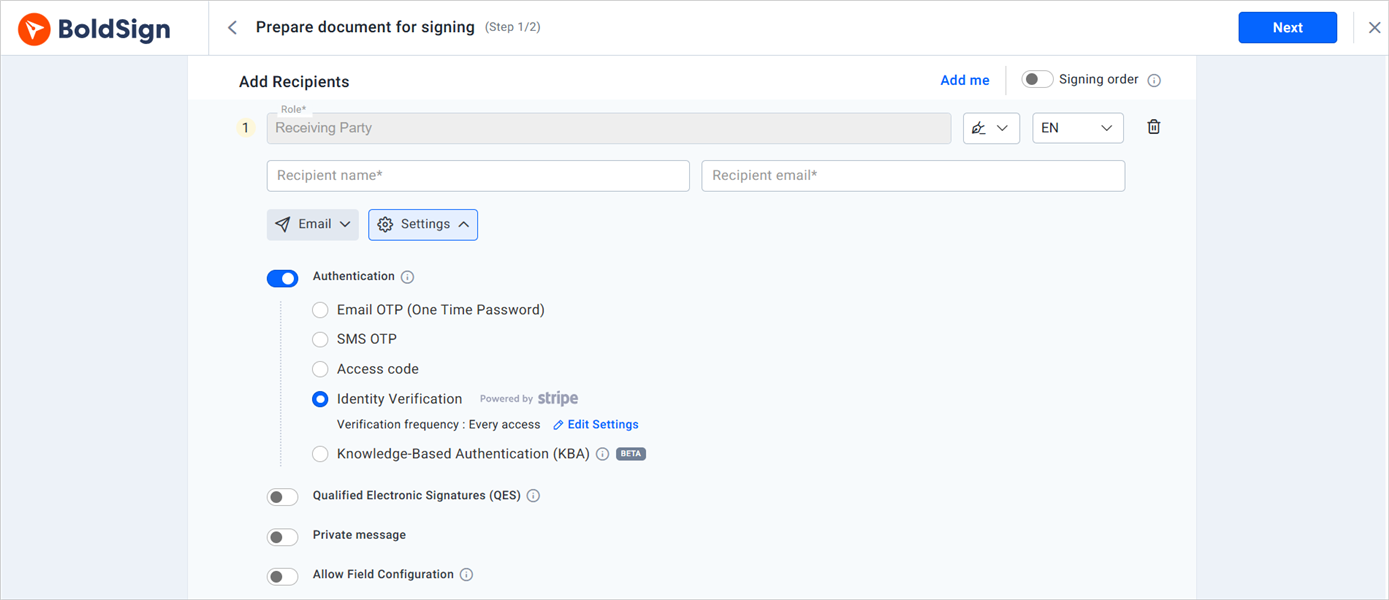
Before you click Next, you can add a check for each signer. Our guide to signer authentication methods explains each option.
- A one-time code sent to the signer’s email
- A one-time code sent to the signer’s phone
- An access code you share with the signer in advance
- Identity verification that matches a photo ID to a live selfie
How do I add electronic initials to each page of a multi-page lease PDF?
Drag an Initials field onto each page on the Configure fields page. Assign each field to the tenant or landlord who must initial that page.
The same page holds other fields too: signature, date signed, text box, checkbox and attachment. Select a field to change its settings on the right side of the page.
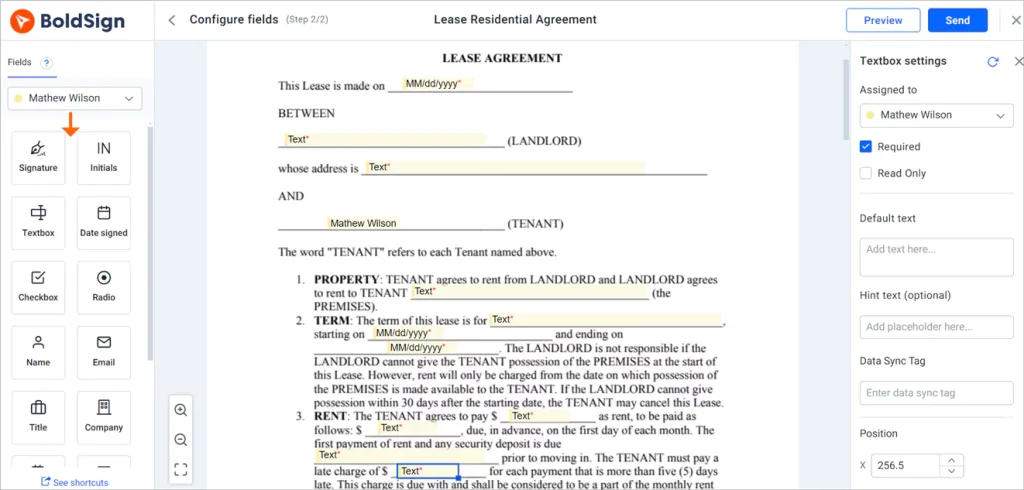
Placing initials on a 12-page lease every time takes a while. Save the lease as a template once, and the fields stay in place for the next tenant. Then click Send.
How do you track a lease renewal after you send it?
After you click Send, the document shows its status in your account. You can see when each lease signer has viewed and signed it, and follow up with whoever has not.
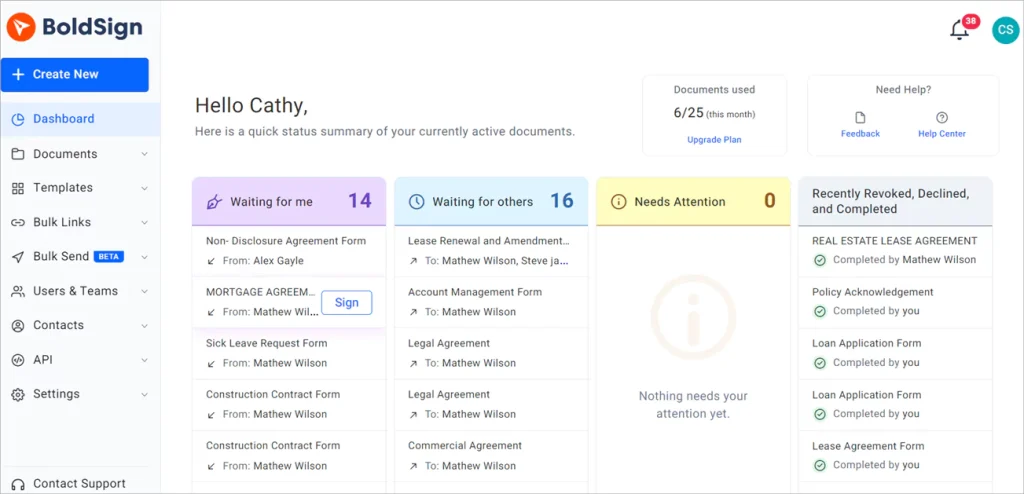
Spotted a typo in the rent amount after sending? You can edit an in-progress document before everyone has signed, so you do not need to start over.
For many buildings, add a tag such as the property name to each document. You can then filter My Documents by tag to find every signed version for one address.
What does signing look like for the tenant?
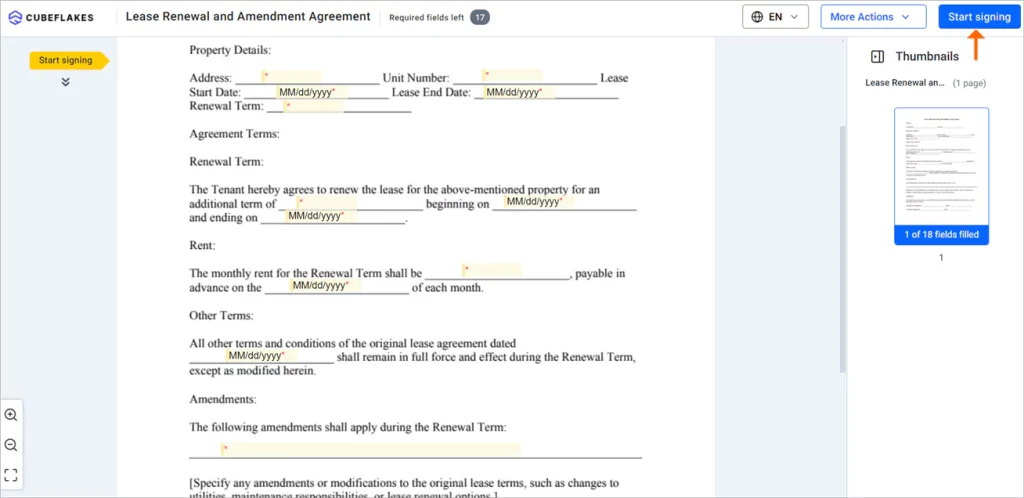
The tenant gets an email and signs in a web browser. Tenants do not need a BoldSign account or an app.
- Click Review and Sign in the email.
- Read the disclosure terms about signing electronically, then click Continue.
- Click Start Signing, and use Next field to move to each field.
- Click Complete Signing when every required field is filled.
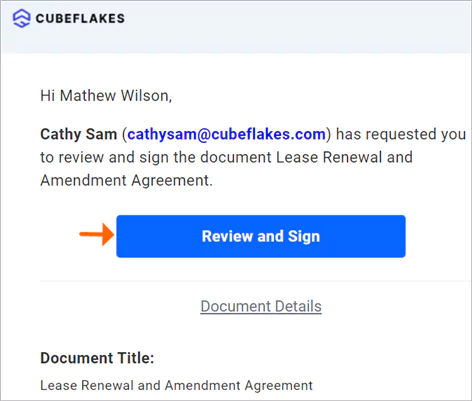
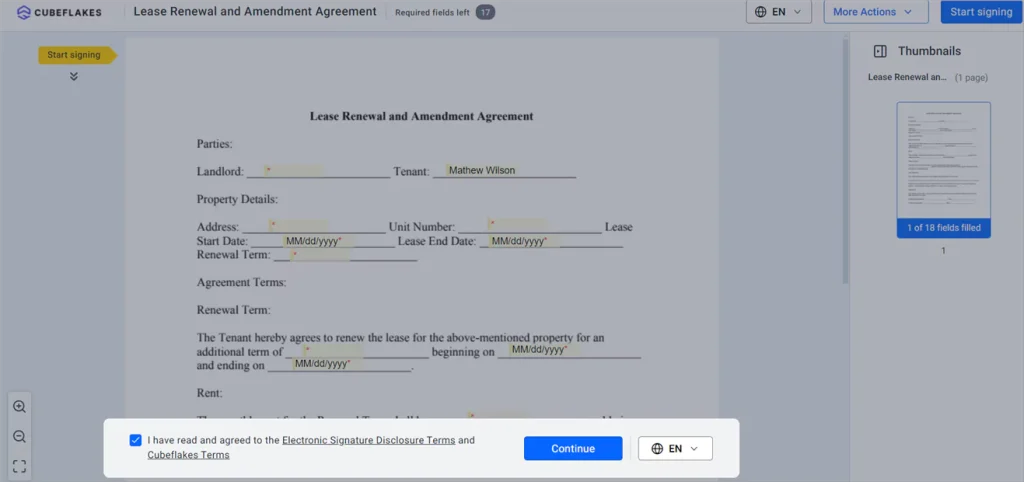
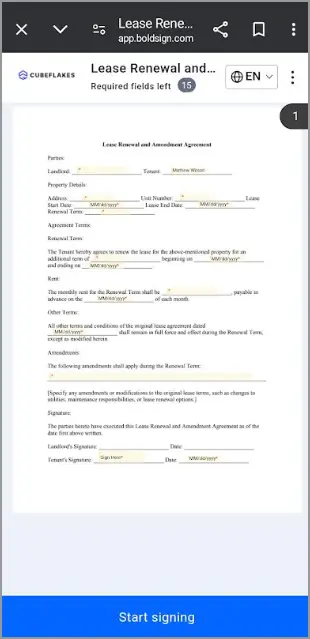
Tenants can sign on a phone just as well as on a computer.
Which software should you use for the lease signing process?
Pick an e-sign tool for landlords by what your renewals need. Choosing e-signature software for landlord lease agreements comes down to three needs.
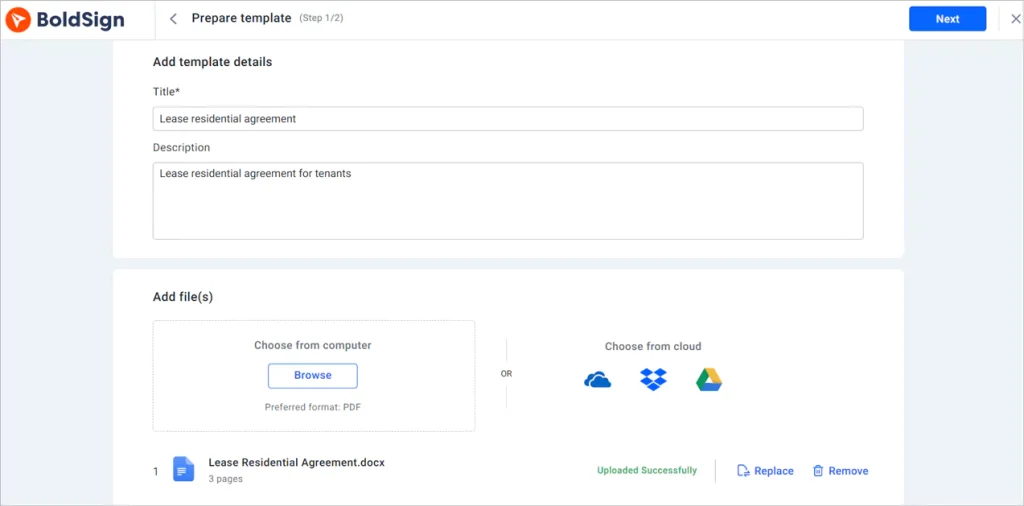
Templates for repeat leases
A leasing program with eSign built in suits you if you also want it to list and screen units. An eSignature app with templates covers most needs as software for lease signing process steps. Our help article on how to create templates shows the steps.
Your logo on every request
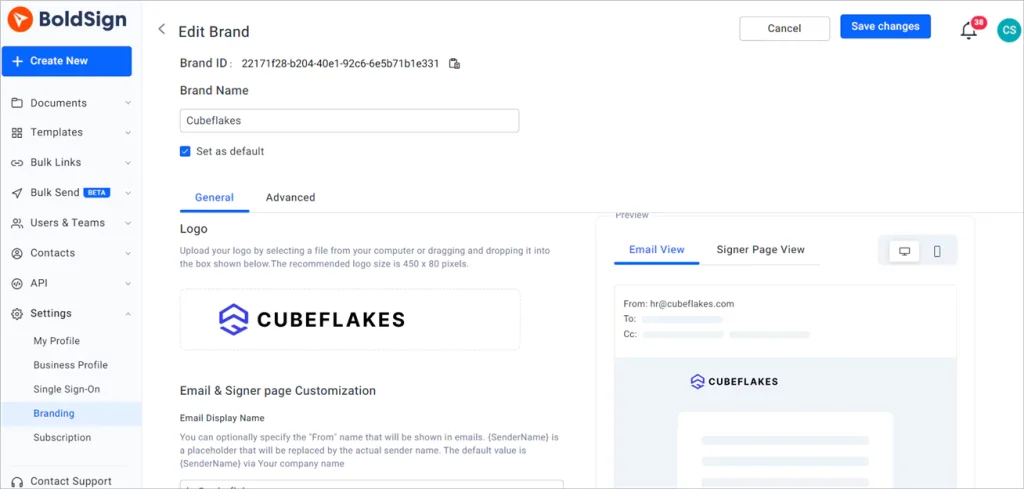
Your logo and colors can appear on signing emails and pages. See how to create a brand in BoldSign.
Records that hold up
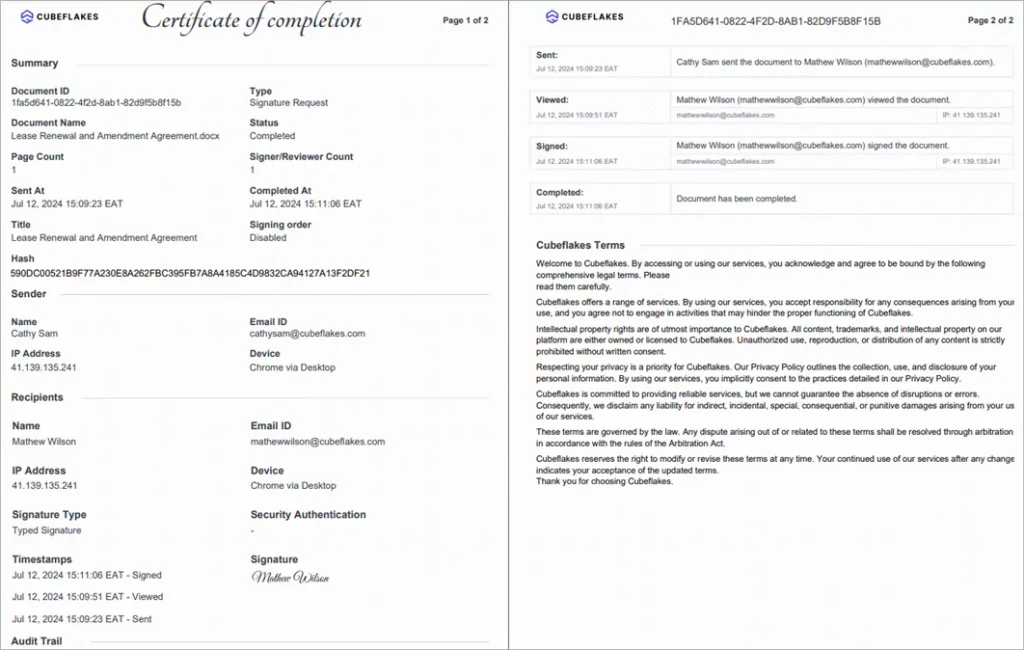
Each signed document comes with an audit trail. It records each signer’s name, email, Internet Protocol (IP) address and the time of each action.
Our security controls are audited for System and Organization Controls (SOC) 2 Type 2. We also support the General Data Protection Regulation (GDPR).
What kinds of tools help landlords manage lease renewals with updated state clauses and re-signing workflows?
An eSignature app handles the re-signing part. The clauses themselves are your job, or your lawyer’s.
We do not write lease terms or check them against state or local law. Rules differ by state and city, so check the current rules before each renewal.
What kinds of services let landlords auto-generate state addendums for local ordinances and request tenant e-signatures quickly?
Drafting and signing are often two different services. A lawyer, a landlord association or a lease drafting service can supply the state addendum text.
We cover the signing half. You upload the addendum, and we send it, collect signatures and keep the record.
What does federal law say about signing a lease electronically?
A contract cannot be denied legal effect only because it was signed electronically. That rule comes from the US Electronic Signatures in Global and National Commerce (ESIGN) Act. One exception matters here.
The Act does not apply to an eviction notice under a rental agreement for a person’s primary home. Send those notices by a method your state accepts.
What does e-signature software cost property managers handling lease agreements and renewals?
We publish our prices on the BoldSign pricing page, as of November 2026. All prices are in USD and billed yearly.
The Essential plan is free and holds 2 templates. The Growth plan costs $5 per user a month and holds 10 templates. The Business plan costs $15 per user a month, with unlimited templates.
The Premium plan costs $99 a month for unlimited users and unlimited templates. Signer ID verification, phone codes and unlimited brands start on the Business plan.
Where do you go next with your lease renewals?
Start with one renewal you need this month. Send it to yourself first to see what your tenant will see.
- Start a 30-day free trial and send your first renewal addendum.
- Book a demo to see lease templates set up for your properties.
- Visit our support portal with a question about your account.
Frequently asked questions
What is eSign and how do I use it for leasing?
eSign means signing a document on a screen instead of on paper. For leasing, you upload the lease, add each signer and place the fields. Then you send it. Each person signs from a link on a phone or computer.
Which software should I use to create and e-sign leases online?
Pick software that lets you save lease templates, add several signers, check who they are and keep an audit trail. Write the lease in your usual editor, then upload it to an eSignature app such as BoldSign to collect signatures.
What e-signature software helps landlords get rental agreements signed by tenants remotely?
Any eSignature app that sends a signing link by email lets tenants sign from wherever they are. With BoldSign, tenants sign in a phone or computer browser, and they do not need an account or an app.
What types of e-signature platforms help landlords customize lease templates and collect signed agreements online?
Platforms with reusable templates do this. You save the lease once with its fields and signer roles, then fill in the tenant's details for each new lease and send it. Signed copies are stored in your account.
What e-signature platforms help commercial landlords renew multi-party leases while organizing signed versions by property?
Look for a platform with signing order, several signers per document and tags. In BoldSign, you can tag each document with the property name, then filter your documents by that tag to find every signed version.
Which platform allows electronic signatures on leases?
Most eSignature platforms, BoldSign included, accept leases. US federal law lets electronic signatures stand for most contracts. Eviction notices for a primary home are one exception, so they still need another method.
What are the professional signature options and services available for business use?
Business eSignature services let signers type, draw or upload a signature, and they record each step in an audit trail. Many add signer checks such as a one-time code or an ID check.
Is an electronically signed lease renewal legally binding?
Yes, when it meets the rules for electronic records where you sign. In the US, federal law gives an electronic signature on a contract the same legal effect as ink. State law can add rules, so check yours.

Evans Omondi Otieno
Evans Omondi Otieno is a customer support representative and writer at BoldSign, specializing in creating clear, insightful content to help users navigate eSignature solutions. As a blog author, Evans writes well-researched articles that simplify technical concepts, helping businesses and professionals understand how to use BoldSign effectively. With expertise in technical support and content creation, he ensures users have a seamless experience and gain valuable knowledge from his articles.
More posts by Evans Omondi Otieno