Simplify Employment Contract Signing for HR Departments with BoldSign
 Rowan Sam Kerongo Makori
TL;DR: HR teams can send employment contracts for e-signature from a saved template, to one hire or many at once. Each signer opens a link, signs on any device, and the signed file comes back with an audit trail. Our eSignature for HR teams page shows the documents it covers.
An HR team prepares the same papers for every hire: an offer letter, an employment contract, a nondisclosure agreement. On paper, each one gets printed, posted or scanned, then chased. A missing page can delay a start date.
This guide shows how to move that work online with BoldSign. It covers templates, signing order, bulk sending, signer checks and storage.
What types of HR agreement tools help businesses standardize employee contract templates and collect signatures?
An e-signature tool with reusable templates does both jobs. You save each contract once with its fields in place, then send it to a new person each time.
Think of a stamp for your return address. You make it once and press it on every envelope, so no letter goes out with a typo.
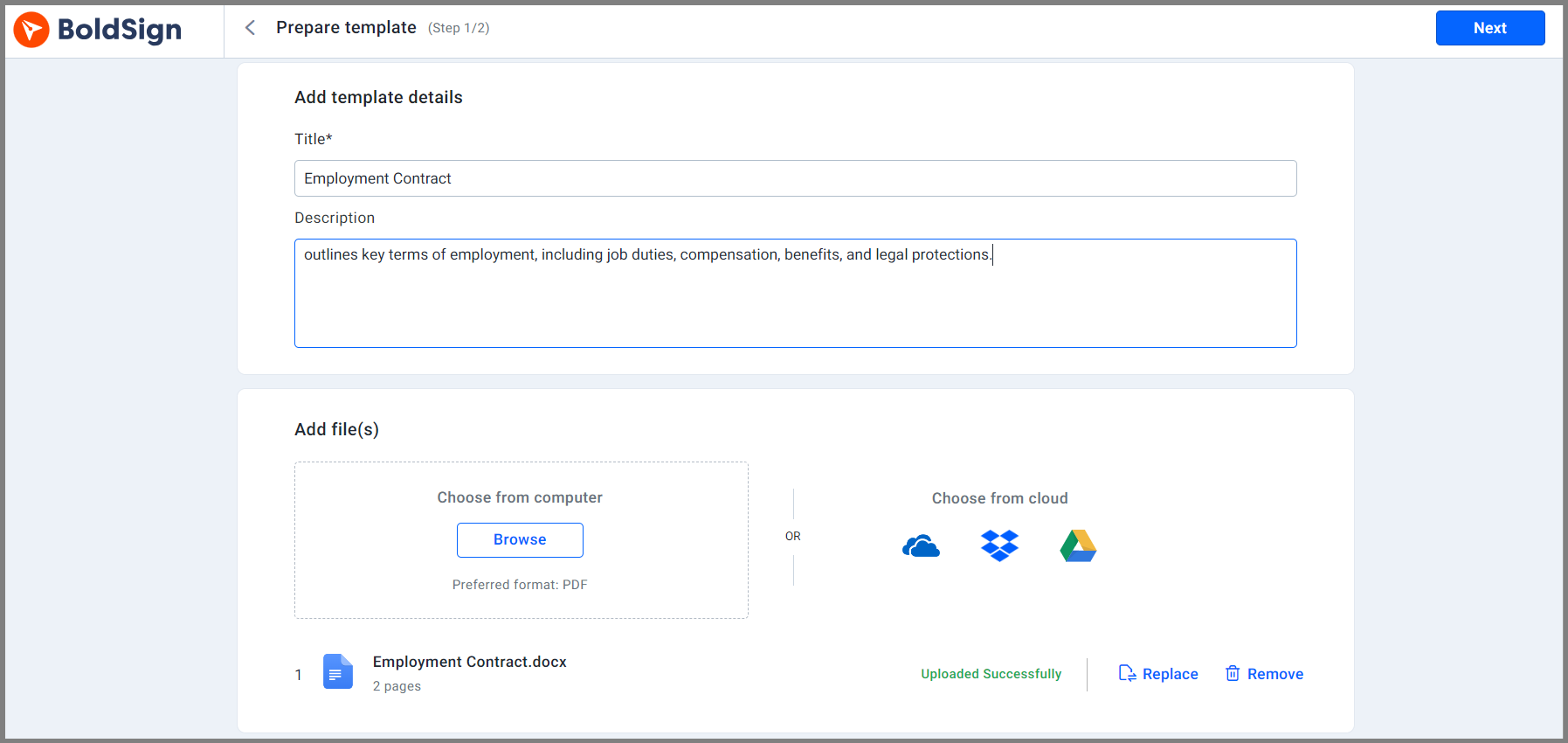
Our template feature works the same way for contracts. You upload the file, add a role such as Employee, and place the signature and date fields. Each later send only needs a name and an email address.
How do you get an employment contract signed by more than one person?
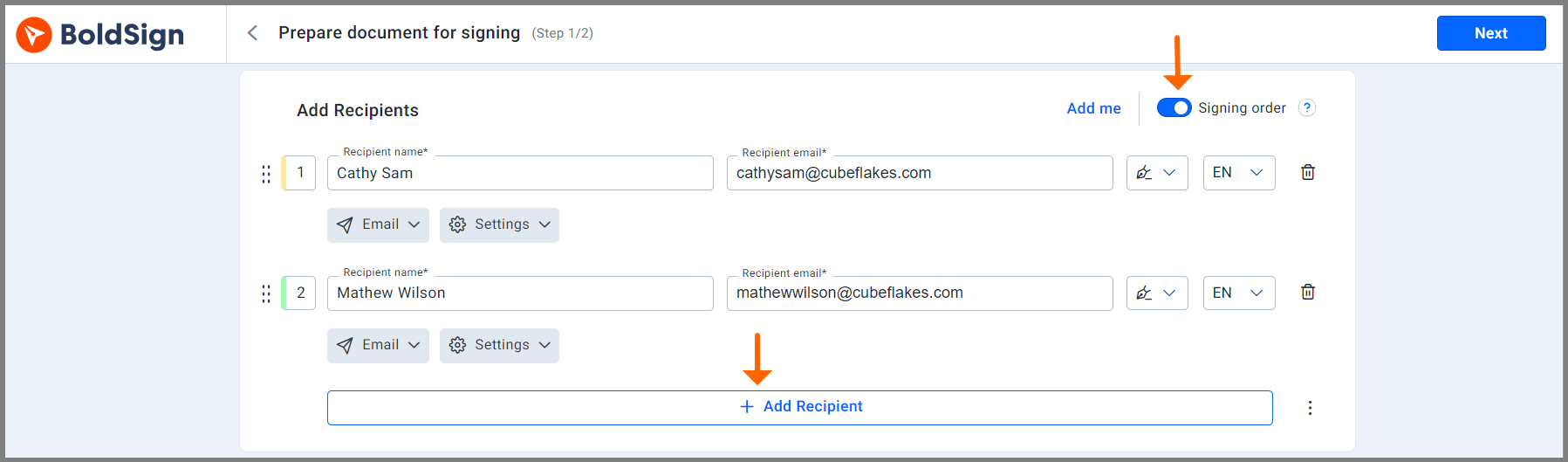
Add every signer to the same document and choose the order. A contract can go to the new hire first and the manager second, or to both at once.
With a set order, we send the document to the next person as soon as the one before finishes. Nobody has to forward it by hand.
How can HR teams send many employment contracts for electronic signature at once?
Use bulk send when you know each person’s details, or a bulk link when you do not. Both give every signer a copy of their own.
Send from a CSV file with bulk send
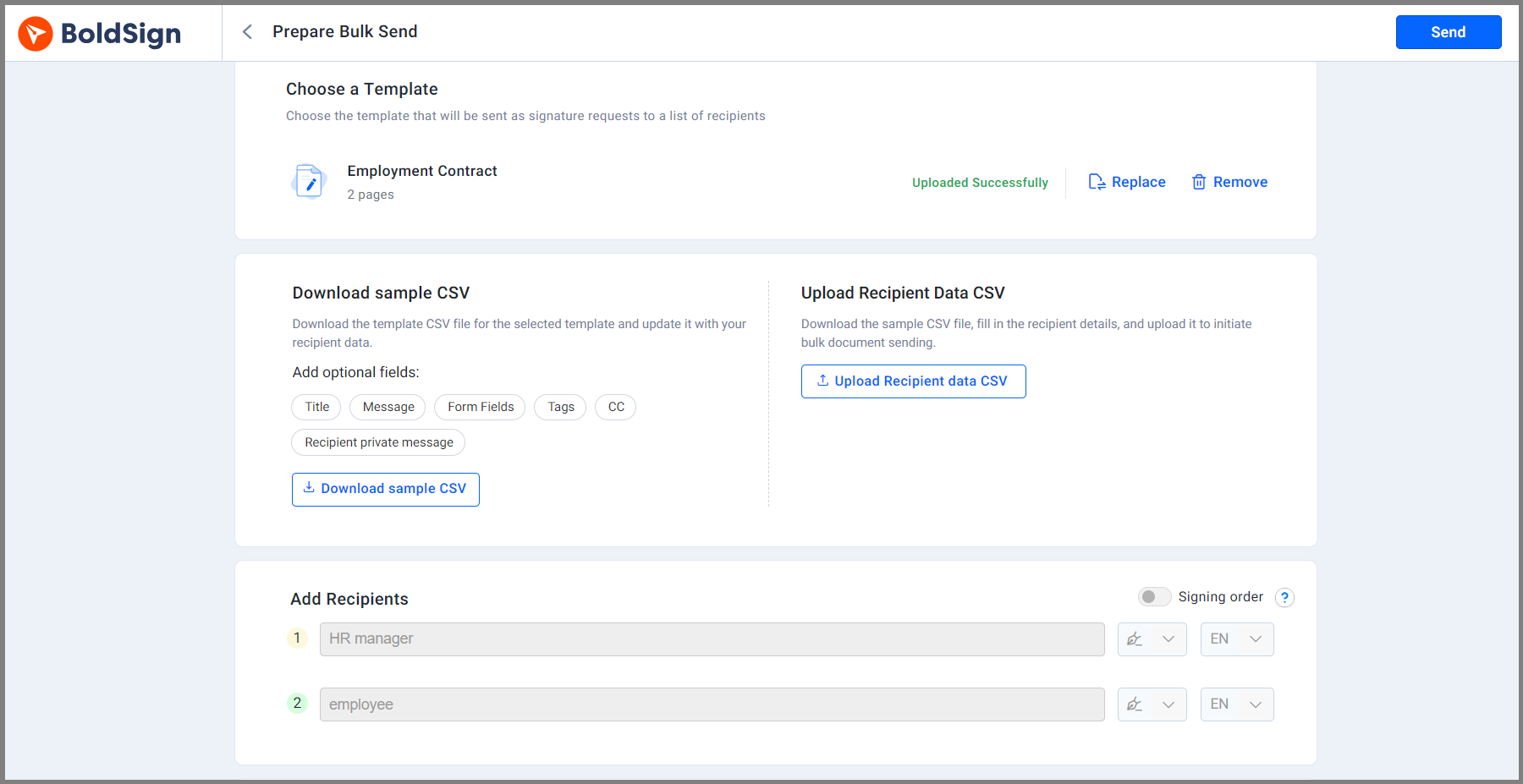
Bulk send starts from a template. You download a sample CSV file from it, fill in one row per new hire, and upload it.
We check the file for problems, then create one copy for each row. It suits a group of new starters who all sign the same contract.
Share one link with bulk links
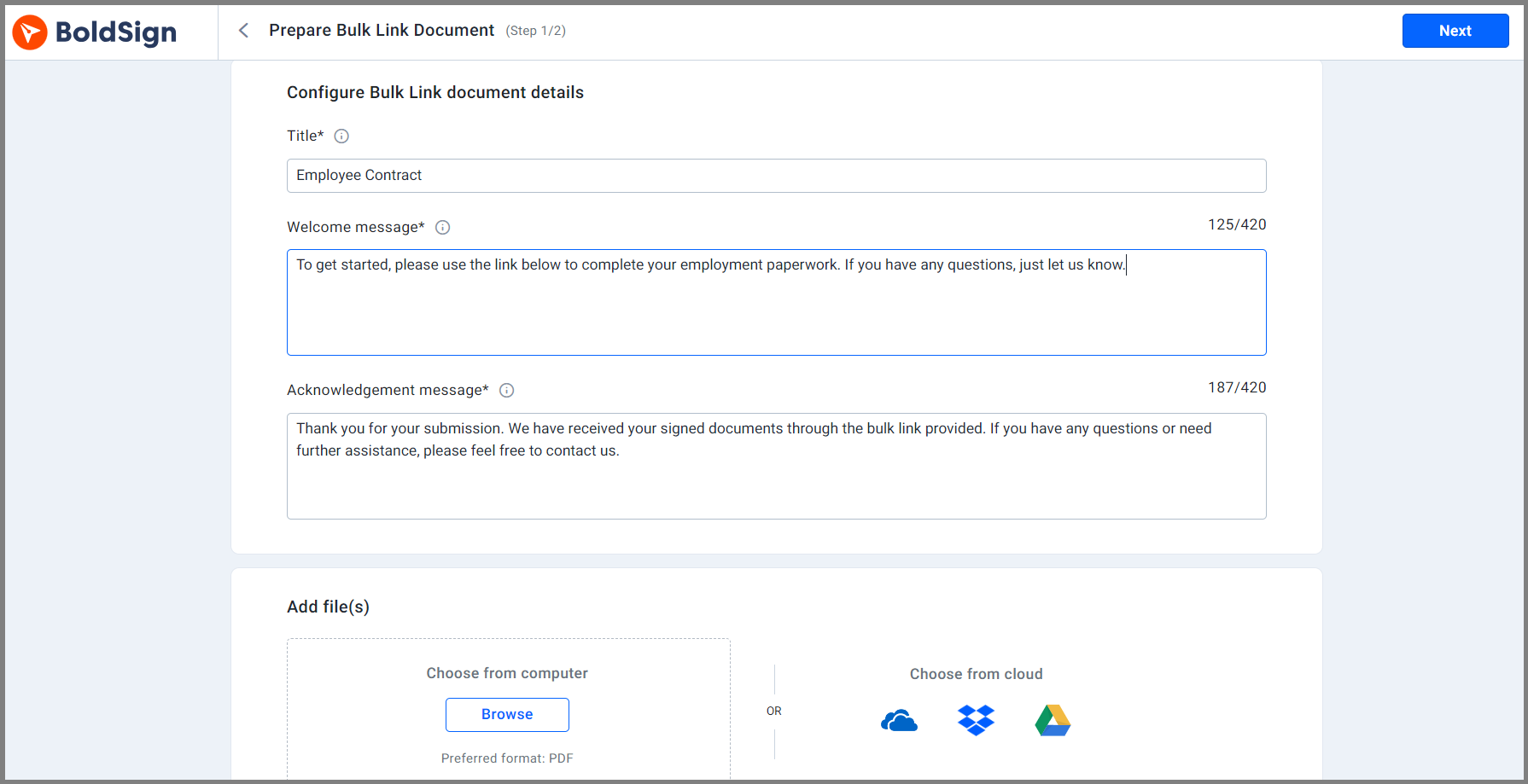
A bulk link is a single signing link you share by email or on a page. Each person who opens it enters a name and email, then signs a copy of their own.
The link closes at the response limit or expiry date you set. Anyone with the link can sign, so share it with care.
How do you confirm the right person signs an employment contract?
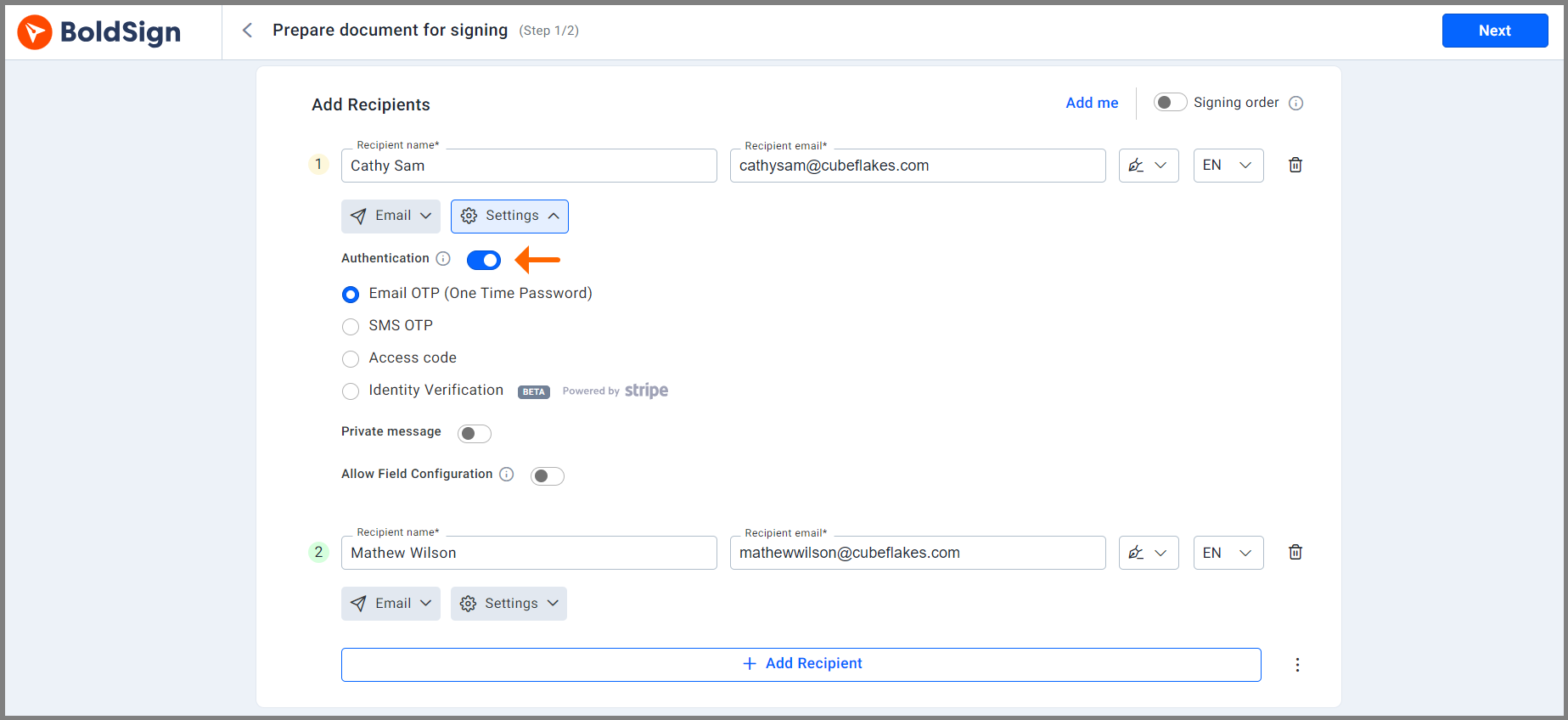
Turn on signer authentication before you send. The signer must pass the check before the document opens.
You can ask for a one-time passcode sent by email or text message, or an access code you share yourself. For higher-value contracts, identity verification checks a government-issued ID against a selfie.
How does a new hire sign an employment contract?
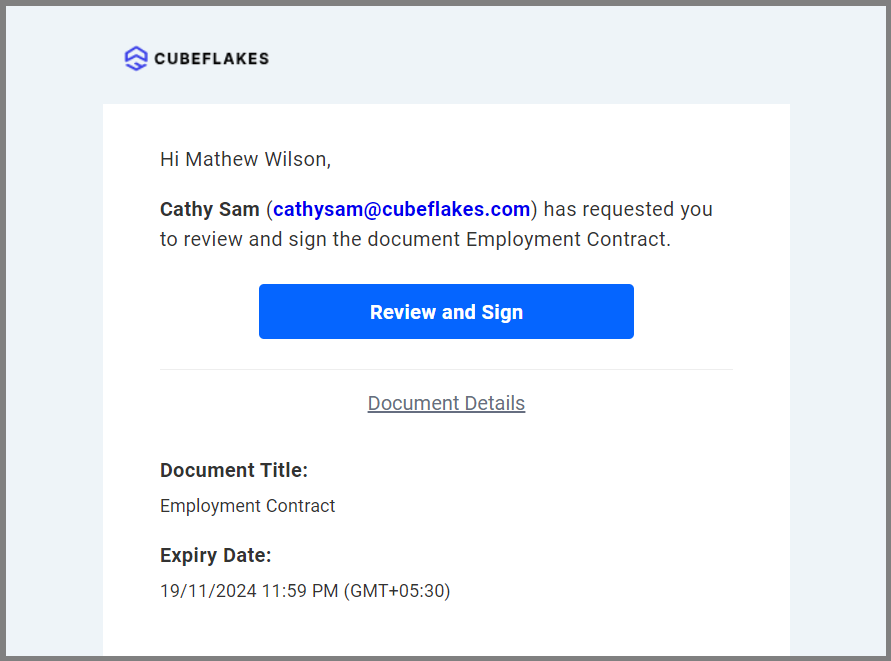
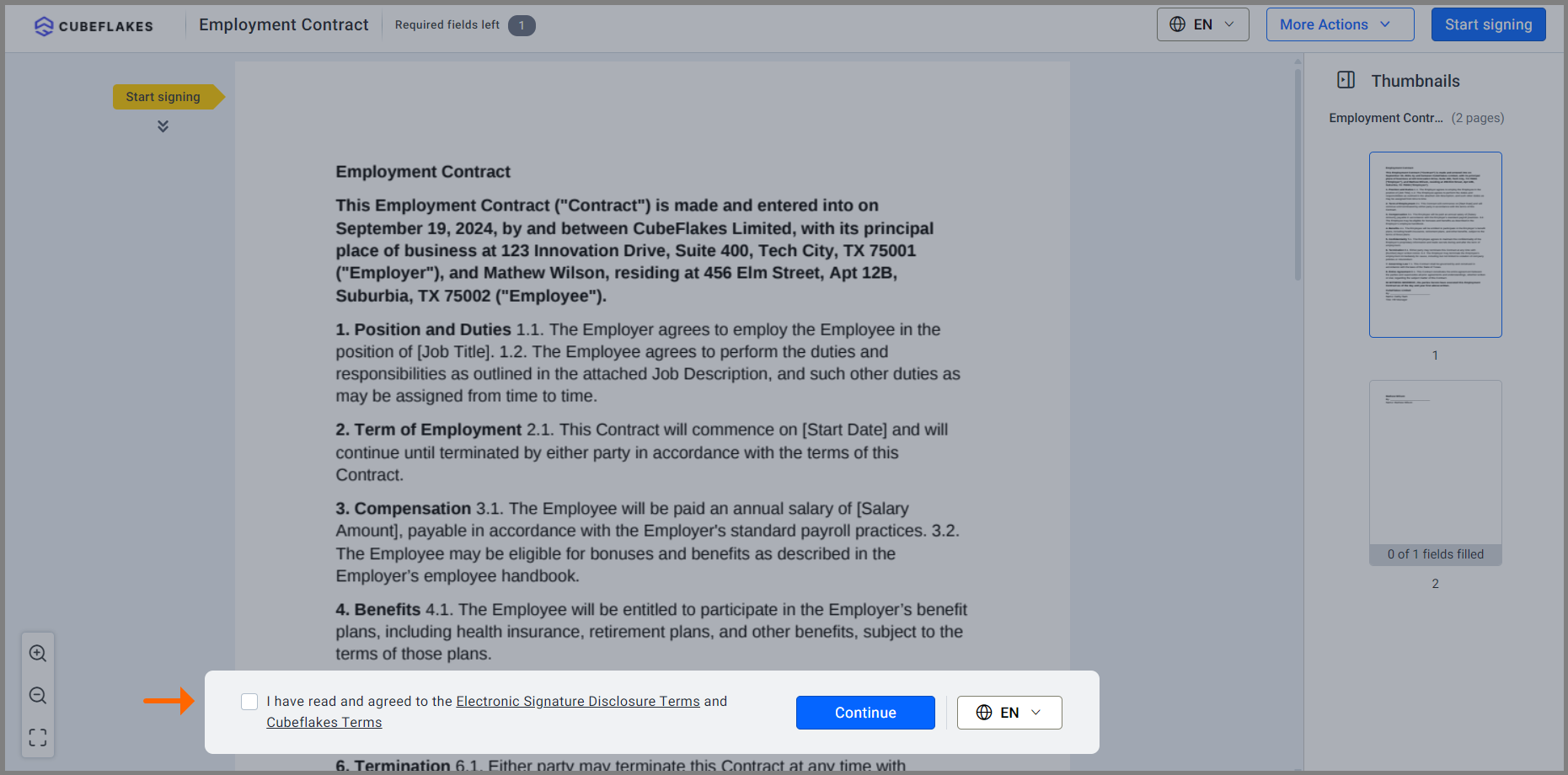
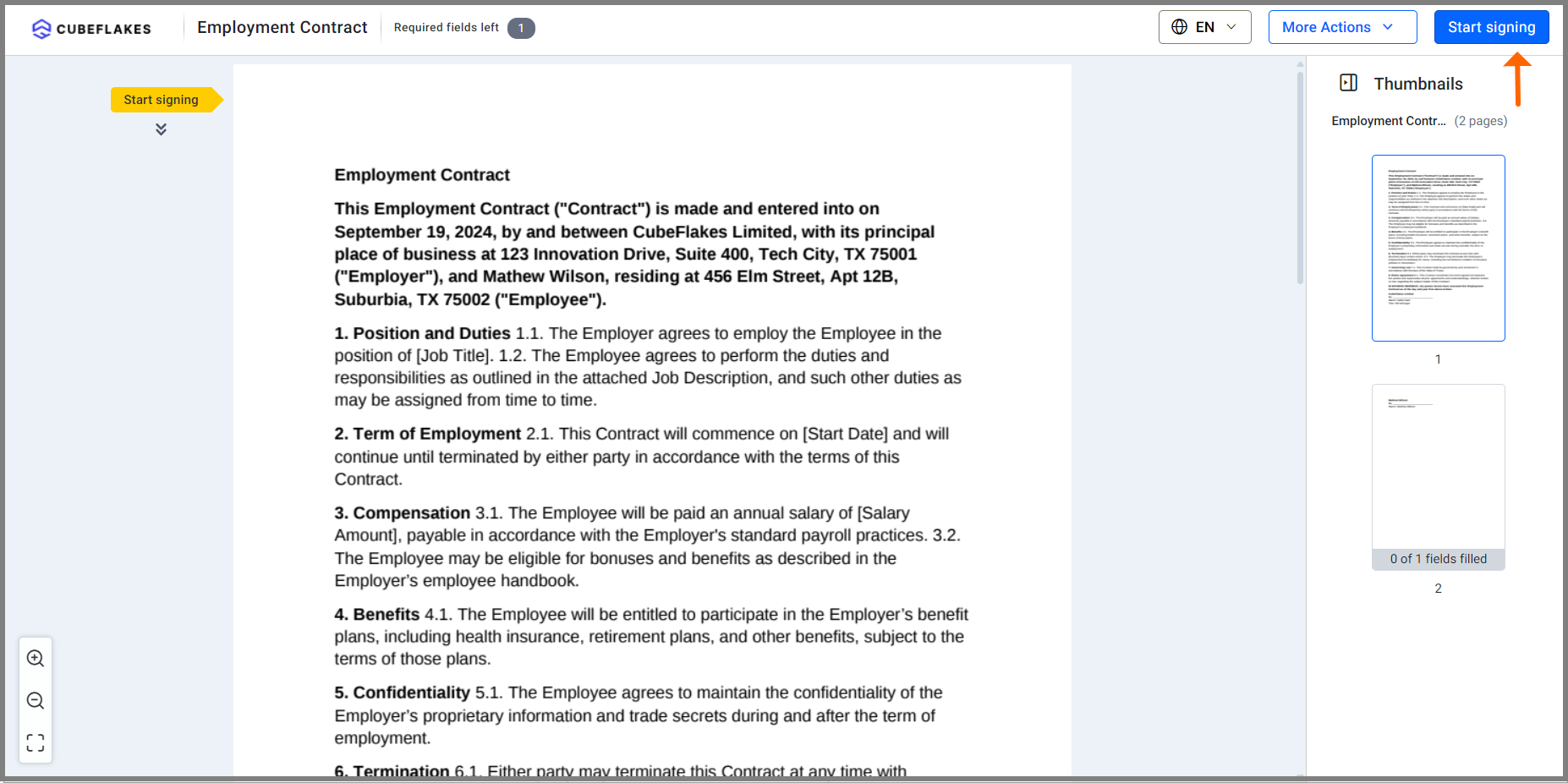
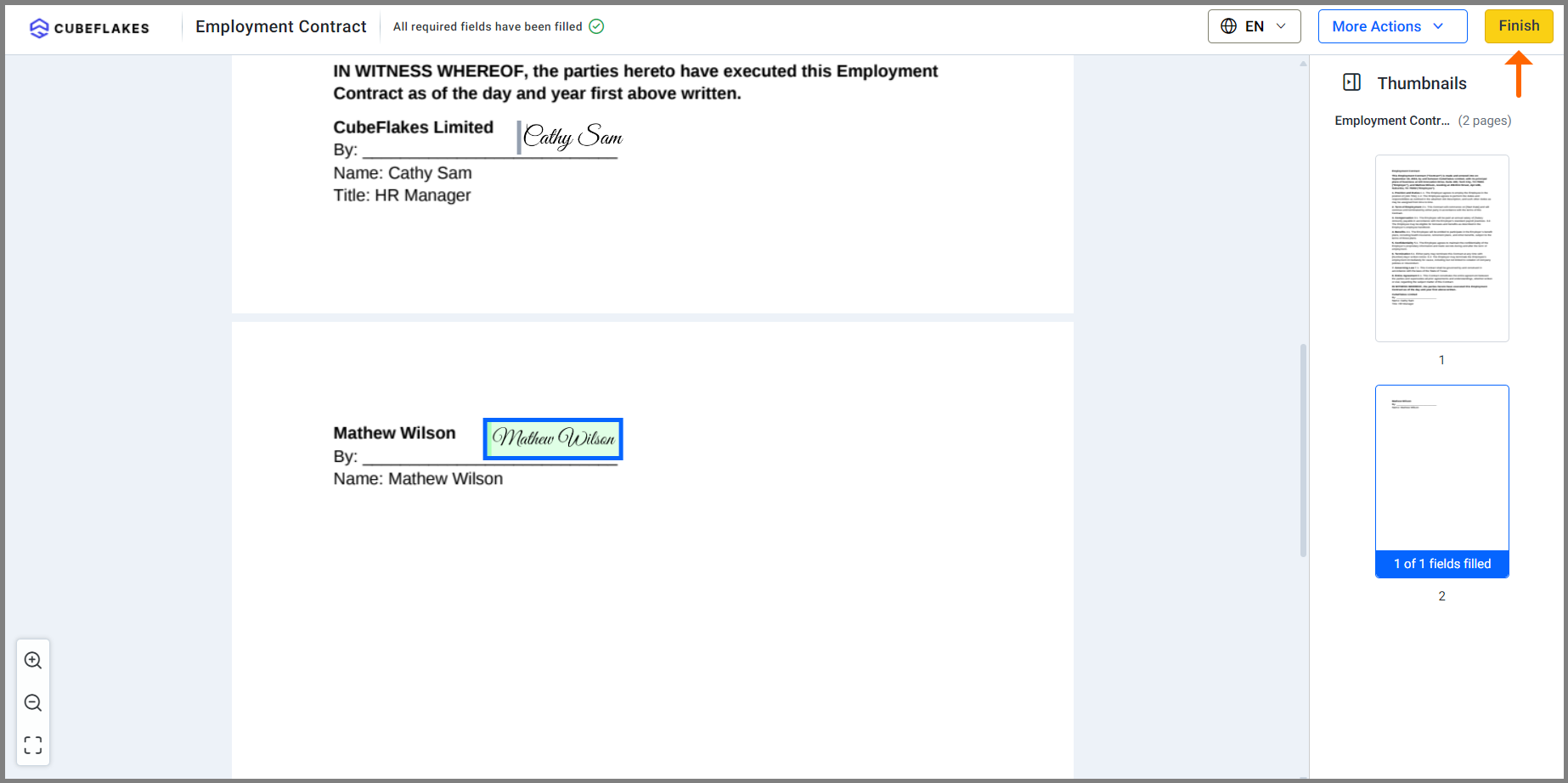
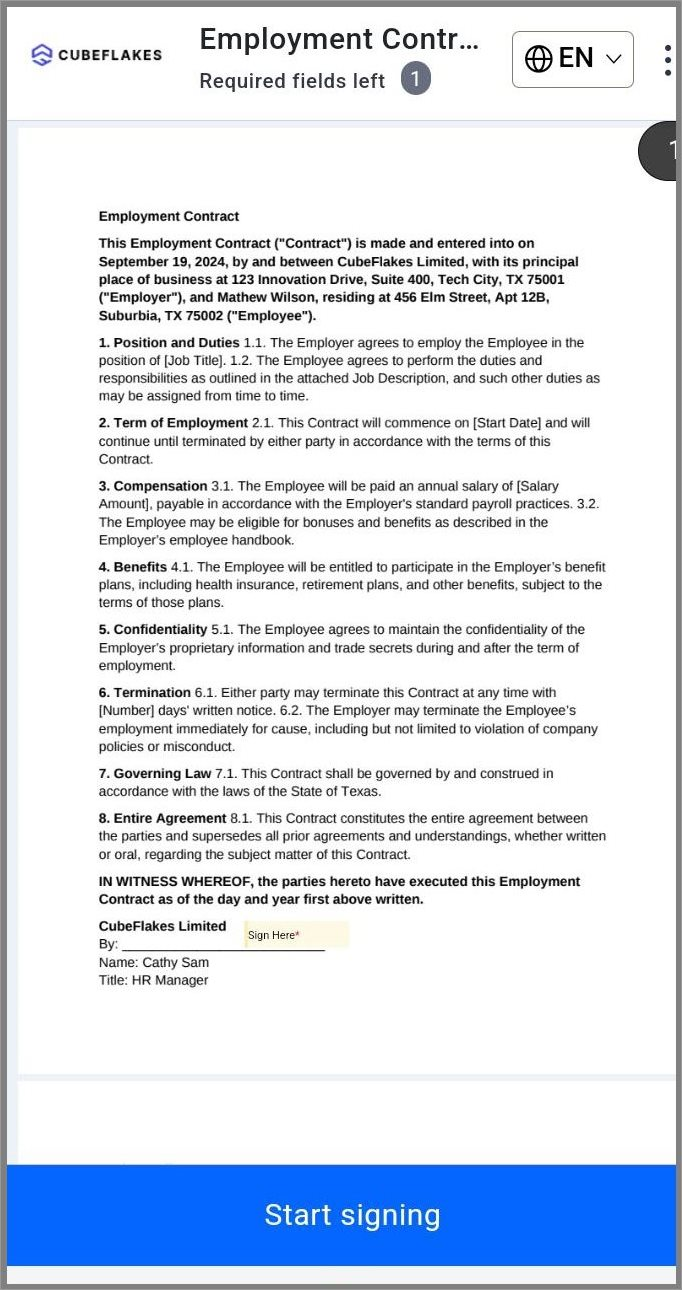
The new hire opens a link and signs in the browser, with no account needed. The steps below match what the signer sees.
- Open the link in the email or text message, then click Review and Sign.
- Tick the box to accept the disclosure terms, then click Continue.
- Click Start signing, fill in the required fields and add a signature.
- Click Finish to complete the document.
The same page fits a phone or tablet screen. We also have a mobile app for iOS and Android.
Where are signed employment contracts stored?
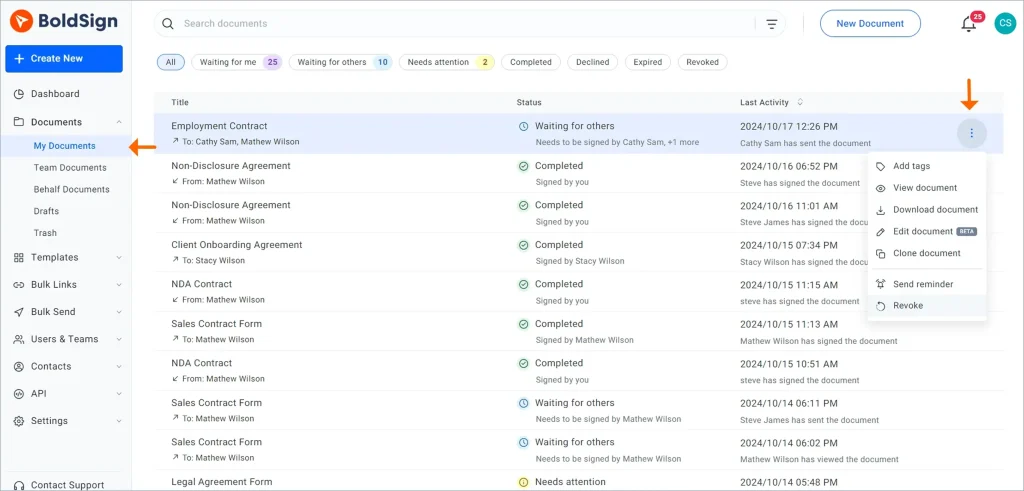
Every signed contract stays in your account, next to the ones still out for signature. You can search, filter and download them from one document management page.
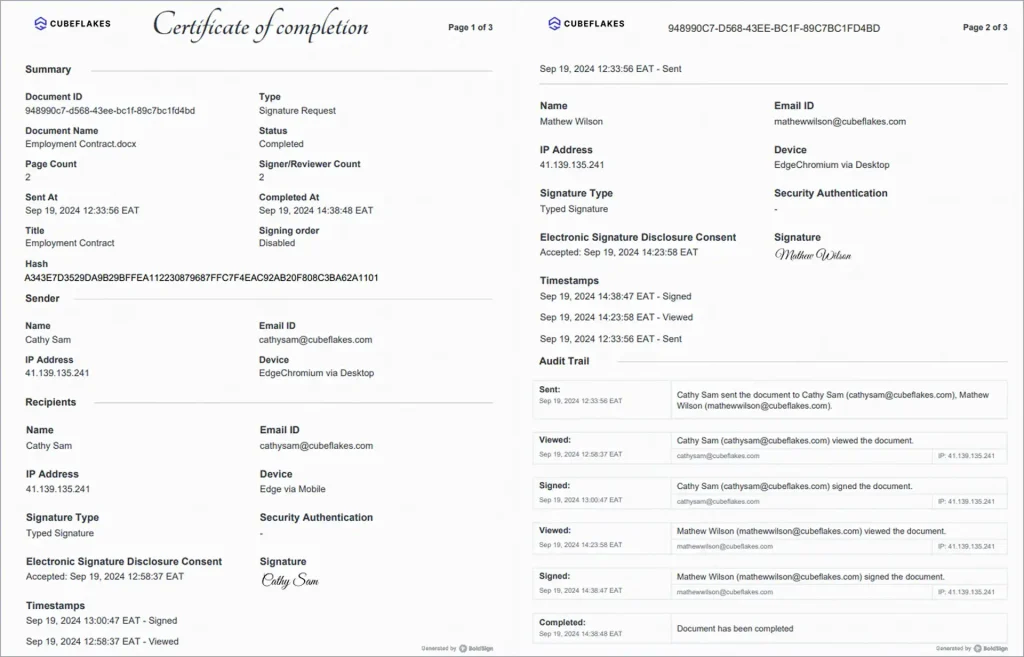
Each document also has an audit trail. It records who signed, when and from where. That record helps you answer questions later.
We passed a System and Organization Controls 2 (SOC 2) Type 2 audit, and we follow the General Data Protection Regulation (GDPR). Our security page explains how we protect your files.
Can signing emails carry your company’s branding?
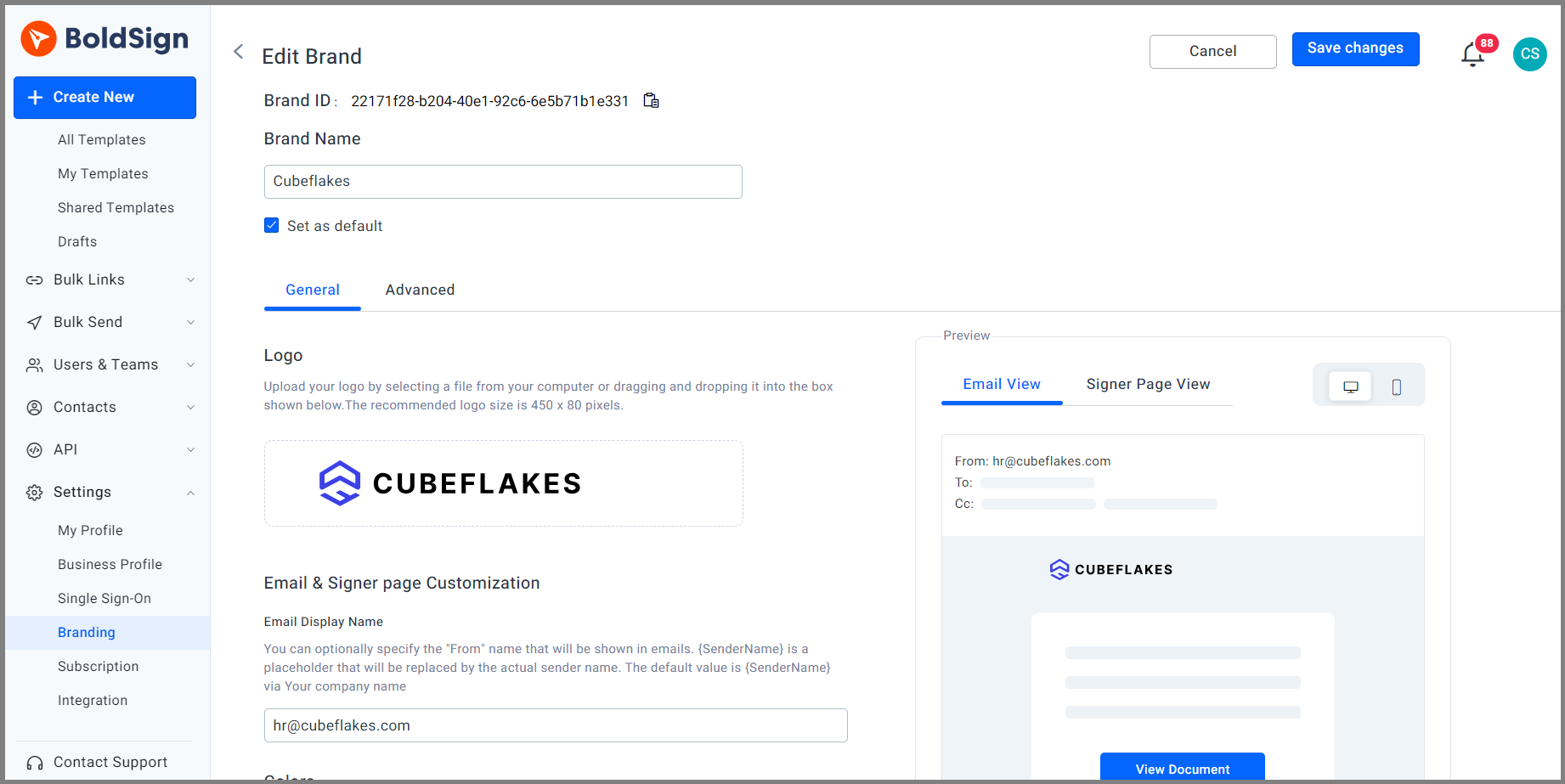
Yes. You can add your logo and colors to signing emails and signing pages with custom branding.
A new hire then sees your company’s name and look, not a stranger’s. People trust a request they recognize.
Are electronically signed employment contracts legally binding?
In the US, yes, for most contracts that affect interstate or foreign commerce. Section 101 of the Electronic Signatures in Global and National Commerce (ESIGN) Act covers this.
The ESIGN Act says a contract cannot be denied legal effect only because it is electronic. Other rules for the contract itself still apply. Check those with your lawyer, and check local law outside the US.
Which BoldSign plan does an HR team need, and what does it cost?
Most of what this guide covers works on every plan. The Essential plan is free, with 2 templates and one brand.
The Growth plan costs $5 per user a month and holds 10 templates and two brands. The Business plan costs $15 per user a month, with unlimited templates and brands. It adds bulk send, bulk links, ID verification and passcodes by text message.
Bulk send and bulk links also cost $0.25 per envelope. The Premium plan costs $99 a month for unlimited users. Prices are in USD, billed yearly, as listed on our pricing page in November 2026.
How do you start sending employment contracts with BoldSign?
Pick the step that fits where your team is today. Each one is free to start.
- Start a 30-day free trial and turn your offer letter into a template.
- Book a demo to see bulk send set up for your next group of hires.
- Contact our support team with a question about your HR documents.
Frequently asked questions
What are the top tools for creating, sending, signing, and storing offer letters and employment agreements?
Look for an e-signature tool that covers all four steps. You need templates to create, signing order to send, a simple signing page to sign, and a searchable record to store. BoldSign does each of these in one web app.
Which recruitment software supports e-signatures for offer letters and contracts?
Many teams pair their recruiting tool with a separate e-signature tool. With BoldSign, you send offer letters and contracts for signature from our web app, whatever recruiting software you use.
Are electronically signed employment contracts legally binding in the US?
Yes, when the contract affects interstate or foreign commerce, the Electronic Signatures in Global and National Commerce (ESIGN) Act says it cannot lose legal effect only because it was signed electronically. Other employment rules still apply, so check them with your lawyer.
Can a new hire sign an employment contract on a phone?
Yes. Our signing page works in a phone or tablet browser, so the new hire needs no account. We also offer a mobile app for iOS and Android.
How do I make sure the right person signs an offer letter?
Add signer authentication when you send it. The signer then enters a one-time passcode, an access code you share, or passes an ID check before the document opens.
Can I see who signed an employment contract and when?
Yes. Each signed document comes with an audit trail that records who signed, when and from where. You can download it with the signed file.
What is the difference between bulk send and bulk links?
Bulk send emails a personal copy to every person in a CSV file you upload. A bulk link is one link you share, and each person who opens it signs their own copy.
How much does BoldSign cost for an HR team?
The Essential plan is free. The Business plan, which adds bulk send and bulk links, costs $15 per user a month, billed yearly. Every paid plan starts with a 30-day free trial.

Rowan Sam Kerongo Makori
Rowan contributes to the BoldSign blogs and helps the articles team. He is passionate about writing high-quality and informative content. His interests include reading books, writing, and exploring.
More posts by Rowan Sam Kerongo Makori