Simplify HR Performance Reviews with BoldSign eSignatures
 Rowan Sam Kerongo Makori
TL;DR: You can send HR performance reviews for eSignature, so managers and employees sign online instead of on paper. In BoldSign, you build each review form once as a template, set who signs first, and track every copy until it is signed. Our eSignature templates page shows how a reusable review form works.
Review season can mean a stack of forms for every team. Each one needs a manager’s signature and an employee’s signature, and paper copies get lost between desks.
This guide explains why reviews get signed, how to send them with us, and how an employee signs one in a few clicks.
What is a performance review sign-off?
A performance review sign-off is the step where the manager and the employee sign the finished review. Their signatures show that both people saw the same document.
A delivery receipt works the same way. Signing for a parcel does not mean you like what is inside. It shows the parcel reached you on a given day.
A signed review gives HR that same proof. Most review forms also leave space for the employee’s own comments before they sign.
Why do performance reviews need signatures?
Signatures give HR a clear record of who saw the review and when. That record helps when a pay change, promotion or concern comes up later.
On paper, the record is slow to build. Forms wait in inboxes, travel between offices and sometimes need to be printed twice. An eSignature request keeps the form in one place while each person signs it.
How do you send performance reviews with BoldSign?
You prepare the review once, choose who signs and in what order, then send it. The sections below cover each step.
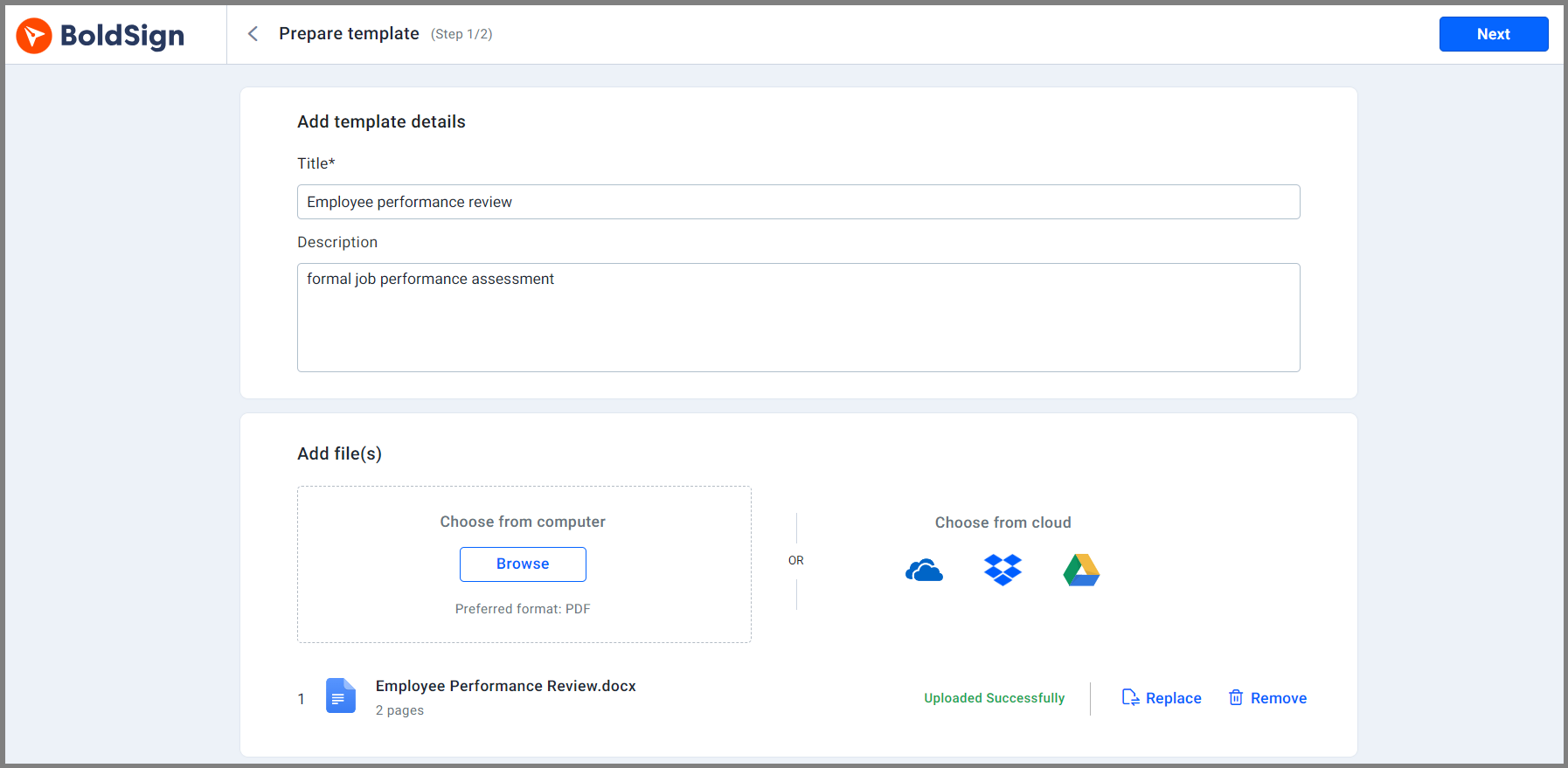
Build a template for each review type
A template is a review form you set up once and reuse. Create one for an annual manager review and another for a mid-year check-in.
Each template keeps the same fields in the same places. HR sends a new review without starting from a blank page, and every employee gets the same form. Our help article on how to create a template covers every option.
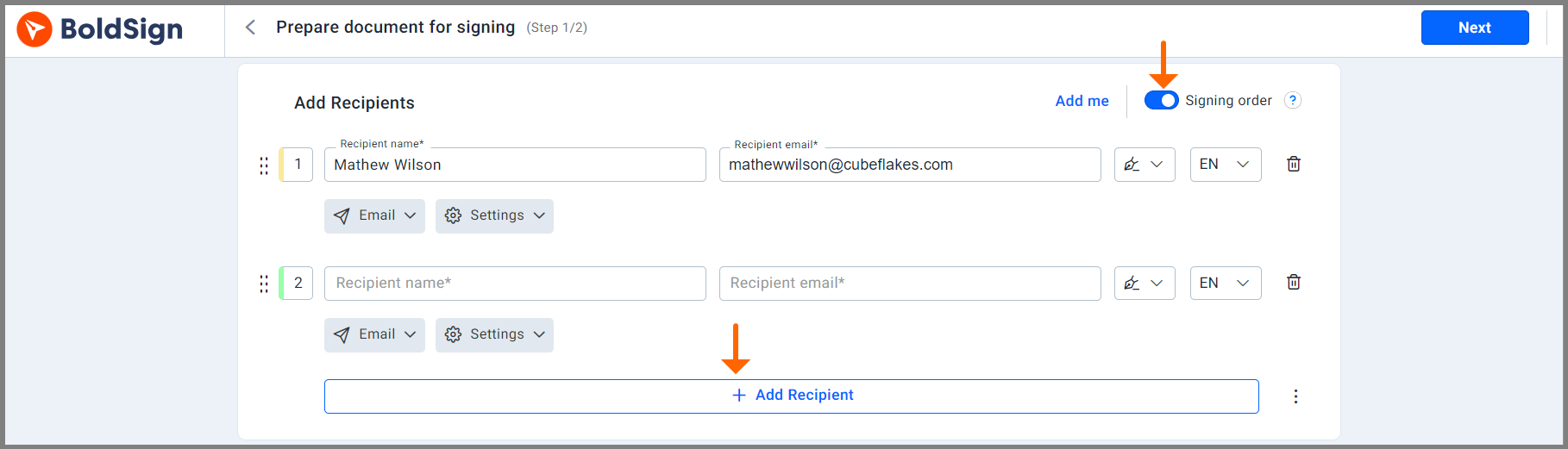
Set the signing order
A review often needs more than one signature, such as the manager, then the employee, then HR. A signing order sends the form to each person only after the one before has signed.
Our help article on how to set the signing order shows each screen.
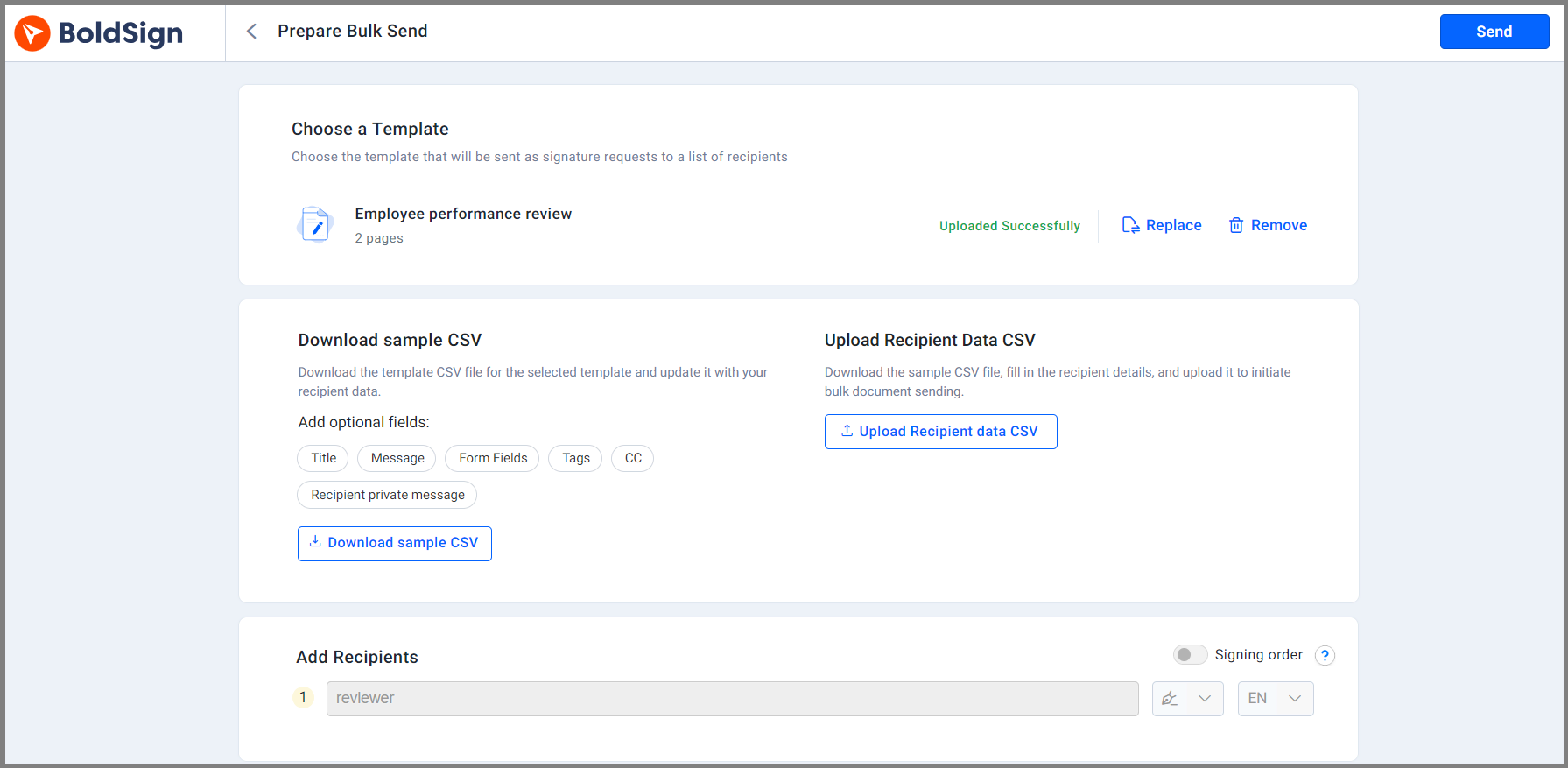
Send reviews to many employees at once
Use bulk send when a whole team gets the same review form. You list each employee’s name and email address in a CSV file and attach it.
We send each person their own copy, so HR skips filling in the same fields for every employee.
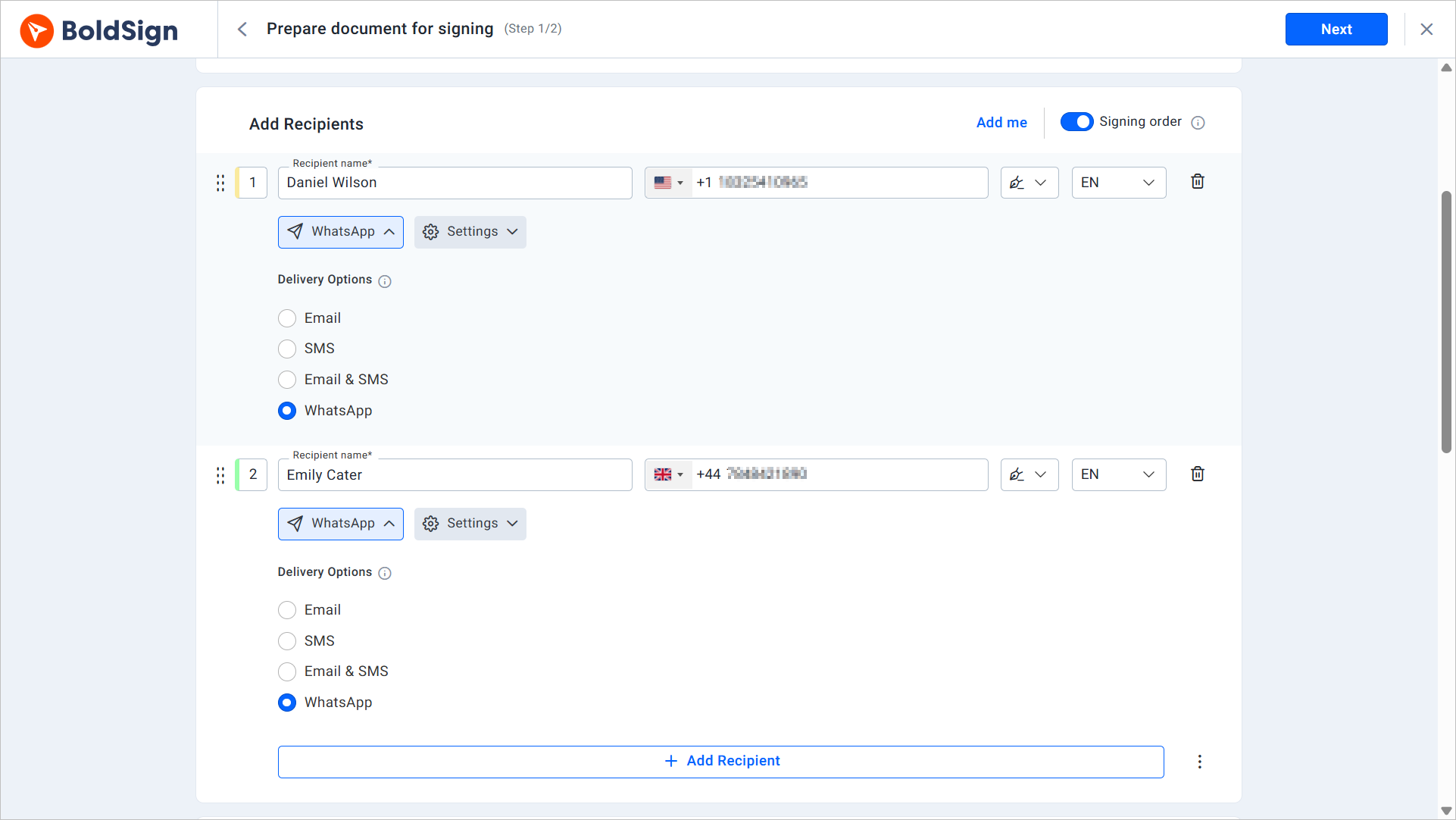
Reach employees by email, text or WhatsApp
Some staff rarely check work email, such as people on shift or in the field. You can send the review request by email, SMS or WhatsApp.
The employee then opens and signs the review from the app they already use. Our help article on how to send signature requests via WhatsApp walks through the set-up.
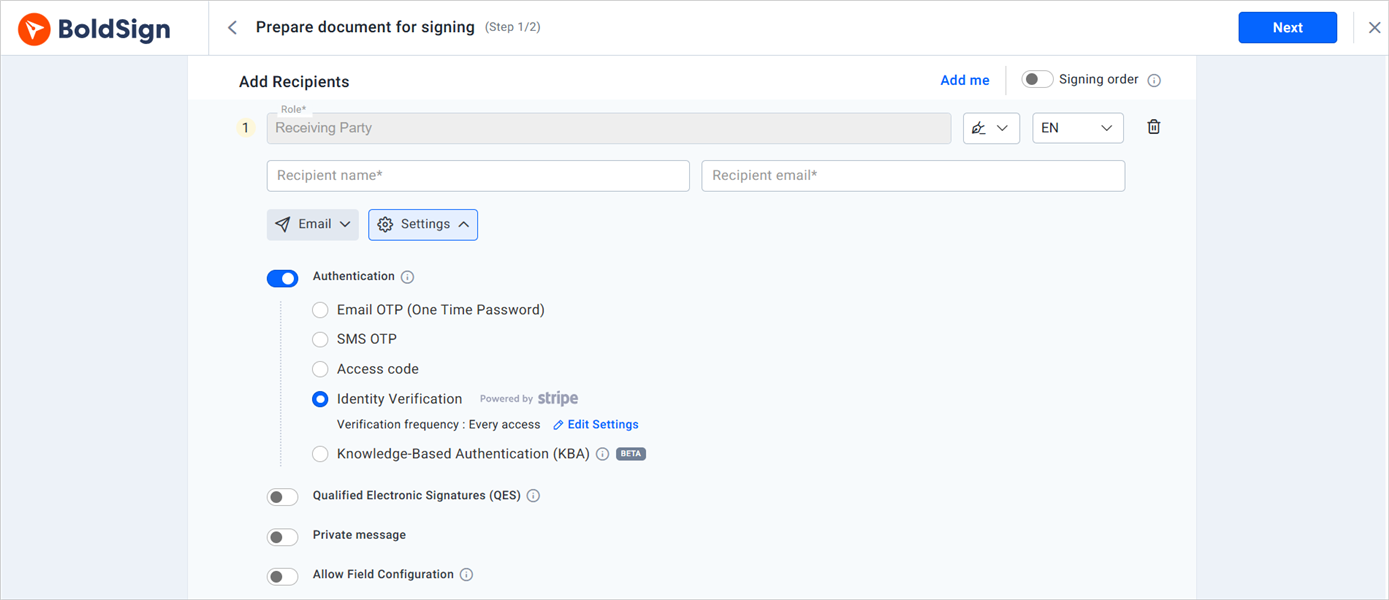
Confirm who is signing
Signer authentication checks that the right employee opens the review. You can add one of these checks for each signer:
- A one-time code sent to the signer’s email address or phone
- An access code you share with the signer yourself
- Knowledge-based authentication (KBA), with questions from public records for US signers
- Identity verification, with a photo ID and a live selfie
Send reminders and set a deadline
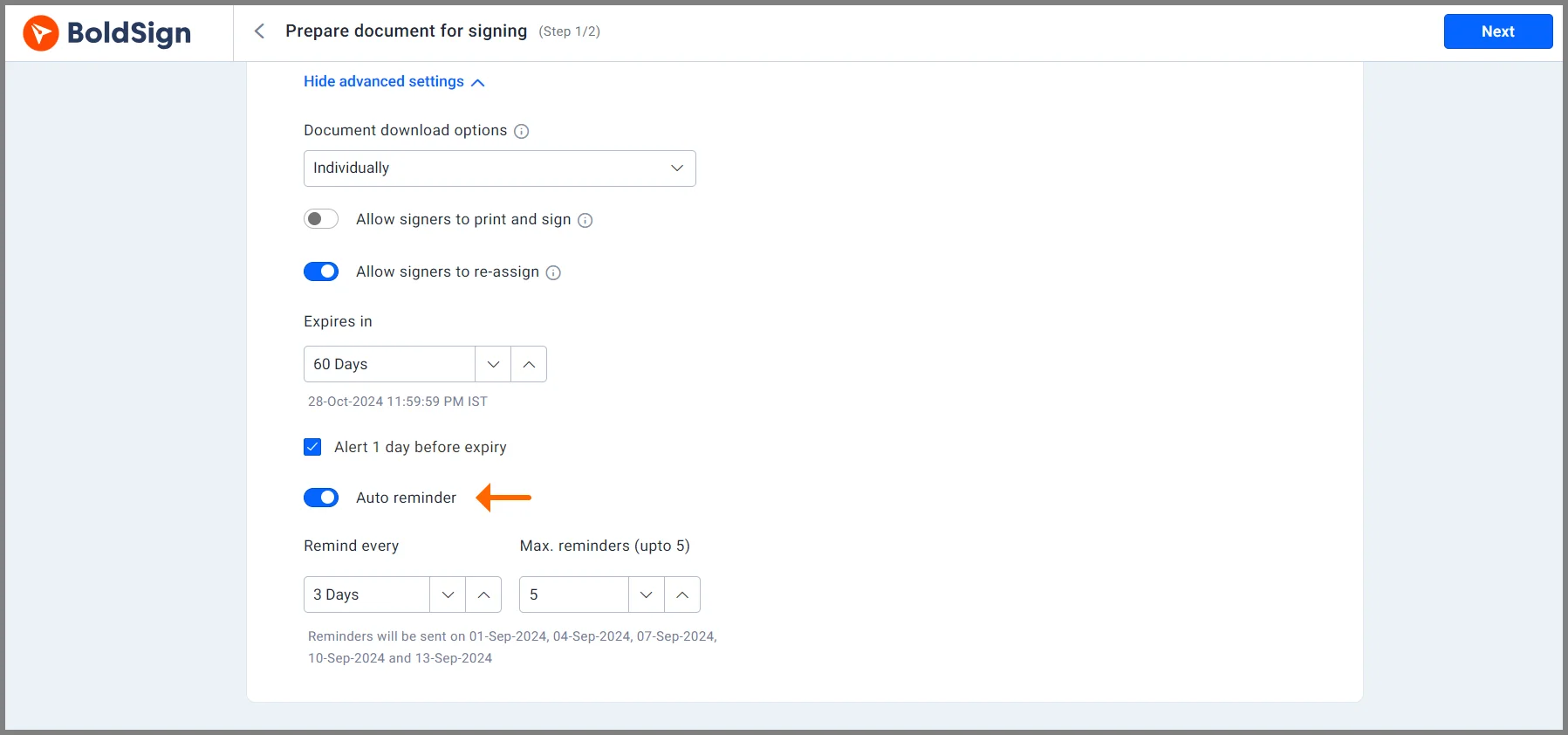
Automatic reminders nudge anyone who has not signed yet. You can set up to five per document, and they stop once the review is signed.
Each request also has an expiry date. Documents expire after 60 days by default, and you can set a shorter date for a review that is due soon. Our help article on how to configure automatic reminders covers each setting.
Add your company brand
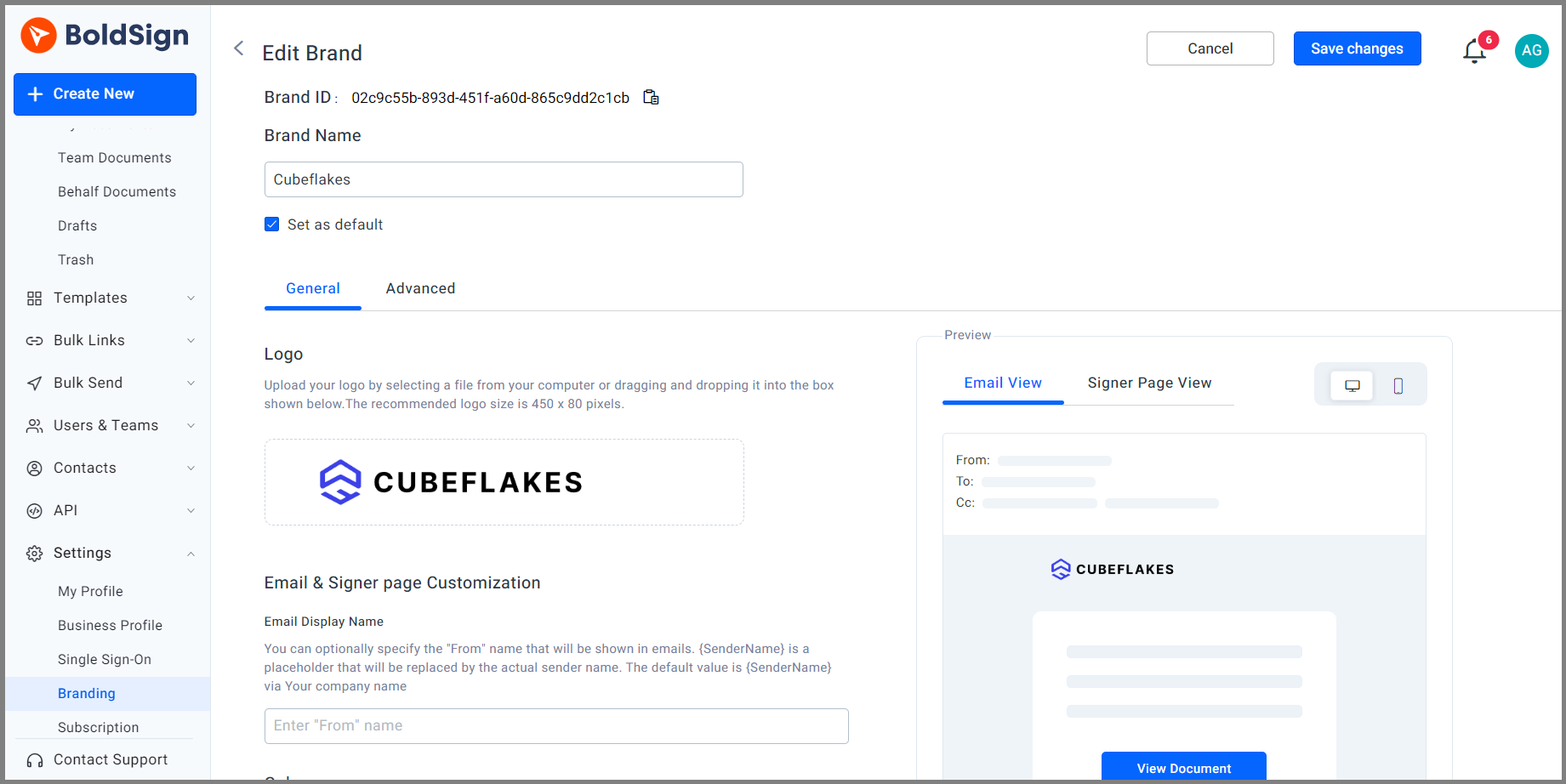
A brand puts your logo, colors and company name on the signing email and the signing page. Employees can see at a glance that the review comes from their own HR team.
How do you keep track of signed reviews?
Every review sits in one list that you can filter by status, date or signer. Tags and the audit trail help you find and prove each one later.
Organize reviews with tags
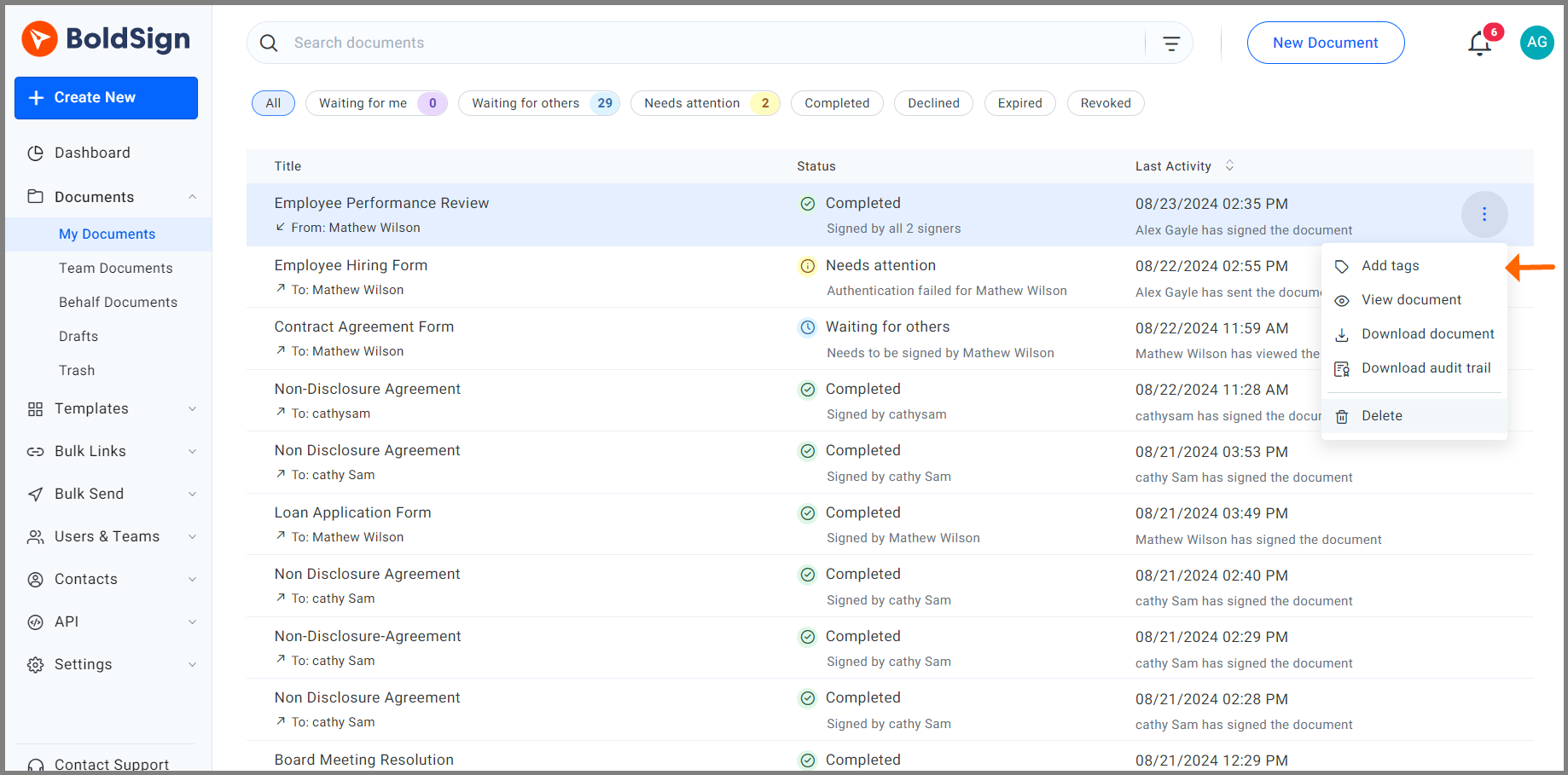
Add a tag such as a team name or “2026 annual review” to each document. You can then organize and track your documents by tag in My Documents.
Pin a filtered list to your dashboard to watch the reviews you are working on right now. Our help article on how to organize documents using tags shows the steps.
Check the audit trail
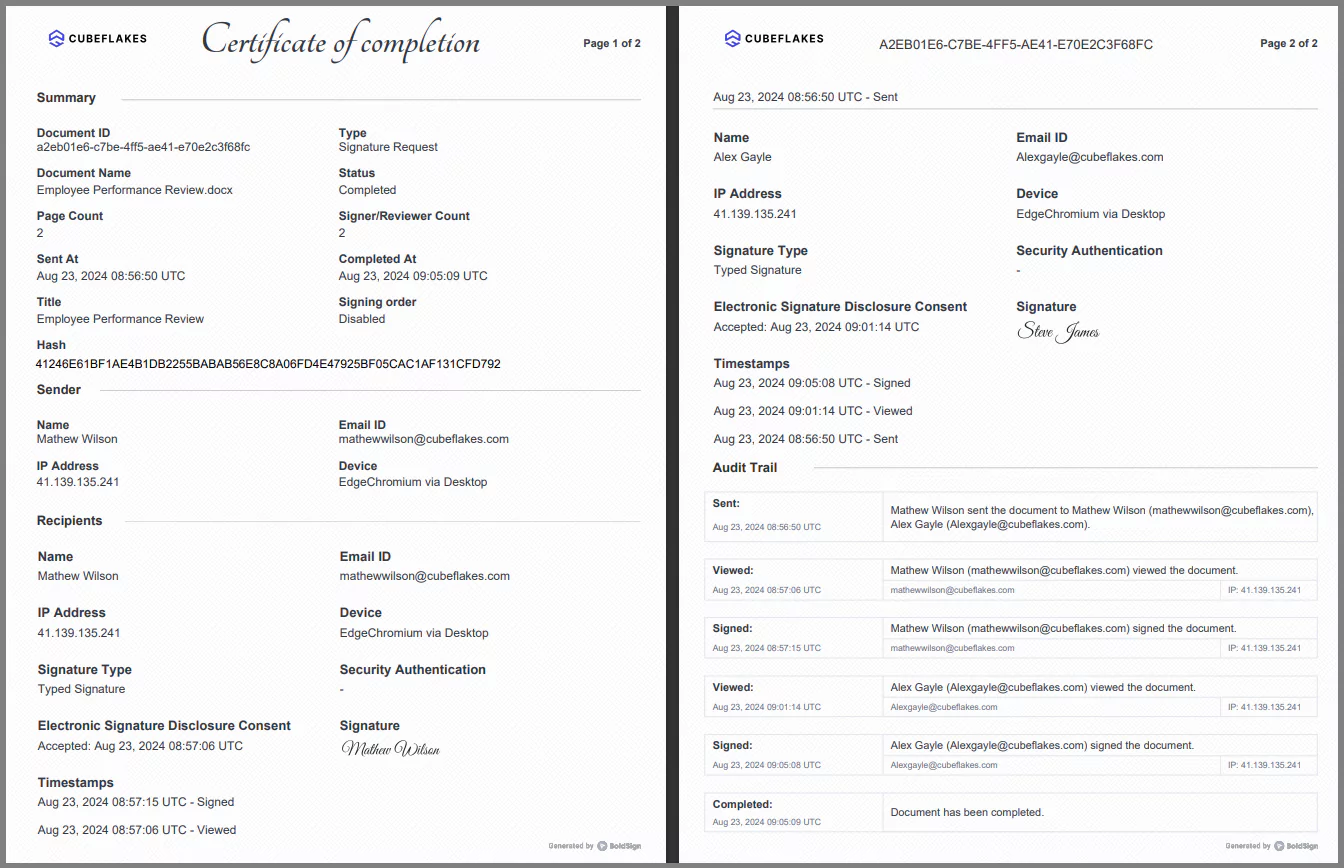
We record each action on a review, from the moment it is sent to the moment it is complete. The audit trail lists who opened, viewed and signed the document, and when.
Our help article on what the audit trail contains lists every detail it holds.
Keep reviews secure
Our eSignatures follow the US Electronic Signatures in Global and National Commerce (ESIGN) Act. They also follow the EU electronic identification and trust services (eIDAS) rules.
We hold System and Organization Controls (SOC) 2 Type 2 status and follow the General Data Protection Regulation (GDPR).
How does an employee sign a performance review?
The employee signs from the email link, with no account needed. The steps take a couple of minutes.
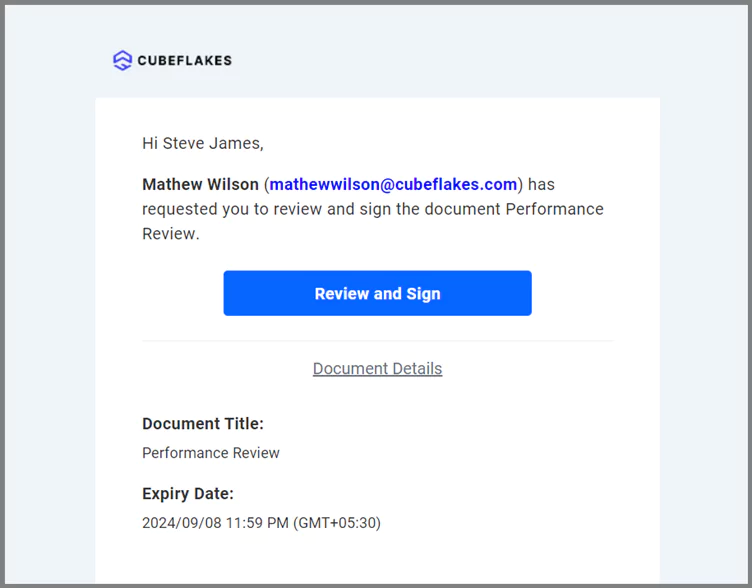
- Open the email and click Review and Sign.
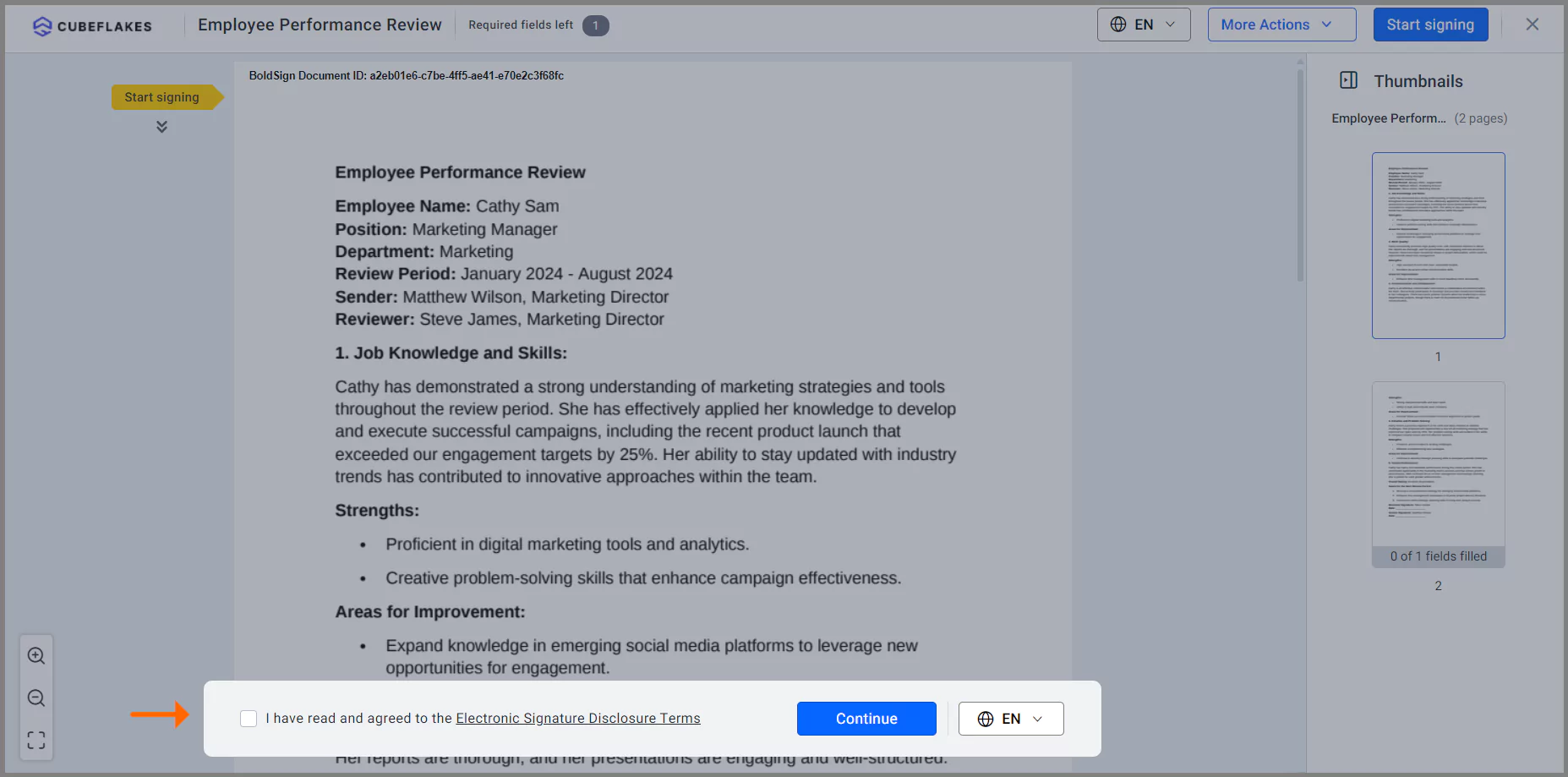
- Accept the terms and conditions, then click Continue.
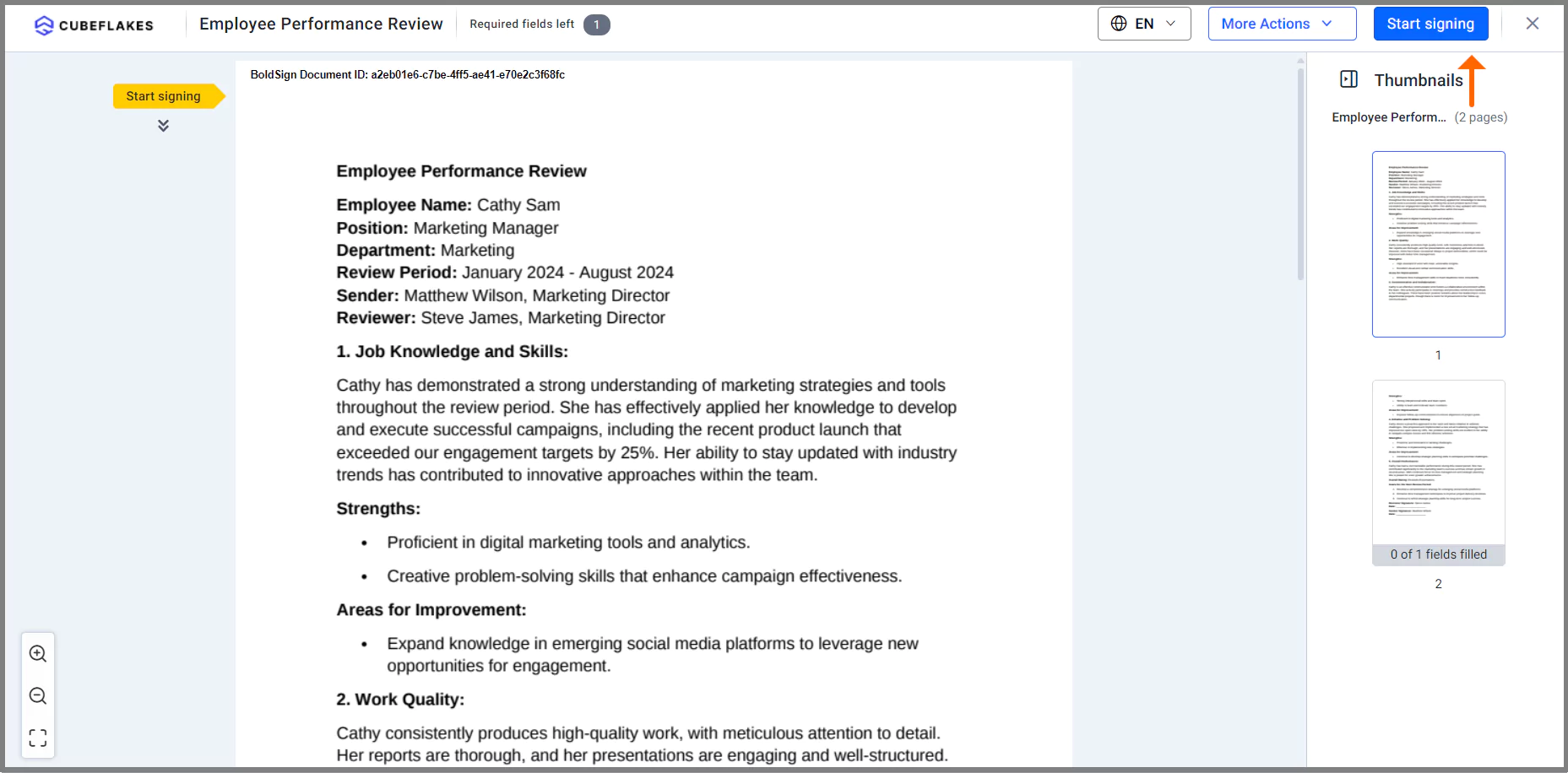
- Click Start signing.
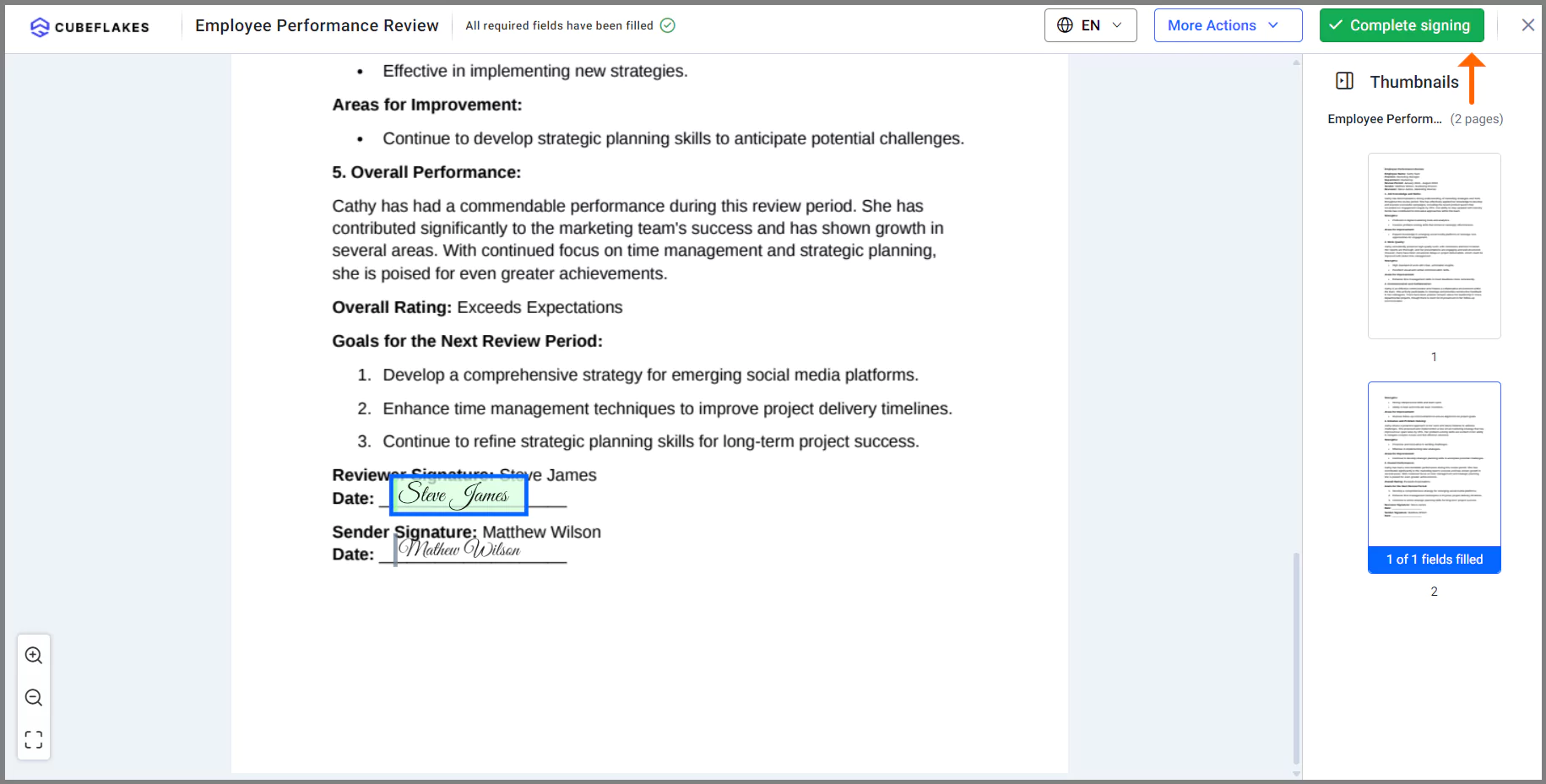
- Read the review and sign or initial where marked.
- Click Complete signing. We send the signed copy back to the sender.
What should HR check before sending reviews?
A few settings are easy to miss on the first review cycle. Check them before you send to the whole company.
- Put the manager before the employee in the signing order.
- Set an expiry date that matches your review deadline.
- Test the template by sending one copy to yourself first.
- Use KBA for US signers only, since its questions come from US public records.
Which BoldSign plan do you need for performance reviews?
Small teams can start on the free Essential plan, which includes 2 templates and 1 brand. The Growth plan costs $5 per user a month and includes 10 templates and 2 brands.
The Business plan costs $15 per user a month and includes unlimited templates and brands. It adds bulk send, SMS and WhatsApp delivery, SMS authentication and ID verification. The Premium plan costs $99 a month for unlimited users and includes the same features.
All prices are in USD and billed yearly, as listed on our pricing page in November 2026. KBA is an add-on at $1.50 per attempt on the Business and Premium plans.
How do you get your next review cycle started?
Pick the step that fits where your team is today.
- Start a 30-day free trial and turn your annual review form into a template.
- Book a demo to see a review sent, signed and filed.
- Contact our support team with a question about your review process.
Frequently asked questions
Why should an employee sign a performance review?
A signature shows the employee received and read the review. It does not have to mean they agree with every point, and many forms have a space for their comments.
Can I sign a performance review electronically?
Yes. Your manager or HR team sends the review by email, and you open it, add your signature and submit it from a phone or computer.
Is an electronically signed performance review legally valid?
Yes, when it meets the eSignature laws that apply to you, such as the ESIGN Act in the US. Check local employment rules with your own legal adviser.
Who should sign a performance review first?
Many teams have the manager sign first, then the employee, then HR. A set signing order in BoldSign sends the review to each person in that sequence.
How do I send a review form to every employee at once?
Use bulk send. You upload a CSV file with each employee's name and email address, and we send each person a separate copy of the review.
Can an employee sign a review on their phone?
Yes. The signing page works in a mobile browser, so the employee can open the email link and sign without installing an app.
What happens if an employee forgets to sign their review?
Automatic reminders go out at the interval you set, up to five per document. You can also send a reminder by hand at any time.
How much does BoldSign cost for an HR team?
The Essential plan is free. Paid plans start at $5 per user a month for Growth and $15 per user a month for Business, billed yearly.

Rowan Sam Kerongo Makori
Rowan contributes to the BoldSign blogs and helps the articles team. He is passionate about writing high-quality and informative content. His interests include reading books, writing, and exploring.
More posts by Rowan Sam Kerongo Makori