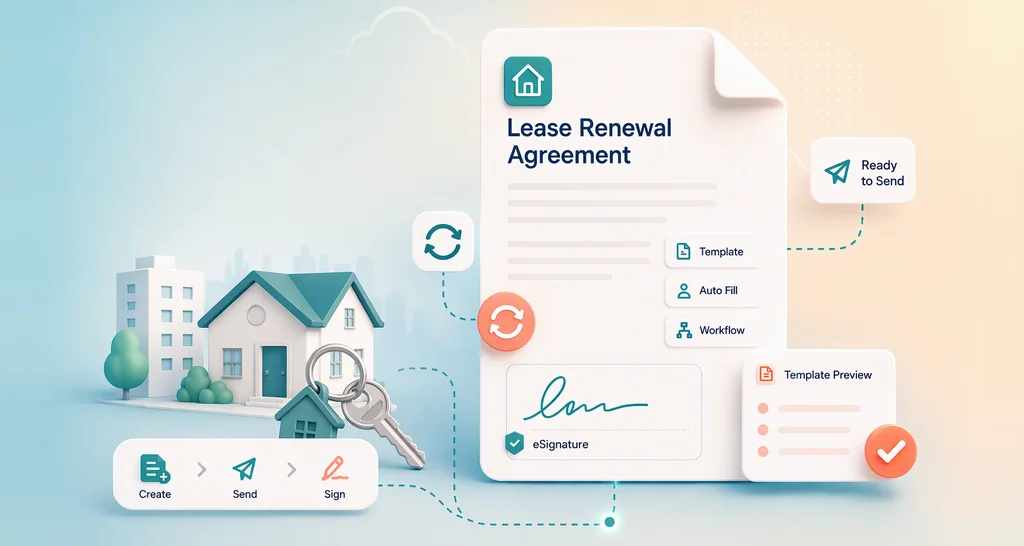
How to Sign Listing Agreements in Real Estate Faster with eSignatures
 Lakshmi Priya Murugesan
TL;DR: A listing agreement can go from draft to signed in one sitting when you send it as an eSignature request. Save it as a template, add every seller in the right order, and let reminders do the chasing. Our eSignature for real estate page shows how agents use this across a deal.
A couple wants to list their home this weekend. You need both owners to sign the listing agreement first, but one of them travels for work. Printing, scanning and driving across town for a second signature can cost you days.
This guide shows how to get a listing agreement signed online, step by step. It covers the template, the signers, identity checks, tracking and what your sellers see.
What is a listing agreement, and why sign it online?
A listing agreement is the contract between a property owner and an agent or broker to market and sell the property. Signing it online lets every owner sign from wherever they are, on the same day.
Think of it like a hiring contract for a job you both care about. The seller hires you to sell the home, and the agreement records the terms you both accept. Nobody can start the work until every owner has signed.
What slows down listing agreement signatures?
Most delays come from paperwork and people, not from the terms. Agents often face the same few problems on every listing.
- Retyping the same agreement for each new property.
- Passing one document between two or more owners.
- Checking that the right person signed.
- Waiting on a seller who forgot to sign.
The sections below take each problem in turn.
How do you reuse one listing agreement for every property?
Save your listing agreement as a template once, then reuse it for each new listing. You fill in only the details that change, such as the address and the owners’ names.
In a template, each signer is a role, such as Seller 1 or Agent. You place the form fields once and assign each field to a role. Every agreement you send from it then has the same layout and fields.
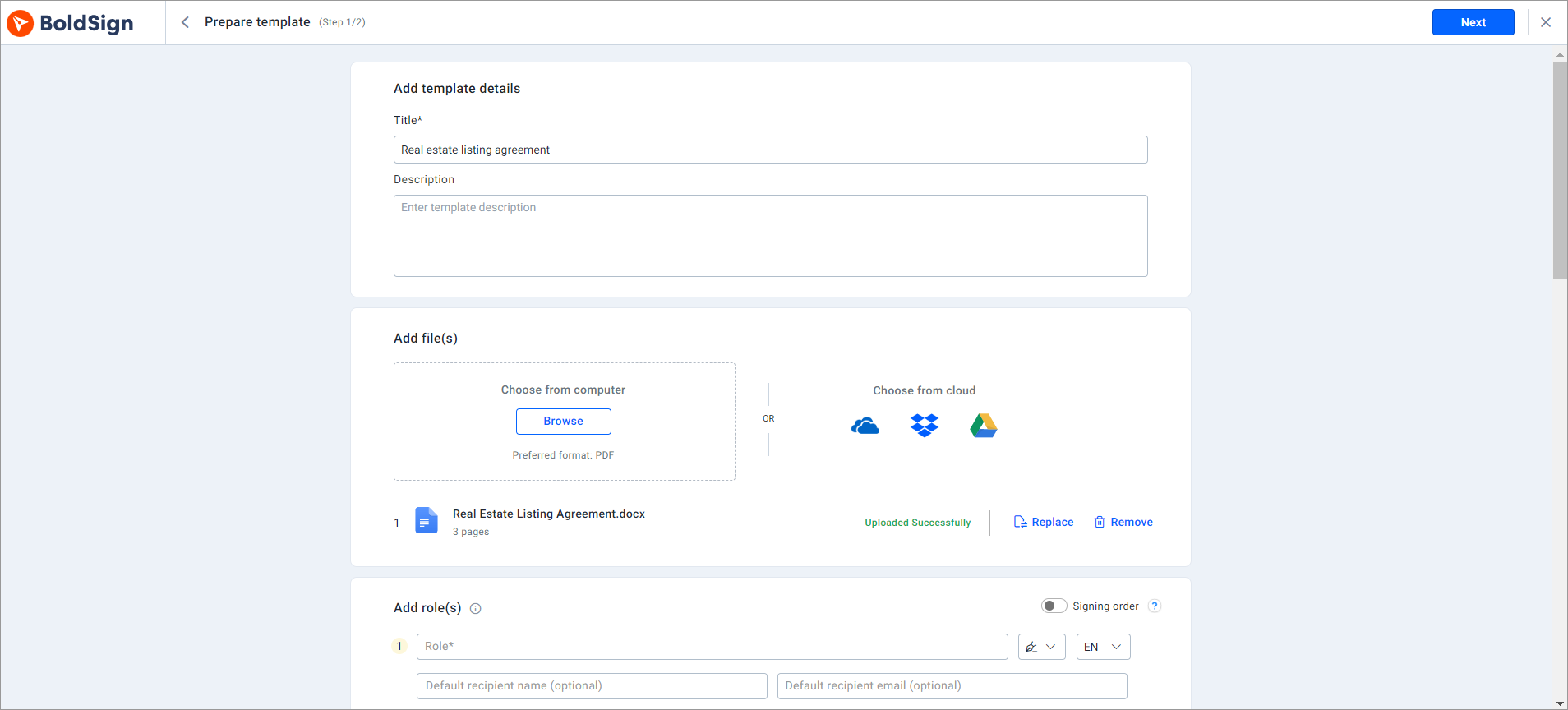
Our help article on how to create a template lists each step. The guide to save time with electronic signature templates shows more ways to use them.
How do you send a listing agreement to more than one seller?
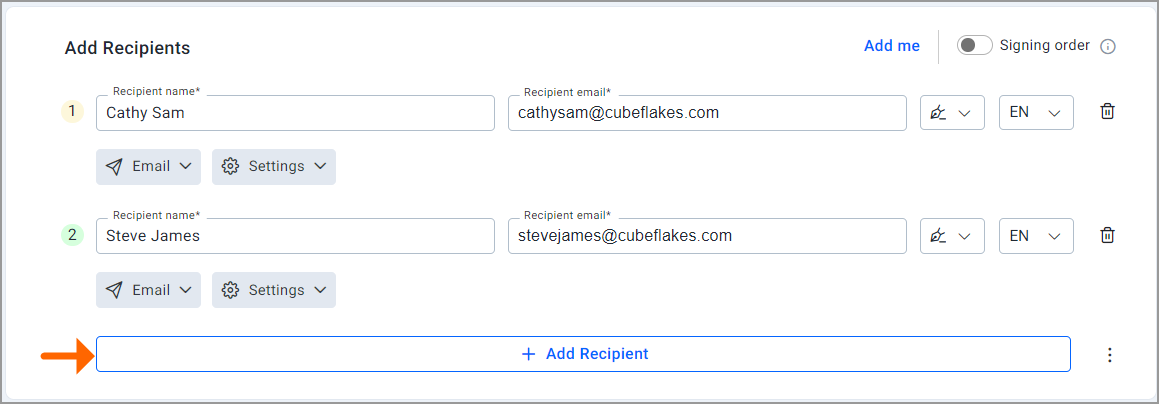
Add each owner as a recipient on the same document. They can all sign at the same time, or you can set a signing order so each one signs in turn.
A signing order helps when the agent signs last, after every owner. Each person gets the agreement only when it is their turn. You send it once and do not need to pass it along by hand.
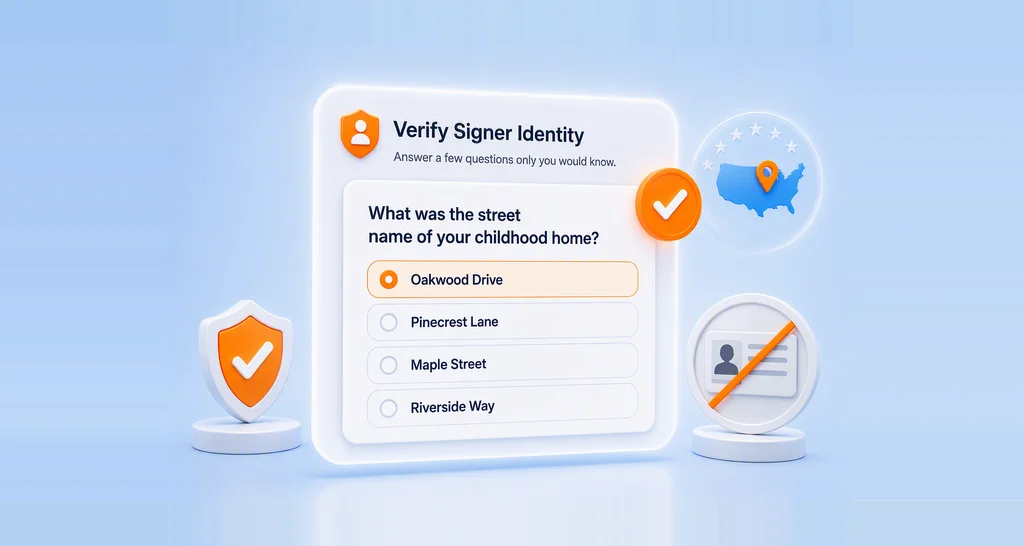
How do you confirm each seller is who they say they are?
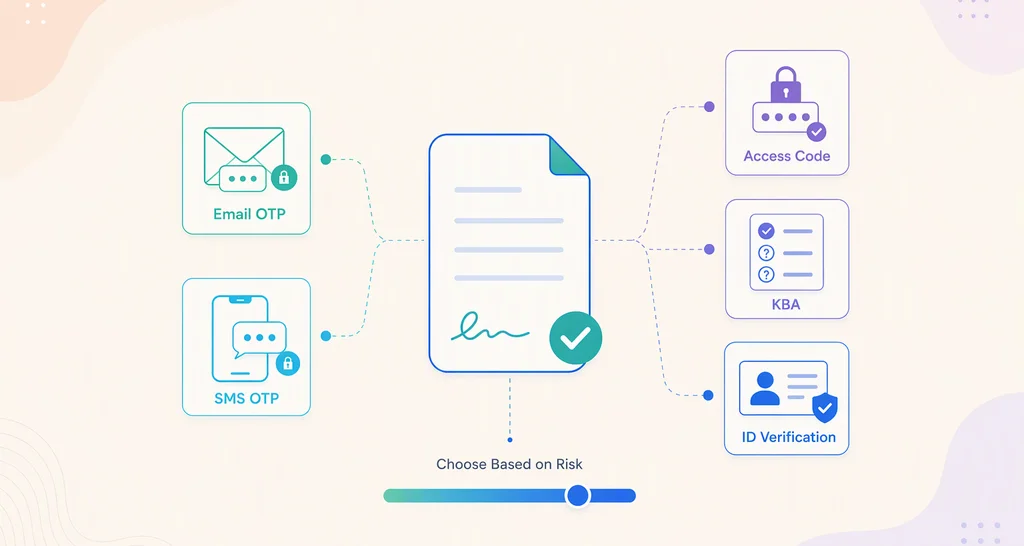
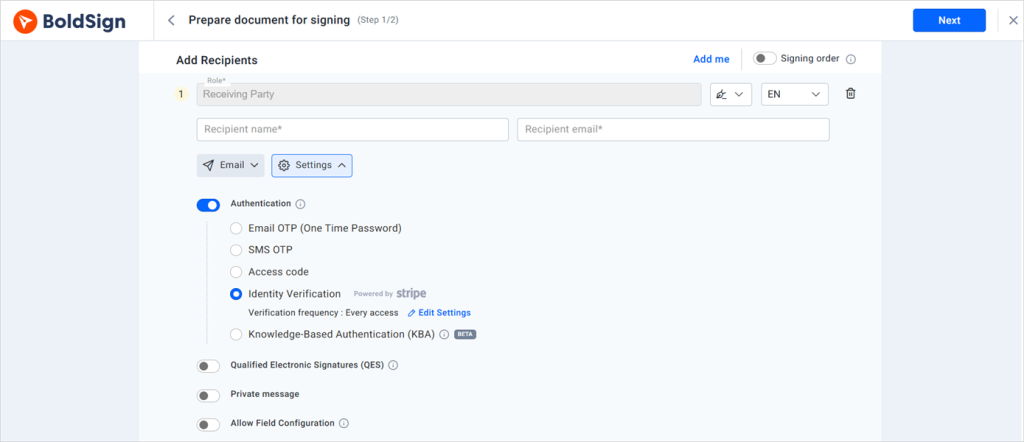
Turn on signer authentication before you send. Each seller then has to prove who they are before the agreement opens.
Our help article on how to add authentication to a signer explains these options:
- Email one-time passcode (OTP): a code goes to the seller’s inbox.
- SMS one-time passcode: a code goes to the seller’s phone.
- Access code: you set a code and share it with the seller yourself.
For a higher level of trust, add knowledge-based authentication (KBA) or identity verification with a photo ID.
How do you track a listing agreement and chase late signers?
Check the document’s status on your dashboard or in My Documents. You can see who still needs to act, so you follow up with the right person.
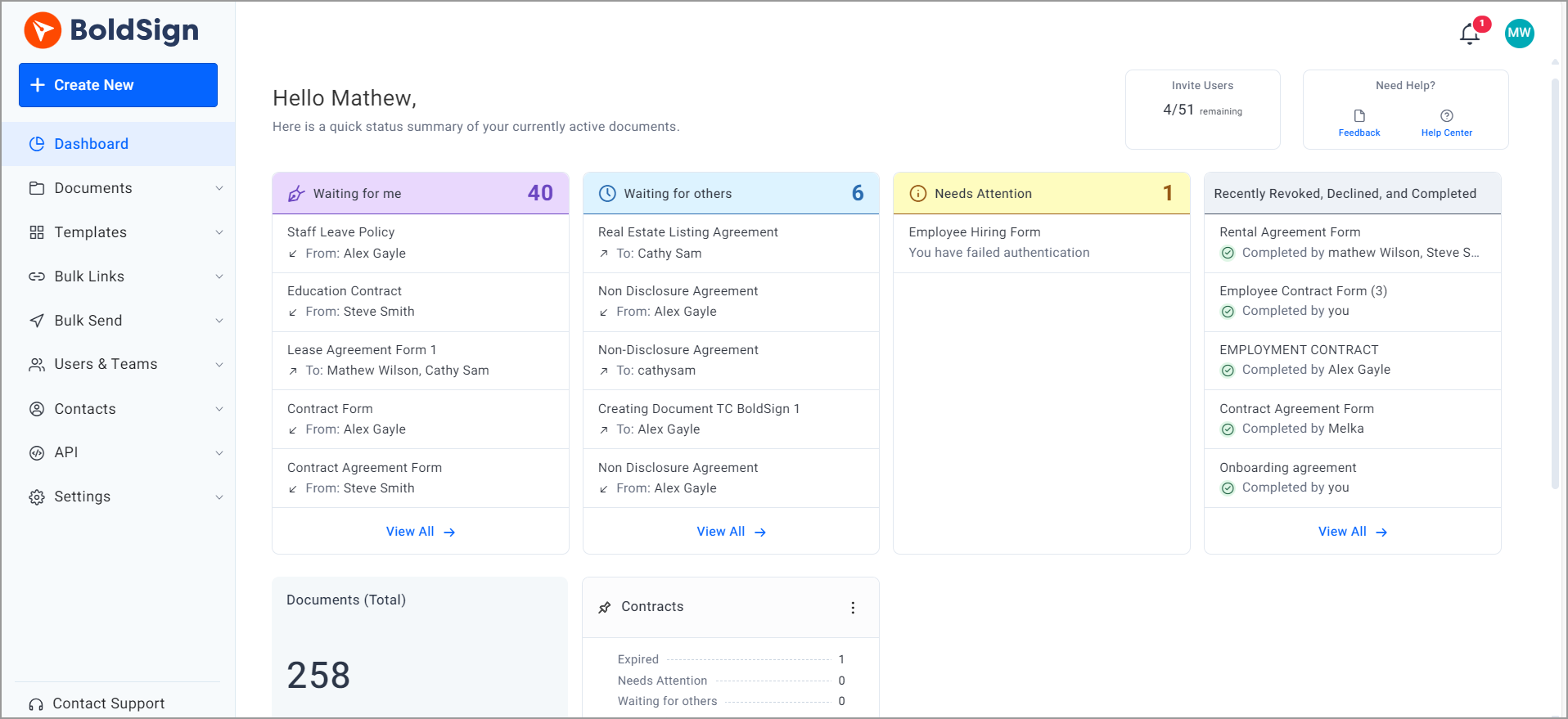
Our help article on how to track changes on a document shows each status. Our document tracking page covers the rest.
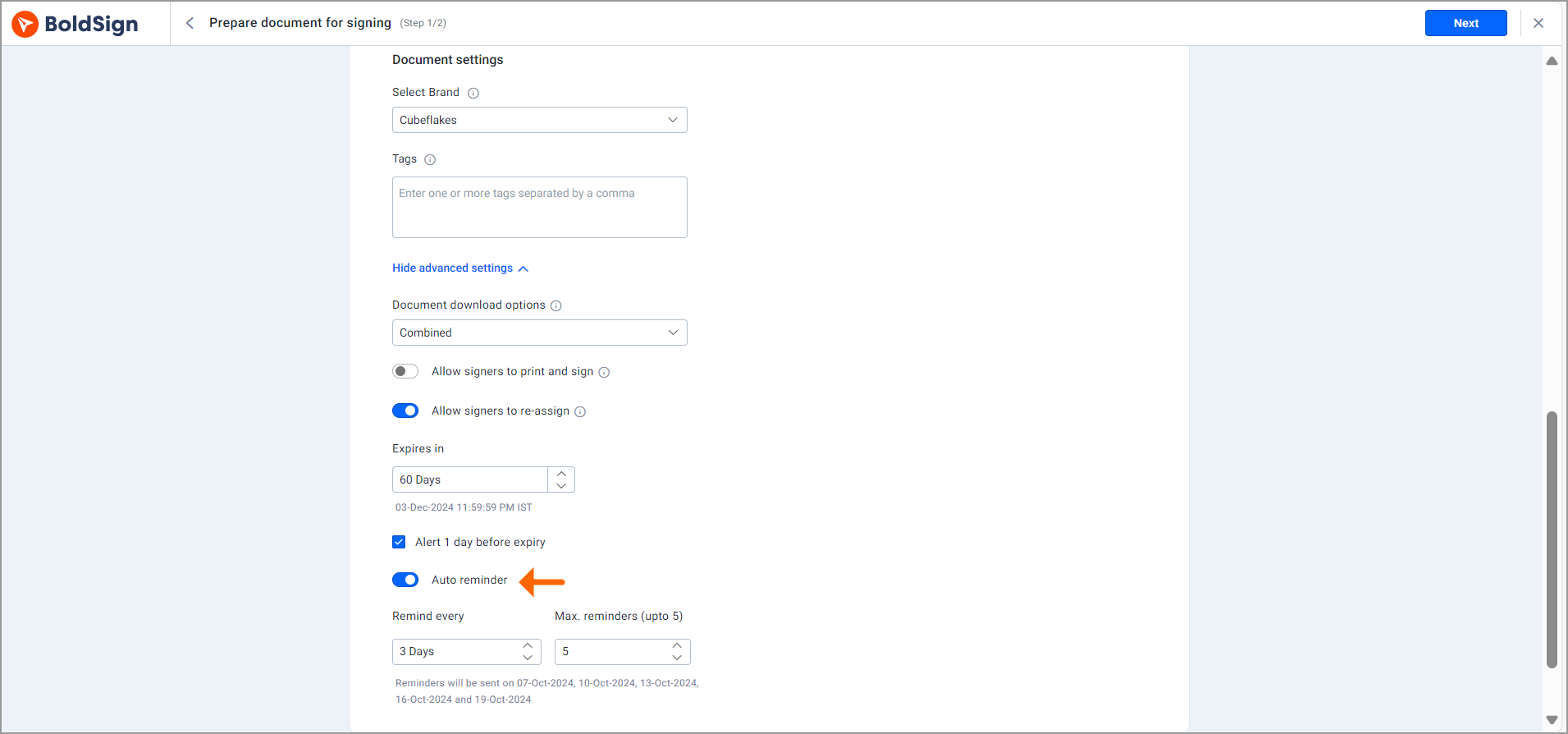
Automatic reminders do the chasing for you. Pick how often to remind a seller when you send the agreement, and we email them until they sign.
How do you put your brokerage brand on the agreement?
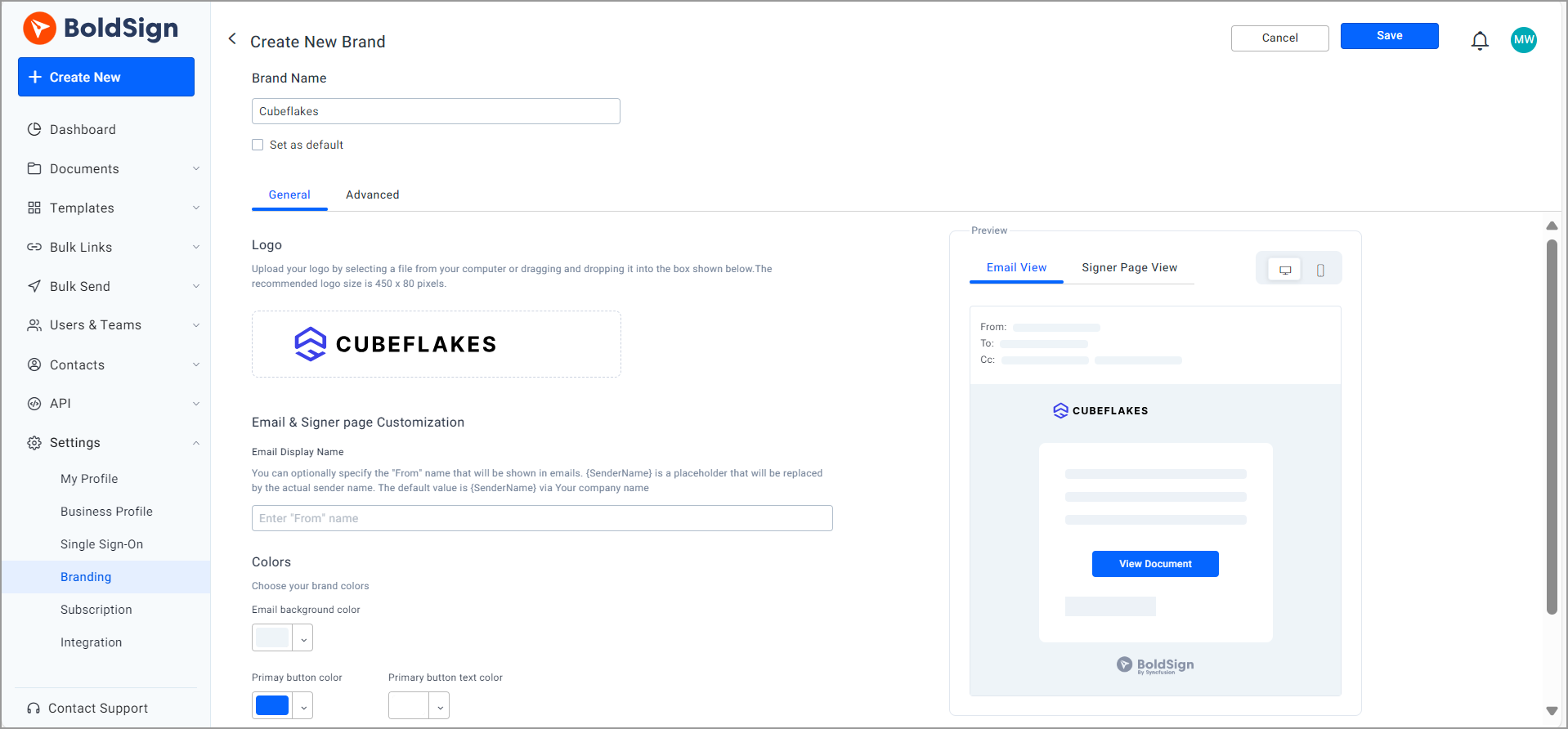
Create a brand with your logo and colors, then pick it when you send. Sellers then see your brand on the signing page and in the emails we send them.
You set up a brand under Settings, then Branding. You can also add a From name that sellers see in their inbox. Our custom branding page and the help article on how to create a brand in BoldSign explain the details.
How do you send a listing agreement for signature in BoldSign?
You can send one in five steps from the web app. Here is the path from login to a sent agreement.
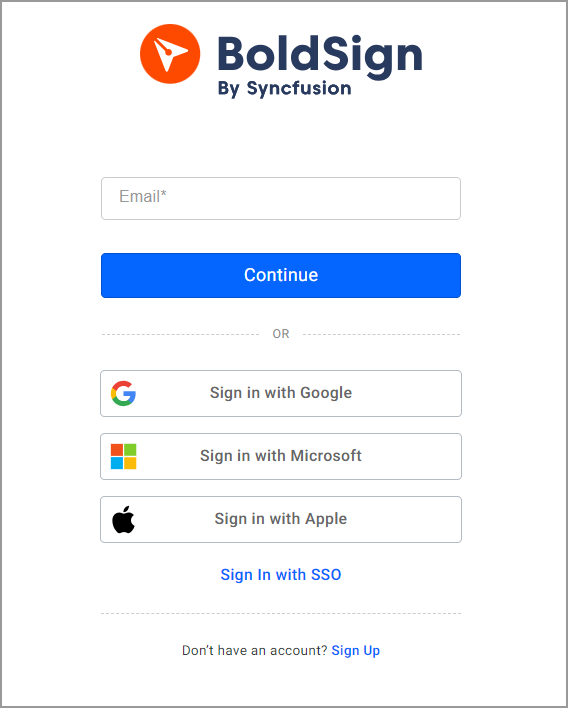
- Log in to BoldSign, or create a free account.
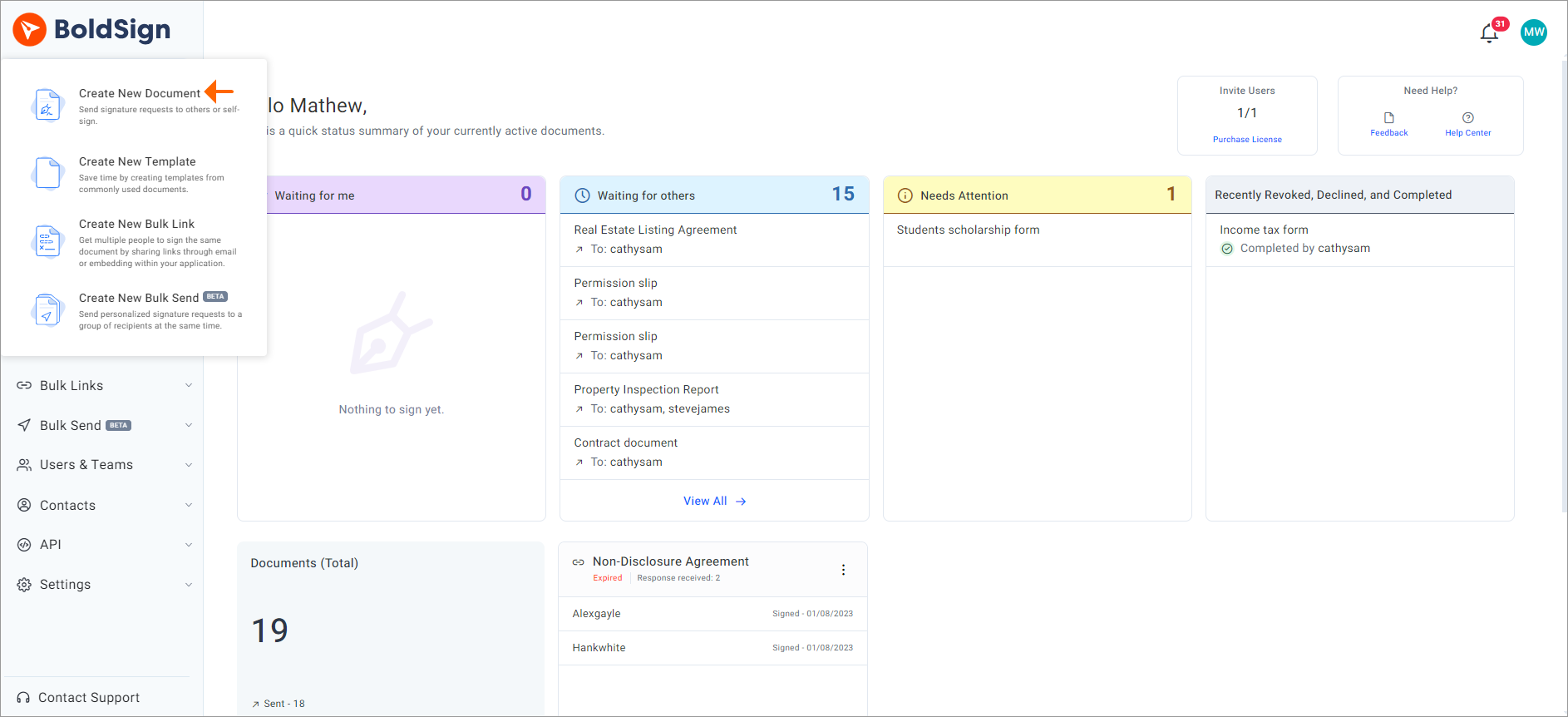
- Select Create New, then Create New Document.
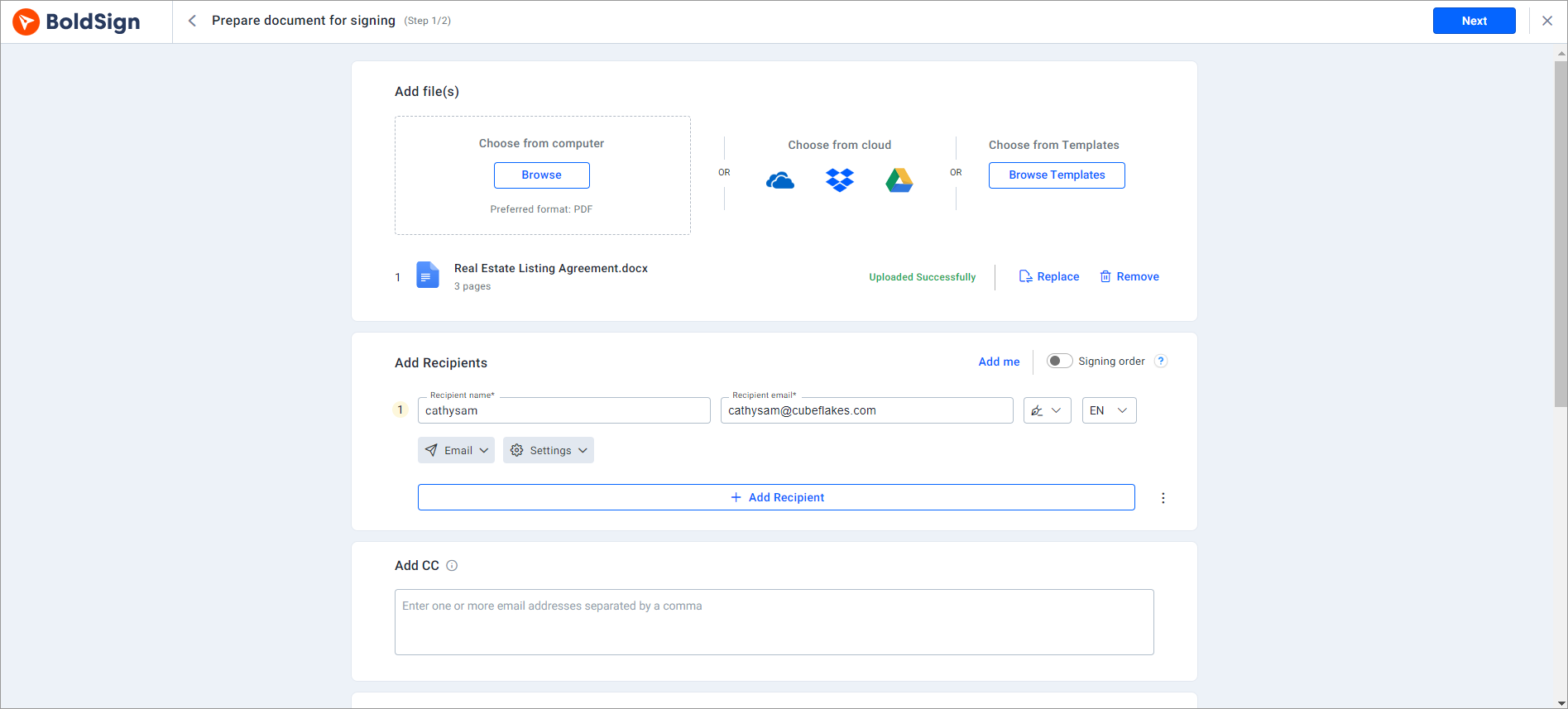
- On the Prepare document for signing page, upload the agreement, add the sellers and select Next.
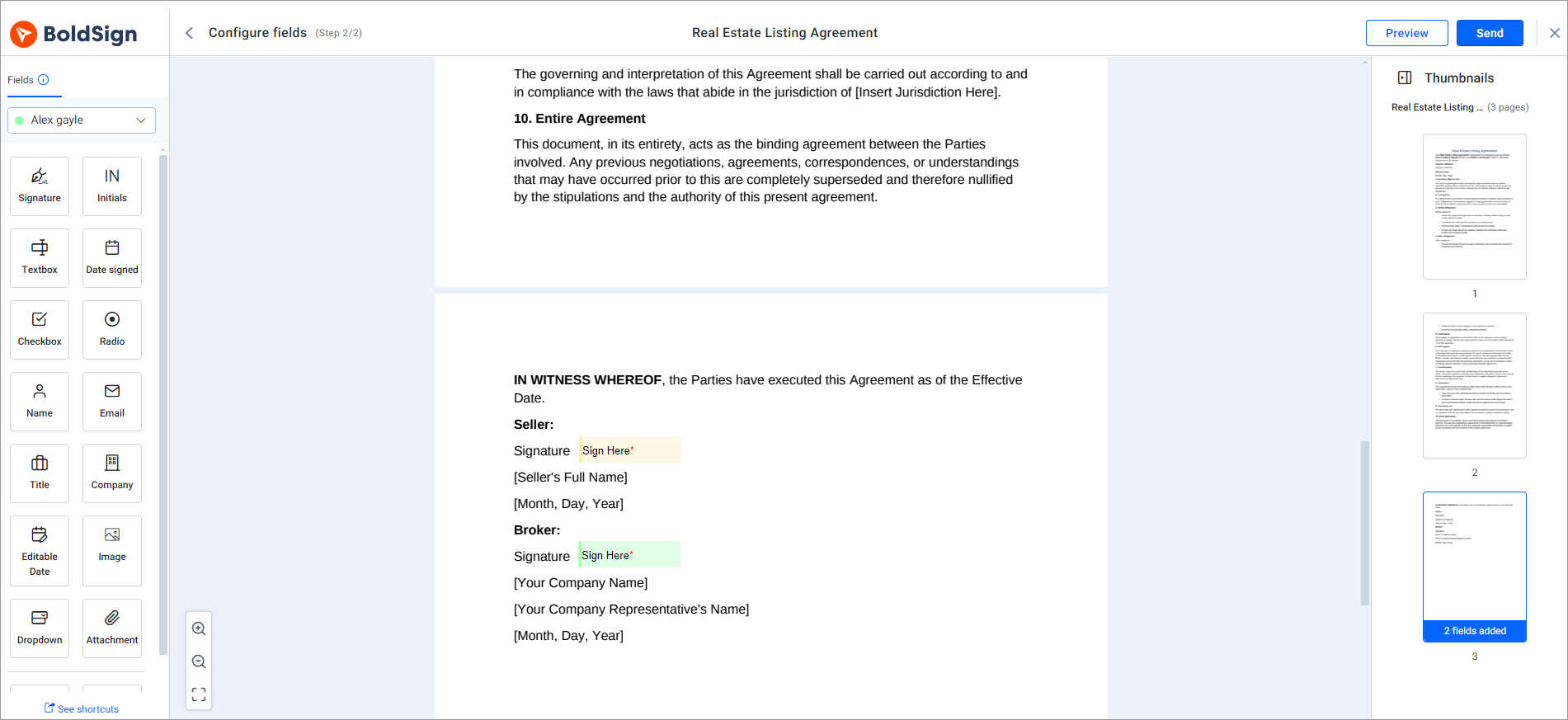
- On the Configure fields page, drag the signature, date and text fields onto the document.
- Select Send.
What does the seller see when they sign?
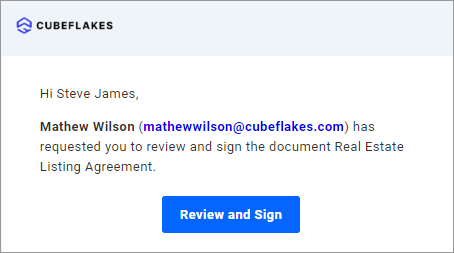
The seller gets an email with a link to the agreement and signs in a few clicks. They do not need an account or an app.
- Select Review and Sign in the email to open the agreement.
- Agree to the disclosure terms and select Continue.
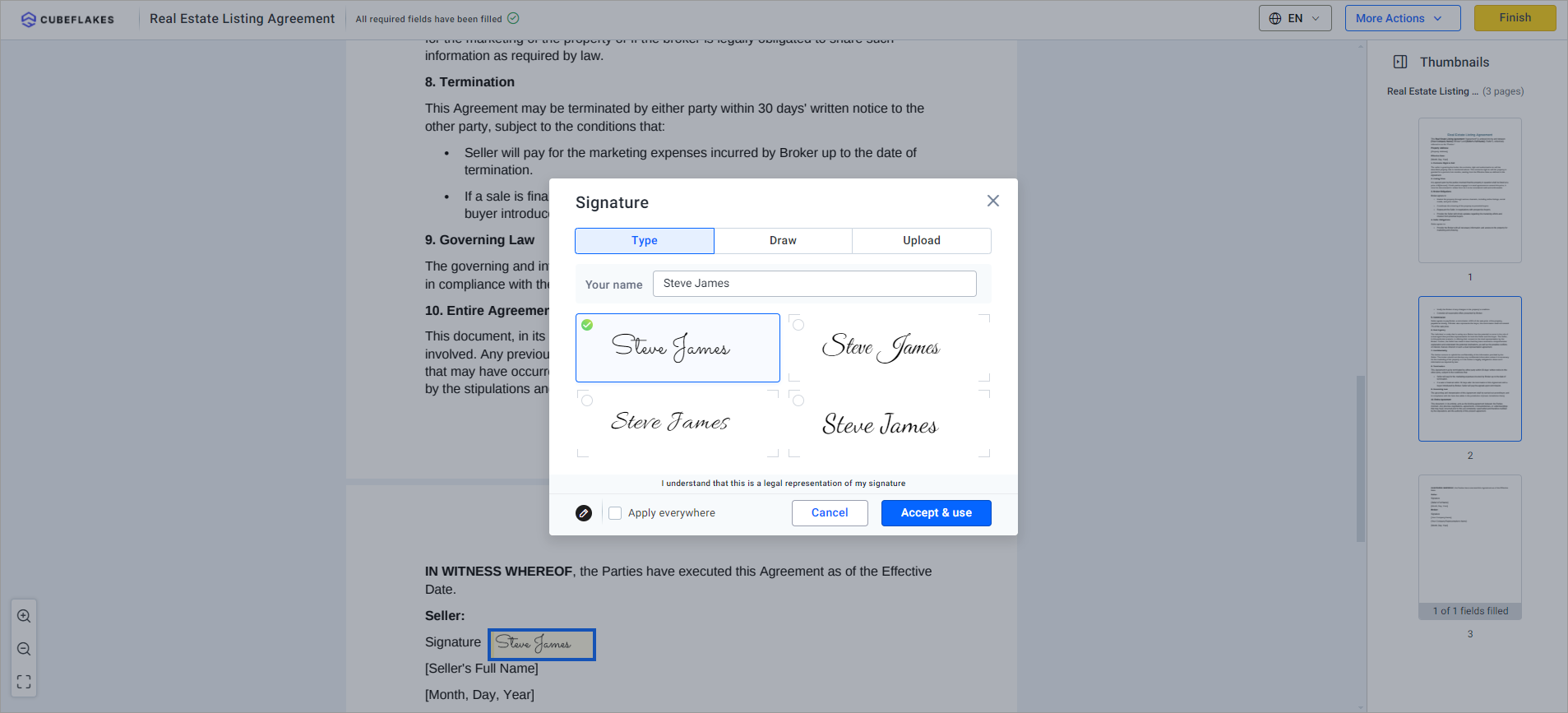
- Select Start signing and fill in each field.
- Select Finish to complete the signature.
Every signed agreement keeps an audit trail of who signed and when. Our security policy page explains how we protect your documents.
Is a listing agreement signed online legally binding?
Yes, when the parties agree to sign electronically and the signed record is kept. The US Electronic Signatures in Global and National Commerce (ESIGN) Act says a contract is not denied legal effect just because it is electronic.
Your brokerage or state may still have its own rules for some forms. Check them before you move every document online.
Which BoldSign plan do you need, and what does it cost?
The free Essential plan covers sending a listing agreement with reminders, tracking and email passcodes. It includes 2 templates, 25 envelopes a month and 1 brand.
The Growth plan costs $5 per user a month and raises that to 10 templates and 2 brands. The Business plan costs $15 per user a month and adds unlimited templates and brands. SMS one-time passcodes, KBA and ID verification need the Business or Premium plan.
The Premium plan costs $99 a month for unlimited users. All prices are in USD and billed yearly, as listed on our pricing page in November 2026. Agents at our partner real estate brokerage can get 30% off our plans.
Where do you go next with your listing agreements?
Send your next listing agreement as a test. The links below help you get started.
- Start a 30-day free trial and send your own listing agreement to yourself.
- Read how to close real estate deals faster with eSignatures for offers, disclosures and leases.
- Book a demo or ask our support team about your setup.
Frequently asked questions
What is a listing agreement in real estate?
A listing agreement is the contract between a property owner and a real estate agent or broker to market and sell the property. It sets out the terms both sides agree to before the home goes on the market.
Can I sign a listing agreement electronically?
Yes, in most cases. You send the agreement by email, and each seller opens it from a link and signs on a phone or computer. Check your brokerage's policy and your state's rules for any form that must be signed on paper.
Is an electronically signed listing agreement legally binding?
Yes, when every party consents to electronic signing and you keep the signed copy. US federal law, the Electronic Signatures in Global and National Commerce (ESIGN) Act, says a contract keeps its legal effect even though it was signed electronically.
Do sellers need a BoldSign account to sign?
No. Sellers open the agreement from the link in their email and sign it there. Only the person who sends the agreement needs an account.
How do I get two sellers to sign the same listing agreement?
Add both sellers as recipients on one document. You can let them sign at the same time or set a signing order so the second seller gets it after the first one signs.
Can sellers sign a listing agreement on their phone?
Yes. The signing page works in a phone or tablet browser, so a seller can review and sign without a computer or an app.
How do I remind a seller who has not signed yet?
Turn on automatic reminders when you send the agreement, and we email the seller at the interval you choose. You can also send a reminder by hand from the document page.
Can I add my brokerage logo to listing agreements?
Yes. Create a brand with your logo and colors under Settings, then pick it when you send. Your brand then appears on the signing page and in the emails sellers get.

Lakshmi Priya Murugesan
Lakshmi Priya Murugesan is a Technical writer at BoldSign. She excels in creating clear, concise documentation and guides across various tech fields. Lakshmi Priya is passionate about technology, she enjoys exploring new trends and sharing her insights through blogs and articles.
More posts by Lakshmi Priya Murugesan